3. Batch Processing
A job runs to process batches which use API Dynamic Switch where incoming data goes automatically to be processed as synchronous, batch or bulk.
What is batch processing?
Batch Processing is used for running a batch job. It has more capability than synchronous and we can check job monitoring. The job must contain more than 200 and less than 5000 records, o we can utilize it with batch processing. It can store many records in one batch, and we can set time interval in batch processing scheduler of Skyvva to run anytime that you optate. Batch Processing has a field called “Use Auto-Switch Mode”. This is incipient feature in Skyvva, It runs manually as well as with batch and bulk. The agent automatically get switched to Skyvva API when bulk and batch mode is used. It is predicated on a number of records in IntegrateMaxSize, IntegrateBatchMaxSize. The default of IntegrateMaxSize is 200 records and IntegrateBatchMaxSize is 5000 records, but we can transmute the value that is optate to run it. IntegrateMaxSize: A maximum number of records that the Skyvva integration agent can integrate utilizing methodsintegrate () is the default value of 200. If the number of records to be integrated is more immensely colossal than the value, the agent will switch the API mode automatically. IntegrateBatchMaxSize: A maximum number of the record that Skyvva integration agent can integrate utilizing method integrateBatch() is the default value of 5000. If a number of records to be integrated is more astronomically immense than this value, the agent will switch to bulk API method automatically.
Pre-requisite
- We should create integration. Please this tutorial to create integration-> What is an integration and how to create it?
- Next step is to create the interface. Please this tutorial to create interface-> What is an interface and how to create it?
- We should do mapping using SKYVVA graphical tool.
How to use batch processing?
Follow the given steps to set a value on IntegrateMaxSize, IntegrateBatchMaxSize.
- We have to click on the Edit button.
- Go to Information section->Fill 200 on Integrate Batch Max Size->Fill 50 on Integrate Max Size->Click Save Button
- Inbound section-> tick Use Auto-Switch Mode.
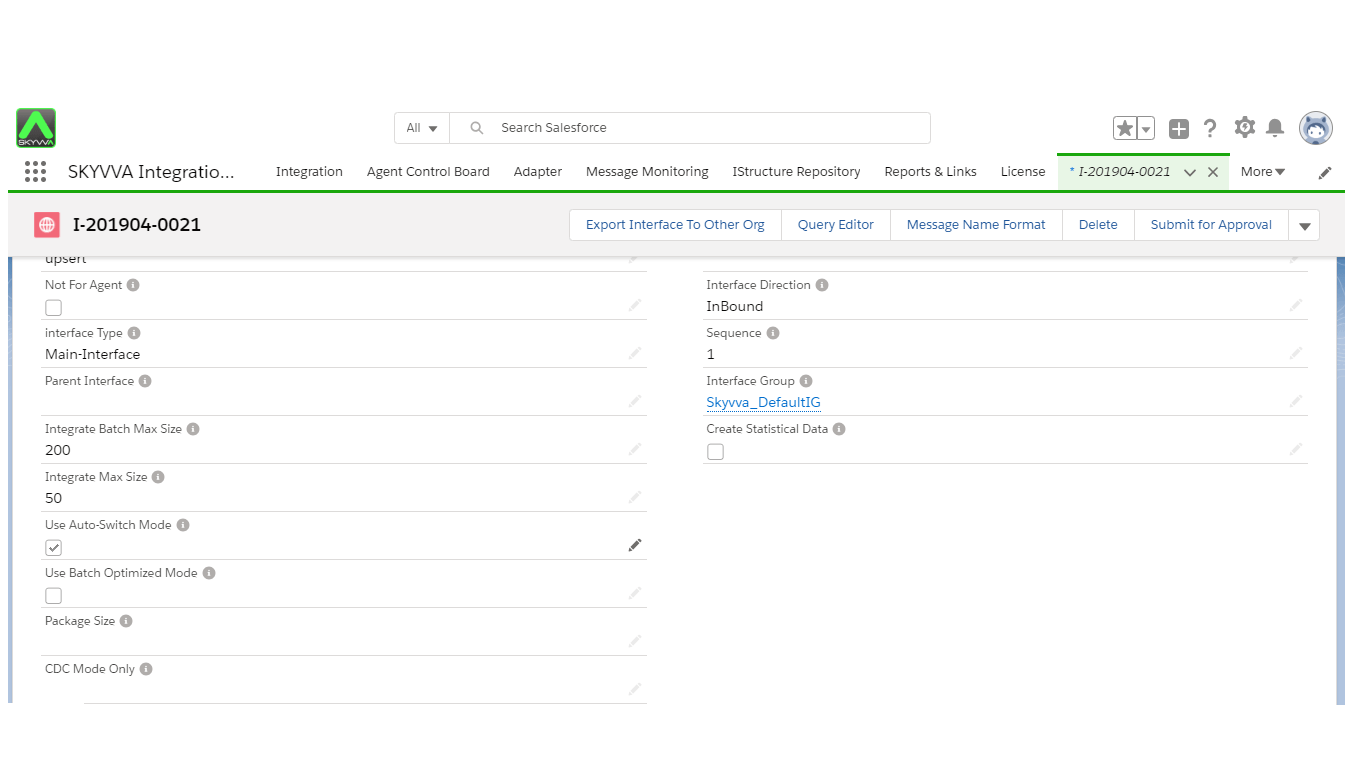
Note: When you fill Integrate Batch max Size and Integrate Max Size as screen above, it means that after you click on 'Use Auto Switch Mode' checkbox, it will run manually less than 51 records and a batch between 51 to 200 records.
How to load CSV file using an agent.
Agent Many networks and server monitoring solutions use “Agent” to get values from the machines they are monitoring. Agents are programs that run on the remote machines and communicate with the main monitoring system. Some merchant tries to hide the fact that they use Agents. They will try to deliver things like they “deploy” to remote systems or use other words, but it all compress to installing custom software on the remote machines. Upload data
- Click on Agent UI to run->Click Integration Wizard.
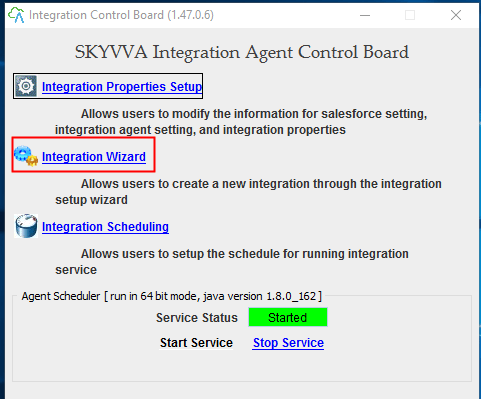
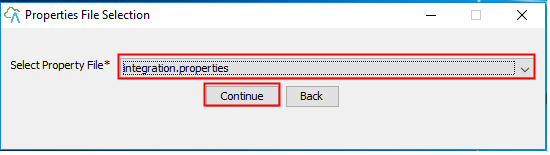
- Select Properties that log to salesforce.
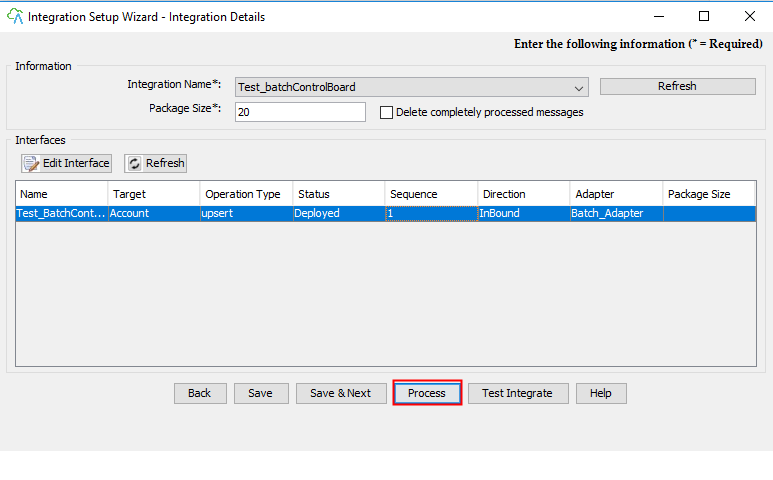
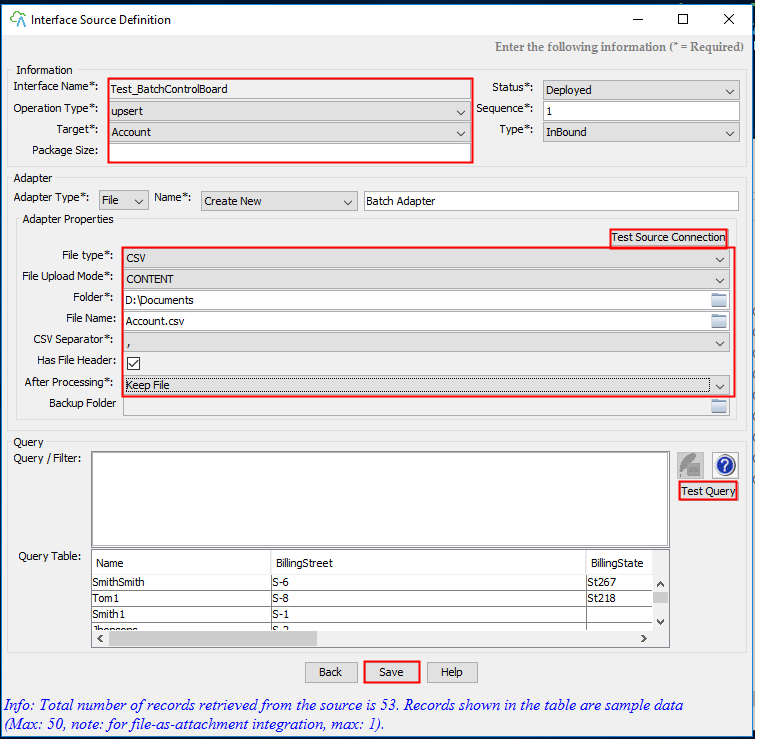
- Chose Integration Name and Create Adapter because it doesn’t have adapter yet->Choose adapter type is File->Fill adapter name>Fill Folder location->Fill File Name->Click Save button->Select Interface->Click Process button.
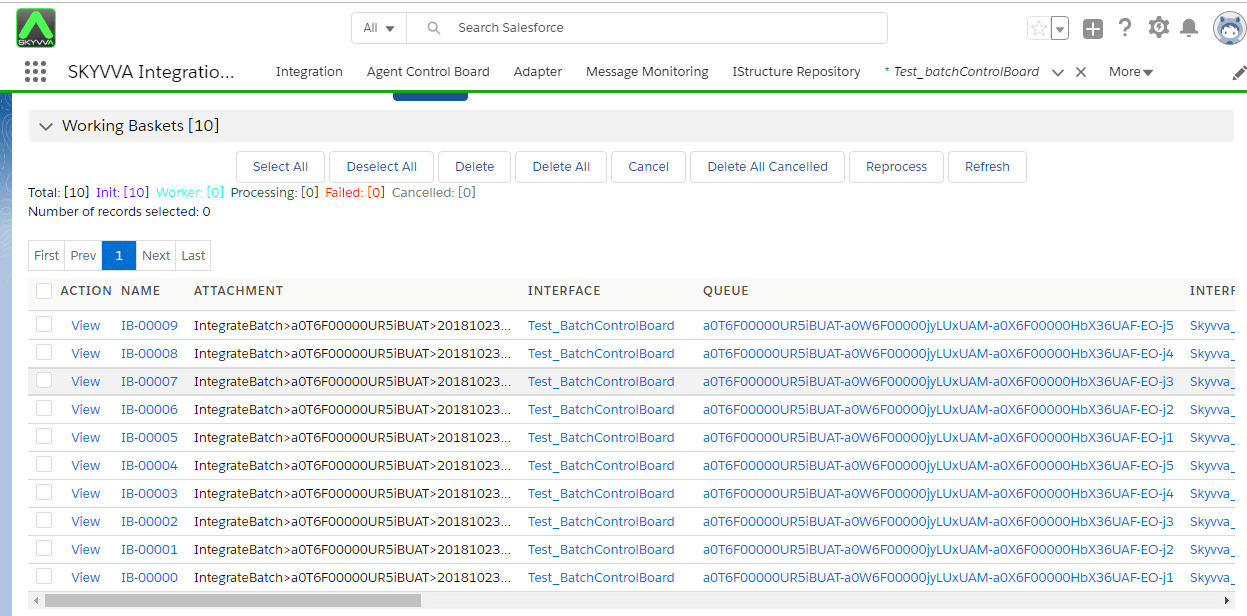
- click on Process Button, it will show message. The message is Process completed. Now you can check result on salesforce.