20. Bypassing message layer
What is bypassing the message layer?
Bypassing message layer is a field or a flag that created on the interface level. With this flag, you can bypass the message layer. When you checkbox this flag all messages (New, Pending, Failed) will not be created. It bypasses saving the message into the SKYVVA message layer. It dominates the interface mode whether it is synchronous or asynchronous.
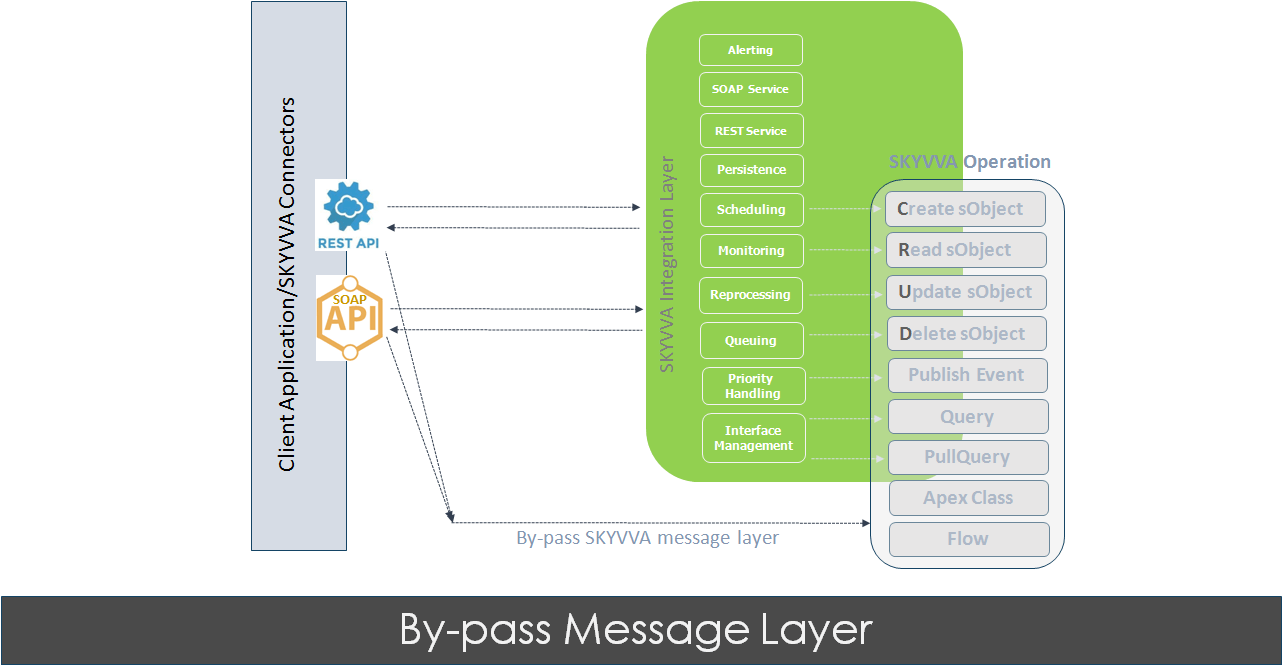
When to use the bypass message layer?
You can use the bypass message layer when you want to save your data storage as it consumes less and fast. Use this feature to:
- Skip creating message step
- Hard-deleted message
Bypassing Message layer
To activate this field you need to configure the steps below:
- Open the interface page detail which you have created
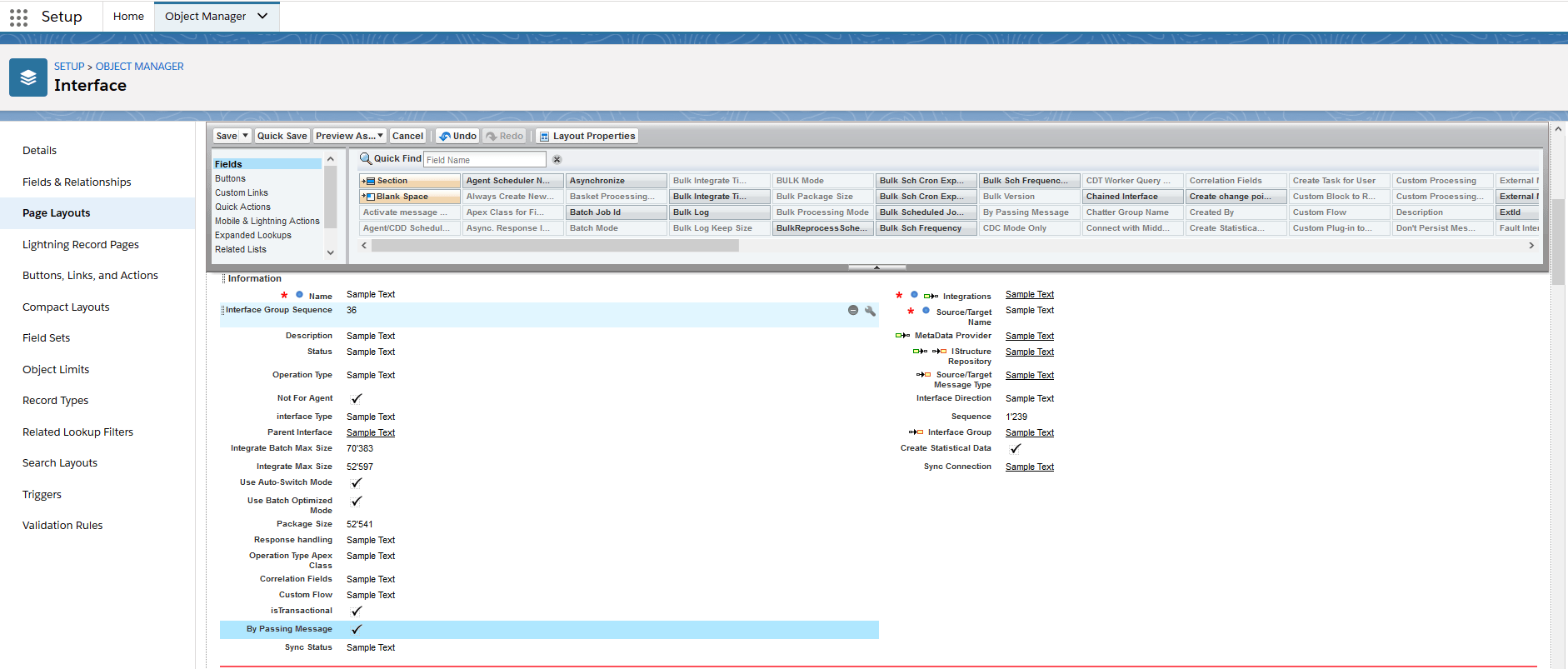
- Scroll down the page to find Bypassing Message layer field
- Checkbox the field

[su_box title="Warning" box_color="#F7DC6F" title_color="#000000"]If you upgrade SKYVVA App to the newest release you have to add this field manually since it will not overwrite. However, if you install the App you will have the field value included in the package.[/su_box]
Adding the field
As mention above in the warning, the field value has to add manually when you try to upgrade the SKYVVA App. In general, each type of field requires to set up in the page layout of the interface. It’s a custom field.
- You can click “Setup” on the top of the interface page.
- In the “Quick Find” box type the word “Object Manager”.
- Click on Object Manager then scroll down the page to find the “Interface” object or type the Interface in the "Quick Find" box, click it.
- On the left side of the page, you will see the panel, select the “ Page Layouts" field.
- Select "Interface Layout"
- Click on "Fields" and look for Bypassing Message field then drag it to the Information section
- Click Save