17. How to Edit and Delete Istructure on interface related page.
Introduction
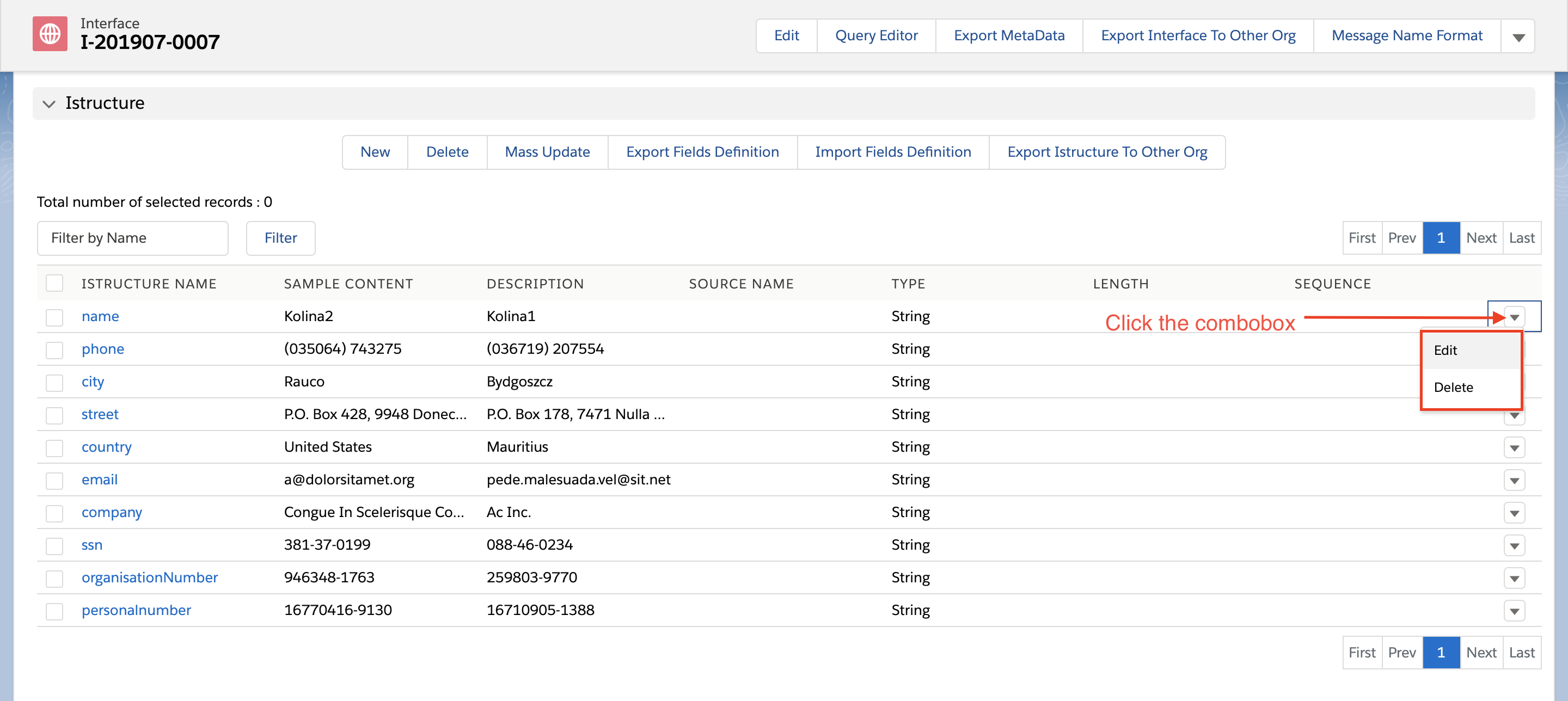
To make it easy for editing on IStructure field, we have a Combobox on IStructure section. This Combobox contain two buttons which are Edit and Delete. You don’t have to click IStructure to edit on the page anymore.
Why we use this feature?
We create these actions Edit and Delete buttons that can be done to rows on IStructure in IStructure section to make it easy. When you click on one of the actions, you can make the change immediately. Prerequisite:
- Create Integration
- Create Interface
Steps to view Edit and Delete button on Istructure in IStructure section:
- Open your Integration and click on interface tab
- Navigate to interface detail => Related button => IStructure section
- Click on the Combobox as shown below where we will get two options Edit and Delete.