10. New plug-in custom logic of the inbound processing
SKYVVA provide completely powerful processing way with new Version3 and allow for significant flexibility. New plug-in custom logic is normally refers to the processing which will give the ability for the solution to adapt to possible changes in your requirements. If user doesn't want to use our existing class and want to create his own class then he can add custom block. User can extend our existing class.
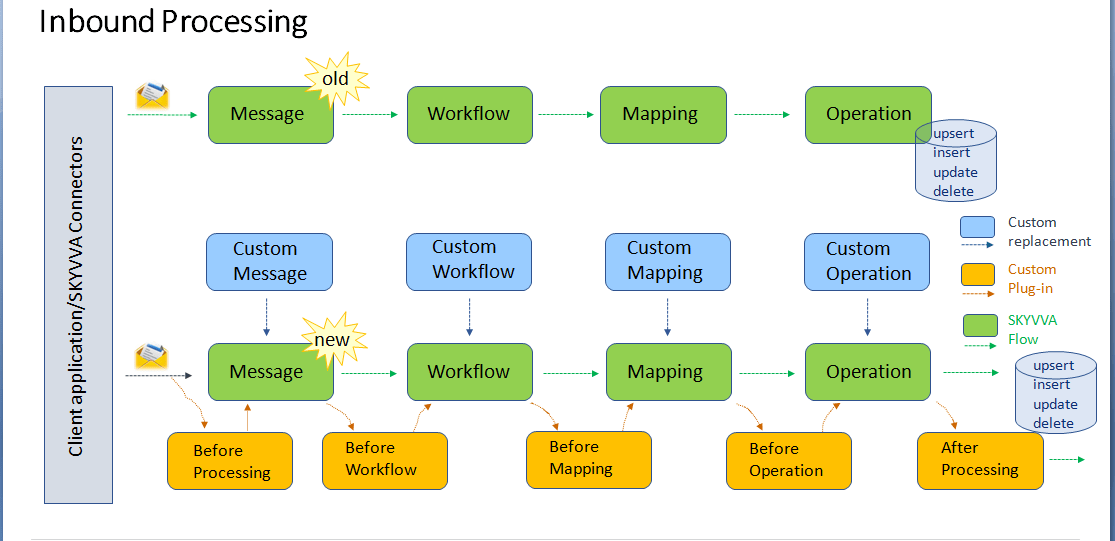
Plug-in custom block before or after Skyvva step (Selection base on your requirement) Define the time and location where we can chose to add our custom logic. Our custom logic can be apex class,flow or process. Your customer logic will be executed at the chosen time additinally to the skyvvva processing Unit. In contrast to the custom block where the customer completely replaces the whole skyvva step by their own block here there is no need to replace but to plug-in custom logic before or after the skyvva standard block. We have the following plug-in block which could make sense:
- Before Mapping
- Before Workflow
- Before Operation
- After Processing
V3InboundStepProcessing methods Description
Before Create Message Edit payload or something else in the request ‘dtoRequestBody’ before create message(Default nothing todo)
Create Message Create object IMessage__c from the payload.
Before Workflow You can edit data__c of the IMessage__c before execute workflow (Default nothing todo).
Execute Workflow Filter message
Before Mapping In the step you can edit data__c of the IMessage__C before execute Mapping.
Execute Mapping execute mapping to create Object from IMessage__C
After Mapping(Before Operation) You can edit Object created by step VI if you override (Default nothing todo).
Do Operation Do DML operation or other Operation.
After Operation You can do what you want after operation if you Override (Default nothing todo).
How to create Custom class?
A Custom Class is a developer defined class. If user doesn't want to use our existing class and want to create his own class then he can add custom block. User can extend our existing class. Go to set up -> Search for Apex class -> Create new apex class.

[su_box title="Note" box_color="#2a8af0" title_color="#000000"] Accessing any class and sObject in SKYVVA’s package must be prefixed by namespace skyvvasolutions.[/su_box]
Use the following Custom Processing Class: V3InboundCustomStepProcessing; [aux_code language="javascript" theme="tomorrow" title="" extra_classes="" global with sharing class V3InboundCustomStepProcessing extends skyvvasolutions.IntegrationV3Json{ global override skyvvasolutions.AbstractIntegrationV3.DtoRequestBody beforeMessageProcessing(skyvvasolutions.AbstractIntegrationV3.DtoRequestBody dtoRequestBody) { //you can edit or do what you want,but must return type as skyvvasolutions.DtoRequestBody System.debug('V3InboundCustomStepProcessing beforeMessageProcessing is invoked'); return dtoRequestBody; } global override skyvvasolutions.IServicesUtil.IMessageResult createMessage(skyvvasolutions.AbstractIntegrationV3.DtoRequestBody dtoRequestBody,skyvvasolutions.AbstractIntegrationV3.DtoStructure dtoStr) { //this method you need to create message //the payload you can get variable dtoRequestBody.payload. //you can see all property of the dto in: skyvvasolutions.AbstractIntegrationV3.DtoRequestBody System.debug('V3InboundCustomStepProcessing createMessage is invoked'); skyvvasolutions.IServicesUtil.IMessageResult mr = new skyvvasolutions.IServicesUtil.IMessageResult(); return mr; } global override skyvvasolutions.IServicesUtil.IMessageResult beforeWorkflow(skyvvasolutions__Interfaces__c inf, skyvvasolutions.IServicesUtil.IMessageResult iResult) { // edit or update message before execute workflow here System.debug('V3InboundCustomStepProcessing beforeWorkflow is invoked'); return iResult; } global override List< skyvvasolutions.WorkflowExecuter.FlowDto> executeWorkflow(skyvvasolutions__Interfaces__c inf, skyvvasolutions.IServicesUtil.IMessageResult iResult) { // you can create custom class inherite or not from class WorkflowExecuter; //if you don’t want to write much code you can extend the class WorkflowExecuter //this method must return List< skyvvasolutions.WorkflowExecuter.FlowDto> System.debug('V3InboundCustomStepProcessing executeWorkflow is invoked'); return new MyWorkflowExecuter(this,inf,iResult).executeWorkFlow(); } global class MyWorkflowExecuter extends skyvvasolutions.WorkflowExecuter{ Public MyWorkFlowExecuter(skyvvasolutions.AbstractIntegrationV3 v3, skyvvasolutions__Interfaces__c inf, skyvvasolutions.IServicesUtil.IMessageResult iResult){ Super(v3,inf, iResult); } } global override skyvvasolutions.IServicesUtil.IMessageResult beforeMapping(skyvvasolutions__Interfaces__c inf, skyvvasolutions.IServicesUtil.IMessageResult iResult) { //you can edit map data before execute mapping; System.debug('V3InboundCustomStepProcessing beforeMapping is invoked'); return iResult; } global override skyvvasolutions.Mapping.MappingResult doMapping(skyvvasolutions__Interfaces__c intf, skyvvasolutions.IServicesUtil.IMessageResult iResult){ //you can load or create mapping by your selft List
How to use Custom Step Processing class (Inbound Custom Plugin Enhancement)?
You need to set properties on Inbound Interface Record:
- Select Custom Processing checkbox.
- Custom Processing Class: V3InboundCustomStepProcessing
- Select Any Step:
[aux_code language="javascript" theme="tomorrow" title="" extra_classes=""] Custom Plug-in to SKYVVA Block Help: (Selection base on your need) OR Custom Block to Replace SKYVVA Block Help: (Selection base on your need)[/aux_code]

Note 1:You need to must be override createMessage method compulsory. global override IServicesUtil.IMessageResultcreateMessage(skyvvasolutions.AbstractIntegrationV3.DtoRequestBody dtoRequestBody,skyvvasolutions.AbstractIntegrationV3.DtoStructure dtoStr) { //this method you need to create message //the payload you can get variable dtoRequestBody.payload. //you can see all property of the dto in: skyvvasolutions.AbstractIntegrationV3.DtoRequestBody System.debug('V3InboundCustomStepProcessing createMessage is invoked'); returndoSkyvvaCreateMessage(dtoRequestBody,dtoStr); }
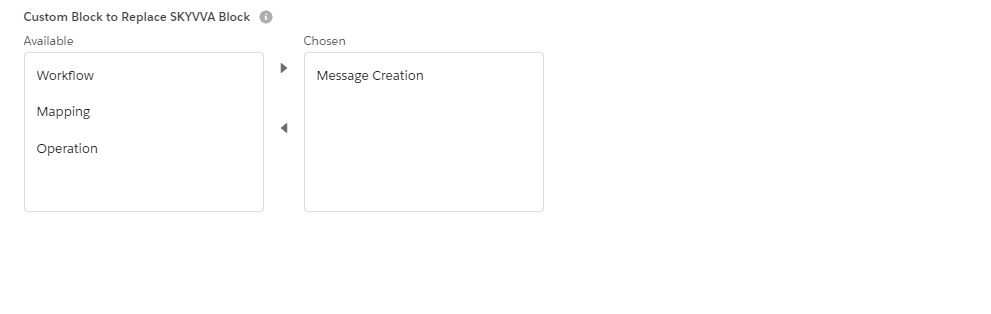
Note 2:If you select Wokflowin Custom Block to Replace SKYVVA Block then executeWorkflowmethod is override. global override List
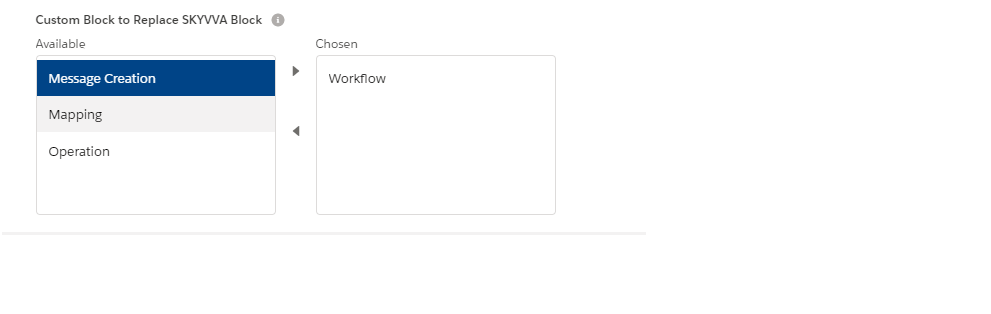
Note 3:If you select Mapping in Custom Block to Replace SKYVVA Block then doMappingmethod is override. global override skyvvasolutions.Mapping.MappingResultdoMapping(skyvvasolutions__Interfaces__cintf, skyvvasolutions.IServicesUtil.IMessageResultiResult){ //you can load or create mapping by your selft List
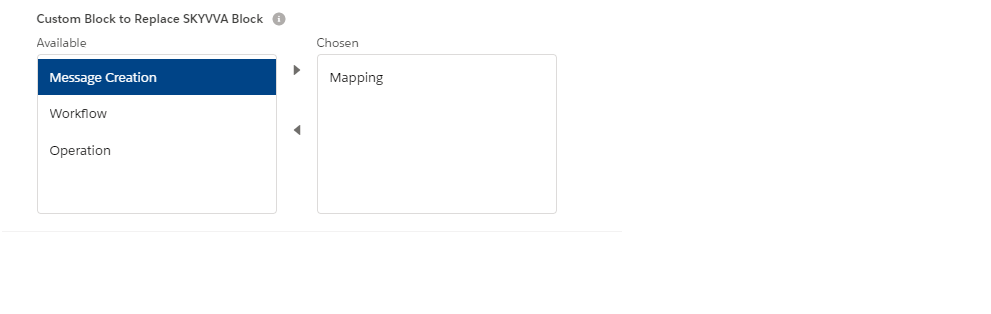
Note 4:If you select Operation in Custom Block to Replace SKYVVA Block then processMessagemethod is override.
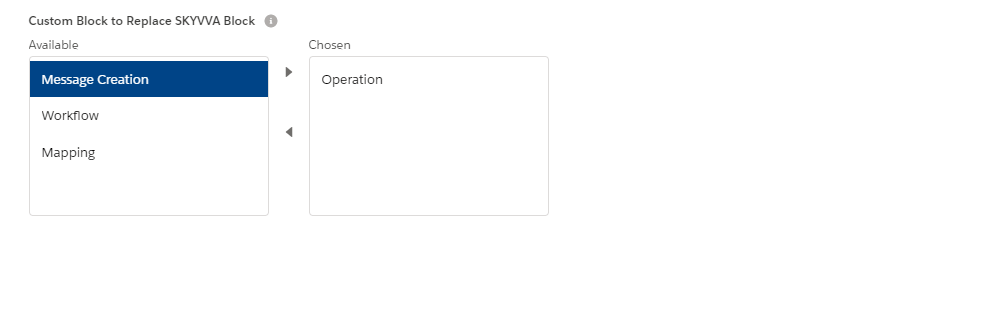
global override skyvvasolutions.Mapping.MappingResultprocessMessage(skyvvasolutions__Interfaces__cintf, skyvvasolutions.Mapping.MappingResultmappingResult) { //this is the skyvva standard code System.debug('V3InboundCustomStepProcessing processMessage is invoked'); return skyvvasolutions.AbstractV3OperationProcess.createIntance(this,intf).doExecuteOperation(mappingResult, intf); } Note 5:If you select Before Processing in Custom Plug-in to SKYVVA Blockthen beforeMessageProcessing method is override. global override skyvvasolutions.AbstractIntegrationV3.DtoRequestBody beforeMessageProcessing(skyvvasolutions.AbstractIntegrationV3.DtoRequestBody dtoRequestBody) { //you can edit or do what you want,but must return type as skyvvasolutions.DtoRequestBody System.debug('V3InboundCustomStepProcessing beforeMessageProcessing is invoked'); returndtoRequestBody; }

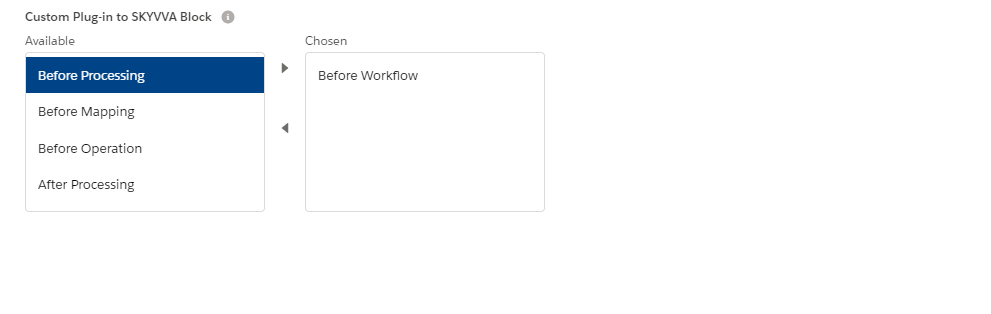
Note 6:If you select Before Workflow in Custom Plug-in to SKYVVA Block then beforeWorkflow method is override.
global override skyvvasolutions.IServicesUtil.IMessageResultbeforeWorkflow(skyvvasolutions__Interfaces__cinf, skyvvasolutions.IServicesUtil.IMessageResultiResult) { // edit or update message before execute workflow here System.debug('V3InboundCustomStepProcessing beforeWorkflow is invoked'); returniResult; }
Note 7:If you select Before Mappingin Custom Plug-in to SKYVVA Block then beforeMappingmethod is override. global override skyvvasolutions.IServicesUtil.IMessageResultbeforeMapping(skyvvasolutions__Interfaces__cinf, skyvvasolutions.IServicesUtil.IMessageResultiResult) { //you can edit map data before execute mapping; System.debug('V3InboundCustomStepProcessing beforeMapping is invoked'); returniResult; }

Note 8:If you select BeforeProcessingin Custom Plug-in to SKYVVA Block then afterMapping method is override.
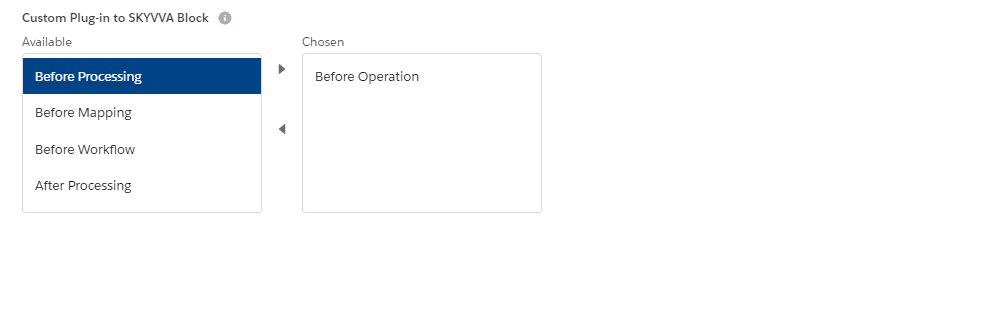
global override skyvvasolutions.Mapping.MappingResultafterMapping(skyvvasolutions.Mapping.MappingResultmappingResult, skyvvasolutions.IServicesUtil.IMessageResultiResult){ //here is your custom code to change the result System.debug('V3InboundCustomStepProcessing afterMapping is invoked'); returnmappingResult; } Note 9:If you select After Processing in Custom Plug-in to SKYVVA Block then afterMessageProcessing method is override.
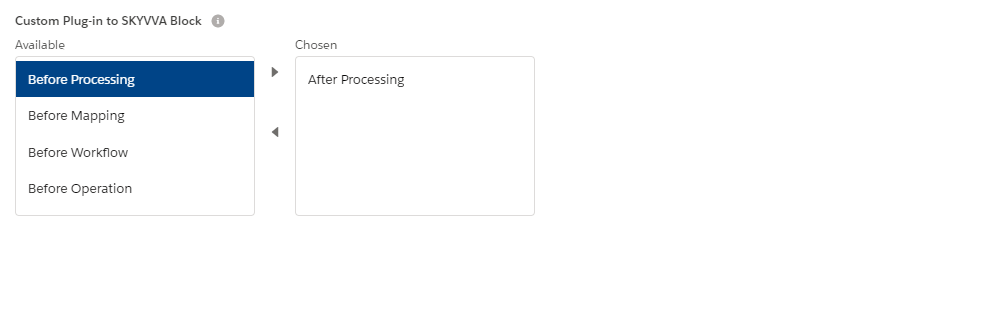
global override skyvvasolutions.IServicesUtil.IMessageResult afterMessageProcessing(skyvvasolutions.IServicesUtil.IMessageResult iResult) { System.debug('V3InboundCustomStepProcessing afterMessageProcessing is invoked'); returniResult; }