8. Publish Salesforce Platform Event
Execution of interface using apex trigger is is a Salesforce solution. But with Skyvva we can enrich the event data with mapping and process the data after we have mapped the event/message. Here It is the same way as we process an incoming message through the skyvva processing pipeline e.g. workflow, mapping, processing. We use generic method to execute the interface either it is an inbound or outbound interface.
Platform event
Platform events enable developers to deliver secure, scalable, and customizable event notifications within the Salesforce platform or from external sources. Platform events are based on a publish-subscribe architecture.
How Platform event work with inbound processing?
- we create a platform event with our inbound interface with the new version.
- We used API to execute inbound interface. With this API we can execute an inbound or outbound interface in a synchronous or asynchronous way. We have to provide this API in two versions e.g. REST API and internal apex method. The REST API is used by external REST client and the internal API is used by apex class, Flow or Process. With this API or method, we should be able to execute both inbound and outbound interface unlike our existing method 'invokeCalloutX()' where we can use only wit outbound interface.
How to create the platform event SKYVVA feature?
We can create a platform event without programming with SKYVVA feature. Creating an event can be done using the inbound or outbound interface. With the inbound interface, we get data from the outside and with this data, we can create an event either into the Salesforce bus. Follow the given steps to create platform event with SKYVVA: Step1: Create platform Event:
- Go to Set Up.
- Search for Platform Event in quick find box.
- Click on new button.
- Fill the required fields.
- And click on the Save button.
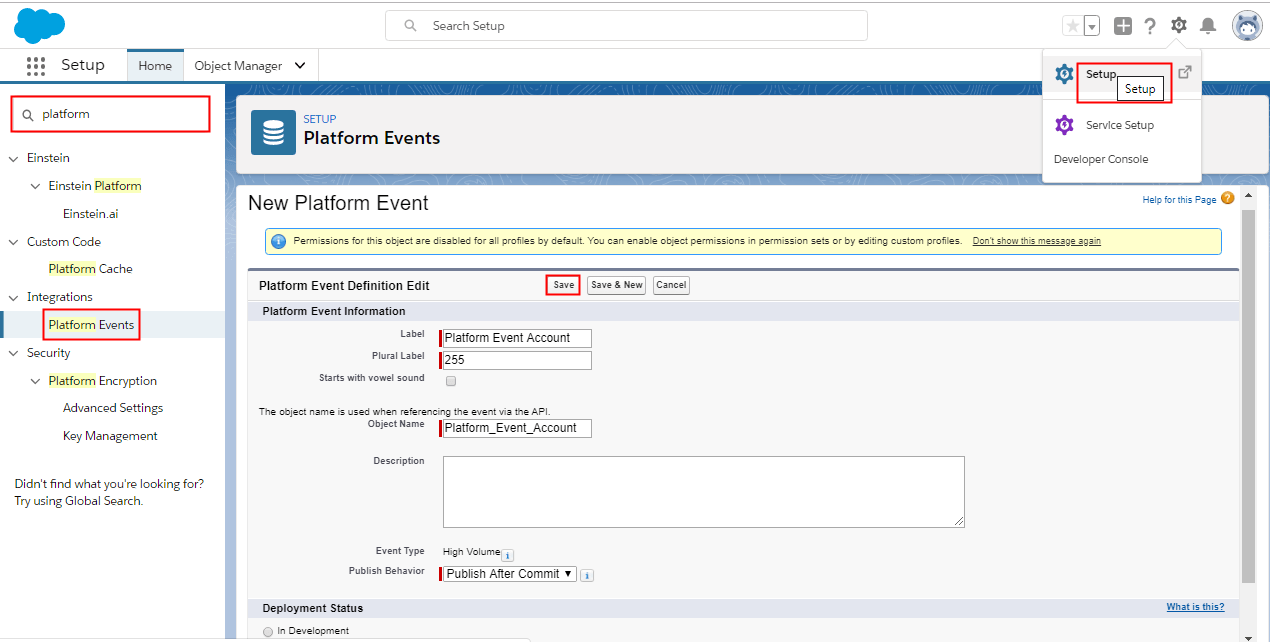
Step2: Create custom Fields
- Go to Custom fields and Relationship section.
- Click on new button.

- New button navigate to:
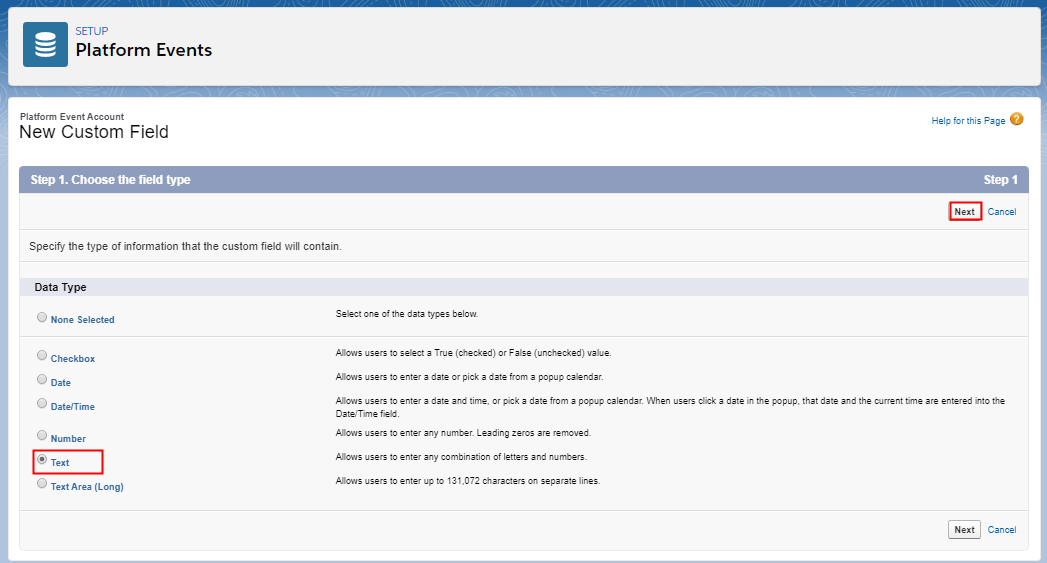
- Click on next button.
- Create two custom fields. AccountNumber and Name.

Repeat same process to create Name field. Step3: Create Integration
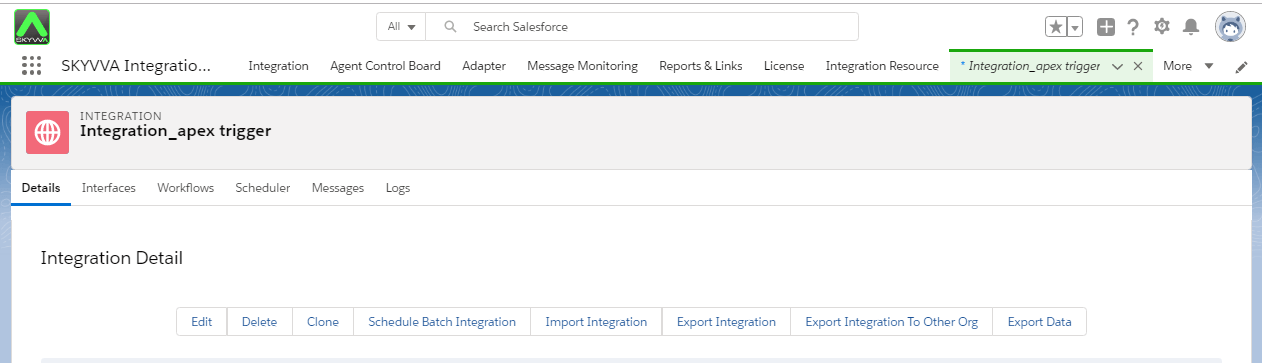
Step4: Create interface. We can execute inbound interface with our new API i,e Event Interface.
- source/target name: select Platform Event name. here platform event name is Platform_Event_Account_e.
- Operation Type: It should be Public salesforce Event.
- Interface Type: Event Interface
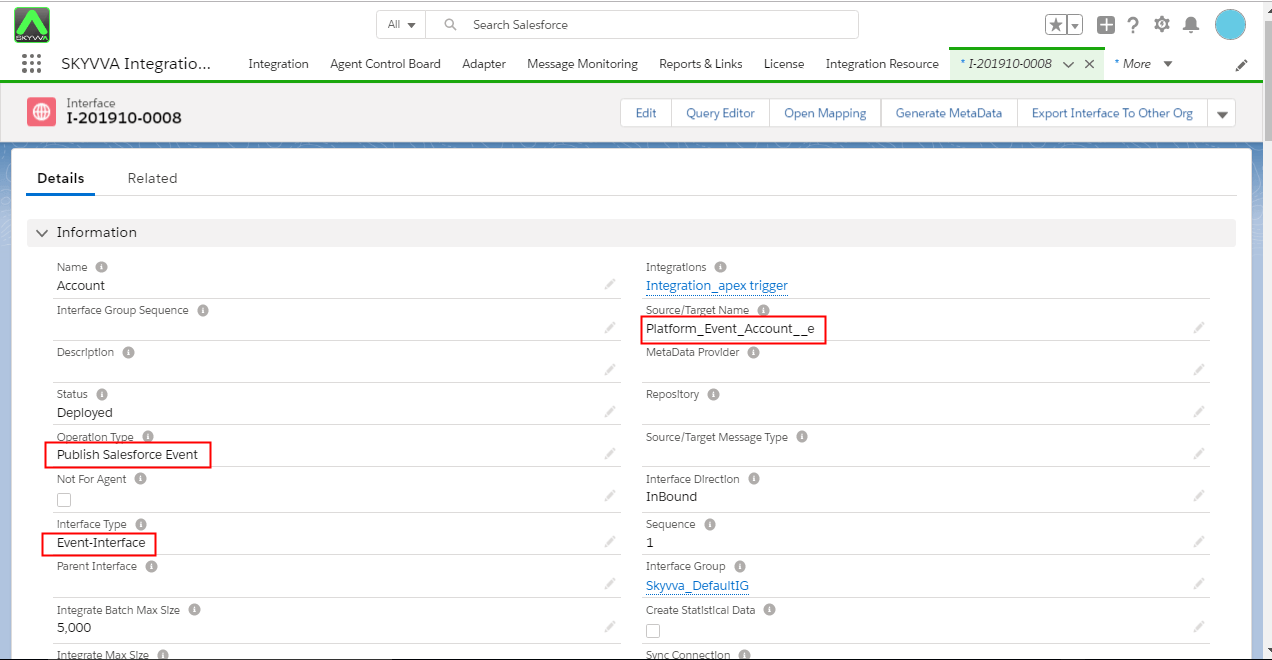
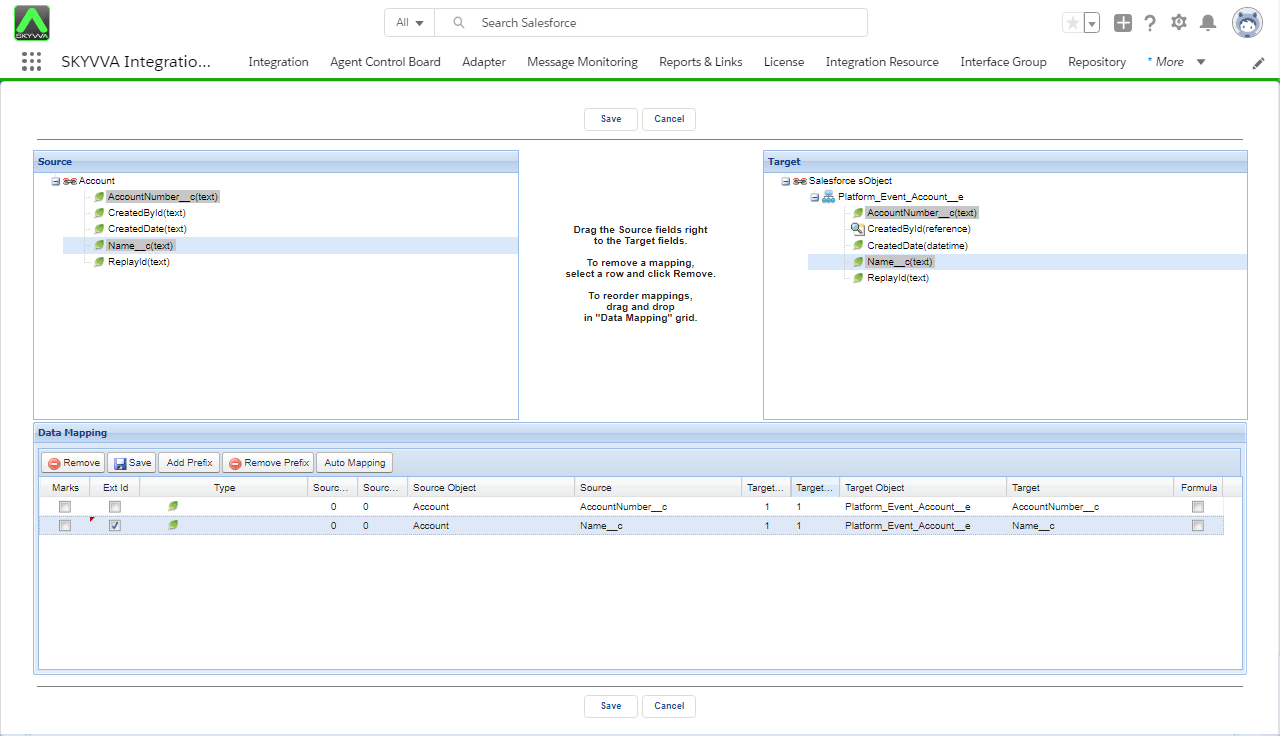
Step6: Upload data manually.
- Go to Integration detail page.
- Upload CSV file.
- Push data to message board.
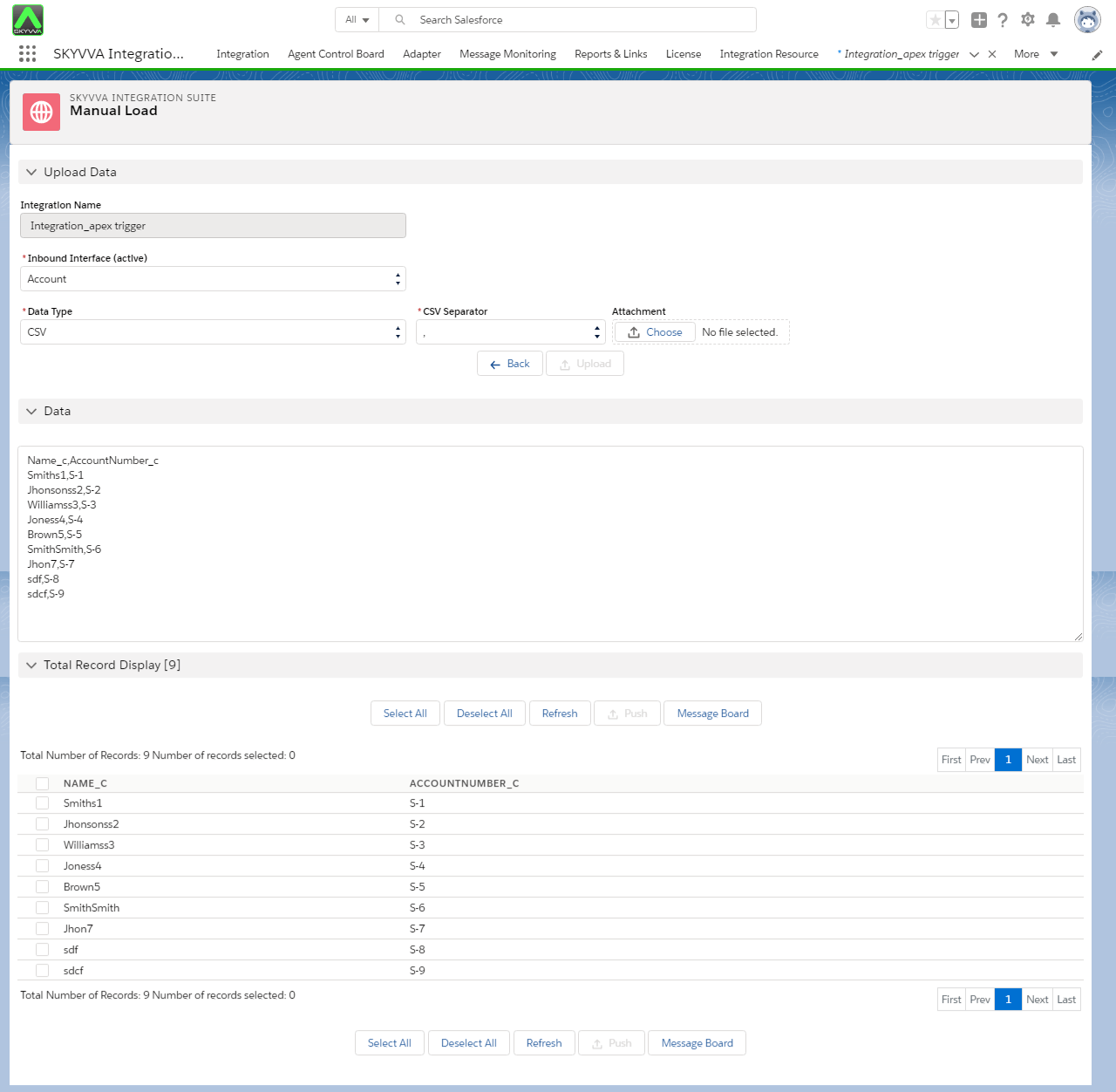
Step7: Search result on message Monitoring:
- Go to Message Board
- Select Interface and search

We can to consume the event by using :
- apex trigger
- process builder process
- Salesforce flow
- External Client using CometD protocol