1. Generic Inbound Configuration
To send the data from Salesforce to SAP using SKYVVA, we can use 2 approach
- Send data using HTTP Protocol
- Send data using HTTPS Protocol
Here, we can select the protocol based on the Reverse-proxy setting. If Reverse-proxy sends the data using HTTP protocol then we need to configure using the below configuration.
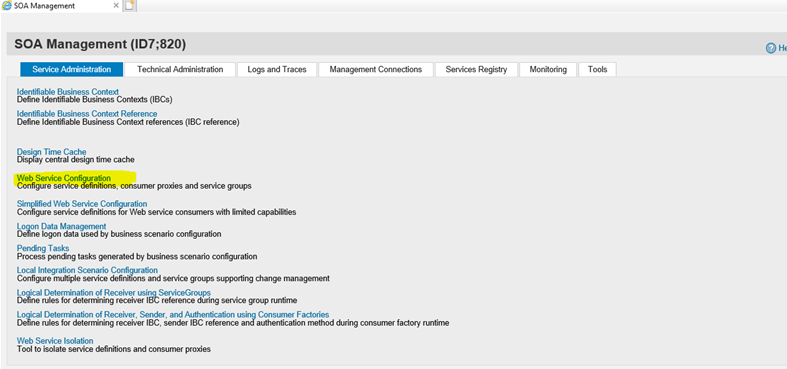
- Run the SOAMANAGER transaction in SAP, it will open below screen in Web Browser. Here select the option "Web Service Configuration"
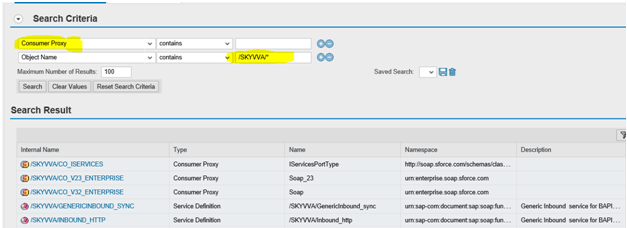
- Now in the new screen, for the Object Name; search for /SKYVVA/*. It will list down all the Consumer Proxy and Service definitions from SAP repository.
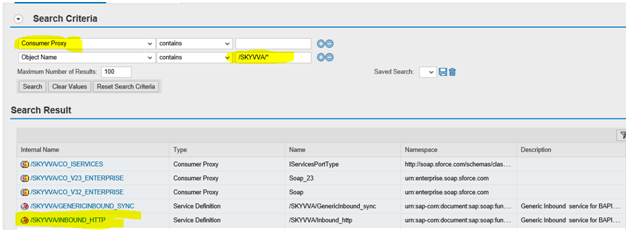
- Select/Click the service /SKYVVA/GENERICINBOUND_HTTP
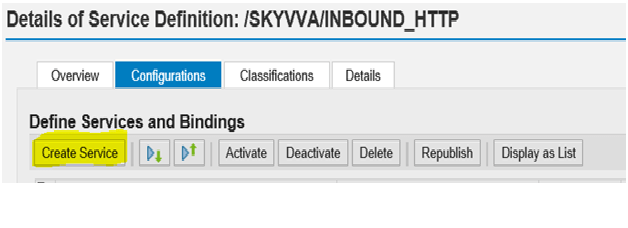
- Here, select the option "Create Service".
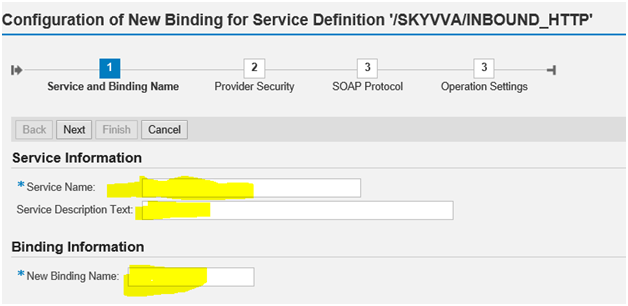
3. Enter the details for "Service Name", "Service Description Text" and "New Binding Name". Once done press on "Next Button".
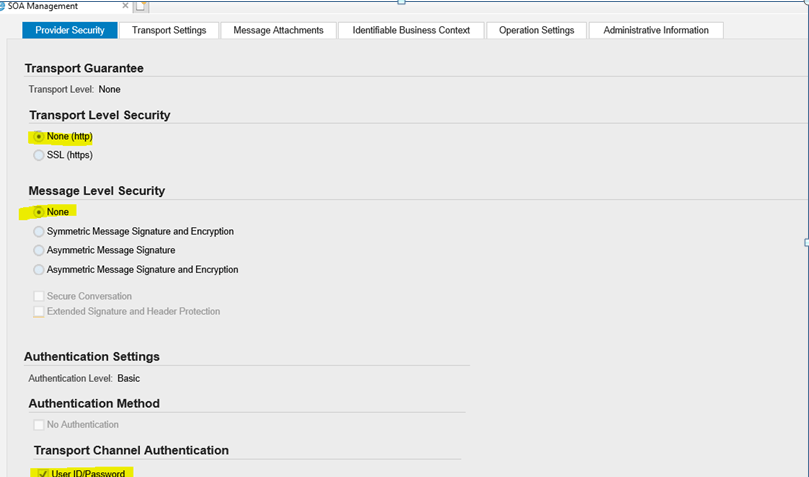
- Now select the below option and press "Next Button".
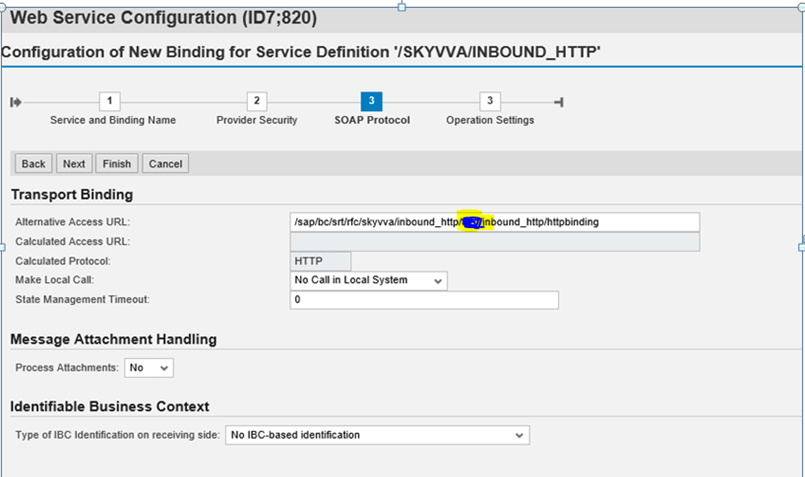
- Put This URL “/sap/bc/srt/rfc/skyvva/inbound_http/100/inbound_http/httpbinding” change the client code
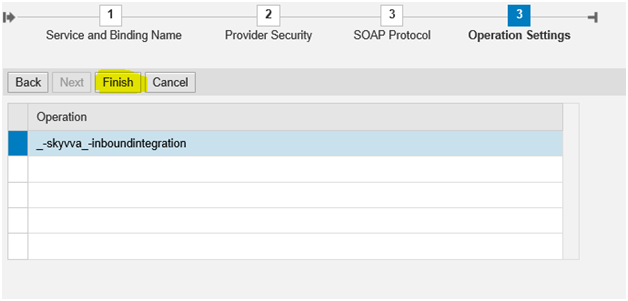
- In the below screen, press the "Finish Button" to complete this configuration. After this a new service will be generated in SAP.
Step to create HTTPS (/SKYVVA/GenericInbound_sync)GenericInbound:-
- Select/Click the service /SKYVVA/GenericInbound_sync.
- Here, select the option "Create Service".
- Enter the details for "Service Name", "Service Description Text" and "New Binding Name". Once done press on "Next Button".
- Now select the below option and press "Next Button".
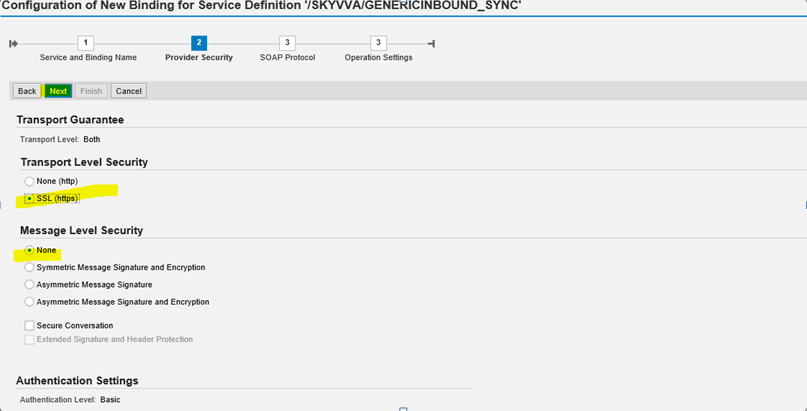
- Put This URL “/sap/bc/srt/rfc/skyvva/genericinbound_sync/110/inbound_https/httpsbinding” change the client code.
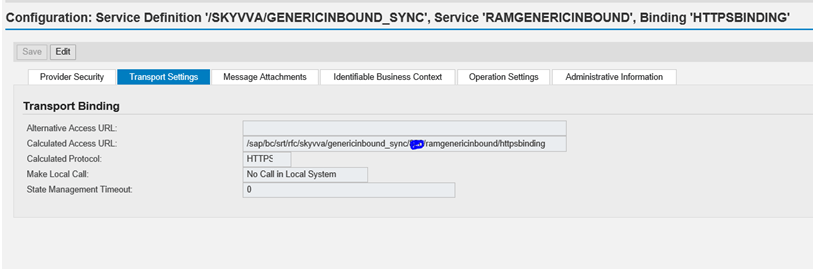
- Follow the below step to get Adapter Endpoint URL.
- Login in sap.
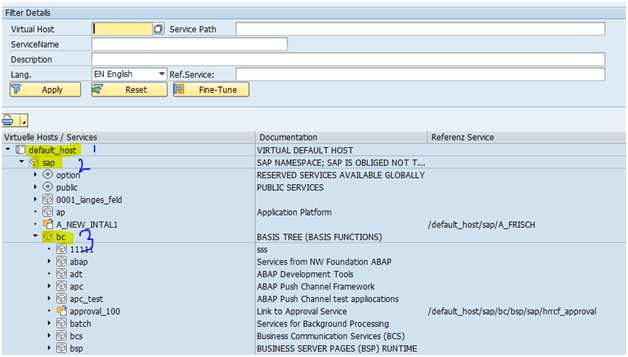
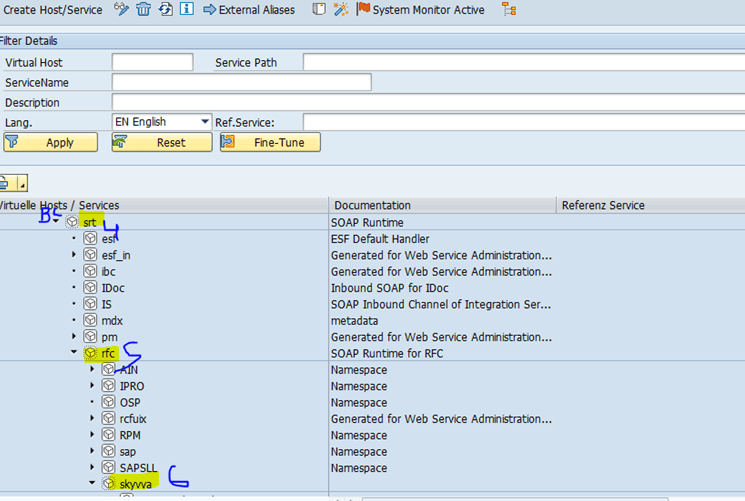
- Use Tcode SICF.
- To get url from SAP generated in Tcode SICF.
- By follow the path (“/sap/bc/srt/rfc/skyvva/genericinbound_sync) / client /your genericinbound name/httpbinding OR httpsbinding.
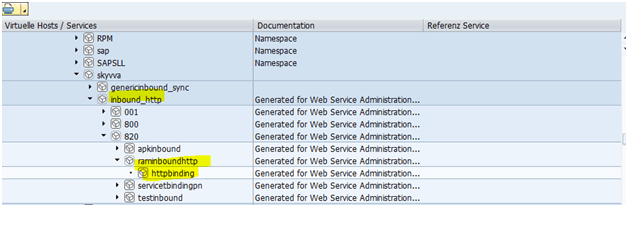 Test the generated service.