68.1 How to implement custom inbound processing with apex class by old way?
Learning Objective: After completing this unit, you’ll be able to:
- Describe custom apex class.
- Comfortably use the apex class to implement the custom processing integration.
Introduction
We can implement custom inbound processing with apex by two ways.
what is Custom Processing Apex Class with old way?
We always response to give back the message type structure which contain the Salesforce Id and SKYVVA message Id. Customer need to write the complete code for all processing steps
Basic Processing Steps:
[aux_code language="javascript" theme="tomorrow" title="" extra_classes=""] Message -> Workflow -> Mapping -> Operation
[/aux_code]
Advantage
We can the fields as we have structured data.
Disadvantage
Customer need to write the complete code for all processing all steps.
How to implement custom inbound processing with apex class:
To extend some functions of integrate inbound processing extends skyvvasolutions.IProcessCustomAbs and implements skyvvasolutions.GisOdbgIntegration.IProcess Methods are order process integration of custom processing and could be overridden if required
- void init(String interfaceId) – Select interface based on interfaceId, It can be optional.
- void doMap(skyvvasolutions.IServicesUtil.IMessageResult iResult) – Manage apex mapping data available in iResult which order list of skvva messages and list Map
- List
upsert2() – DML operation, upert business record and update status of message based on result of upsert business record (ie. Upsert Account).
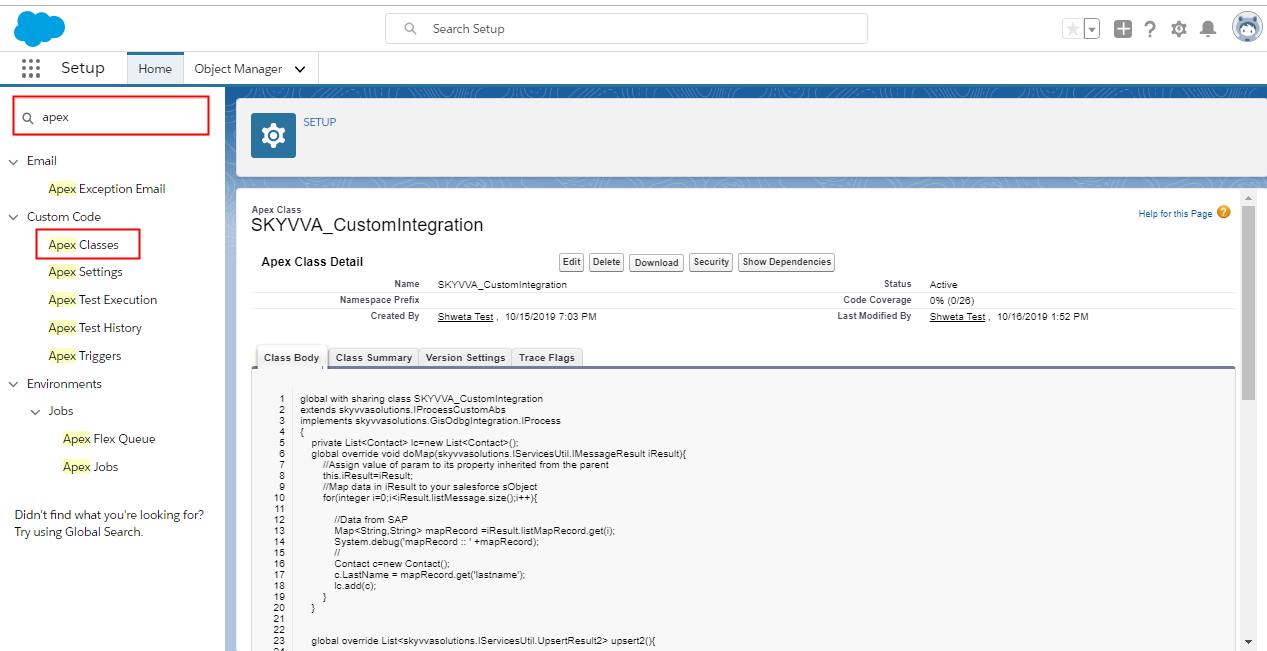
follow the given steps to use apex class: Step1: Create apex class
- Go to set up
- Search for apex class in quick search box
- Click on new button
[su_box title="Warning" box_color="#F7DC6F" title_color="#000000"]“Custom Processing Class”: provide full name of your custom processing class (including namespace if any). Format: [namespace.]classname eg: namespaceX.ClassX (if there is namespace in the salesforce instance) or ClassX (if no namespace)[/su_box] The bellow is example of custom processing inbound and some methods should be overridden:
- global override void init(String interfaceId)
- global override void doMap(skyvvasolutions.IServicesUtil.IMessageResult iResult)
- global override List
upsert2()
Example1: [aux_code language="javascript" theme="tomorrow" title="" extra_classes=""] global with sharing class SKYVVA_CustomIntegration extends skyvvasolutions.IProcessCustomAbs implements skyvvasolutions.GisOdbgIntegration.IProcess { private List
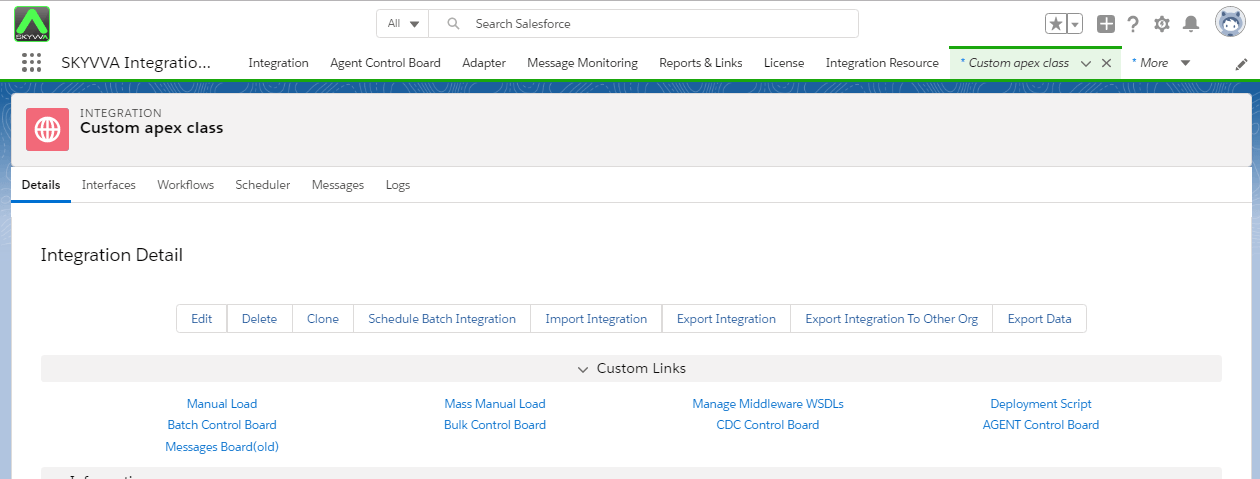
Step3 : Create Interface
- Go to integration
- select interface tab and click on new Interface button.
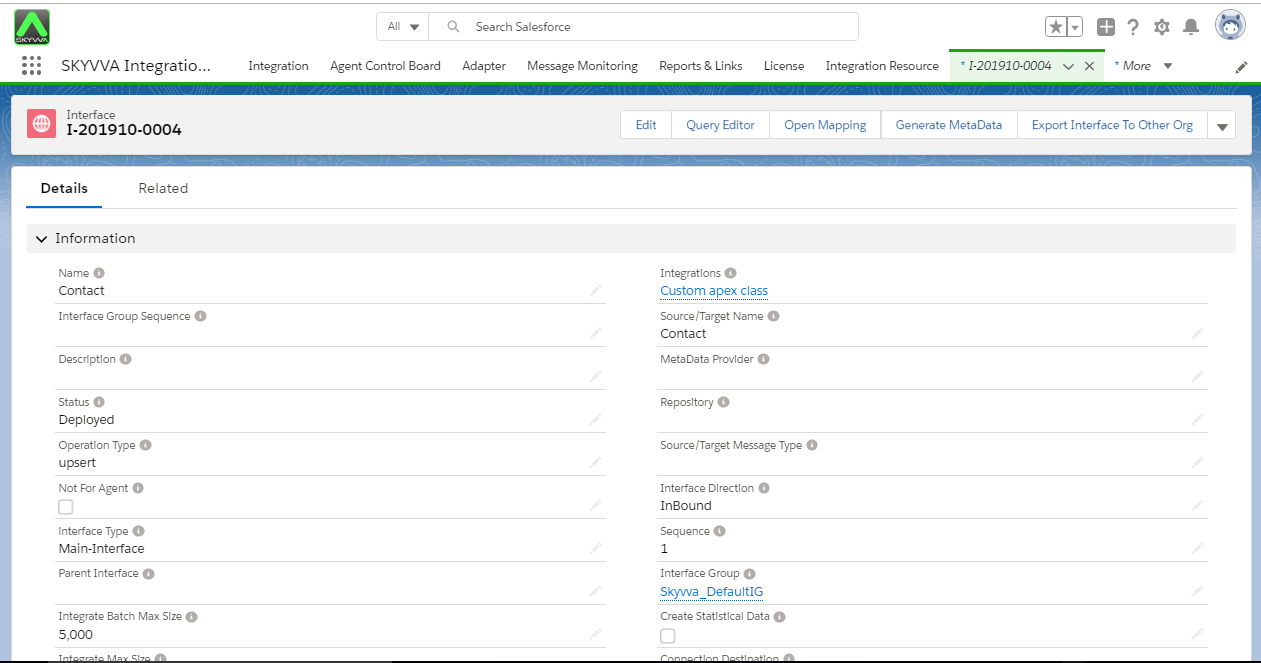
- Scroll down the page to Runtime Configuration- general section.
- Check custom processing flag
- Select custom processing class. Here class is SKYVva_CustomIntegration
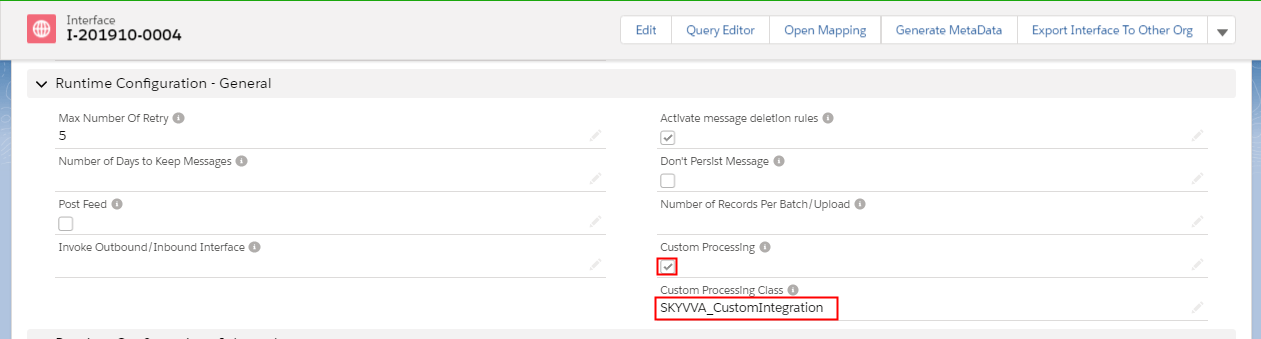
[su_box title="Note" box_color="#2a8af0" title_color="#000000"]“Custom Processing” checkbox: indicates if the interface uses the custom-processing implementation[/su_box] Step4 : Do mapping.
- Click on Open mapping button.
- Map the field which we add in class.
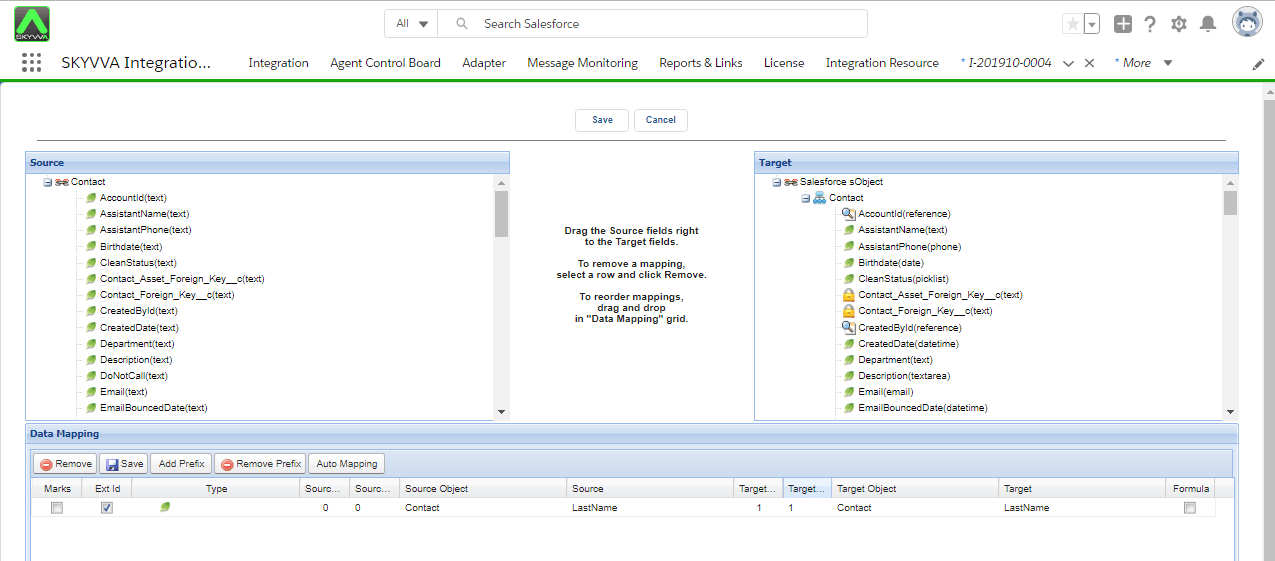
Step5: upload data manually
- go to integration detail page.
- click on manual load link
- upload file.
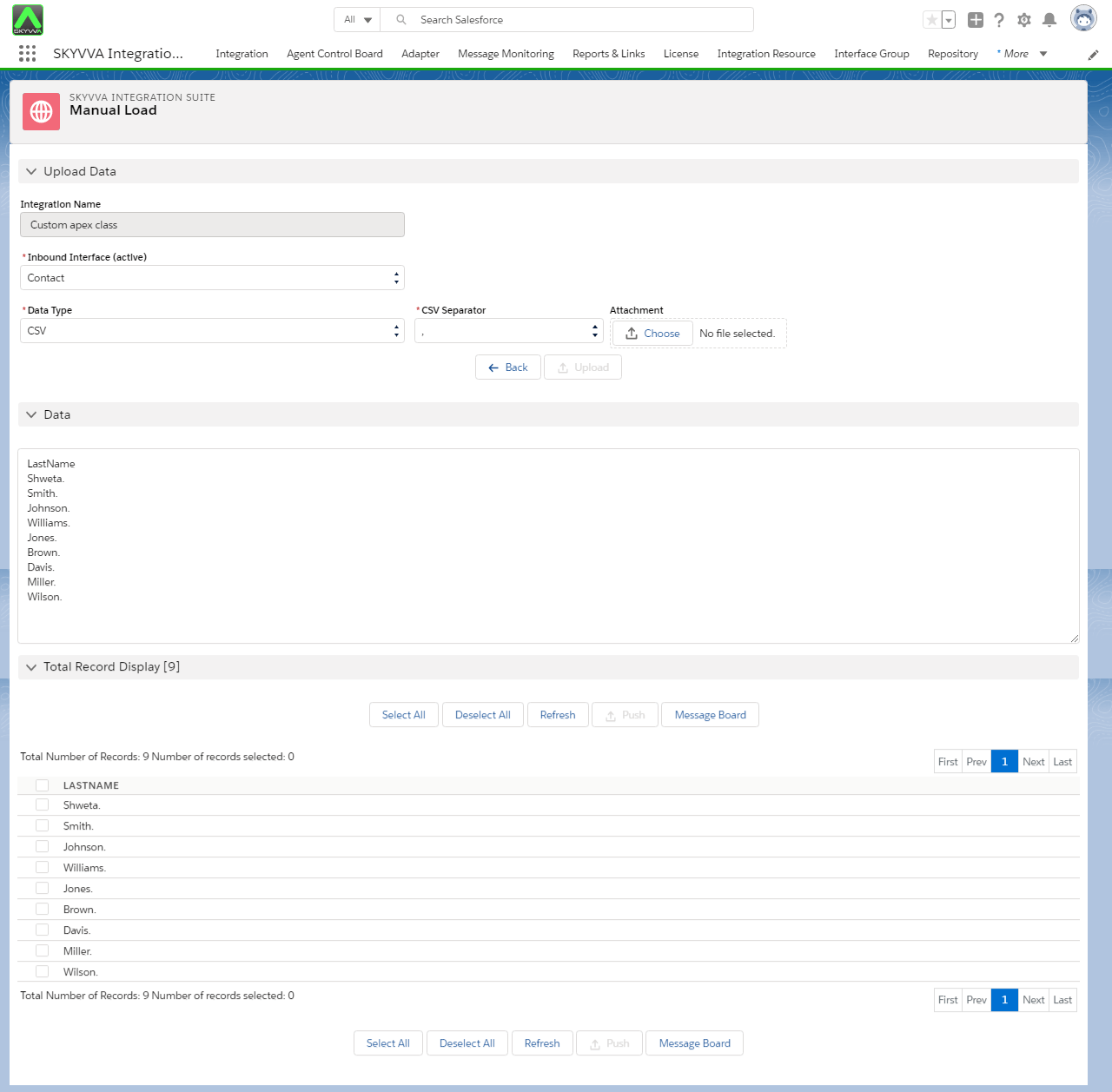
Step7: Check result on message board

You can not see related to link here to check detail as this interface is used custom processing. Step8 ; Check uploaded record and its details on dev console.
- Go to setup
- Go to dev console
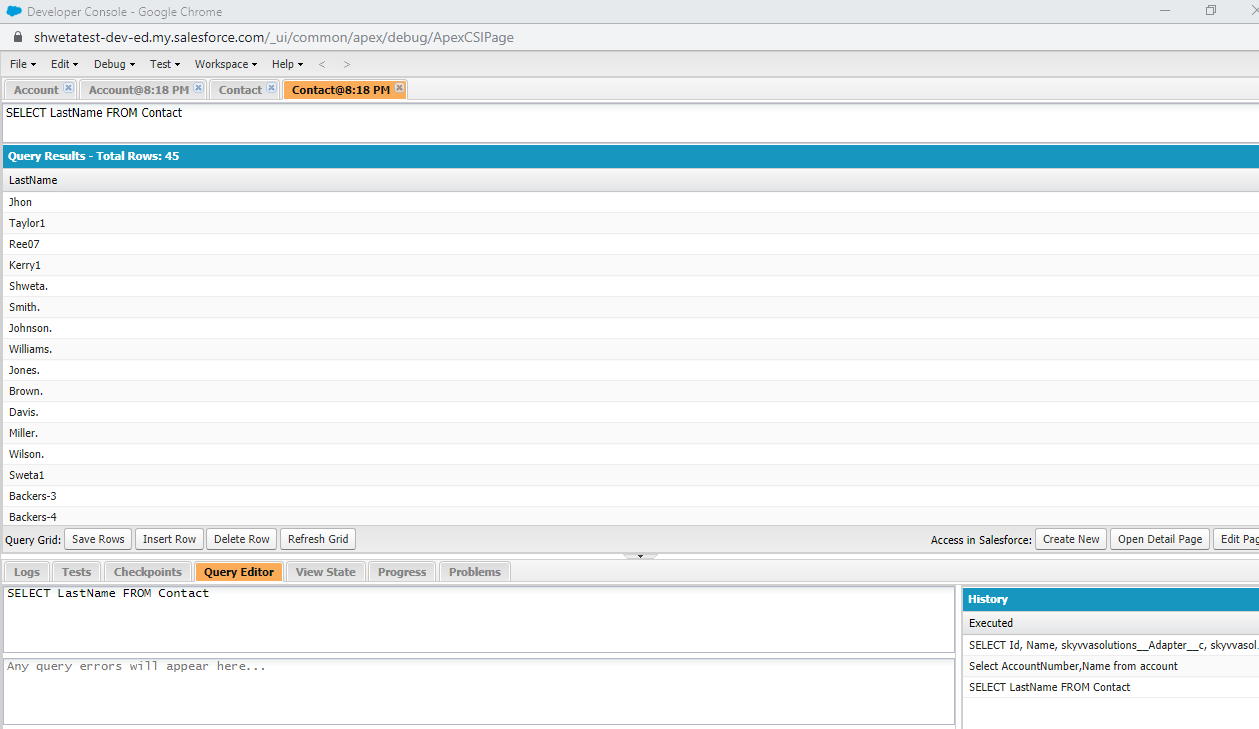
- Apply query on contact object