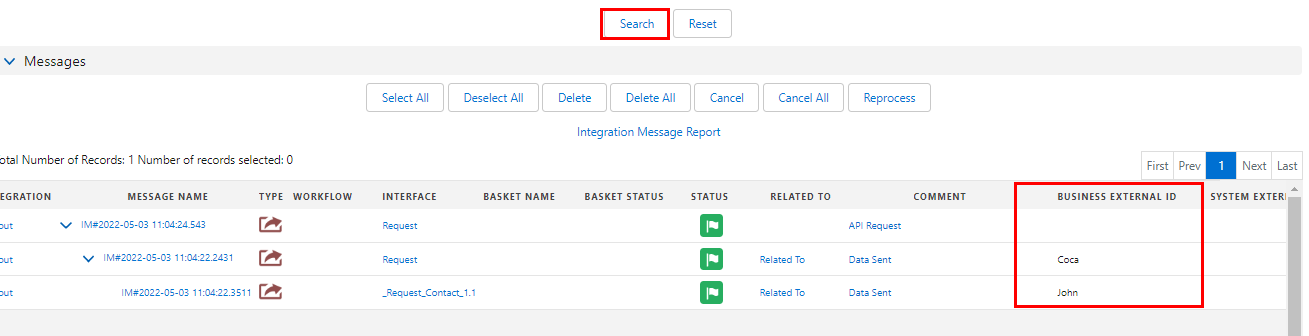
14. Search by the Business External Id in outbound message (Interface)
Introduction
For new enhancement, the BUSINESS EXTERNAL ID on message monitoring will show the external id value when the user checks the flag external id in the mapping of the Outbound interface.
SKYVVA external ID field contains the External ID attribute with unique record identifiers from a system outside Salesforce.
Hit link below ↓
The Data mapping task uses external IDs to identify the parent-child relationships objects in the target Object. SKYVVA recommends to create and use external IDs instead of custom field lookup or unique field lookup to insert or upsert the target Object data. When user create an external ID from the Target Object, the Data mapping to the name of the external ID. The Target Object shows the External IDs that user create in the Data mapping .
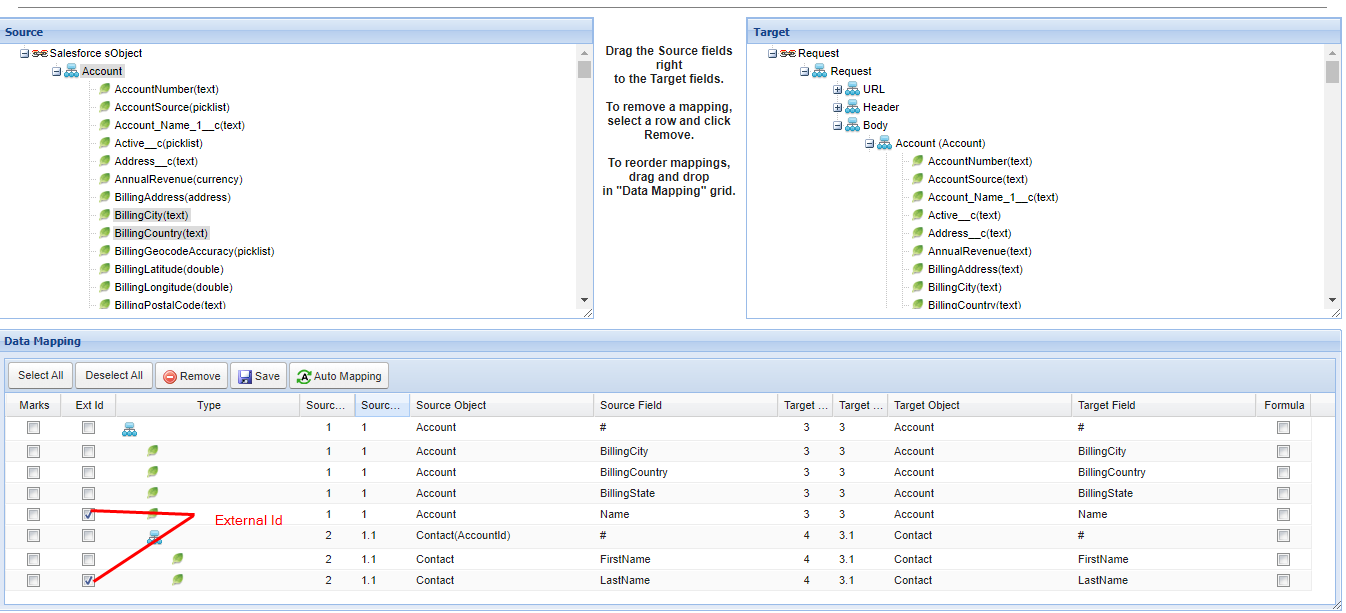
The Data mapping creates an additional field for the external ID in the target Object at the mapping time. If an external ID exists for the object, the task uses the same external ID. User can either retain or delete the external IDs after you run the mapping task. User can retain the external ID fields if user wants to perform another upsert operation.
If user cannot create an external ID field for an object, user can select a unique field or an lookup field for the source object from the Target object when user perform an upsert operation. For example, you can select a unique field or an lookup field for the target object.
[su_box title="Note" box_color="#2a8af0" title_color="#000000"]
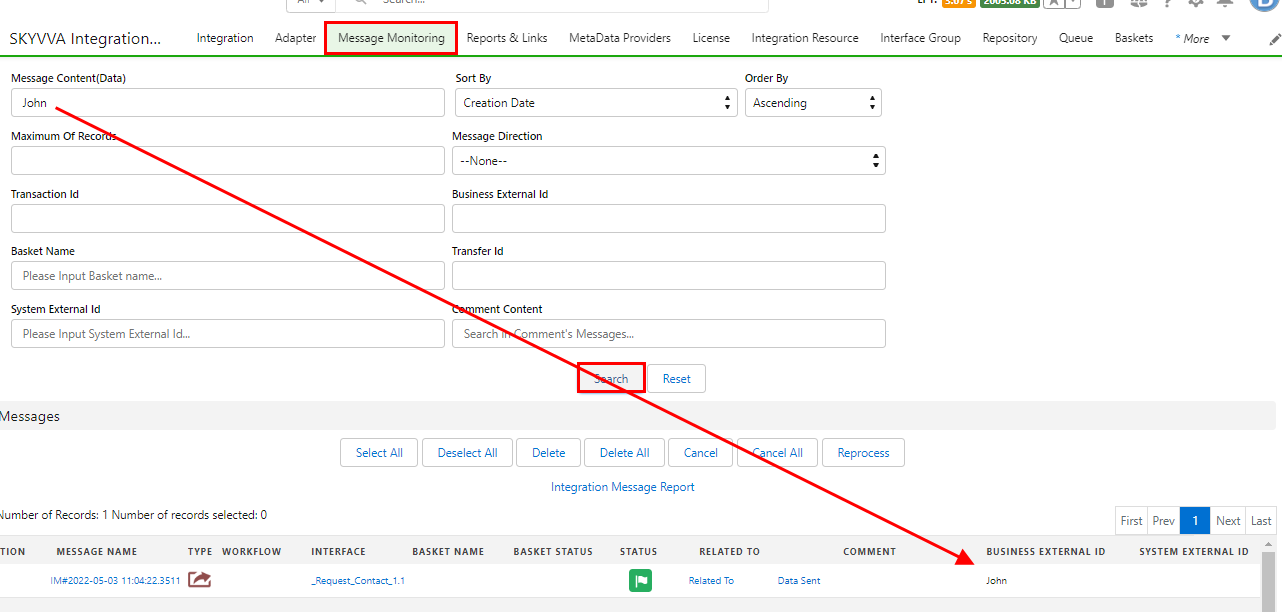
- Message Content(Data) can filter only the value of data in the message, not the field.
- E.g. in below example we search with External Business Id LastName John (Contact) [/su_box]
- Apart from that the Business External Id is shown like that without filter when user click on search button (Coca & John) in hierarchical format
- Coca Business External Id (Account) Name
- John Business External Id (Contact) LastName