6. Message Reprocessing Scheduler
Message Reprocessing Scheduler:
Message reprocessing is the process to be used for reprocessing failed and a pending message from the previous integration. For that, we have a Reprocessing scheduler Its job is to reprocess Pending or failed messages. We can exclude or include an integration to be reprocessed or not. The Two cases we support are:
- Pending Message (Yellow)
- Failed Message (Red)
1. Pending Message The message is Pending because of a lot of reasons. They have been shown in Comment. It is one of many reasons that causes Pending, as an example below “The message has not met a condition of all workflows.“ As shown in the picture given below.

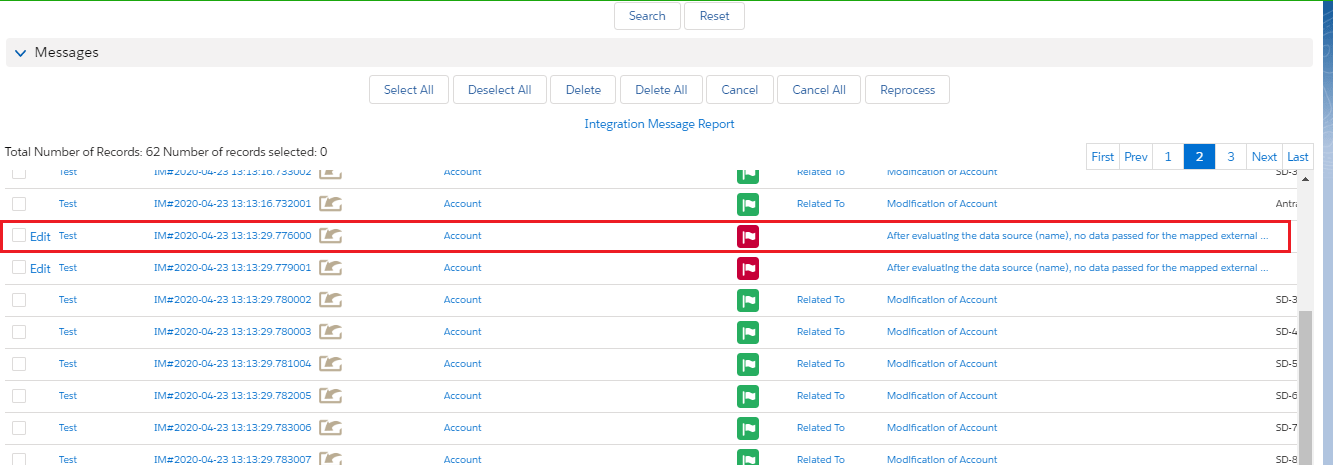
[su_box title="Note" box_color="#2a8af0" title_color="#000000"]You must correct your data to meet the condition of all workflows first before you can reprocess.[/su_box] 2.Failed Messages: Failed messages show in red color. The message is Failed because of a lot of reasons. They have been shown in the Comment. This is one of many reasons, such as it missed some fields and incompleted. For example, “After evaluating the data source (accountname), no data passed for the mapped external id field (Name).If we get failed messages at that time we can reprocess those messages after recorrecting the issue. We have 3 Message Reprocessing scheduler. 1. Message Reprocess Per Integration scheduler. 2. Message Reprocess Per Interface scheduler.
- Message Reprocess Per Interface Group scheduler-
The configuration of Reprocessing Message
- Like you can see a failed message in message monitoring just edit it and move to the scheduler screen. For reference, the picture is shown below.
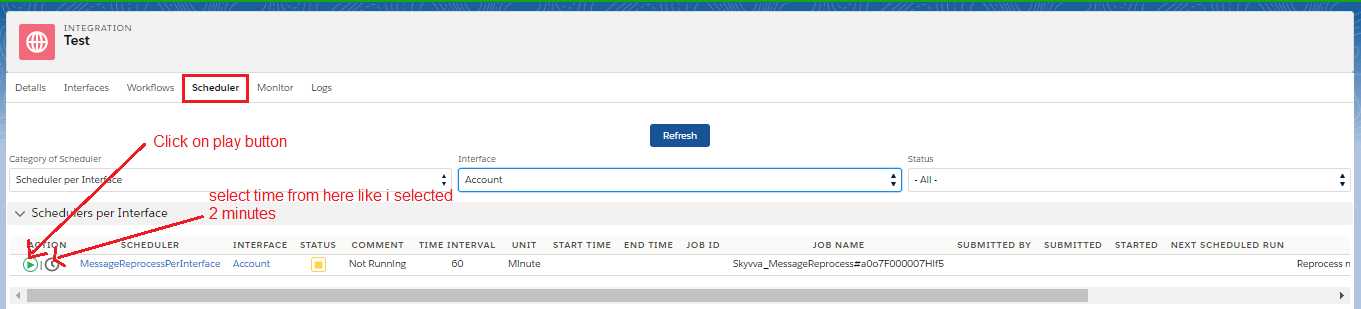
- Navigates to Integration Admin -> Scheduler -> MessageReprocess
- Finds which Integration name you would like to use schedule
- Sets how many minutes you would like the schedule to run. A picture is shown below.
- As I set the scheduler time for two minutes. So we will check message monitoring after two minutes.
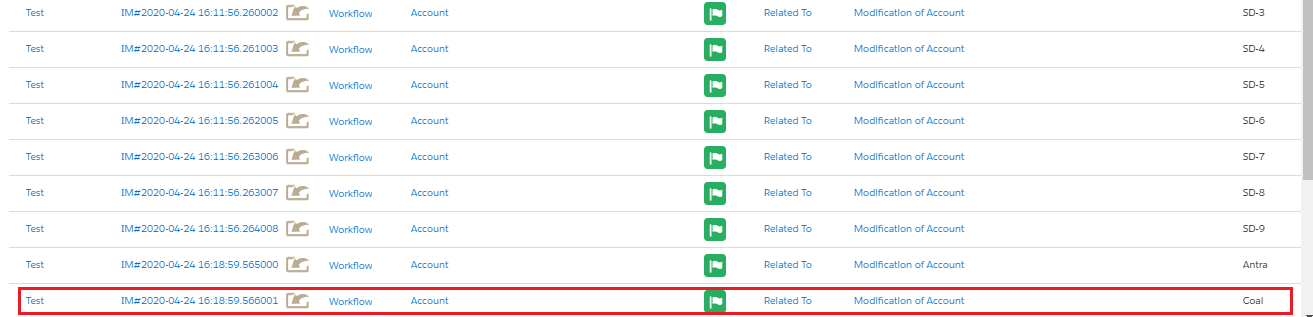
- And finally, the message reprocessed.
[su_box title="Note" box_color="#2a8af0" title_color="#000000"]Pending Messages sometimes might have become Failed because of missing.[/ Different use cases to reprocess messages per Integration We can reprocess messages as:
- MessageReprocessPerIntegration scheduler with every min Time Interval
- MessageReprocessPerIntegration scheduler with Run At (IntegrationOnDemand)
- MessageReprocessPerIntegration scheduler with Run At Every Hour (IntegrationOnDemand)
Case 1: MessageReprocessPerIntegration scheduler with every min Time Interval:
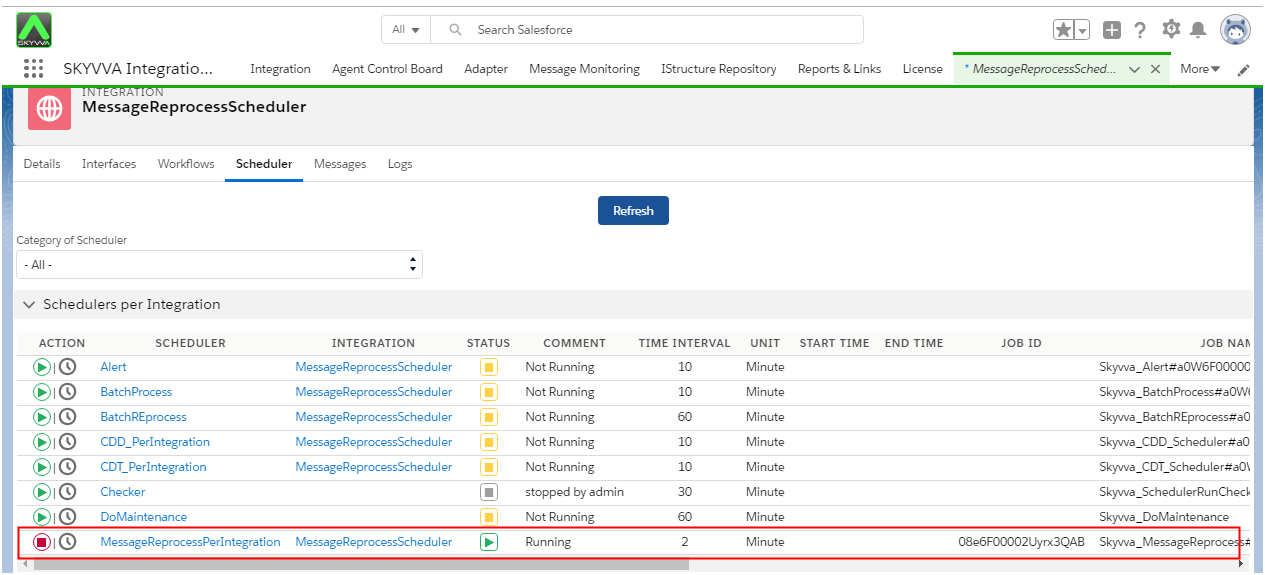
- Testing MessageReprocessPerIntegration scheduler with every min Time Interval (IntegrationOnDemand) with using Automatic Reprocessing flag. We have to follow the given step to reprocess messages per integration.
- Go to the scheduler tab and Set scheduler 2 min in MessageReprocessPerIntegration.
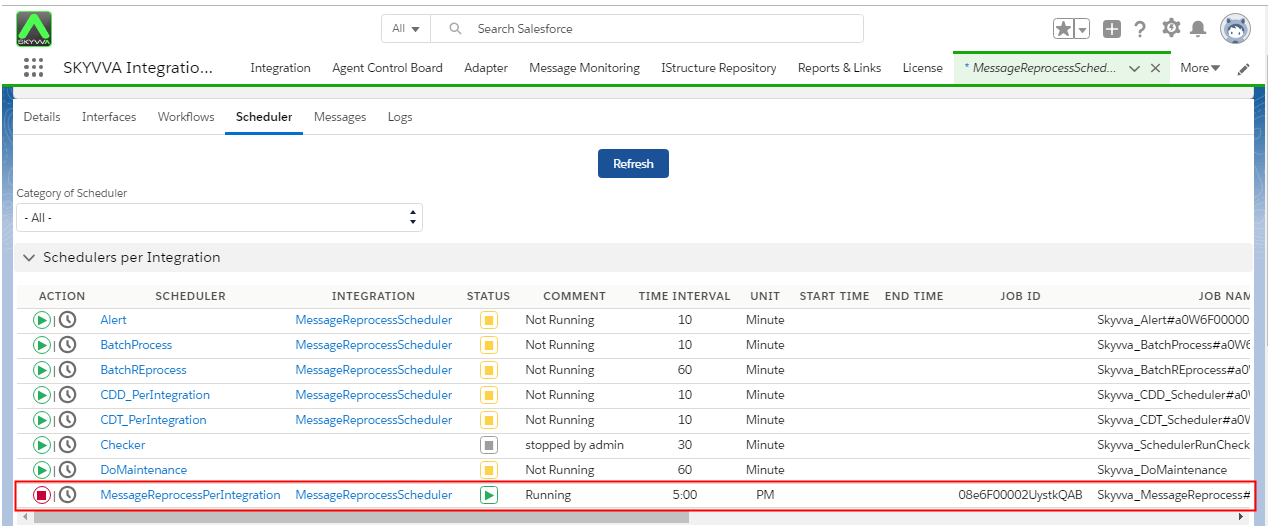
Case 2: MessageReprocessPerIntegration scheduler with Run At (IntegrationOnDemand)
- Testing MessageReprocessPerIntegration scheduler with Run At (IntegrationOnDemand) using Automatic Reprocessing flag.
- Set time Run At 5:00 PM.
Case 3: MessageReprocessPerIntegration scheduler with Run At Every Hour (IntegrationOnDemand)
- Testing MessageReprocessPerIntegration scheduler with Run At Every Hour (IntegrationOnDemand) using the Automatic Reprocessing flag.
- Set time Run At Every Hour = 6->8:00 AM.
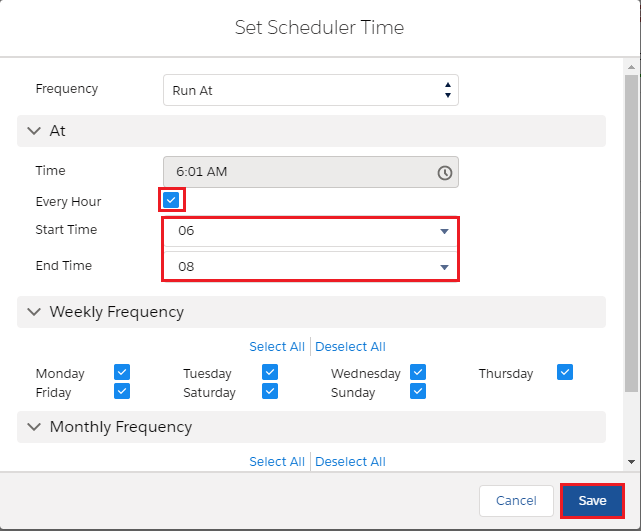
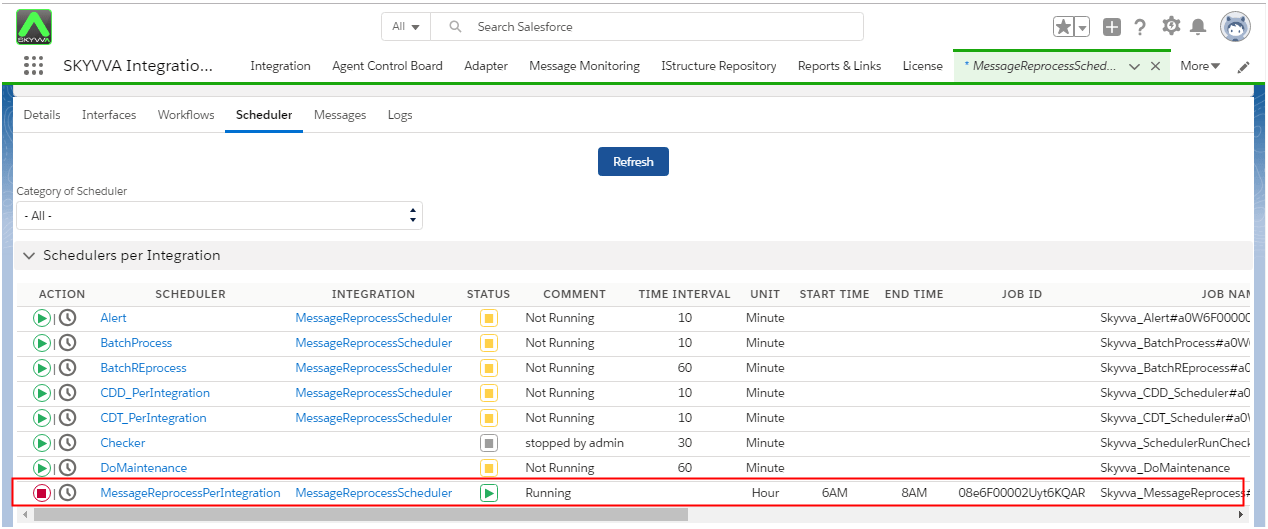
- It will run at 6-8:00 AM every day and running all Interfaces stays in this integration.