7. Use message type in response interface for REST adapter
The Representational State Transfer (REST) adapter enables you to exchange messages between remote clients or web service servers and the Integration Server. It supports dynamic URLs, REST API polling, multiple operations per channel as well as XML and JSON data formats. The rest adapter is used for data processing of both directions. I,e Inbound and outbound. REST request-> Outbound interface
Rest response-> Inbound Interface
Set-Up:
Step 1: Create Adapter
- First Insert Adaptor Record By giving prefer Name and select Type = REST
- Now Insert PropertiesIf Need Authorization.
- REST API Service Endpoint URL: “”, Insert Endpoint URL where Request will direct
- Username: “”, Your Endservice UserName
- Password: “”, Your Endservice Password
- Authentication: “BASIC”
- REST Operation: “POST”

Click on the Save button. It should navigate to:
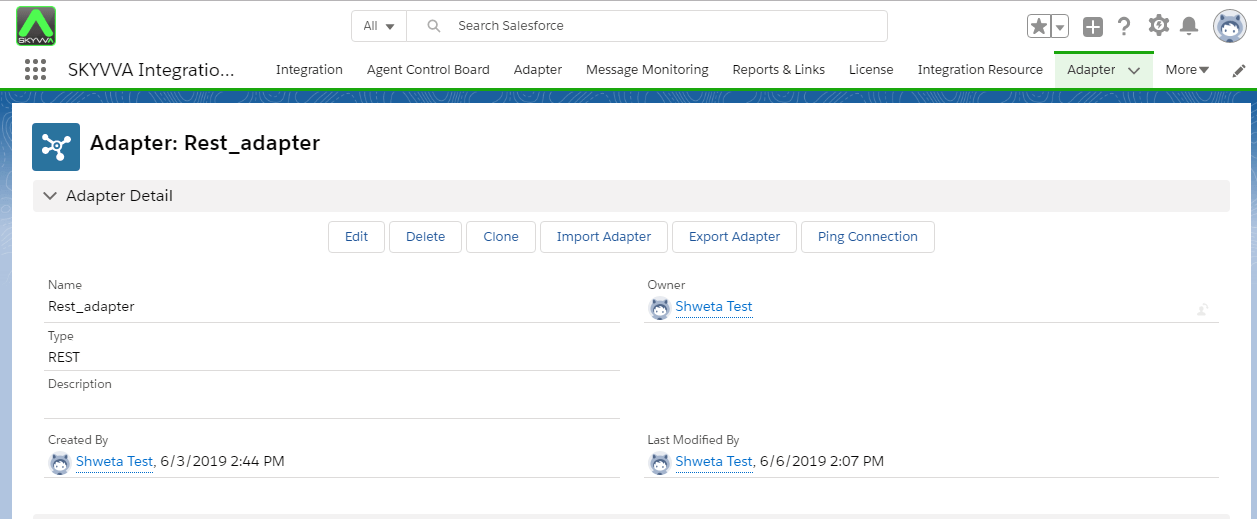

Step 2: Create Metadata
Now, Insert METADATA record By giving prefer details. In SKYVVA, when we create metadata, the Name filed is only a mandatory field. On MetaData the Name cannot be duplicated.

Step 3: Create Istructure repository

Step 4: Create a Message Type
Now Create Message Types for IStructure Repository. The free define message type is a type and structure definition which is stored in the Repository. The message type can be resided in a WSDL, in SAP IDoc, SAP Bapi, etc… It can be stored in a file in CSV, XML or another format. For the Message Type, you have to use our defined Structure. [aux_code language="javascript" theme="tomorrow" title="" extra_classes=""]{ "REST API" : { "Request" : { "URL" : { "Query" ; {}, "Path" : {} }, "Header" : { "AuthId" : "", "Id" : "" }, "Body" : { "Account" : { "Name" : "", "Phone" : "", "Contact" : { "FirstName" : "", "LastName" : "", "Email" : "" } } } }, "Response" : { "Body" : { "Account" : { "Name" : "", "Phone" : "", "Contact" : { "FirstName" : "", "LastName" : "", "Email" : "" } } } } } }[/aux_code]
- Go to your IStructure repository and click on the open editor button.

- Select file type as JSON and give input to open text box as below:

Click on save button and check created massage type.


[su_box title="Note" box_color="#2a8af0" title_color="#000000"]Please check the type of your msg-type. it should be the same as shown on screen.[/su_box]
Step 5. Create Integration. Refer tutorial (How to create integration.)
- Link adapter we created earlier
- Max Number of Retry (This means the number of times should we retry if the request fails the first time).

Step 6. Create Interface (Inbound/Outbound). Refer tutorial to create Interface. (How to create Interface?)
Create outbound Interface for request Must fill this fields of Outbound Interface : - Outbound Adapter: Select we created earlier
- Metadata Provider: Select we created earlier
- IStructure Repository: Select created IStructure Repo.
- MessageTypes: Select MessageType (Selected MsgType TYPE should always be REST REQUEST)
- Source/Target Name: Select Any Object
- Query: Query needs to be inserted and the query should always include all fields we have mapped or going to map.
- Map Fields

- Scroll down the page to the mapping section.