8. Bulk Processing Scheduler.
Bulk Processing Scheduler:-
- In bulk processing, we have a bulk control board which is a dashboard where we monitor bulk Processing where we have a scheduler and even we can do it manually, we can select attachments or file manually.
- It will pick up a record from the file and processed it, then we can see messages in the message monitoring.
- Bulk Processing Scheduler is used to process bulk attachments which are with the huge records at high speed.
- You can set time intervals in the bulk processing scheduler of Skyvva anytime you want.
Bulk Processing Scheduler is located in Bulk Control Board, Integration detail page, and Integration Admin Tab
To find Bulk Processing Scheduler:- Bulk Processing Scheduler is located on three different pages
- Bulk Control Board,
- Integration detail page
- Integration Admin Tab.
Bulk Control Board:
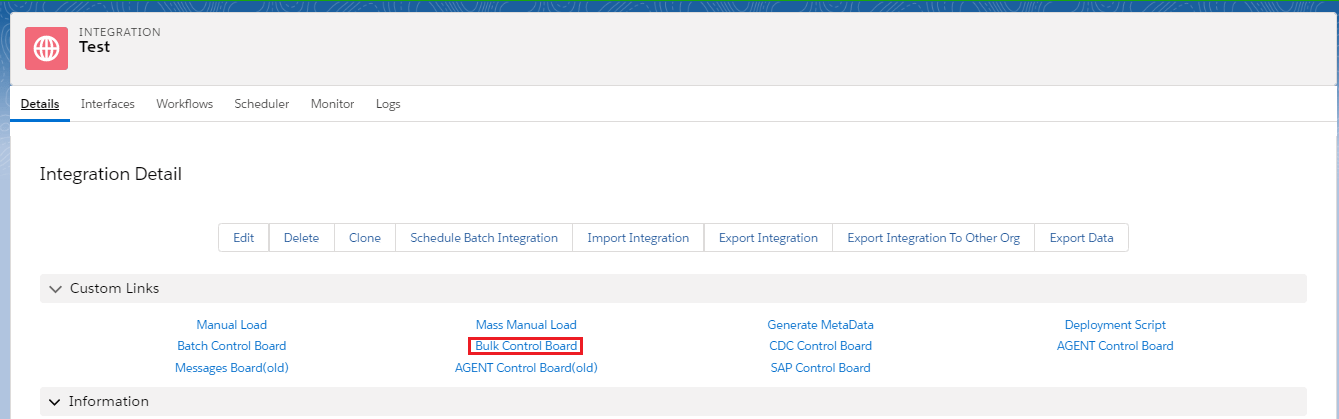
- Log in to Salesforce and enter the Integration detail page.
- Click on Bulk Control Board
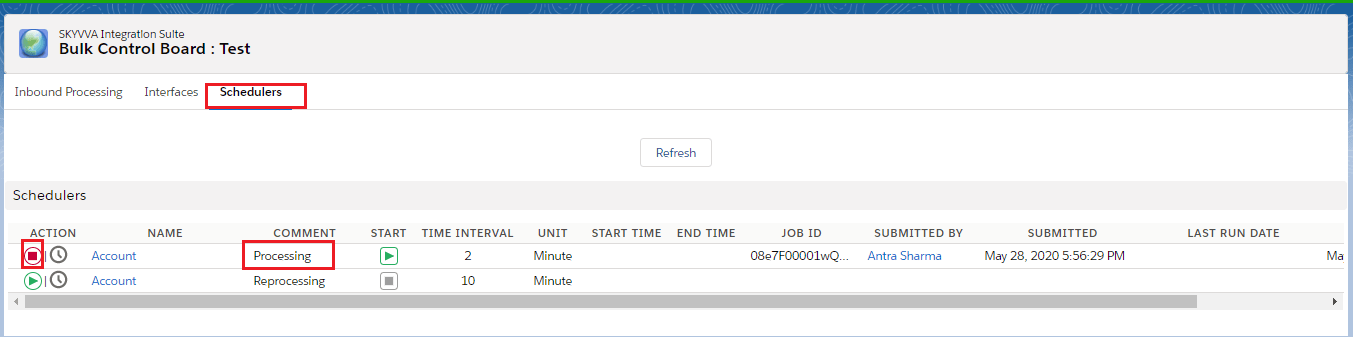
- Click on Scheduler Tab
- Set the time and start the scheduler.
Integration Detail Page
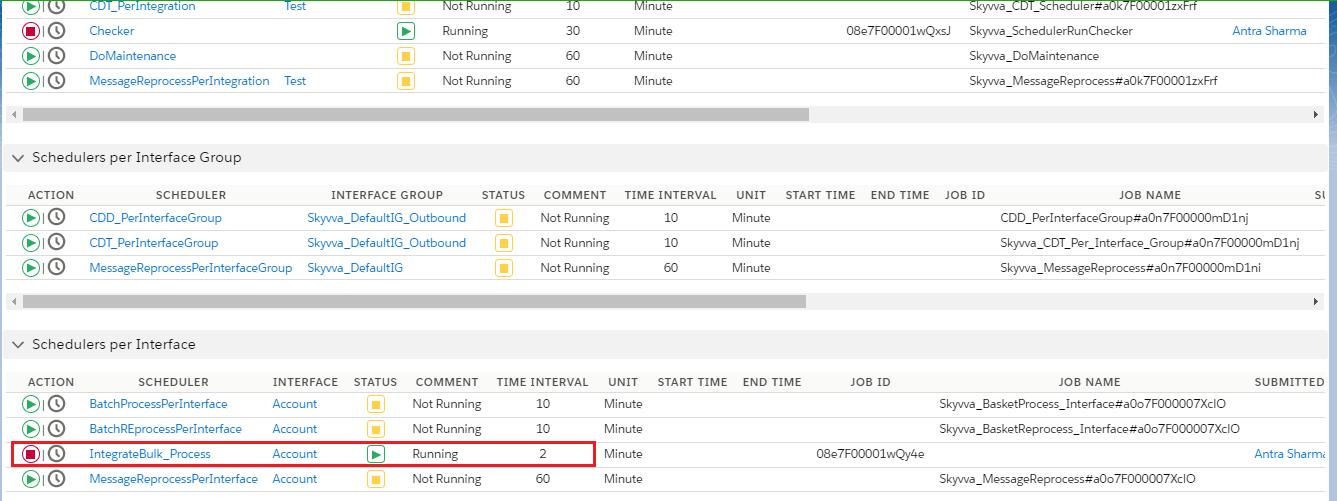
- Log in to Salesforce and enter Integration Detail Page.
- Click on the Scheduler tab.
- Check the IntegrateBulk_Process scheduler as shown below.
Integration Admin Tab
- Log in to Salesforce and select on Admin Tab
