7. How to use streaming API to get data changes from Salesforce?
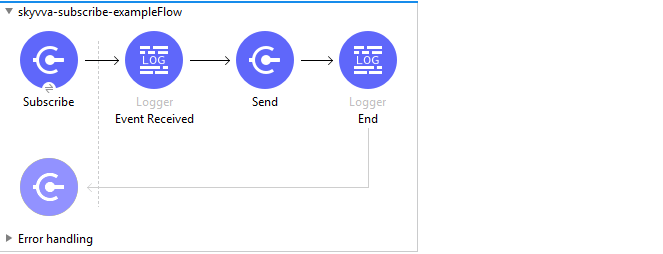
- Skyvva Subscribe Operation:
This operation is used to subscribe skyvva related topic using salesforce streaming api. You need to select the integration name then the corresponding Interface name for which you have enabled streaming api using Skyvva. On select of integration the below dropdown for Streaming Interface will be loaded only with the interfaces where the streaming API is enabled. You can refer #article/how-to-use-streaming-api-with-agent for creating streaming API for Skyvva. Note: You need to click on the refresh icon of Integration Name dropdown to load all integration name. Then on select of integration name again click on the refresh button of Streaming Interface dropdown to load all interface where streaming is enabled.

User-case:
- Create flow to subscribe Streaming-interface-Account interface.
- Modify/Create (that you configure on the streaming configuration for Skyvva interface) data on account.
- New event will be received with configured data in Streaming interface e.g in this scenario Billing Address details.
- Send an email with the change received from the event.