77. How to use apex class ?
Apex Class In Apex, user can define top-level classes (also called outer classes) as well as inner classes, that is, a class defined within another class. You can only have inner classes one level deep. public class myOuterClass { // Additional myOuterClass code here class myInnerClass { // myInnerClass code here } } follow the given steps to use apex class: Step 1: Create Integration
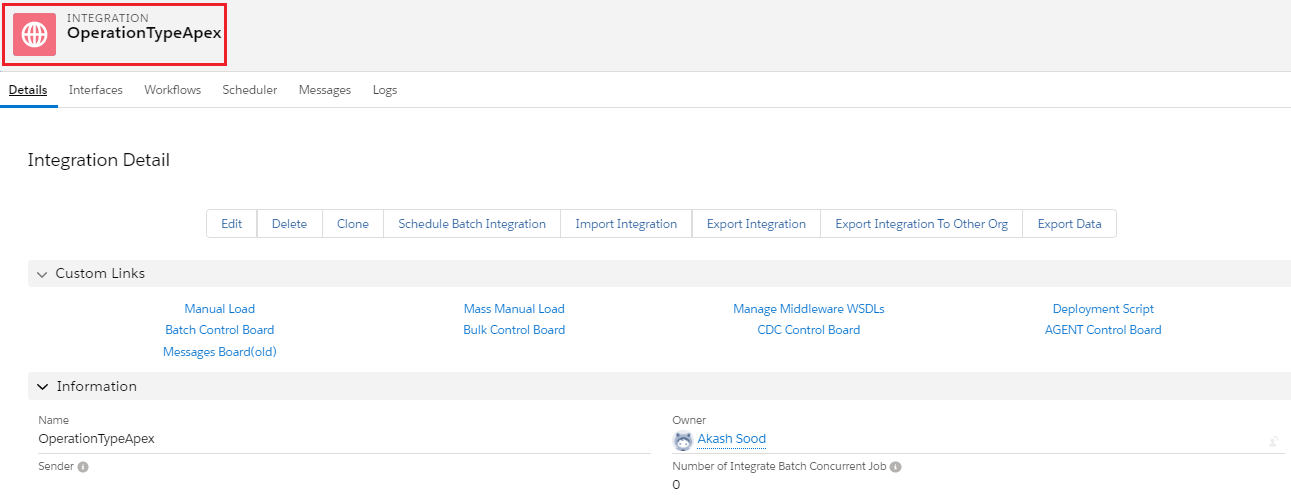
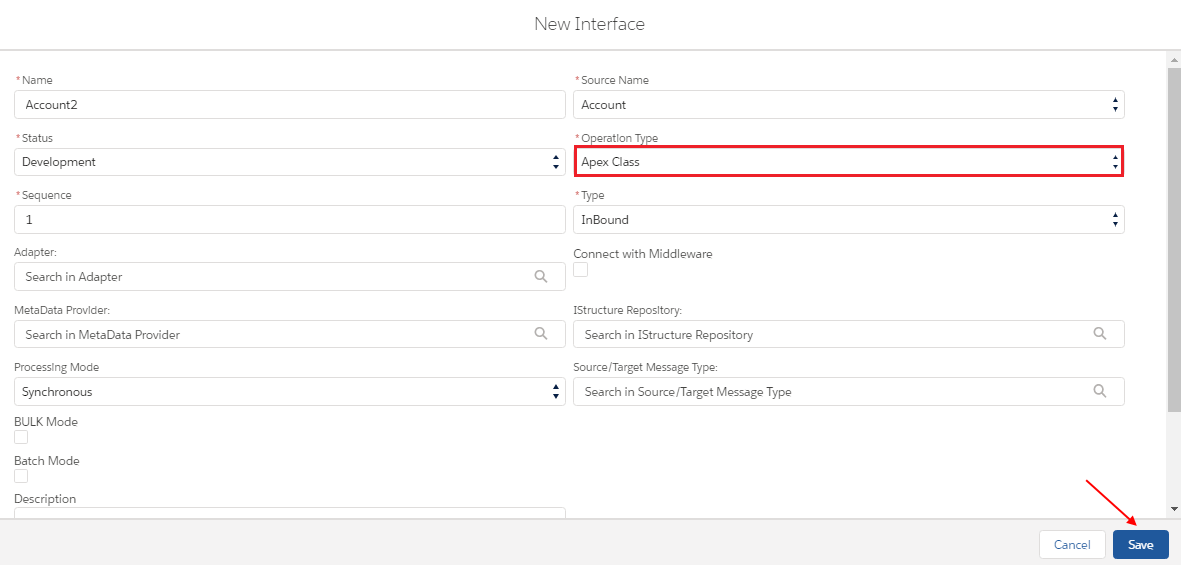
Step 2: Create interface
- Select operation Type: Apex class from drop down
Step 3: Create this class is used for Apex Custom class on Interface and Click on wrench icon and click on Setup.
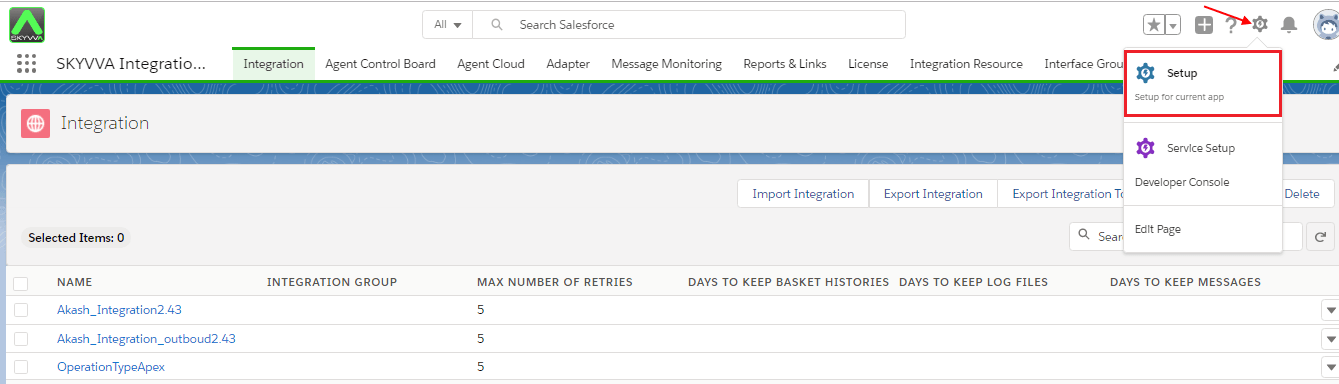
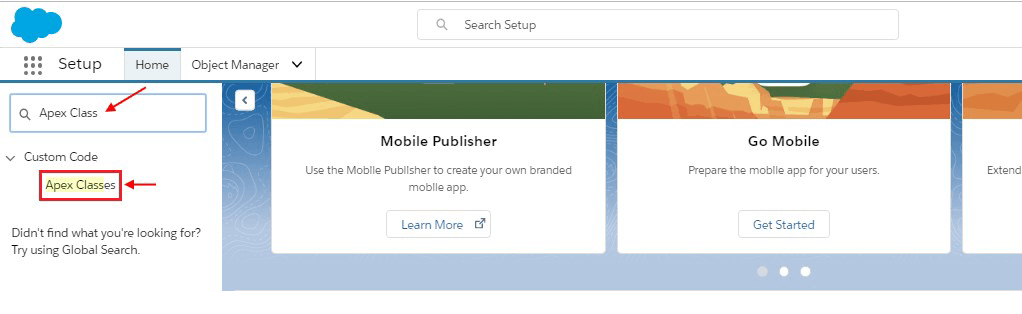
- Write Apex Class in Quick find box
- Click on Apex Classes under Custom Code drop down
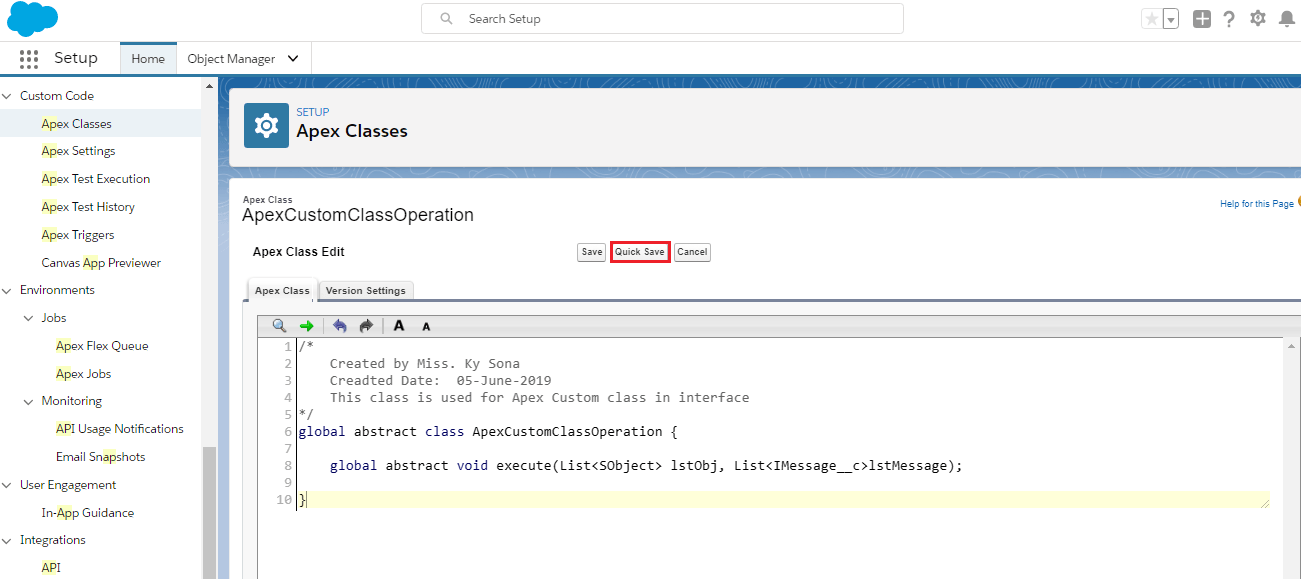
- Write this class is used for Apex Custom class in interface
- Quick save
- Make sure your code has been saved successfully
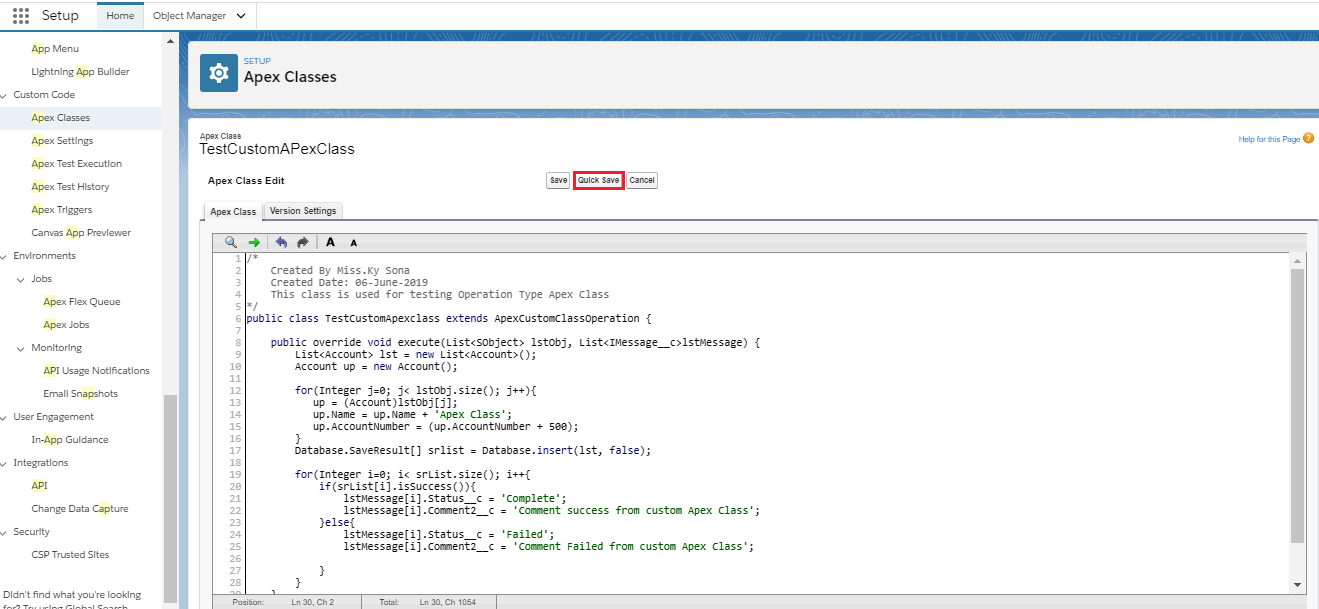
- Create this class is used for testing operation type Apex
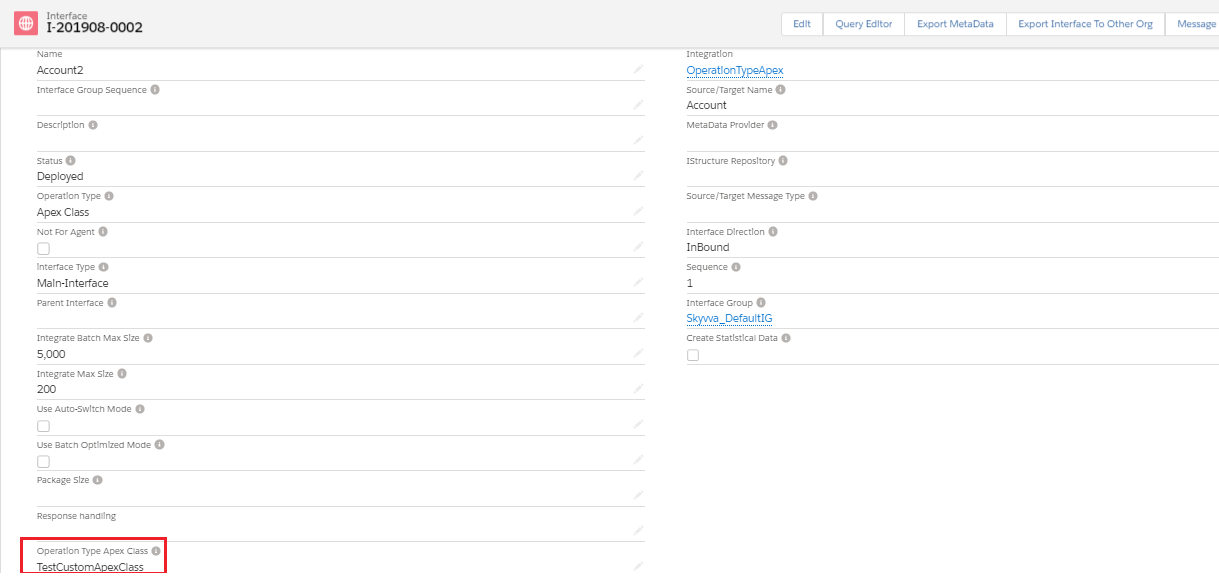
- Go to Interface Detail Page
- Select TestCustomApexClass
- Save
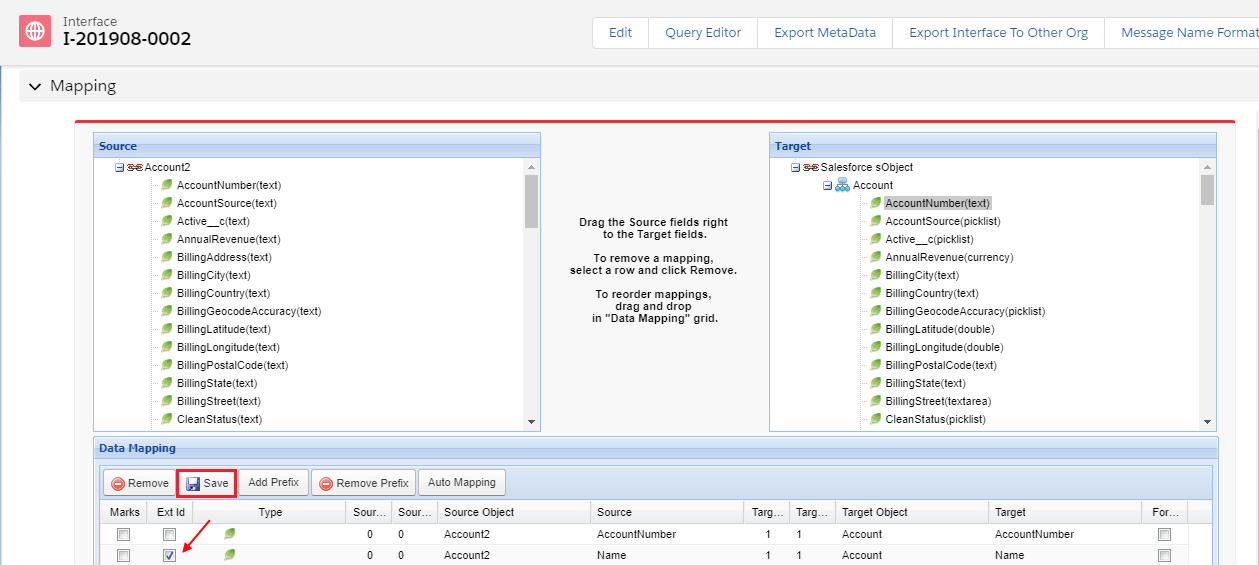
- Scroll down to Mapping Section
- Select Ext ID
- Save
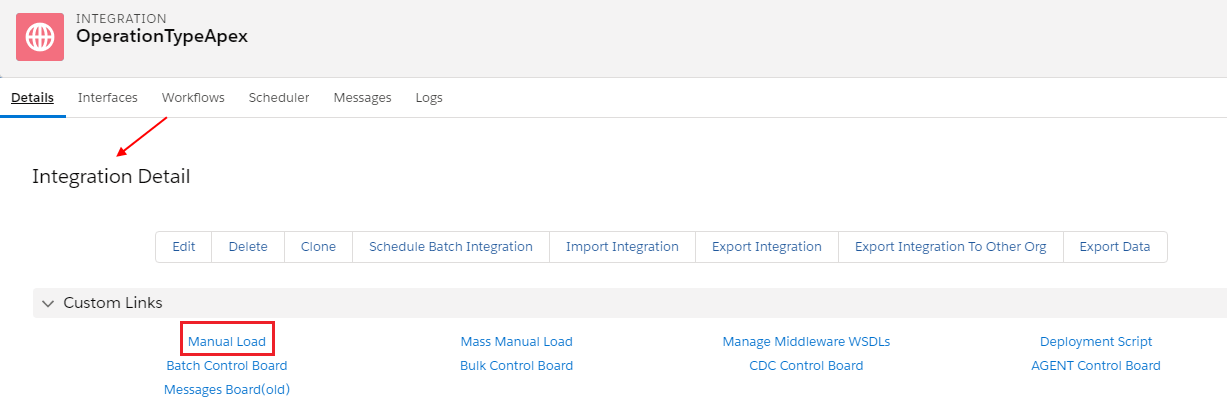
- Go to Integration Detail Page
- Select Manual Load
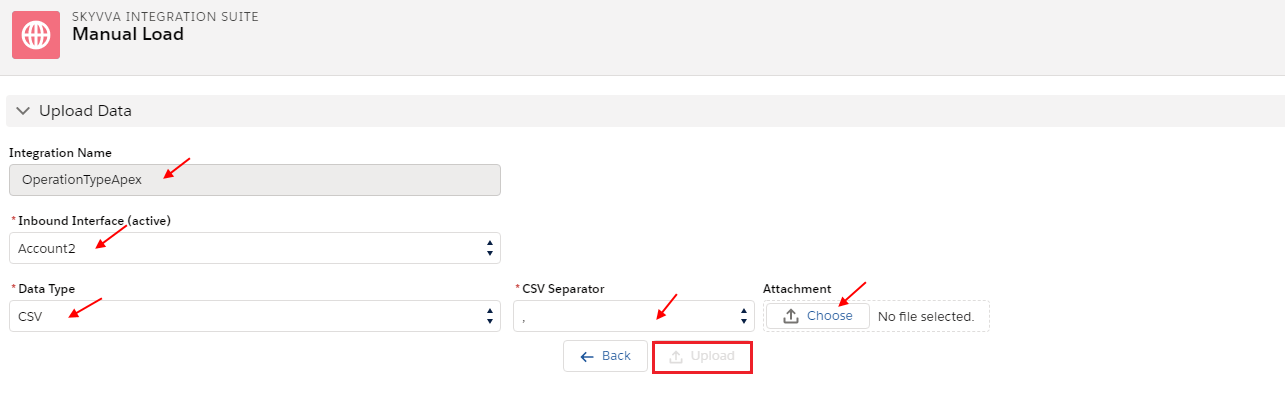
- Select Integration Name& Interface
- Select Data Type
- Select CSV Separator
- Choose file & upload
- Select all records
- Press Push button
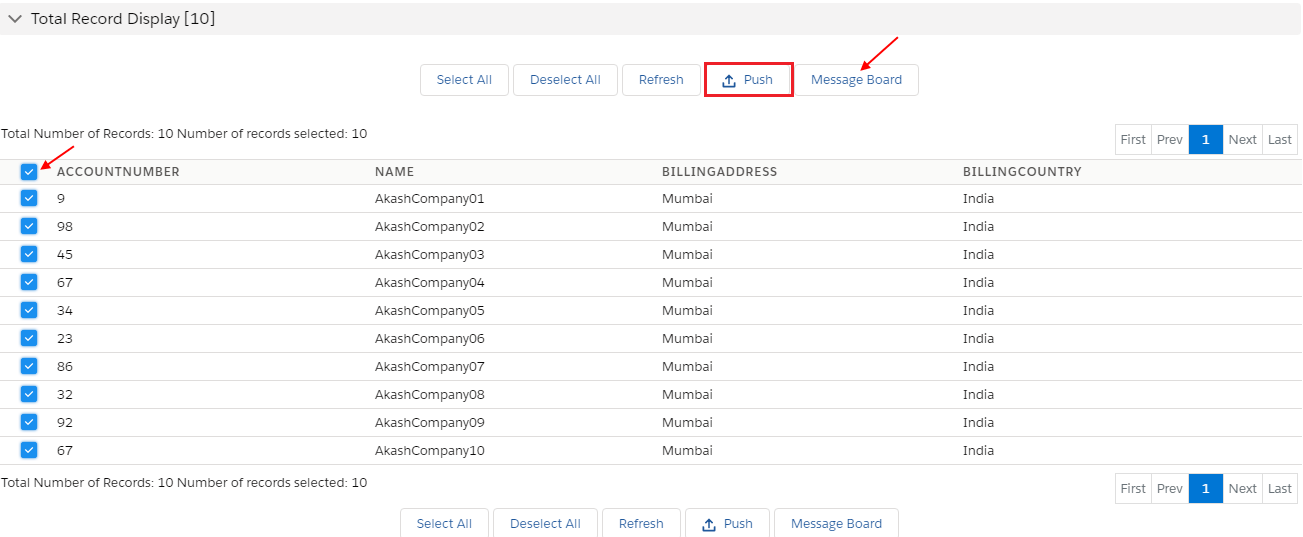
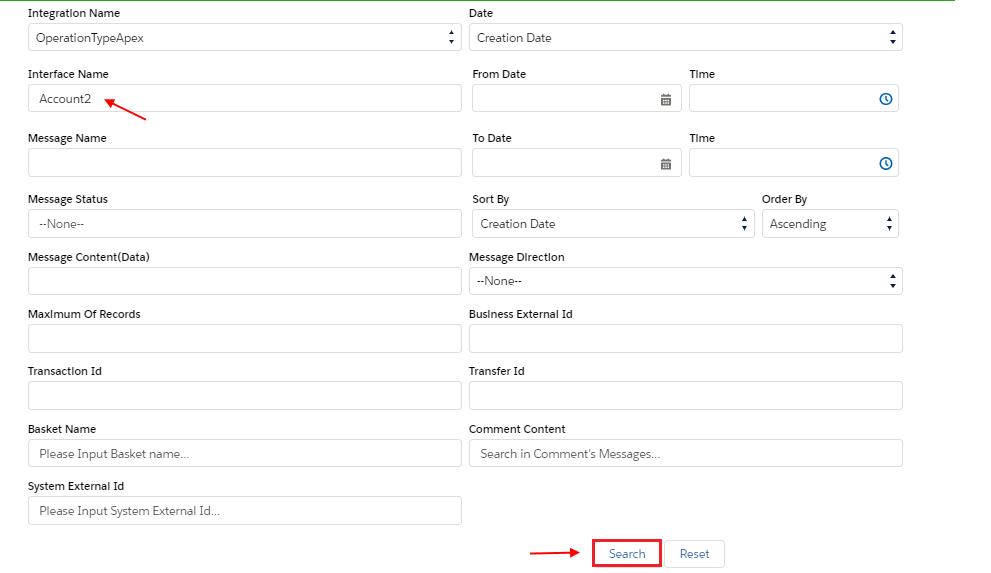
- Go to Message Board
- Select your Integration
- Select your Interface
- Press Search Button
- Scroll down to Message section
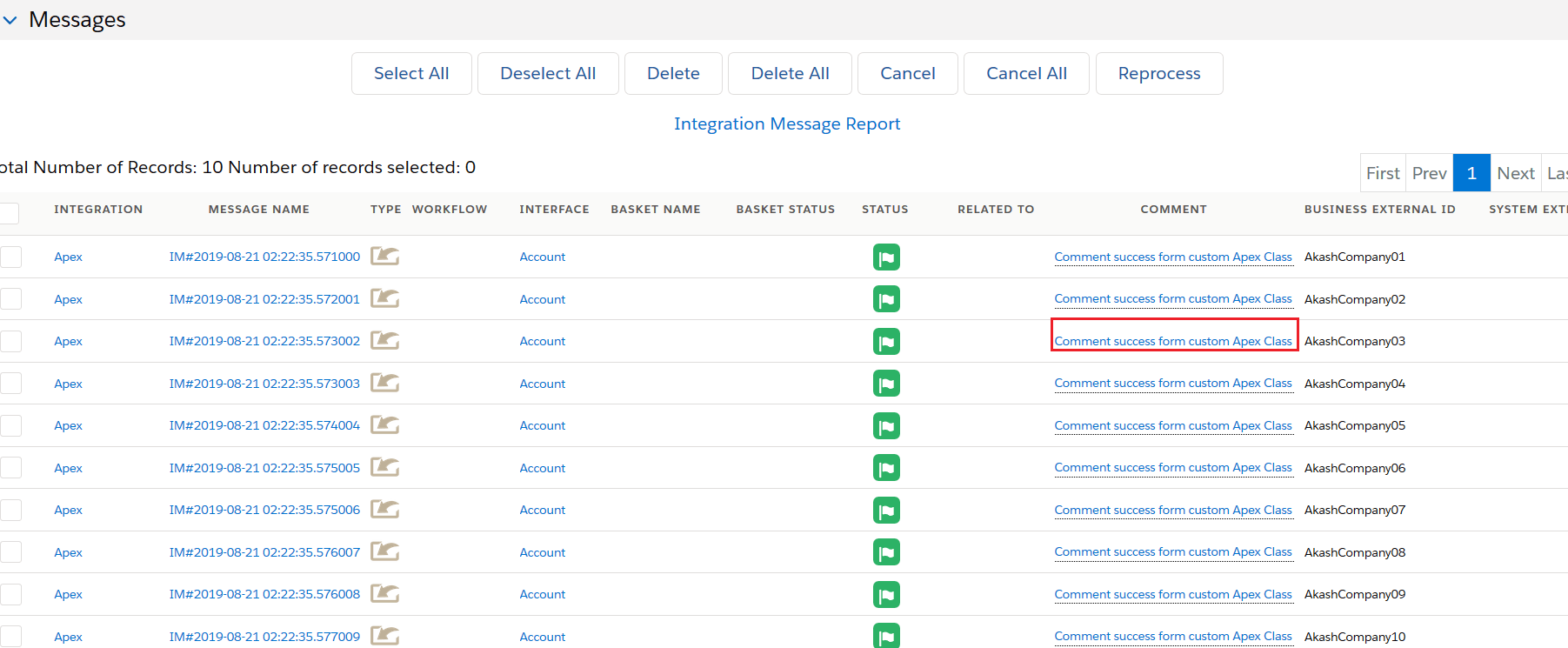
- See status Green Flag which means user inbound apex class operation successfully
- All records are integrated with Salesforce Org.