8. V4 Integrate API Services
Introduction:
- Our V4/integrate rest variant supports JSON and XML and therefore it is possible to pass the Rest envelope XML or JSON to the body of the v4/integrate. This means that for invoking the skyvva API we use only the rest variant ../services/apexrest/skyvvasolutions/v4/Integrate with either XML or JSON payload.
- In the URL of V4 API, the query parameter is added in URL only.
We have two type of response:
- standard response
- custom response using the response (outbound) interface to do the mapping
1. standard response
Pre-requisites:-
- Create an Integration
- Create Metadata Provider
- Create Repository.
- Create a Message Type.
1. Create Inbound Interface:-
a. Enter Metadata Provider. b. Enter Repository. c. Message Type.
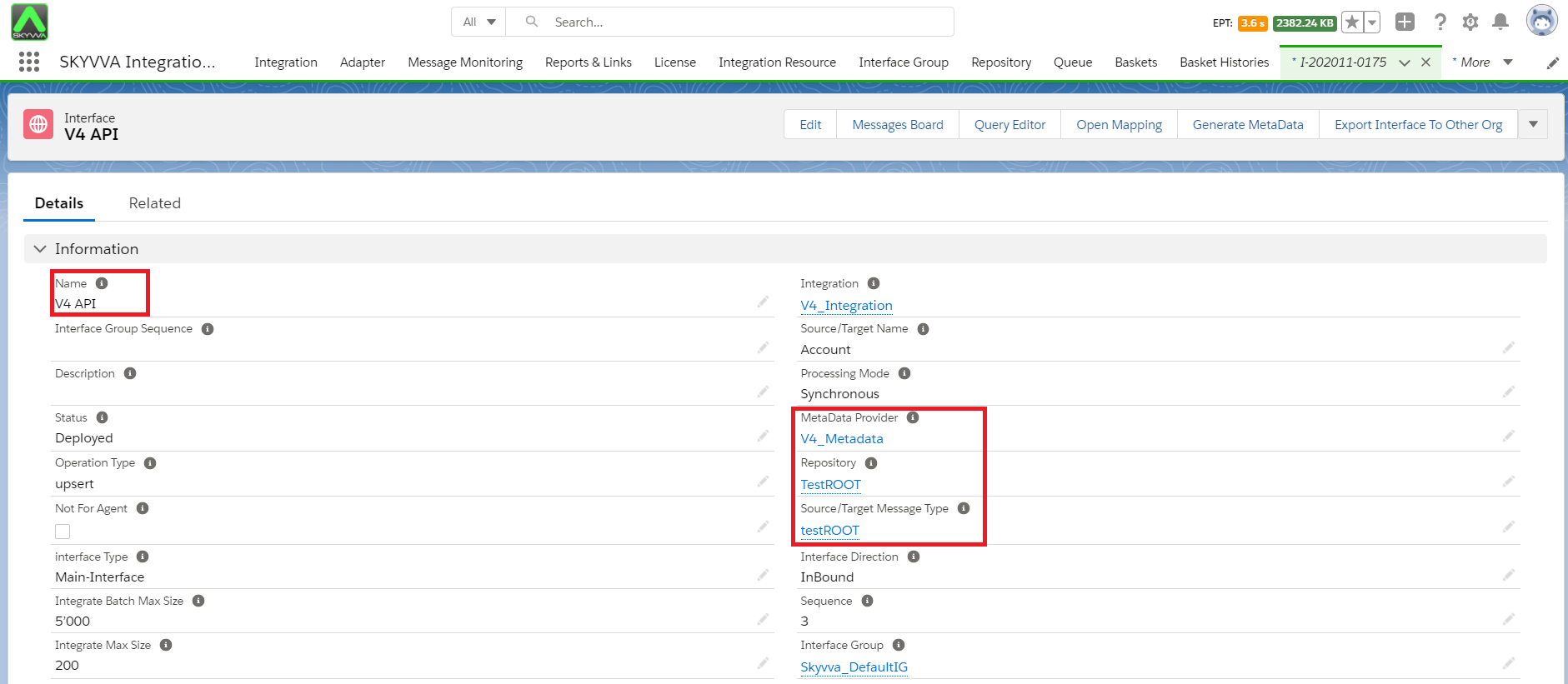
2. Do Mapping:-
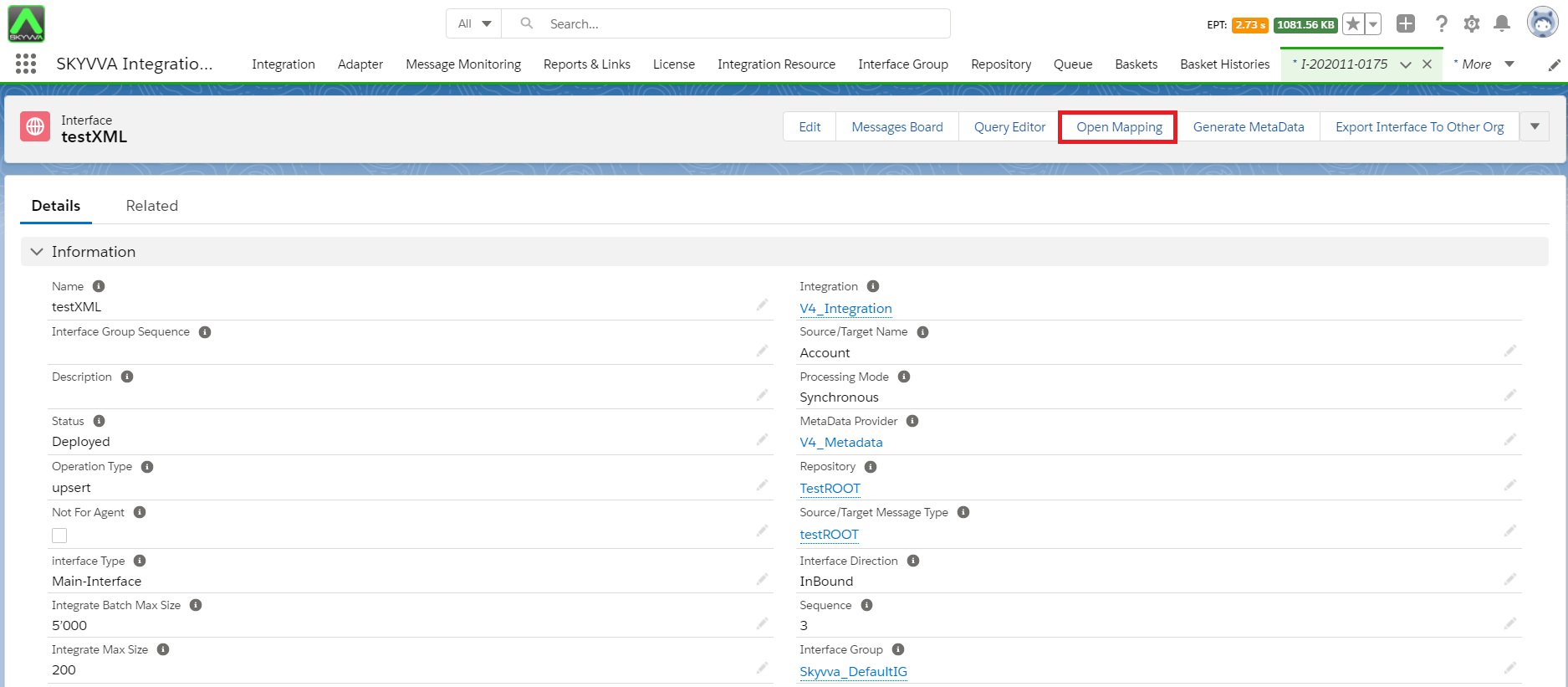
- Save Mapping:

3. Configuration on postman side:-
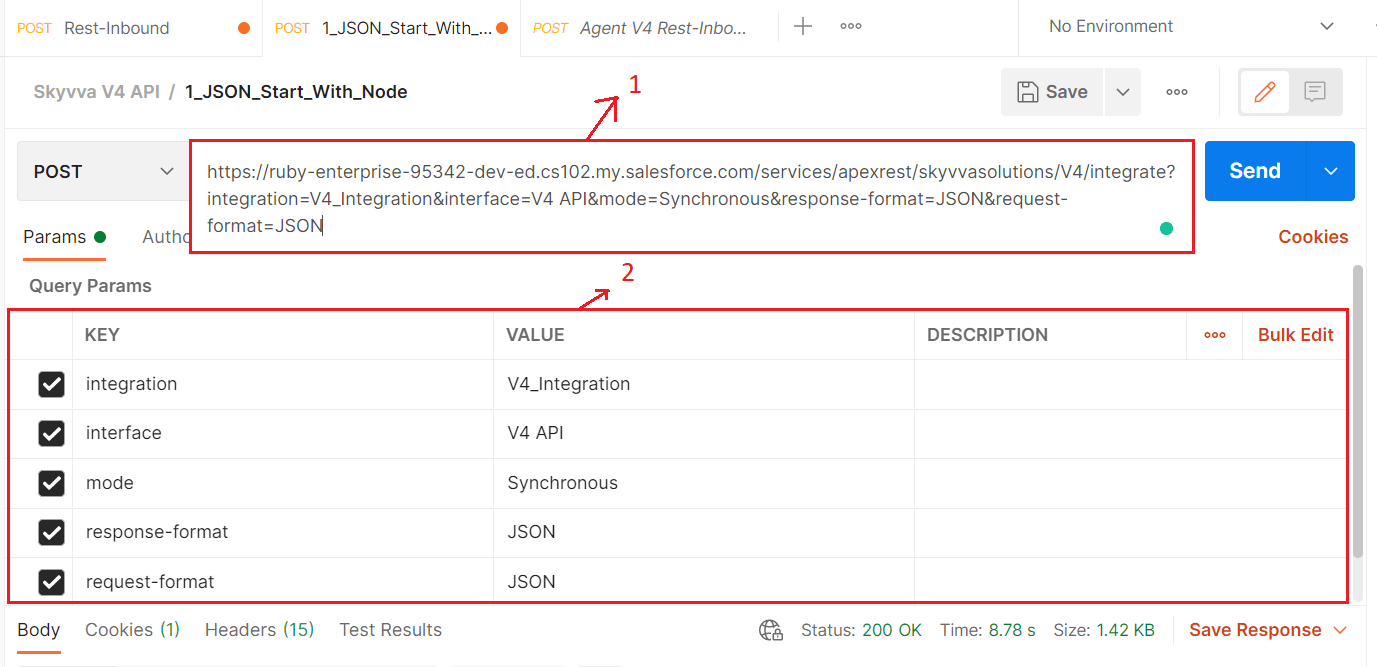
1. V4 API:-
V4 API pass Integration, Interface, mode, request-format, response-format parameter inside the URL query parameter.
2. The URL contains:-
- Salesforce classic URL.
- Integration name.
- Interface name.
- mode.
- response-format.
- request-format.
Please check the sample below:- [aux_code language="javascript" theme="tomorrow" title="" extra_classes=""] https://ruby-enterprise-95342-dev-ed.cs102.my.salesforce.com/services/apexrest/skyvvasolutions/V4/integrate?integration=V4_Integration&interface=V4 API&mode=Synchronous&response-format=JSON&request-format=JSON[/aux_code]
3. Authorization:-
- Select No Auth.

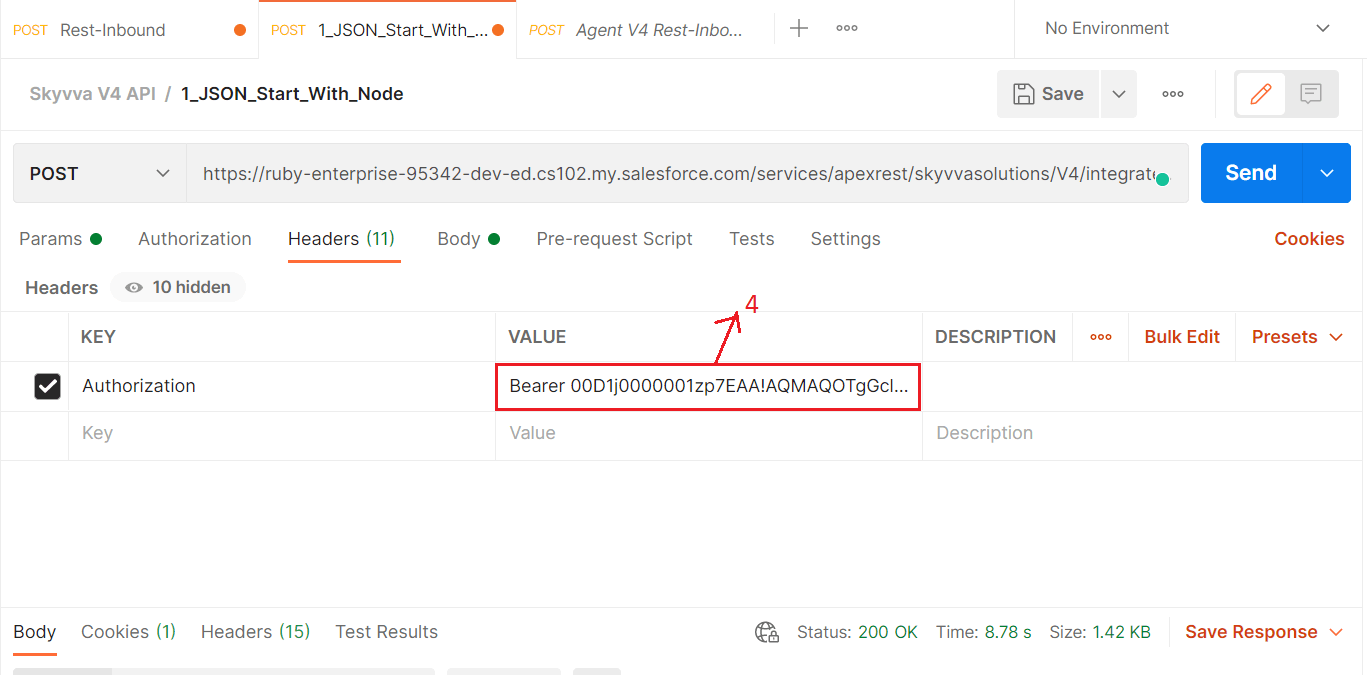
4. Header:-
- Enter "Bearer+Session ID".
5. Body:-
- Enter JSON or XML payload as per your message type which we have created earlier.
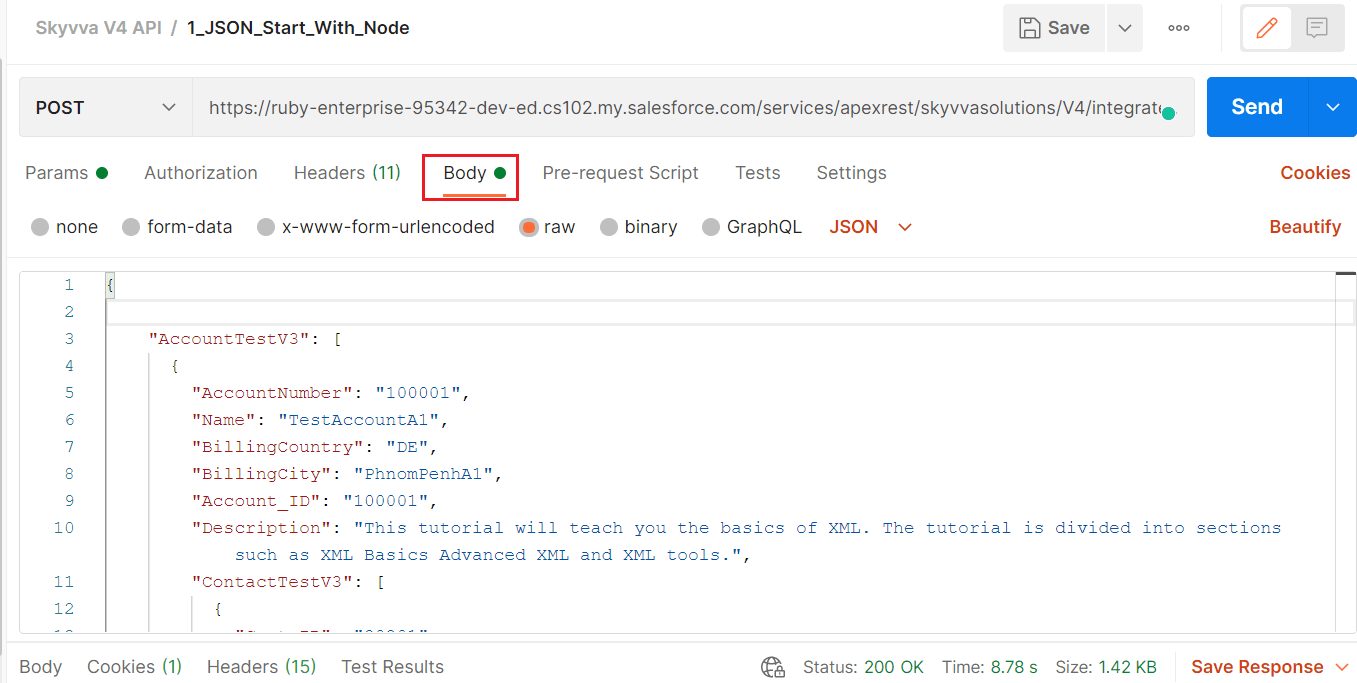
6. Send the Request:-
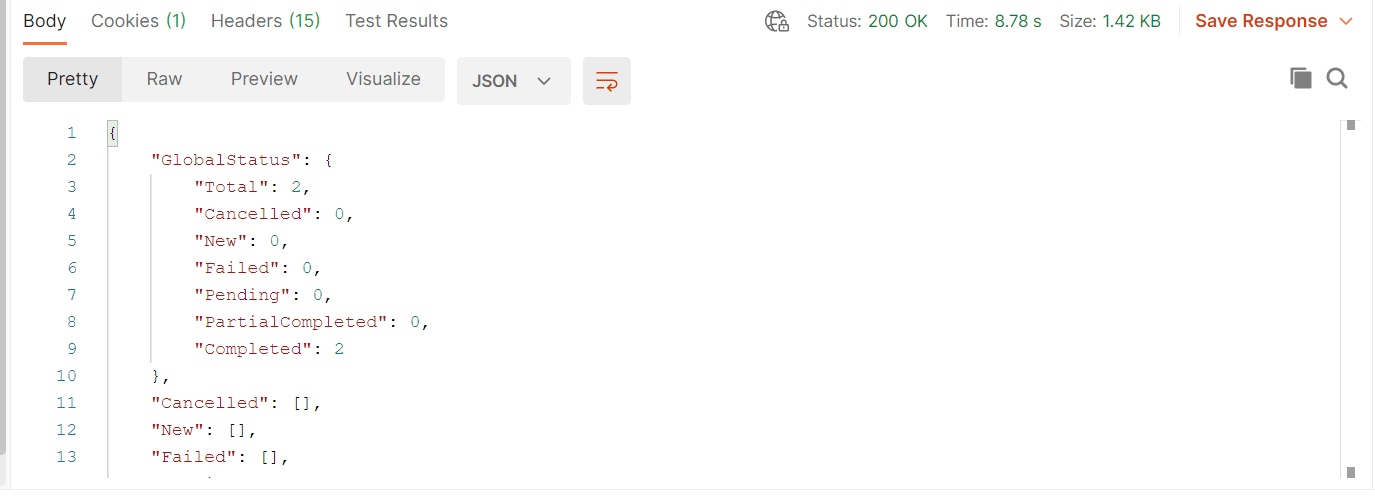
- Click on send button.

7. Check the Result:-
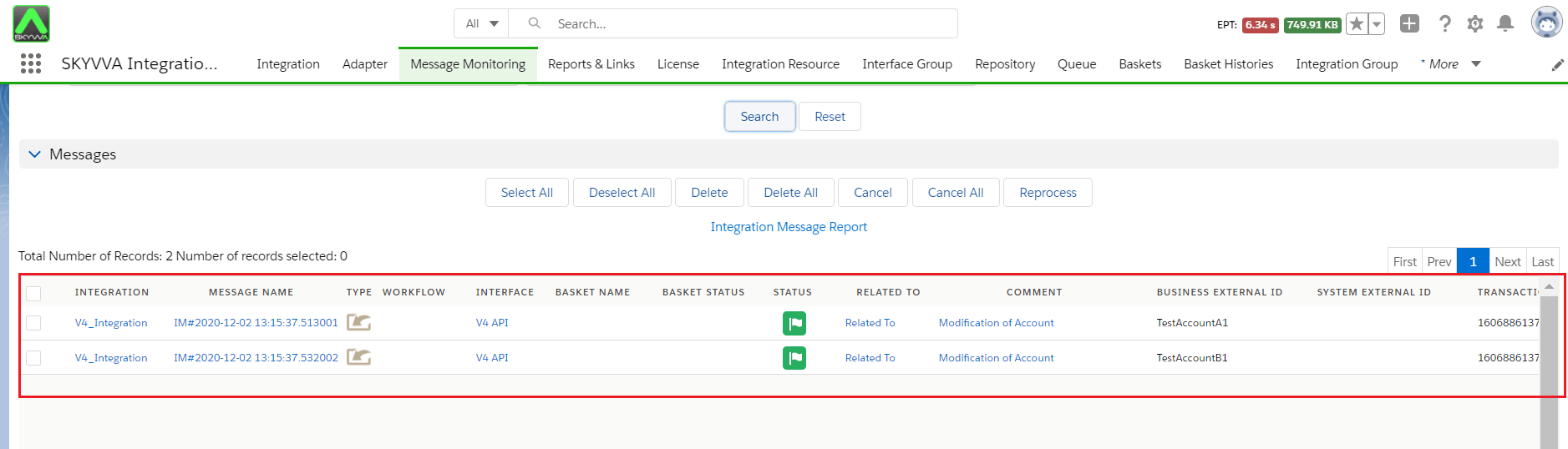
8. Check Result on Message monitoring:-
Custom response using the response (outbound) interface to do the mapping
if we want to get data from the response interface then we need do mapping for response interface and link it to request interface. Only data send from input will return back as response. If we want other than the input data then we have to use VLOOKUP formulae in the response mapping