8. How to build Sample Data to Test the Formula of IWorkflow Condition?
Introduction
We have to enhance the ‘Workflow’ screen to allow users to build ‘Sample Data’ for testing formulas. This will provide an easy way to test the formula in the Workflow without having to update the IStructure in the Interface or the Message type. Additionally, we can handle Message types of type Salesforce sObject with no field entries.
The Configuring of Test Formulas in the IWorkflow Conditions
- Create an Integration
- Create an Inbound Interface -> Upload file to create IStructure
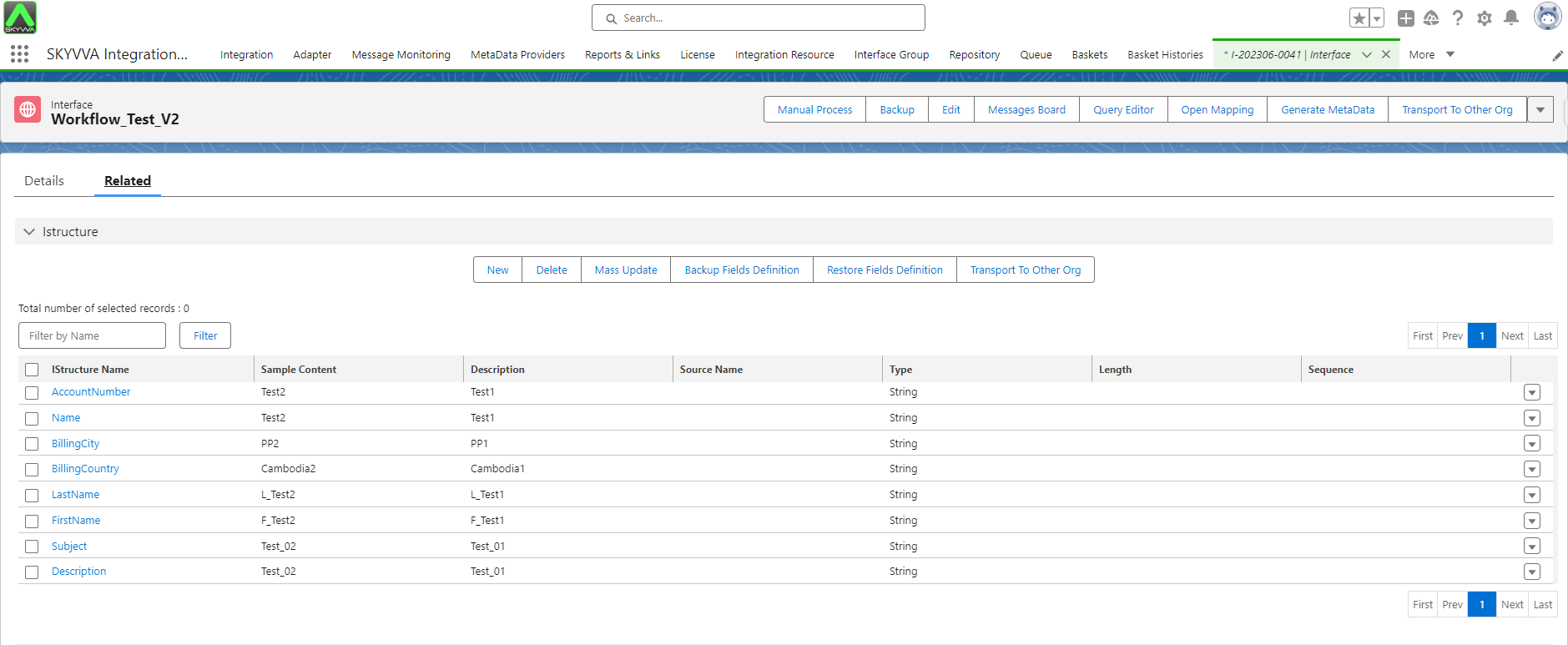
- Open the Integration Detail page -> Click on the Workflows tab -> Select the Source Interface
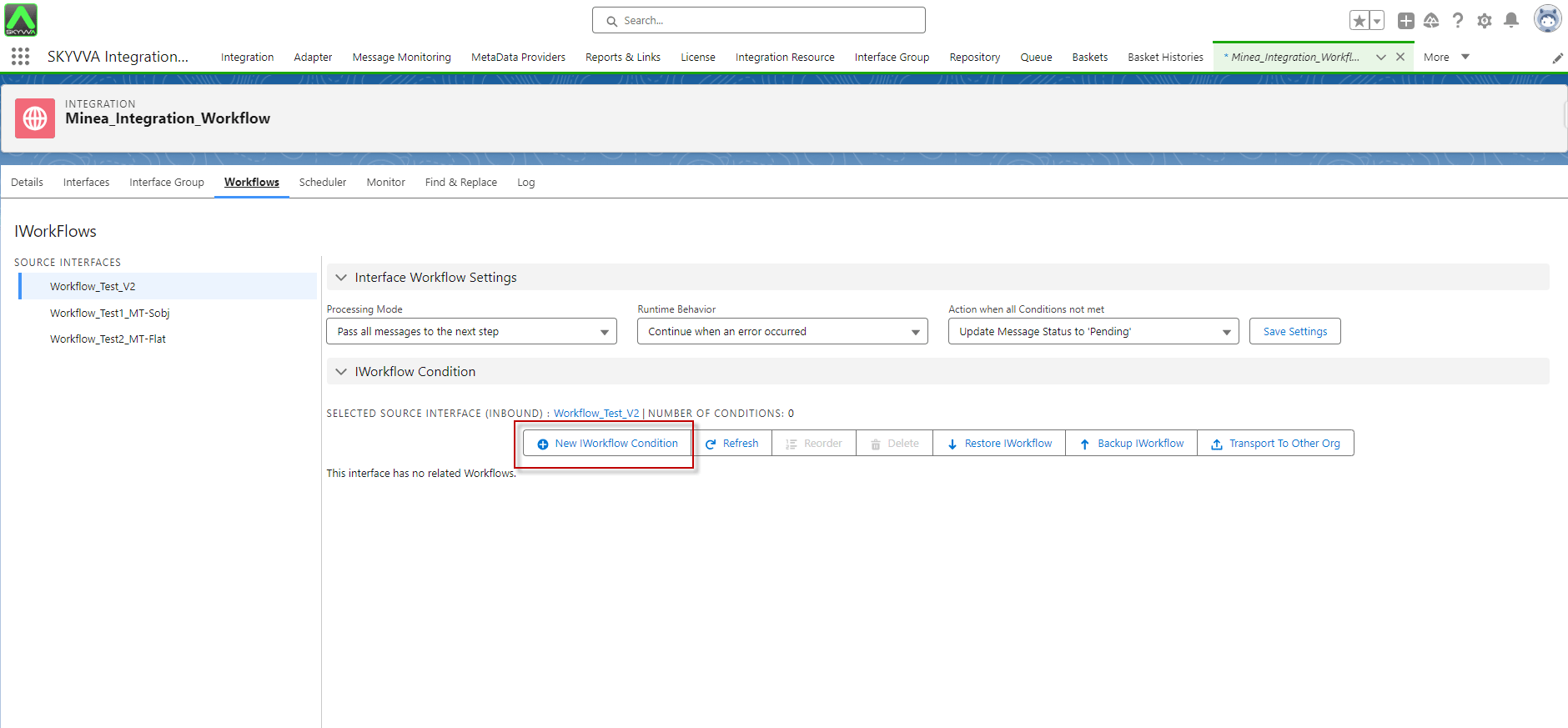
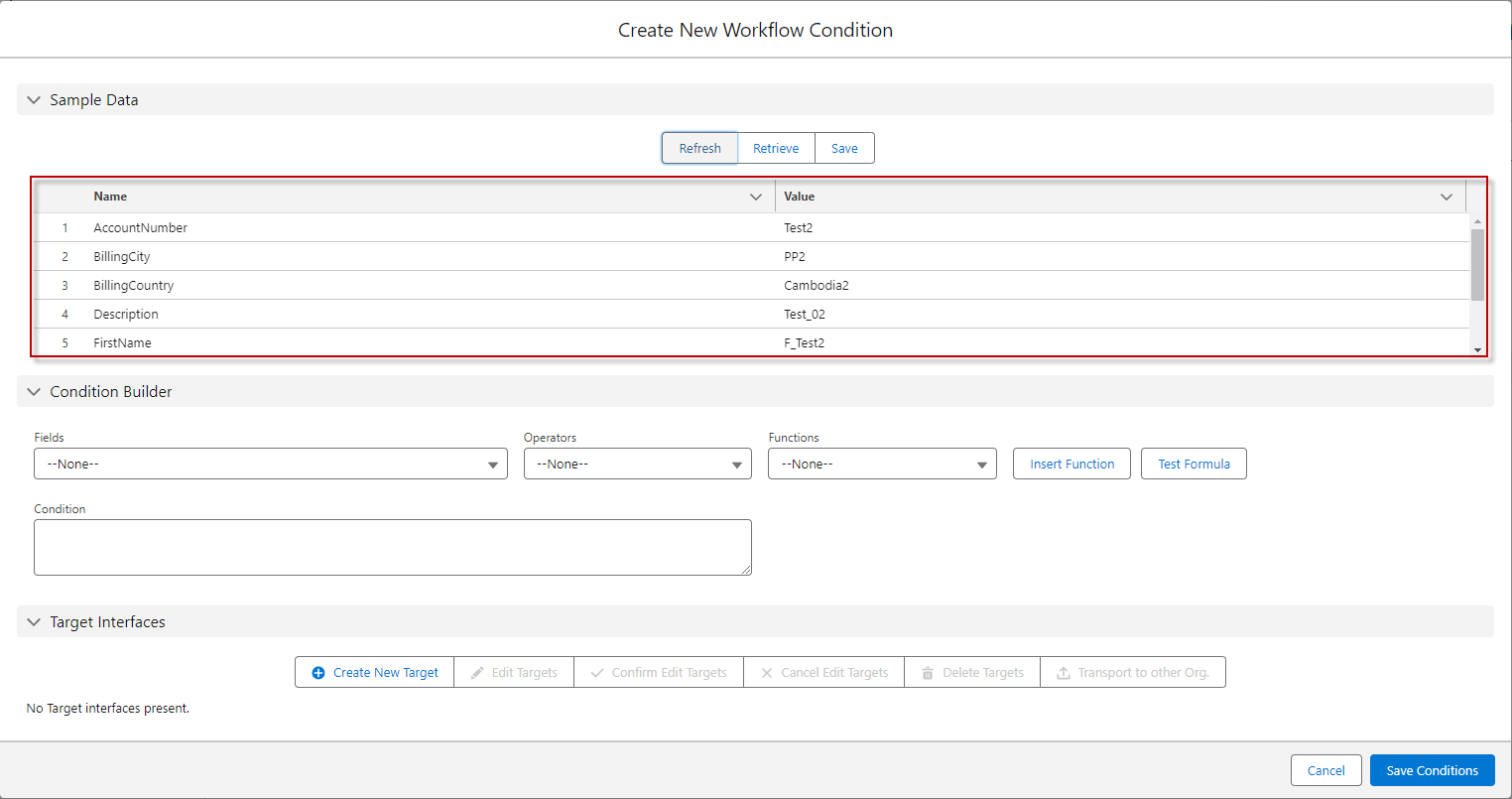
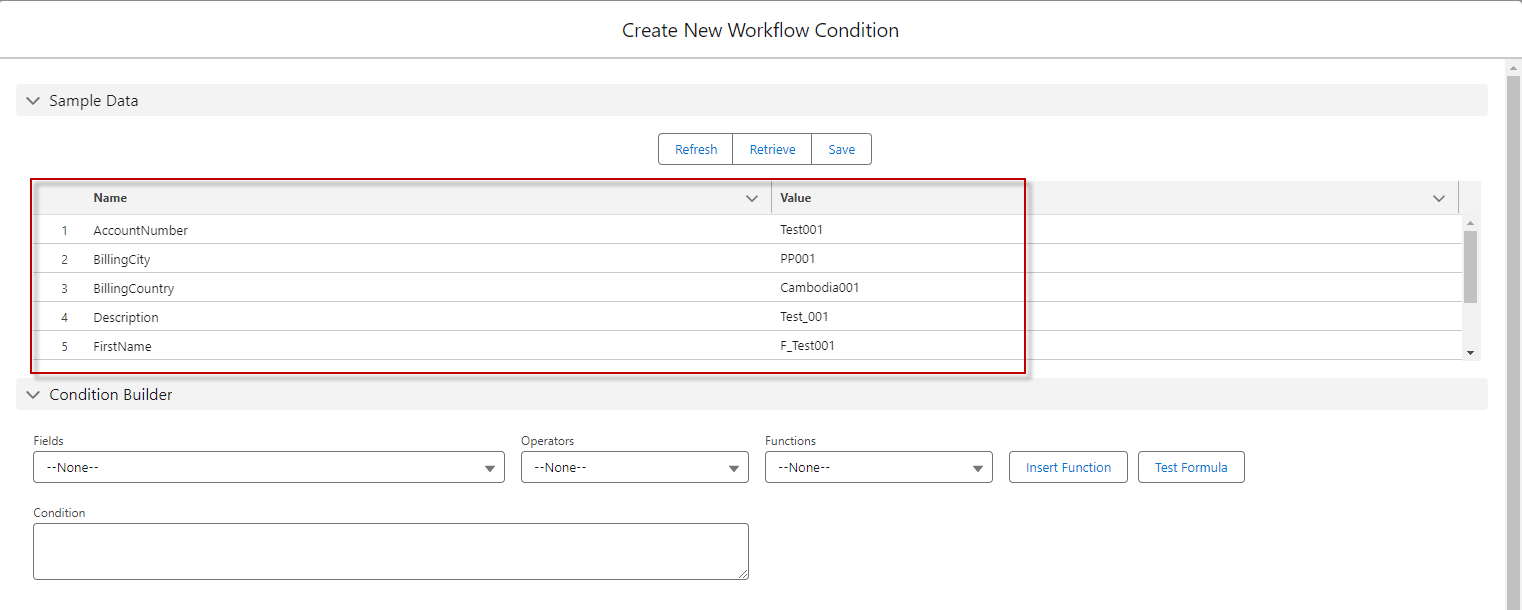
- Create a New IWorkflow Condition -> You can see the new 'Sample Data' section on the screen as shown below.

- This section should have 3 buttons:
Refresh Button: The refresh button will get the sample data that describes from sObject, Message Type Field Entry, or IStructure, depending on the design of your interface.
For Example: On Interface V2 and Upload the IStructure, the refresh button will get sample Data from the IStructure of the Interface.
- Before clicking the Refresh Button:
- Then change the Value field on the Sample Data:

- After Saved:
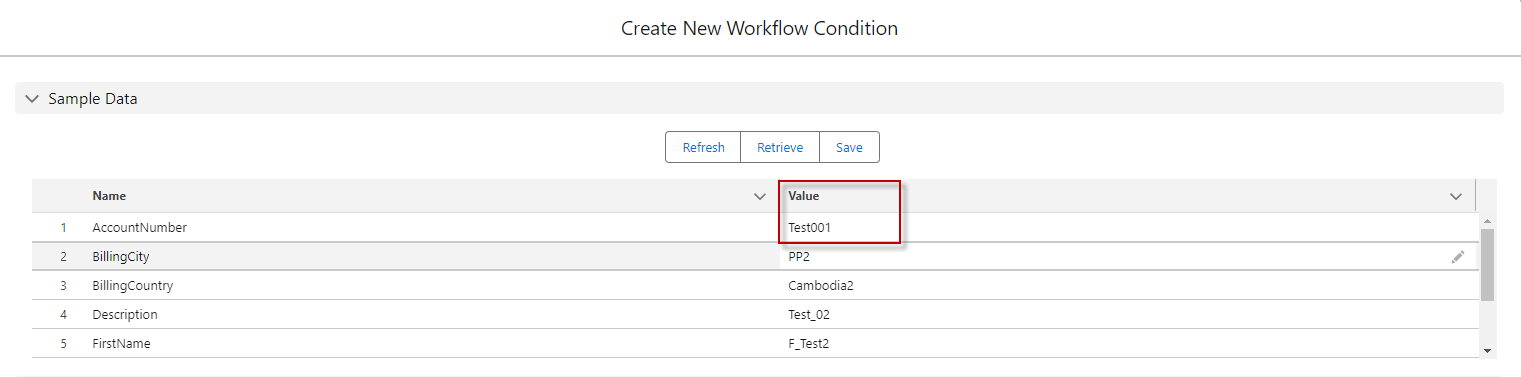
- After Click Refresh Button, it will get sample data from the IStructure of the Interface:

[su_box title="Note" box_color="#2a8af0" title_color="#000000"]
- If you create and upload the IStructure from the V2 interface, the refresh button will get sample Data from the IStructure of the Interface.
- If your interface does not have a Message type or IStructure, the refresh button will describe the sObject that you added in the source or target of the interface.
- If your interface is designed with a Message type, the refresh button will use the Message Type Field Entry from the Message type that links in the interface.
- If you manually create an IStructure in the V2 interface, the refresh button will merge it with the sObject.
[/su_box]
- Save Button: Save data into a file with the type txt.
Change the Value field on the Sample Data -> Save
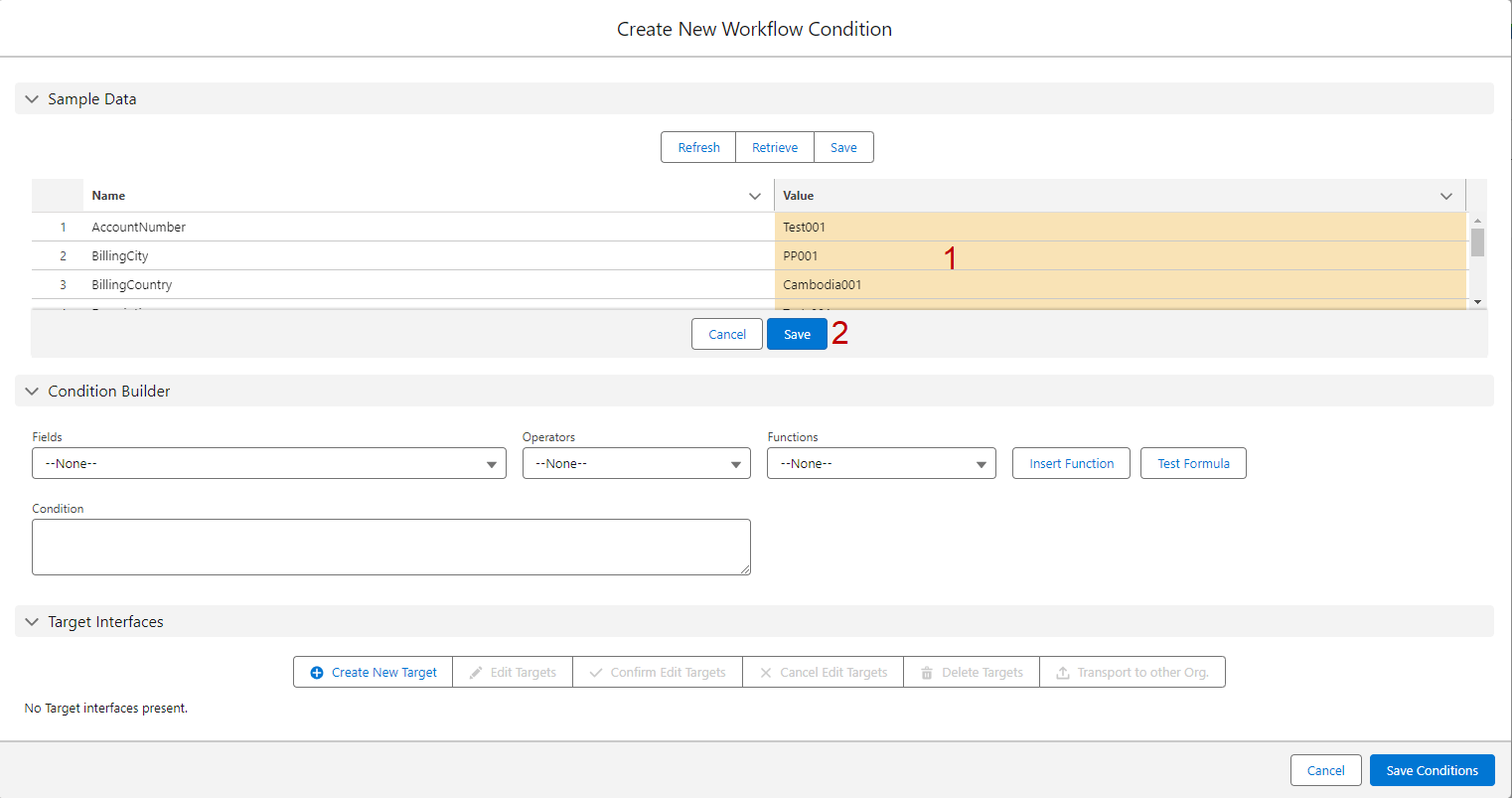
- After Saved:

- If you want to save that field and value into the file, you can click on the Save Button

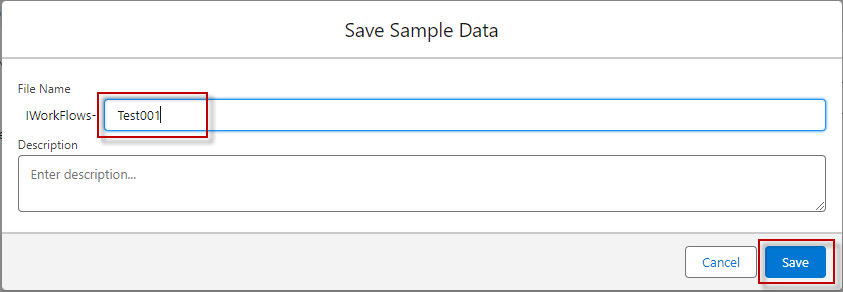
- After clicking on the Save Button, the alert ‘Save Sample Data’ pop-up screen, you have to input File Name -> Save
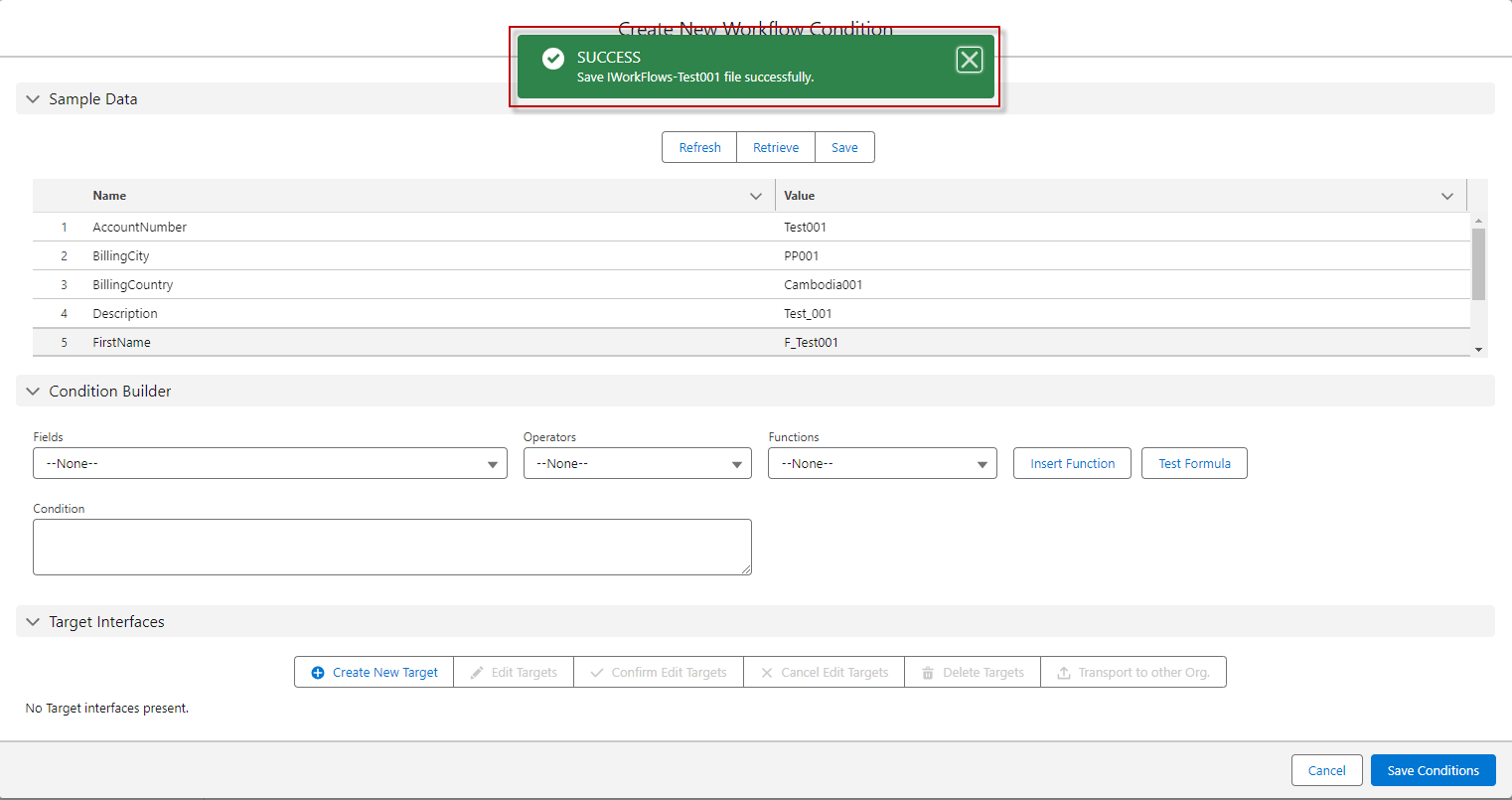
- After Saved, it will alert message [SUCCESS: Save IWorkFlows-Test001 file successfully.]
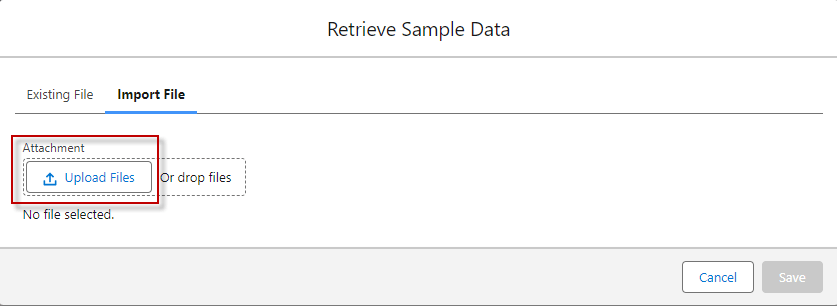
- Retrieve Button: In the 'Retrieve' button, there are two tabs: 'Existing File' and 'Import File'. The 'Existing File' tab is used to store your old sample data, and the 'Import File' tab is used to import your Iworkflow file from your backup.
Click on the ‘Retrieve’ button, it will alert the pop-up screen ‘Retrieve Sample Data’ has two tap Existing File and Import File
- Existing File is used to store that Sample Data file after it has been saved and has two actions ‘Download’ and ‘Delete’.
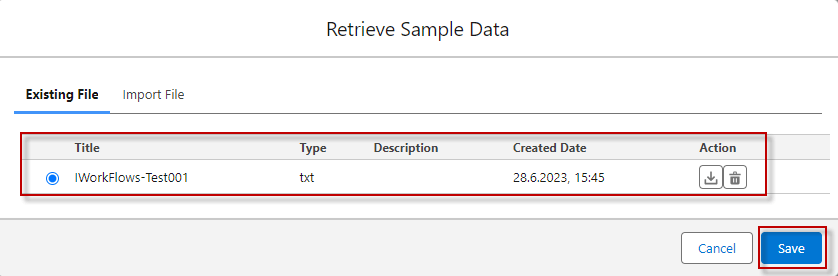
- After selecting the File -> Save, it will take that value file to show on the Sample Data.
- Import File use for Upload file IWorkflow that you have downloaded.

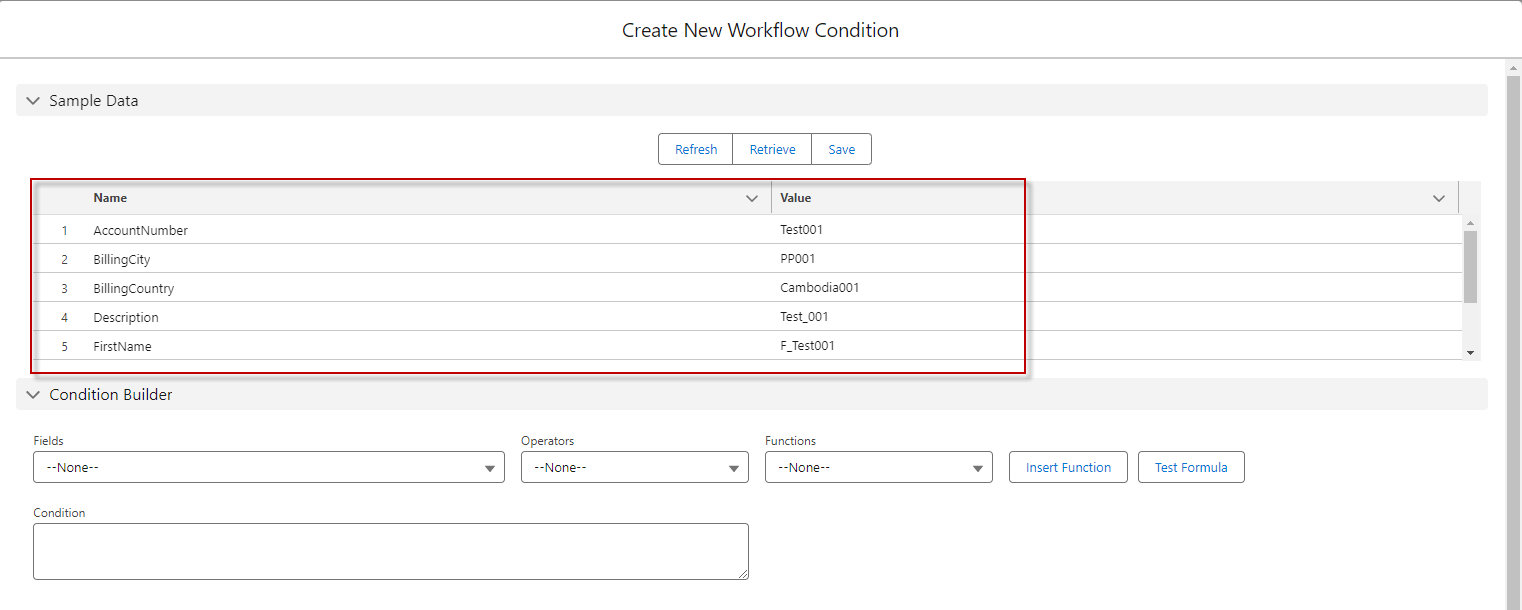
- After Choosing the file to Uploaded -> Save, it will take that value on the file you uploaded to show on the Sample Data.
- Finish getting the IStructure of the interface shown on the data table and also can test the formula with sample data on the screen as below.
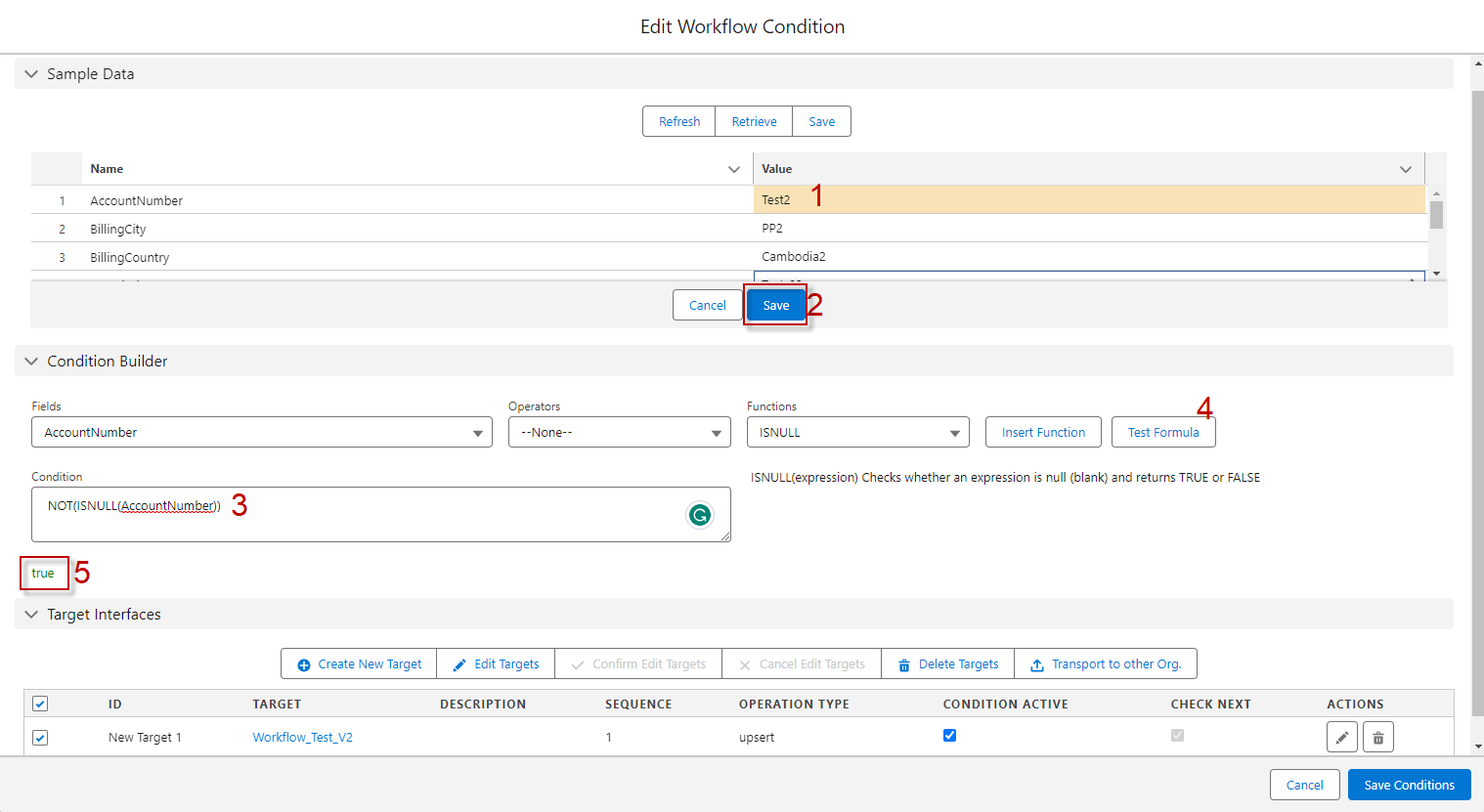
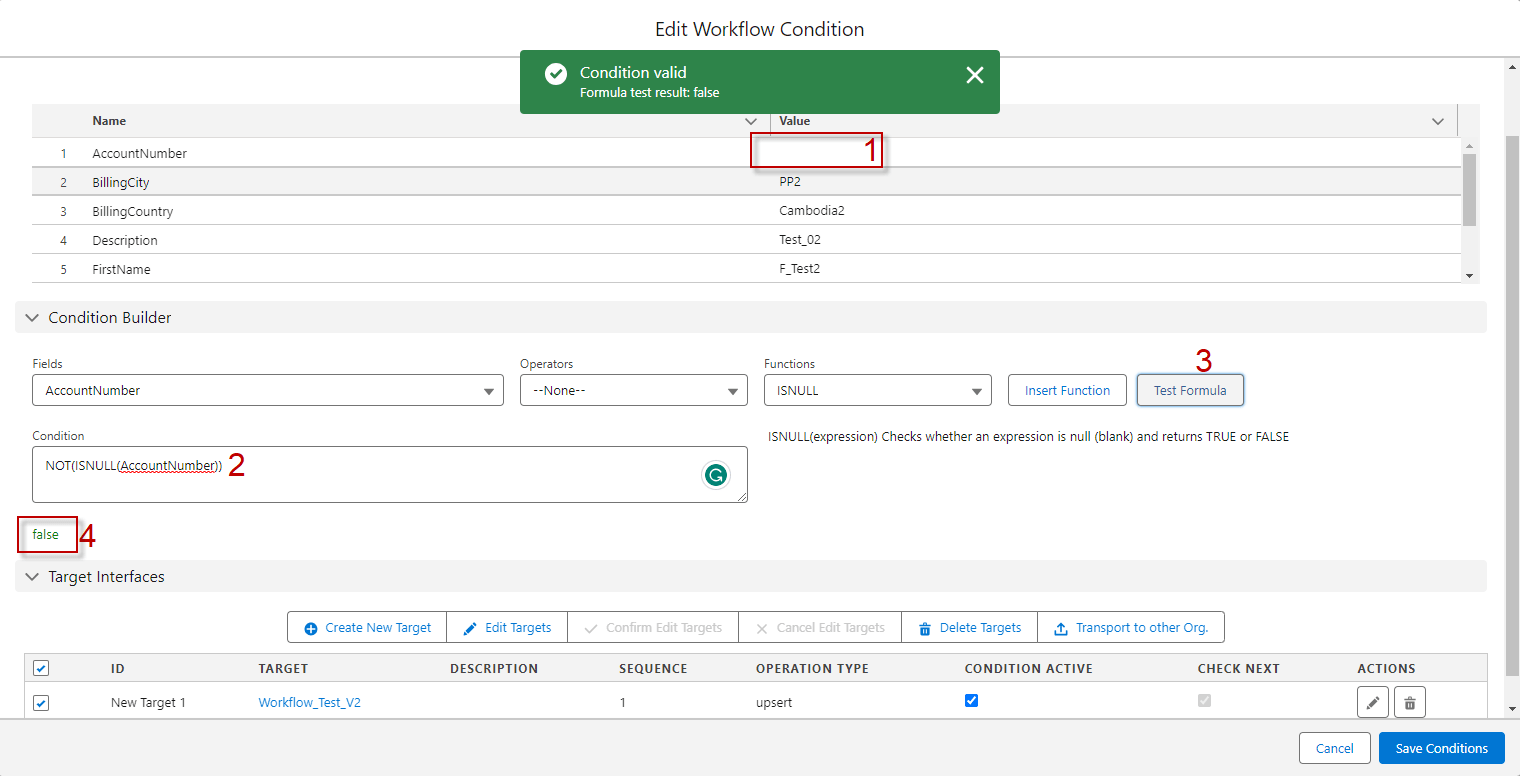
Result: We can build sample data to test the formula. This is an easy way to test the formula in the workflow without updating the IStructure in the interface or the message type. We can also handle the message type of type salesforce sObject with no field entries.
[su_box title="Note" box_color="#2a8af0" title_color="#000000"]
- Interface External Mapping V2: All fields will be retrieved directly from the interface source Name, without any mapping checks.
- Interface V2: Similar to Interface External Mapping V2, all fields will be retrieved from the interface source name without any mapping checks.
- Interface External Mapping V3: Fields will be retrieved based on the mapping. If a mapping doesn't exist, fields will be retrieved via the interface source name.
- Interface V3: If the interface is linked with a Message Type, fields will be retrieved based on the mapping. If no mapping exists, fields will be retrieved via the Message Type link with the interface.
[/su_box]