8. How to create Message Type from SKYVVA Business Object?
Introduction
In this tutorial will show how to create a Message type by usingSKYVVA Business sObject. Skyvva Business sObject is a function that SKyvva designed for the user who wants to get Message Type from sObjects, but it is better than the function Salesforce sObject because Skyvva Business sObject can allow the user to use the sObject that user want.
How to use it?
Pre-require Step1: We need to create a MetaData Provider.
- Create Metadata provider and repository type SKYVVA Business Object.
- Click the new button to create the New Repository.
- Fill the Name and choosing Type = SKYVVA Business Object, and click Save Button.

- After we create the Repository, we need to create Message Type.
- Click the New button to create Message Type. (see the example below).
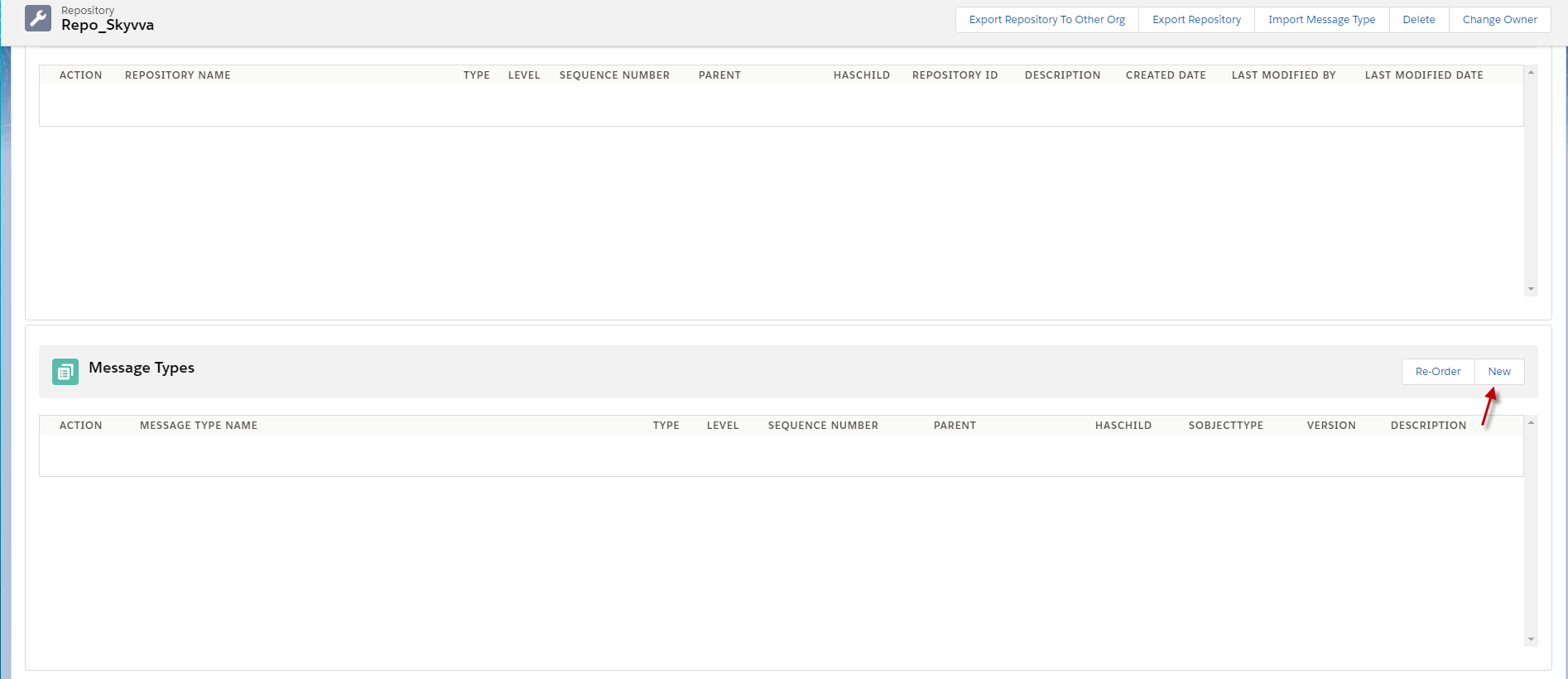
- We need to fill in the Name of the Message Type, choose Type = SKYVVA Business Object, and write the desired Message Type in the sObject type field. The example below shows creating an 'Account' in the sObject Type. Click the 'Save & New' button to continue creating the message type.

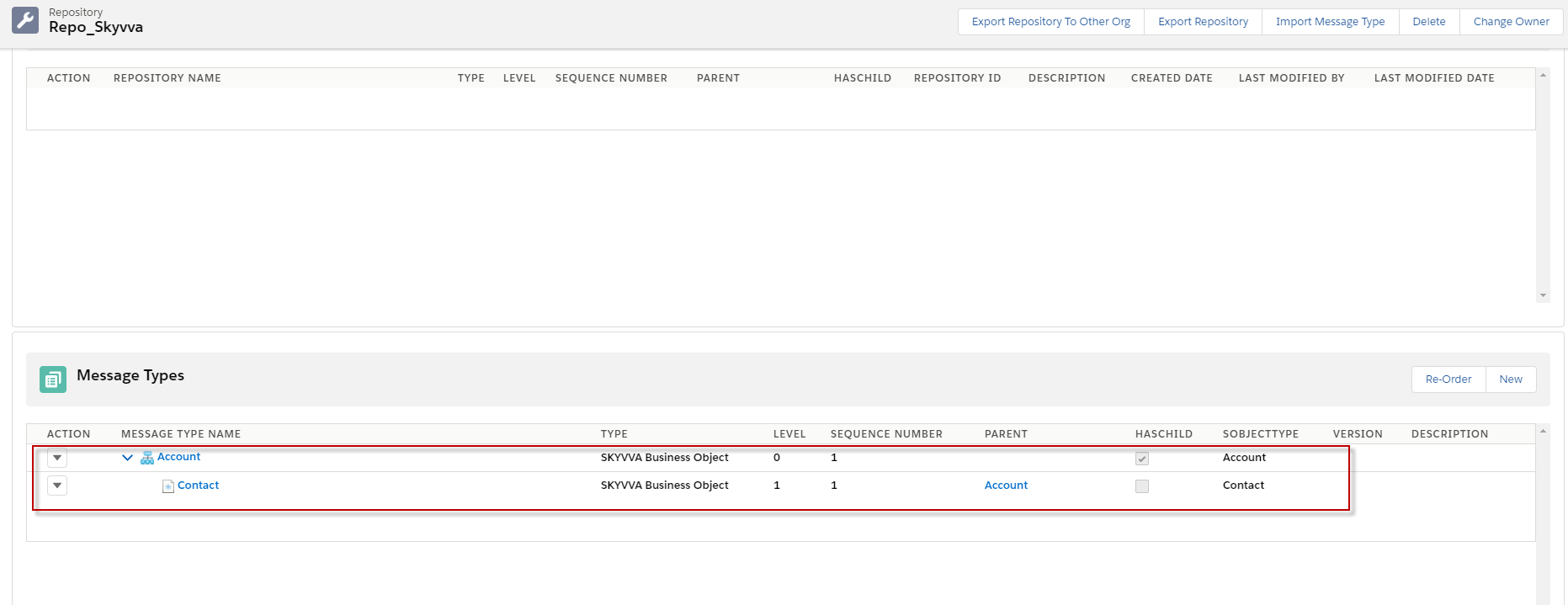
- Continue creating the message type with the name 'Contact', and you can select the parent while creating the message type. For example, create a 'Contact' under the 'Account' message type. If you want to finish creating the message type, please click the 'Save' button.

- After we click save button, here's the Message type was created.
Step2: Create the Integration and Create the Interface.
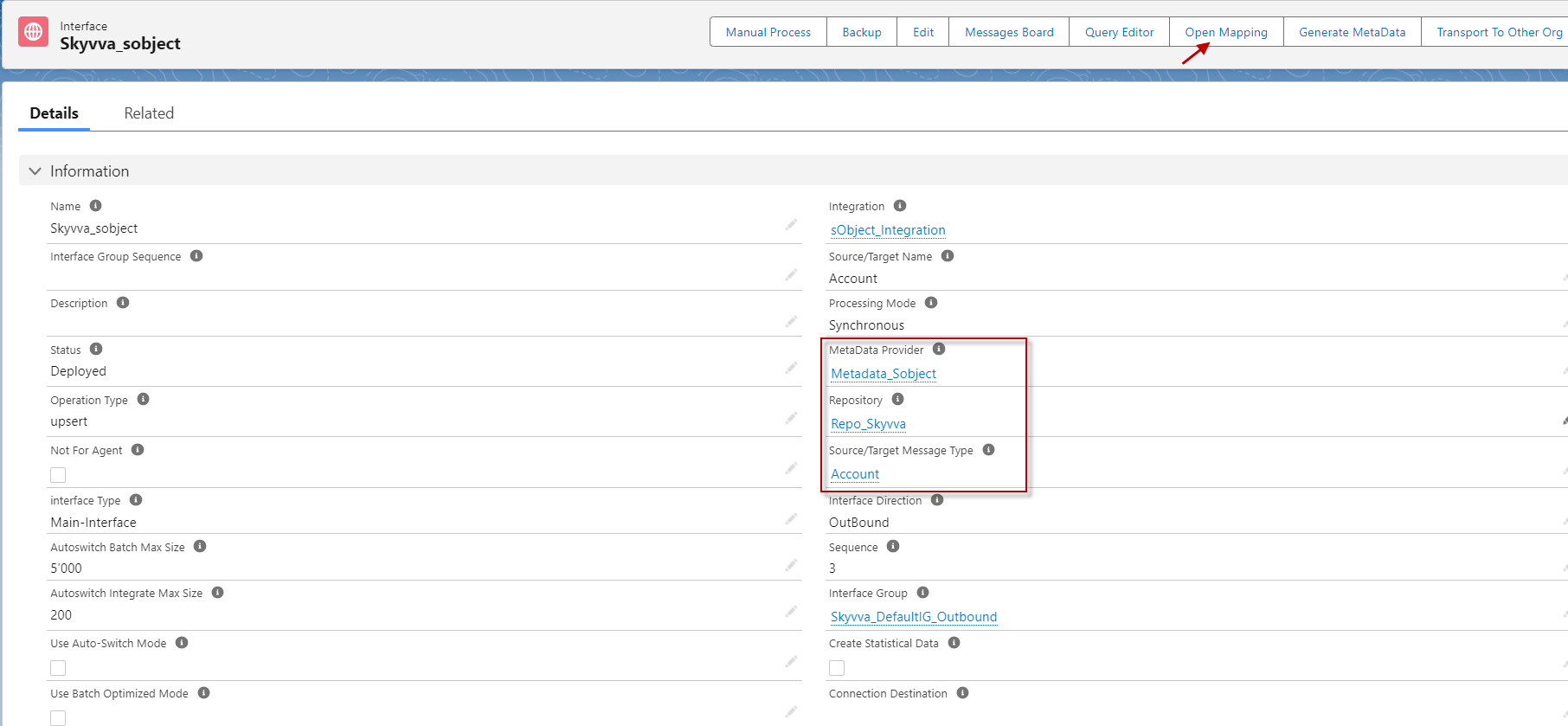
- Here's the interface link with this message type and open mapping button.
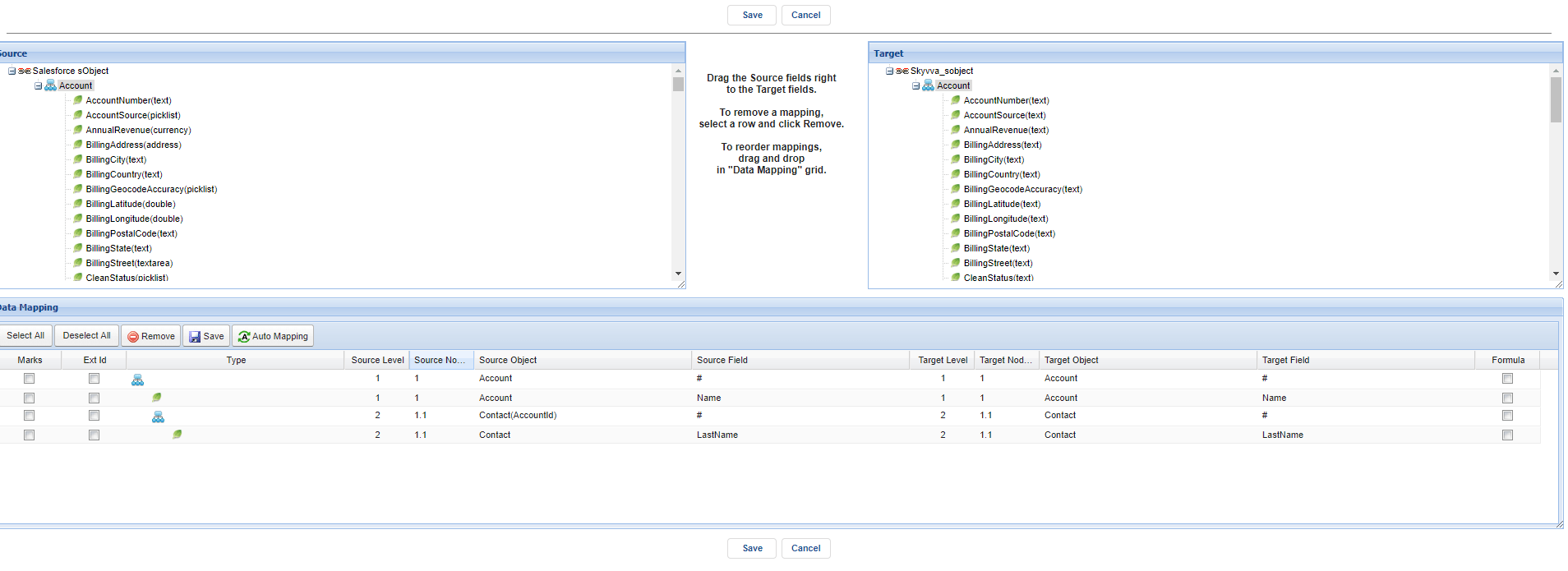
- We can do mapping what fields we want after we do mapping; we can click Save Button. (an example is a bellow).
Step 3: connection destination and create an adapter for the Interface.
- Go to the Agent control board old and connection destination. (How to configuration agent control board old? Following this guide: #article/how-to-use-agent-control-board ).
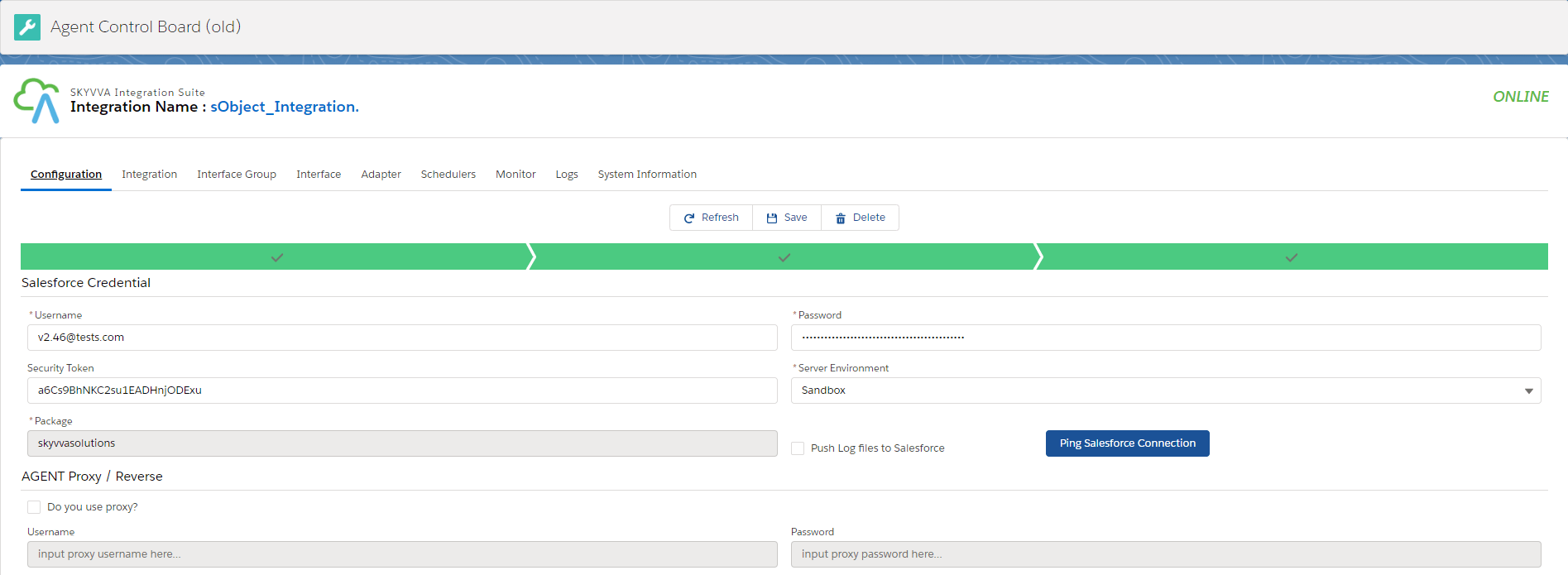
- Create an Outbound Adapter for Interface.
- Go to tap Adapter in Agent control board (old) and click the New button.
- Fill folder, XML type, and Connection Destination.
- Click the Save button.
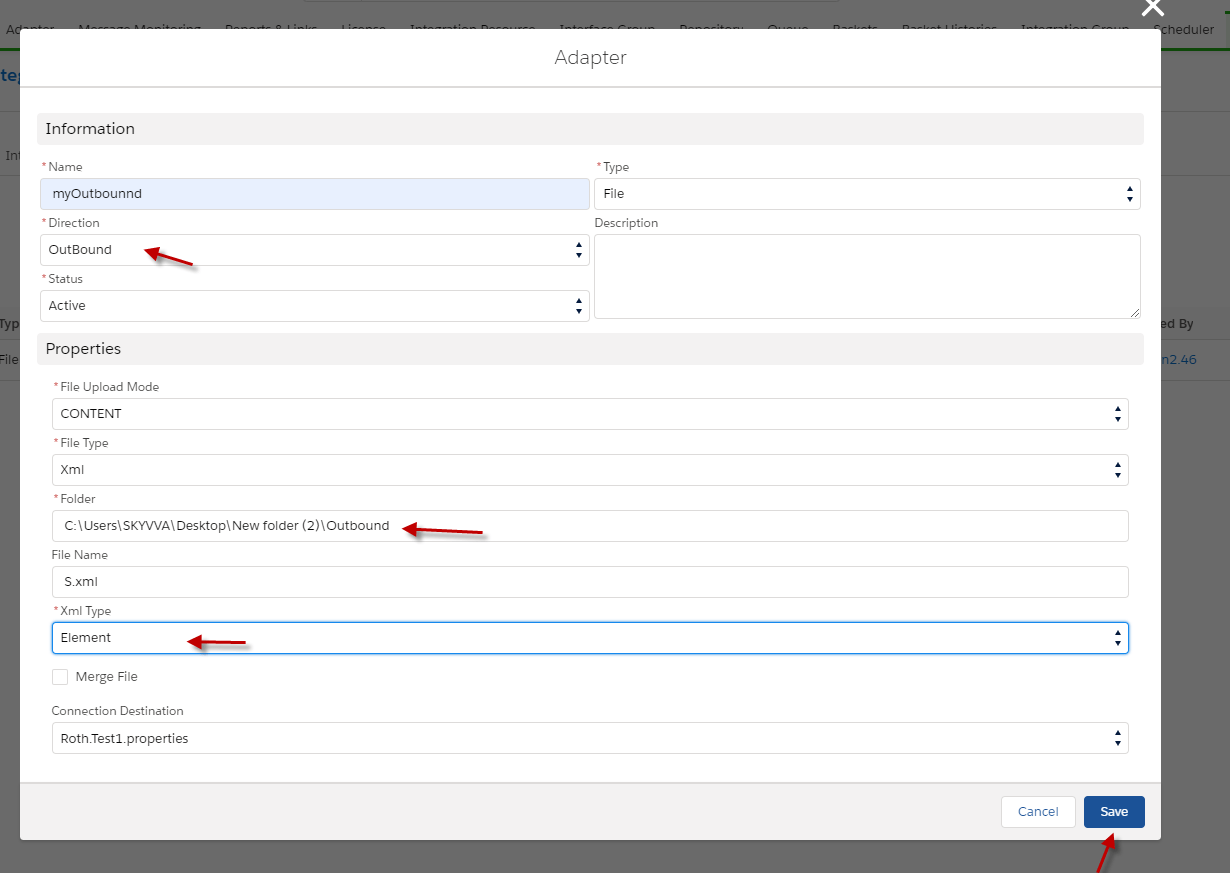
- Put the adapter in Interface by going to Interface and click edit. ( Example is below.)

- Put the adapter and click Save Button.

- select the Interface and click Process Interface button.
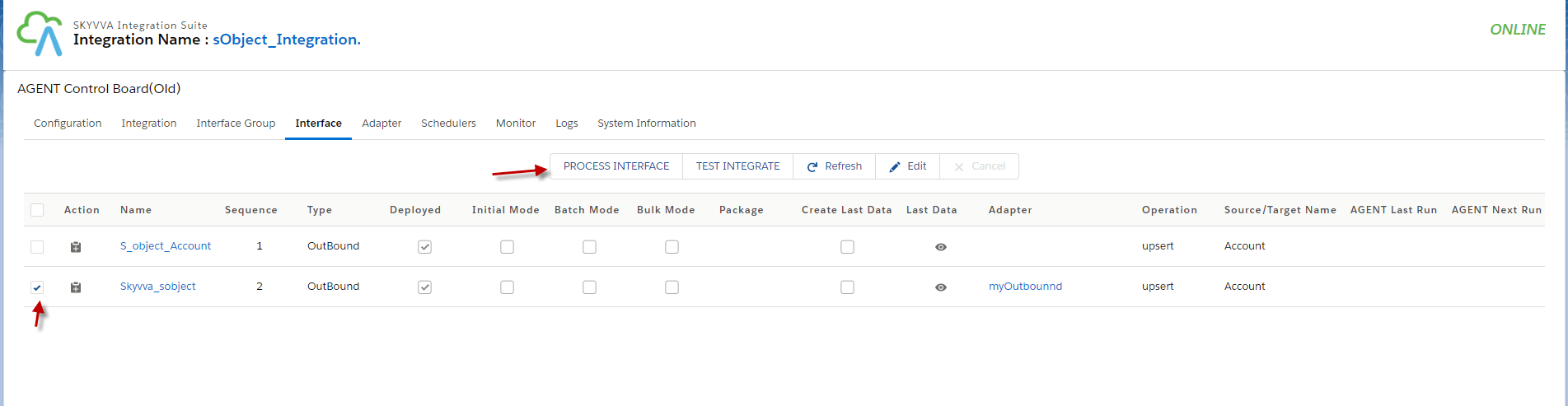
- Go to Monitor to see the result.

Summary Finally, We have learned about how to create message types by using SKYVVA Business Object. Skyvva business Object is the function that helpful for user who wants to use some objects as a message type in Salesforce because Skyvva Business Object allows user to choose object that user wants to use.