9. How to fetch small size data using query/search and big size data using bulk query?
You want to search the data/records present in your Salesforce then this module will help you. It will help you to create a dynamic nature of search. You can configure the search feature and use it as per your needs. Skyvva app will help you to configure your search. You need to follow the below steps to configure your search:
- Create an integration or use an existing integration.
- Create an interface using the above integration.
- The interface should have operationType as "query" or "queryAll". The SOQL query to select sObject data needs to be set with required SOQL query.
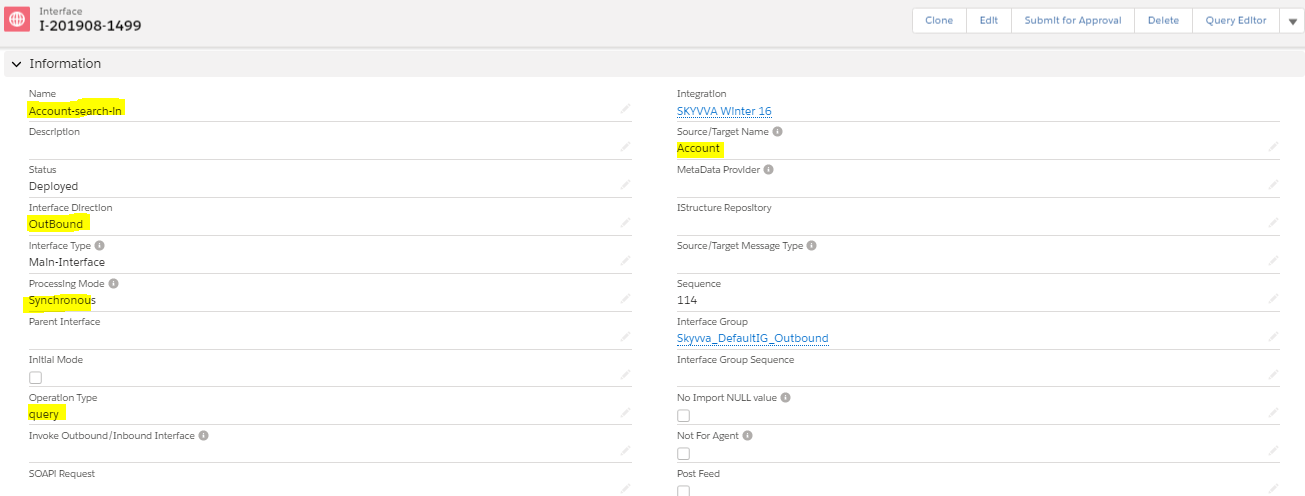
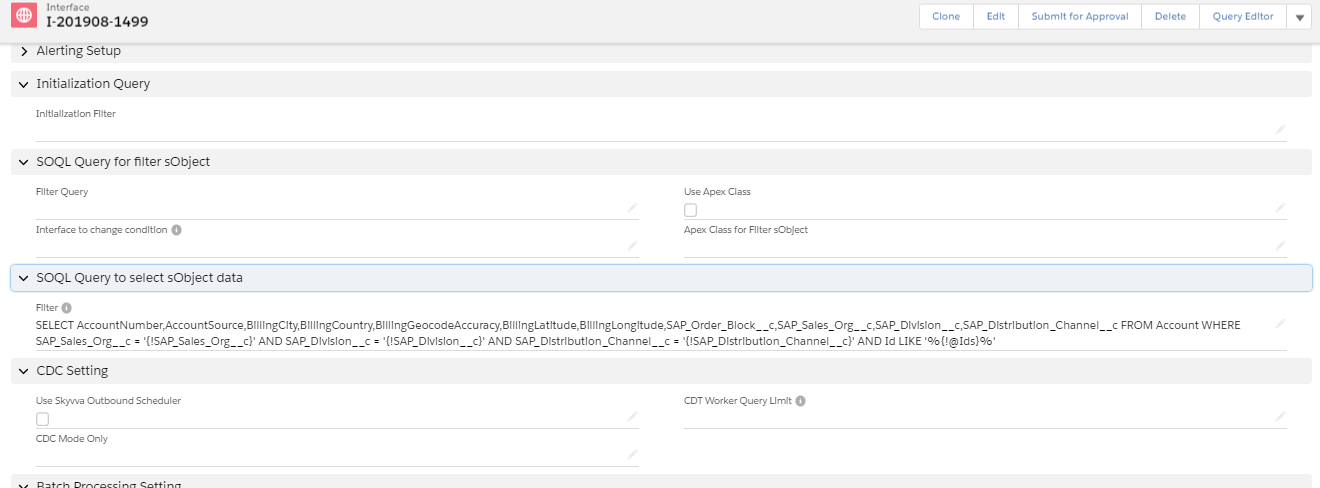
You can use any combination SOQL. You need to use the following annotation base on your requirement:
- For using complete where clause as dynamic the use {!@@SKYVVA_WHERE} in you SOQL
- For using in clause use {!@Ids}
- For single value use {!columnName}
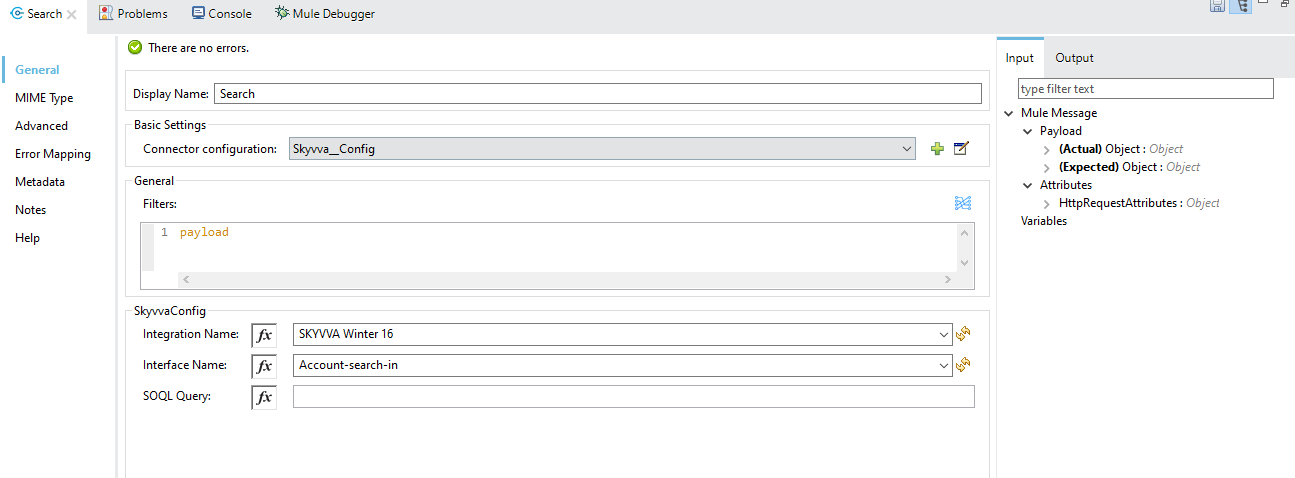
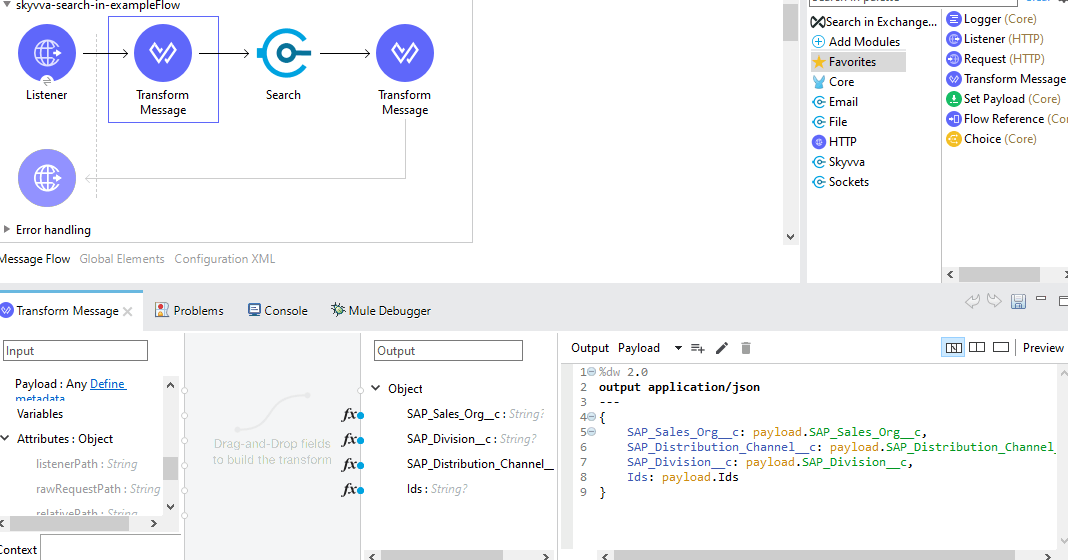
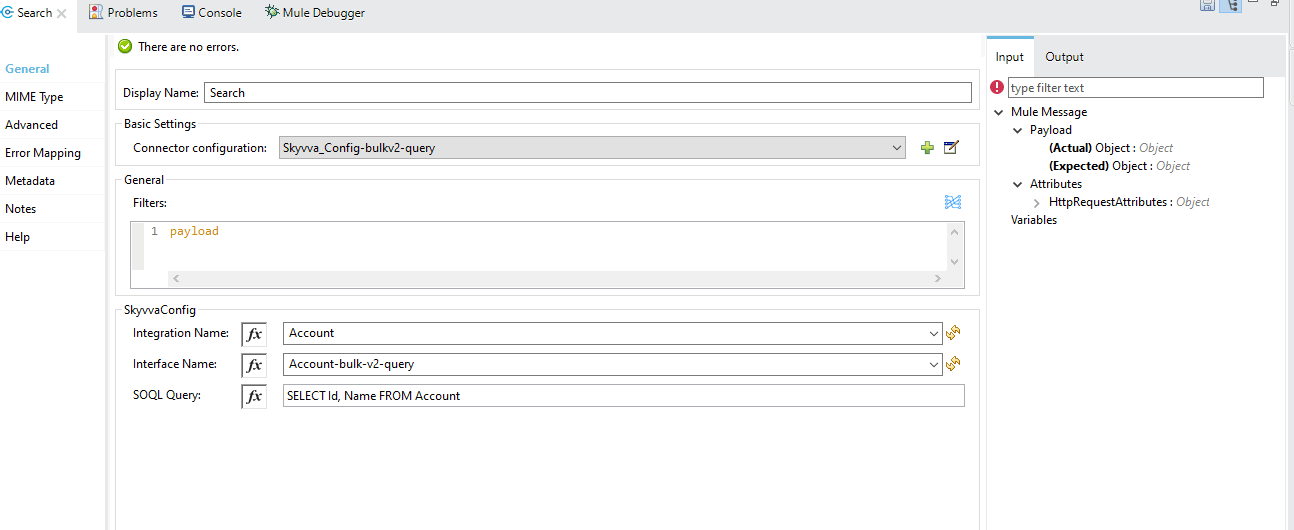
Mule connector can be used along with this above interface to use the Skyvva search feature. Mule connector also support another text field using which you can provide your complete SOQL. Once you provide the SOQL from Mule connector then that got override with the query you have used in the Interface for your search only. Mule connector for search operation take below input parameters:
- Filters : These are the dynamic value to be used for your SOQL. You can use a transform message before to search to have automatically detects the dynamic parameter name using mule datasense.
- Intergration Name: The integration name you have configure in Skyvva.
- Interface Name: The interface name you configure to provide the search details.
- SOQL Query: This field is optional. When you provide this data, then it will be used for your search.
The Skyvva search will internally will work on your query and will provide the complete result from your query. You can use the same Search operation to use it for Bulk v2 Query, which will help you to retrieve huge volume of records in CSV format. The Bulk v2 Query feature only work with Salesforce Winter 20 version onward. You can configure in your Interface with operationType as "Bulk Query" or "Bulk Query All" to use Bulk v2 Query feature. Then you need to configure your SQOL in Mule connector or you can provide it in the interface like the above search scenario. Base on your configuration in Interface Mule connector will automatically detects the operation type and work accordingly with the same Search operation.
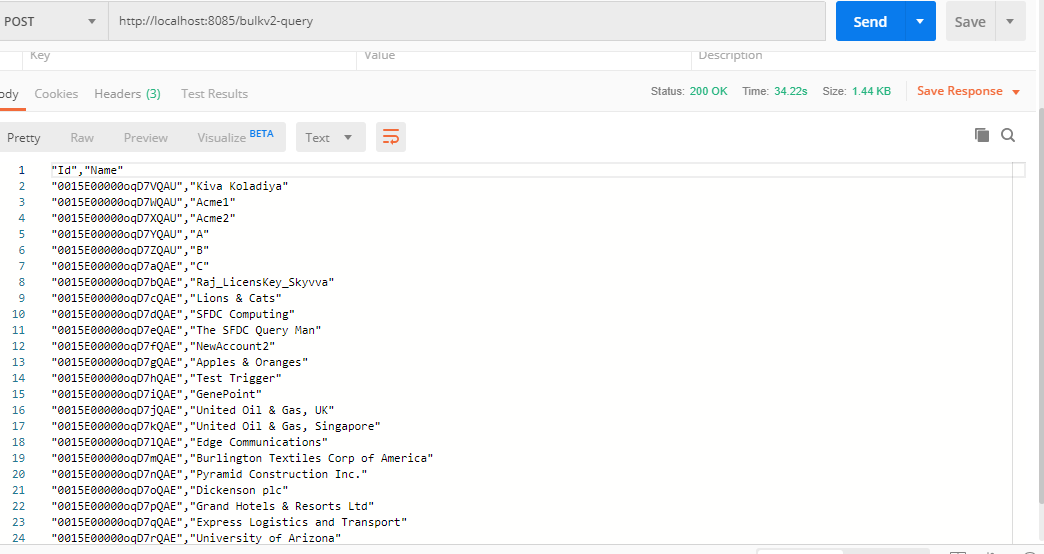
In Bulk v2 Query the result will be in csv but in case of Skyvva Search it will return json result.