90.1 How to use the set context function to set filter on field level and in which case do we need it?
Introduction
This tutorial explains how to add filter condition on "Set Context" in mapping and how to configure it.
What is "Set Context" in Mapping?
“Set context” in mapping to enable you to map the child node to the same level as you do for the parent. For example, if you have an invoice where you want to map the items to the same target node sObject like the invoice header we just take the first one of the items. The filter function you can add a condition to exactly fetch the item which you really need. E.g. the item with the amount of 25 USD. The condition is used to filter the child records which is to be used to map to the target object along with its parent
Enhancement of SET FILTER on mapping in v2.47
We have the function to set context on the node level, to fetch data specify by condition value. But the user can pick up the value from one node occurrence only followed by condition input. On the new enhancement of set filter function, we have modified from the node level to the field level. In this way, the user has the possibility to get value from multiple node occurrence to map on target side. Pre-required
- Generate MessageType from payload
- Create inbound Interface
- Mapping and set filter
- Post data from V4 Integrate
Steps to see the use of set context Step-1 create Integration -> Create Inbound Interface.
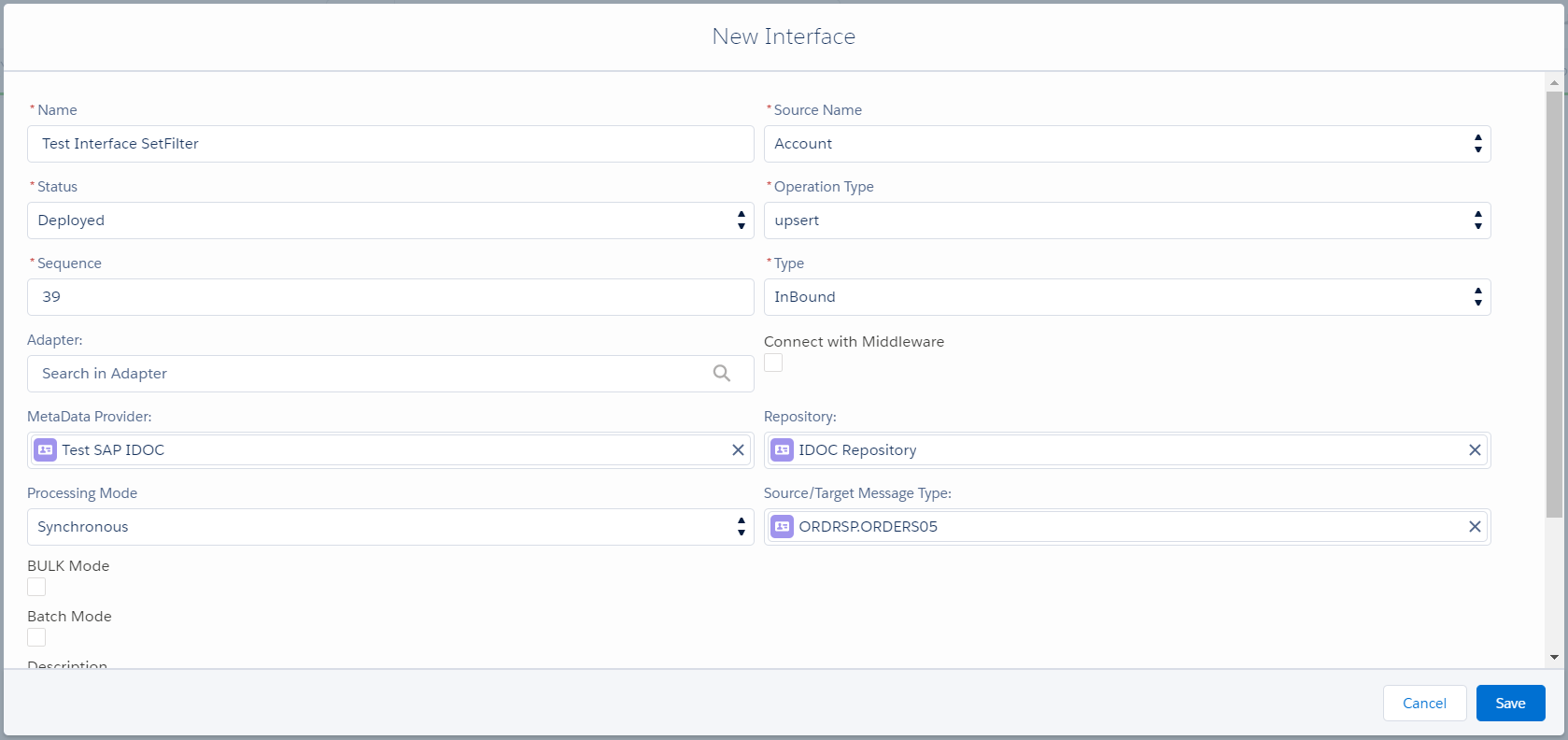
Step-2 Do Mapping
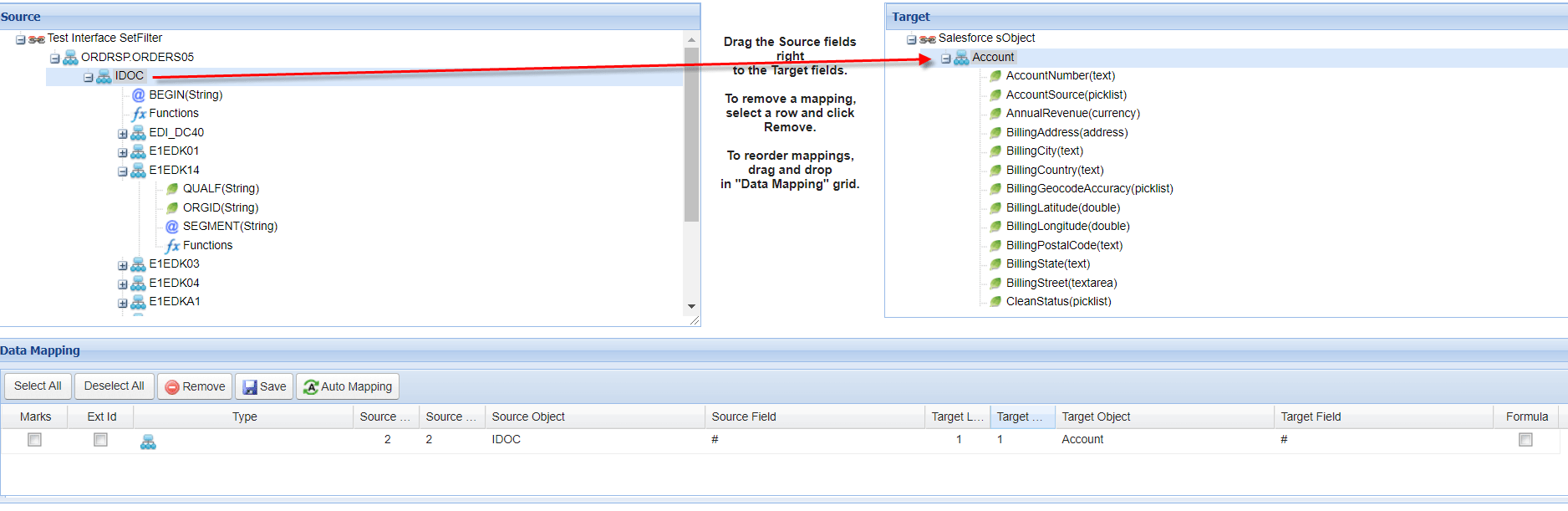
In this case, I have choose IDOC as the master node to map on target side. Then I need the field from node E1EDK14 to map the target with the same level as master node. But this node is stayed on lower level than IDOC. So in this case we need to set context to move node level from lower to higher.
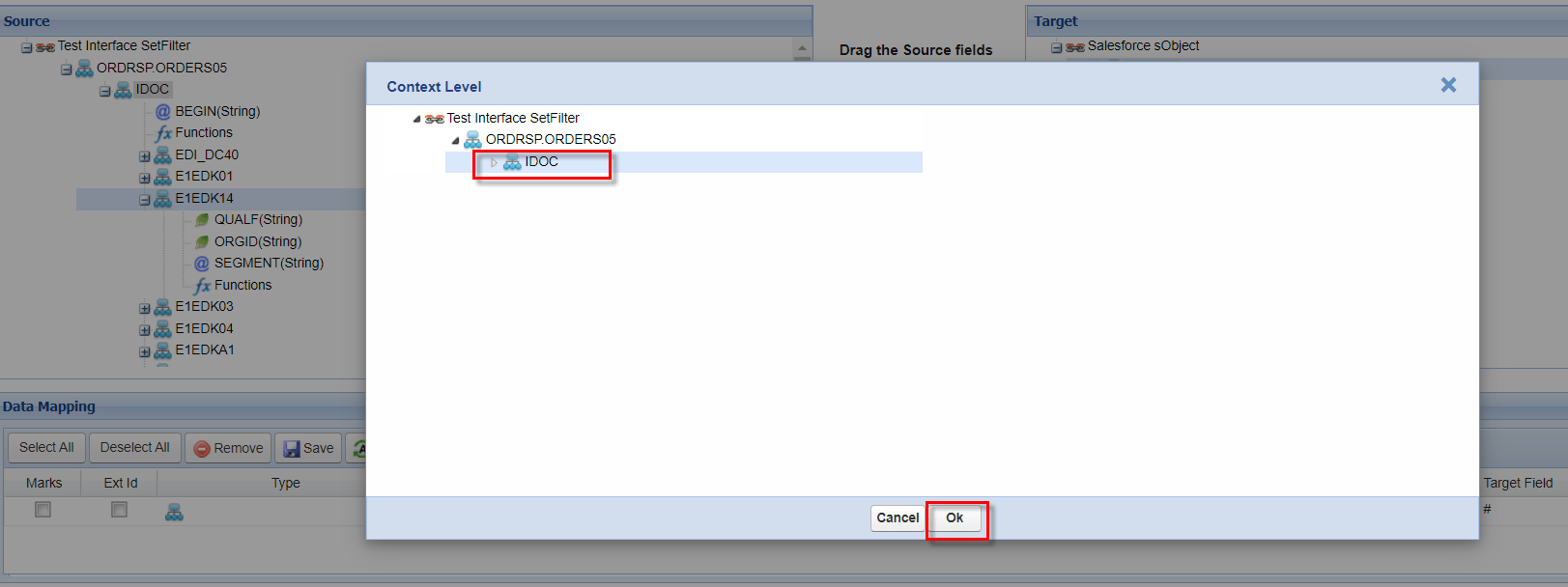
- Right click on E1EDK14 => Set Context Level

- Select IDOC to move level from lower equal to IDOC level then click Ok
- Choose field from source to map on target
In this example below I want to map field ORGID to different field on target
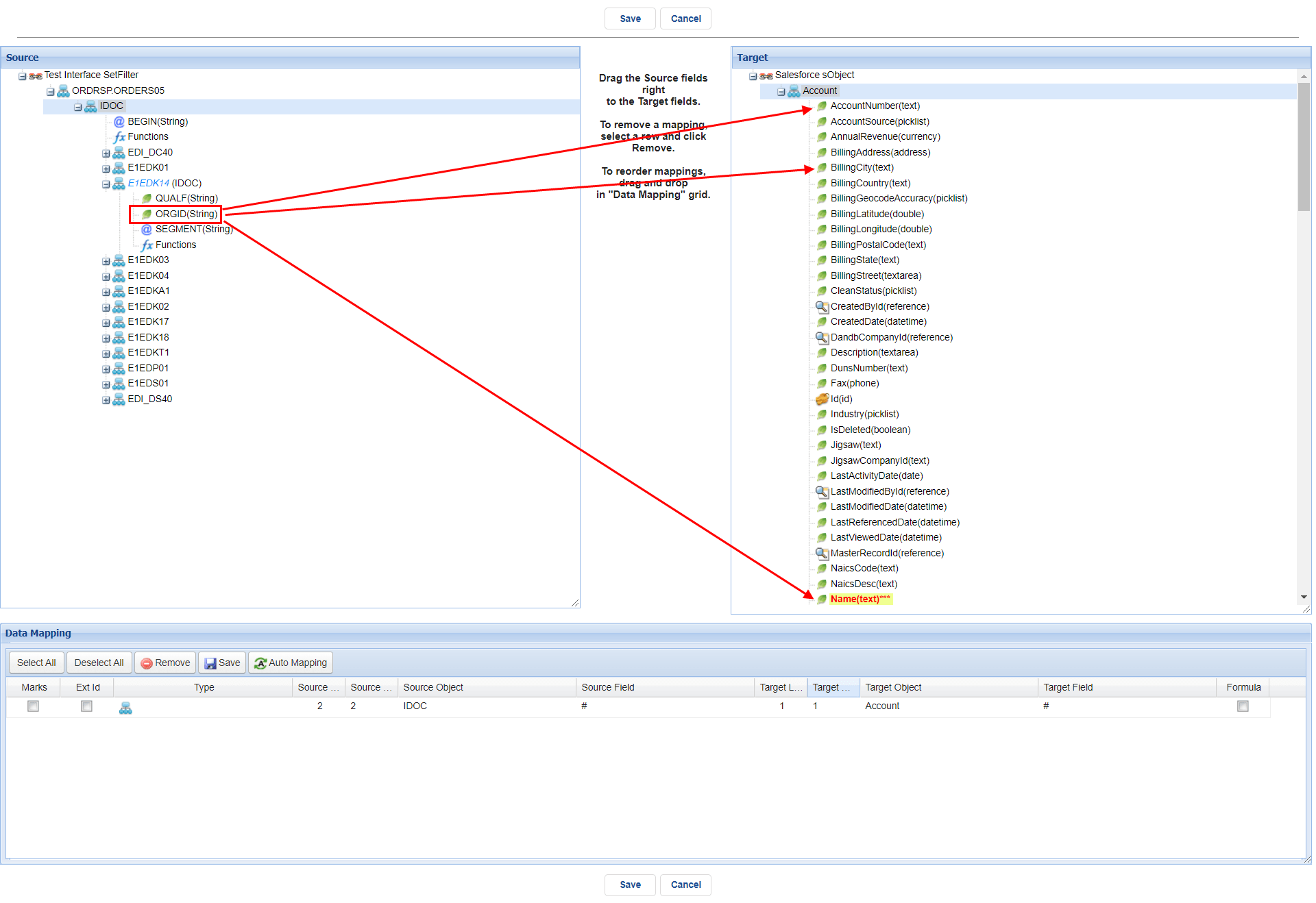
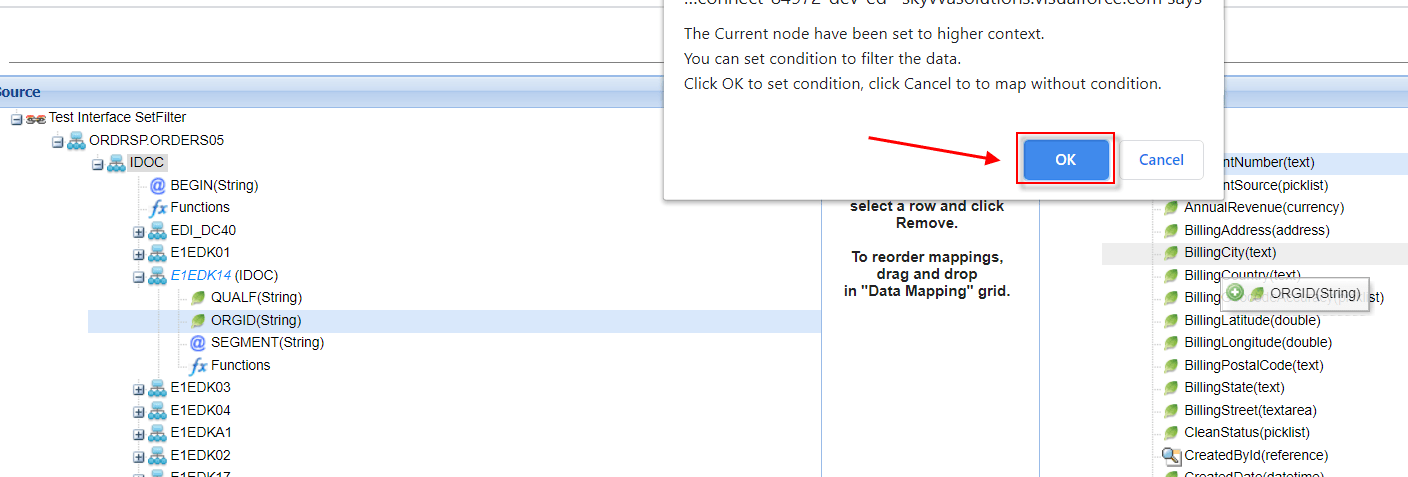
- Drag from source to target => Ok for set the condition
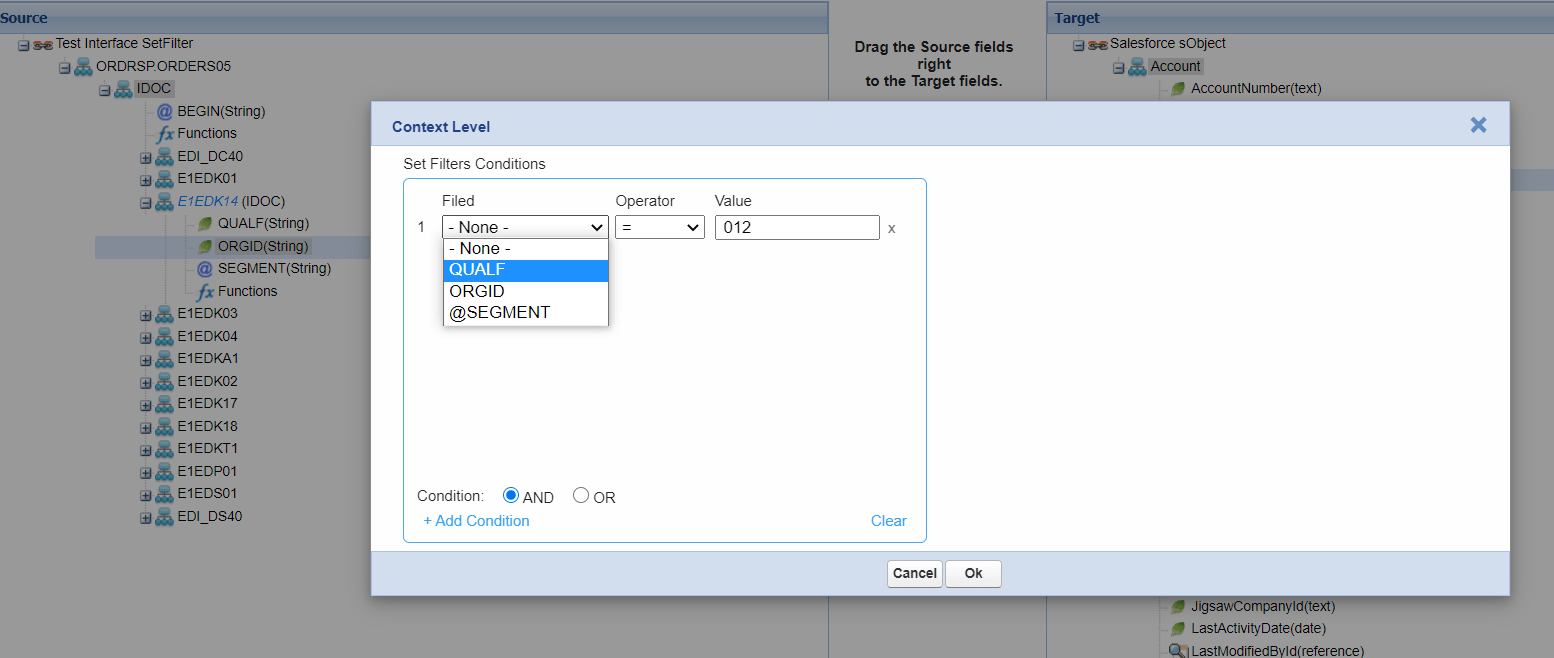
- Put the condition.
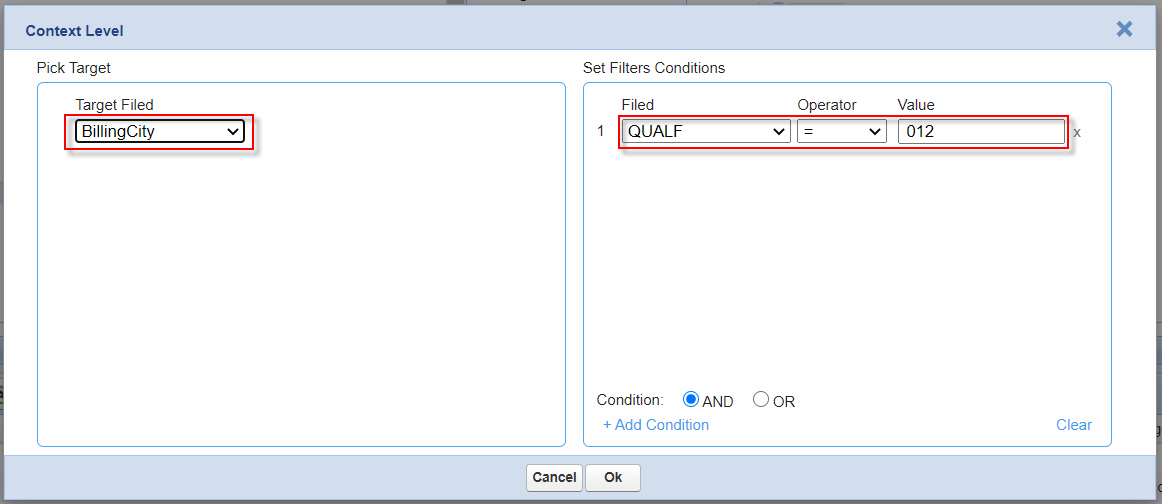
- ORGID to BillingCity if QUALF = 012
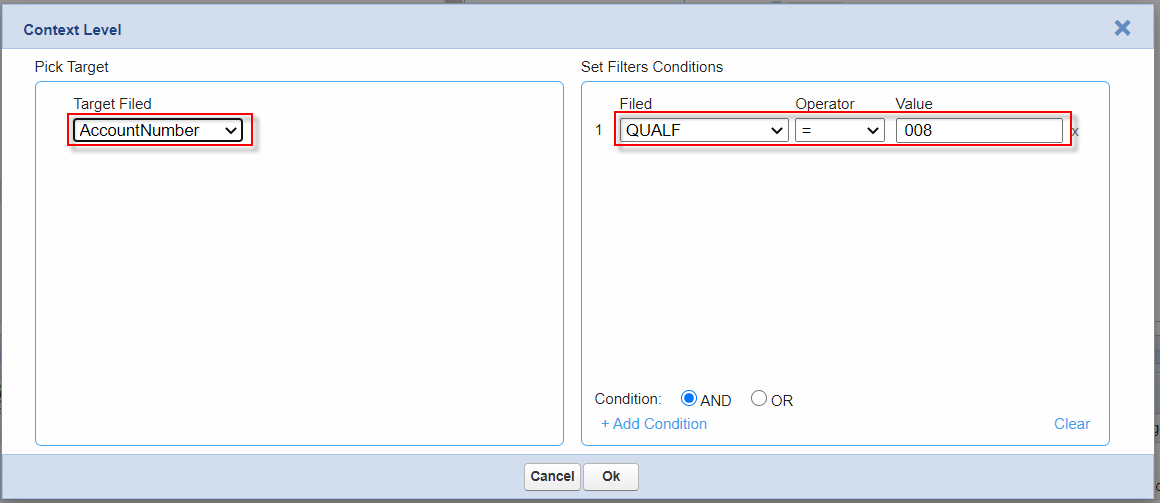
- ORGID to AccountNumber if QUALF = 008
- ORGID to Name if QUALF = 016
Note: The Condition value must be unique, otherwise the run-time will give the unexpected result
After save the mapping we can validate what the value that we have set on the condition. By right click the field that we have set context => Set/Remove Filter
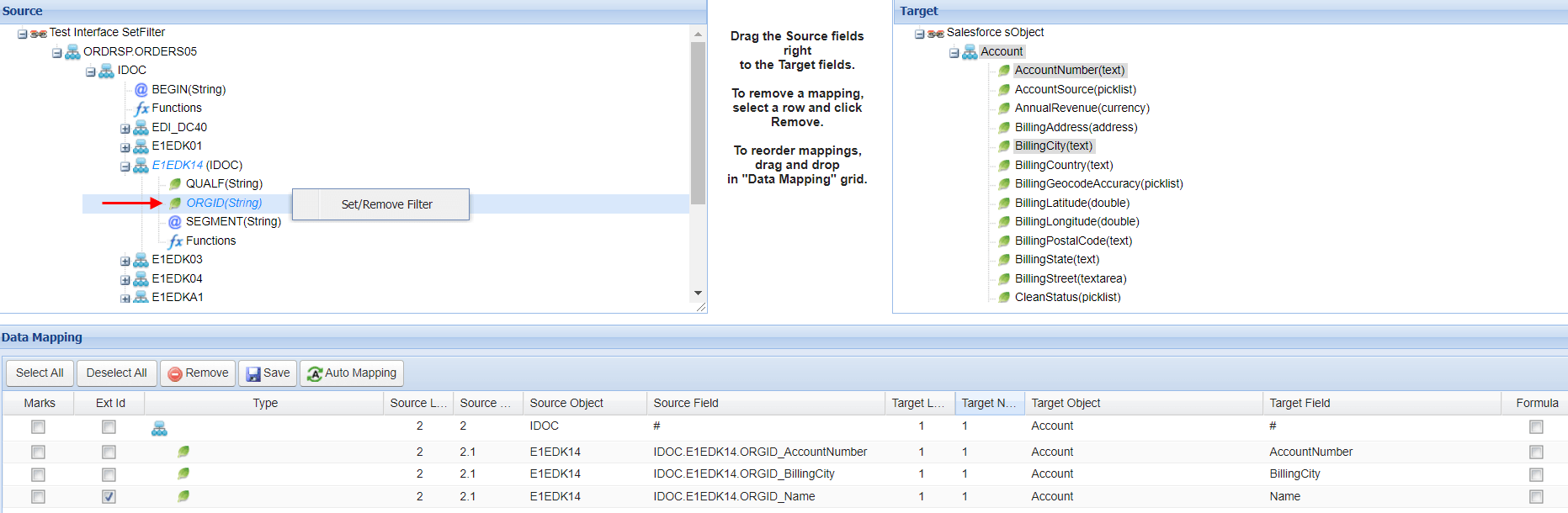
Note: The node or field that we have set Context or Filter will be remark with blue italic letter
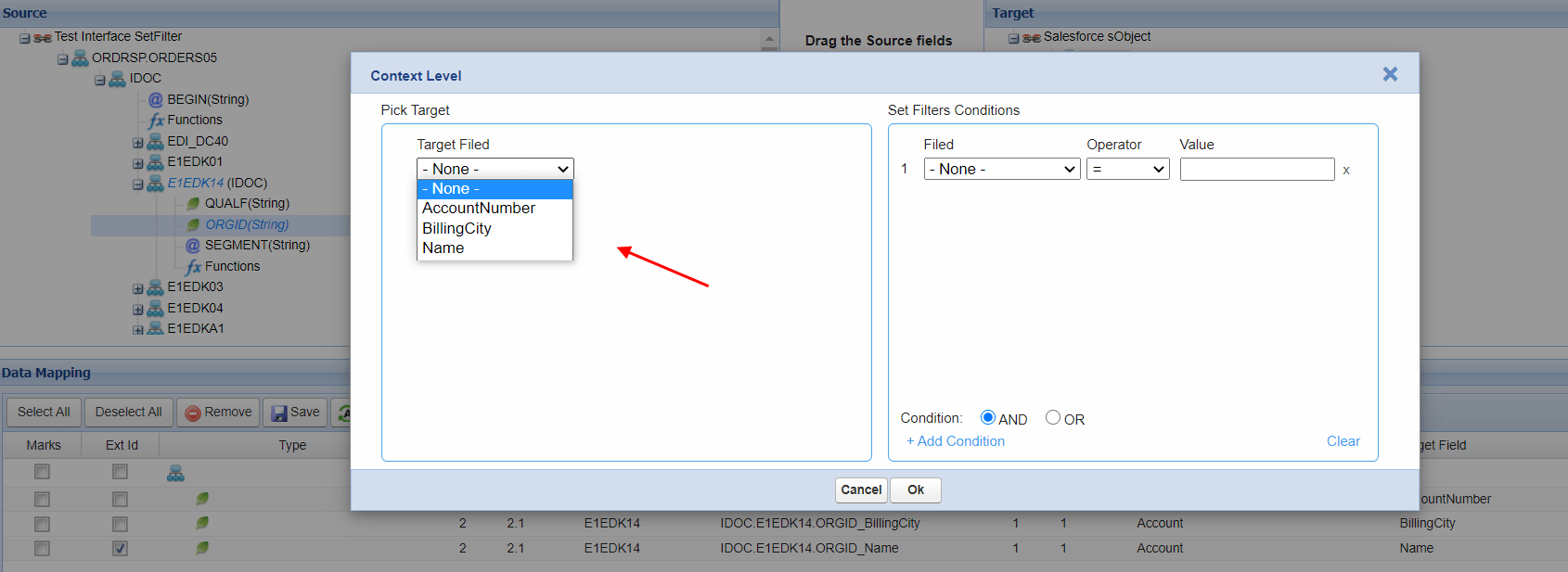
- With this condition AccountNumber will get value = 1000
- With this condition BillingCity will get value = TA
- With this condition Name will get value = 2000

Within the condition defined on QUALF and ORGID has been map to different target field so we can briefly work below:
- If QUALF = 008 then AccountNumber will get value “1000”
- If QUALF = 012 then BillingCity will get value “TA”
- If QUALF = 016 then Name will get value “2000”

Post data from Postman
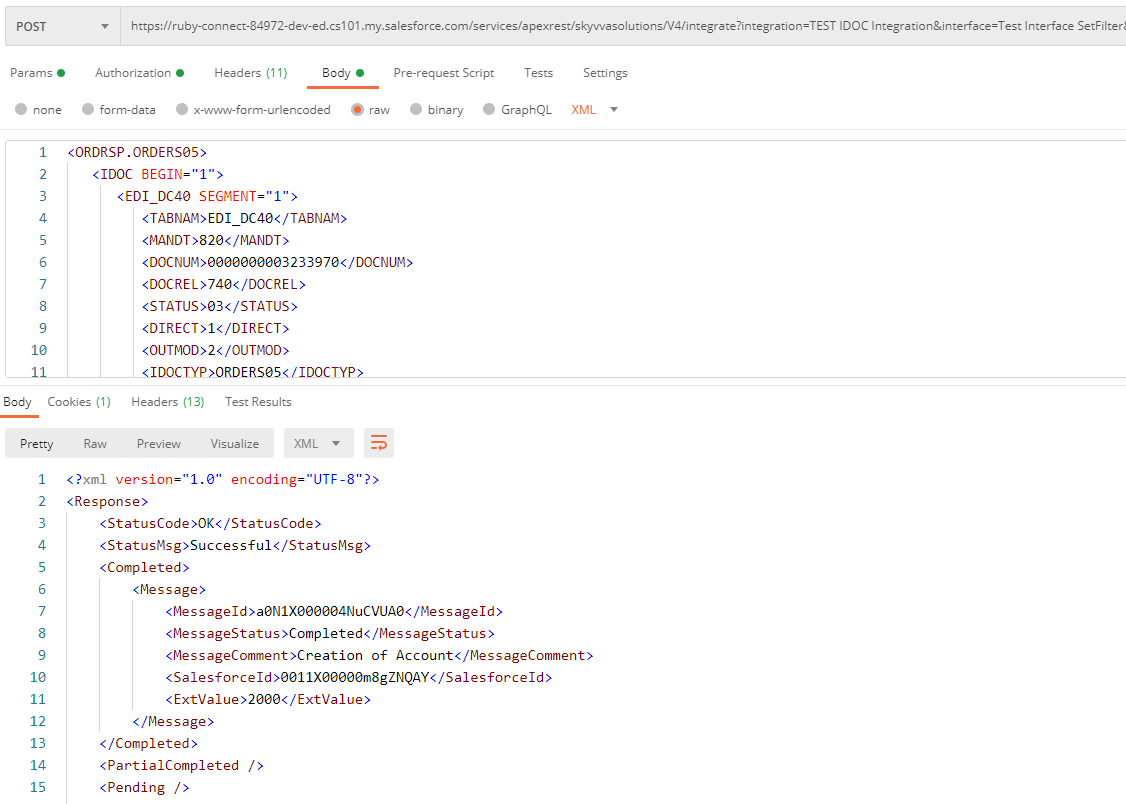
The data has been insert correctly
