94. How to import openAPI 3.x to create message type?
Introduction
This tutorial explains importing open API 3.x, it guides you why we need it and what we do on file after generating it. SKYVVA has been added a new feature that can import message type and supported different files format such as XSD, JSON schema, wsdl1.1 & 2.0, swagger 2.0, openAPI3.x.After import the message type; therefore, you can further mapping in the SKYVVA mapping tool. This functionality is processing based on the message type node. It’s working with REST adapter and have a specific template message type contain URL, header, body.we have a different template for request and response .it has Format Structure as following:
- it will generate like structure as below
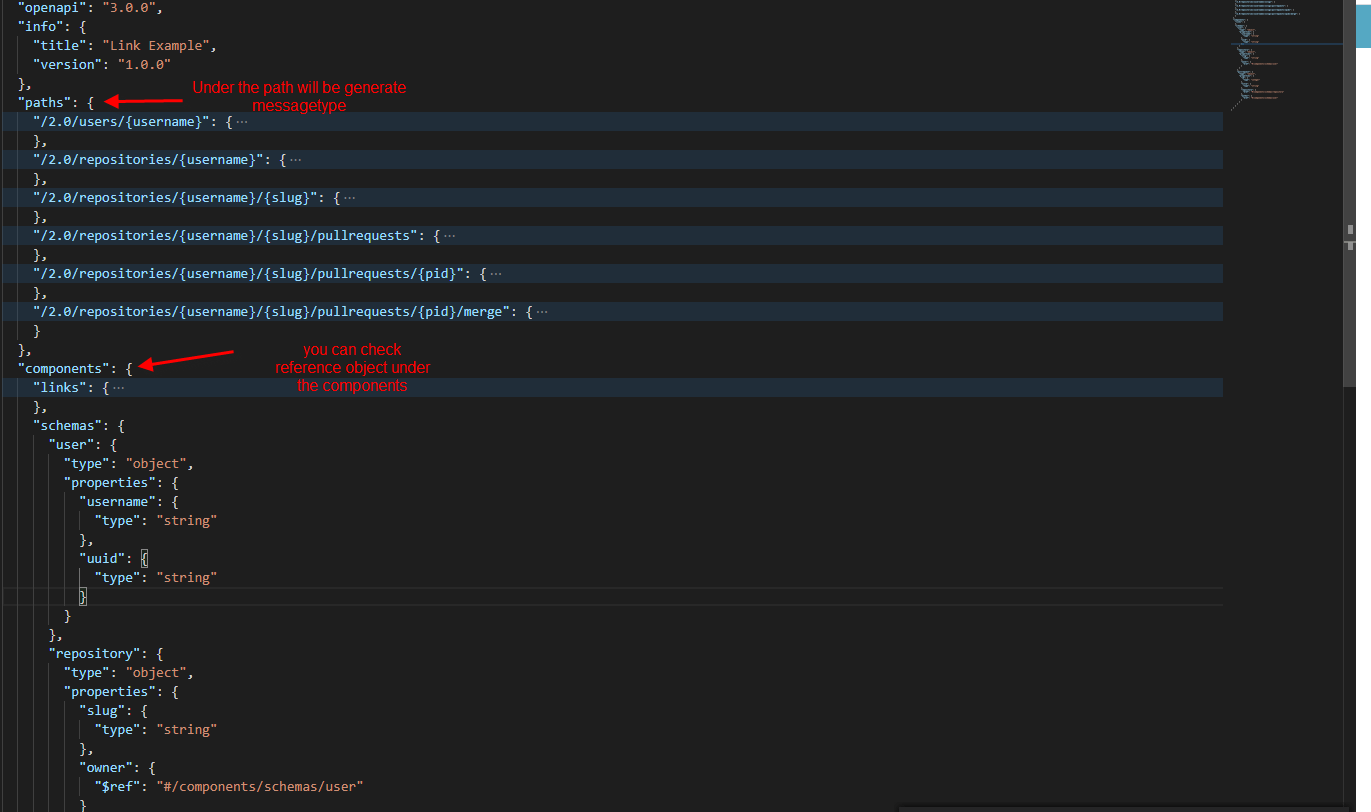
- Under of Components:
Will generate default “ReferenceObject” (Type = Reference Object) as a message and cover field on components.
- It will generate IStructure and MessageType based on Primitive Data or object Type: For example, Field has type as primitive (int, string, boolean, double ……..)So it will be the IStructure. A field is an object so it will be MessageType.
- Under of Paths
Paths Section will be API name type REST_Service
Request
Request URL
- Request Header
- Request Body
- Response
Response Header
- Response Body
- Name of creating Messagetype or Istructure
- “in” the place where we can put in the Request template
- Description for add value into the description of IStructure or Message type
- “ref” link to other messagetype[/su_box]
Pre-required First, you need to do some required steps before you can use the function “Importing OpenAPI3.x“
- Create Metadata Provider /Repository
- File OpenAPI3
- Create integration /interface
- REST Adapter
- MockService
Configuration
- Import metadata
Create Metadata Provider, Repository, and click the Import Metadata button.
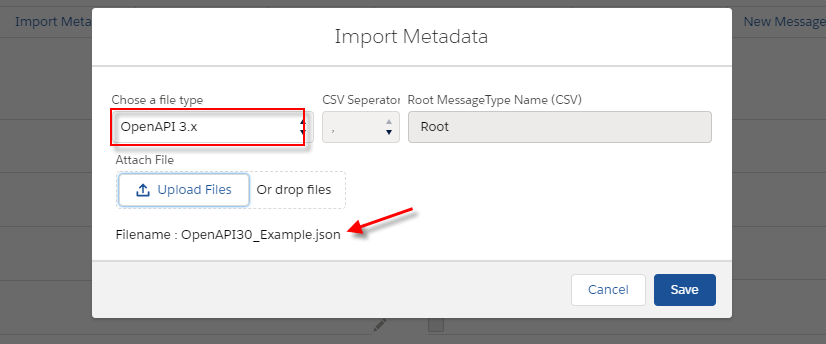
- Generate Message type
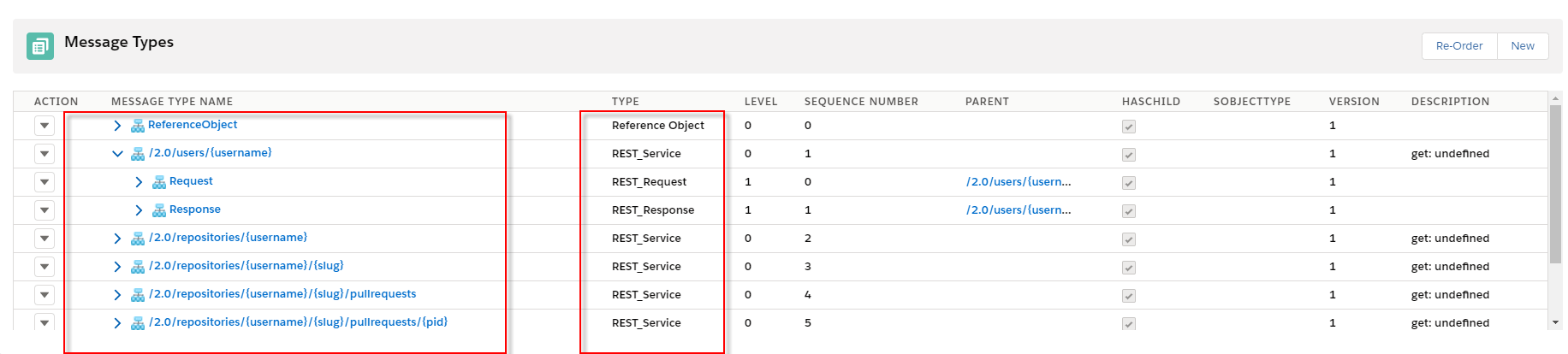
In the section, you got a message type and you can further be mapping in the SKYVVA mapping tool, here is an example Callout V3 with Rest adapter using Message Type. Step-1: Create Integration and Interface
- Create an Outbound interface for Account object, Status: Deployed, Operation type: Query and Choose MetaData Provider name, Repository, and Message Type click Save button.
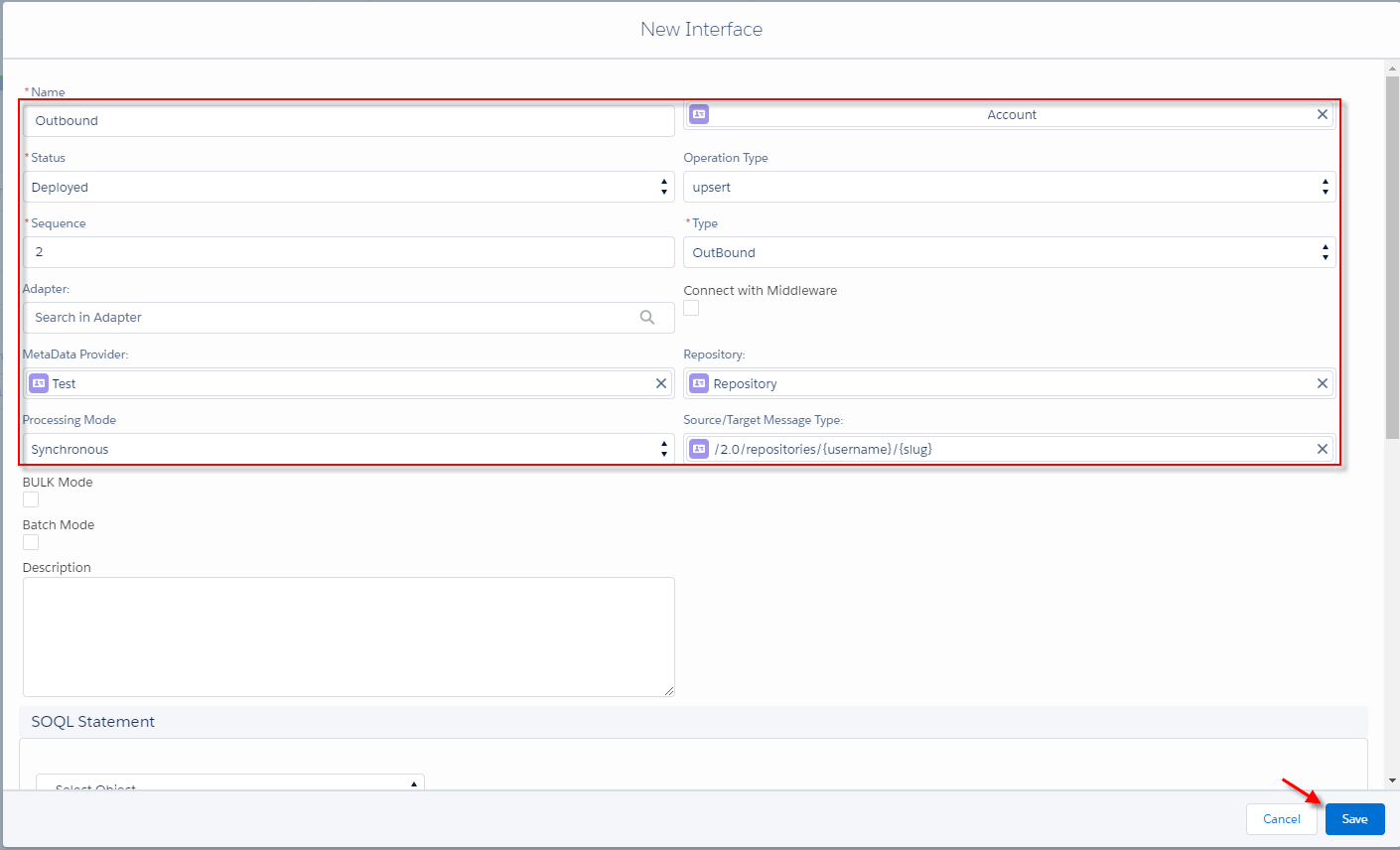
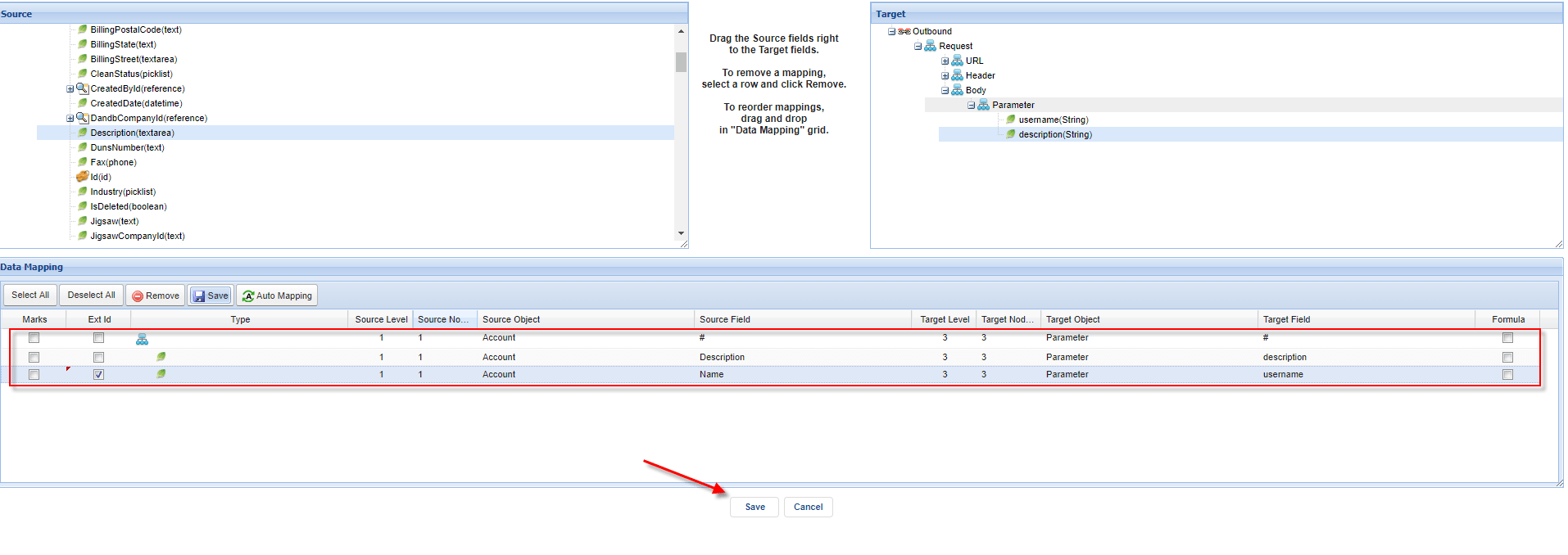
Step-2: Do Mapping
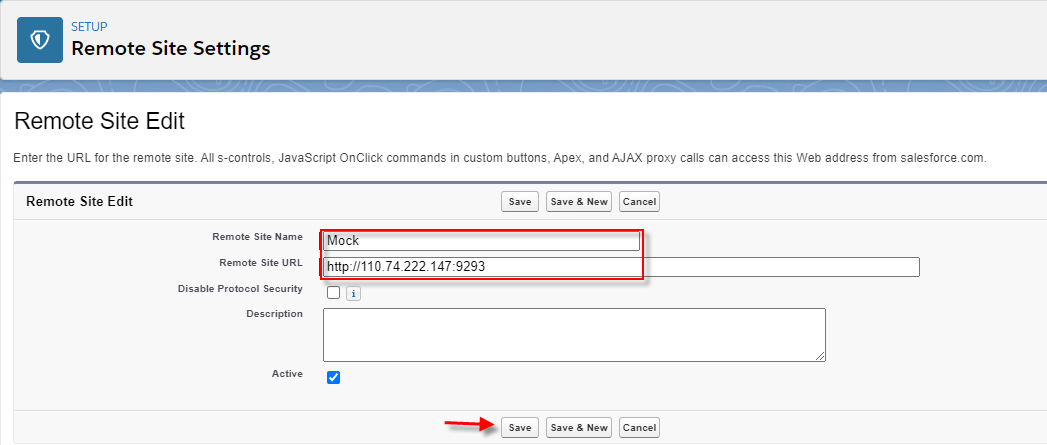
Step-3: Create Remote site
- Go to setup and create the new remote site.
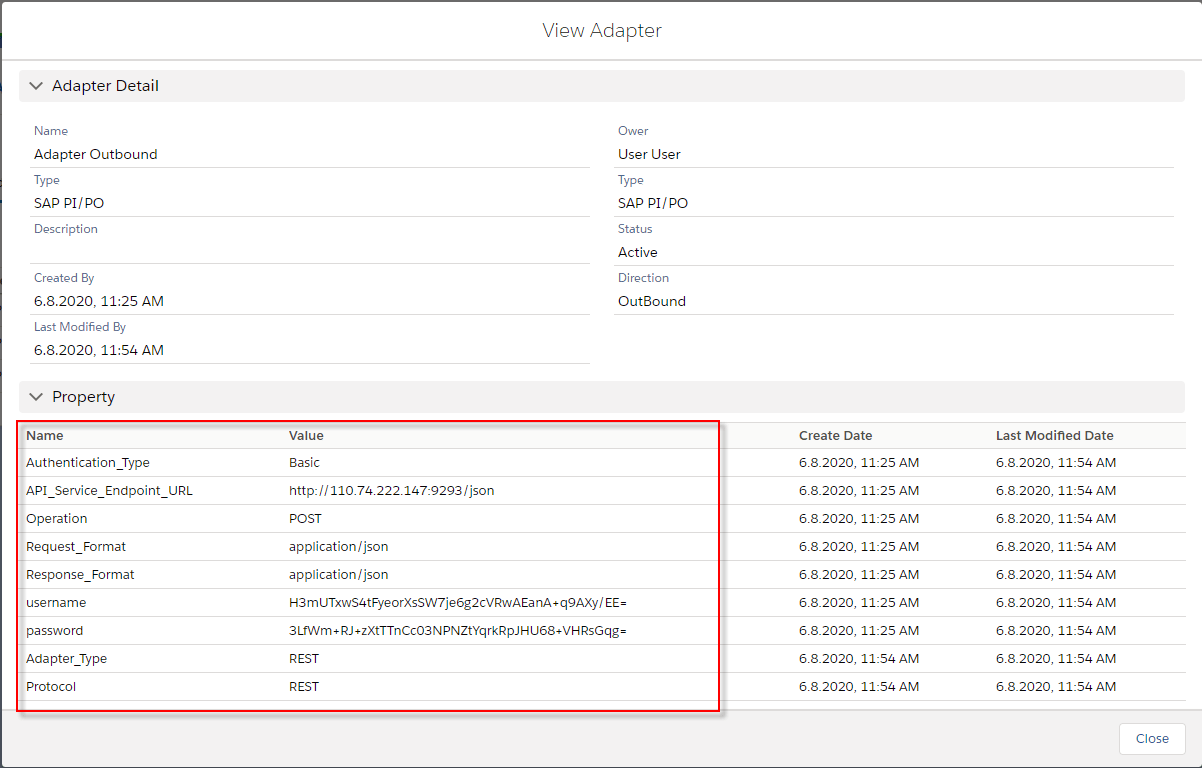
Step-4: Create rest adapter from the SAP control board Create an Adapter and link to the outbound interface.
- The Configuration create a new adapter
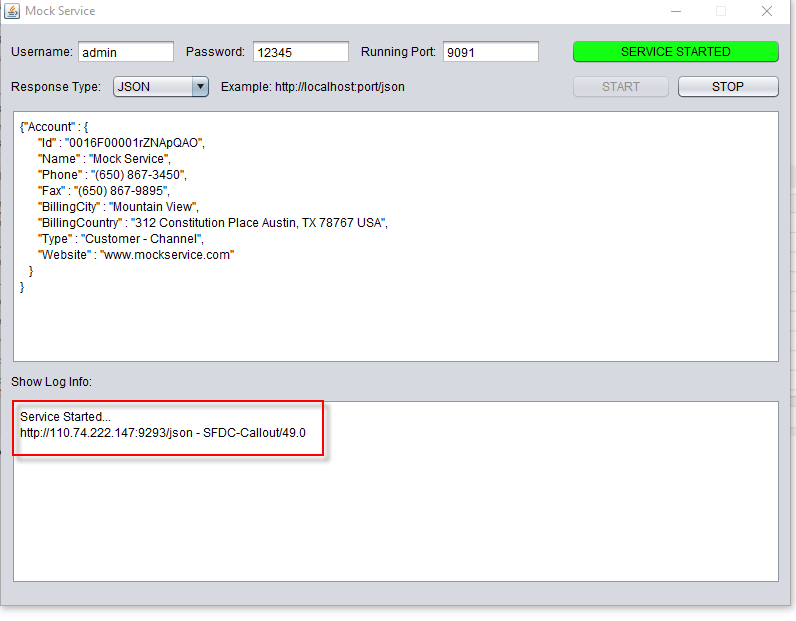
Step-5: The Configuration MockService We callout V3 with Rest adapter using Message Type to Mock Service.
Step-6: Query Data
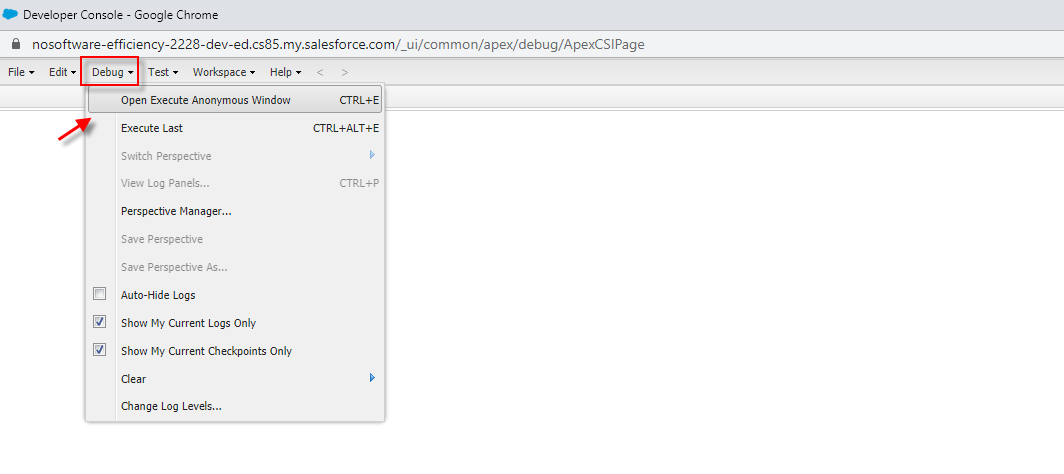
- Navigate to setup -> developer console
[aux_code language="javascript" theme="tomorrow" title="Apex code" extra_classes=""] skyvvasolutions.CallOutControl c=new skyvvasolutions.CallOutControl(); c.returnXml=true; c.returnListRecord=true; c.isCreateMessage=true; c.actionDoIntegrate=true; String[] ids=new String[]{0016E00001BEi9cQAD}; skyvvasolutions.Iservices.invokeCalloutV3('Test openAPI','OutBound',ids,'SYNC', c); [/aux_code]
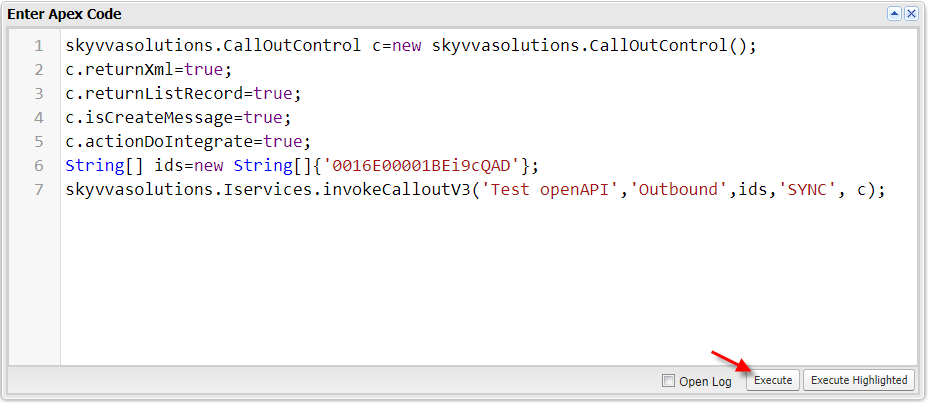
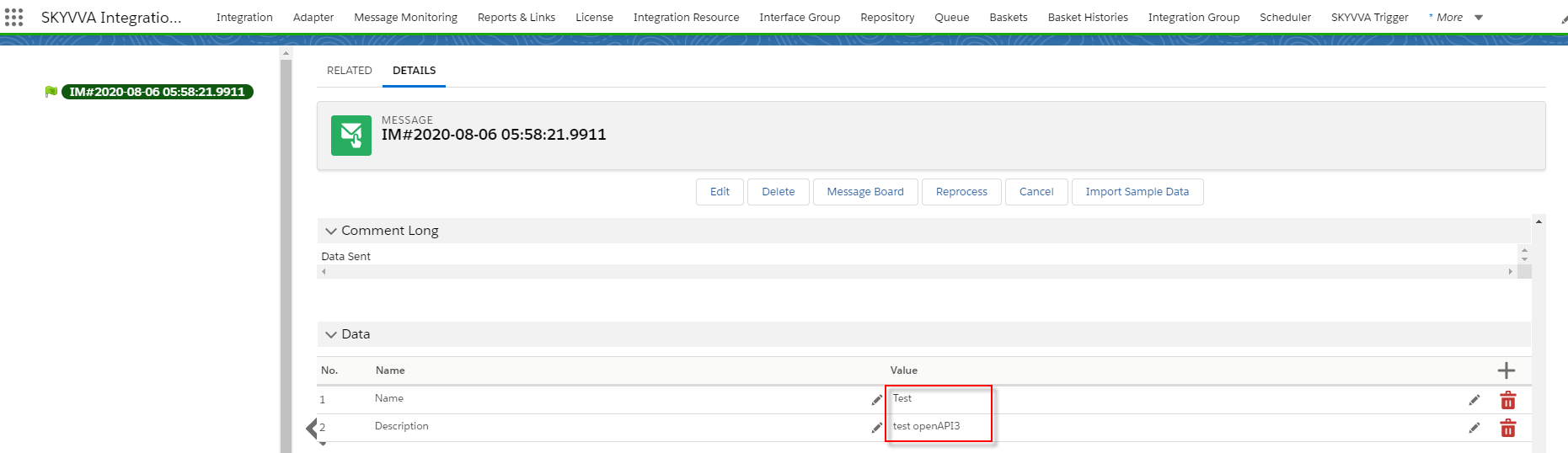
- Check the result on monitor after execute callout

- Check Message details
Summary: This feature we have learned about importing open API3x, and we have understood how to importing message type from open API3.x file format.