97. Enhancement handling fault response message with V3.
Introduction
We have an Enhancement handling fault response message with v3 for describes an application-specific error situation, and this function is working on SOAP protocol only. Using the fault message, the application records an application error. For example, "System error, AdminBlockException or Requested customer profile unknown ...". We can handle fault response messages when we make a callout (Request), and then it will respond to an error with fault Response. There are three enhancement fault message response. first is to write the fault message into the comment fields, second is put the fault message Interface into the request Interface, and third is handle multiple different fault message Interfaces. [su_box title="Note" box_color="#2a8af0" title_color="#000000"] Make sure that the other application has response fault message. [/su_box]
I. Write the fault message into the comment field.
In this case, we don't need a fault Interface, and we don't need to related fault Interface, but when we Callout we can get fault messages because our SKYvva has put the fault message into the comment fields. But we need to remember that the Request Interface has a message type that has fault messages. Pre-require:
- Create or upload a Soap Message Type.
- Create Adapter.
- Create Integration and Interface linked with the message type.
Step 1: Create or upload Message Type Go to create Metadata Provider => create a Repository=> create or Upload Soap Message Type.
- Here's the Soap message Type.

- Users can see or upload the Example message Type the below.
Google SOAP Service_skyvvasolutions__MessageType__c Step 2: Create Adapter
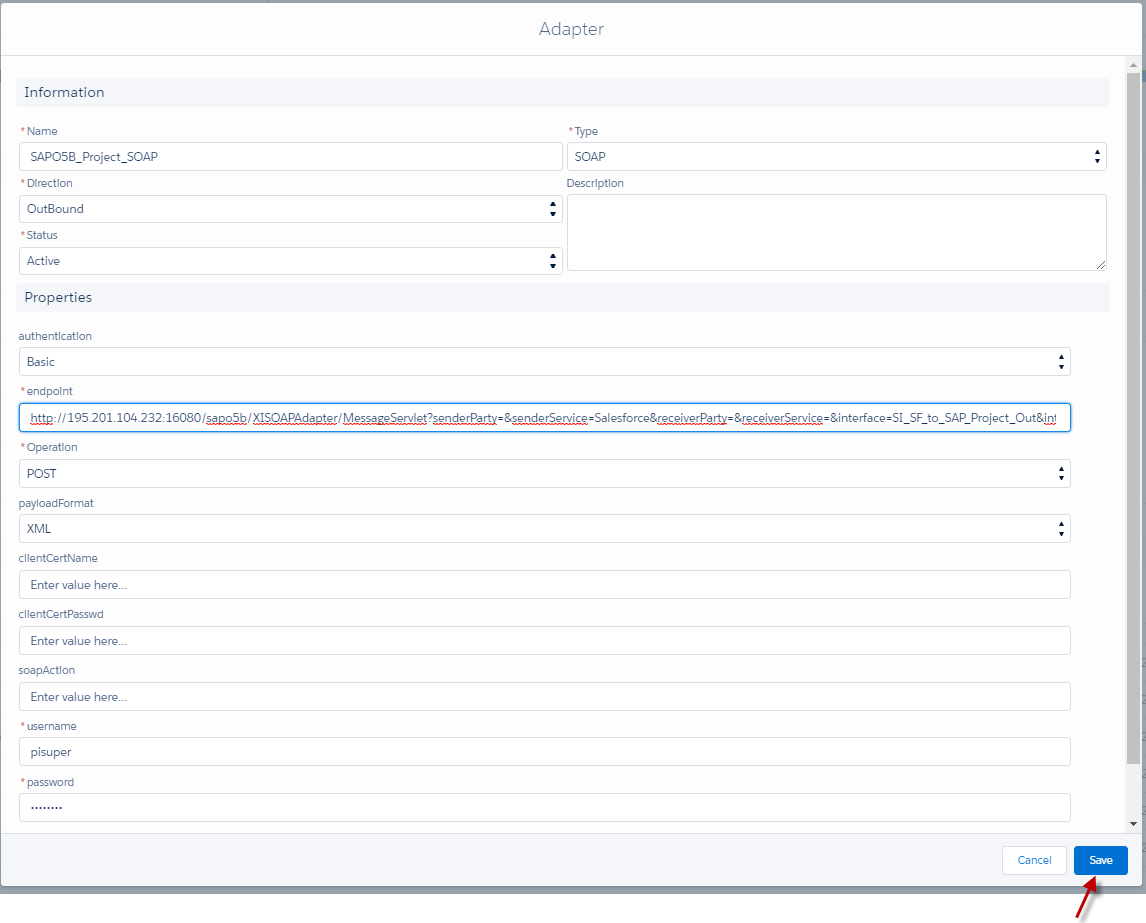
- Go to Adapter tab => click the button New => configuration the adapter => click Save Button.
- Here's the example below.
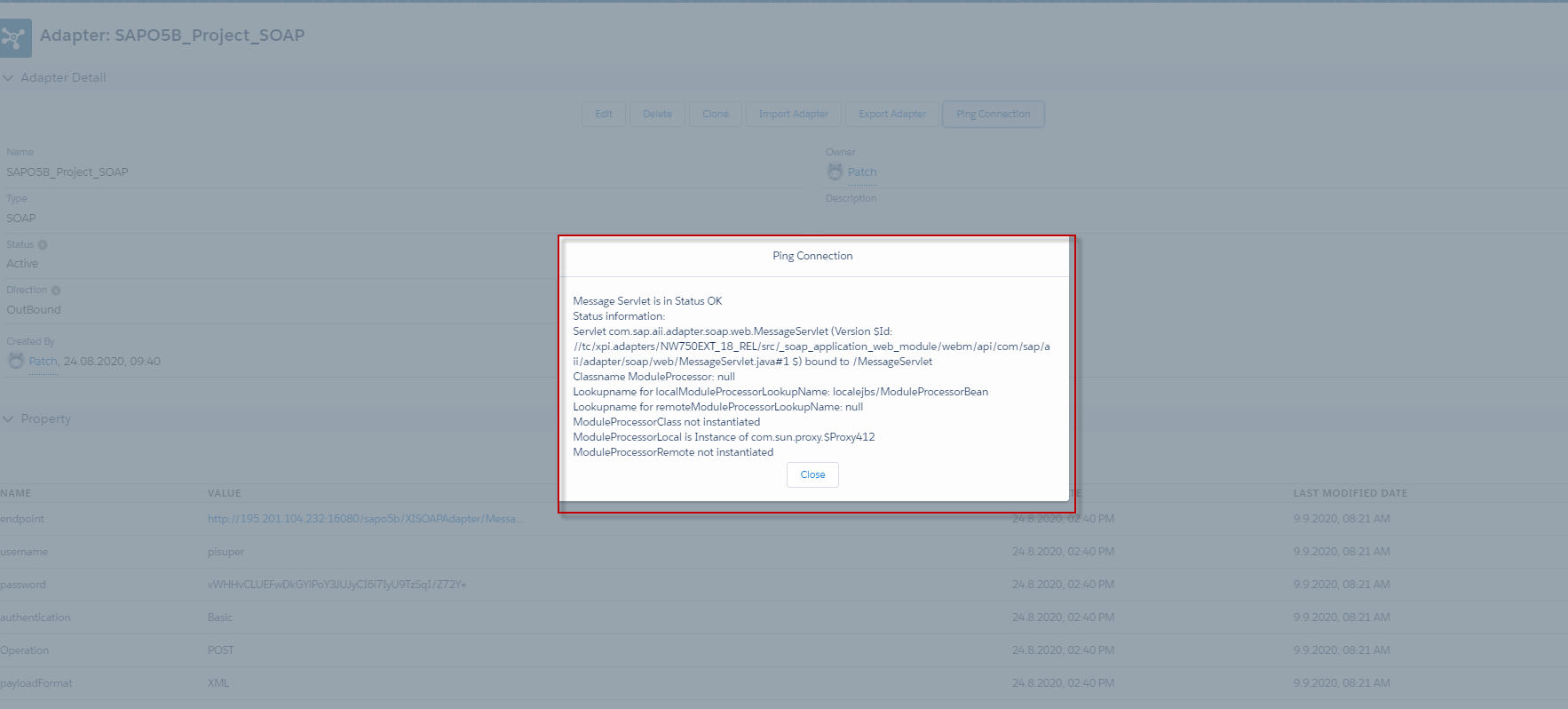
- Ping this adapter for make ensure this adapter is working.
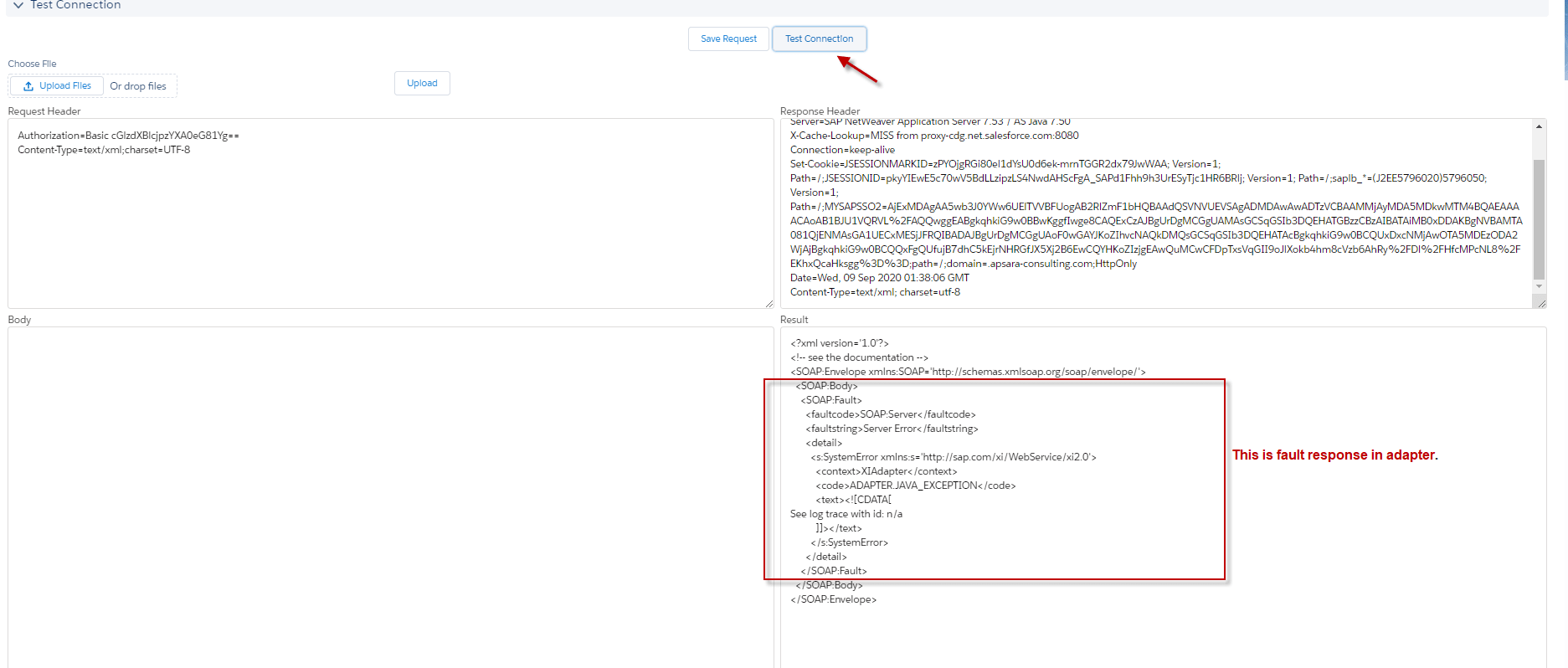
- Test Connection for ensuring that it has a response back.
Step 3: Create an Outbound Interface
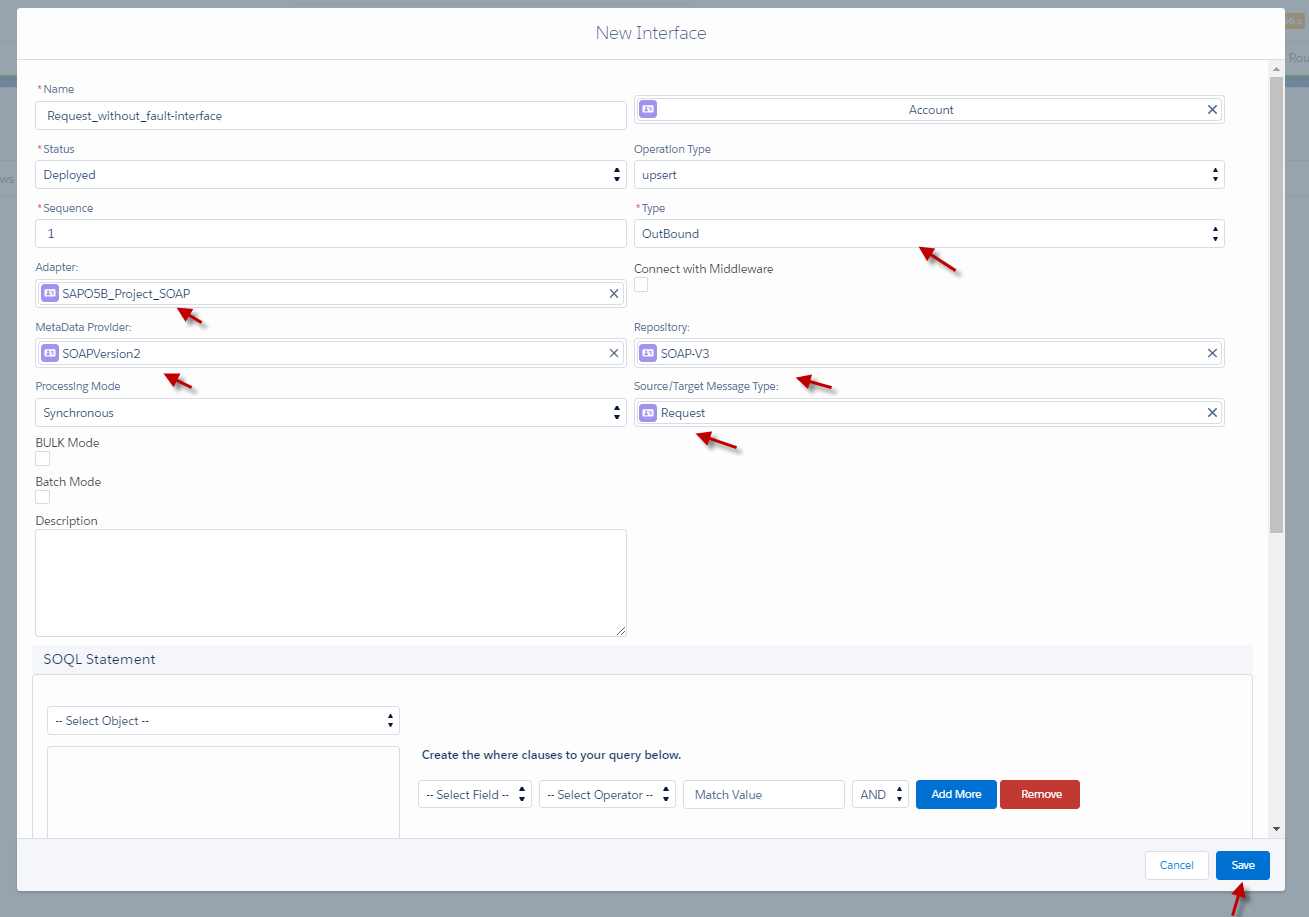
- Go to create Integration=> create Outbound Interface=> fill the name of Interface, choosing type Outbound, linked Message type, and Adapter to the Outbound Interface.
- Click Save Button
Step 4: Do Mapping
- Go to Interface and click Open Mapping Button.
- Do Mapping and click save. (Example is below)

Step 5: Callout V3 with Apex Code
- Go to the Developer console.
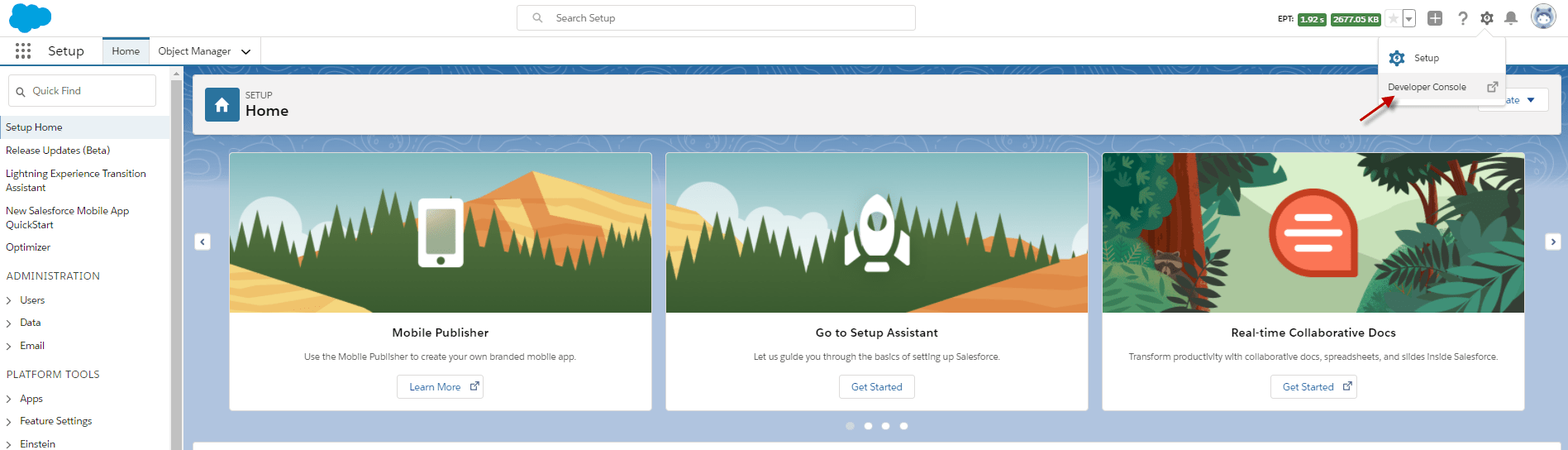
- Click debug and click Open Execute Anonymous Window.
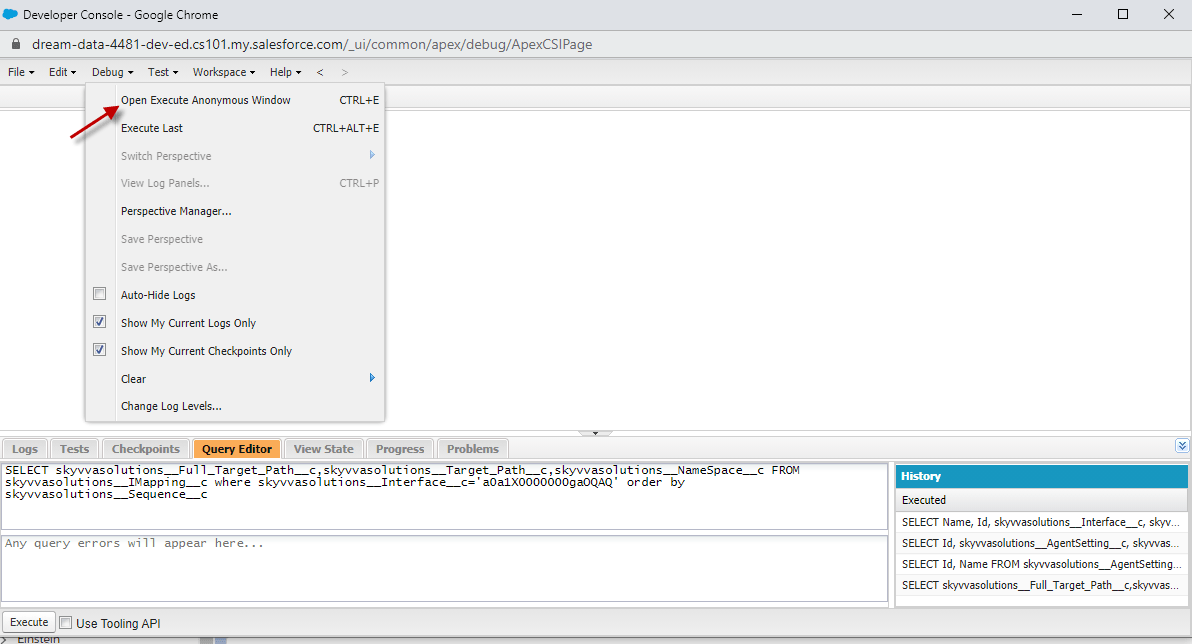
- Here's the code to Callout.
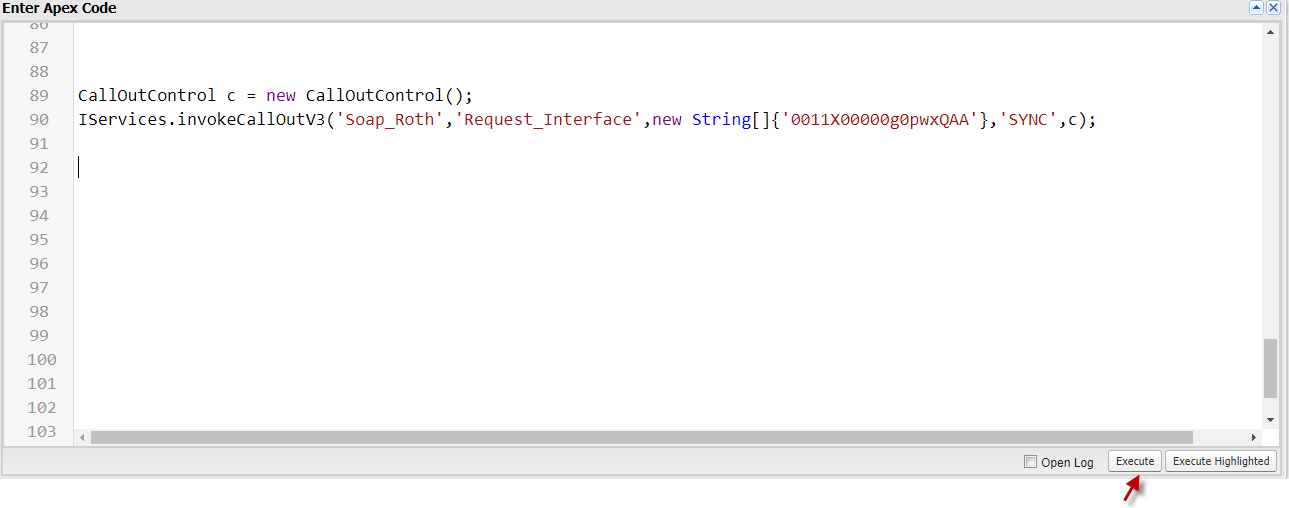
CallOutControl c = new CallOutControl(); IServices.invokeCallOutV3('IntegrationName','InterfaceName',new String[]{'0011X00000g0pwxQAA'},'SYNC',c);
- Copy the code the above and click Execute.
- Account ID meaning that You want to Callout the Account that has ID.
- Click Execute Button.

- Go to Message Monitor to see the result.
- Here's the result of this case=> Go to Monitor and click search.

II. Put the fault message Interface into the request Interface.
In this case, we use two Interfaces like Inbound Interface for Response and Outbound Interface for Request. The process of these cases is to put the Response Interface, which is fault Message Type, into the Request Interface. Example. We have outbound Interface and put the fault Interface that has message Type fault_SystemError in the outbound Interface. When the callout V3 is met the situation, System Error, so the Inbound Interface will respond to the fault message to tell the user that the Callout has a problem with the system Error. Pre-require:
- Create or upload the Soap Message Type that has a fault Message Type. (We have configuration already)
- Create Adapter. (We have configuration already)
- Create Integration and Outbound Interface linked with the Request message type. (We have configuration already)
- Create Inbound Interface linked with Fault Message Type, which is in Response Message Type.
Step 1: Here's is the fault Message Type that has in the Envelop of Response Message type.
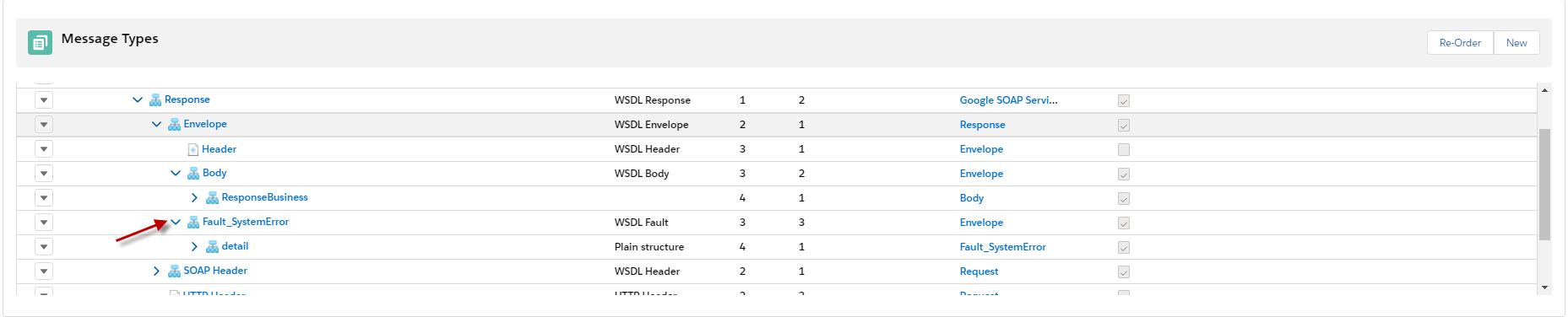
Step 2: Create an Inbound Interface for fault Response.
- Go to create Integration=> create Inbound Interface=> fill the name of Interface, choosing type Inbound, linked fault Message type, and Adapter to the Inbound Interface.
- Click Save Button.
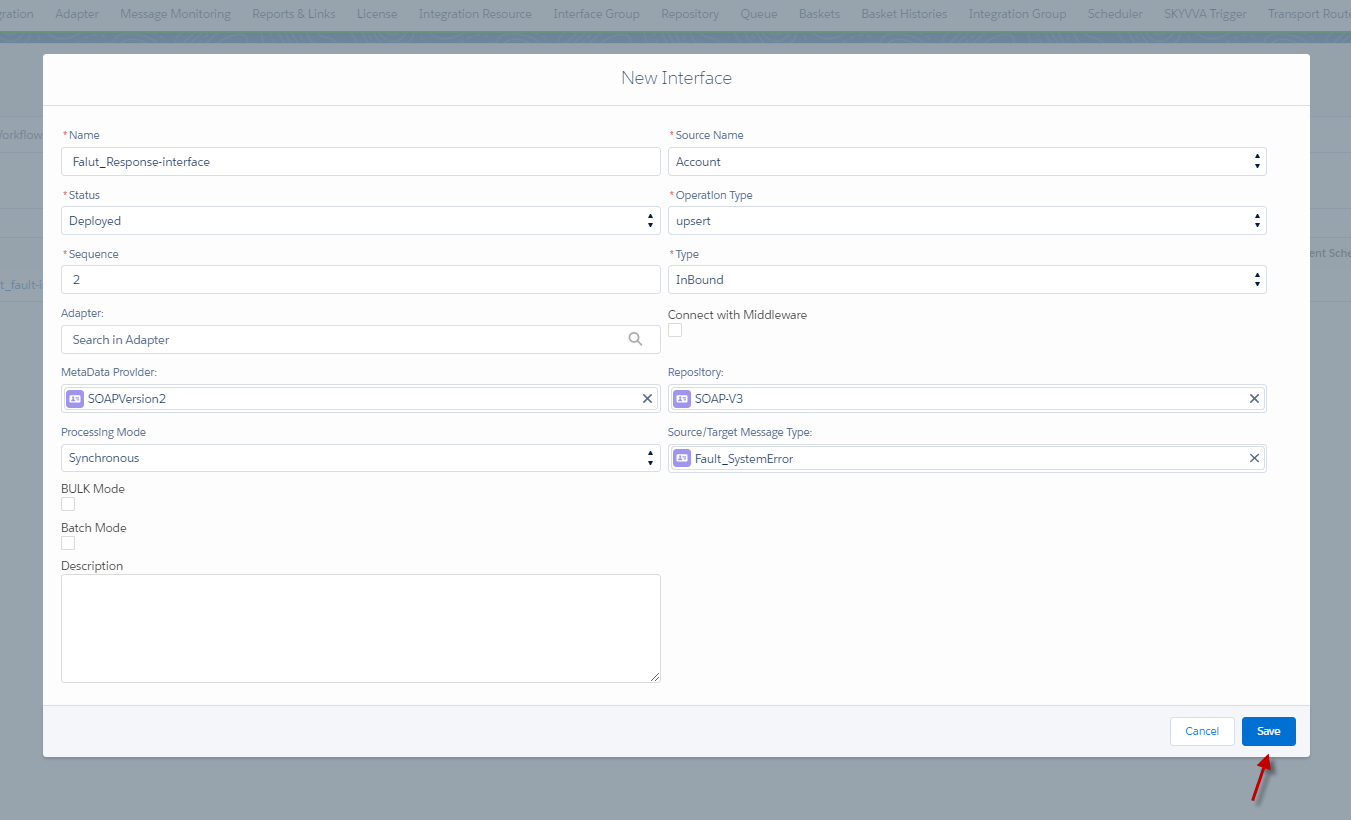
Step 3: Do Mapping.
- Go to Interface and click Open Mapping Button.
- Do Mapping and click save. (Example is below).

Step 4: Create Outbound Interface like the Case1.

- Do Mapping the same as case 1.
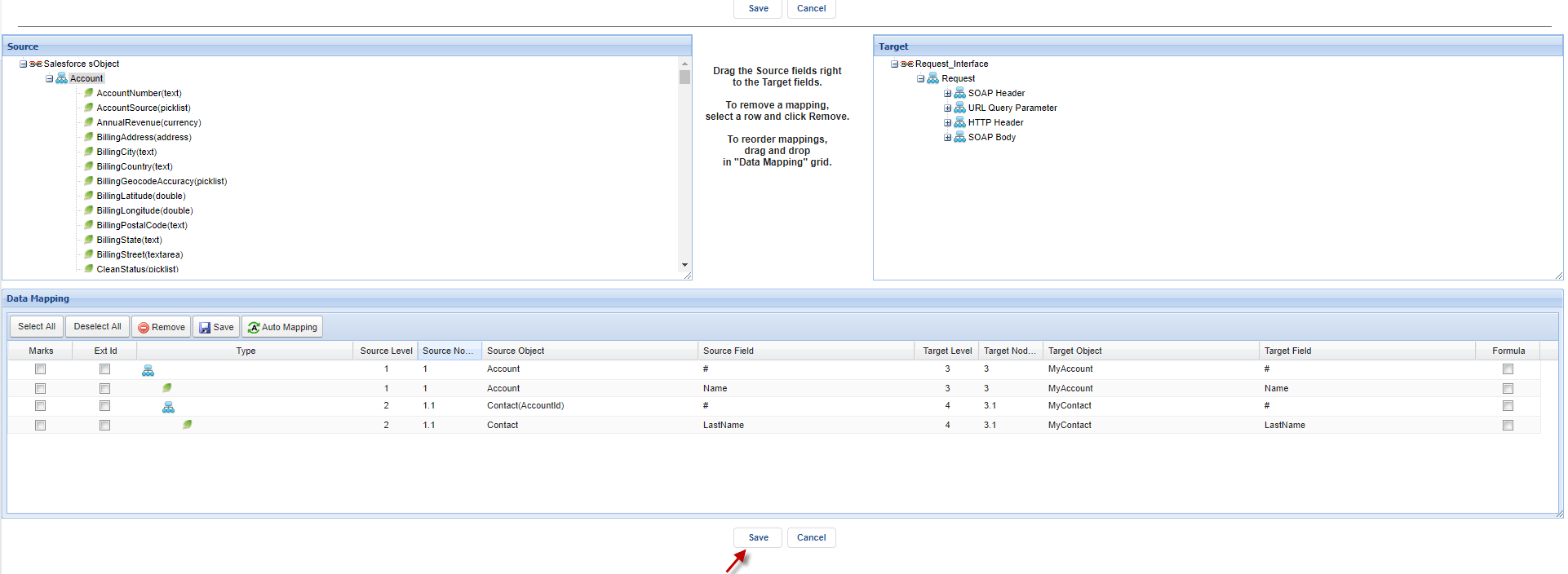
Step 5: Put Response fault inbound Interface into the fault Interface fields of the Outbound Interface.
- Go to outbound Interface.

- Scroll down to see Inbound /Outbound Setup => then put The Inbound fault response in the field Fault Interface and click Save. Here's the Example below.
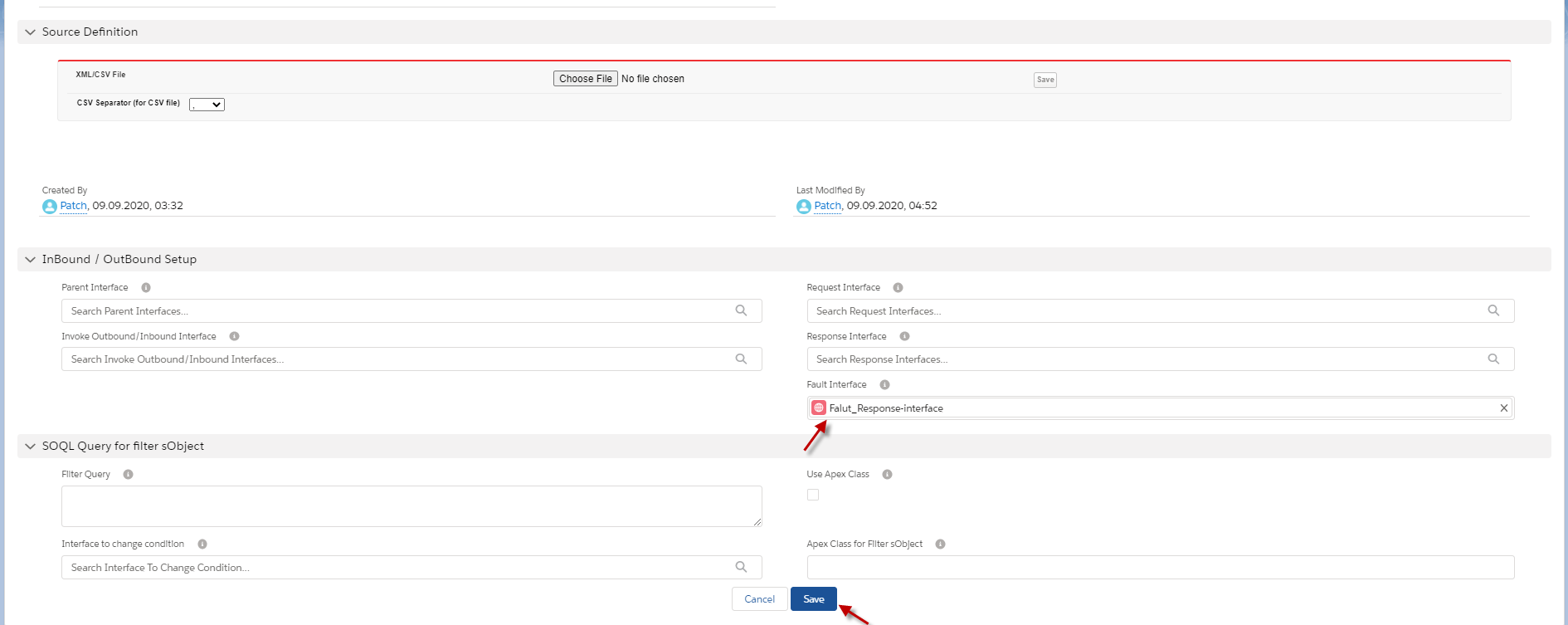
Step 6: Callout V3 with apex code.
- We call out like case 1. The example is below.
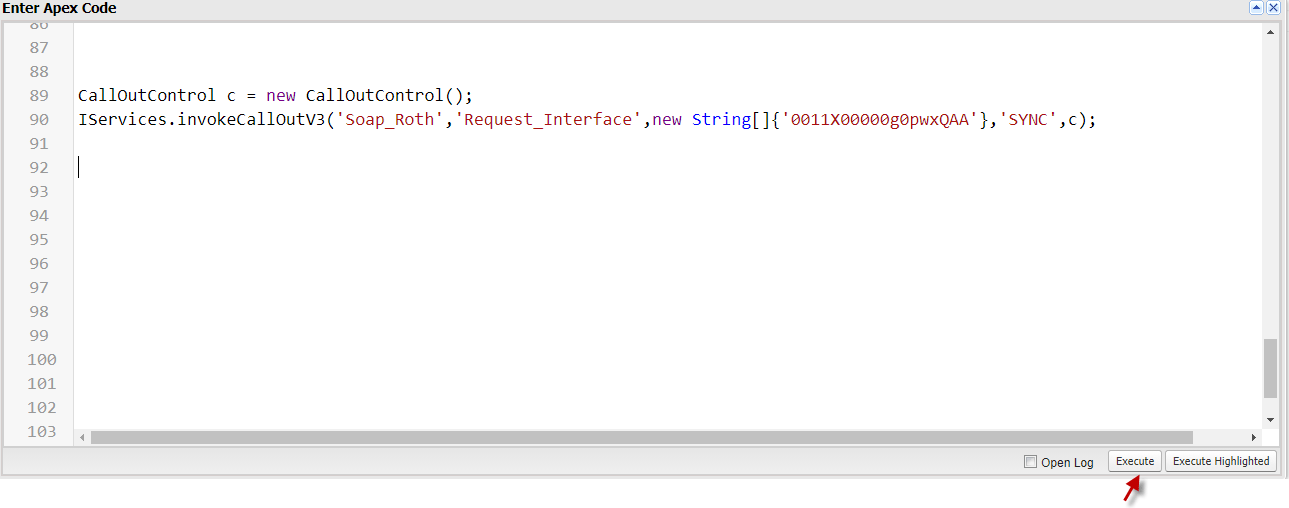
- Go to Message Monitor to see the result.
- Here's the result of this case=> Go to Monitor and click search.
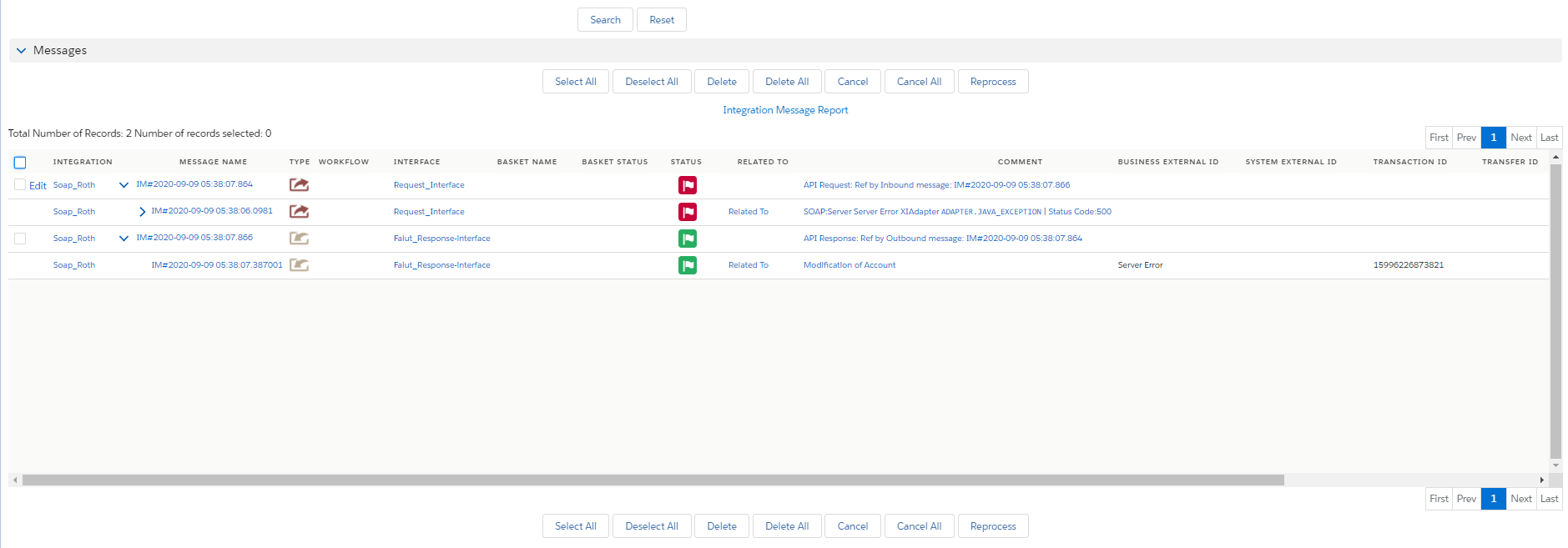
III. Handle multiple different fault message Interfaces.
This function is beneficial when we want to handle multiple different fault message Interfaces like Admin BlockException, AuthenticationException, or SystemError ...) So when we callout data to other systems and then the system has problems like Admin AlockException and System Error so that it will do the request data, but also it will respond to the fault message to tell users why we get fail to Integrate with that system. This function is not put the fault Interfaces in the request Interface anymore, but we put the Request Interface into each Fault Interfaces. The process of this function is checking on the message type of Fault interface (the Interface in related list Fault) to compare with the response node of Fault response. i.e Fault_AdminBlockException. if it matches each other between the message type and the node of fault response, then we know what Fault interface will do integration of inbound. It is similar to the case2 but just difference of Multi response fault interfaces. [su_box title= "Note" box_color=" #2a8af0" title_color=" #000000"]When we use Multiple different fault messages, we don't need to put fault Interface in the Request Interface because the field of fault Interface is a priority than related fault Interfaces. If we put Interface in field fault Interface, it will do only with field fault Interface, and the related Interface will not do.[/su_box] Pre-require:
- Create one outbound Interface. (We configuration already).
- Create a Message Type or upload a Message type which has a fault message Type.
- Create two Inbound Interfaces for fault interfaces.
Step1: Create Message Type or upload Message Type that is Soap Message Type with 2 Fault messages Types.
- Here's The Message Type that needs to use to handle multiple different fault messages. We have two fault message Type such as SystemError and AdminBlockException.

- Here's the Message type that we used in this case. Users can use it or see it for easy to understand.
Google SOAP Service_skyvvasolutions__MessageType__c (2) Step 2: create two Inbound Interface that are fault interfaces and link with message type
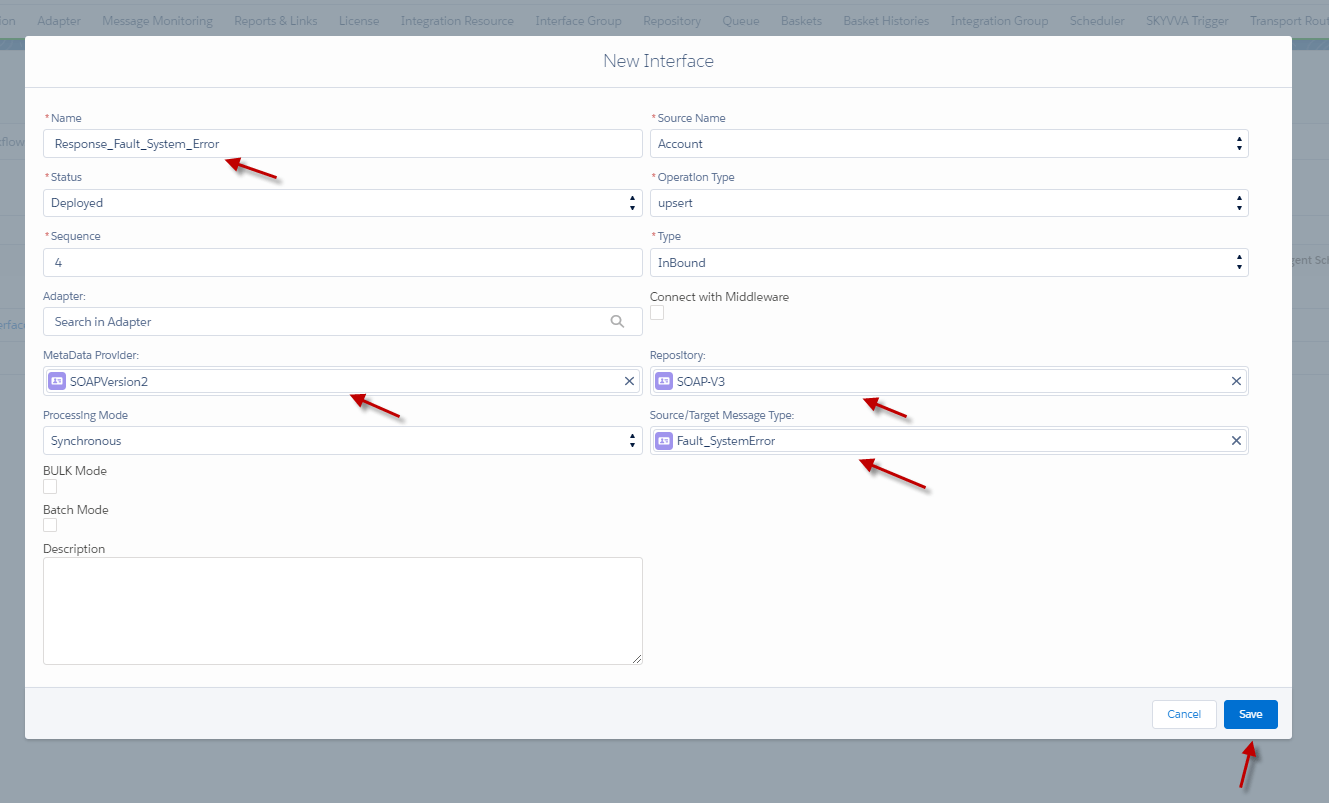
- Create the first Inbound Interface for fault Interface and linked with System_Error Message Type.
- Click the button Save.
Do Mapping.
- Set Context filter System Error to equal detail. How to set Context Filter, please follow this guide ( #article/16-12-set-context-filter ).
- Click the Save button.

- Create the second Inbound Interface for fault Interface and linked with Fault_AdminBlockException Message Type.
- Click the button Save.

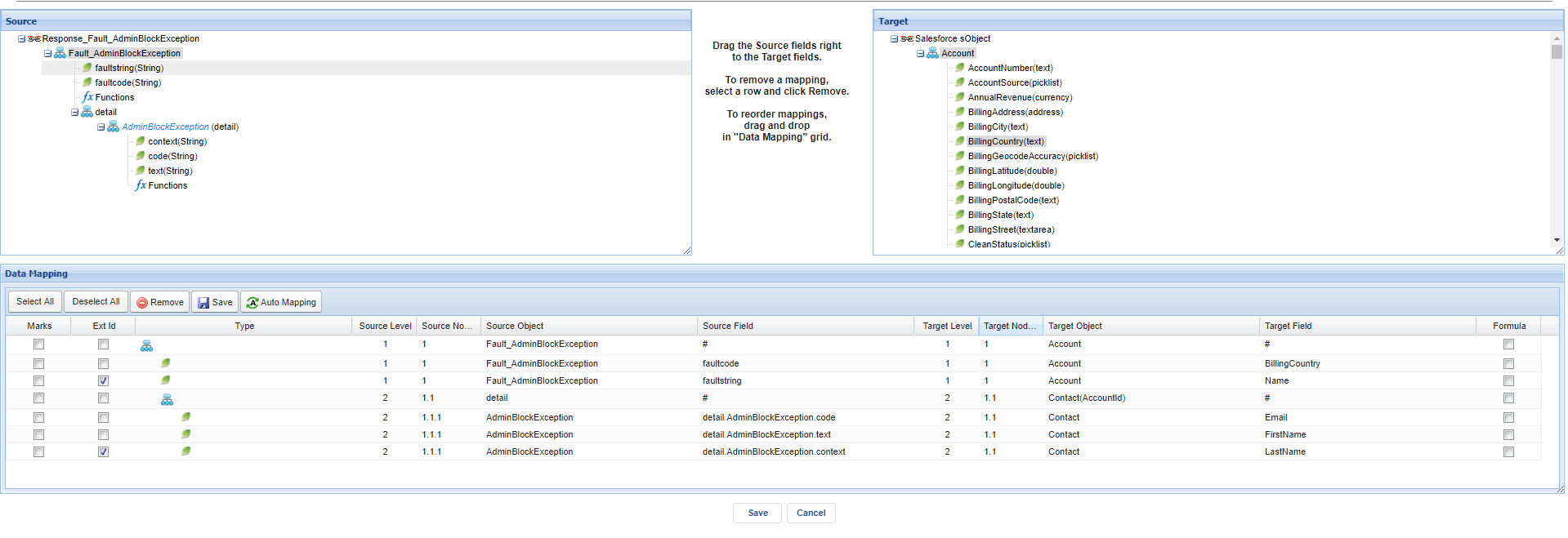
Do Mapping.
- Set Context filter AdminblockException to equal detail. (how to set Context filter, please follow this guide: #article/16-12-set-context-filter )
Step 3: Put Outbound Interface into the Field Fault Interface of two Inbound Interfaces(Response fault Message).
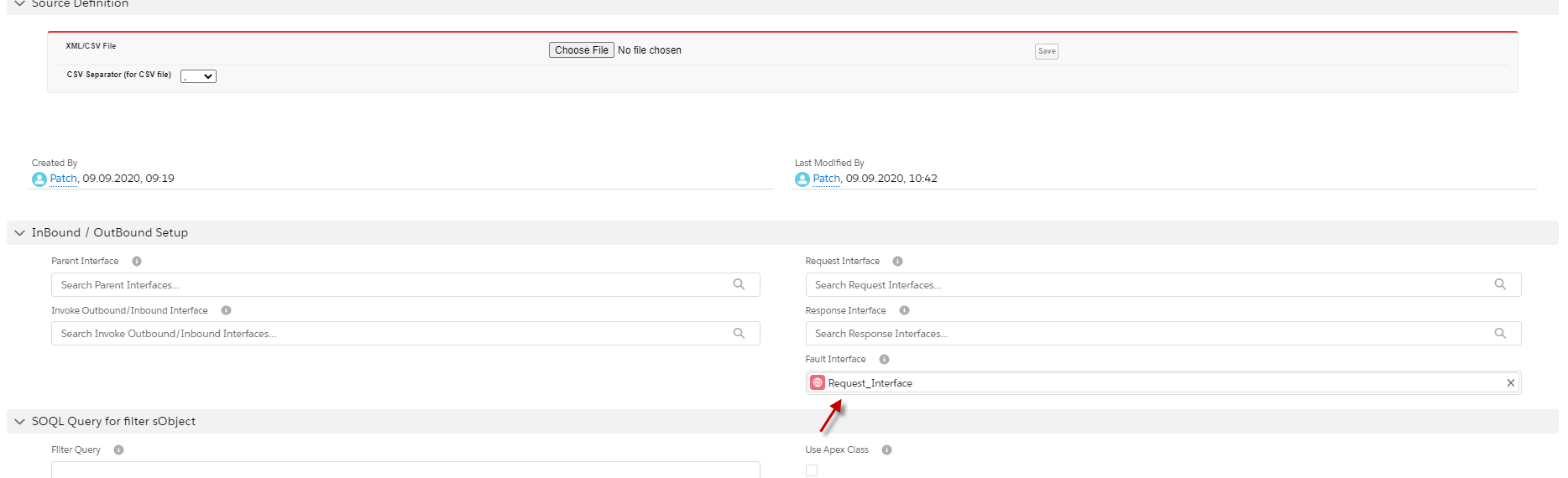
- Here's Response System Error Interface.

- Scroll down to find field fault Interface => put the request Interface=>Click save.
- Go to another fault Interface and do the same as the above. Here's another fault Interface.
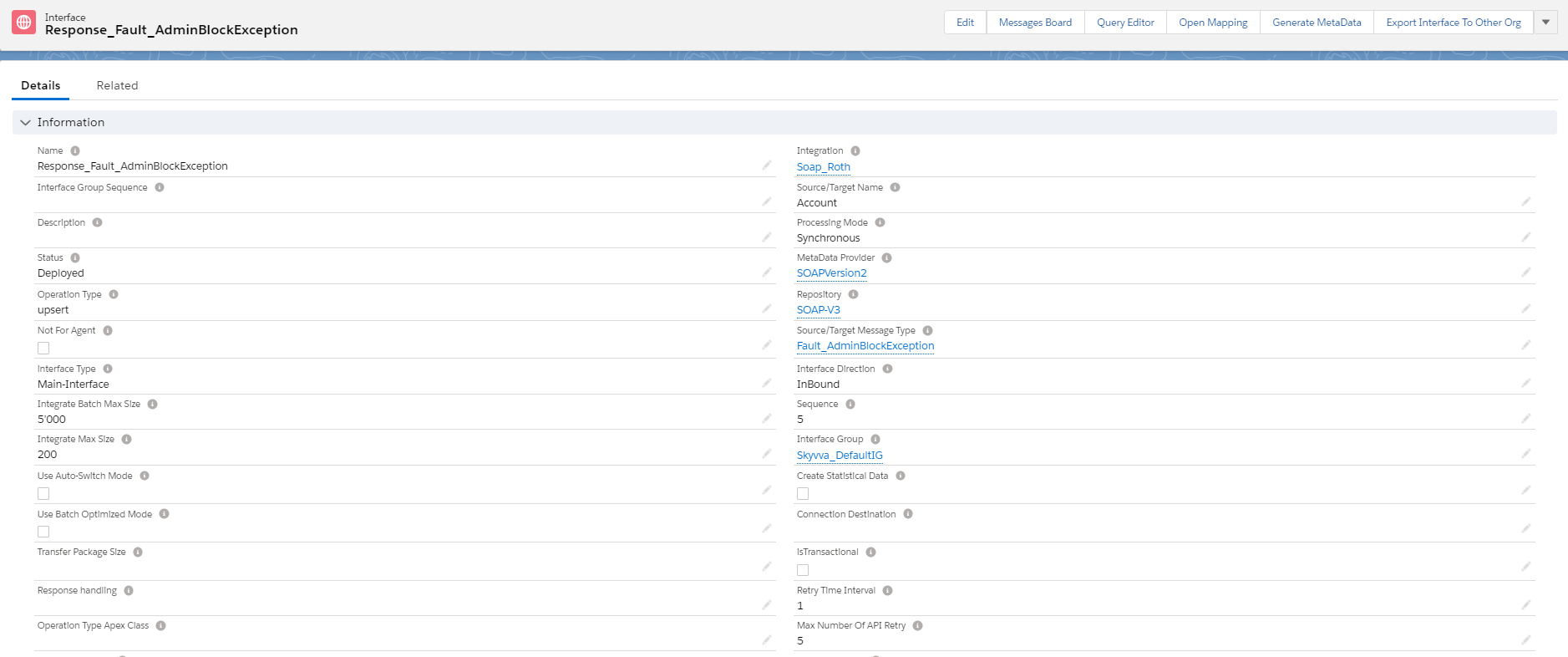
- Scroll down to find field fault Interface => put the request Interface=>Click save.

Step 4: Go to the Request interface to see the related fault Interface.
- Here's Request Interface

- This Request Interface doesn't have a fault Interface because we use the Related Fault Interface.
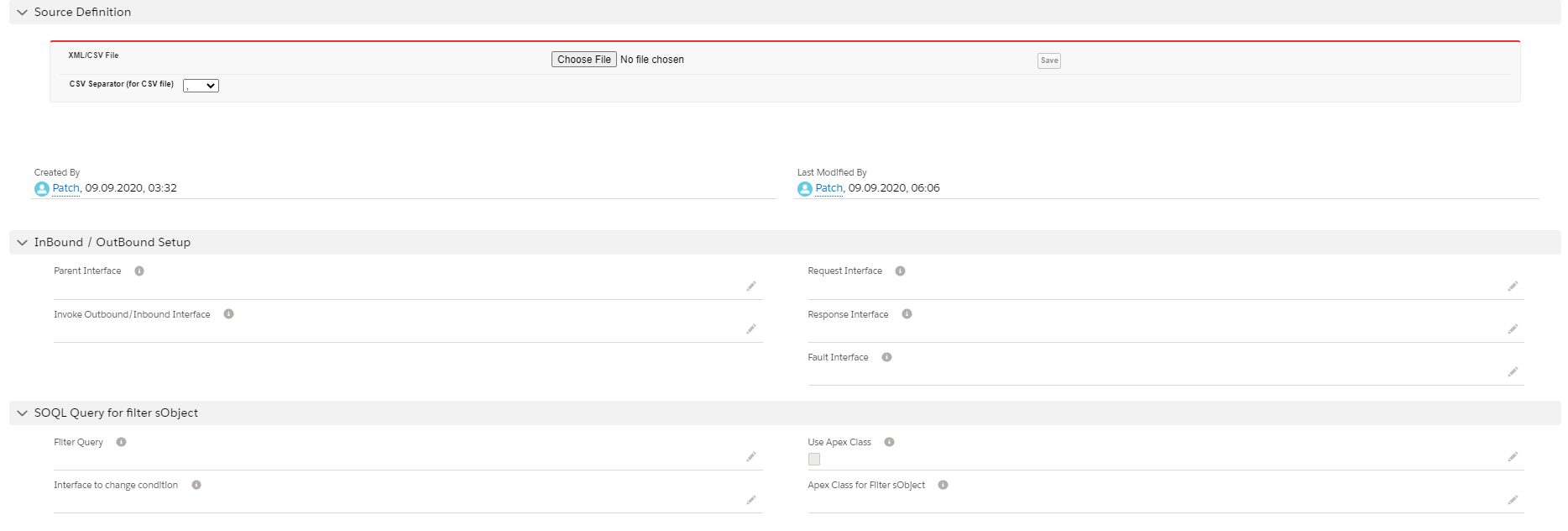
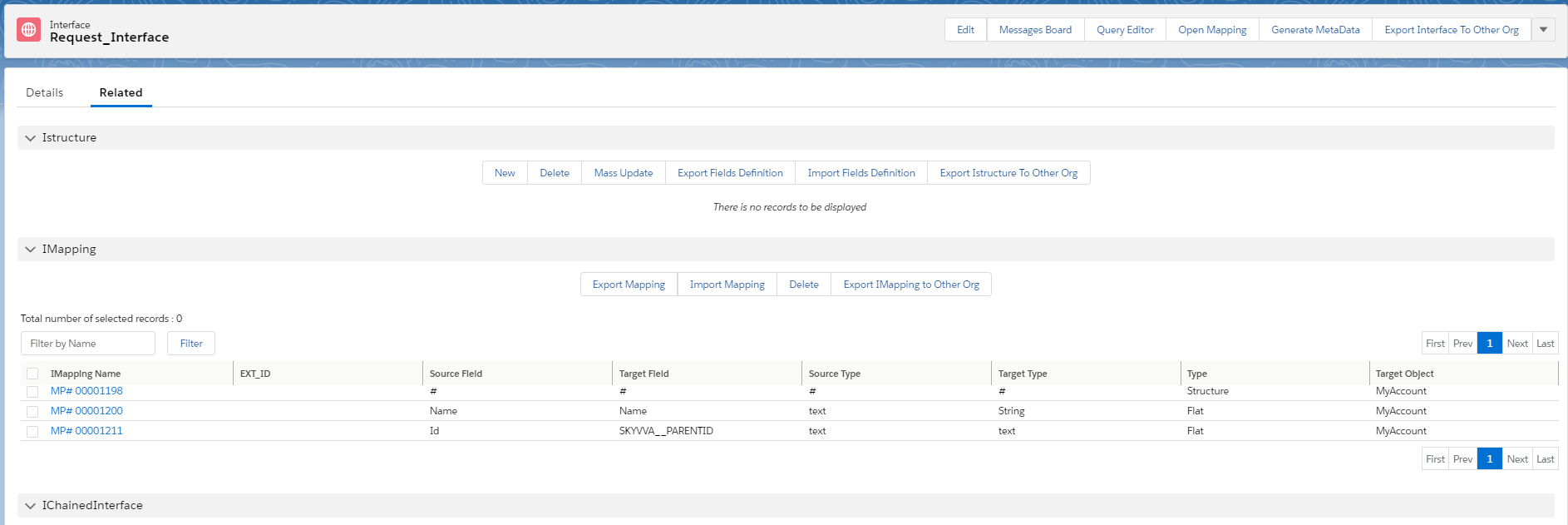
- Go to Related Interface to see the related fault Interface.
- Scroll down to see the fields Fault Interface.

We can see two fault Interfaces in the Related Request Interface. Because of both of the fault Interfaces, we have set the Request Interface in the field fault Interface of Response interfaces. So, it means that both Responses Interfaces are belonging Request Interface. that why we can see both response interfaces in the related Request Interfaces. Step 5: Call out v3 with apex code. [su_box title="Note" box_color="#2a8af0" title_color="#000000"]When We callout data on this function it will met the condition Error System because the system that use is had only the response system error. In real Business, it will meet the condition that the user set. so don't worry, this function is working incorrectly. [/su_box]
- Go to Message Monitor to see the result.

Summary Finally, we have learned these three enhancement completed. First is to write the fault message into the comment fields, the second is to put the fault message Interface into the request Interface, and the third is to handle multiple different fault message Interfaces. We hope these enhancements are useful for the user who want to get a response fault message to describe the application error.