Adapter Operational Status & Processing Behaviors
Overview
This document explains how the system behaves when an Adapter is set to an inactive status.
When an adapter becomes inactive, the system must stop processing integrations immediately.
No outbound or inbound transaction should continue processing until the adapter is active again.
The inactive adapter feature helps provide:
- Better transaction control
- Safe processing management
- Traceability for stopped transactions
- Reprocessing support after reactivation
- Flexible inbound batch and bulk handling
This functionality applies to both:
- Outbound Processing
- Inbound Processing
1. Adapter Status List
The adapter status configuration contains 3 processing behaviors.
| Status | Description |
|---|---|
| Active | Process integrations normally |
| Inactive with Create Pending Message or Basket | Stop processing but preserve the transaction |
| Inactive with Hard Stop Processing | Stop processing completely with no transaction storage |
1.1. Active Status
1.1.1. Description
When the adapter status is set to:
Active
the integration works normally.
The system continues processing requests without restriction.
This applies to both outbound and inbound integrations.
1.1.2. Outbound Processing
For outbound processing, the system performs:
- Message transformation
- Adapter execution
- External API callout
- Response handling
Outbound Active Flow

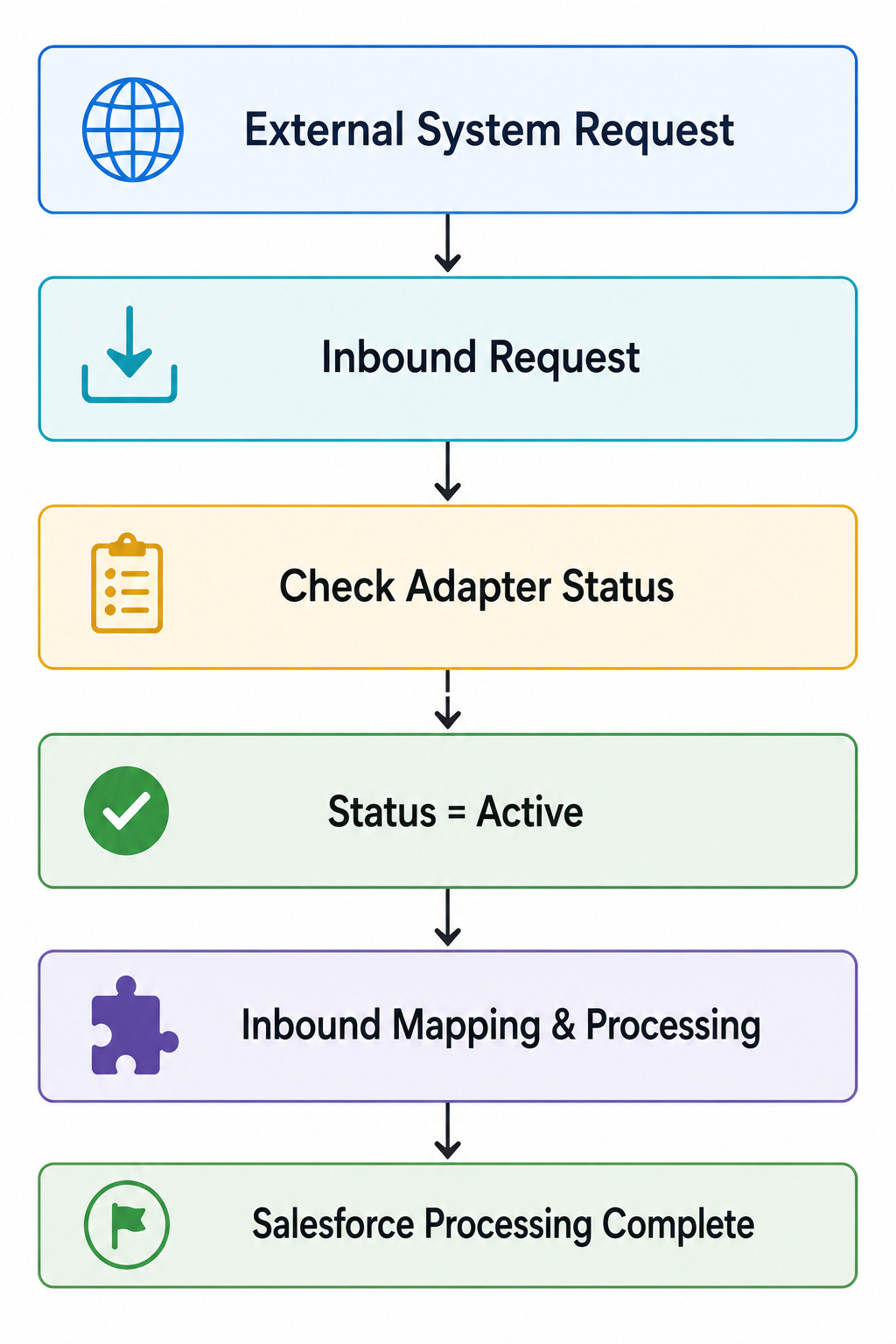
1.1.3. Inbound Processing
For inbound processing, the system performs:
- Request validation
- Data mapping
- Salesforce processing
- Business logic execution
Inbound Active Flow
1.2. Inactive with Create Pending Message or Basket
1.2.1. Description
When the adapter status is set to:
Inactive with Create Pending Message or Basket
the system stops active processing but keeps the transaction for future reprocessing.
The way the transaction is preserved depends on:
- Adapter direction
- Processing mode configuration
The system may create:
- Pending Message
or - Basket
depending on the processing scenario.
1.2.2. Outbound Processing
Description
Outbound processing supports only:
- Pending Message creation
Outbound processing does not support:
- Basket creation
- Batch Mode
- Bulk Mode
- Auto-Switch Mode
Because outbound integrations do not support these processing modes, Basket creation is not available for outbound processing.
System Behavior
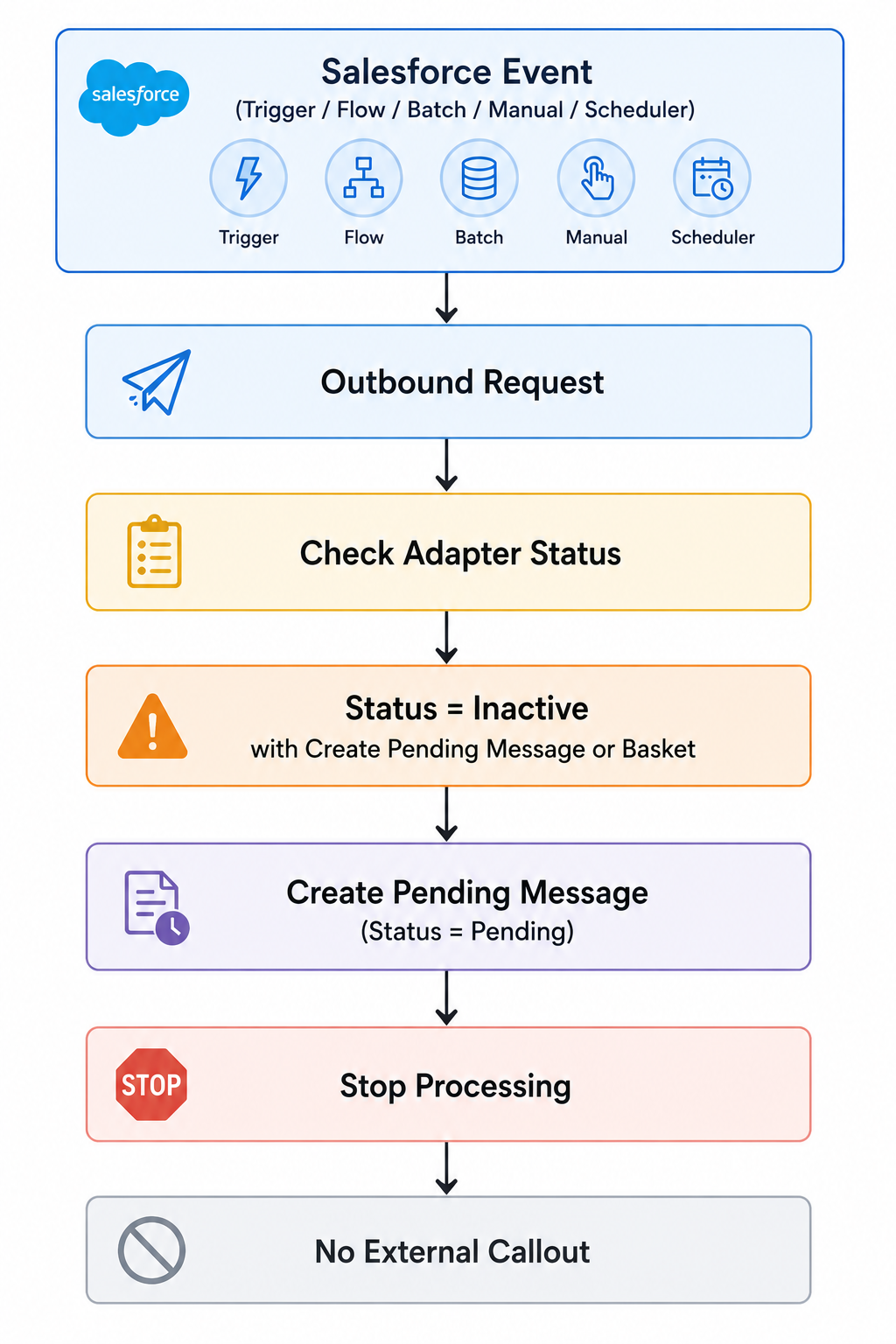
When the outbound adapter is inactive:
- No external callout is executed
- No outbound processing occurs
- No data is sent to external systems
Instead, the system creates a Pending Message for future reprocessing.
Pending Message Information
| Field | Value |
|---|---|
| Status | Pending |
| Comment | Adapter is inactive |
Outbound Inactive Flow
1.2.3. Inbound Processing
Description
Inbound processing fully supports:
- Batch Mode
- Bulk Mode
- Auto-Switch Mode
Depending on the selected processing mode, the system creates either:
- Basket
or - Pending Message
when the adapter is inactive.
1.2.4. Inbound Processing Logic
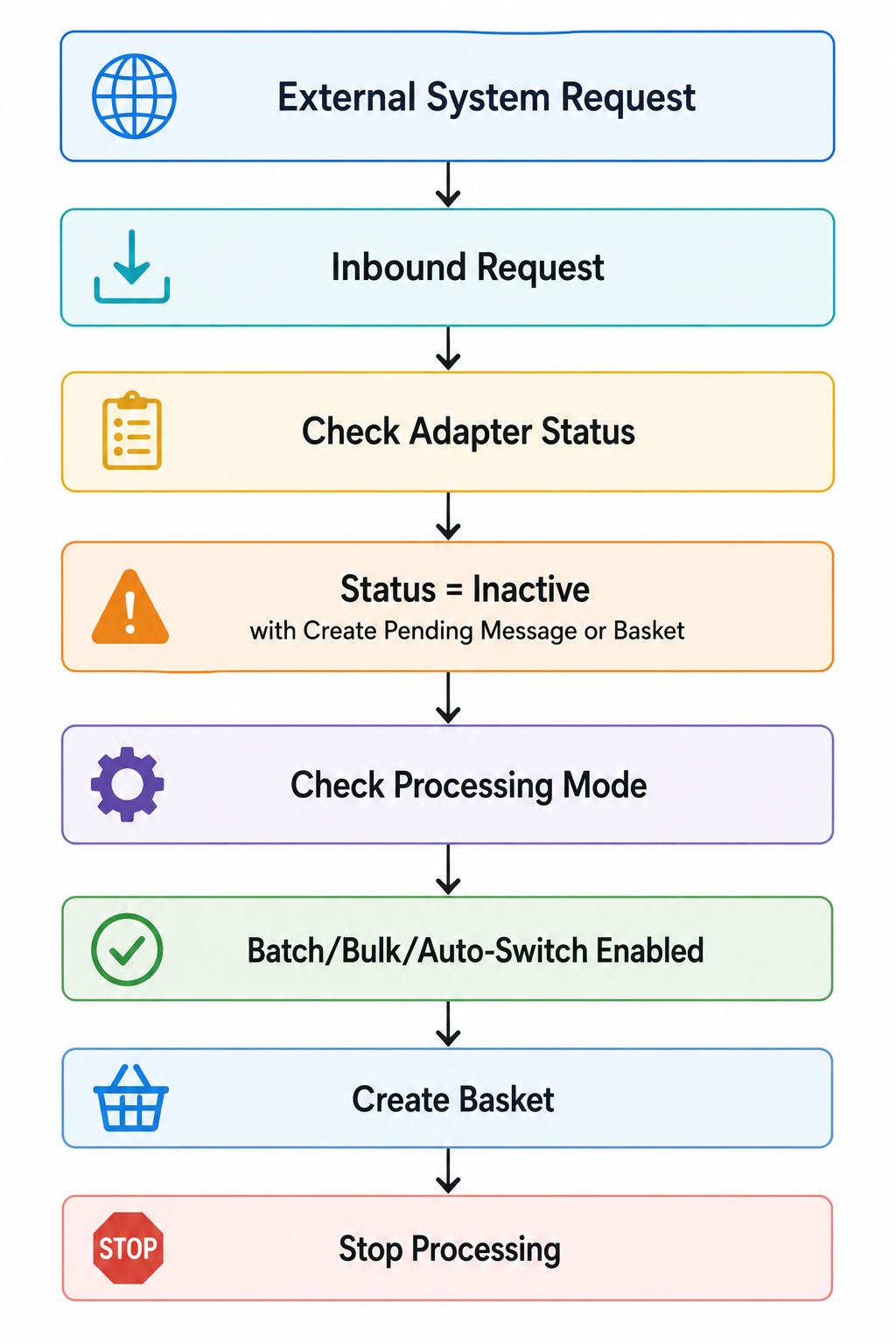
Scenario 1 — Batch/Bulk/Auto-Switch Enabled
If the user enables one of the following:
- Batch Mode
- Bulk Mode
- Auto-Switch Mode
the system creates:
Basket
This allows the inbound transaction to be grouped and processed later.
Inbound Basket Flow
Scenario 2 — All Modes Unticked
If all processing modes are disabled:
- Batch Mode \= false
- Bulk Mode \= false
- Auto-Switch Mode \= false
the system creates:
Pending Message
instead of Basket.
Inbound Pending Message Flow

1.3. Inactive with Hard Stop Processing
1.3.1. Description
When the adapter status is set to:
Inactive with Hard Stop Processing
the system completely ignores the transaction.
No processing activity is performed.
1.3.2. System Behavior
The system performs:
- No outbound processing
- No inbound processing
- No transformation
- No mapping
- No external callout
- No Pending Message creation
- No Basket creation
- No transaction storage
This mode is useful for:
- Emergency stop processing
- Temporary integration shutdown
- Maintenance activities
- Full transaction blocking
Hard Stop Flow

2. Reprocessing Behavior
Transactions preserved as:
- Pending Message
or - Basket
can later be reprocessed after the adapter becomes active again.
2.1. Reprocessing Options
The system supports:
- Manual reprocessing
- Automatic reprocessing after adapter reactivation
This helps ensure that temporarily stopped integrations can continue processing later without losing transaction information.
3. Important Notes
3.1. Outbound Processing Notes
- Outbound processing supports Pending Message creation only
- Outbound processing does not support Basket creation
- Outbound processing does not support Batch Mode, Bulk Mode, or Auto-Switch Mode
- All inactive outbound transactions create Pending Message only
3.2. Inbound Processing Notes
- Inbound processing fully supports Batch Mode, Bulk Mode, and Auto-Switch Mode
- Basket creation is supported only for inbound batch and bulk processing
- If all modes are unticked, the system creates Pending Message
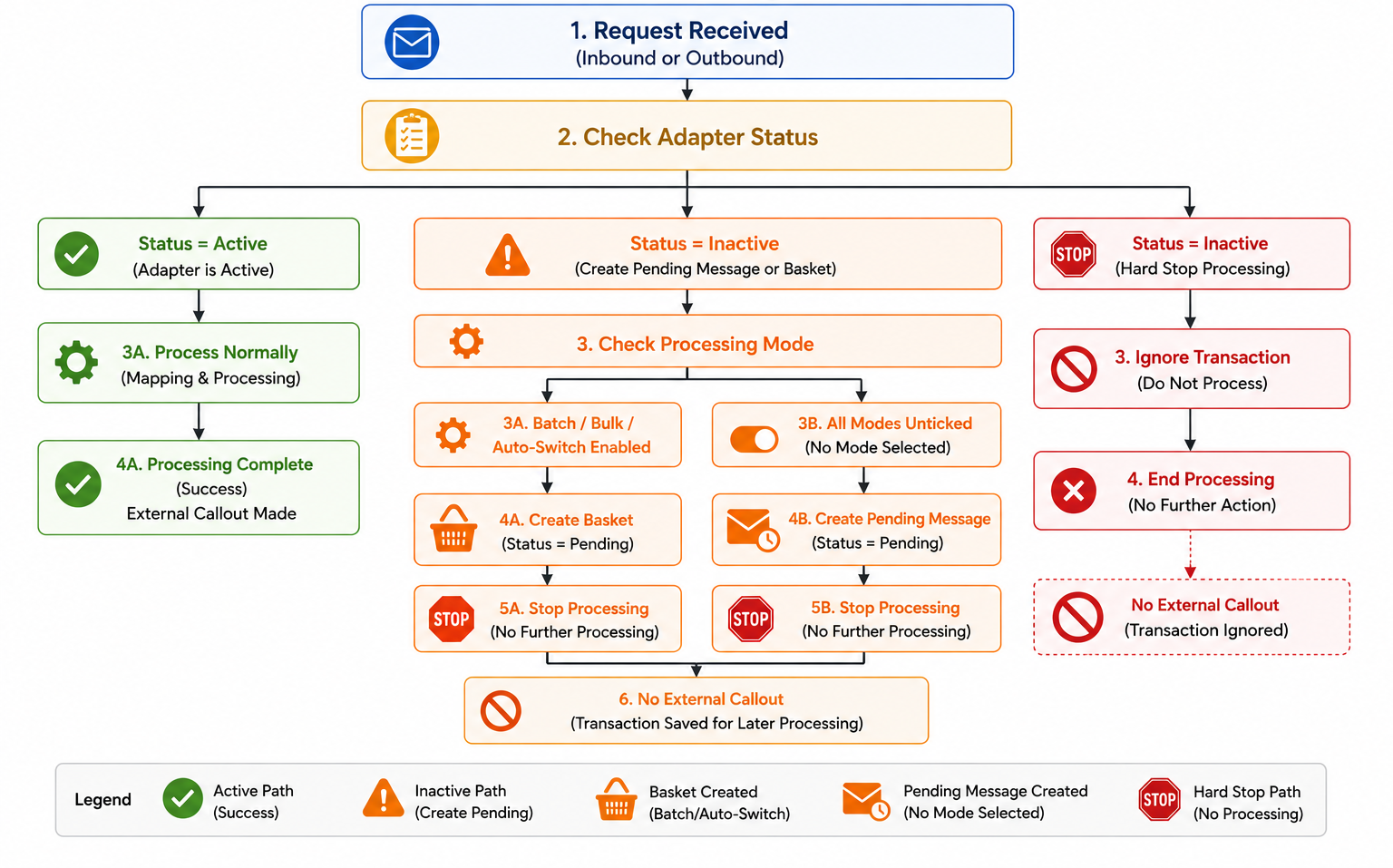
4. Full processing flow
5. Summary
| Adapter Direction | Processing Mode | Result |
|---|---|---|
| Outbound | All Modes | Create Pending Message |
| Inbound | Batch/Bulk/Auto-Switch Enabled | Create Basket |
| Inbound | All Modes Unticked | Create Pending Message |
| Any Direction | Hard Stop Processing | No Processing |