Allow A Formula Field Use as an External Id
Allow a formula field to map
Allow a formula field to map and use as an external Id, Our SKYVVA application mapping doesn't allow mapping from the source field to a formula field of a sObject. However when the formula field is used as the external Id then we should allow use. We have allowed user mapping from source to read only / formula field.
- Allow inbound V3 processing to be done on the salesforce formula field as an external id
- Creating Formula Field, Interface inbound Mapping Formula field use it with External ID
- Using the Salesforce formula field as an external ID for mapping in the SKYVVA integration application, and users suppose it to work for delete/upsert/insert/update operations based on that external ID during V3/V4 inbound processing, you may need to follow these general steps:
Create a Formula Field: In your Salesforce object, create a formula field that generates the external ID based on the business logic.
- Custom Field for External ID: Create a separate custom field in the same object to store the result of the formula field. This custom field will be used as an external ID.
- Map the Custom Field in SKYVVA: In SKYVVA, map the custom field (which stores the result of the formula) as an external ID. SKYVVA integration app supports this kind of mapping for V3/V4 inbound processing.
- Configure Mapping Logic: Configure the mapping logic in the SKYVVA integration app to use the custom field as the external ID during delete/upsert/insert/update operations. This configuration is done within the integration mapping settings.
- Create Interface
- Mapping some field
- Create External ID mapping with salesforce's formula field.
Required step:
- Create Formula field
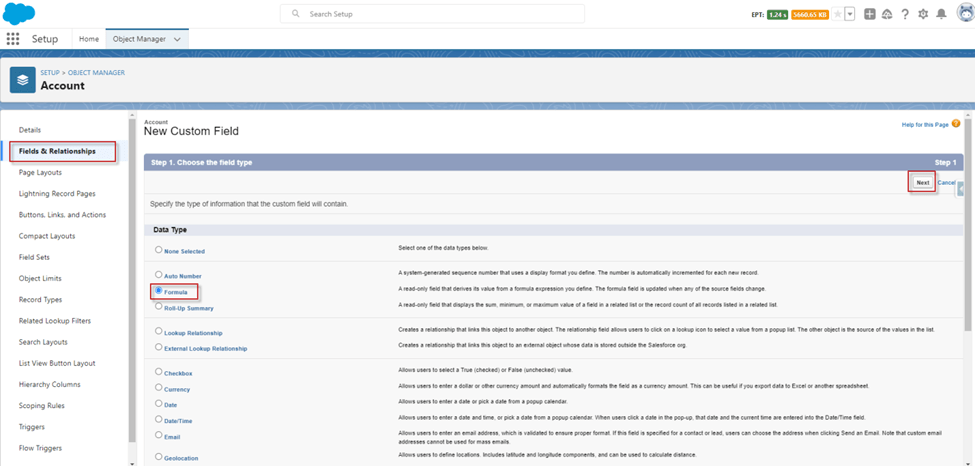
Go to Setup -> Object Manager -> Account -> Fields & Relationships
Step1: click New button -> select Formula -> Next
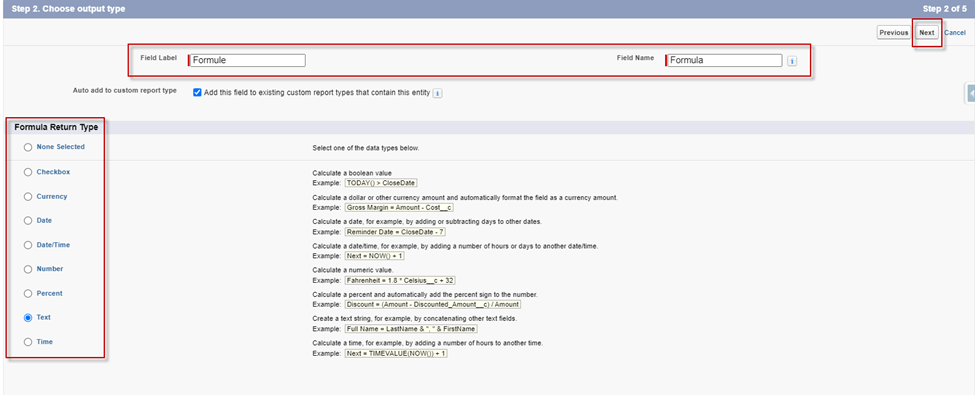
Step2: Input Field Name -> select Formula Return Type -> Next
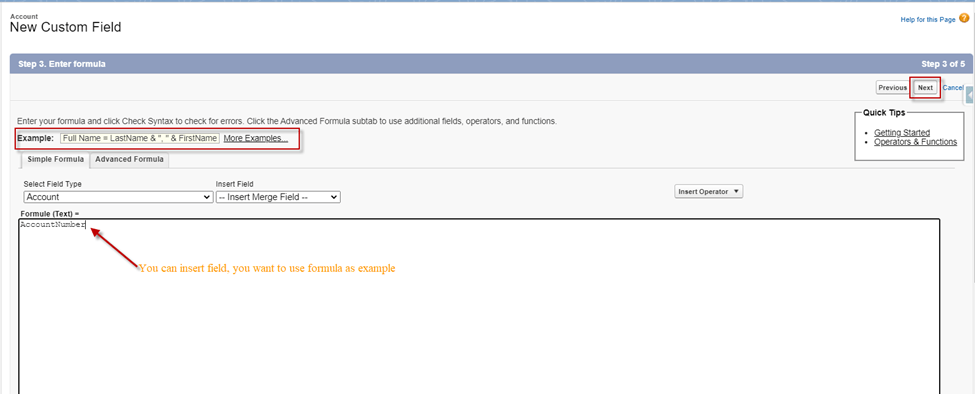
Step3: Insert field you need to use formula field -> then click Next
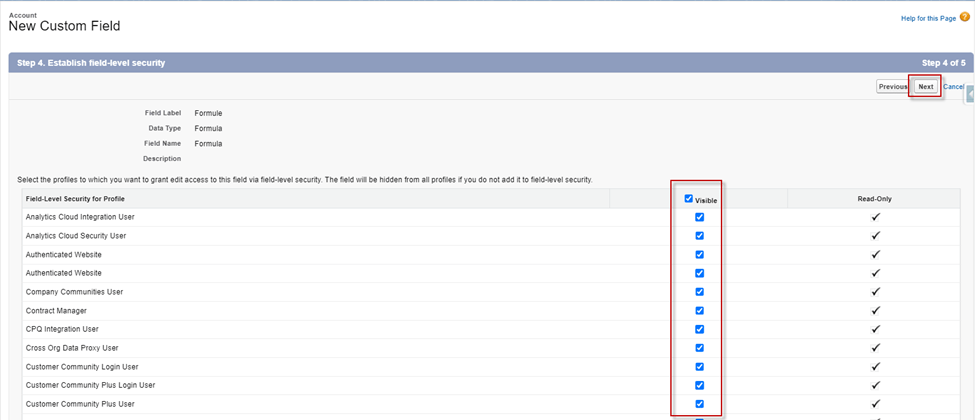
Step4: Allow all Visible -> Next
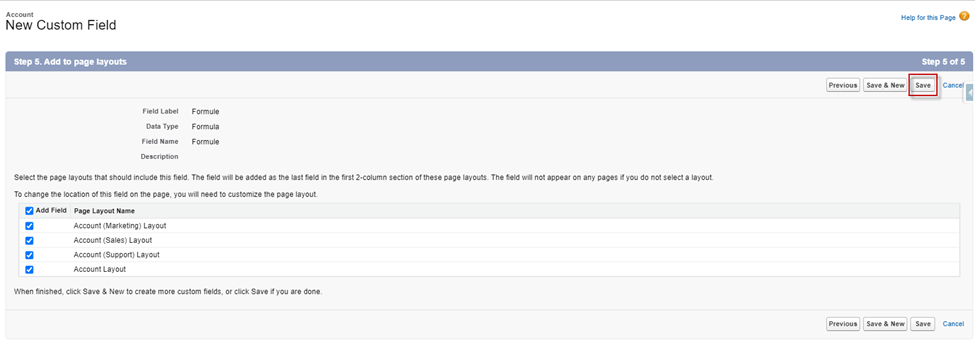
Step5: Click Save
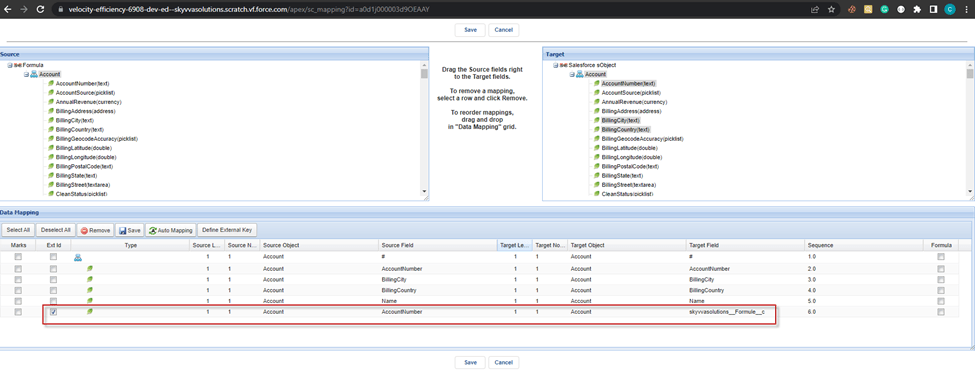
- Create Integration -> Interface Inbound -> Mapping some field -> then tick external id with formula field we already create -> Save
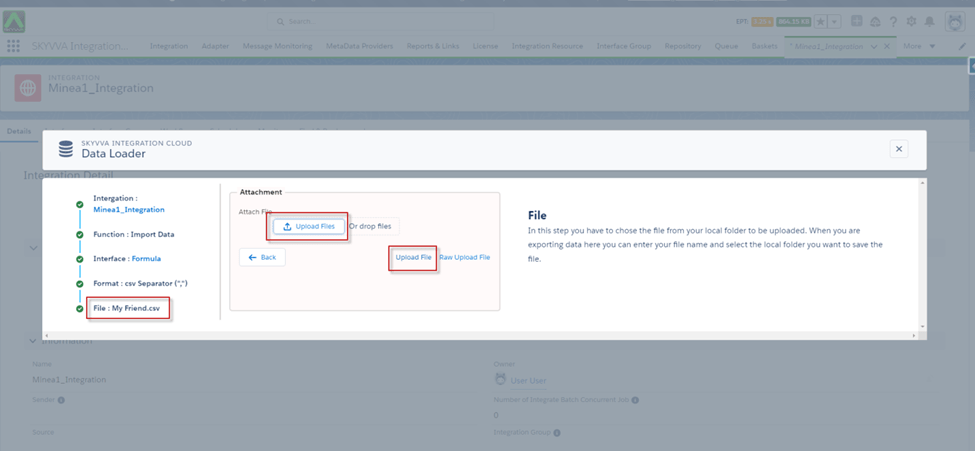
- After Mapping already we can upload records from Data Loader
- Go to Data Loader -> Select Function Import Data -> Choose Interface -> Format: data type CSV and CSV Separator -> Select File to Upload -> click Upload File
- After uploading -> select Record -> click the Push button
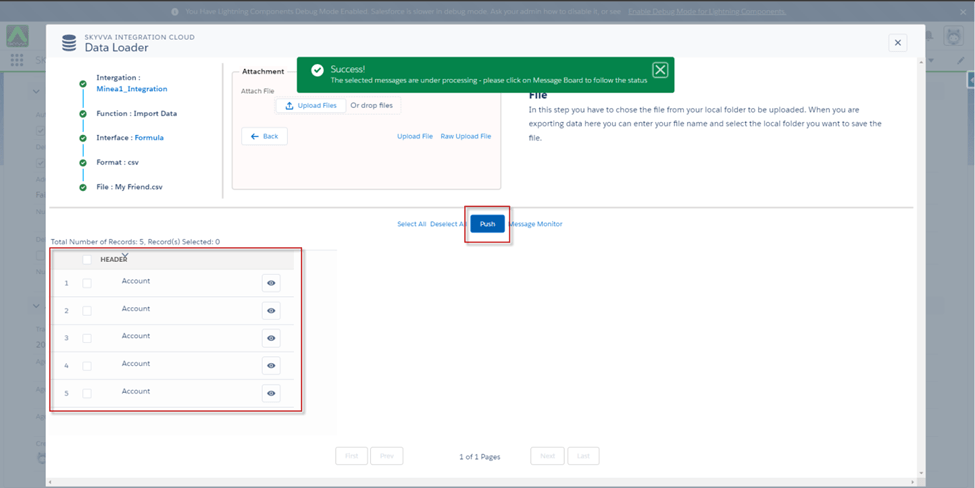
- Go to check the record on Message Monitoring
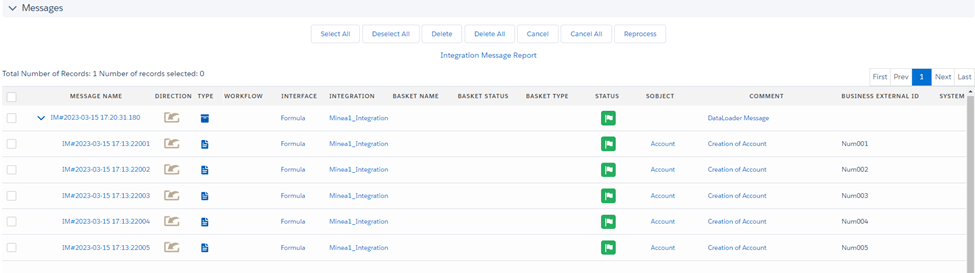
[su_box title="Result:" box_color="#2a8af0" title_color="#000000"]Users will be able to map the Salesforce formula field as an external ID, enabling delete/upsert/insert/update operations based on the external ID generated by the Salesforce formula field. This functionality is specific to V3/V4 inbound processing within the SKYVVA integration application.[/su_box]