4. Backup and Restore of Metadata Provider
In this unit, we will see how we can backup and restore Metadata Provider. So in the case of metadata providers, we have two options one is restore and backup, and another one is using the Transport route.
- Backup and Restore:
Backup: This is the process of creating your metadata provider's current state. It typically includes configuration settings, plug-and-play, including other relevant information.
- Restore: This is the process of recovering the metadata provider to a previous state using a previously created backup. It helps in case of data loss.
- Transport Route in SKYVVA Integration Application:
Transport Route: In the context of the SKYVVA integration application, a transport route is a predefined path or method for moving metadata configurations, integrations, or other related components from one environment to another in just one click. This is useful for deploying changes or configurations across development, testing, and production environments.
Backup and Restore of Metadata Provider:
Here we will back up metadata and then restore that backup file. The advantage of having this option is that we will have a backup file that we can use anytime we want. Backup Metadata Provider:
- Select Metadata Provider and then click on Export as shown below.
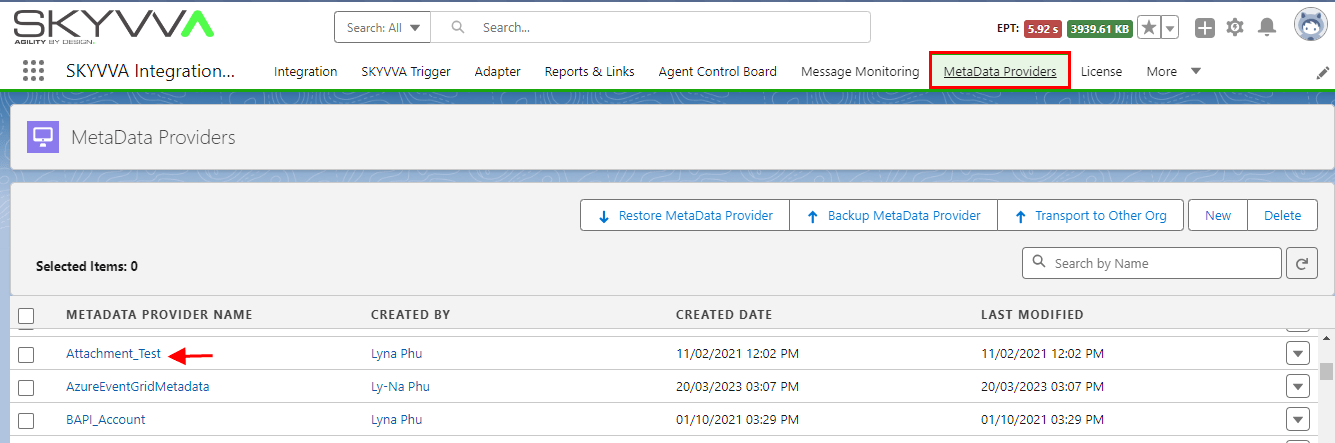
- The backup file is downloaded.

Restore Metadata Provider:
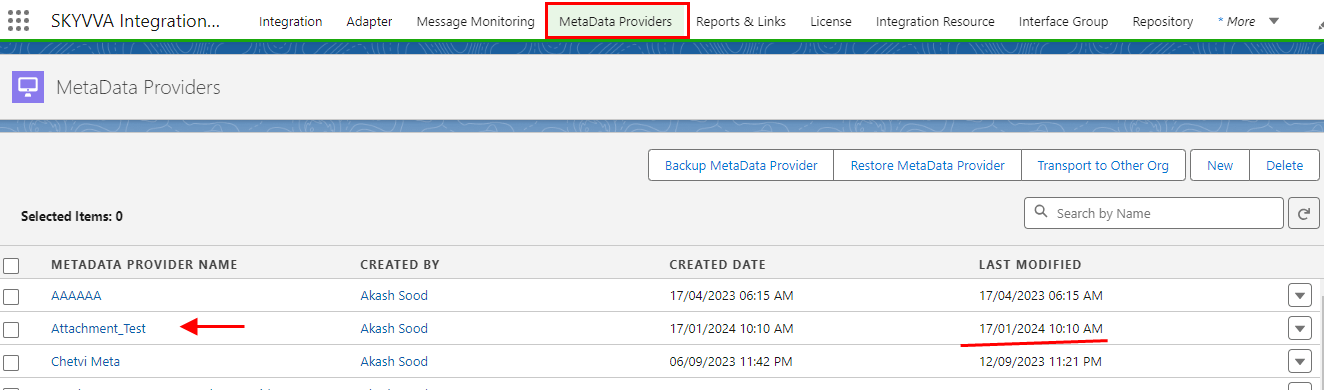
- Click on Restore MetaData Provider

- Click on Upload file, select the file, and then click on "ok".

- Check the Restore Metadata Provider.
Transport Metadata Provider to other org directly using Transport Route:
In this option, we can send one or more than one metadata provider directly to another org without downloading the file. Steps to be followed to achieve Backup-Restore functionality(Backup to other org)
Case 1 Transport Metadata Provider with all its child objects e.g. repository, message type. etc.
Step 1: Create a Remote Site Setting in the source Organization.
- Go to Setup
- Enter remote site settings in the quick-find box
- There are 2 remote site settings to create.
Login Url: https://login.salesforce.com (Production) or https://test.salesforce.com (sandbox)
- Target Org Url: https://ap5.salesforce.com (sample)
- Remote site settings for Login Url. Check the picture given below.
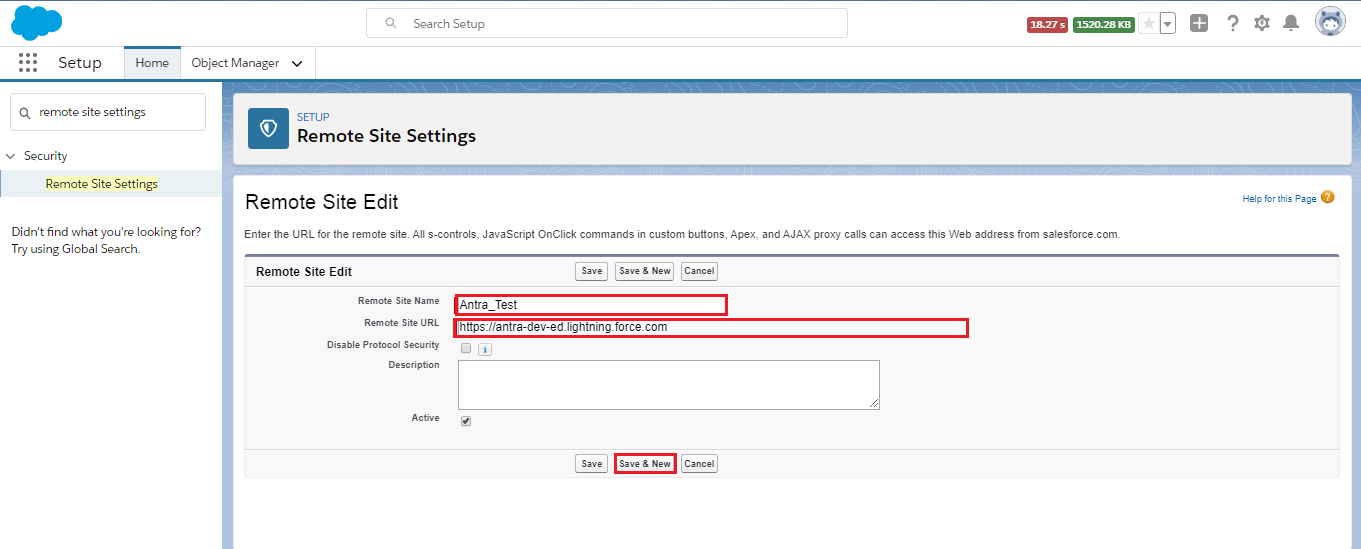
- Remote site settings for Target Org Url. Check the picture given below.

- Hence both the remote site settings are created.
Step 2: Create a Connected App in Source Organization
- Go to Setup
- Enter App Manager in the quick find box
- Click on New Connected Apps
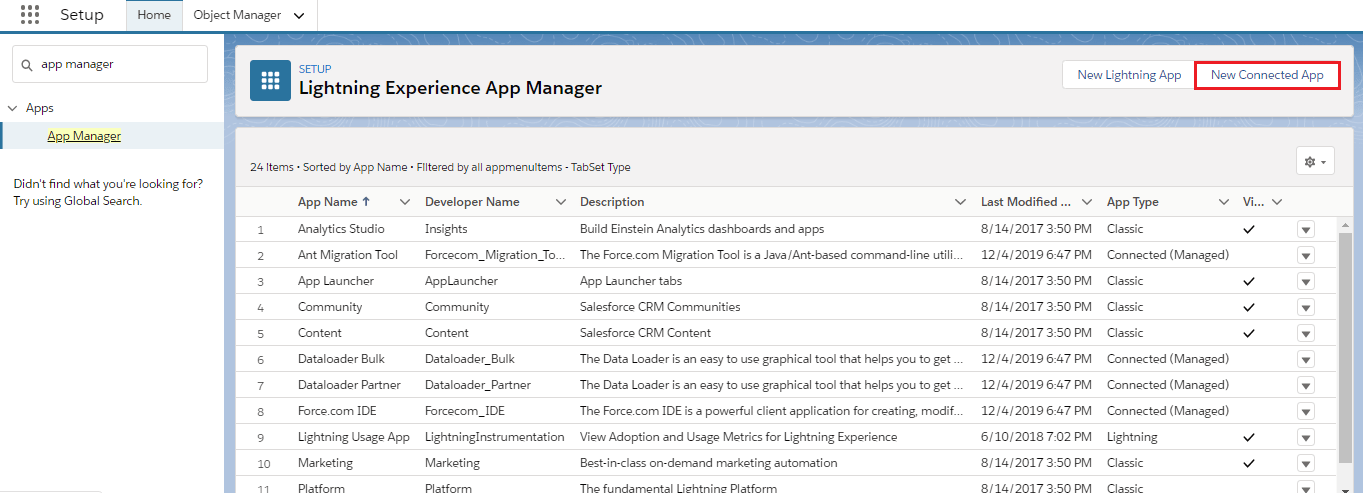
- Please, add Full Access to Selected Oath Scopes.


- In the connected app, you will get the Consumer Key And Consumer Secret. And use these values to create a Transport Route.
Step 3: Create a Transport Route
- Click on the SKYVVA Integration app
- Open Transport Route
- Click on New
- Fill all the fields
- Check the details page as shown below.
- Username, password, and security token we will enter of target org. Check the picture given below.

Step4: Transport Route
- Open the Metadata provider detail page.
- Select the Metadata Provider that we want to Backup.
- Click Transport To Other Org.

- Select Transport Route and then click on Transport.

- Check the other org has restored the metadata provider.
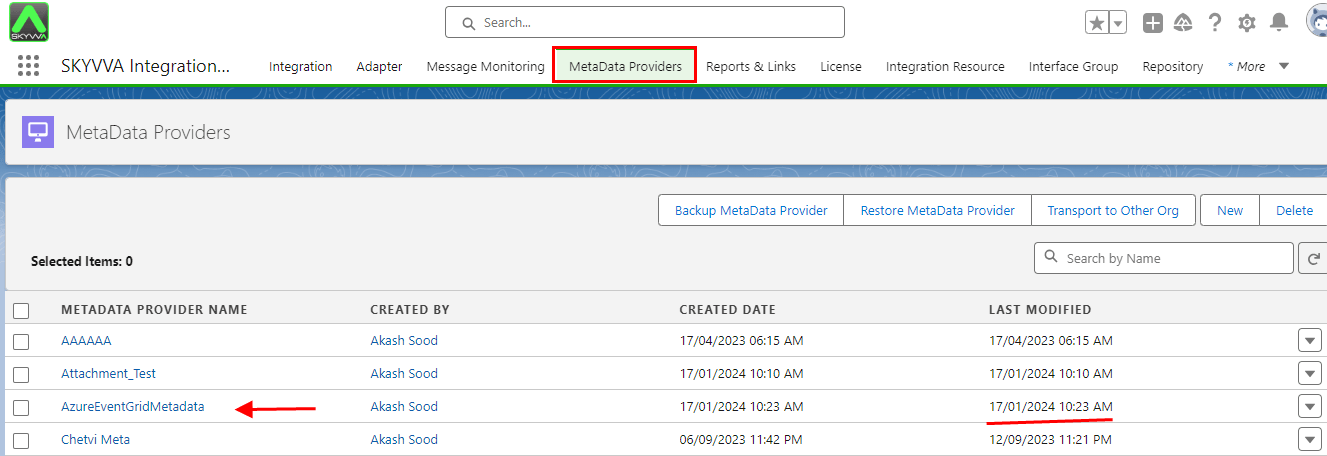
Case 2 Transport MetaData provider contains many repositories and message types.
Users can deploy or retrieve up to 10,000 files at once. SKYVVA packages use lights, They can contain up to 35,000 files. The maximum size of the deployed or retrieved .zip file is 39 MB. If the files are uncompressed in an unzipped folder, the size limit is 400 MB. – Metadata Limits
- The metadata provider contains many repositories and message types. Then user cannot transport it in one shut.
- The user will hit the governor limit. Therefore we have also the feature in the metadata provider to split the transport e.g. per repository or message type. etc.
[su_box title="Note" box_color="#2a8af0" title_color="#000000"]
- SKYVVA has also a feature that allows users to export metadata provider split to the transport e.g. per repository or message types. etc.
- Users don't need to do the full import again. The individual object for example the mapping of the interface or only the new interfaces, not the whole integration should be transported. [/su_box]
A metadata/repository/messagetype contains about a category, such as an Account object, or a custom form. From a metadata/repository/messagetype detail page, you can view and access the following information:
- Property information about the metadata/repository/messagetype (such as name, labels, description)
- Field groups, with their field definitions, that are included in the metadata/repository/messagetype
- Allowed parent and child relationships (associations) to metadata/repository/messagetype
- Filters that are used to narrow the scope of data for the metadata/repository/messagetype
- Dependent fields and pick lists that have been defined for the metadata/repository/messagetype
- The metadata/repository/messagetype is identified in the application by the transport route. Each shut type includes field groups and associations to metadata/repository/messagetype.
Repositories
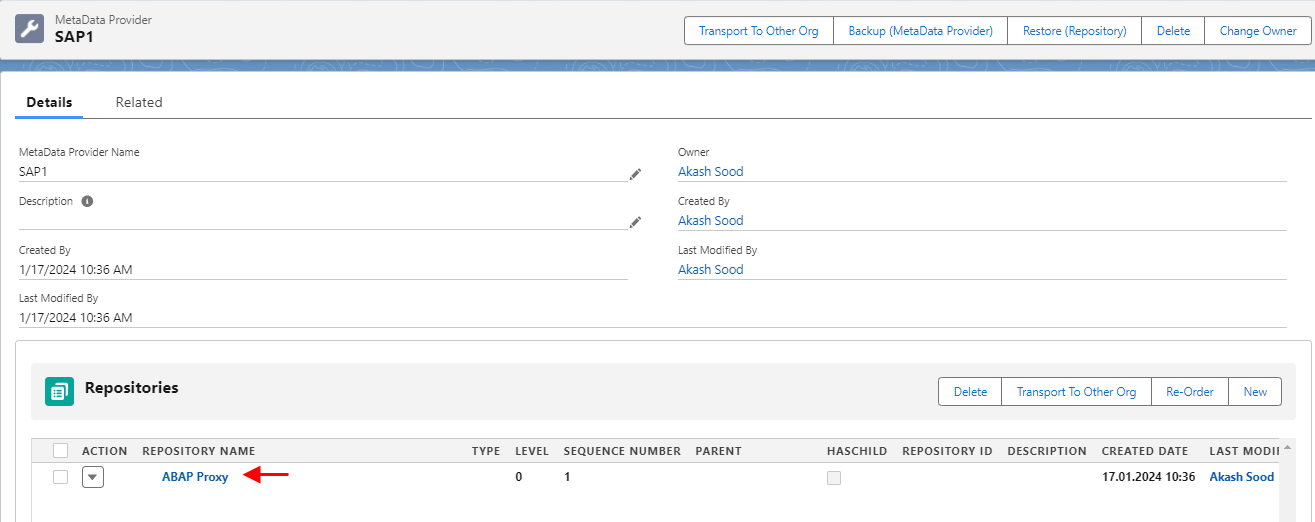
- Open the MetaData Provider detail page.
- Select the Repositories which we want to transport.
- Click Transport To Other Org.
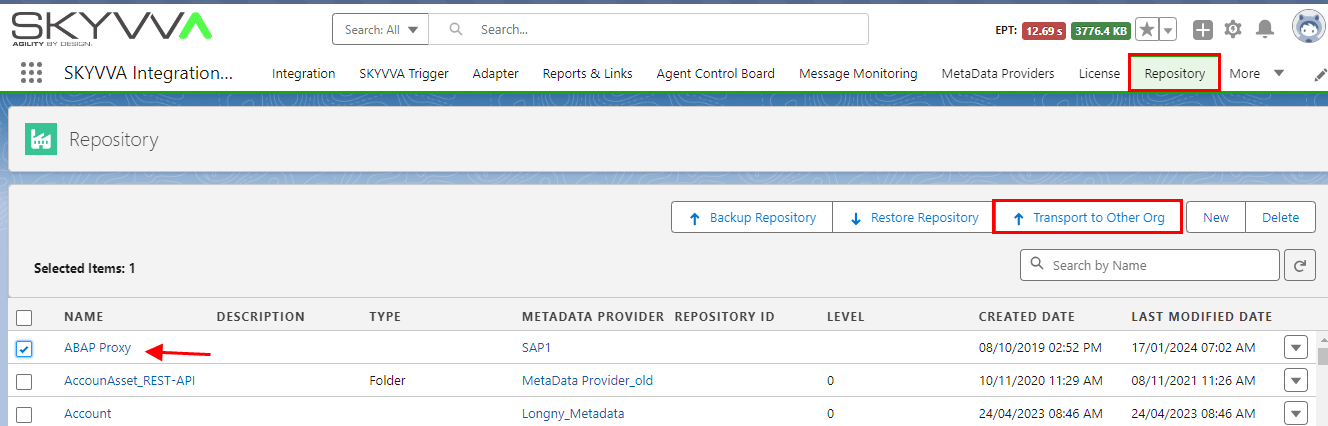
- Select Transport Route and then click Transport

- Check the Other org Restore Repositories
- Restore successfully
Message Type
- Open the Repository detail page.
- Scroll down to Message type and select which we want to Backup.
- Click Transport To Other Org.

- Select Transport Route and the click Transport

- Check the Other org having imported Message type

- Imported successfully
- From the detail page of a MetaData/Repository/Message Types, the user can use Transport Route, such as which field groups should be included, associate parent and/or child object types, manage filters, dependent fields, and so forth in a single shut.
- An association between a parent or child object type is needed, the user can use Transport Route to the relationship between these object types in one shut.
- If the number of associations that you add exceeds the maximum, the result is a long-running process. The default is 250. This information applies only to child associations, not parent associations.
- The relationship type between object types in the object model can be either Association (parent-child) or Reference (non-parent-child).