2. Backup/Restore every SKYVVA object
- The requirement is to Backup and Restore every SKYVVA object that you need to transport from one instance to another instance. It means that you can restore only the Adapter, Workflow, or Interface (For example: You go to the tab Adapters and choose one or more, then press the Restore Adapter button).
- Now when the user restores Integration we backup also Interfaces, adapters, and workflow that were included in this Integration.
[su_table responsive="yes"]
Backup Process:
Restore Process:
- Identify Dependencies:
Before starting the backup process, identify the dependencies between Adapters, Workflows, and Interfaces. Understand the relationships between them to ensure a complete backup.
- Backup Adapters:
Allow users to select one Adapter to backup. Capture all relevant configuration settings and metadata associated with the selected Adapters.
- Backup Workflows:
For each selected Adapter, backup the associated Workflows. Include information about the sequence, logic, and settings.
- Backup Interfaces:
For each selected Workflow, backup the corresponding Interfaces. Capture information about the data mappings, settings, and other relevant details.
- Backup Data:
Store the backup data in a structured format. This could be in a file or a database, depending on our SKYVVA integration application's architecture.
- Select Integration:
Allow users to select a previously backed-up Integration to restore.
- Restore Interfaces:
Based on the selected Integration, restore the Interfaces along with their associated configurations, mappings, settings, and transformations.
- Restore Workflows:
For each restored Interface, restore the associated Workflow with its sequence and logic.
- Restore Adapters:
For each restored Workflow, restore the associated Adapter with its configuration settings and metadata.
- Update Dependencies:
Ensure that dependencies between Adapters, Workflows, and Interfaces are updated correctly during the restore process.
- Validation:
After the restore process, perform validation checks to ensure that the restored Integration functions correctly. This may include running tests or validations to confirm the integrity of the restored configuration.
[/su_table]
- There are 4 Steps to be followed to achieve Backup-Restore functionality.
For example: Step 1: Create a Remote Site Setting in the source Organisation. (SendersOrg) OrgA.
- Go to Setup
- Enter remote site settings in the quick-find box
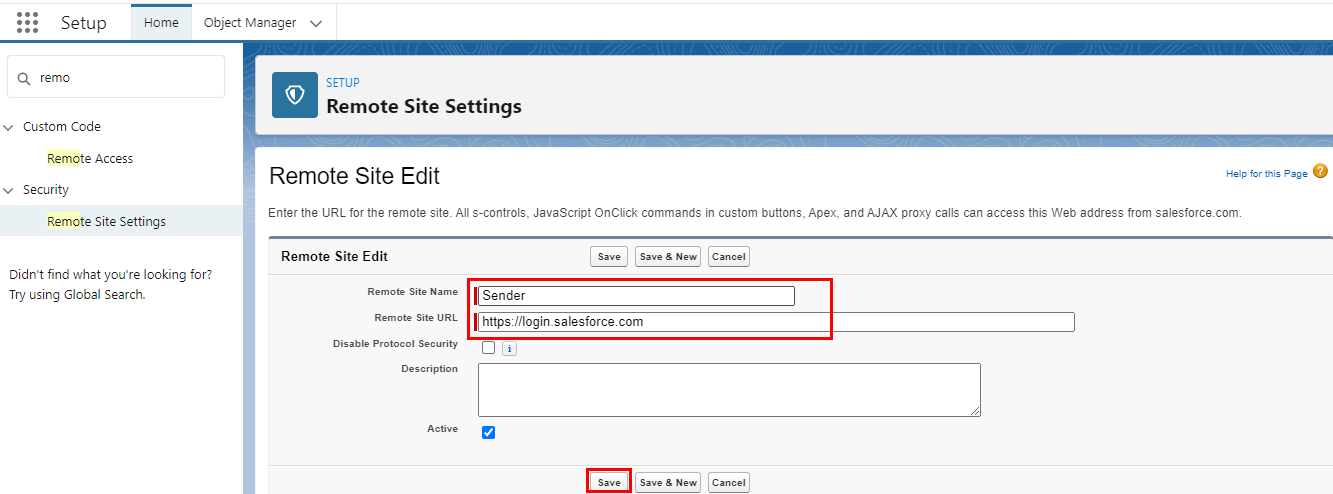
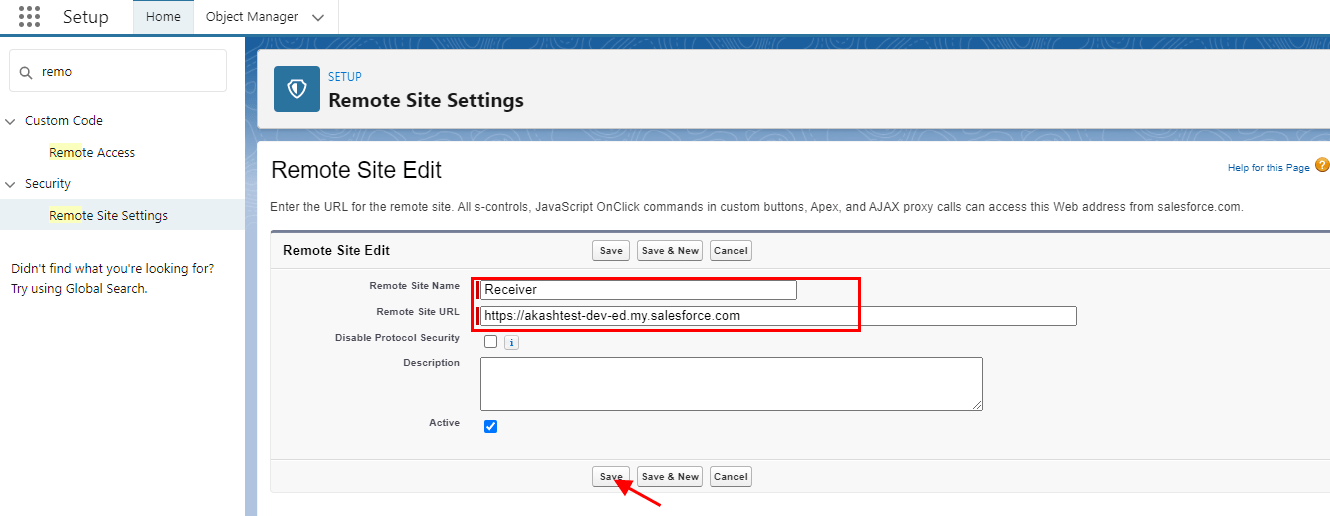
- There are 2 remote site settings to create.
Login Url: https://login.salesforce.com (Production) or https://test.salesforce.com (sandbox)
- Target Org Url: https://ap5.salesforce.com (sample) (Classic URL) https://akashtest-dev-ed.my.salesforce.com
- Remote site settings for Login Url. Check the picture given below.
- Remote site settings for Target Org Url(Classic URL)/ Lightning URL. Check the picture given below.
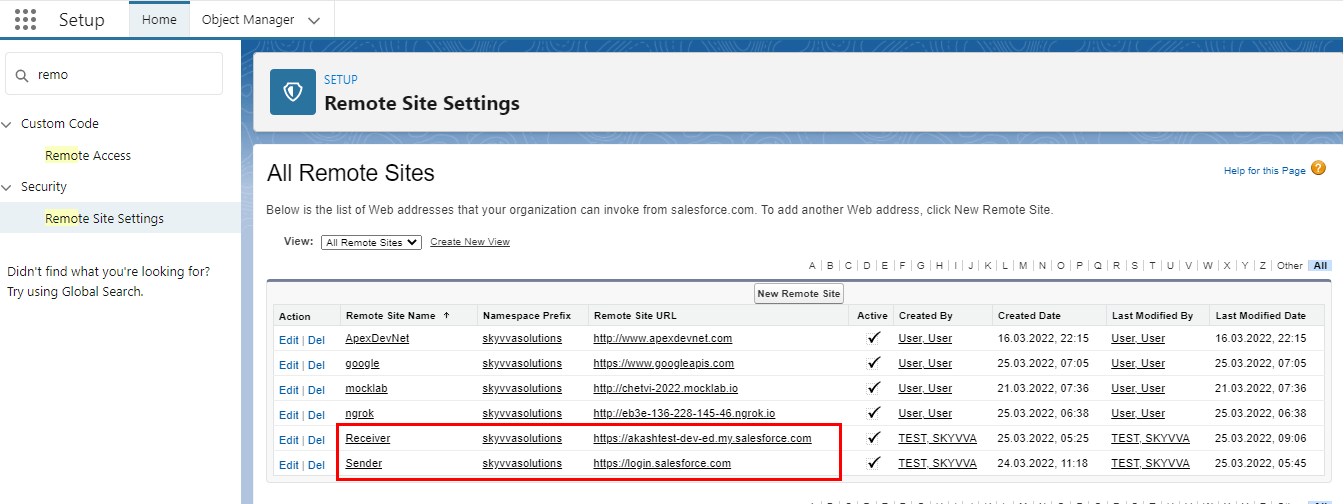
- Hence both the remote site settings are created.
Step 2: Create a Connected App in Source Organization(Receivers org) OrgB
- Go to Setup
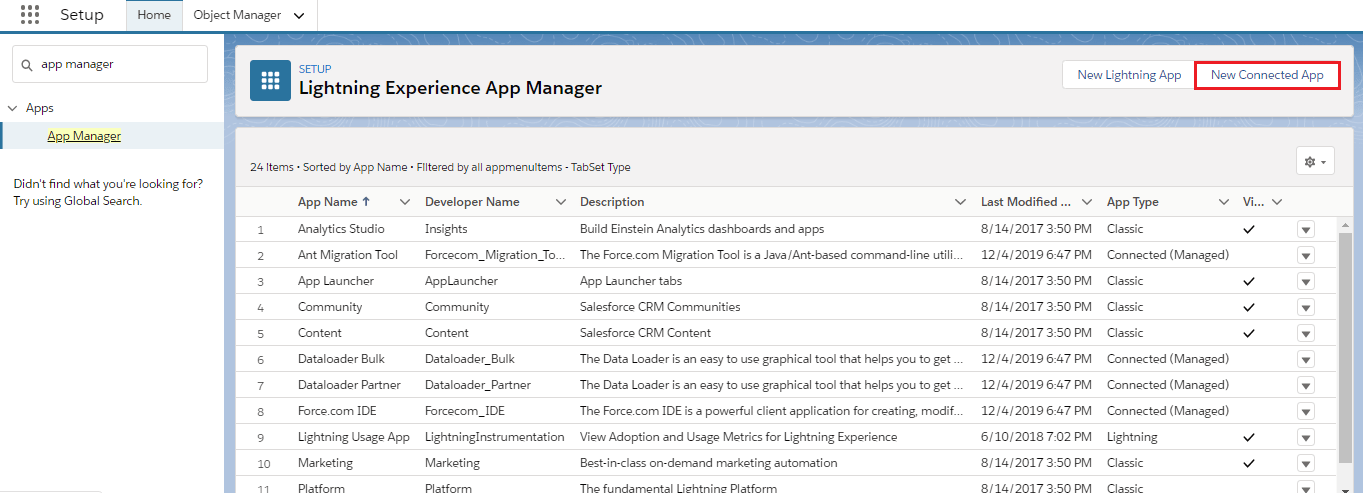
- Enter App Manager in the quick find box
- Click on New Connected Apps
- Please, add Full Access to Selected Oath Scopes.
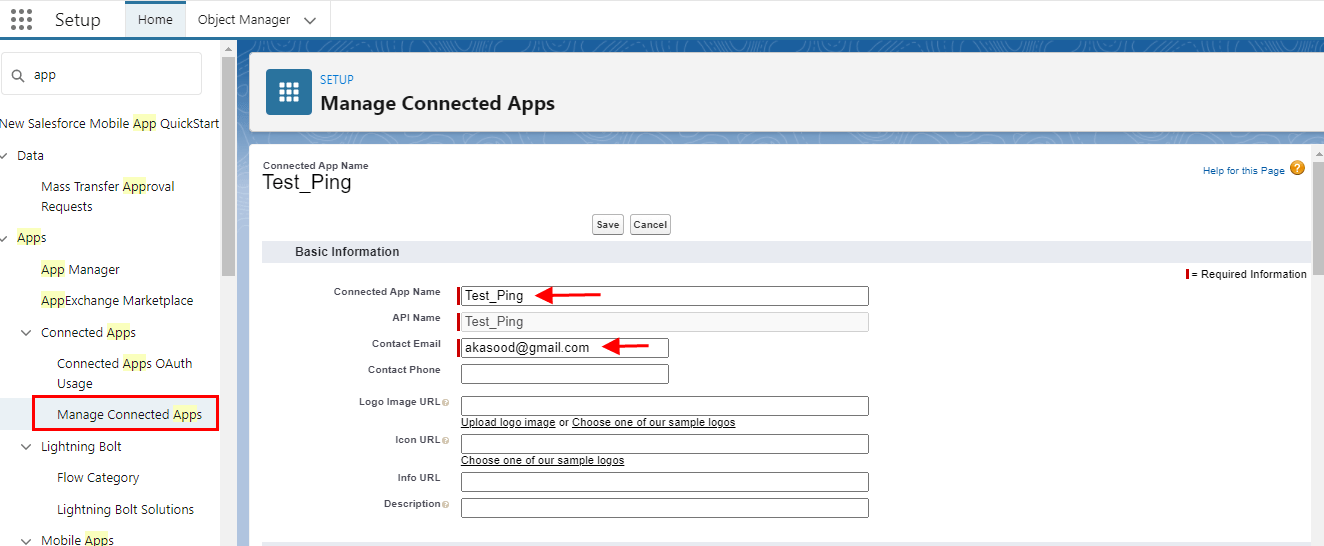
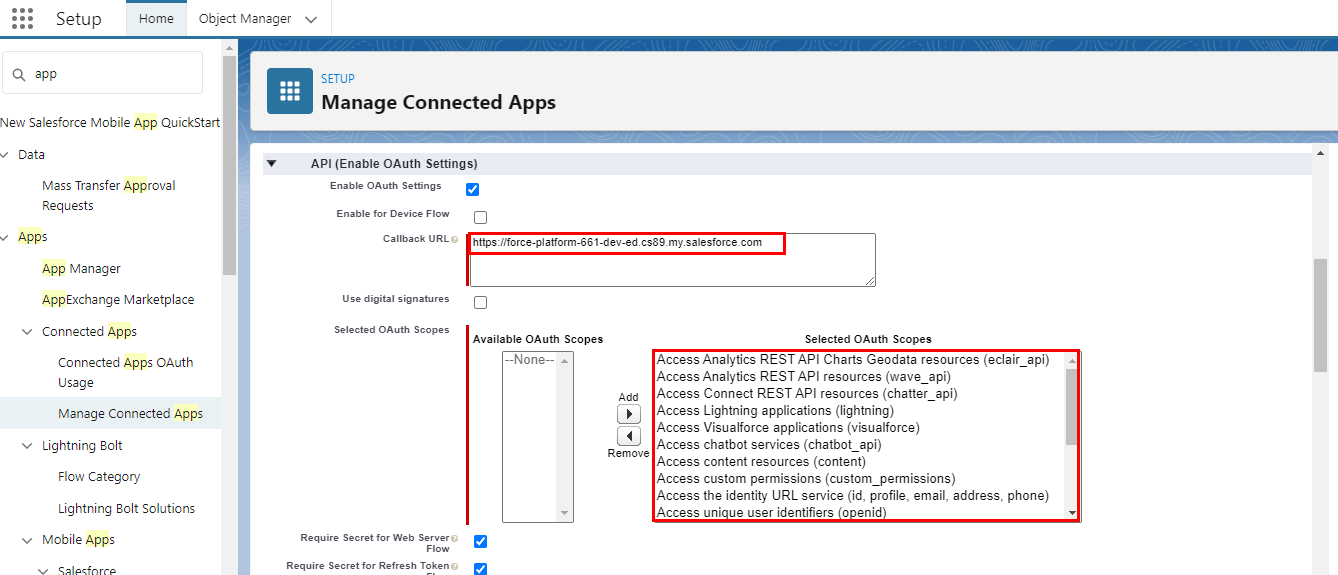
- In the connected app, you will get the Consumer Key And Consumer Secret. And use these values to create a Transport Routes.
Step 3: Create a Transport Routes(Senders org)
- Click on the Integration Cloud Tab
- Open Transport Route
- Click on New
- Fill all the fields
- Enter Consumer Key and Consumer Secret of Target org.
- Check the details page as shown below.
- Username, password, and security token we will enter of target org. Check the picture given below.
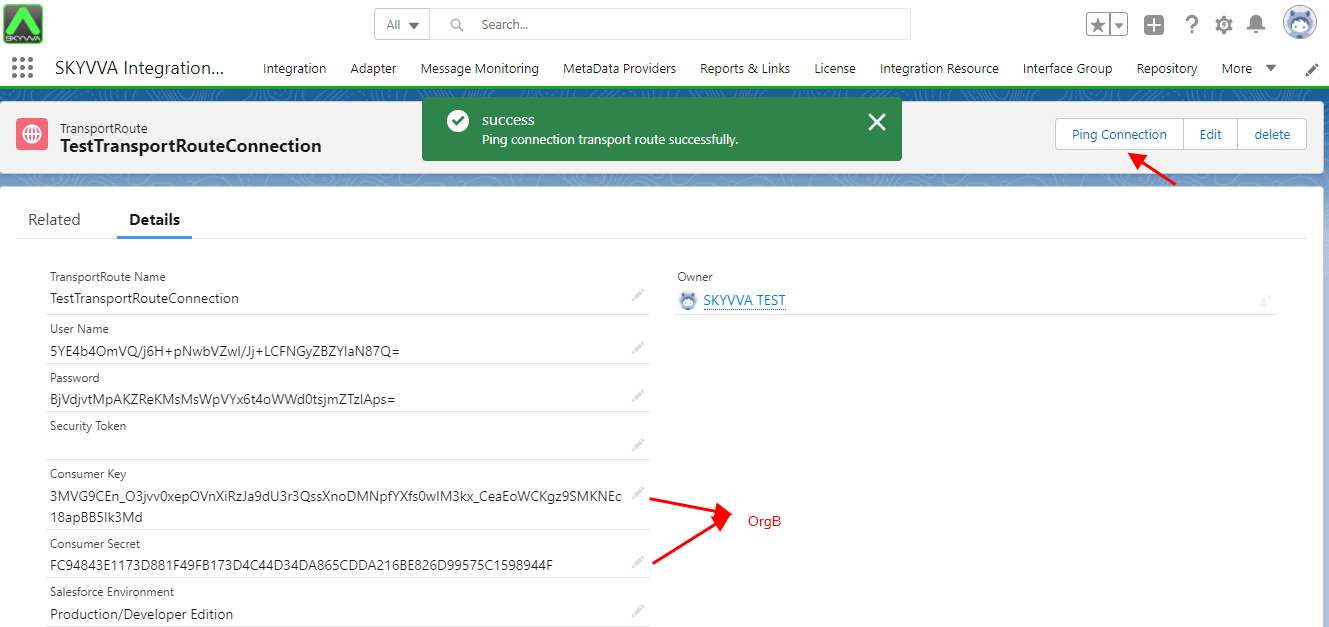
Step4: Transport Route
- Go to the SKYVVA integration app
- Click on Integration
- Select the Integration that we want to Restore
- Click Export Integration To Other Org.
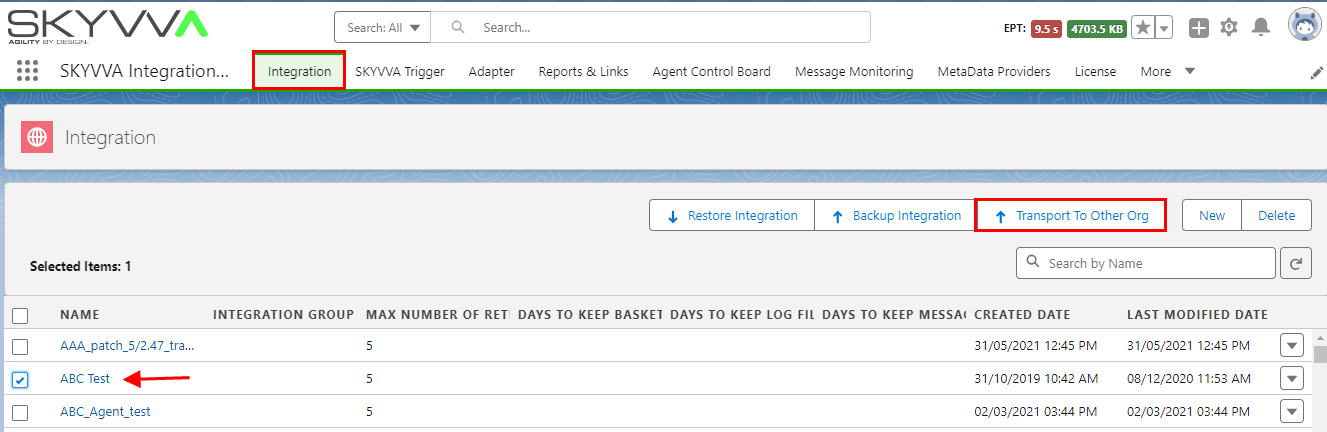
- Choose Transport Route and Click Transport.
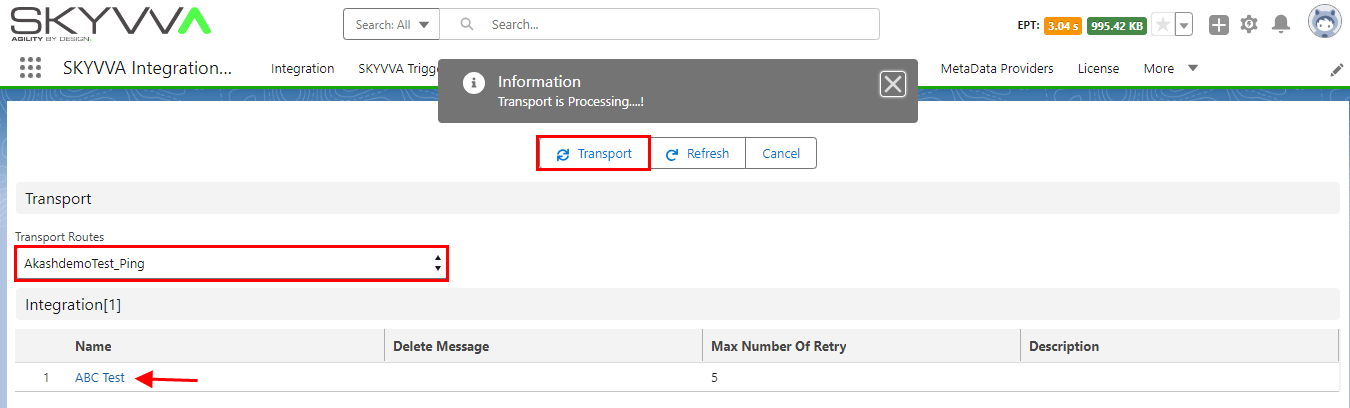
[su_box title="Note" box_color="#2a8af0" title_color="#000000"]If you do not see the Transport To Other Org button, you need to edit the layout on SKYVVA__Integration__c SObject. For Restore other SKYVVA sObjects like IStructure, IMapping, IChained, IWorkFlow, IForeign Key, etc. You need to edit the layout on SKYVVA__Interface__c Sobject to add the button Transport To Other Org into the related List. All SObjects that you Restore will be overridden on Target Org.[/su_box]
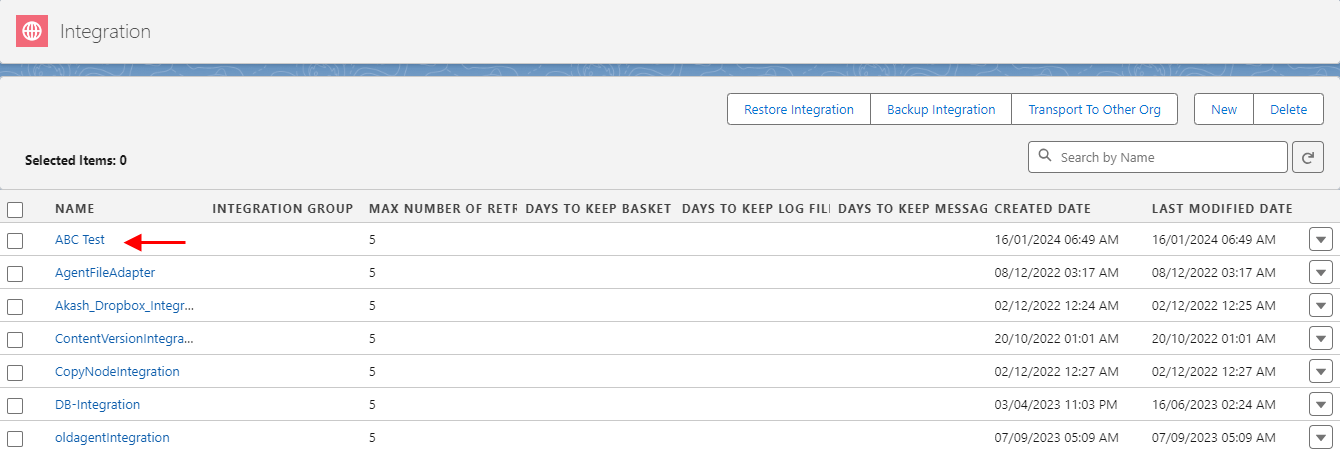
- In the Target Organization, there is the same Integration.
Advantage:
The advantage of using the Transport routes is that restore can send more than one integration at a time. And most importantly we can directly restore it to the other org.