3. CP Query Editor
With Query Editor, you can navigate, define, and perform data transform operations over a data source. To display the Query Editor dialog box, connect to a data source, and click Edit Query in the Navigator pane or double-click a query in the Workbook Queries pane.
CP Query Editor
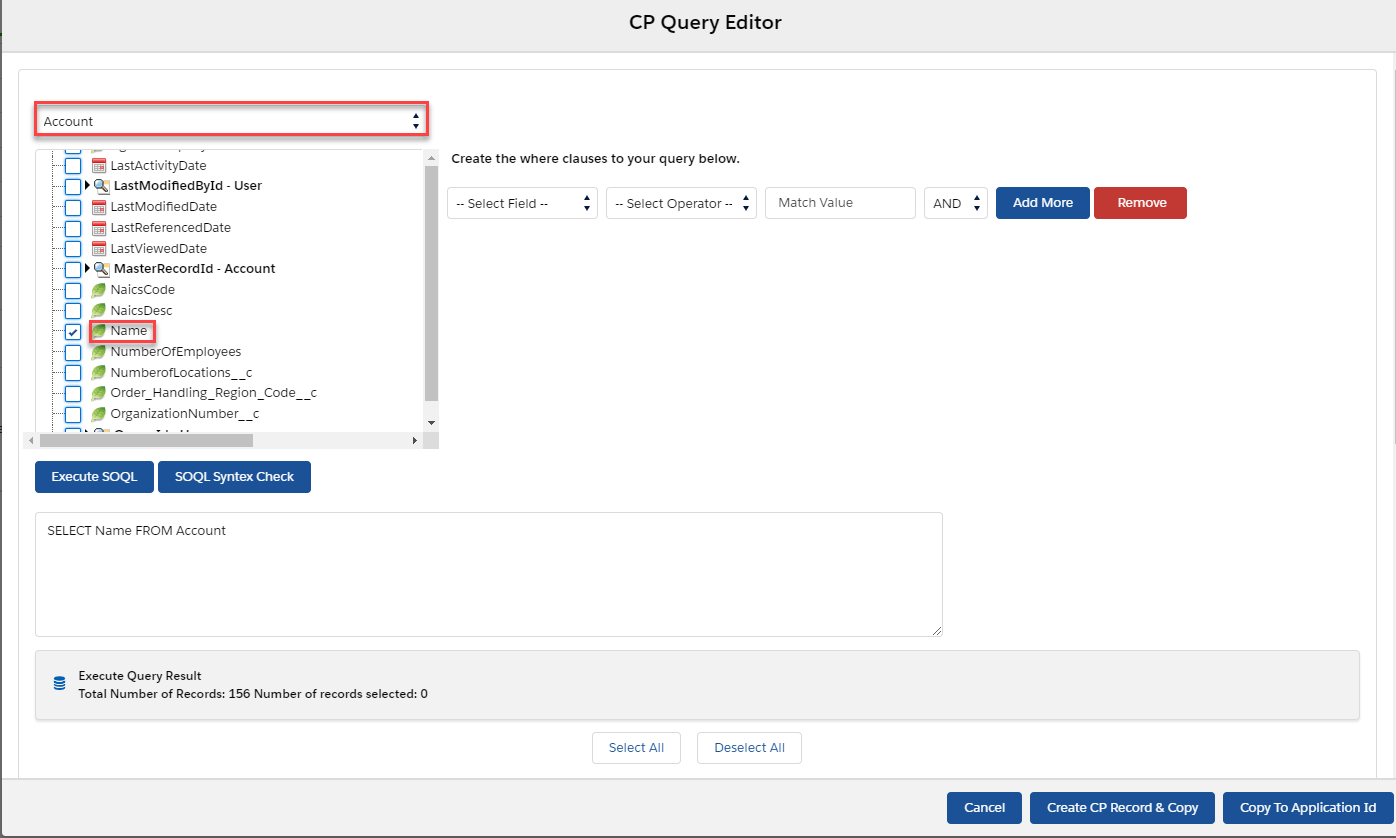
CP Query Editor is a button on CDC Control Board and when you click on it you will be able to build a query using query editor. For a simple query (all references in a single table), use the Simple Query pane on the left and check the Items to be included in your query. As you do so, they will be added to the Query string in the right pane. Using the Filter text entry box, the Select All, and Remove buttons can help you quickly specify each field. and there are also two options for you to choose (1) "Create CP Record & Copy" and (2) " Copy to Application ID".
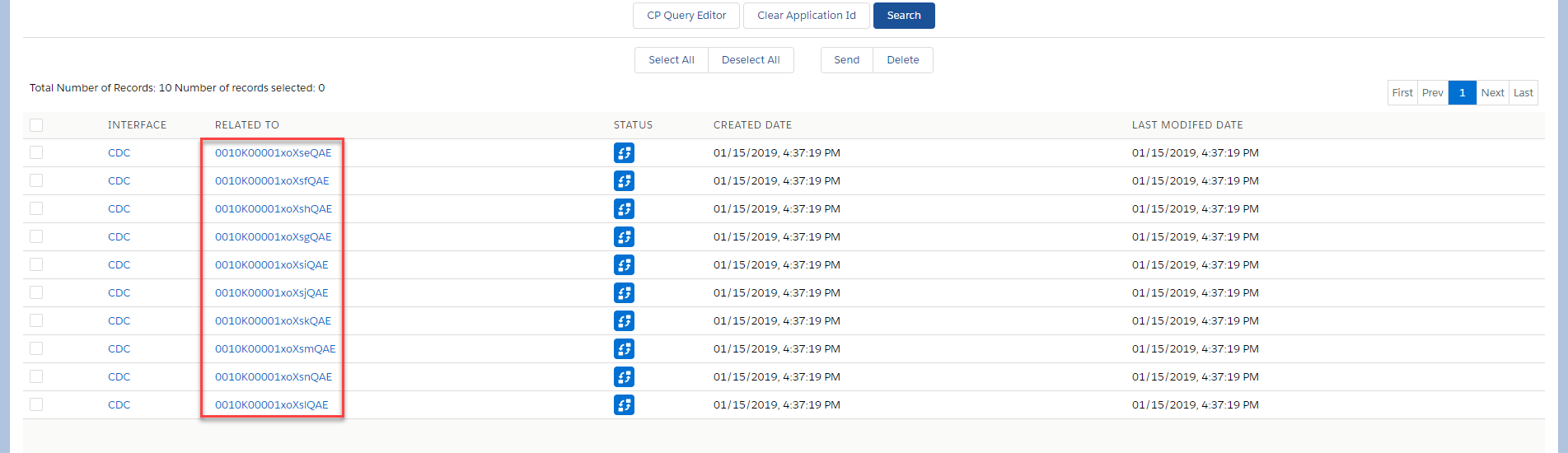
- Create CP Record & Copy: If you click on this button then CP records will be created and Ids will copy to the "Application ID" text area on the CDC Control Board screen.
- Copy to the Application ID: If this button is clicked then the records Ids will be only copied to the "Application ID" text area on the CDC Control Board screen.
Why use this feature?
You can use this feature to:
- Create a CP records and store them in the CP table
- Select the records, mark them and send them out directly
- Enter the SOQL statement to detect the change records
- Search for business records and send them out
- Save or Canel the operation
Create Change Pointer using CP Query Editor
To configure this function involve s some steps below:
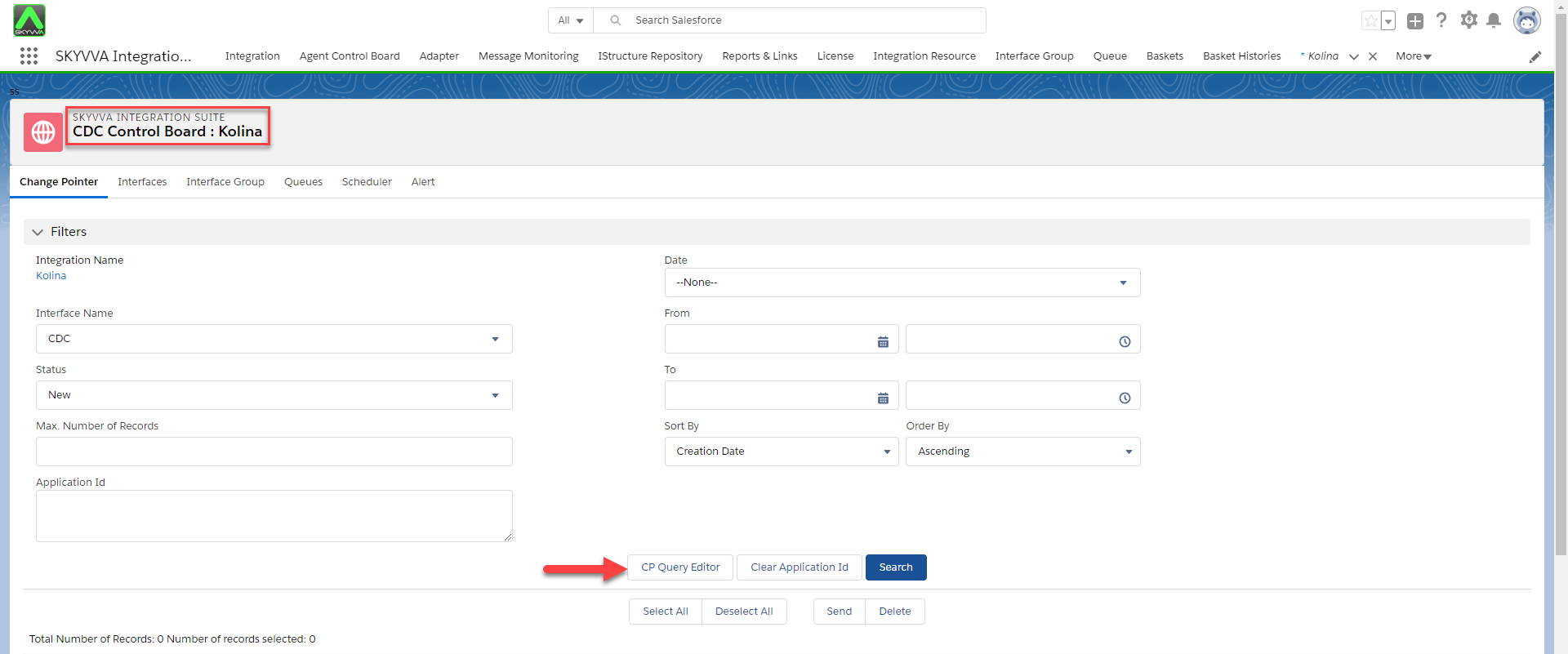
- Log in to Salesforce and click on the "Integration " tab and open any existing integration record
- Select CDC Control Board link on Custom Link section
- On Change Pointer Tab, select "CP Query Editor " button
- Build a SOQL query using the editor then select "Create CP Record & Copy"
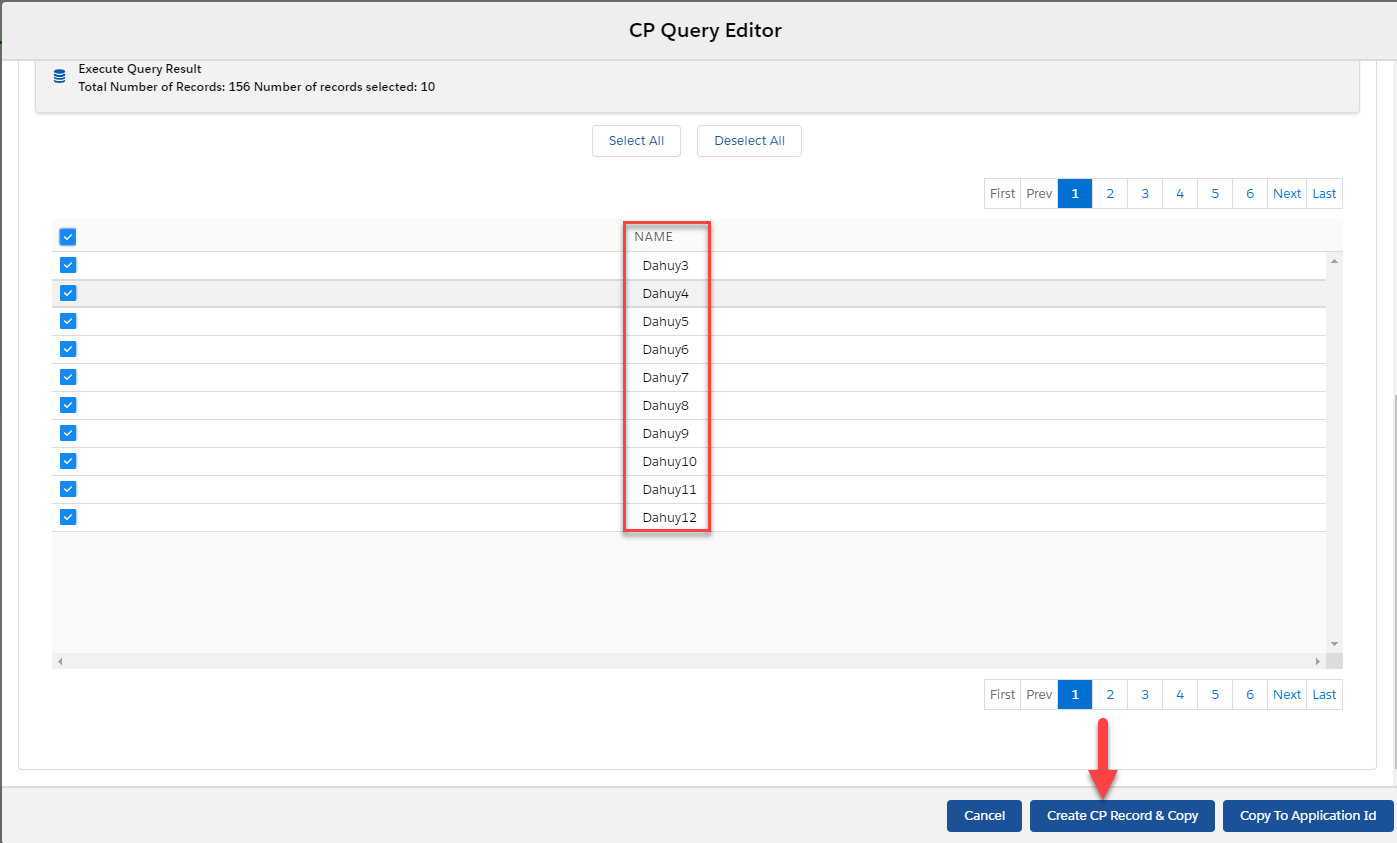
- Check the records from the result table