How do user use cases to get the error no message?
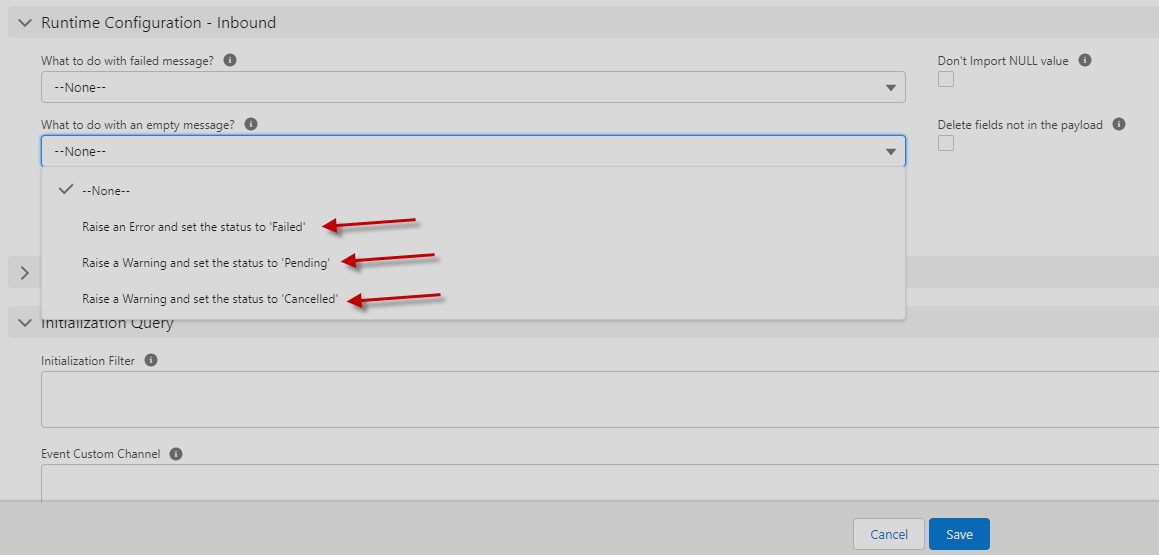
To understand this function, user, need to keep follow the field on the interface; therefore, this function will be available only in version 2.51. The field is a picklist field and contains the following values:
- Raise an Error and set the status to 'Failed'
- Raise a Warning and set the status to 'Pending'
- Raise a Warning and set the status to 'Cancelled'
Name: skyvvasolutions__empty_message_handling__c Label: What to do with an empty message? Type: picklist
Description: This flag indicates how to handle an empty message.
Help: Set this flag to handle the behavior if the message is empty. If nothing is set, the default is setting the status of the empty message to 'Failed'.
This flag can be set on the root and also on the child interface.
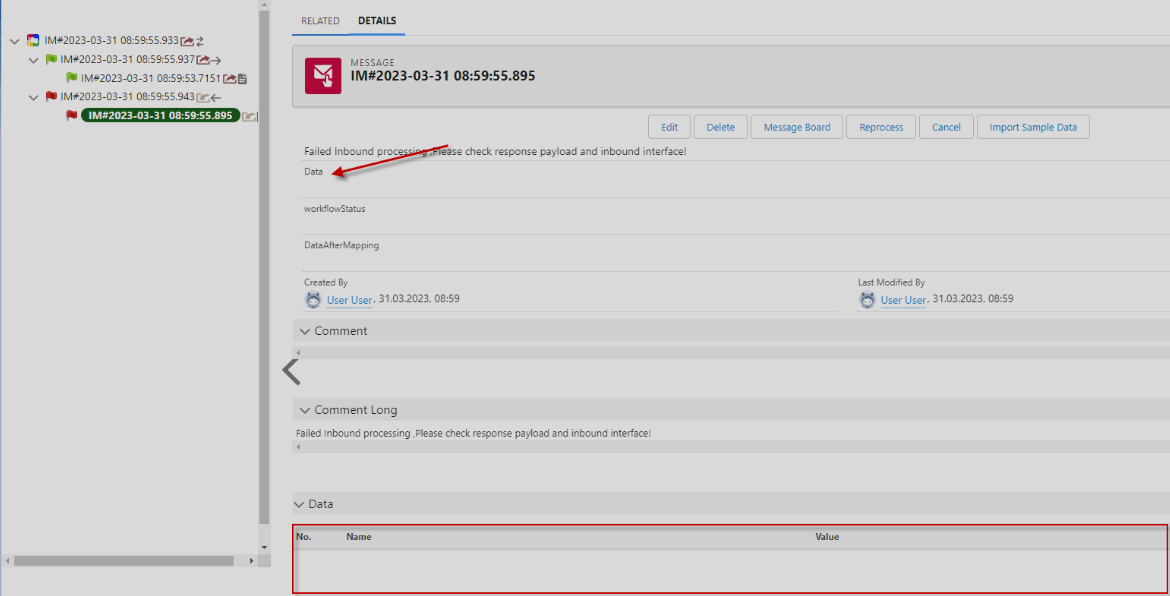
The empty message means that the message has no data__c
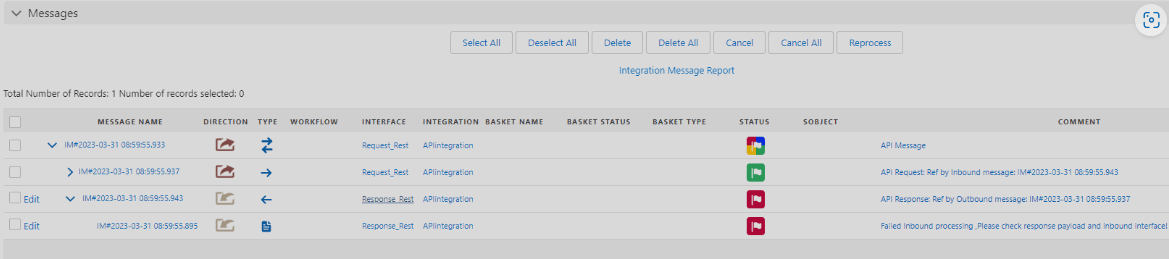
Here is an example on the screenshot:
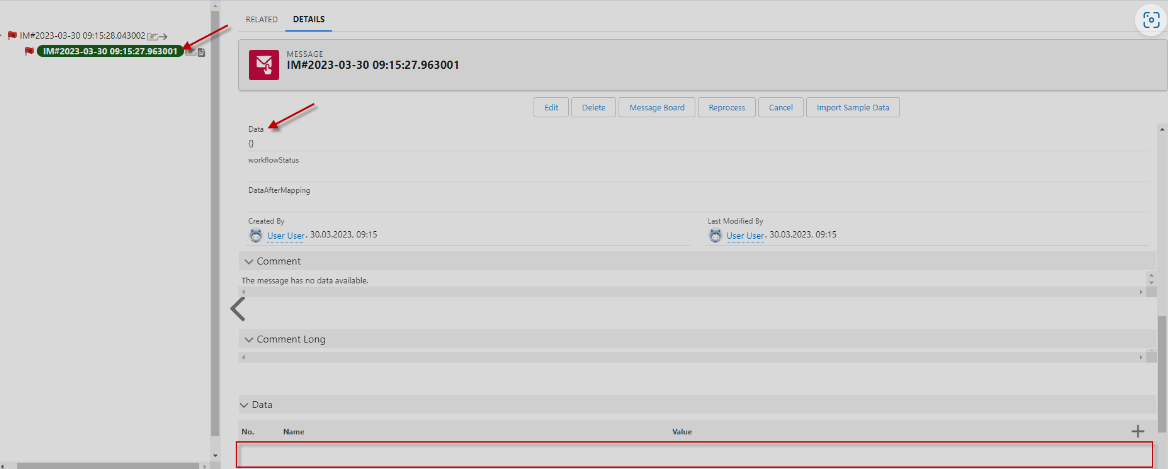
- How do user use cases to get the error no message?
- The error occurs when the payload does not match the mapping message type on the interface.
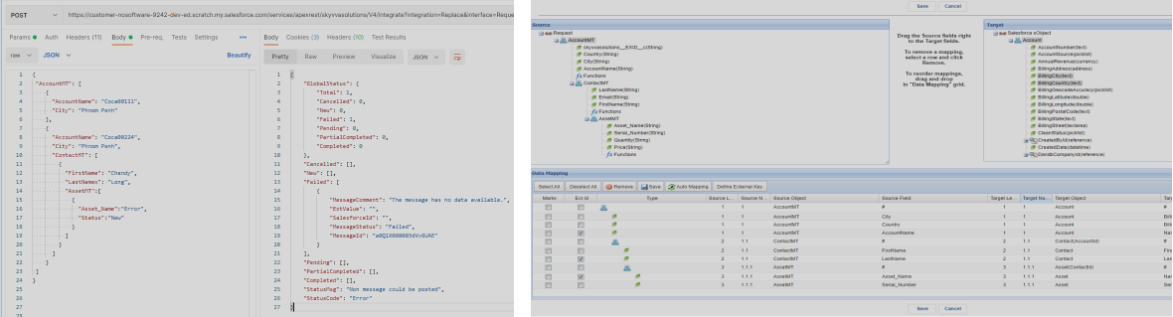
- This is the result after sending data from Postman to Salesforce and we get the failed message that has no data.

- Where to set empty data in messages to status Failed, Pending and Cancelled
- Go interface detail and then choose any picklist in What to do with an empty message? field
[su_box title="Note" box_color="#2a8af0" title_color="#000000"]The picklist None and Raise an Error and set the status to 'Failed' (detail) they the same.[/su_box]
- Here is the use case send data from Postman to Salesforce and raise a warning and set the status message to Pending.

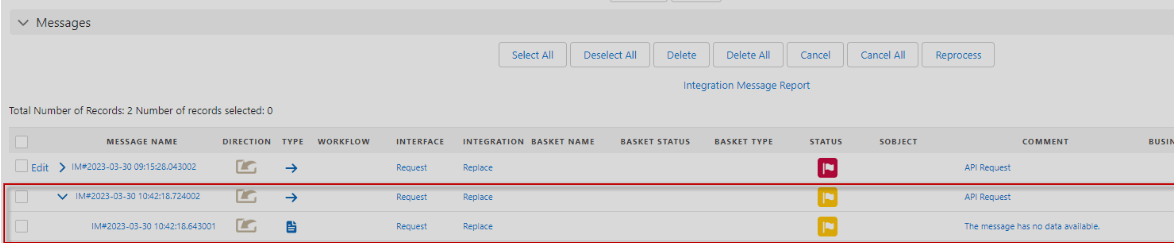
- Here is the use case send data from Postman to Salesforce and raise a warning and set the status message to Cancelled.

Use case user call Request and Response message via adapter service like REST and SOAP
- What to do with an empty message? field is not working.
- Here is an example Response failed message and the message has no data_c
- Execution of the response message should be to change the status failed to Pending or Cancelled based on choose picklist in What to do with an empty message? field.
- Call Mode = Asynchronous
- What to do with an empty message? = Pending

Summary : This flag indicates how to handle an empty message. Raise an Error and set the status to 'Failed' Raise a Warning and set the status to 'Pending' Raise a Warning and set the status to 'Cancelled'