How to call Stored Procedure With ORACLE Database Via invokeCalloutV3?
Introduction
A stored procedure is a set of SQL statements with an assigned name, which are stored in an RDBMS as a group, so it can be reused and shared by multiple programs. Stored procedures can access or modify data in a database, but it is not tied to a specific database or object, which offers a number of advantages. In this tutorial, we use the ORACLE database as an example. In here, when we call the Stored Procedure to the Database to do any database operation, we have expected it will respond back the result to the Salesforce. In this case, we need to have the INPUT and OUTPUT parameters in the Stored Procedure and create a Request and Response Interface corresponding to those parameter types. The ORACLE database located on EC2 instance and the Stored Procedure was written to Insert new data if no record present on the Database and update data if the record exists. Pre-required
- Create Integration and test connection on the new Agent Control Board
- Create outbound and inbound Database Adapter
- Create Metadata Provider, Repository and generate Message Type from the Database
- Create outbound Interface(Request) and inbound Interface (Response) and attach Adapter to each Interface
- Linking response Interface to Request Interface
- Checking Cache status
- Callout V3
Step-1: Create Integration and test connection destination For creating new Integration by followed this guide #article/what-is-an-integration-and-how-to-create-it
- After Integration created and then navigate to AGENT Control Board
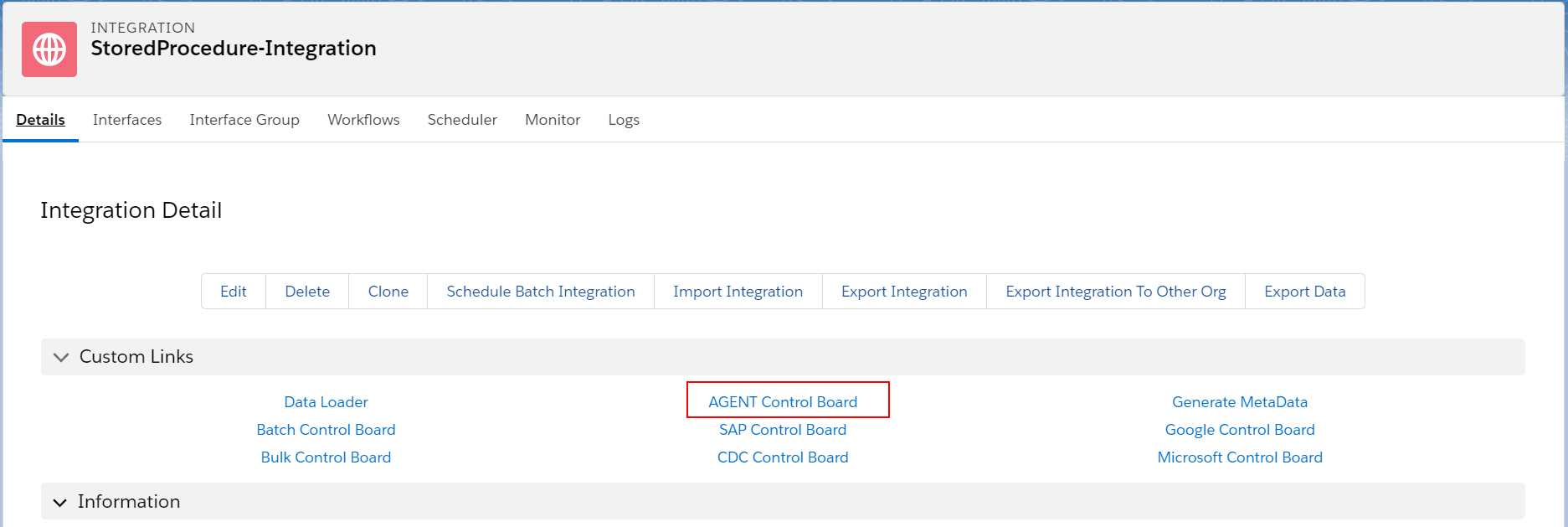
- Ping connection to Agent on control board to make sure Agent is online.
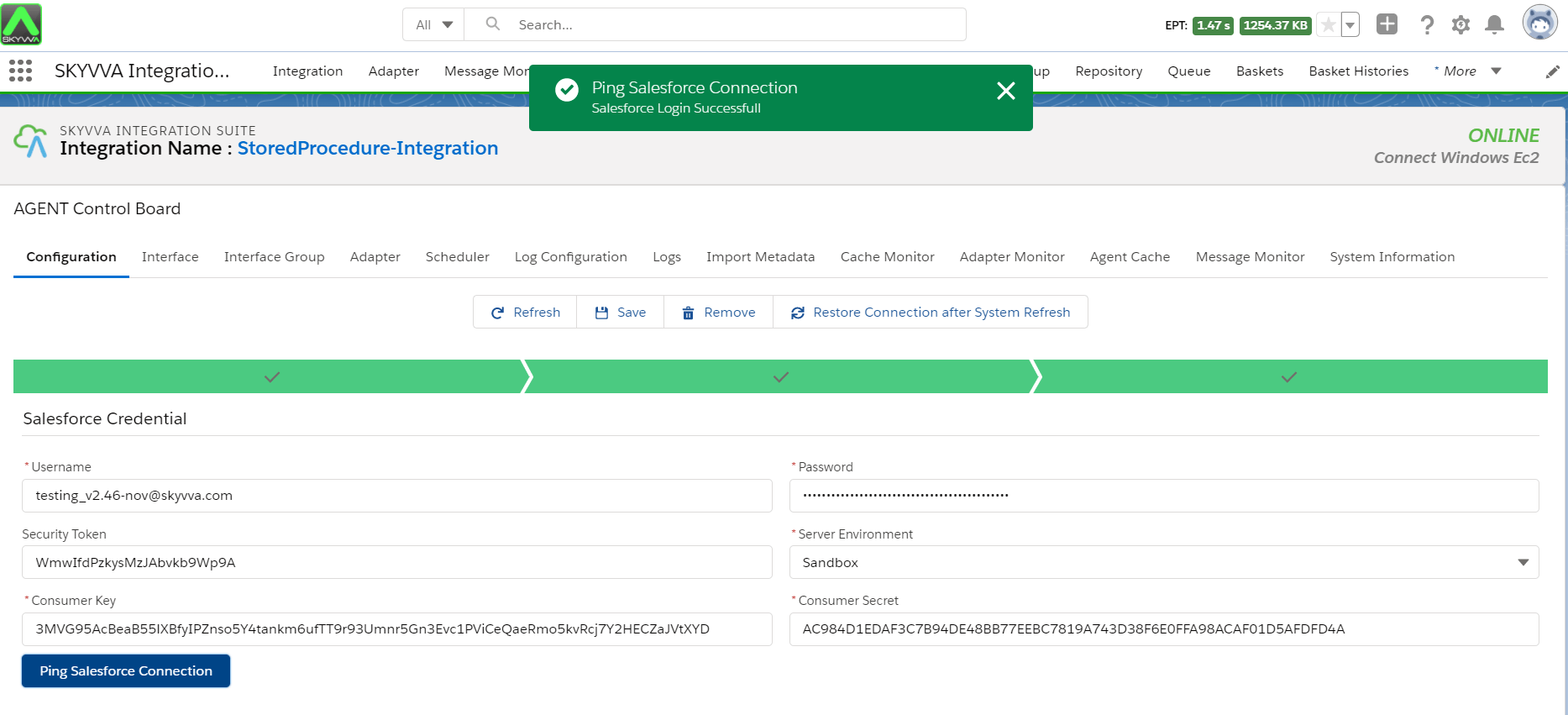
Step2: Create Inbound and Inbound Database Adapter for connection to ORACLE database presented on EC2 instance
- Navigate to the Adapter tab after that click the button New

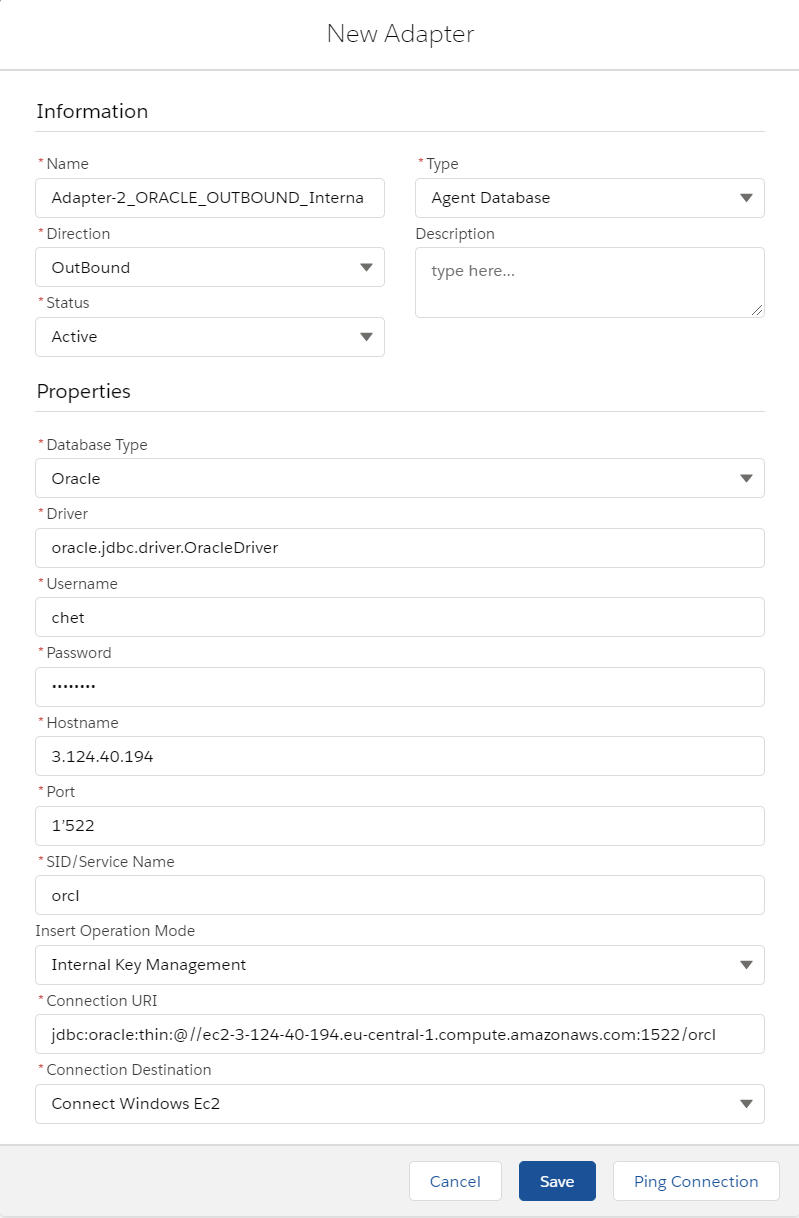
- Fill all required field
- Name: any name
- Type: Agent Database
- Direction: Outbound/Inbound
- Status: Active
- Database Type: Oracle
- Driver: jdbc.driver.OracleDriver
- Username: (your user name on database)
- Password: (your password on database)
- Hostname: 124.40.194 (public ipv4 on EC2 AWS)
- Port: 1522(custom port number)
- SID/Service Name: orcl
- Database Name: (your user name on database)
- Insert Operation Mode: Internal Key Management
- Connection URI: jdbc:oracle:thin:@//ec2-3-124-40-194.eu-central-1.compute.amazonaws.com:1522/orcl (Connection URI has followed the systax: jdbc:oracle:thin:@
: : ) - Connection Destination: your destination name
Step-3 Generate Message Type from the database
- Create Metadata Provider
- Create a Repository for using Insert operation
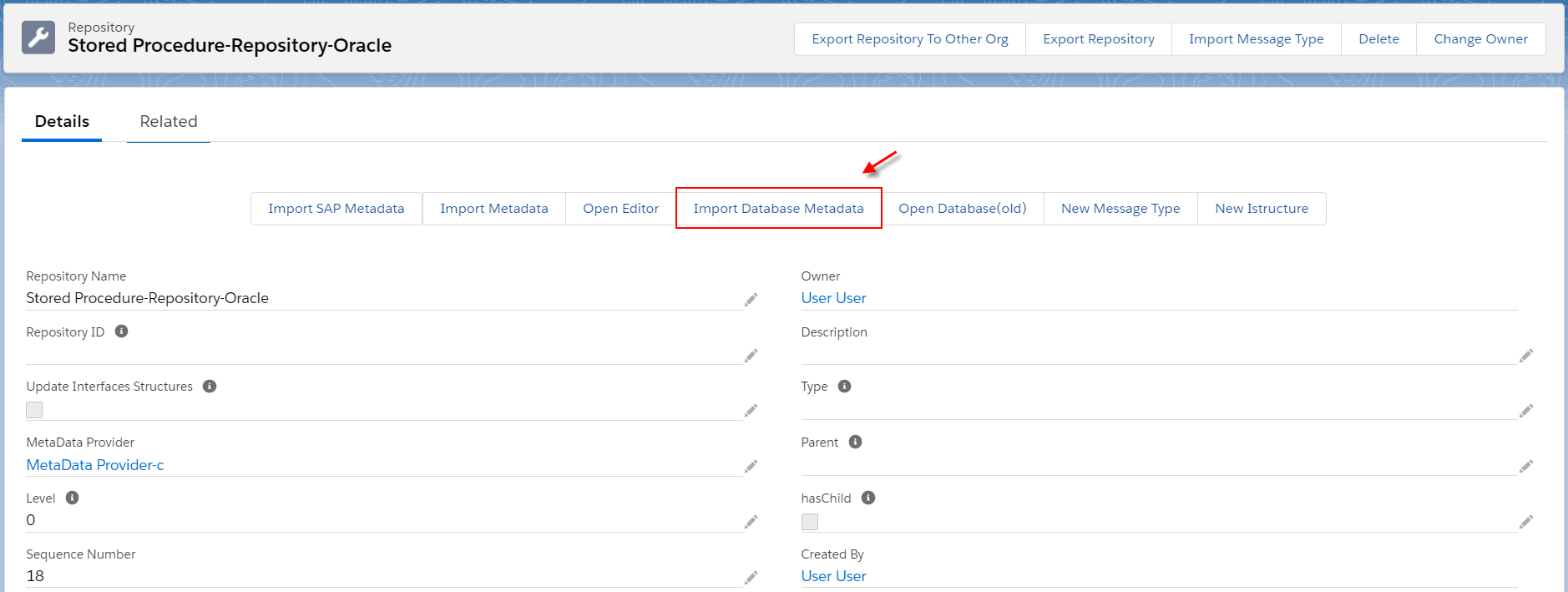
- Go to the Repository details page, click the Import Database Metadata button
Fill all required information then click the button Retrieve Database
- Agent Instance: instance’s name
- Adapter Name: adapter’s name
- Object Type: Stored Procedure
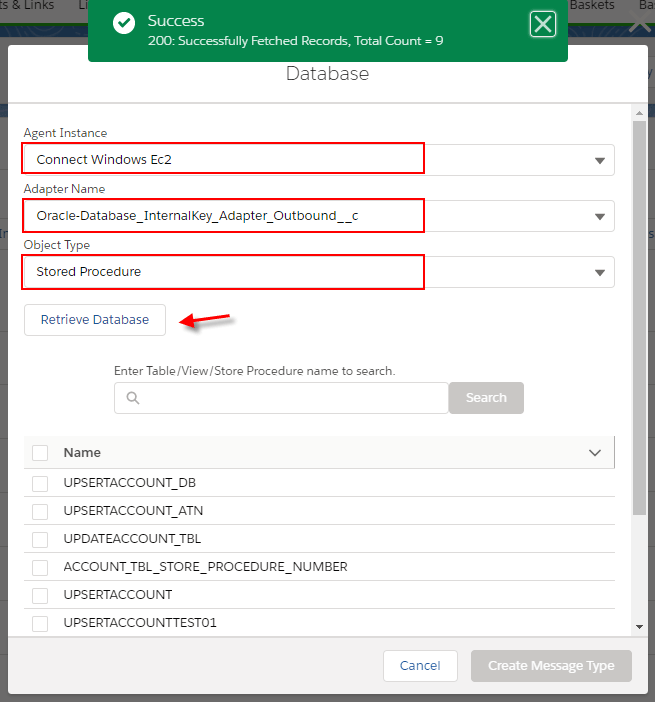
- Choose Stored Procedure’s name and then click Create Message Type
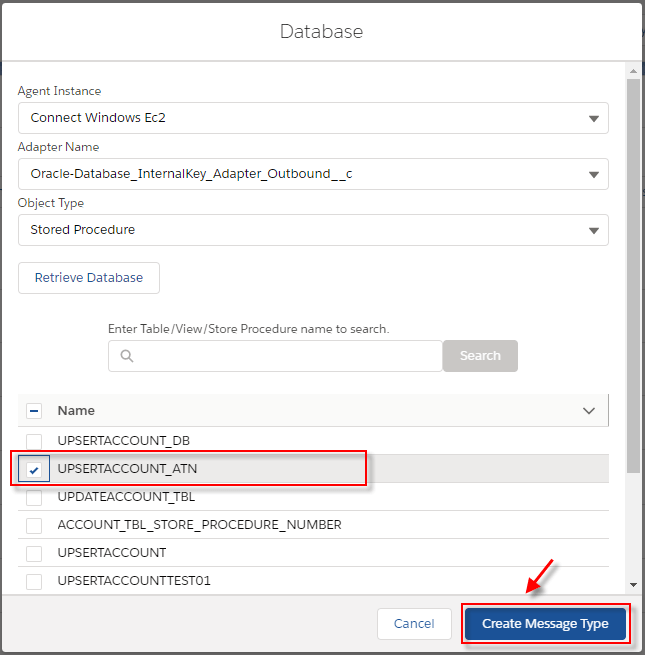
- After click Create Message Type, the stored procedure template will be generate as the below example:

[su_box title="Note" box_color="#2a8af0" title_color="#000000"] For Database Stored Procedure, we have a template for generating Message Type for a single Table
- Create a root Message Type within the name same as the Stored Procedure’s name and type as Database Stored Procedure Template
- Create Message Type as a child of the root with name as the Stored Procedure’s name including the postfix “__Request” within type as Stored Procedure Request. On this Message Type, we have generated the field for INPUT parameter on Stored Procedure
- Create Message Type as a child of the root with name as the Stored Procedure’s name including the postfix “__Request” within type as Stored Procedure Response. Under this node, we have generated the fixed name of Message Type called “output_parameter” within type “Plain structure”. On this Message Type, we have generated the field for OUTPUT parameter same as on Stored Procedure[/su_box]
Step 4: Set up Interface
- For creating the Interface need to follow this guide #article/1-what-is-an-interface-and-how-to-create-it
- Create an outbound Interface for Synchronous mode, operation(store procedure), choose Adapter, Metadata Provider, Repository and Message Type (Request)
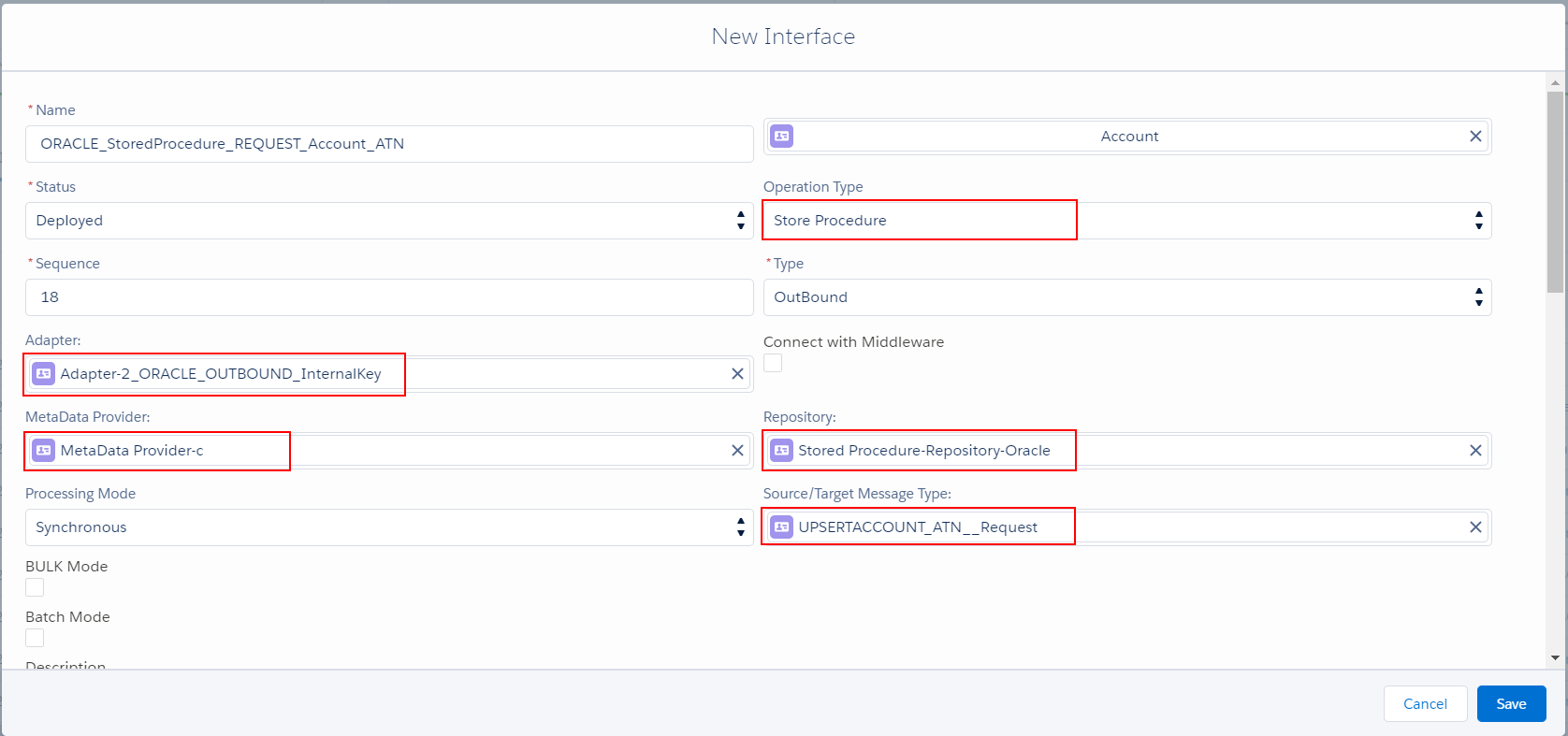
- Mapping
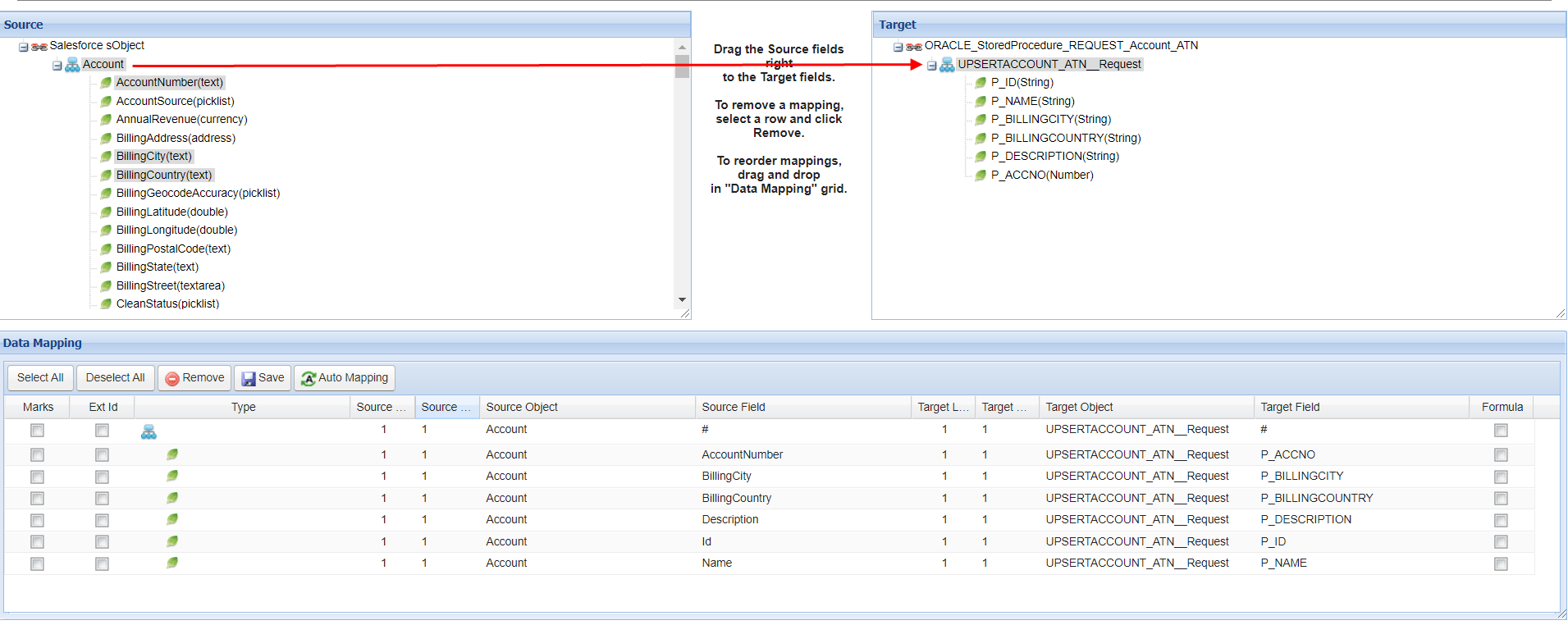
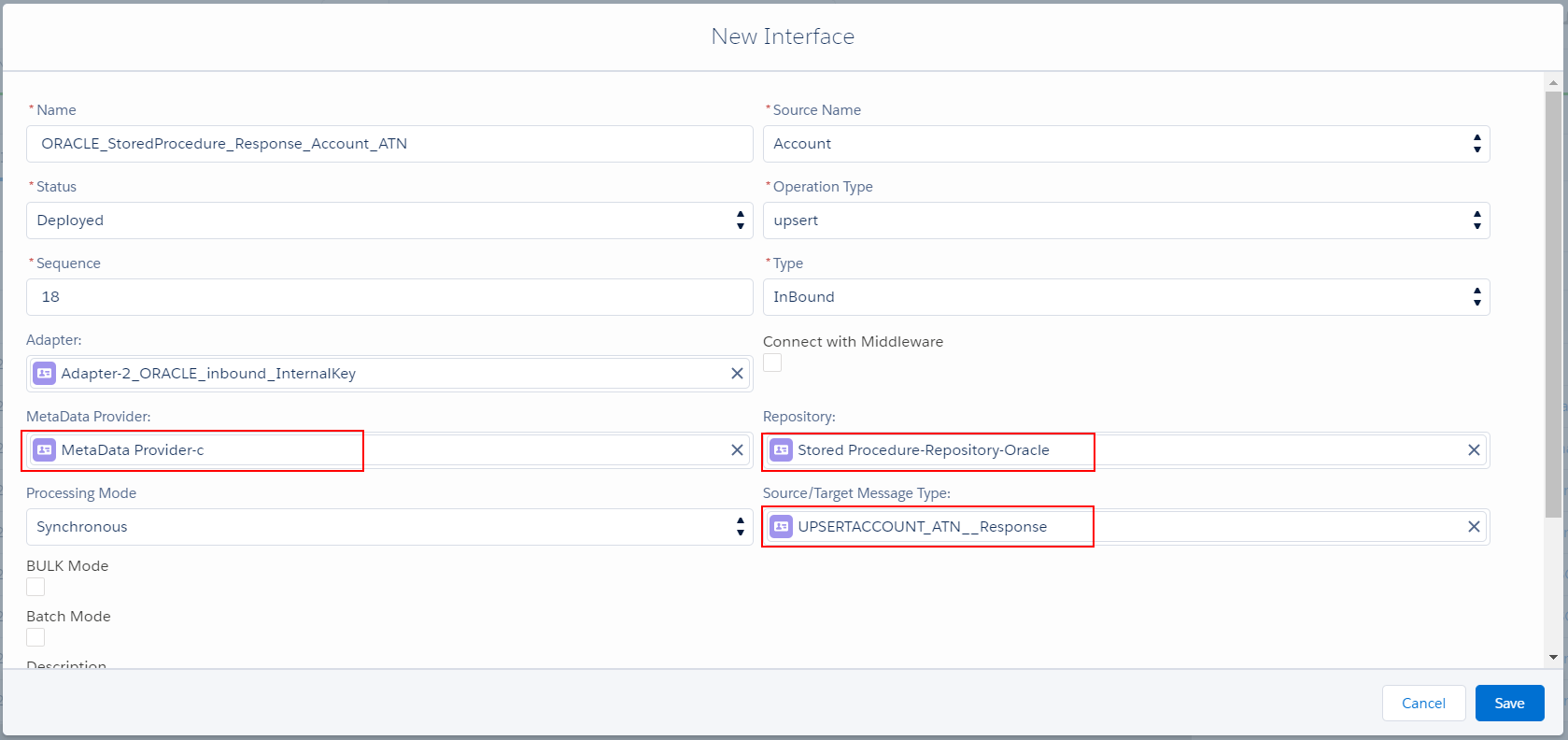
- Create Inbound Interface (Response)
Create an inbound Interface for Synchronous mode, operation(upsert), choose Adapter, Metadata Provider, Repository and Message Type (Response)
- Mapping
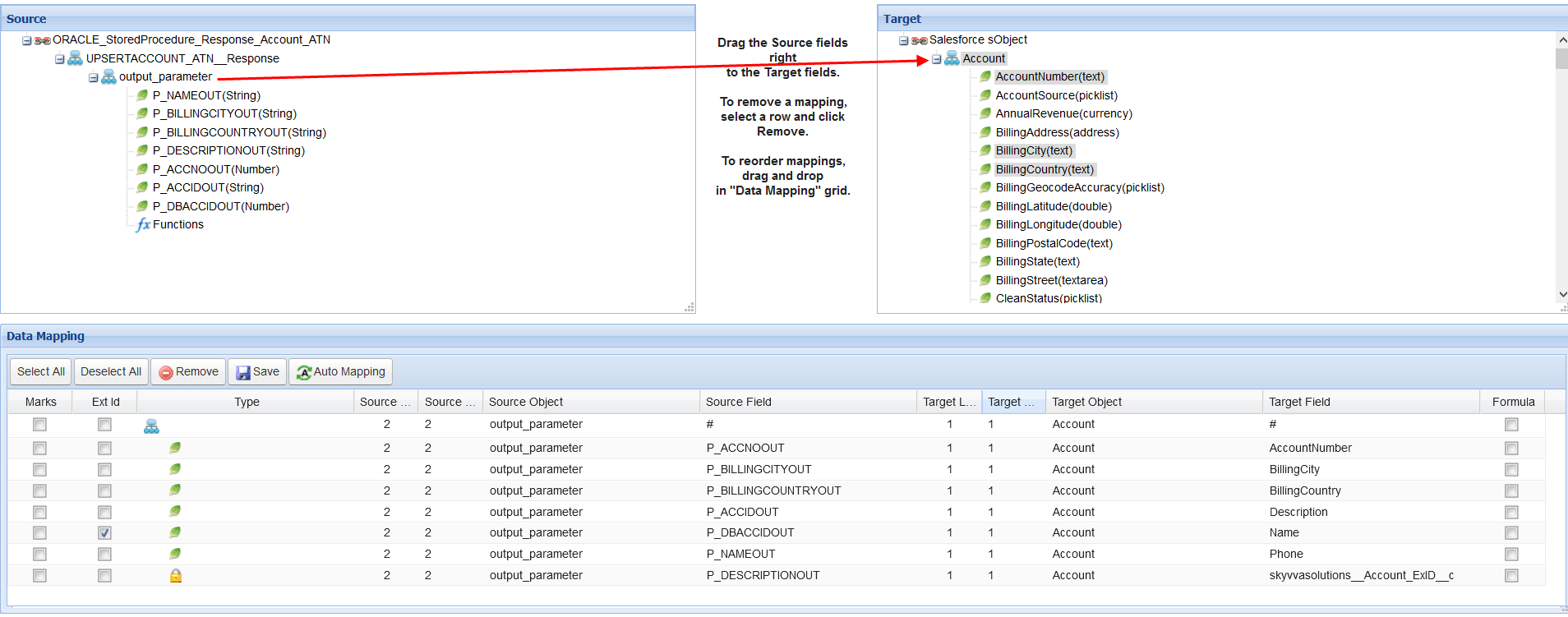
Step -5 Linking Response Interface to Request Interface In this example Request Interface is "ORACLE_StoredProcedure_REQUEST_Account_ATN" and Response Interface is "ORACLE_StoredProcedure_Response_Account_ATN"
- Go to the Request Interface detail page then add the Response Interface

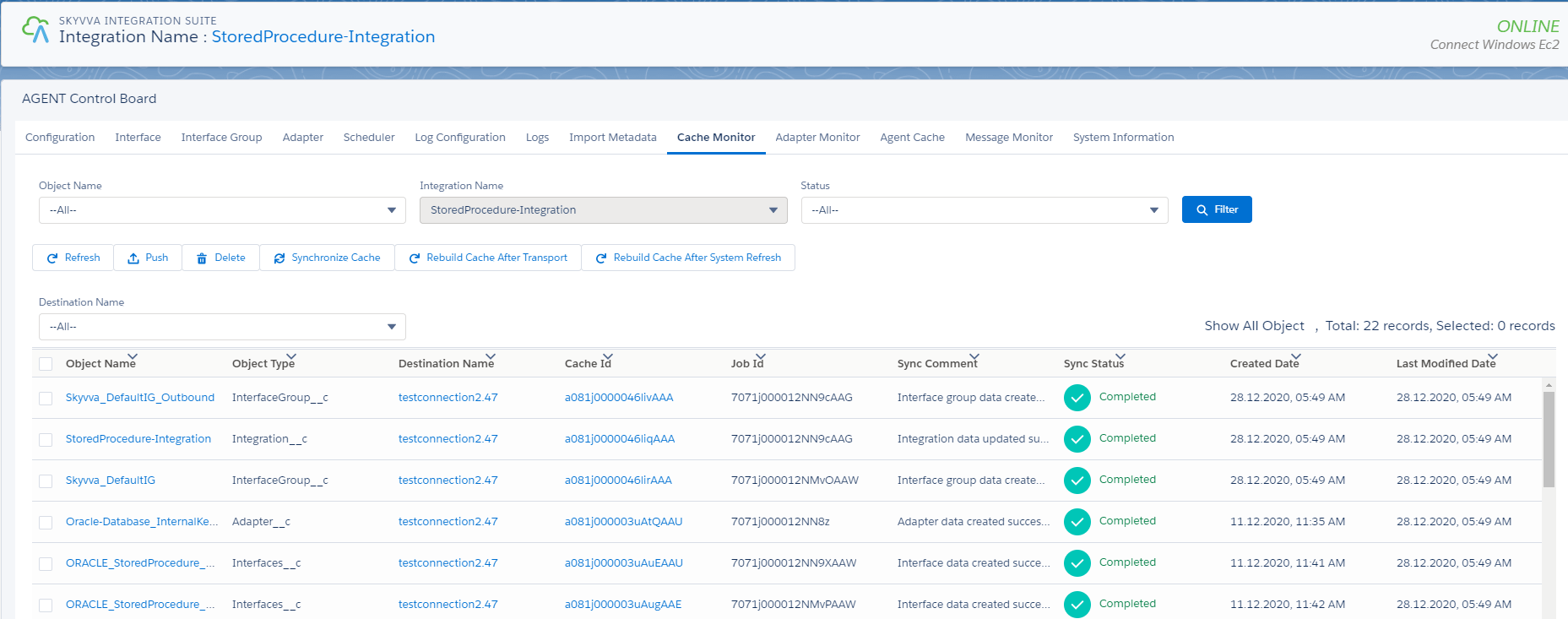
Step -6 Checking Cache status Before sending data from Salesforce to Agent or from Agent to Salesforce, we need to check on Cache Monitor, make sure Cache record present on H2.
Step -7 Callout V3 Navigate to Setup gear icon => Developer Console => Debug menu => Open Execute Anonymous Window then put code for update Account object then click the Execute button. [aux_code language="javascript" theme="tomorrow" extra_classes=""] skyvvasolutions.CallOutControl c = new skyvvasolutions.CallOutControl(); c.returnJSONComplete=true; c.actionDoIntegrate=true; c.isCreateMessage=true; String[] ids= new String[]{'0011j00000wp7i1AAA'}; skyvvasolutions.Iservices.invokeCalloutV3('StoredProcedure-Integration','ORACLE_StoredProcedure_REQUEST_Account_ATN',ids,'SYNC',c); [/aux_code] Check the result on Message Monitoring The Stored Procedure has been executed and response to Salesforce correctly

Summary
Finally, we have learned how to call Stored Procedure from Salesforce to the database, and respond to the Salesforce, we have known how the Message type structure generated from the Database.