1. How to configure the Alerting Setup for Message Processing?
Learning Objectives:- This unit describes:-
- Describe what is Alerting functionality.
- Configuration use Alerting.
Introduction:-
- An alert in the context of the SKYVVA Integration App is a powerful feature designed to automatically send email notifications based on predefined rules and conditions. This functionality enables users to stay informed about important events or changes without constantly monitoring the system. Alerts can be set up on the interface level, providing a more granular and targeted approach to managing notifications. By configuring alerting rules directly at this level, you ensure that the notifications are precise and relevant to specific scenarios, making them more actionable.
- One of the key advantages of configuring alerts on the interface level in SKYVVA is that these rules take precedence over any settings established at the integration level. This means that if an alerting rule is defined on the interface, it will overwrite and supersede any existing configurations at the integration level. This hierarchical structure ensures that your most critical alerts are always prioritized, giving you greater control over how you manage and respond to integration-related events. The ability to customize alerts in this way not only streamlines communication but also enhances your overall efficiency when using our Integration App, making it easier to identify issues and act swiftly to address them.
What is Alert?
- The alert setting on the integration level is used as a global setting in case the user forgets to set up an alerting rule on the interface level. If the user sets the alerting rule on the interface level then this should be valid and overwrite the setting on integration if any exist.
- Interface-level users set a value that will overwrite the value on the integration level. If the user has not set anything on the interface level then take the value from the integration level. So the value on the integration level is like a default value for all interfaces that don’t have any alert rule.
We have a different type of alerting rules on the integration & interface level
- Send Email SFDC User
- CreateTask for User
- Send Email External Mails
- Chatter group Name
Case1: None-realtime Alert creation in the category Message-Based Alert
The 'None-realtime Alert creation' option in the SKYVVA integration app, using the 'Message-Based Alert' category, focuses on detecting failed business messages. Instead of generating immediate alerts, it relies on the 'DoAlert' scheduler to manage notifications. When a failure is identified, the scheduler triggers an alert and sends a notification to the specified email address. This setup ensures that message failures are handled efficiently through scheduled checks, rather than real-time alerts, streamlining the monitoring process.
[su_box title="Note" box_color="#2a8af0" title_color="#000000"]Users can set the option to create non-real-time alerts on the interface, interface group, and integration.[/su_box]
- Message-Based Alert: means that it checks only the root business message for failures, triggering an alert.
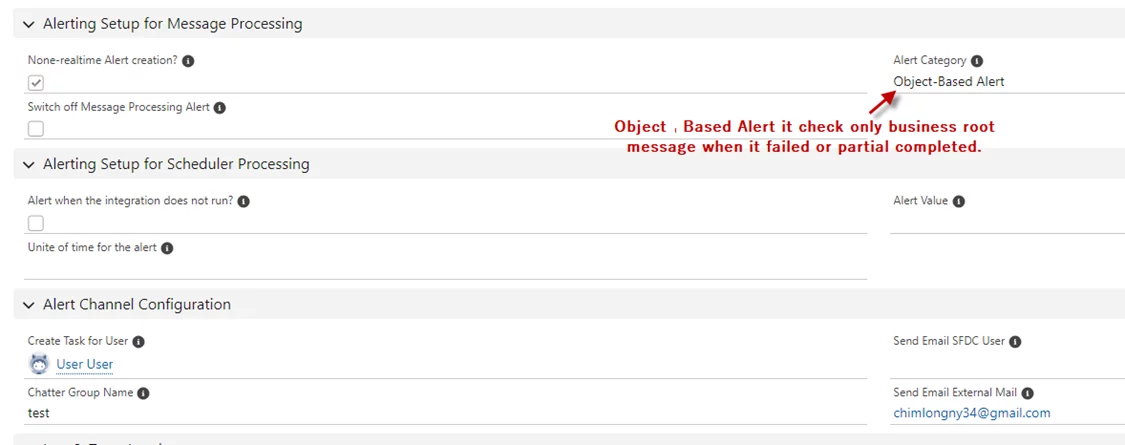
- Object-Based Alert: this means that it checks only the root business message for failed or partially completed messages.
Create the Integration, then navigate to the integration details to find the Alerting Setup for Message Processing and Alert Channel Configuration section
- Tick None-realtime Alert creation
- Select Alert Category: Object-Based Alert
- Create a Task for the User
- Input Chatter Group Name
- Send Email SFDC User or Send Email External Mail

- Start the 'DoAlert' scheduler to receive notifications.
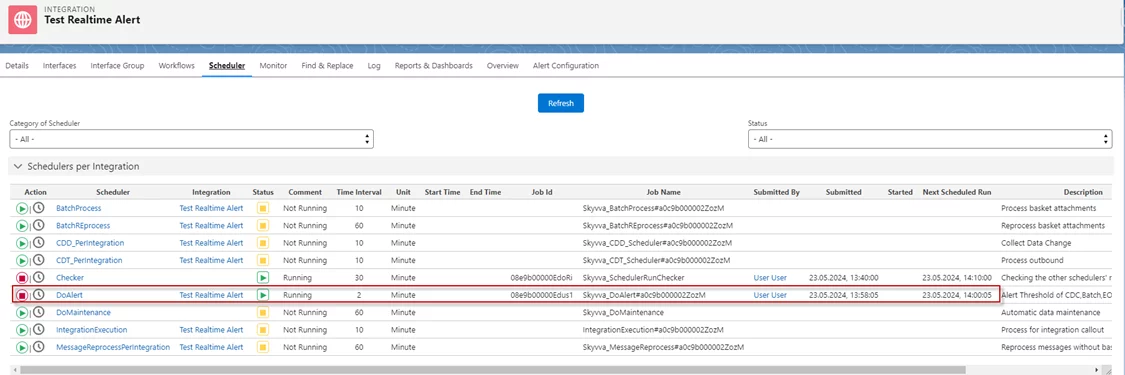
- When a message fails, it will check. Subsequently, an email will be sent.

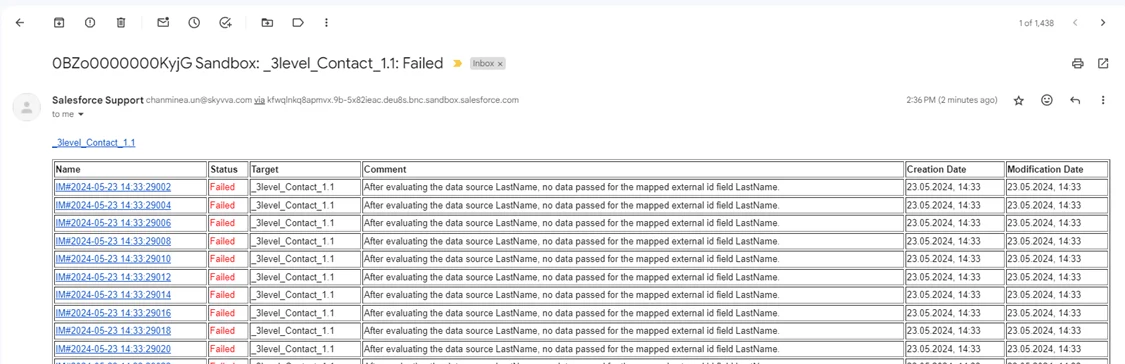
- Here's the message failed alert to email.
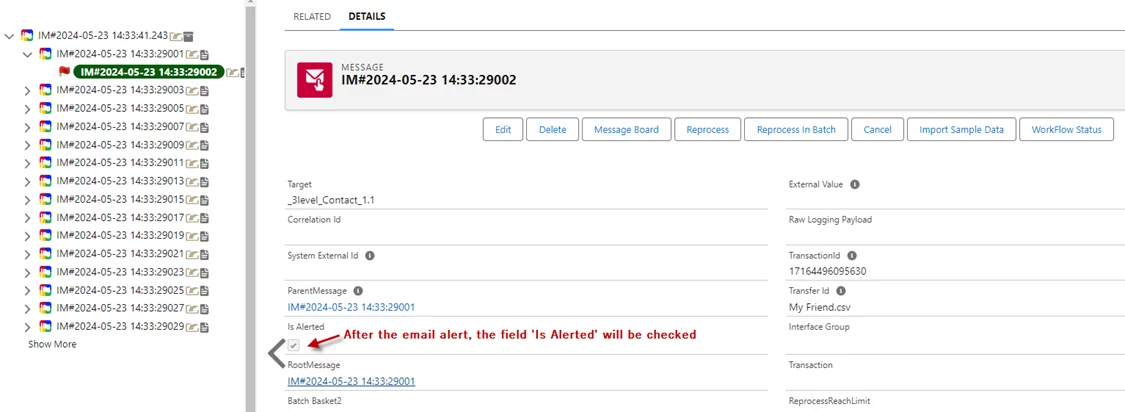
- After the email alert, the field 'Is Alerted' will be checked.
- Here’s the Task that was created.
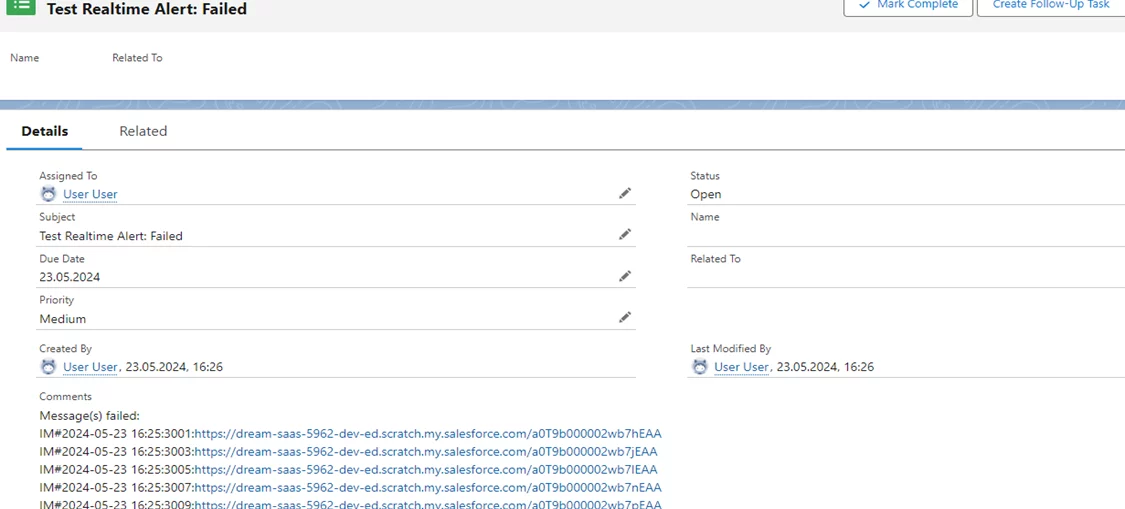
- Here’s the Task that was created.

Case2: None-realtime Alert creation in the category Object-Based Alert
The 'None-realtime Alert creation' option in the SKYVVA integration app, combined with the 'Object-Based Alert' category, monitors business root messages for failures or partial completions. Unlike real-time alerts, this alert is triggered by the 'DoAlert' scheduler. When an issue is detected, the alert process is initiated, and a notification is sent via email. This setup ensures that business-critical message errors are caught and communicated, even if they are not addressed in real time. This approach is useful for tracking message flow and handling errors with a more scheduled, organized response.
Setting the Alerting Setup for Message Processing and Alert Channel Configuration.
- Tick None-realtime Alert creation
- Select Alert Category: Object-Based Alert
- Create a Task for the User
- Input Chatter Group Name
- Send Email SFDC User or Send Email External Mail.
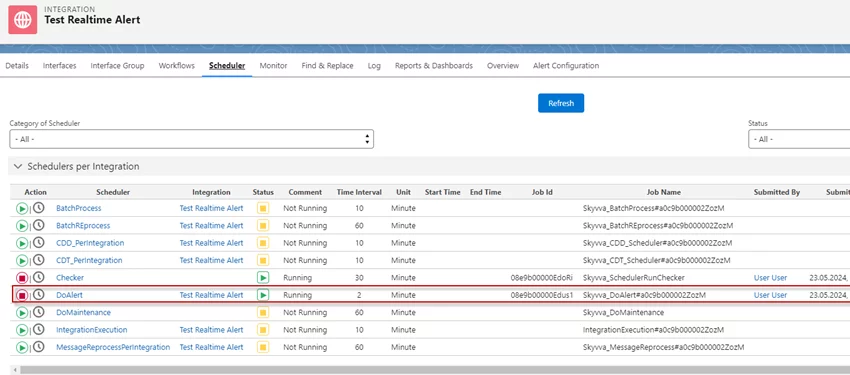
- Start the 'DoAlert' scheduler to receive notifications
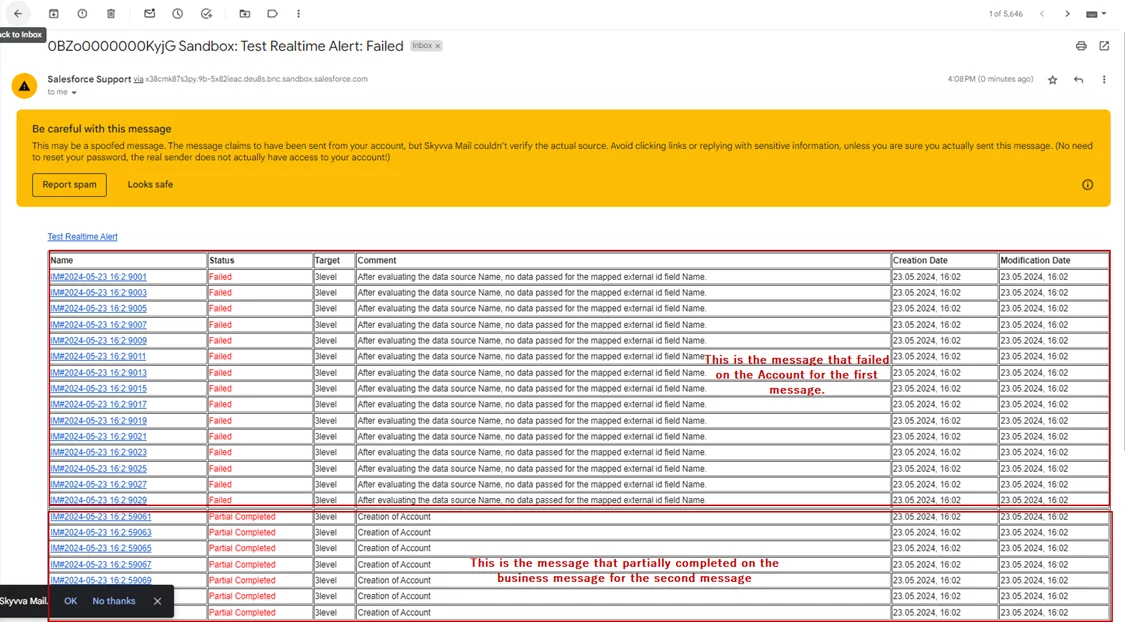
- When a message fails, it will check. Subsequently, an email will be sent.

- Here's the message failed alert to email.
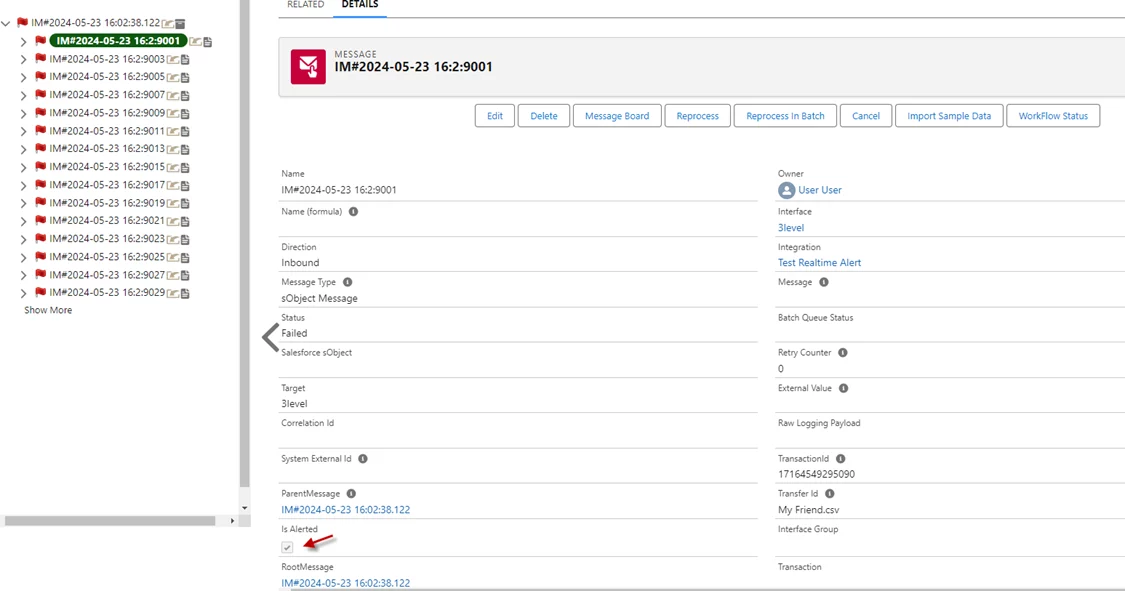
- After the email alert, the field 'Is Alerted' will be checked.
- Here’s the Task that was created.
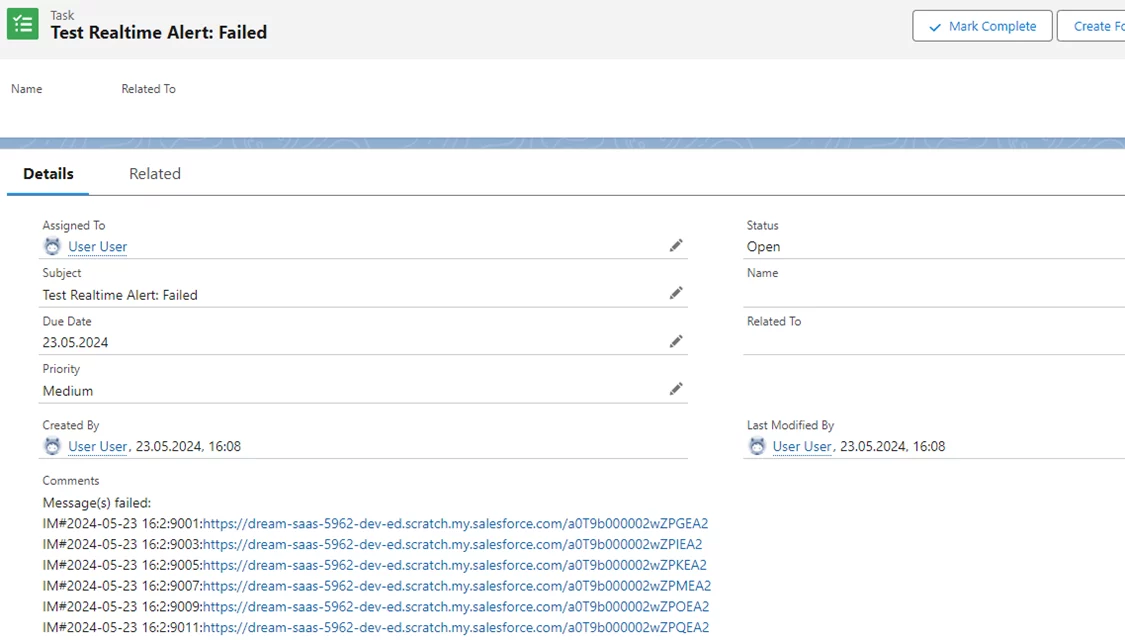
- Here’s the Group that was created

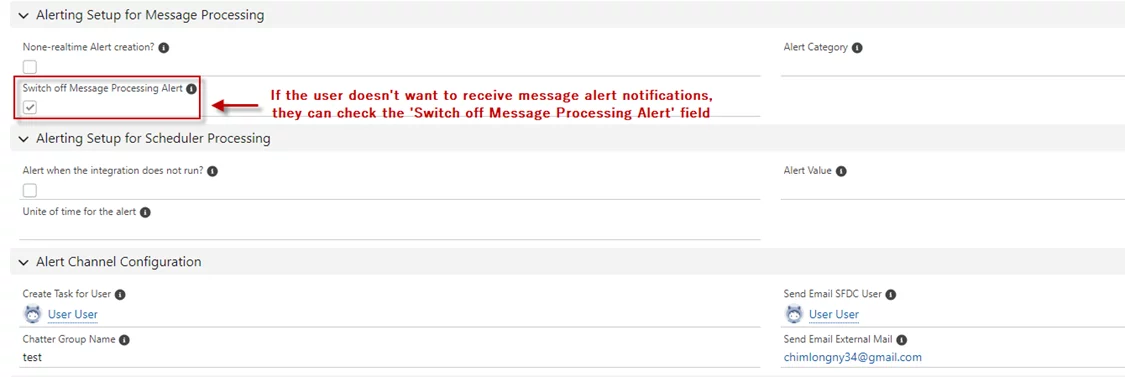
Case3: Switch off Message Processing Alert
When using the SKYVVA Integration App, selecting the 'Switch off Message Processing Alert' field is expected to prevent notifications from being triggered for that particular message. This feature allows users to manage message alerts more efficiently by suppressing unnecessary notifications and focusing only on messages that require attention. This setting is particularly useful in scenarios where non-critical messages are processed, and alerts are not needed. Proper utilization of this option helps streamline workflow and reduces the distraction of irrelevant notifications, improving overall productivity within the SKYVVA integration environment
- Setting the Alerting Setup for Message Processing and Alert Channel Configuration.
- Start the 'DoAlert' scheduler to receive notifications.

- Here's the scheduler executed.
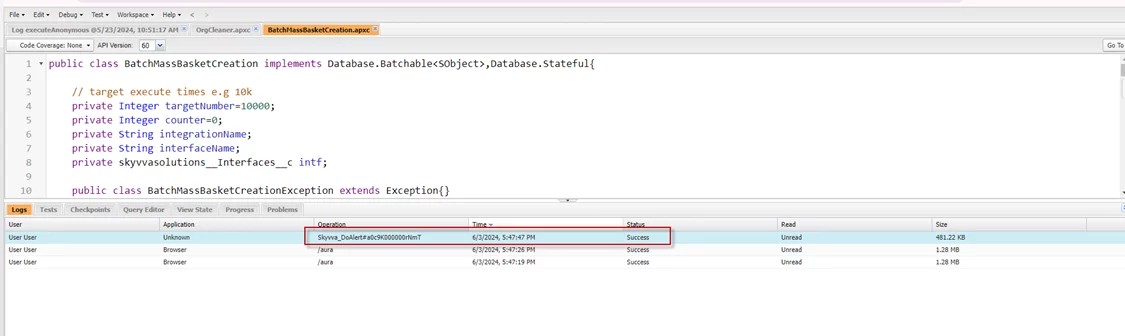
- Result: After the 'DoAlert' scheduler is executed, the Task is empty.

Summary
Now the user understands how to configure the alert setting on the integration level acts as a default if no alerting rule is set on the interface level. When a rule is set on the interface level, it overrides the integration-level setting. Integration-level alerts serve as a global fallback. Alert types include sending emails to SFDC users, creating tasks, emailing external recipients, and notifying Chatter groups, all using the SKYVVA integration app.