3. How to create hierarchical interface using Foreign Key?
Learning Objectives After completing this unit, you’ll be able to:
- Describe what Custom field is .
- Also Can describe foreign key, Tree mapping
- Comfortably use how to link parent interface to its child interface using foreign key and tree mapping.
Introduction
We can link two different object with each other using foreign key or tree mapping.
What Are Hierarchical Interfaces?
- To arrange interfaces in order means hierarchical interface. It is structure in which interfaces are ranked according to levels of importance.
- In hierarchical Interfaces, one interface is a parent’s of another interface. It means that child interface inherited External ID from its parent's interface. For example, Account interface is parent’s contact interface because of Contact inherited External ID from Account.
- Also One parent interface can have many child account but child interface has only single parent interface. eg. one Account can store many Contacts, but one Contact can’t store many Accounts.
What is the foreign key?
A FOREIGN KEY is a field (custom fields) in one Interface that refers to the PRIMARY KEY . The Interface containing the foreign key is called the child Interface, and the Interface containing the candidate key is called the parent Interface.
How to create a Foreign key?
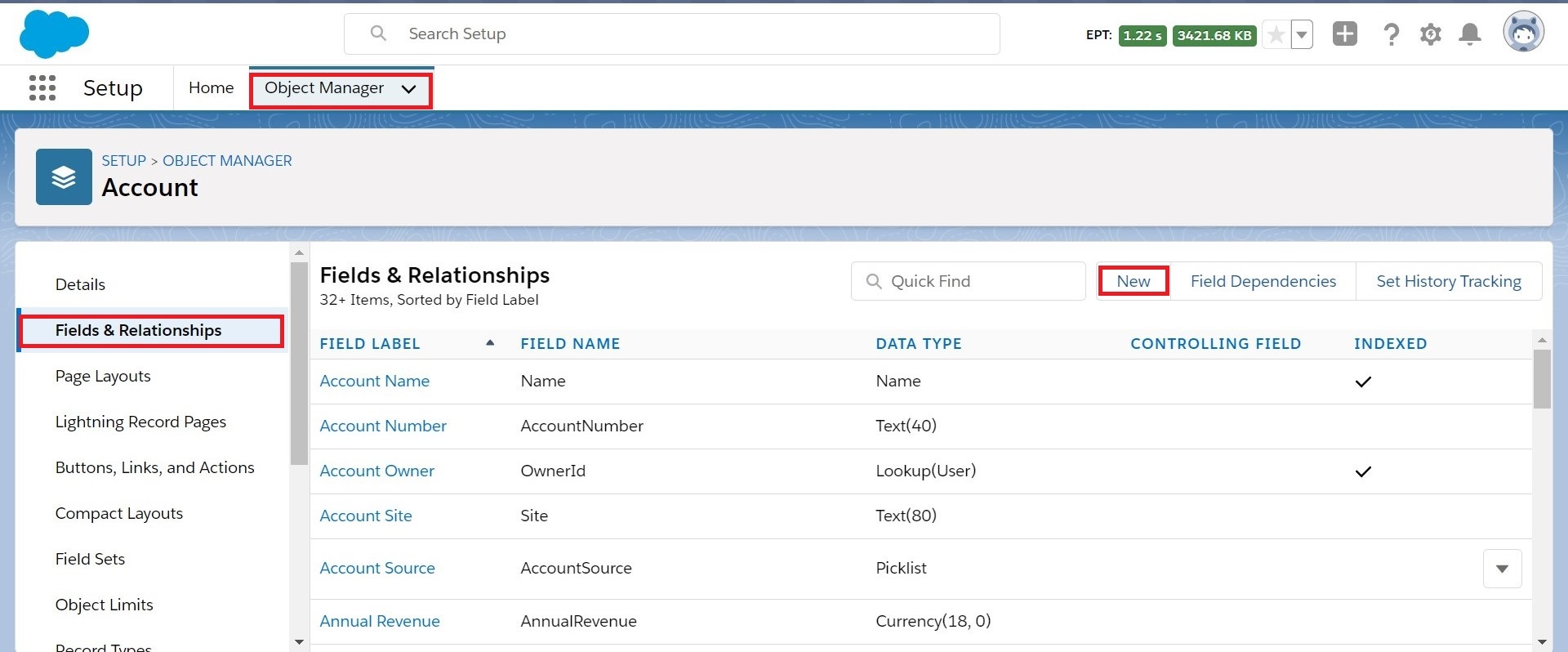
This is also called an object field in the account object. Follow the given steps to create the object field:
- Go to Set up->Object Manager->Account-> Fields & Relationships->Click New Button.
- Choose the field type: Please tick Text data type and click Next
- Enter the details: Please Field Label: AccountId->Fill Length: 50->Field Name gets Auto->tick External ID->Click Save.
- Establish field-level Security: Please tick visible and click the next button.
- Add to page layouts: Click only Save button.
here we get the object field on the Target Account Salesforce object.
we can create a Hierarchical interface in two ways:
- Manually creation of hierarchical interfaces:
- We define manually two interfaces e.g. Account (parent) and Contact (child) and do mapping manually. Here we need to create the chain definition in the parent interface manually. Also in the child interface, we need to create the foreign key manually.
2. Tree Mapping:
- By using the "Tree Mapping" capability of Skyvva tool and the parent and child interface are generated automatically. Also, the chained interface for the parent interface is generated, and also the foreign key for the child interface is generated automatically.
Create hierarchical Interface using foreign key:
Objective:
To create a parent-child relation between the account interface and contact interface using the foreign key.
Pre-requisite:
- We have to create Integration -> Go to integration tab -> fill name field -> Save it.
- We need two inbound interfaces. I,e Account, contact.
Follow the given steps :
- Account Interface Mapping: Go to Account Interface ->Cross down to Source definition Section->Click choose file button to browse the file that wants to mapping->choose file->Click Open button->Click button Save.
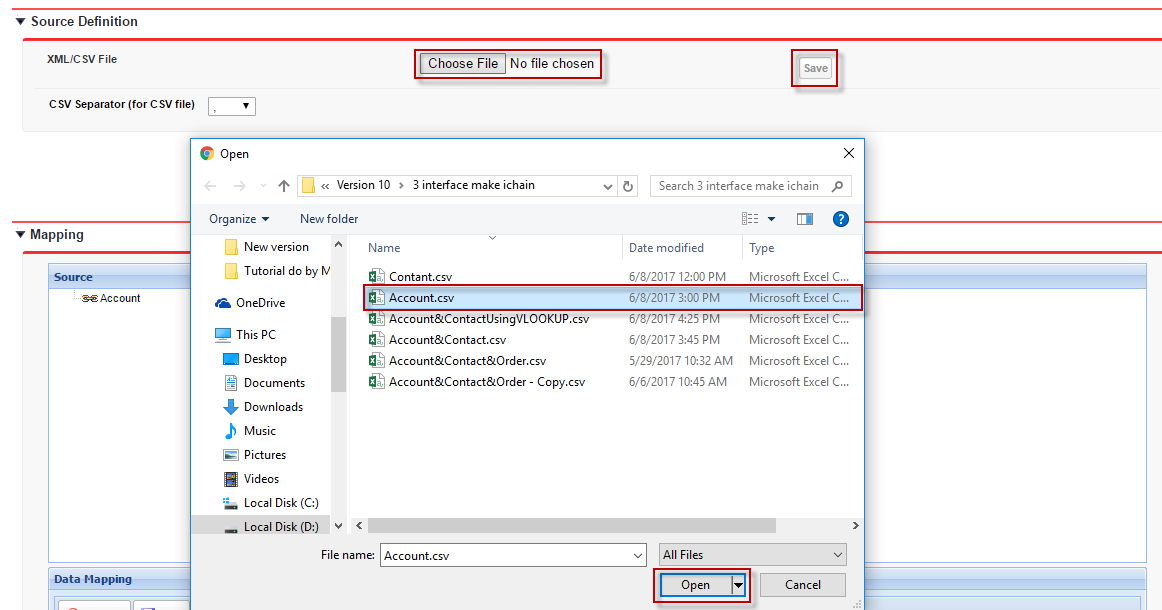
Please drag source field to Target field->look at Data Mapping->Tick Ext ID->Click Save button.

- Create IChain:
Go to related tab -> Scroll down page to IChainedInterface -> Click New IChained Interface

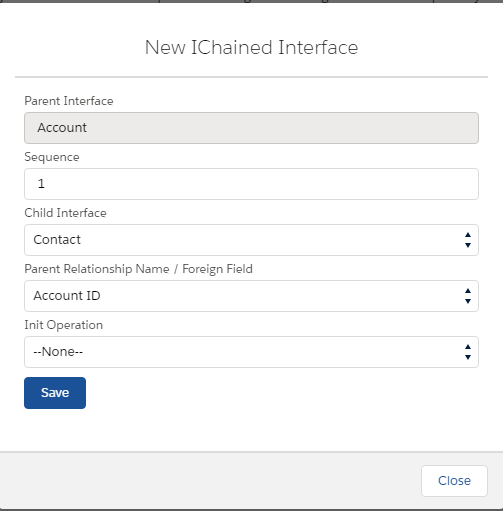
- Contact interface Mapping: Go to interface Contact->Cross down to Source definition Section->Click choose file button to browse file that want to mapping->choose file->Click Open button->Click button Save.

Please drag source field to Target field->look at Data Mapping->Tick Ext ID->Click Save button.
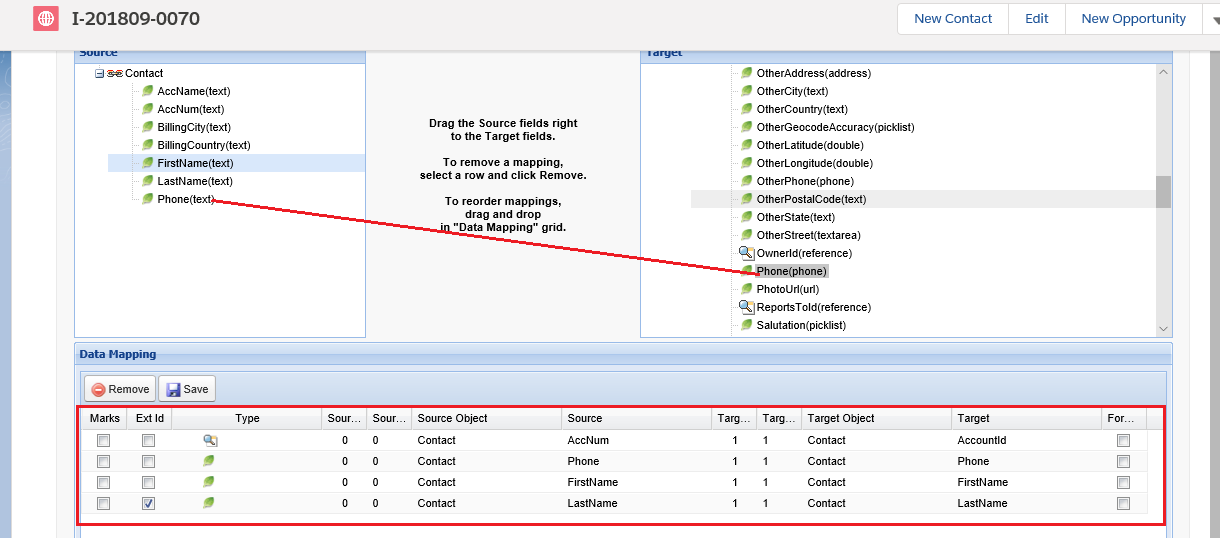
- Define foreign key on the contact interface which link to account object. lookup field link to account object. We are searching salesforce id by external account Id which is the primary key of external sys.
- Please go to Contact Interface -> Click on Related -> Cross down on Foreign Key section->Click New Foreign Key Button.

- Choose Lookup Field Name is AccountId in Combo box->Chose External Id Field is AccountId__c in Combo box->Click Save button.

Now you get a Foreign key.

- Load Account data CSV using Manual Load:
Go to integration->Details->Manual Laod->Chose Inbound Interface (Active) is Account in Combo box->Choose Data Type is CSV->Click Choose File Button and Browse to choose file->Click Open Button->Click Upload Button


Cross down Total Records Found Section in Manual Load level-> Tick Records that want to load to salesforce->Click Push Button->Click Message Board to check monitory Message
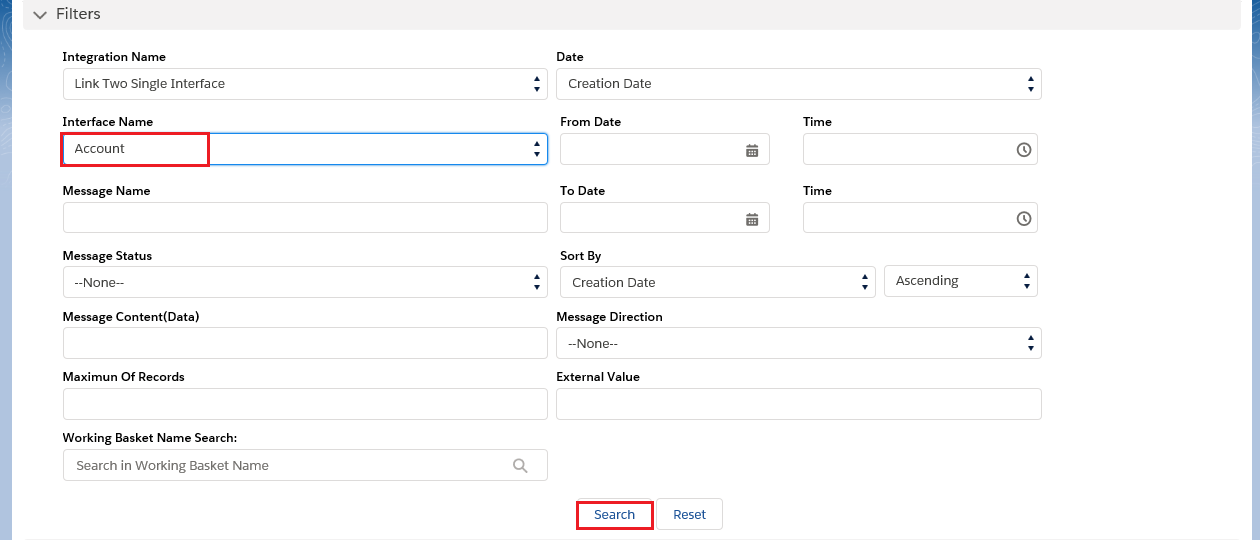
Choose Interface Name to check message depend on Name and Click Search button to show message.

Finally, you can get Account has relationship with contact like screen shot below. Account Name is Test01 has five contact such as Ra1 Dr1.......
