2. How to create REST interface using the Agent REST Adapter?
1. How to use it?
Adapter Agent REST has three authentication types to use when calling out to a rest web service and it has handle response type XML and JSON. Here is the authentication type we support :
- Basic Authentication
- Oauth2.0 (grant type: password, client credentials, and refresh token)
- API Key
Agent Rest adapter is supporting :
- Request without response
- Request with response
- Special characters dot(.)
- Supports Is Array on the root message type
- Supporting Is Array on properties field for multiple picklist values.
Handle API message without Response interface using Basic Adapter
Step 1: Create or upload message type
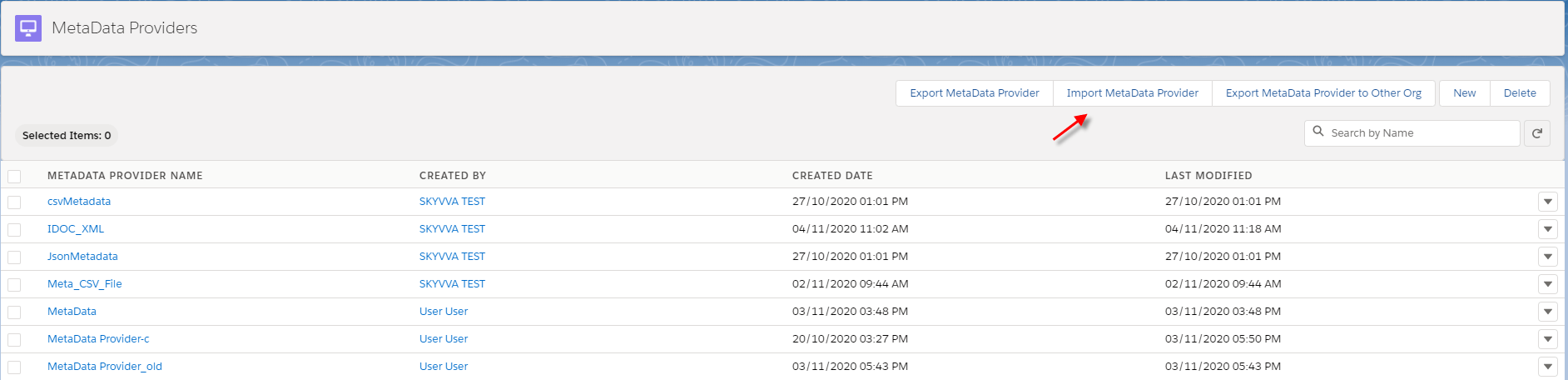
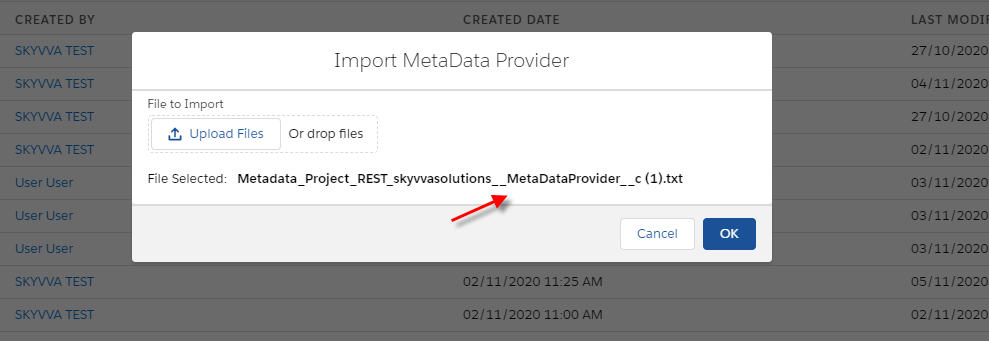
- Click upload file (put meta and click OK)
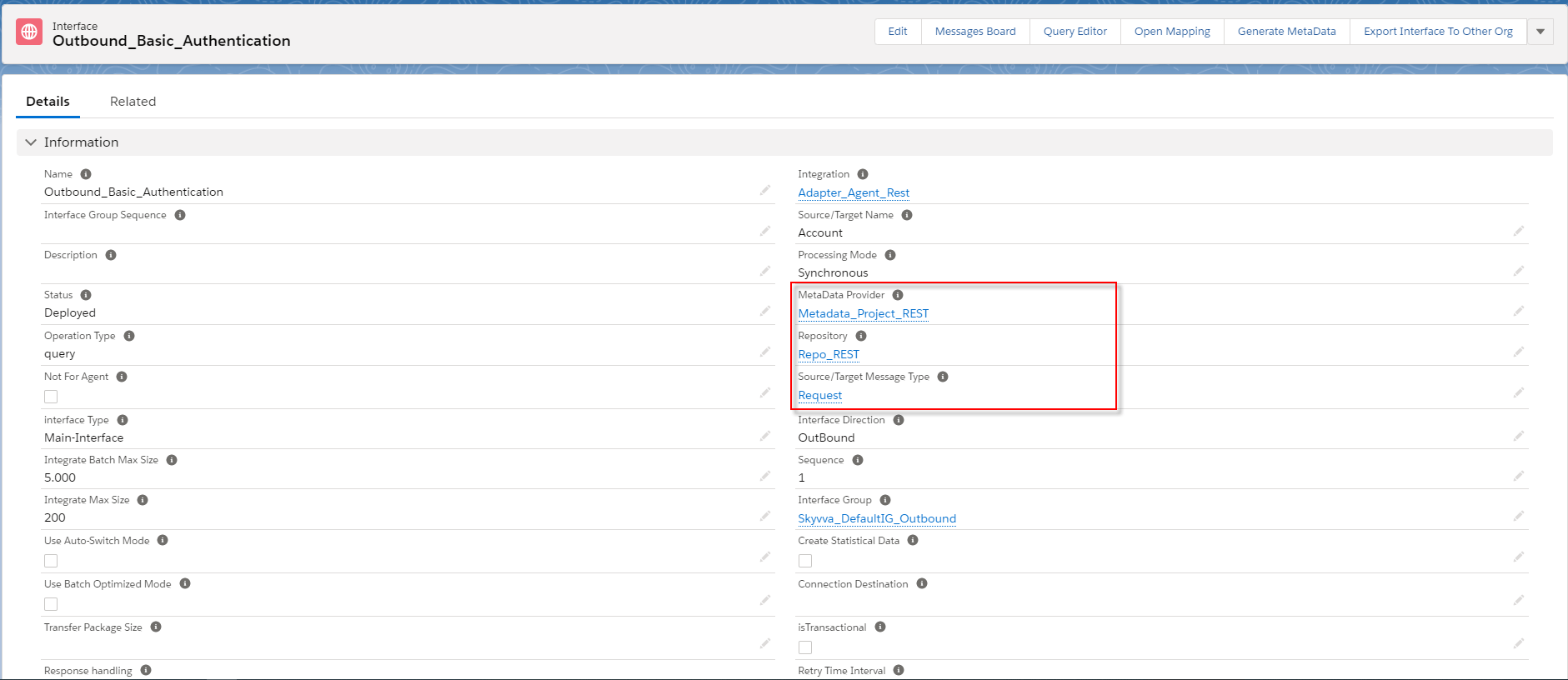
Step 2: Create Integration
- Create an outbound interface and link with message type
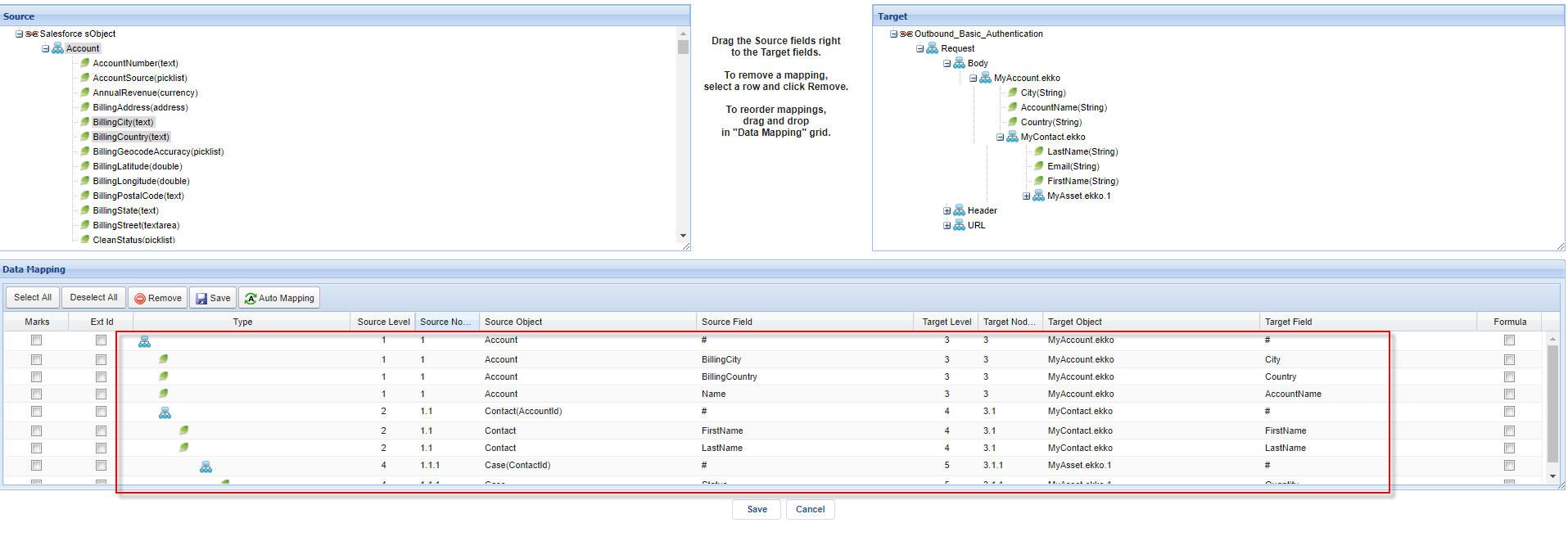
- Do Mapping
Step 3: Configuration Agent Control board
- Go to Integration Detail and click Agent Control Board
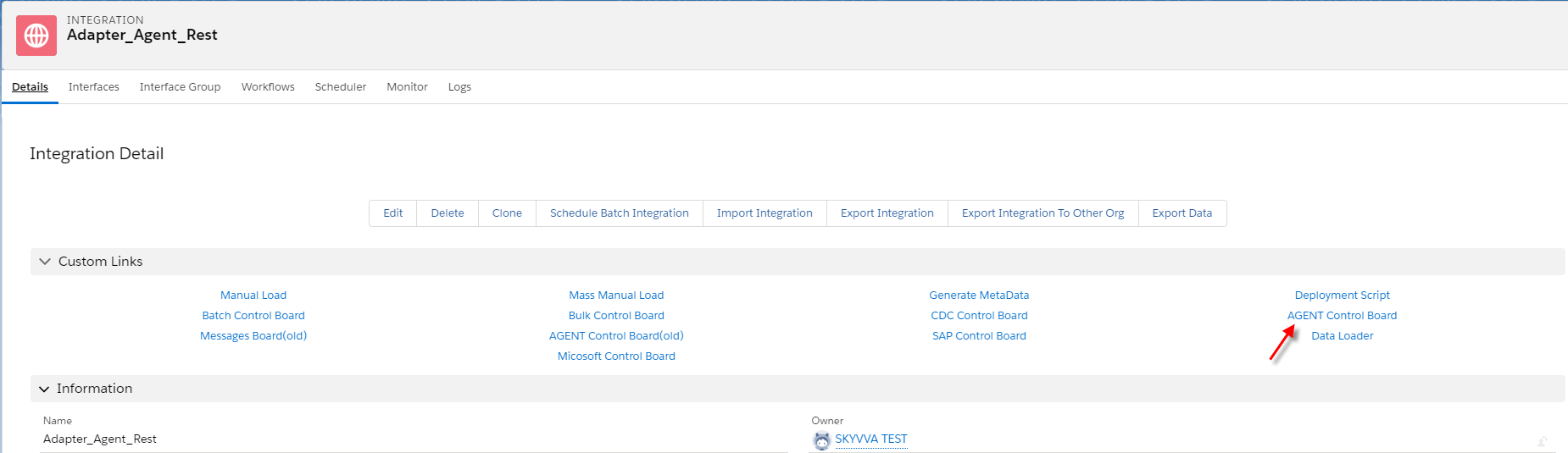
- Create Connection on Agent Control Board
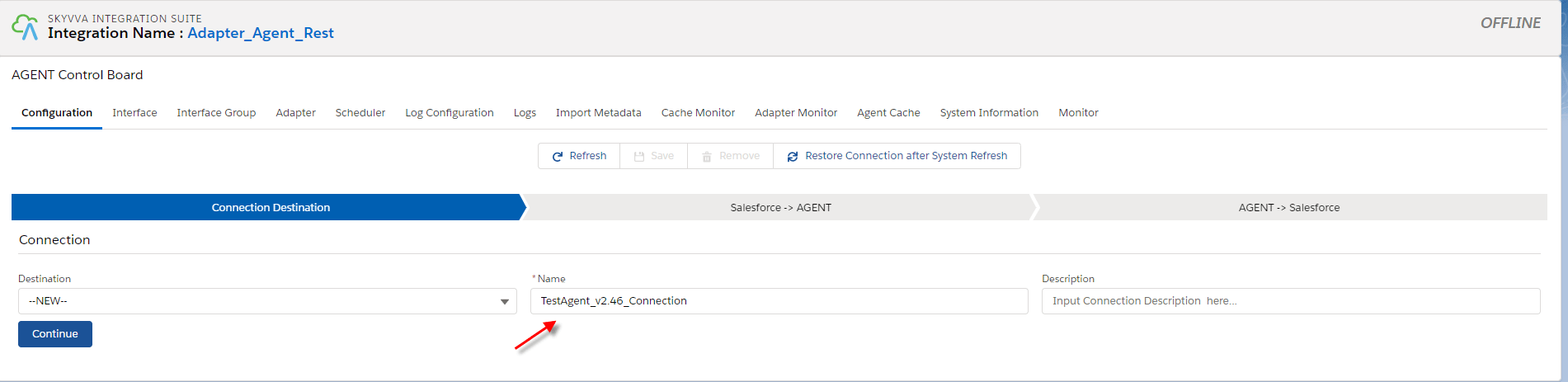
- Configuration Destination Salesforce to Agent
- Fill agent credential
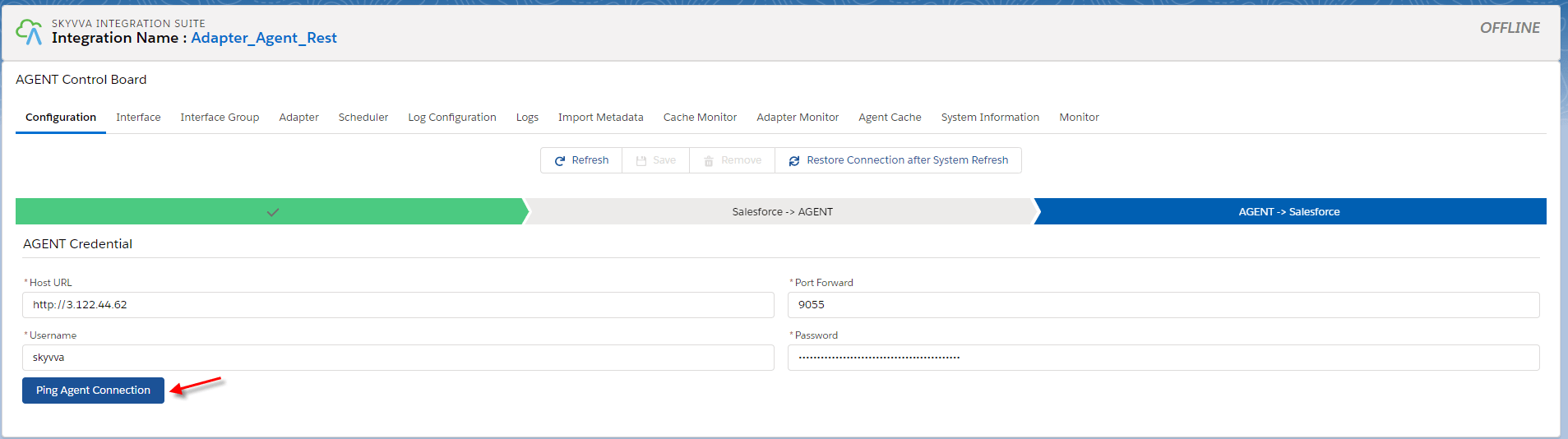
- Configuration Agent to Salesforce
- Fill in Salesforce Credential click ping Salesforce connection and click the save button.

Step 4: Create an Adapter on Agent Control Board
- Create adapter type Basic from adapter tap on Agent Control Board

Step 5: Link Adapter into an interface
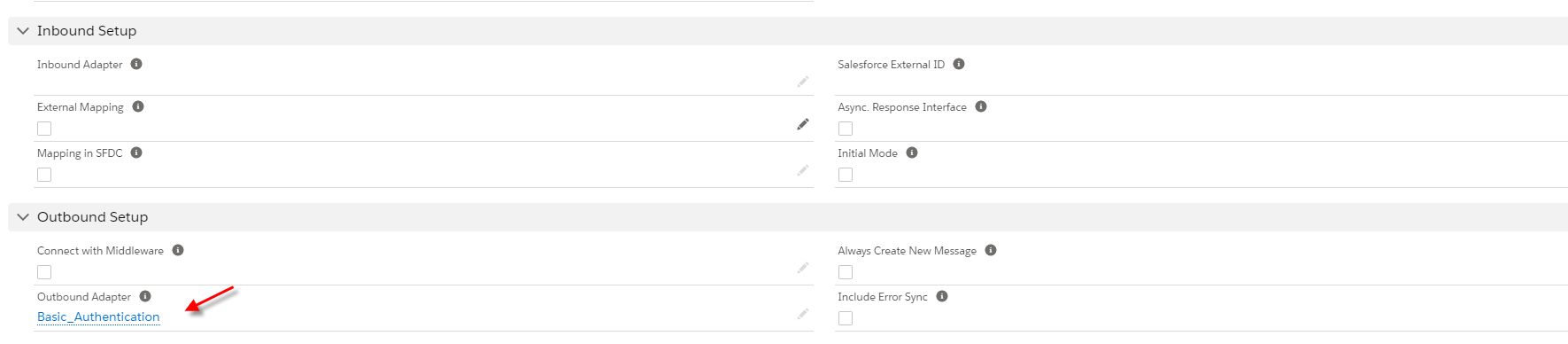
- CallOut V3 with Apex code
- Here is the code callout.
[aux_code language="javascript" theme="tomorrow" title="" extra_classes=""]skyvvasolutions.CallOutControl c=new skyvvasolutions.CallOutControl(); c.returnXml=true; c.returnListRecord=true; c.isCreateMessage=true; c.actionDoIntegrate=true; String[] ids=new String[]{'0011x000018SiQAAA0'}; skyvvasolutions.Iservices.invokeCalloutV3('Adapter_Agent_Rest','Outbound_Basic_Authentication',ids,'SYNC', c); [/aux_code]
- Go to developer console
Native to debug -> open execute anonymous window

- Go to Monitor to check the result

Handle API message with Response interface
In this case, we just need to create a Response Interface using Message Type. Pre requires
- Create or Upload Message Type REST. (We have configured in case1)
- Configuration Agent control board. (We have configured in case1)
- Create Adapter Agent REST. (We have configured in case1)
- Create Inbound Interface
How to handle API message with response interface
- In this case, we just need an Inbound interface one more for doing response. Because we have configuration some pre-required already.
[su_box title="Note" box_color="#2a8af0" title_color="#000000"]Note you make sure that the message type response interface is matching with payload response of another request system or server.[/su_box] Step 1: Create Interface
- Create an inbound interface, link message type into an interface, and click the save button.
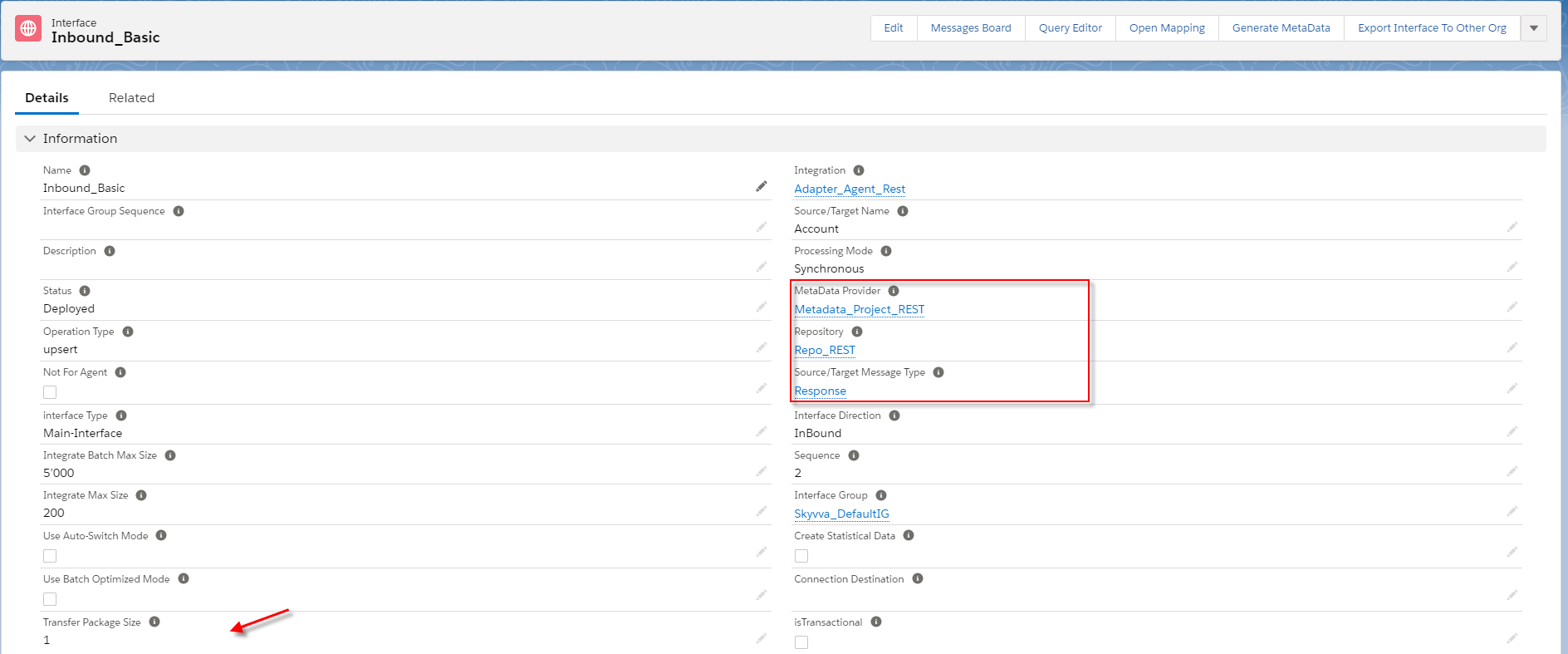
- Do mapping

Step 2: Put response interface into the Request interface
- Go to the request interface scroll down to see the field’s response and put the response interface’s name.

Step 3: Callout V3 with apex code with request interface [aux_code language="javascript" theme="tomorrow" title="" extra_classes=""]skyvvasolutions.CallOutControl c=new skyvvasolutions.CallOutControl(); c.returnXml=true; c.returnListRecord=true; c.isCreateMessage=true; c.actionDoIntegrate=true; String[] ids=new String[]{'0032x000004XV2dAAG'}; skyvvasolutions.Iservices.invokeCalloutV3('Adapter_Agent_Rest','OutBound_Basic_Authentication',ids,'SYNC', c); [/aux_code]
- Native to Developer Console
- Go to Monitor Tap to check the result

Handle API message without Response interface using OAuth2.0 Authentication
In this case, we just need to create an Adapter type OAuth2.0 authentication. Pre requires
- Create or Upload Message Type REST.
- Create Integration and outbound Interface.
- Configuration Agent control board. (We have configured in case1)
Step 1: Create Adapter Agent REST This authentication we test callout from salesforces.
- Create Agent REST adapter type OAuth.
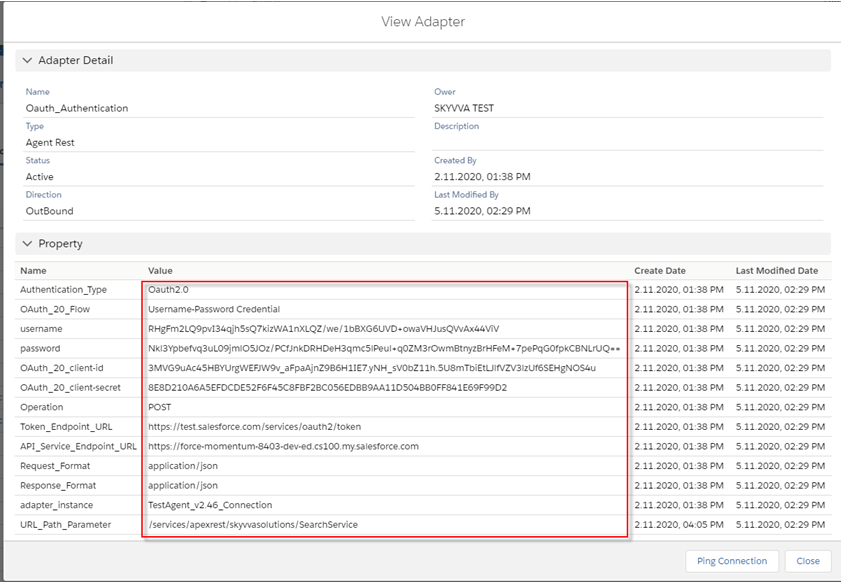
Step 2: Create an outbound interface In this case, we need two outbound interface
- Create one outbound interface that has a Target Name account used for matching with payload from the postman.
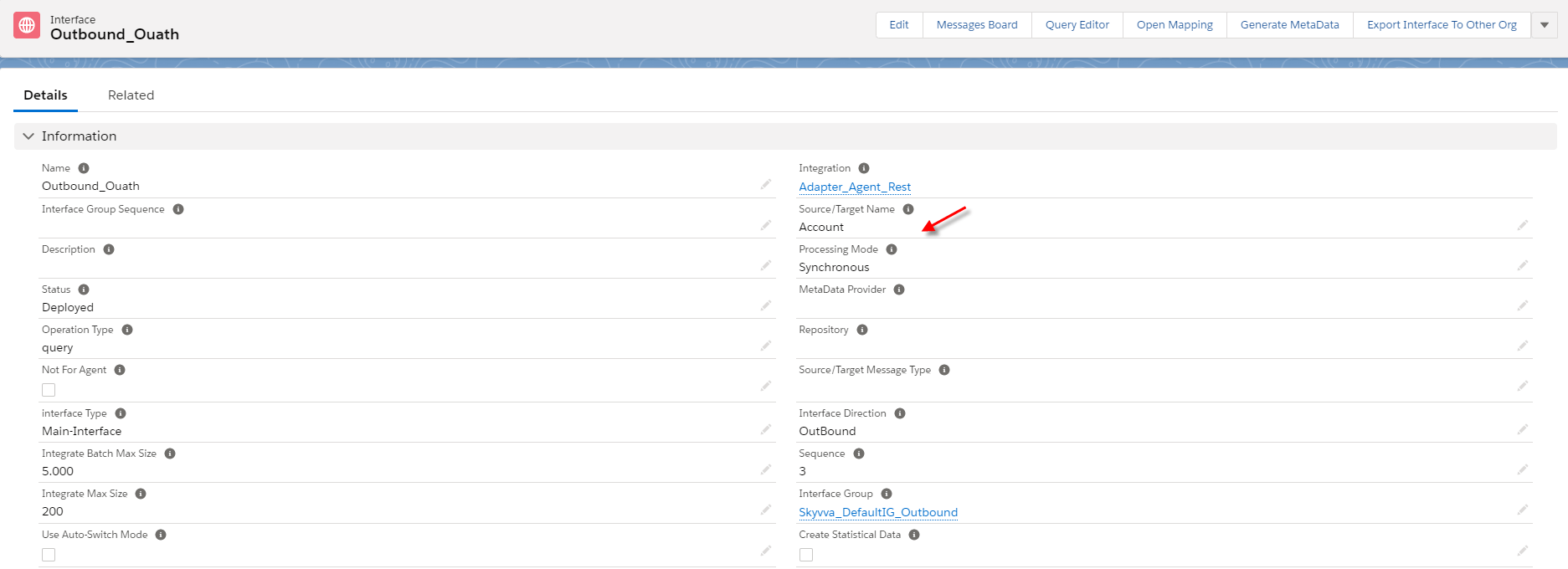
- Do mapping
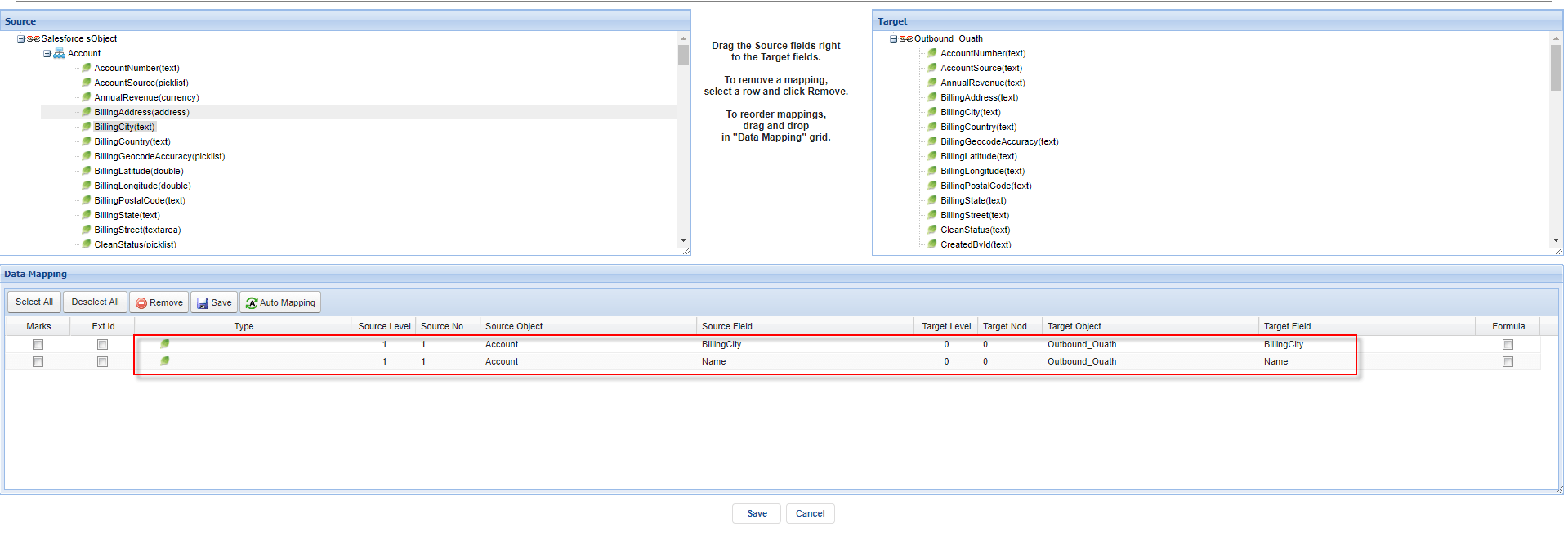
- Create an outbound interface one more for call out from salesforce.
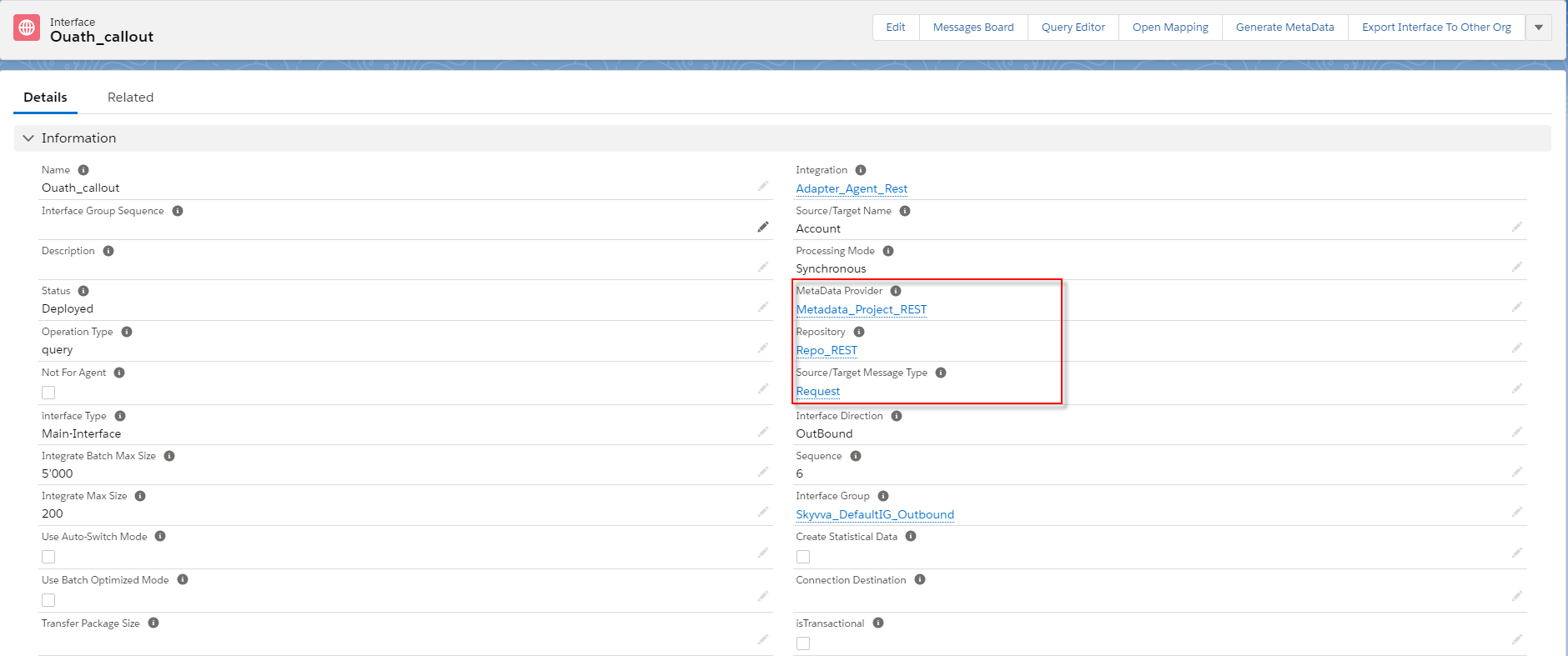
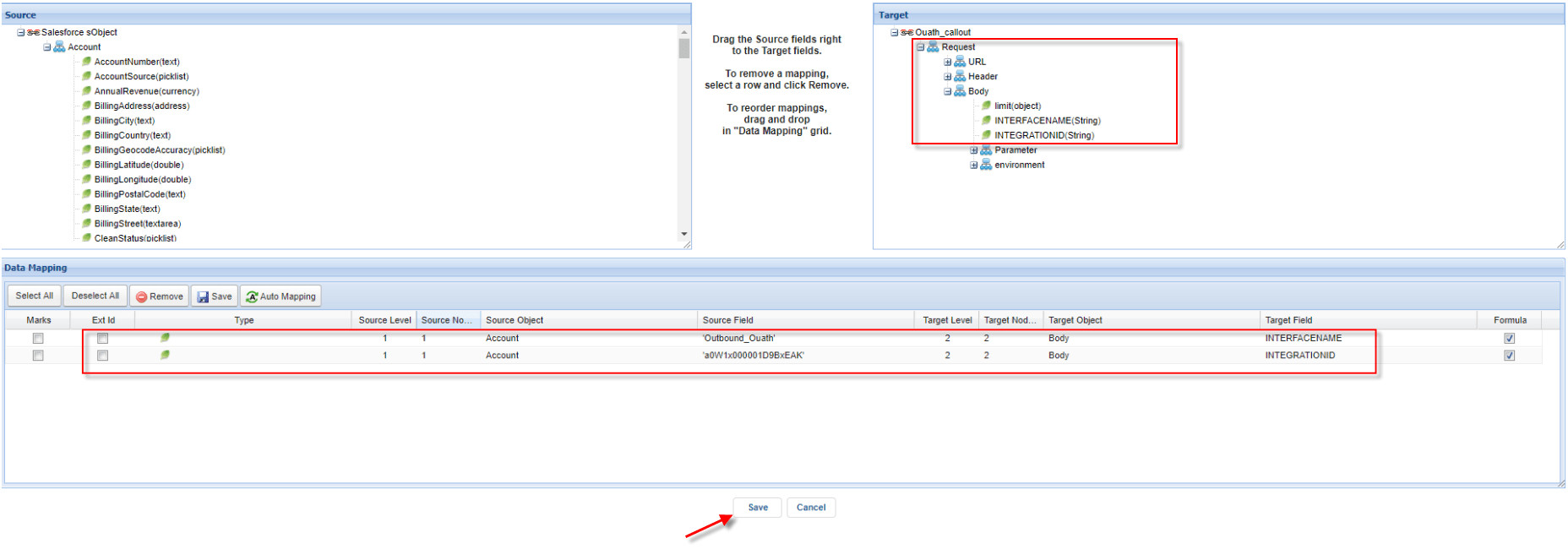
- Do mapping
- The set formula for a link to the first outbound interface.
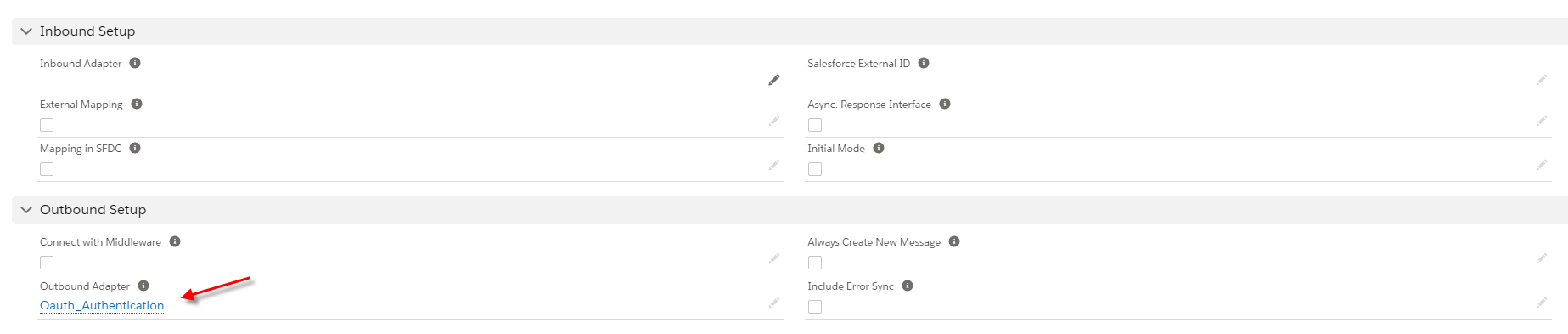
- Link Adapter into Callout interface
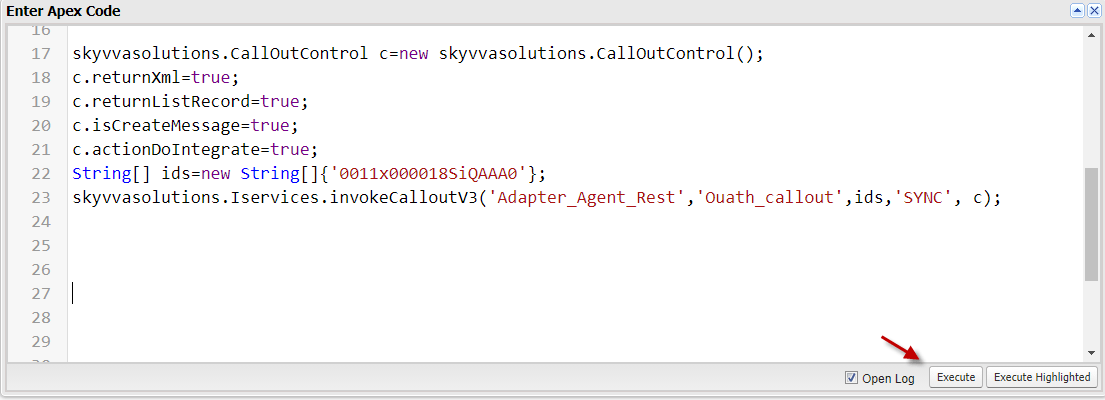
Step 3: CallOut V3 Apex code
- Using apex code same case 1
- Go to Monitor to check the result
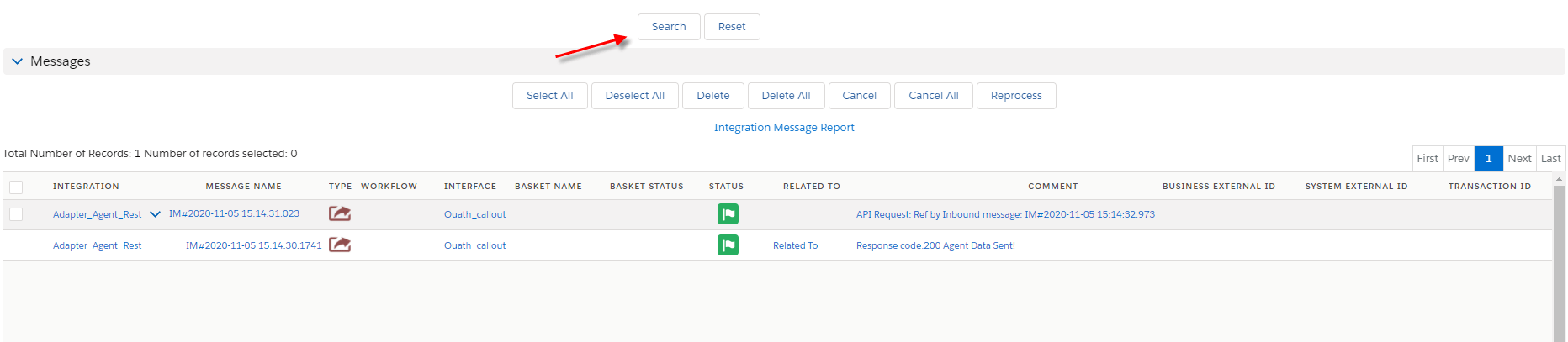
Handle API message with Response interface
In this case, we just need an Inbound interface one more for doing response. Because we have configuration some pre-required already. Step 1: Create a response interface
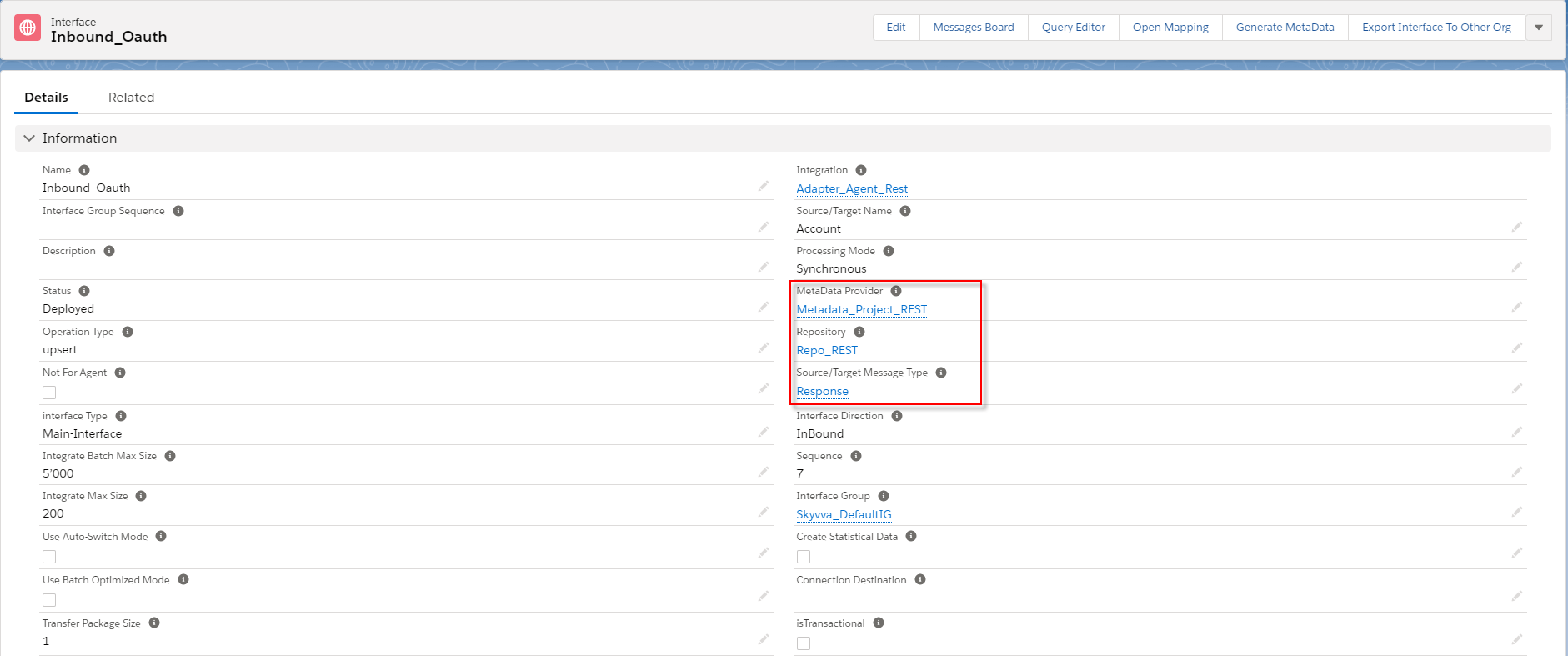
[su_box title="Note" box_color="#2a8af0" title_color="#000000"]User have to make sure the payload matching the message type[/su_box]
- Do Mapping
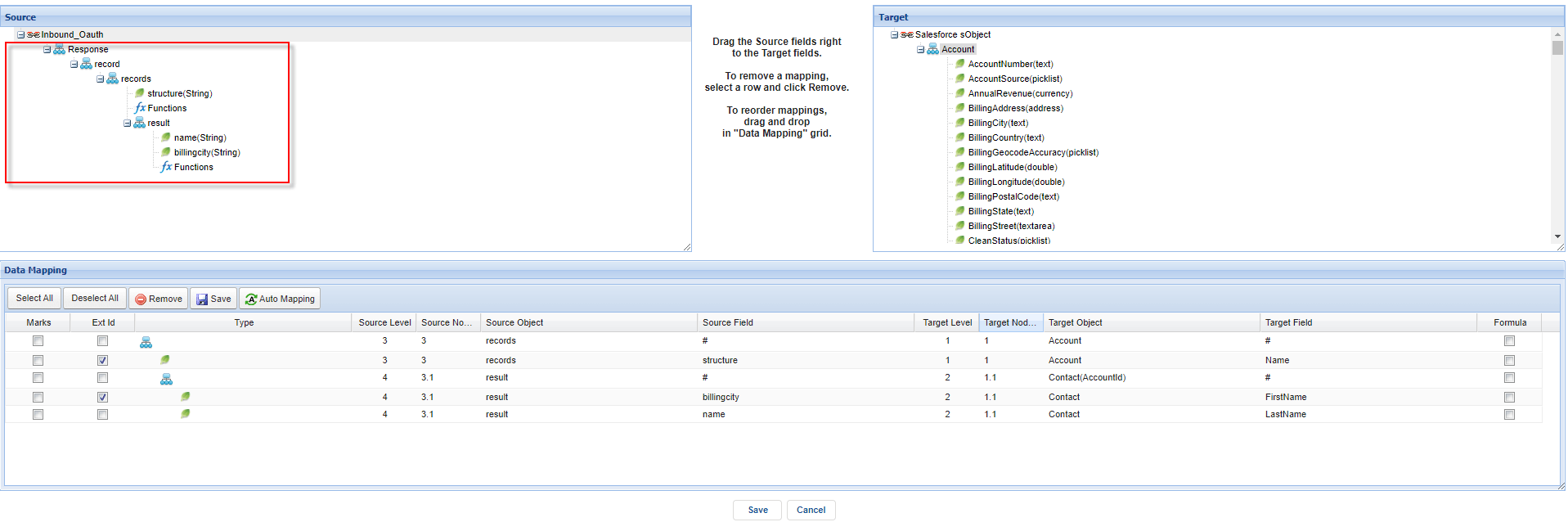
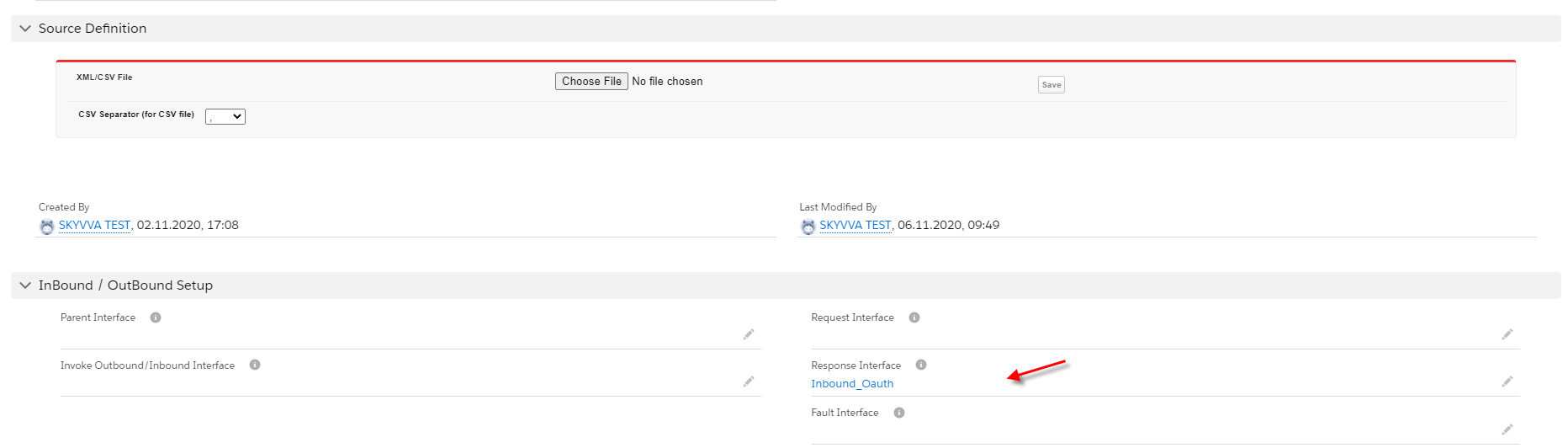
Step 2: Put response interface into a request interface
- Go to the request interface scroll down to see the field’s response and put the response interface’s name.
- Callout v3 Apex code
- Check the result on the monitor
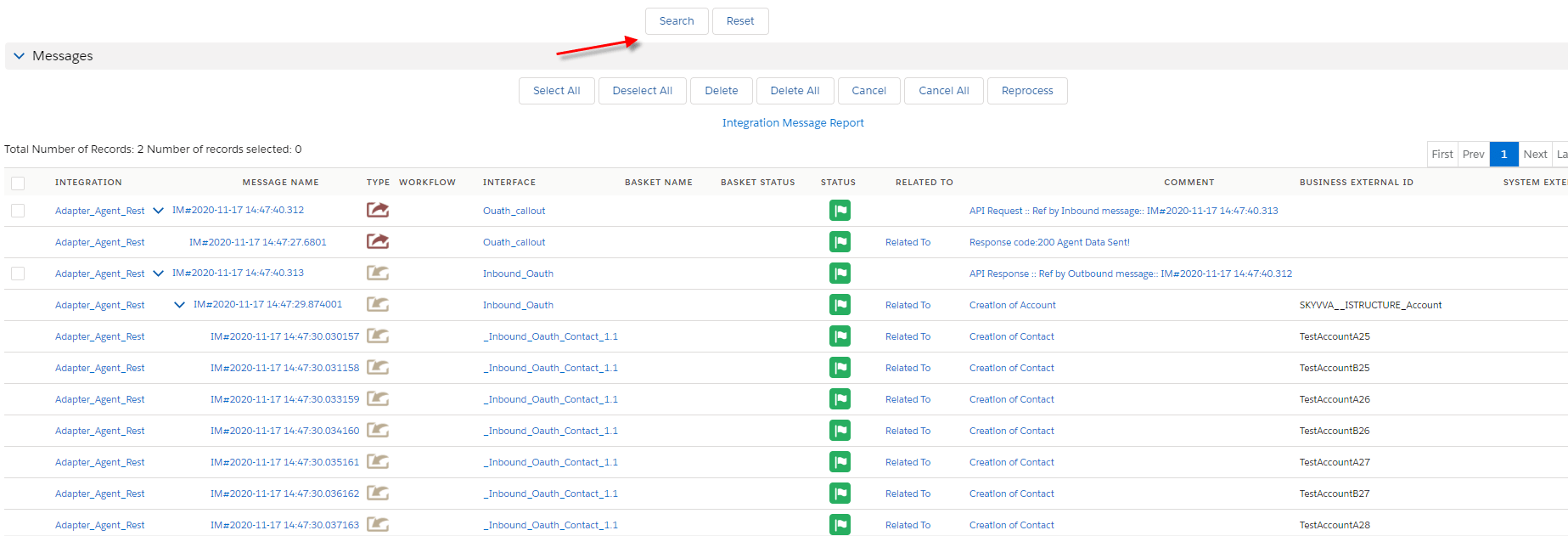
Handle API message without Response interface using API Key Authentication
Pre requires In this case, we have some requirements from another case you just create adapter type API Key authentication. Step 1: Create adapter Agent Rest Create adapter type agent rest API key authentication

Step 2: Create an outbound interface
- Create an outbound interface.
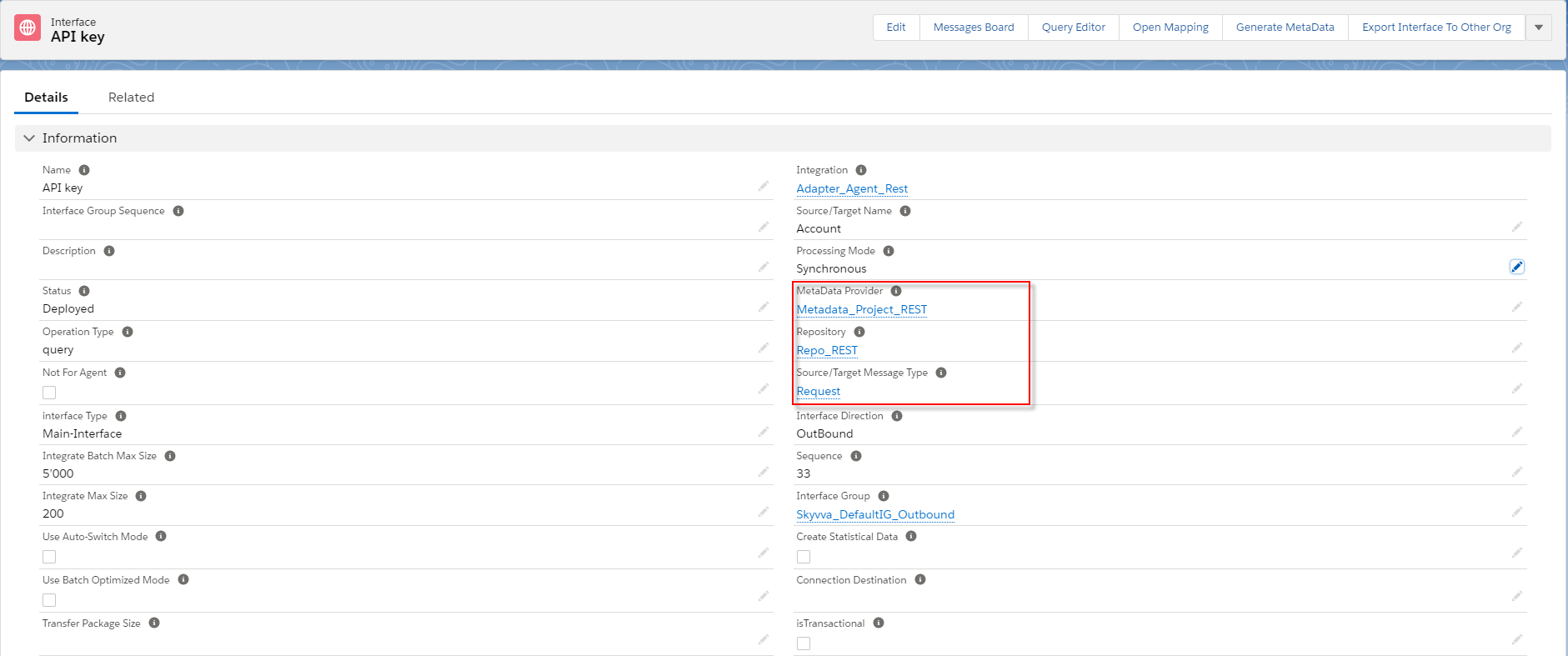
- Link Adapter into the interface
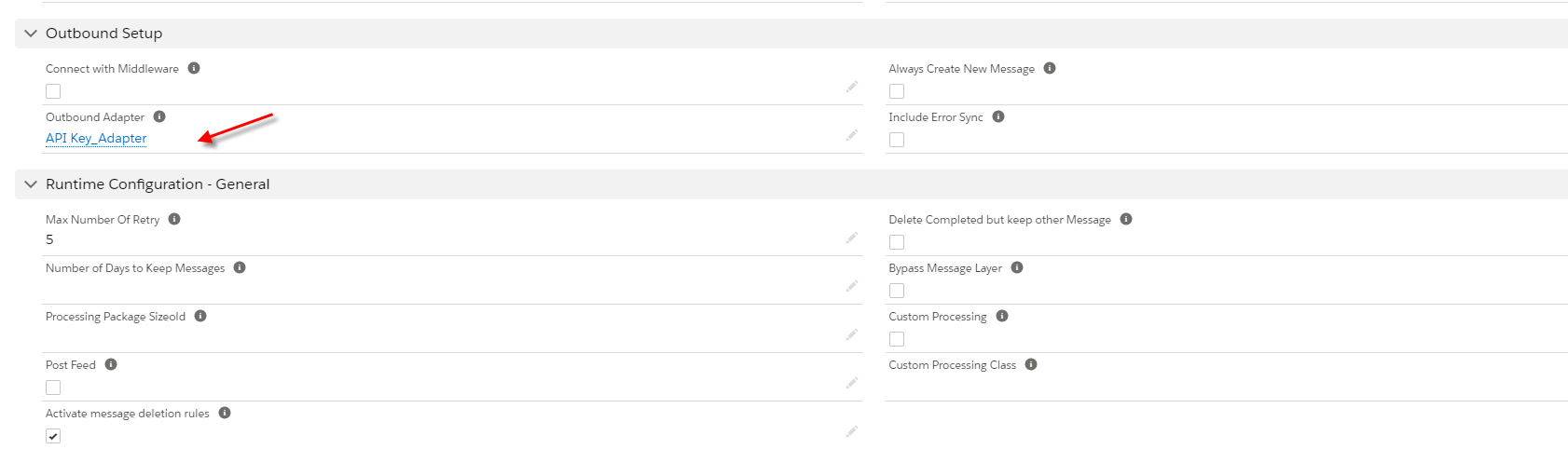
- Do Mapping
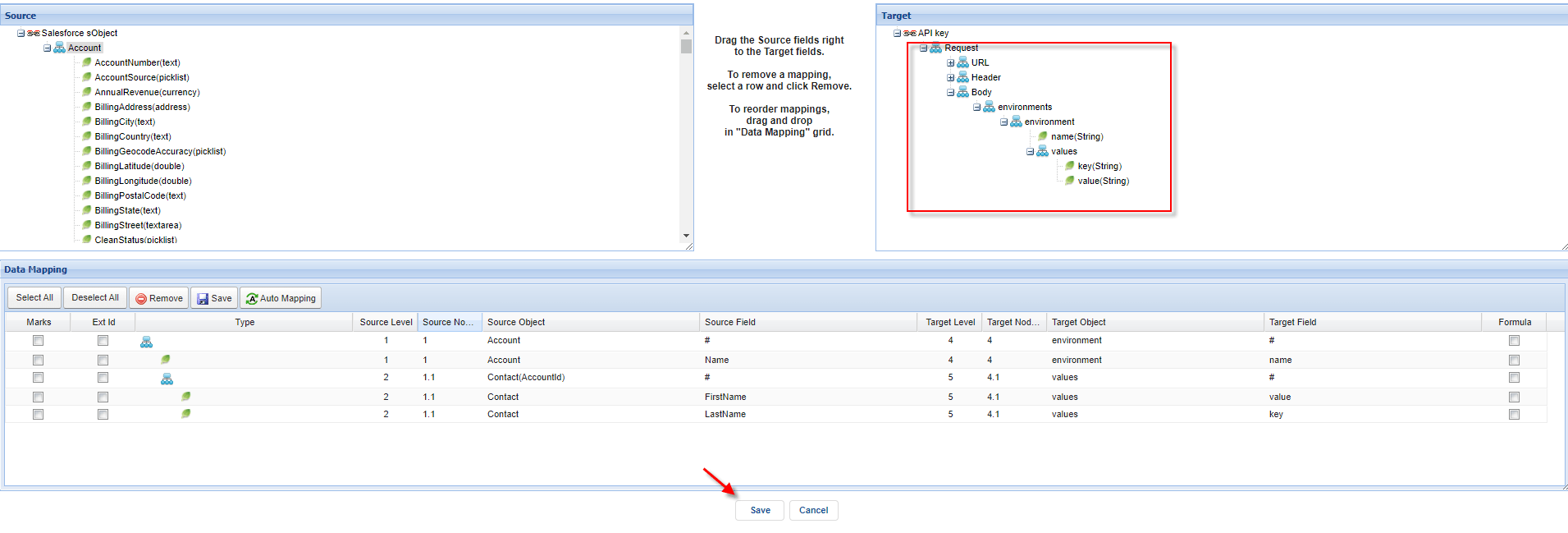
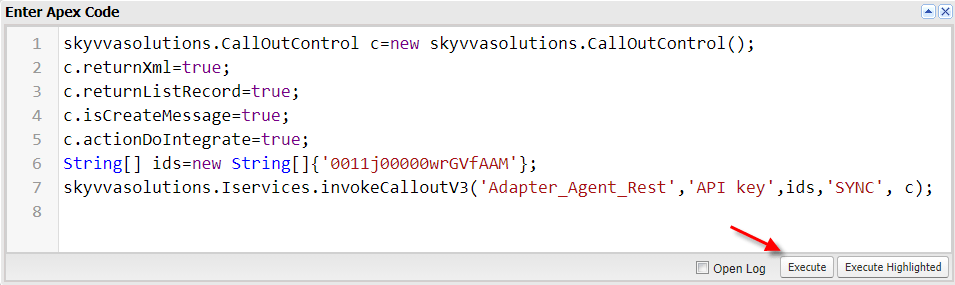
Step3: Call out by apex code
- Here is the apex code
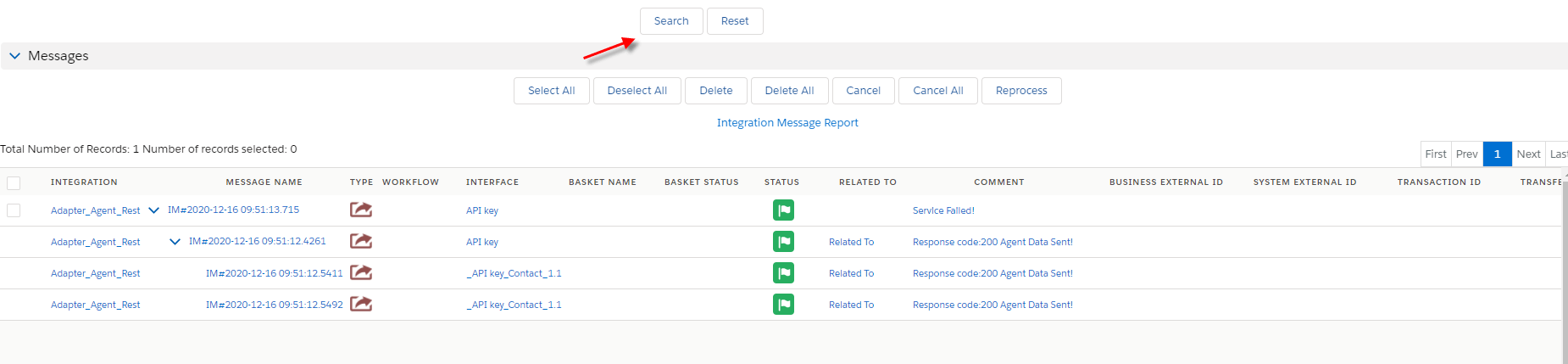
- Go to monitor to check the result
Handle API message with Response interface
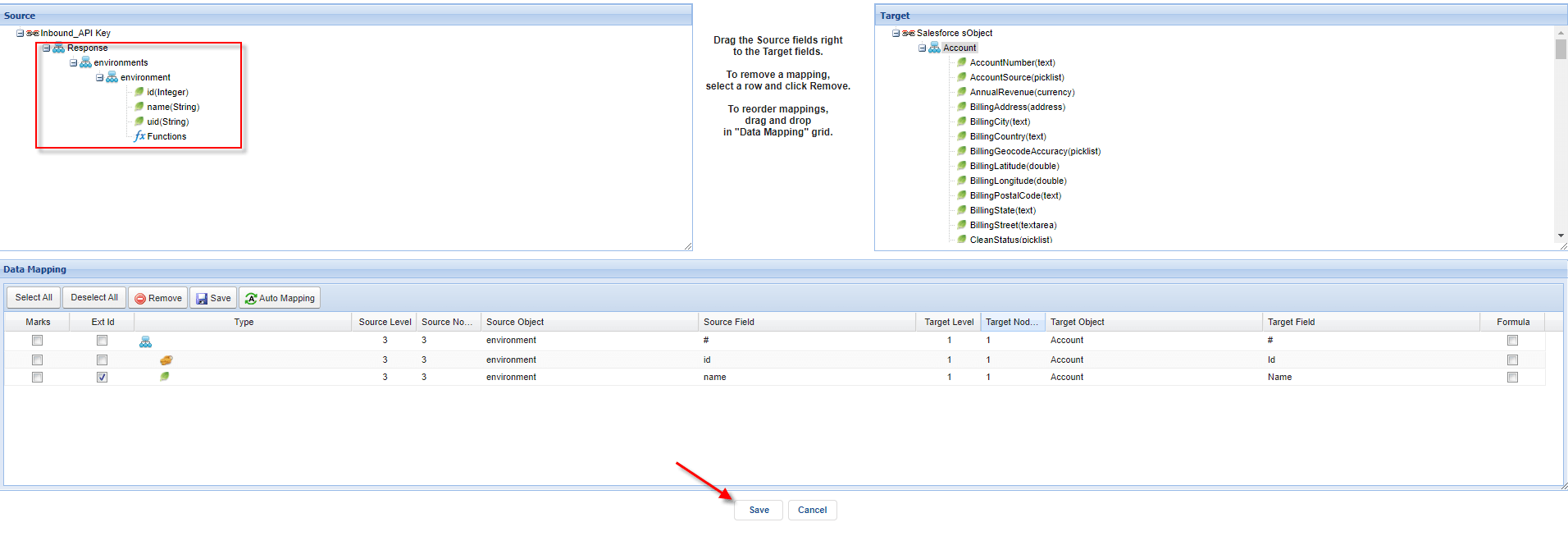
In this case, we just need an inbound interface one more to do response because we have some pre-requires already. But you make sure the payload is matching the message type. Step1: Create an inbound interface

- Do Mapping
Step 2: Put response interface into a request interface
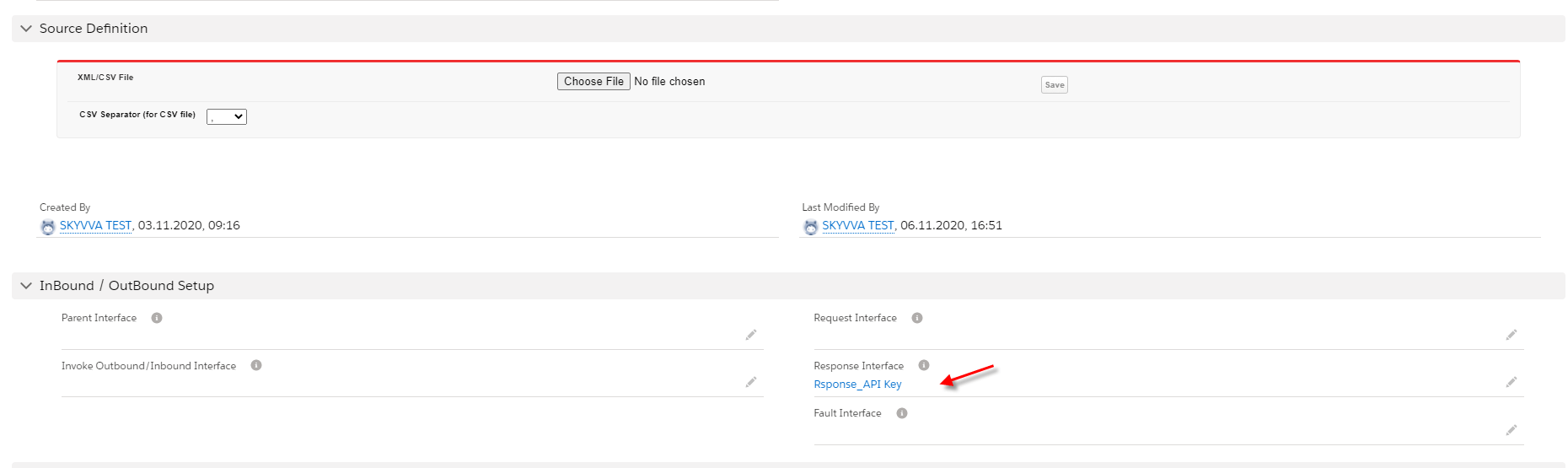
- Go to the request interface and scroll down to see the field response interface and put the name response interface into the field.
Step 3: Call v3 by apex code Here is an example in the developer console
- Check the result on the monitor page

Supports isArray on properties message type and field for multiple picklist values
We have data type a data picklist(Multi-Select) not Sobject which should be generated in the JSON array of the JSON outbound payload. Now we are able to generate it. Step1: Metadata Provider Go to message type using rest template
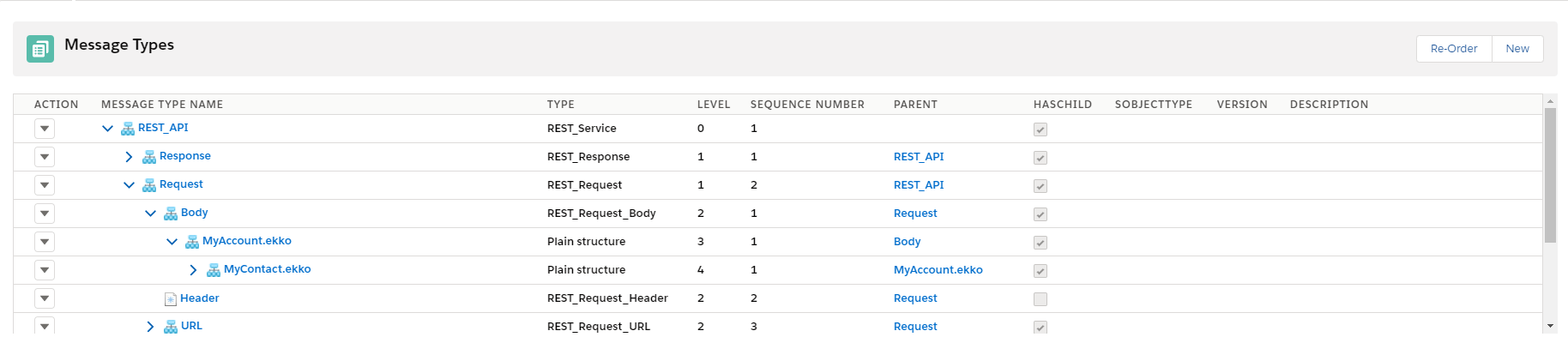
- Checking isArray properties on the message type
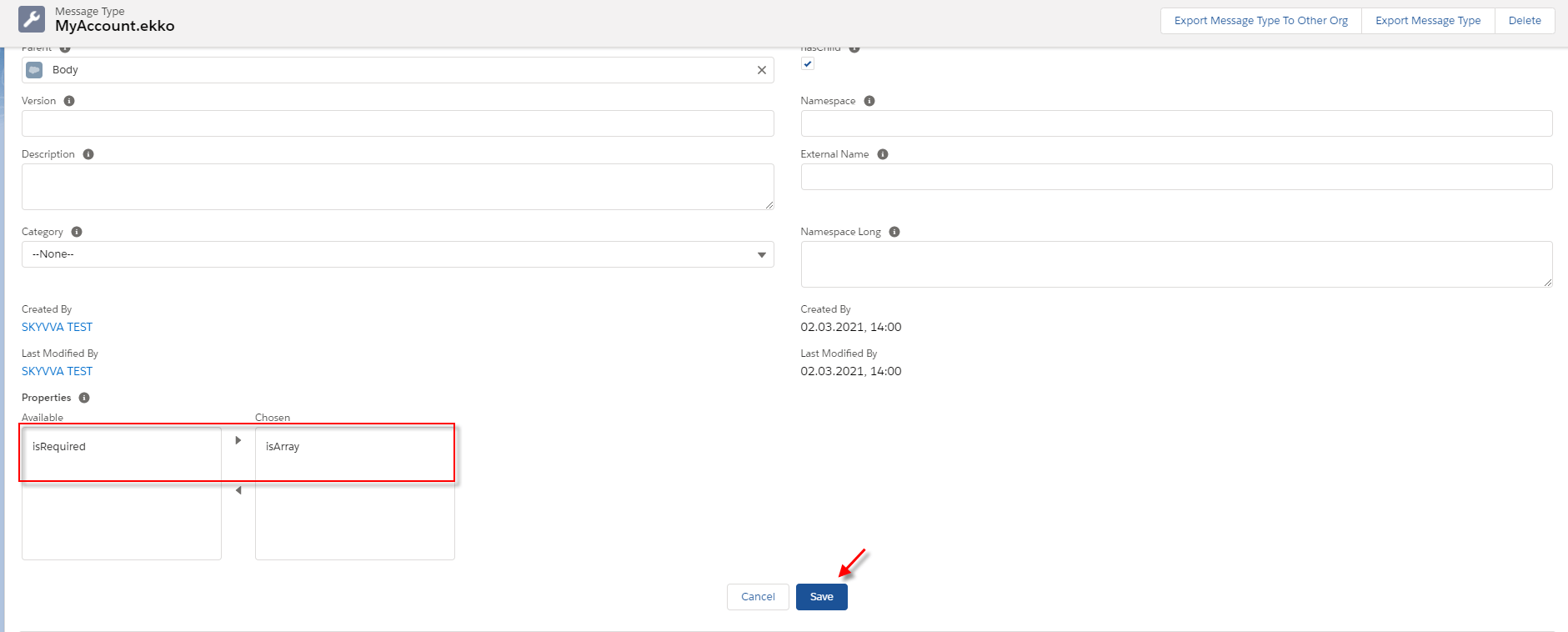
- Checking isArray on message field entry

Step2: Create an outbound interface Create an outbound interface and link metadata provider into the interface.

- Link adapter to interface

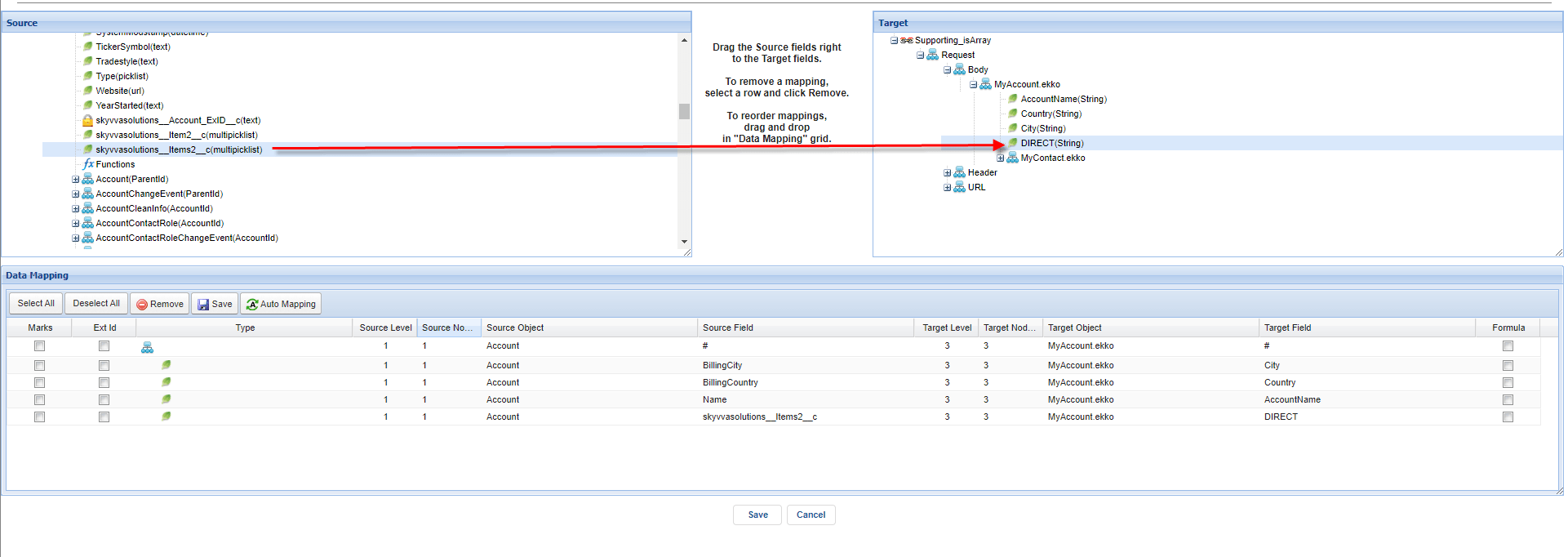
- Do mapping
Do mapping custom field that has multi-picklist with message field entry checked isArray properties.
- Got to the agent control board
We need to check the cache monitor to ensure that adapter, Integration, interface group, interface, Ichain, mapping, or workflow that we set on an interface is cache retrieved.

- Go to Developer Console

- Checking the result on the message monitor

- Here is the request payload result

Summary
Finally, this feature has been explained to you how to use the Agent REST adapter to call out to other systems with the response interface. This adapter is useful for the user who wants to import or export data with the internal and external systems in synchronous and asynchronous modes.