How to Create Salesforce Connected App to Get Client Id and Client Secret?
Introduction:
This section will demonstrate how to create a Salesforce connection app. This will allow us to obtain the necessary client ID and client secret for integrating the Connect Agent with Salesforce. Salesforce connection apps provide a secure and controlled mechanism to grant access to external agents, enabling seamless integration between your application and Salesforce. By creating a connection app, you can ensure that sensitive data and functionalities are properly managed and governed, by Salesforce's security and compliance requirements.
Steps to Create a Salesforce Connection App
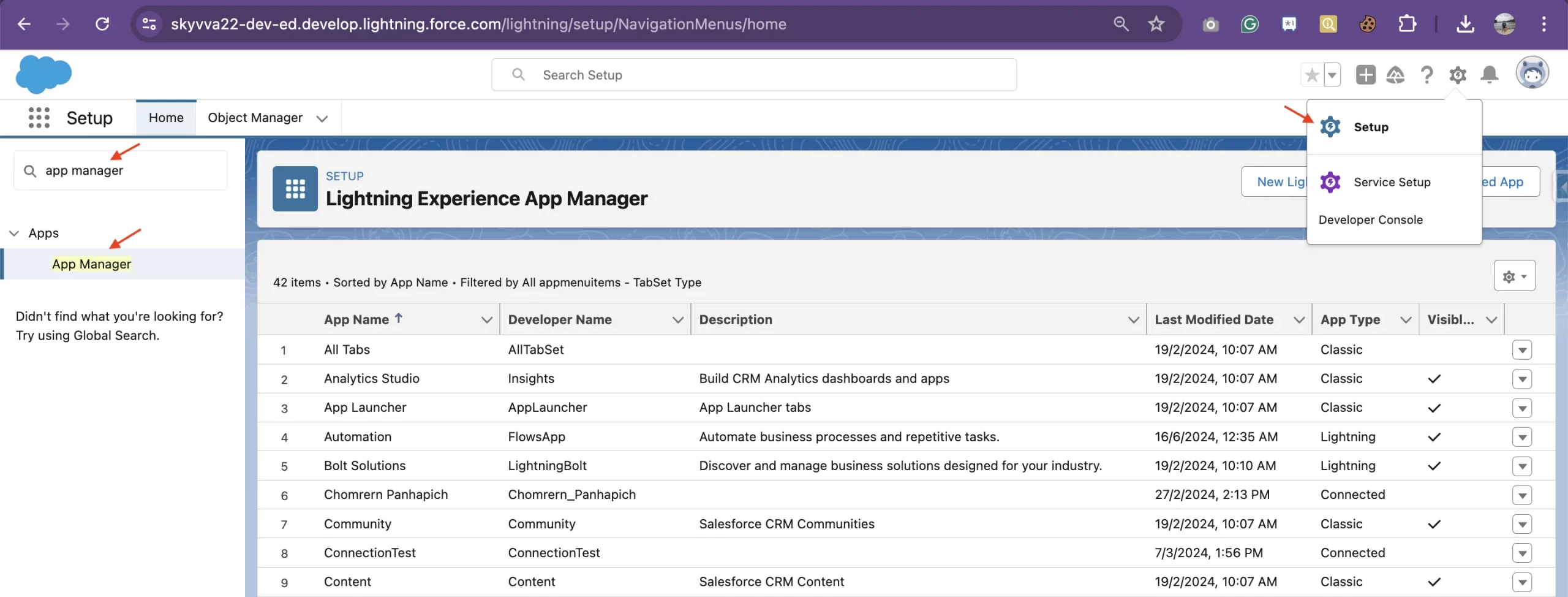
- Log in to your Salesforce org and navigate to Setup > Apps > App Manager.
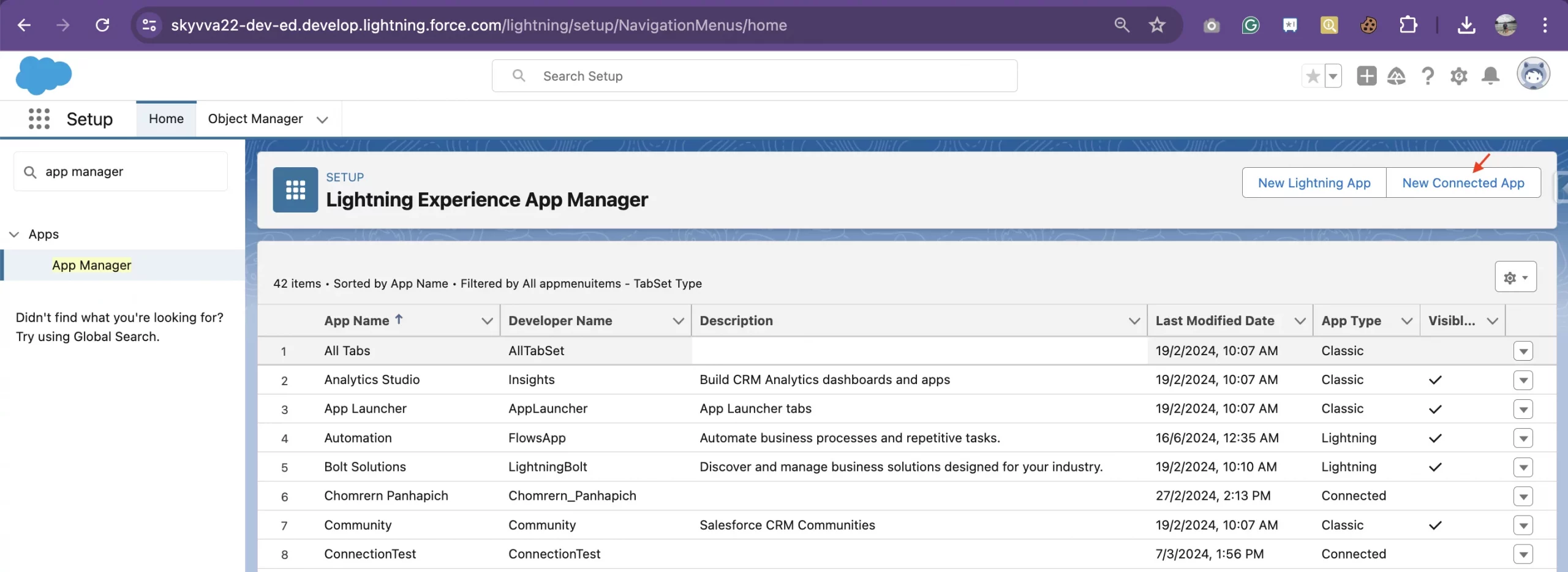
- Click "New Connected App" to create a new connected app.
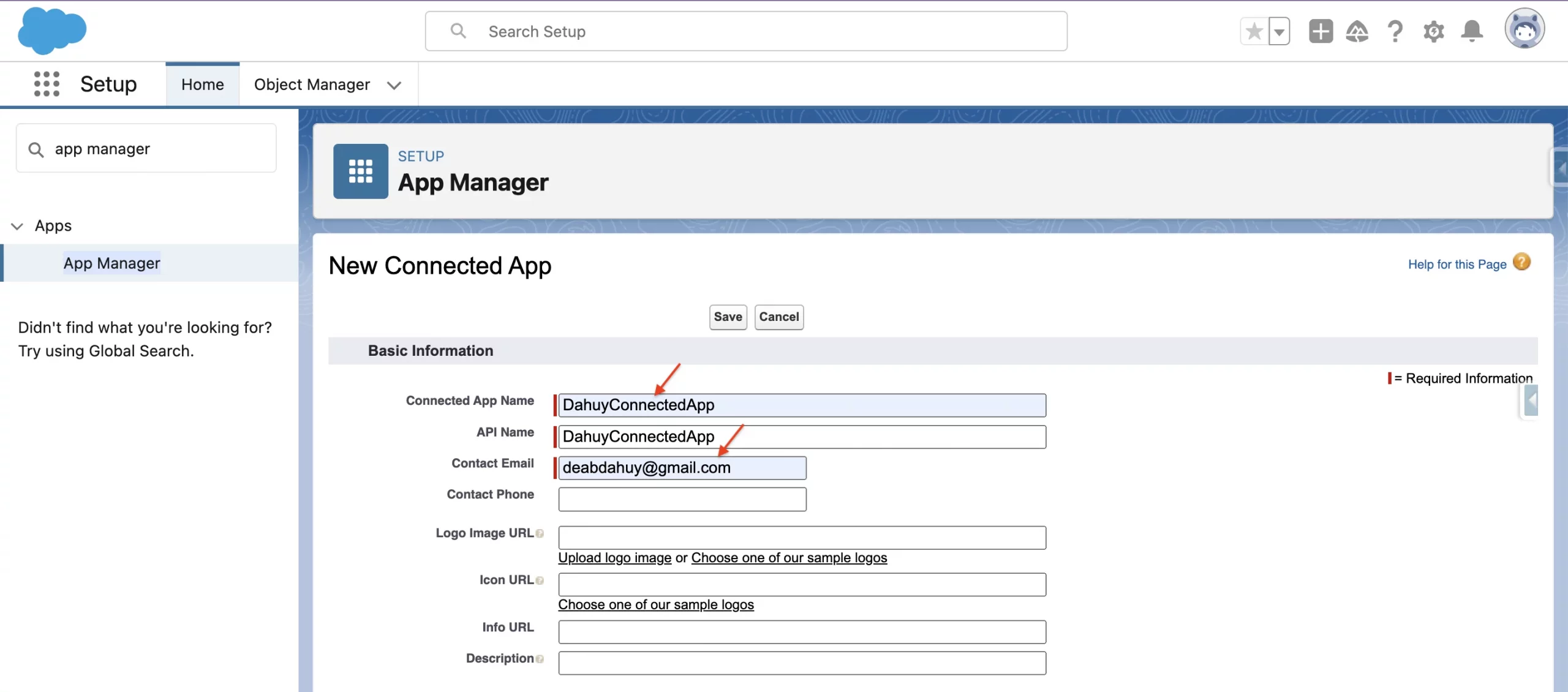
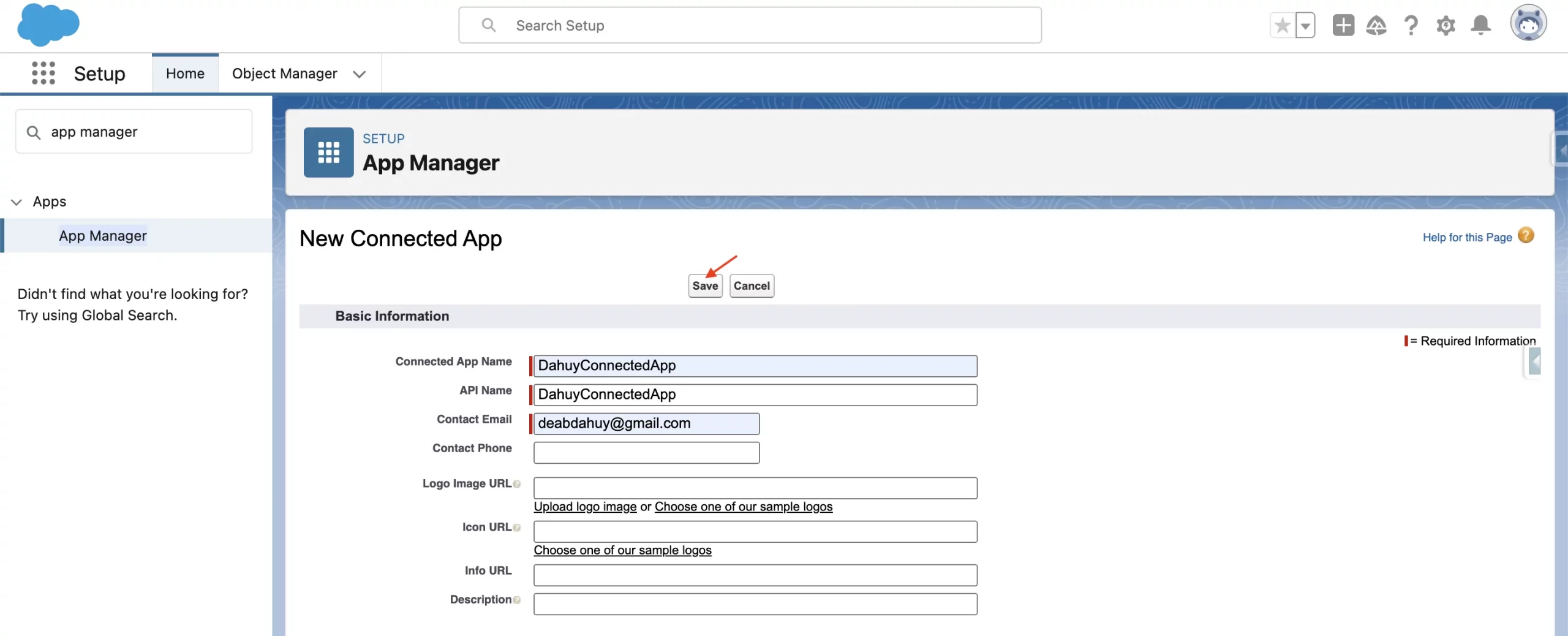
- Fill out the basic information, such as the app name, contact email
- In the "API (Enable OAuth Settings)" section, enable OAuth Settings and configure the callback URL, scope, and other relevant settings.
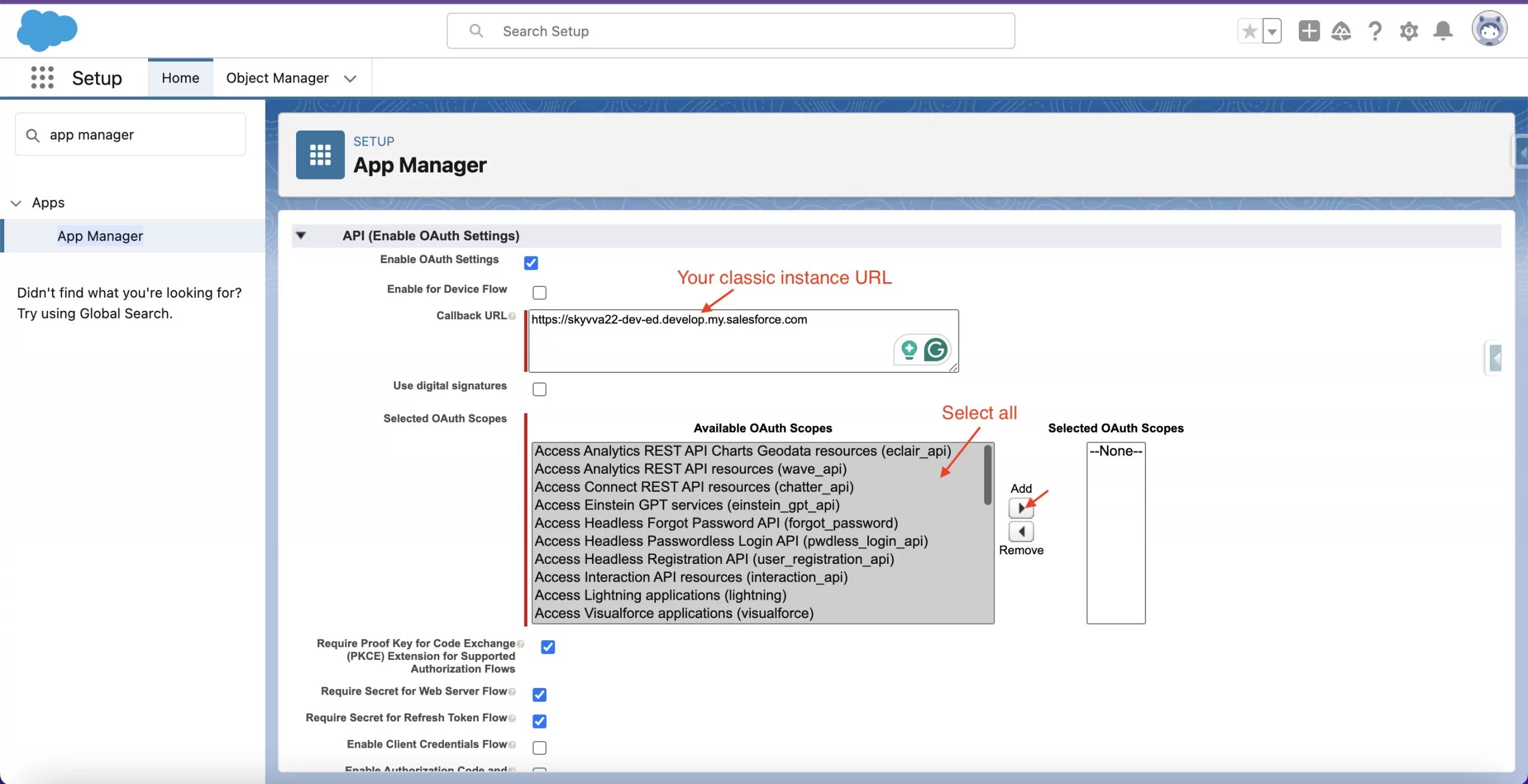
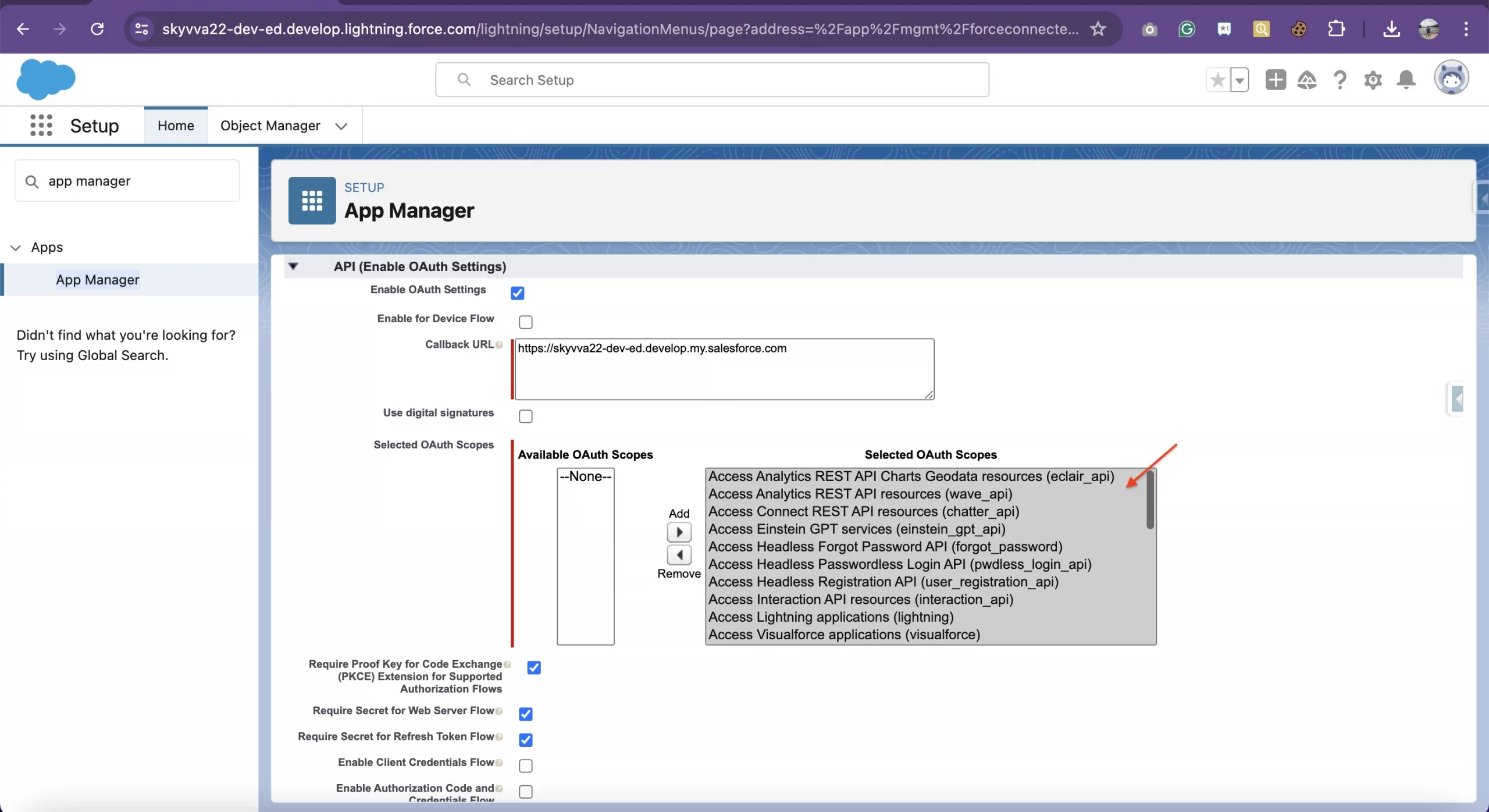
- After clicking the "Add" button, the selected OAuth Scopes will be moved to the "Selected OAuth Scopes" section
- Then click Save button
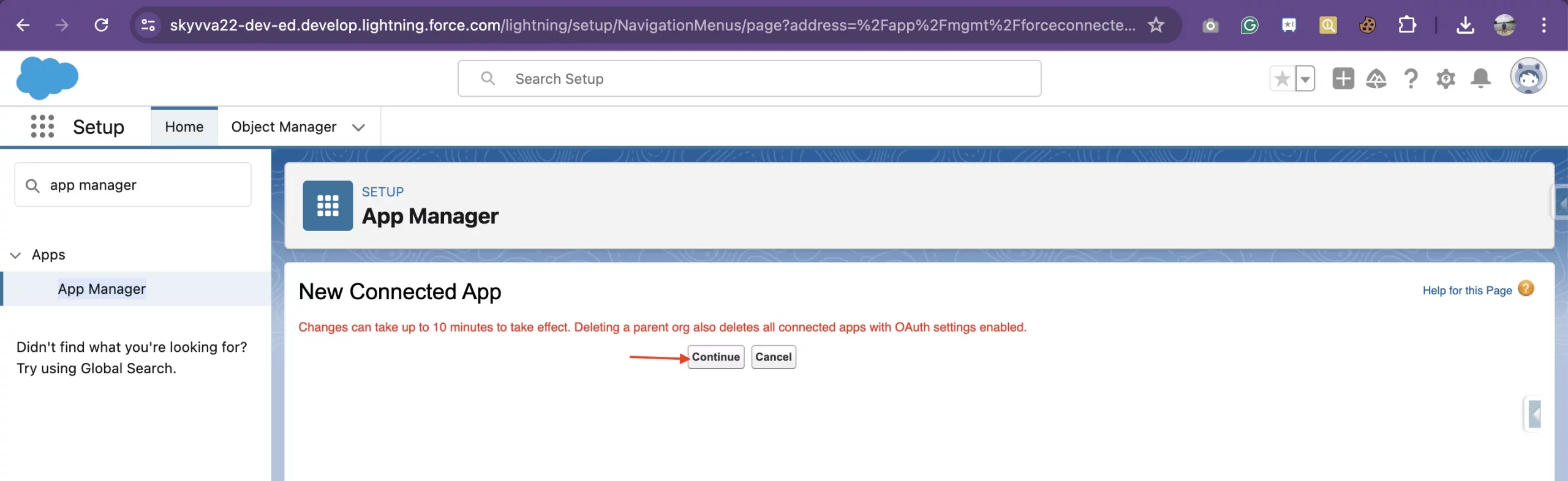
- Click Continue Button
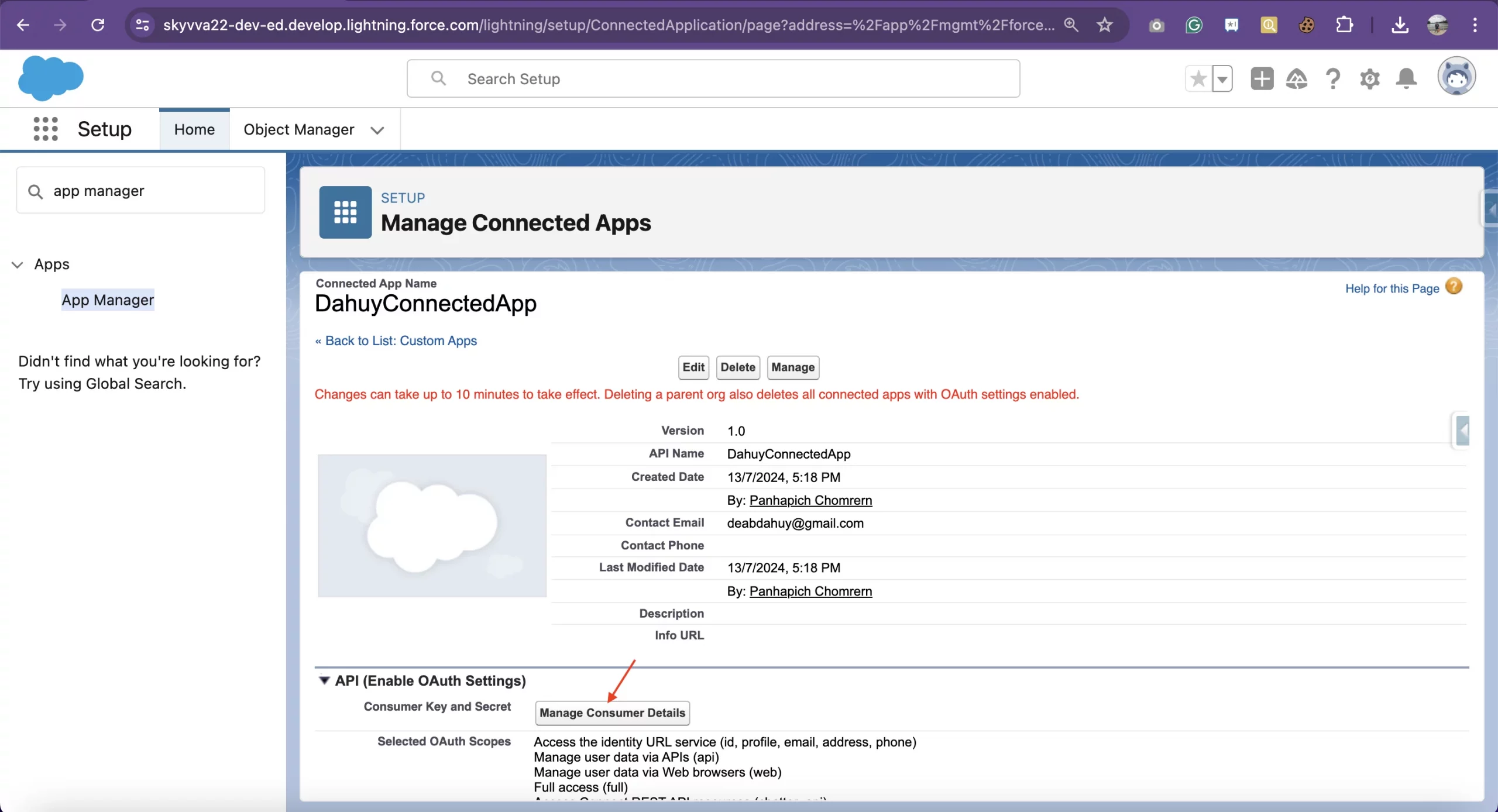
- Click Manage Consumer Details button
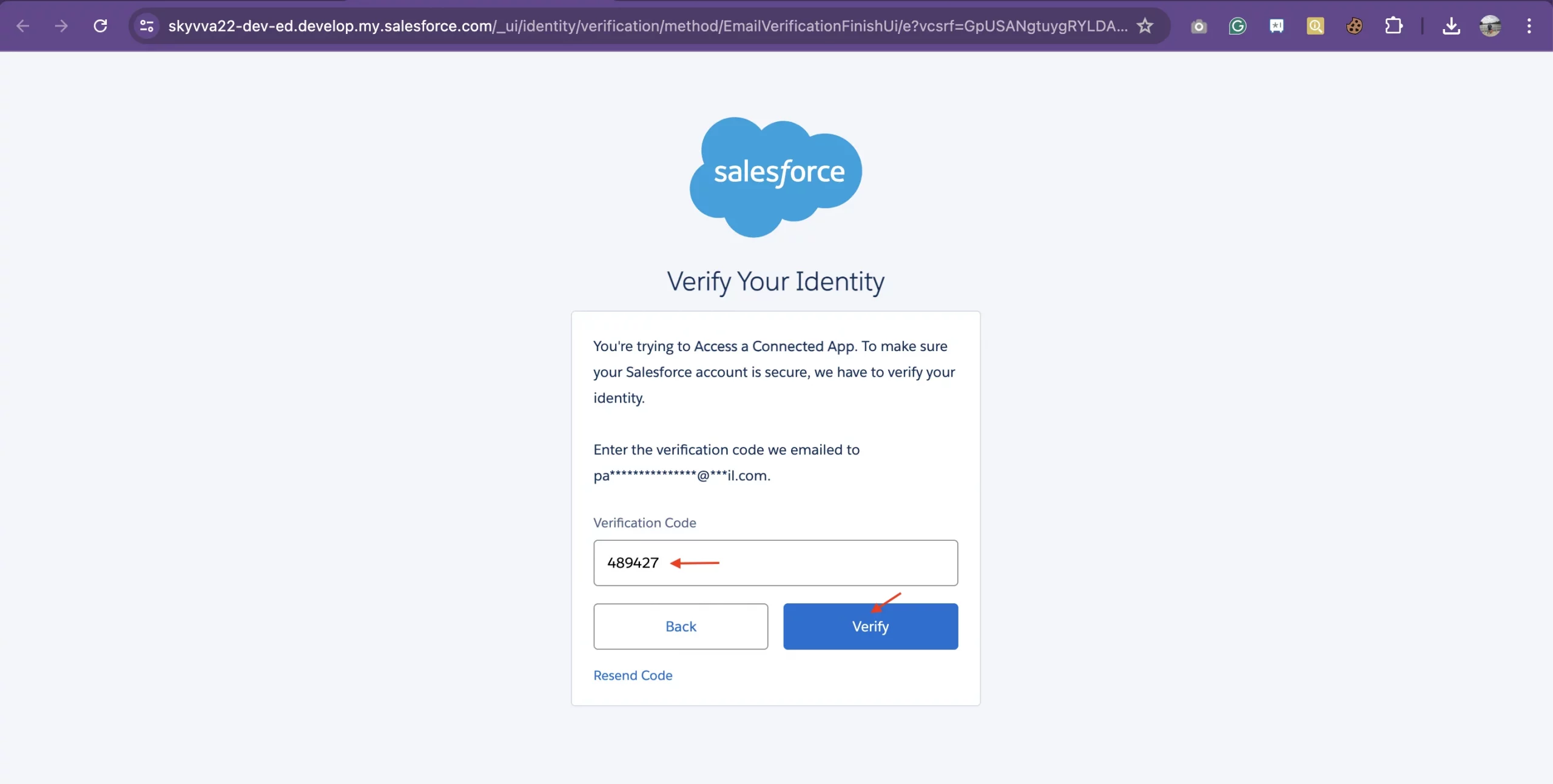
- Enter the verification code from the email's user > click Verify Buttb
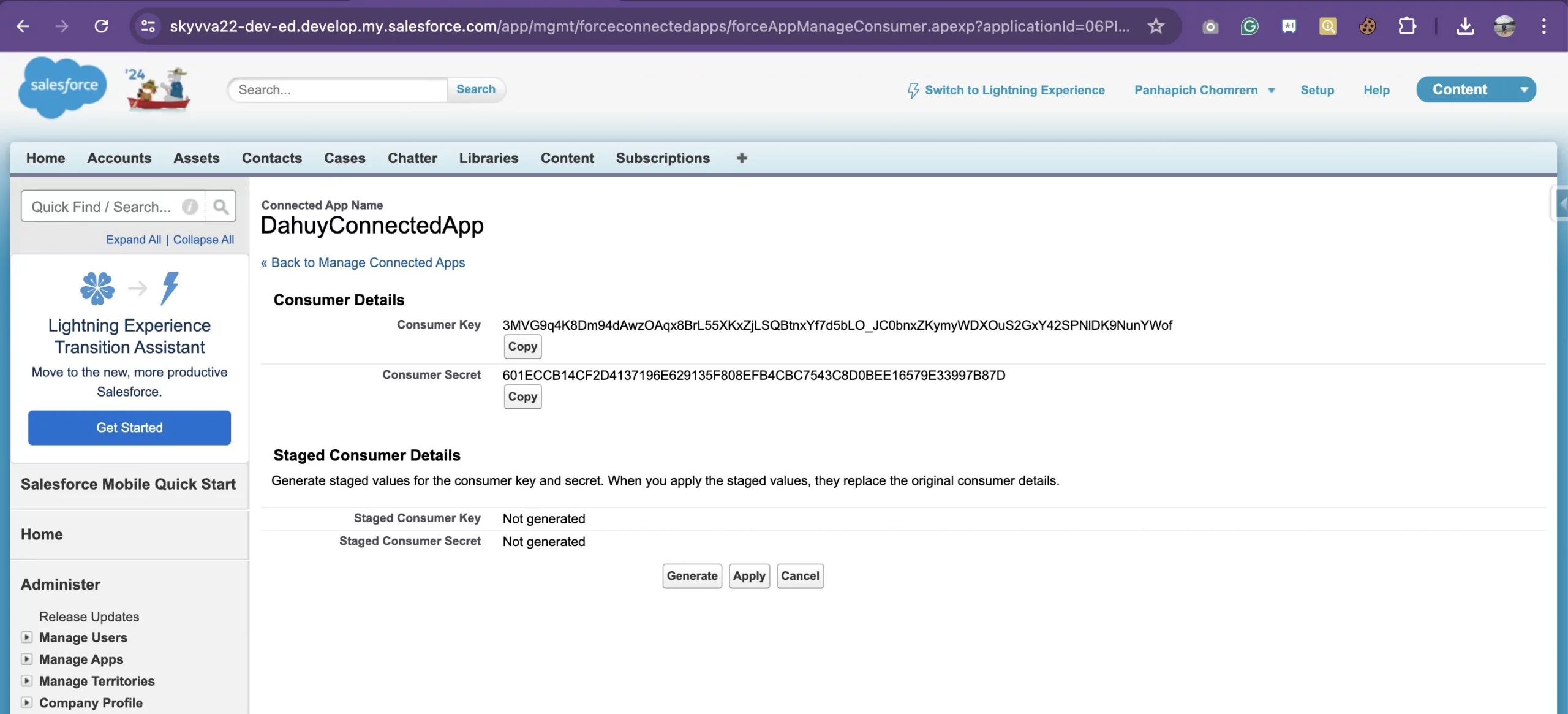
- After Verify to access a connected app, locate the "Consumer Key" (client ID) and "Consumer Secret" (client secret) values.
- These credentials will be used to authenticate your application with Salesforce during the integration process.
Implement the Authentication Flow:
- Use the client ID and client secret to authenticate your application and obtain an access token from Salesforce.
- Implement the OAuth 2.0 authentication flow, such as the Web Server flow or the Username-Password flow, depending on your integration requirements.
For the Username-Password flow:
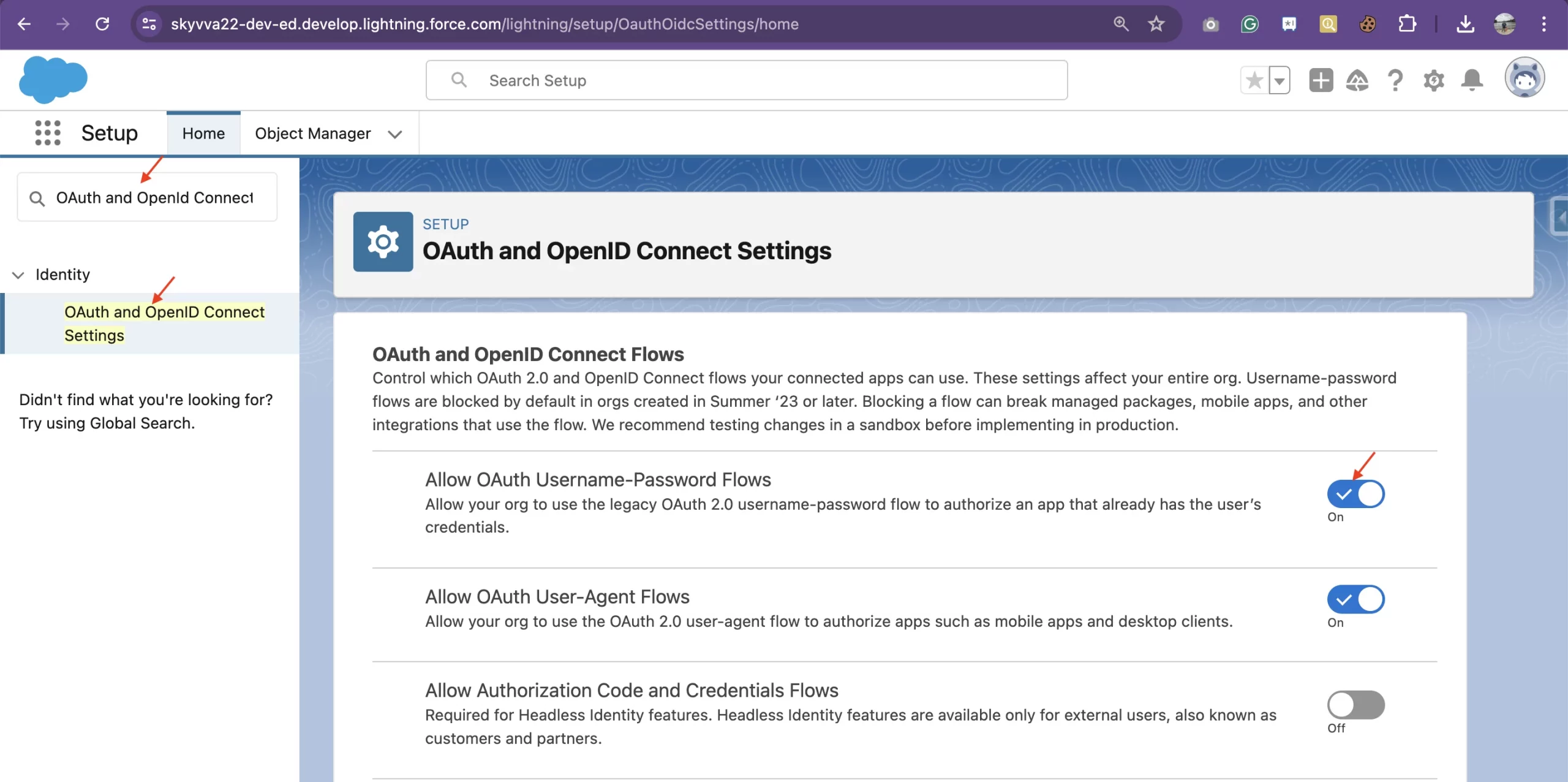
In the OAuth and OpenID Connect Settings, locate the "Allow OAuth Username-Password Flows" option and ensure it is switched on.