4. How to do delete operation using Synchronous and Asynchronous outbound interface?
Introduction
This tutorial will guide you on how to send data in multiple objects from Salesforce to the multi-Table in the database as synchronously and asynchronously through Agent V3. We will know about Transactional and Non-Transaction mode during processing. MYSQL Database is used for example to delete the existing records in the database and it located on EC2 instance. Pre-required
- Create a Repository and generate Message Type from the database
- Modify Message Type for adding a field in WHERE-Clause
- Using Mapping tool in WHERE condition
- Create outbound Interface and checking cache monitoring status
- Callout v3 to new Agent
- Transactional and None-Transactional mode
How to do delete operation using a Synchronous outbound interface?
In this example, we use the same Database Adapter in the previous section as it used for INSERT operation. Now we use that Adapter with DELETE operation. Step 1: create another Repository for Delete operation and then generate Message Type from the database.
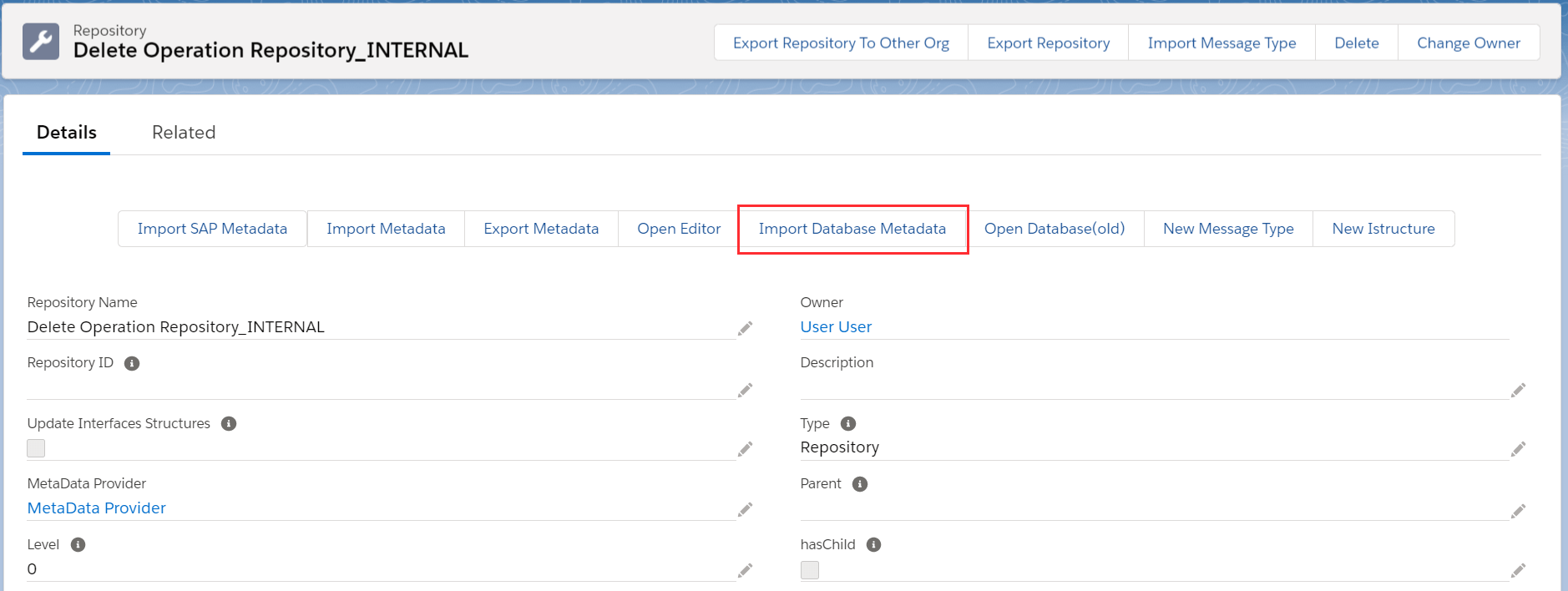
[su_box title="Note" box_color="#2a8af0" title_color="#000000"] Update and Delete operation are generated in the same template. We can use one of them to do both database operations. [/su_box] Fill all required field then click Retrieve Database to get the Table’s record
- Agent Instance: your instance name
- Adapter Name: your adapter name
- Object Type: Table, View, Procedure
- Database Operation: Delete (database’s template will be generated base on operation)
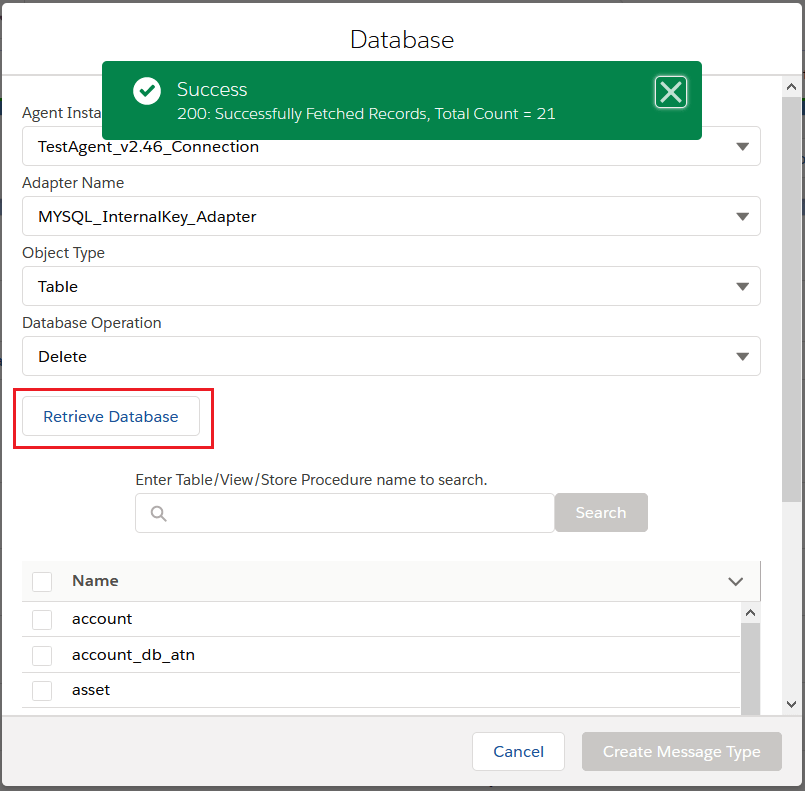
- Choose the Table’s name for creating Message Type

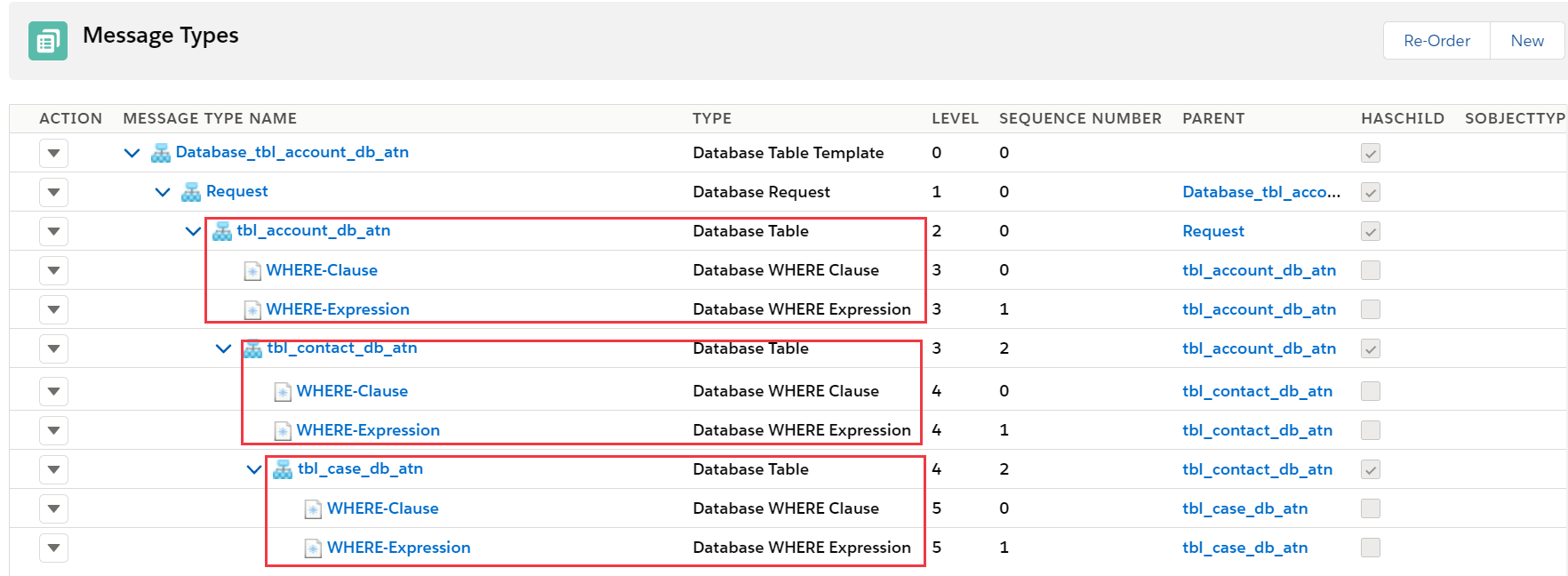
After that, we got the Message Type generated from the Table’s record Here the example for Table called: “tbl_account_db_atn”

[su_box title="Note" box_color="#2a8af0" title_color="#000000"] For Update/Delete operation, we have a template for generating Message Type for a single Table
- Create Messages Type as a child of the root with fixed name “Request” within type as “Database Request”.
- Under “Request”, create a Message Type as the child. The Table’s name is used for this Message Type within type as “Database Table”. i.e: tbl_account_db_atn. In this Message Type, was generated the field name like on Table. Two Message Type has been generated for this Message Type as the child with the fixed name: WHERE-Clause type as “Database WHERE Clause” and WHERE-Expression type as “Database WHERE Expression”. In WHERE-Expression has been generated the fixed field name that is “Expression” for putting condition value.
[/su_box]

Currently, we need to manual re-order Message Type as the parent and child. As the example below, we have three Message Type refer to three Tables on the database. Under “Request” we take “tbl_account_db_atn” as the parent of “tbl_contact_db_atn” and “tbl_case_db_atn” as the child of “tbl_contact_db_atn”, these Message Type are Database Table type.
In WHERE-Clause Message Type, we did not generate any field from the Table because we never use all the fields on the table in the condition. The user needs to add a field on WHERE-Clause for using in the condition by going to WHERE-Clause which relevant to its parent Message Type then navigate to Related tab => Select Field From Repository In this example below is showing WHERE-Clause on tbl_account_db_atn. For other Message Type like tbl_contact_db_atn and tbl_case_db_atn is the same step scenario for adding the field on WHERE-Clause.
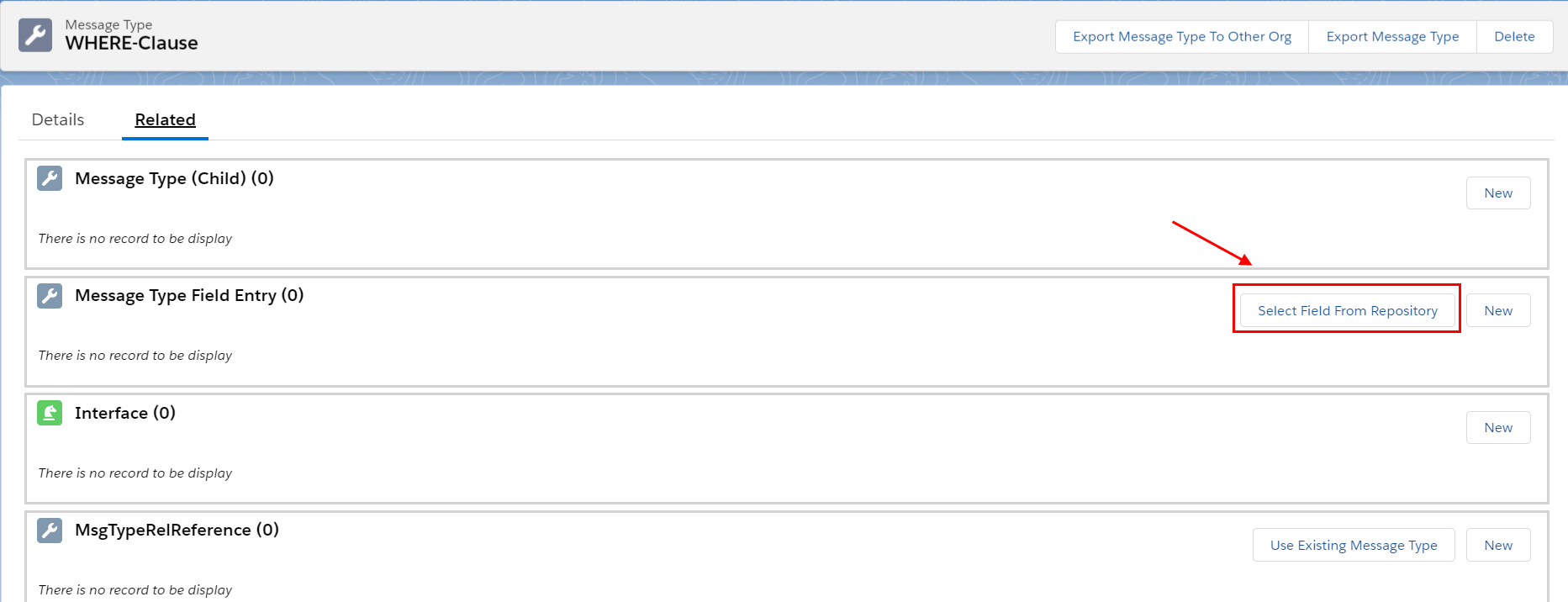
At this point, we need to choose the Metadata provider and Repository name and then select the field that we need to put in the condition.
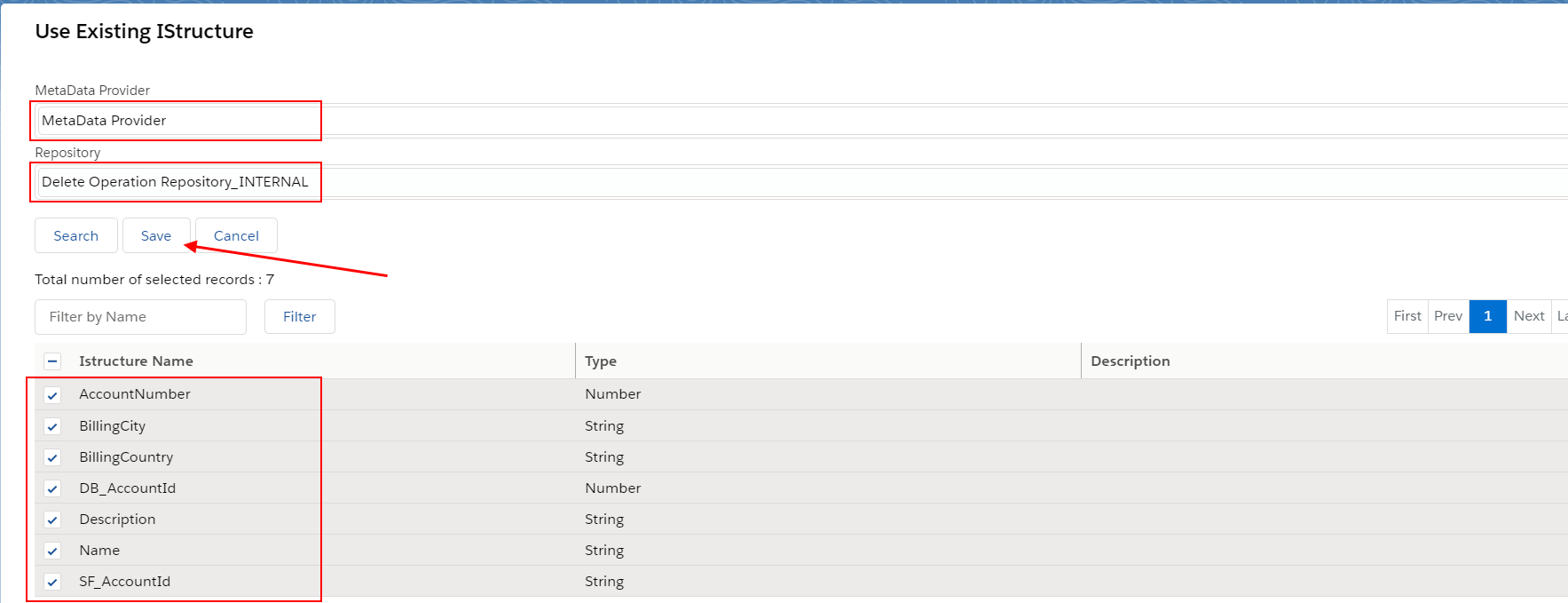
After click Save, we have got the field below

Step 3: Set up Interface
- For creating the Interface need to follow this guide #article/1-what-is-an-interface-and-how-to-create-it
Define the Request Interface
- Create an outbound Interface for Synchronous mode, operation(delete), choose Adapter, Metadata Provider, Repository and Message Type (Request)
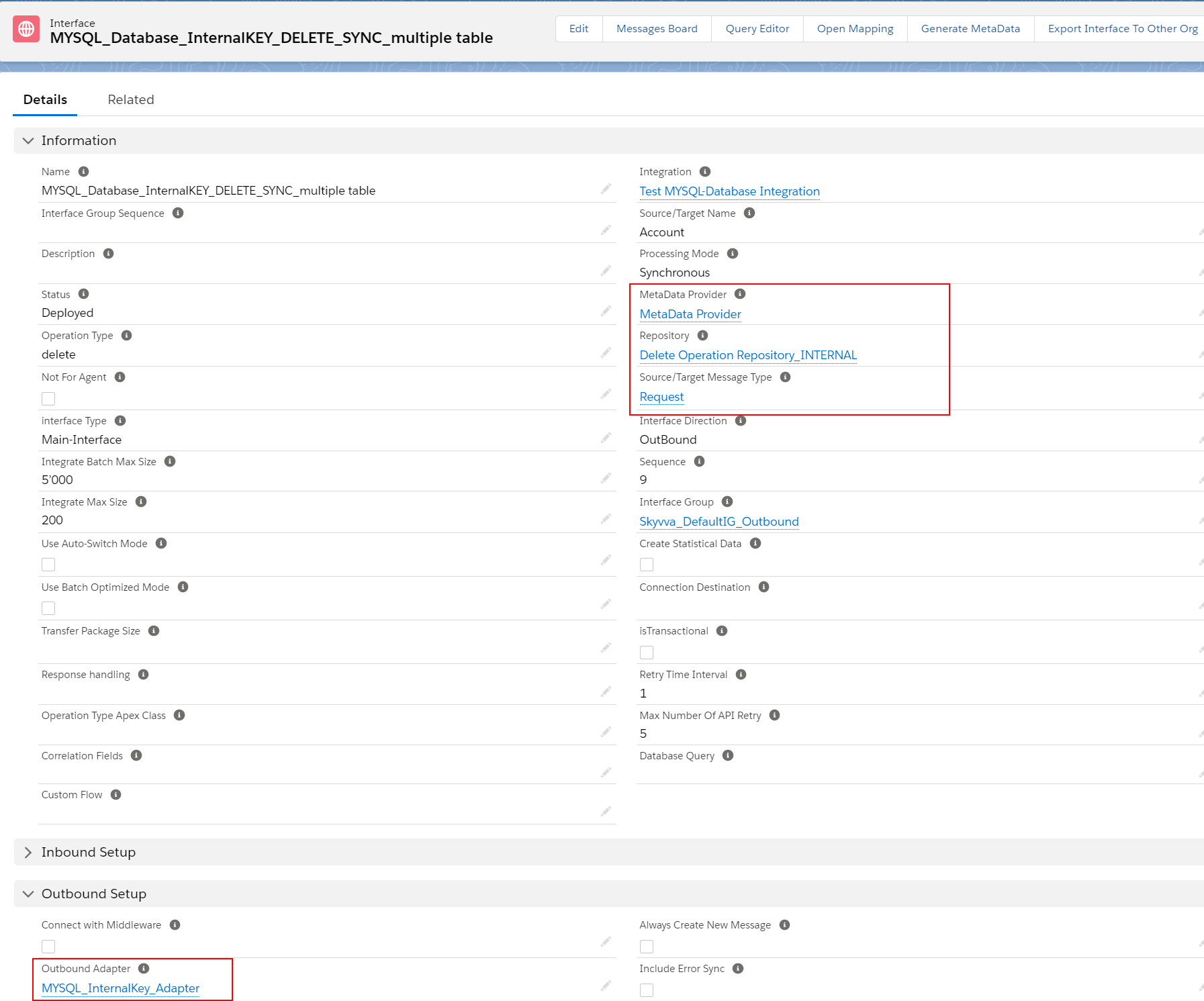
- On the Interface details page, click the button Open Mapping

In the mapping tool, we map it followed to the standard DELETE statement with WHERE-Clause. DELETE FROM table_name WHERE condition; Example:
- We map “Account” sObject to node “tbl_account_db_atn”: to define which Table for delete
- “Id” to “SF_AccountId” of node WHERE-Clause: to define the condition field’s name.
- “Functions” to “Expression” of node WHER-Expression: to define the condition field’s value. After map, this field, the Formula and Expression’s form will be pop up. We can also map another field to Expression, then check the Formula flag
After do mapping, the SQL Delete statement is to look like the example below:
- DELETE FROM tbl_account_db_atn WHERE SF_AccountId = …..
- DELETE FROM tbl_contact_db_atn WHERE SF_ContactId = …..
- DELETE FROM tbl_case_db_atn WHERE SF_CaseId = … AND DB_CaseID = ‘834’
[su_box title="Note" box_color="#2a8af0" title_color="#000000"] In WHERE-Expression, we need to put the question mark (?) for getting dynamic value from the field that presents in the WHERE-Clause. We can put the static value in WHERE-Expression unless that field did not present in WHERE-Clause. If we put the static value for the field that comes from WHERE-Clause then we will be getting the incorrect expected result. The static value must be inside the quote symbol. [/su_box] For the example below the field “SF_CaseId” presents in WHERE-Clause, so we need to put “?” . And field “DB_CaseId” did not present in WHERE-Clause, so we can put static value.

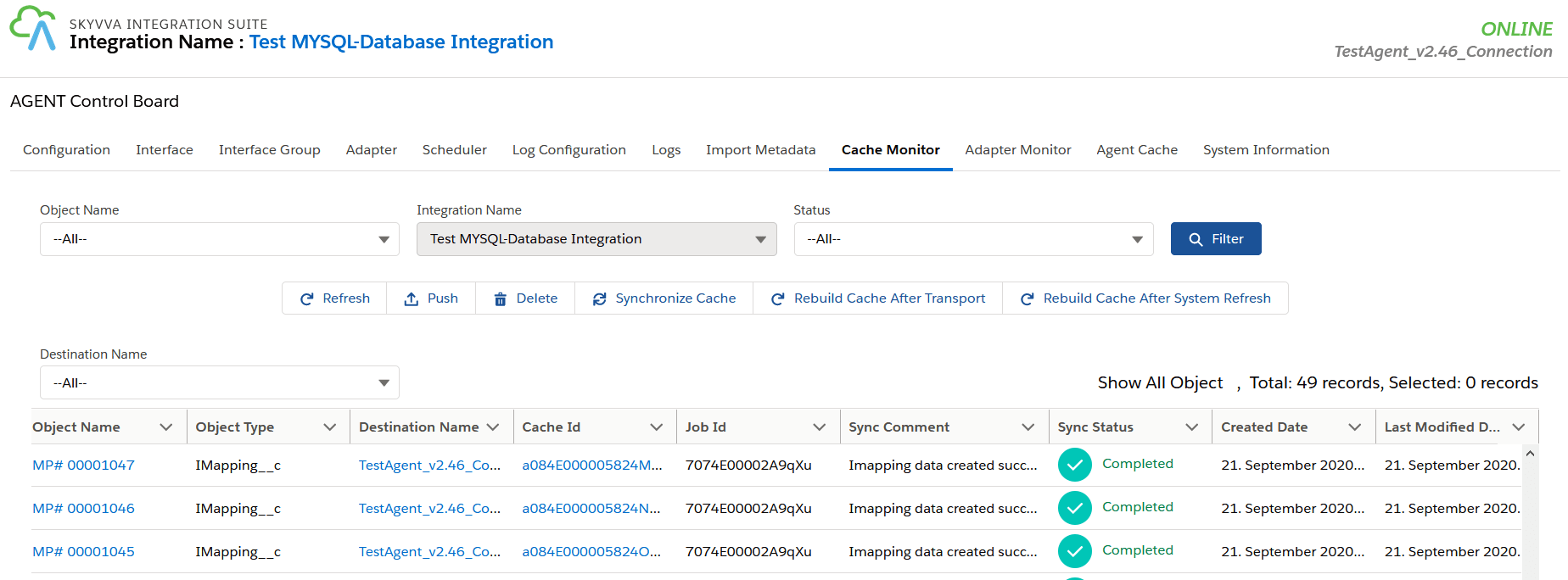
Step- 4: Checking Cache record to ensure it synchronized to new Agent.
- Go to Agent control board then click Cache Monitor
Step 4: Callout V3 Navigate to Setup gear icon => Developer Console => Debug menu => Open Execute Anonymous Window then put code for update Account object then click the Execute button. [aux_code language="javascript" theme="tomorrow" extra_classes=""] skyvvasolutions.CallOutControl c = new skyvvasolutions.CallOutControl(); c.returnJSONComplete=true; c.actionDoIntegrate=true; c.isCreateMessage=true; String[] ids= new String[]{'0011X00000hPU1iQAG'}; skyvvasolutions.Iservices.invokeCalloutV3('Test MYSQL-Database Integration','MYSQL_Database_InternalKEY_DELETE_SYNC_Multi table',ids,'SYNC',c); [/aux_code]
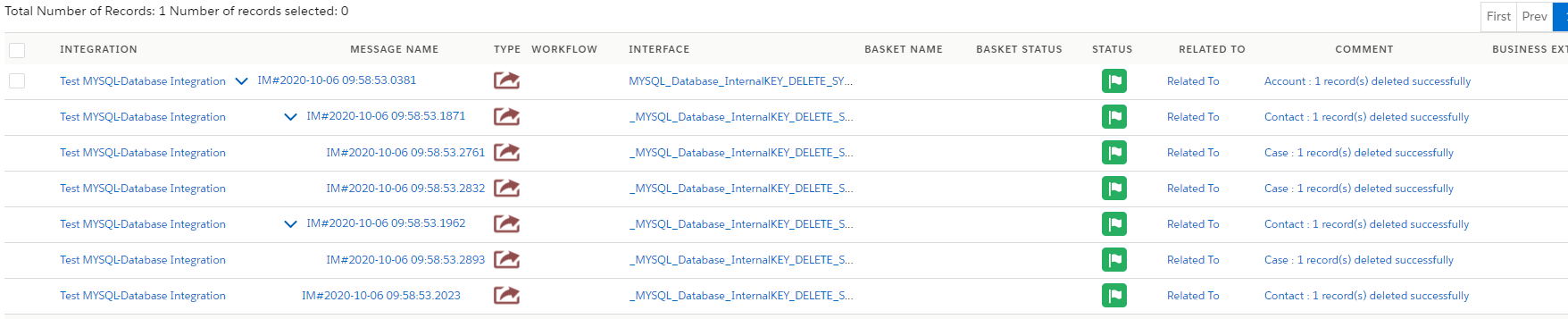
- After callout, the record is deleted completely from the database base on condition. As shown the result on Message monitoring below
How to do delete operation using an Asynchronous outbound interface?
In this example, we use the same Interface as we have practiced for the Synchronous scenario, just change the processing mode to Asynchronous on Interface then Callout v3.
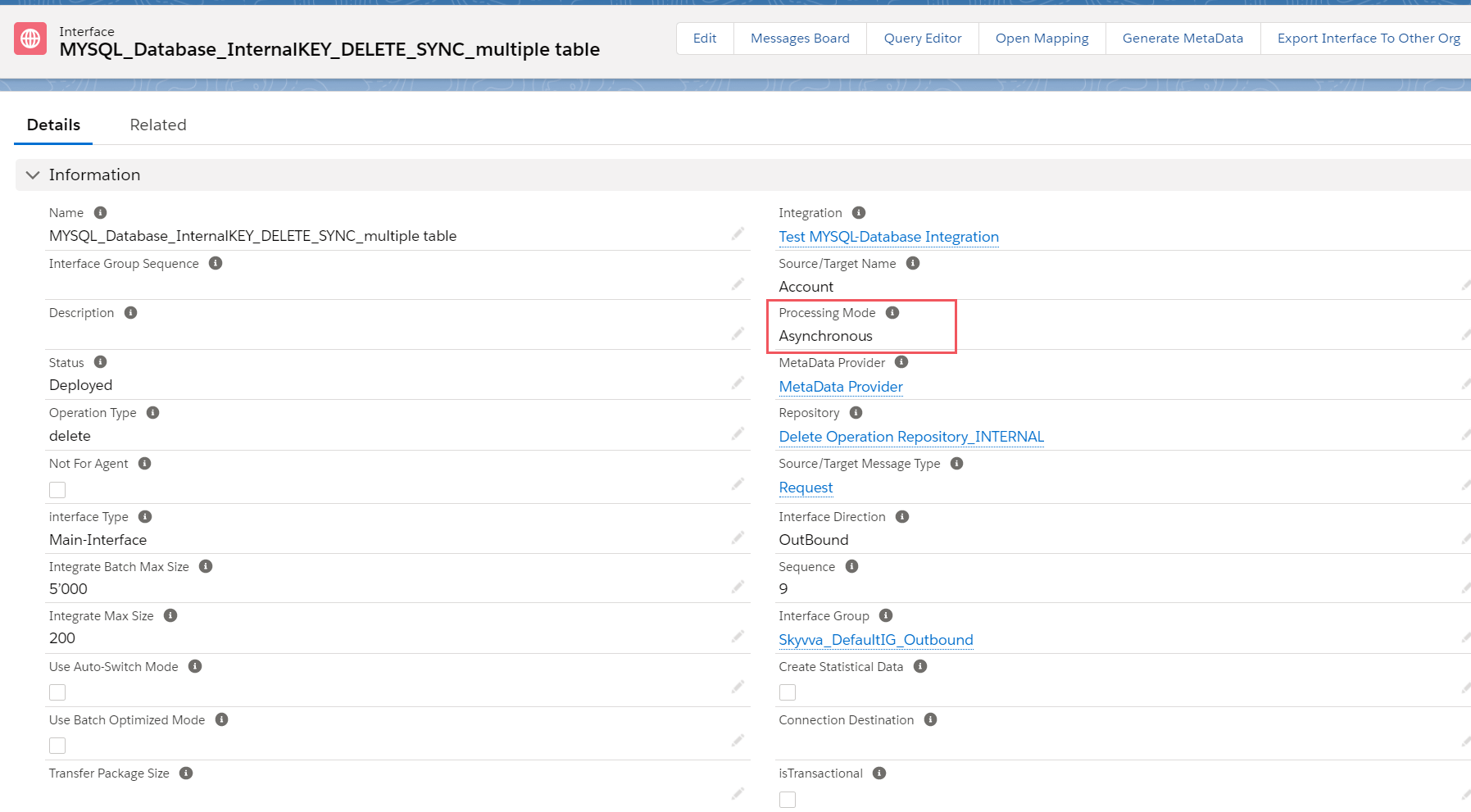
[su_box title="Note" box_color="#2a8af0" title_color="#000000"] For Asynchronous mode with Outbound Interface is a dependency on the field “Transfer Package Size” on the Interface. By default, this field is blank mean that the value “1”. The calculation of API call is depending on this field. For example, in case we are sending 3 records Account’s id:
- If “Transfer Package Size=2”, it will execute 2 API call.
- If “Transfer Package Size=1”, it will execute 3 API call.
[/su_box]
- Callout v3
Navigate to Setup gear icon => Developer Console => Debug menu => Open Execute Anonymous Window then put code for update Account object then click the Execute button. [aux_code language="javascript" theme="tomorrow" extra_classes=""] kyvvasolutions.CallOutControl c = new skyvvasolutions.CallOutControl(); c.returnJSONComplete=true; c.actionDoIntegrate=true; c.isCreateMessage=true; String[] ids= new String[]{'0011X00000hPU1iQAG'}; skyvvasolutions.Iservices.invokeCalloutV3('Test MYSQL-Database Integration','MYSQL_Database_InternalKEY_DELETE_SYNC_Multi table',ids,'Auto',c); [/aux_code] [su_box title="Note" box_color="#2a8af0" title_color="#000000"] If your data contain much more, so you cannot process it by Synchronous call due to the request time out error, we need an Asynchronous. In the Asynchronous call, multi-task does at the same time in the background job, the user no need to wait to see the response back. In this case, Agent will be responding to update message Complete or Failed for a while. [/su_box] Checking result on Message monitoring, the record is deleted and the Agent has been updated the message to complete.

Delete operation and Transactional mode
Normally, when we creating a new Interface the field “isTransactional” is unchecked it means that Non- Transactional Mode. If that field is checked then it is Transactional mode.
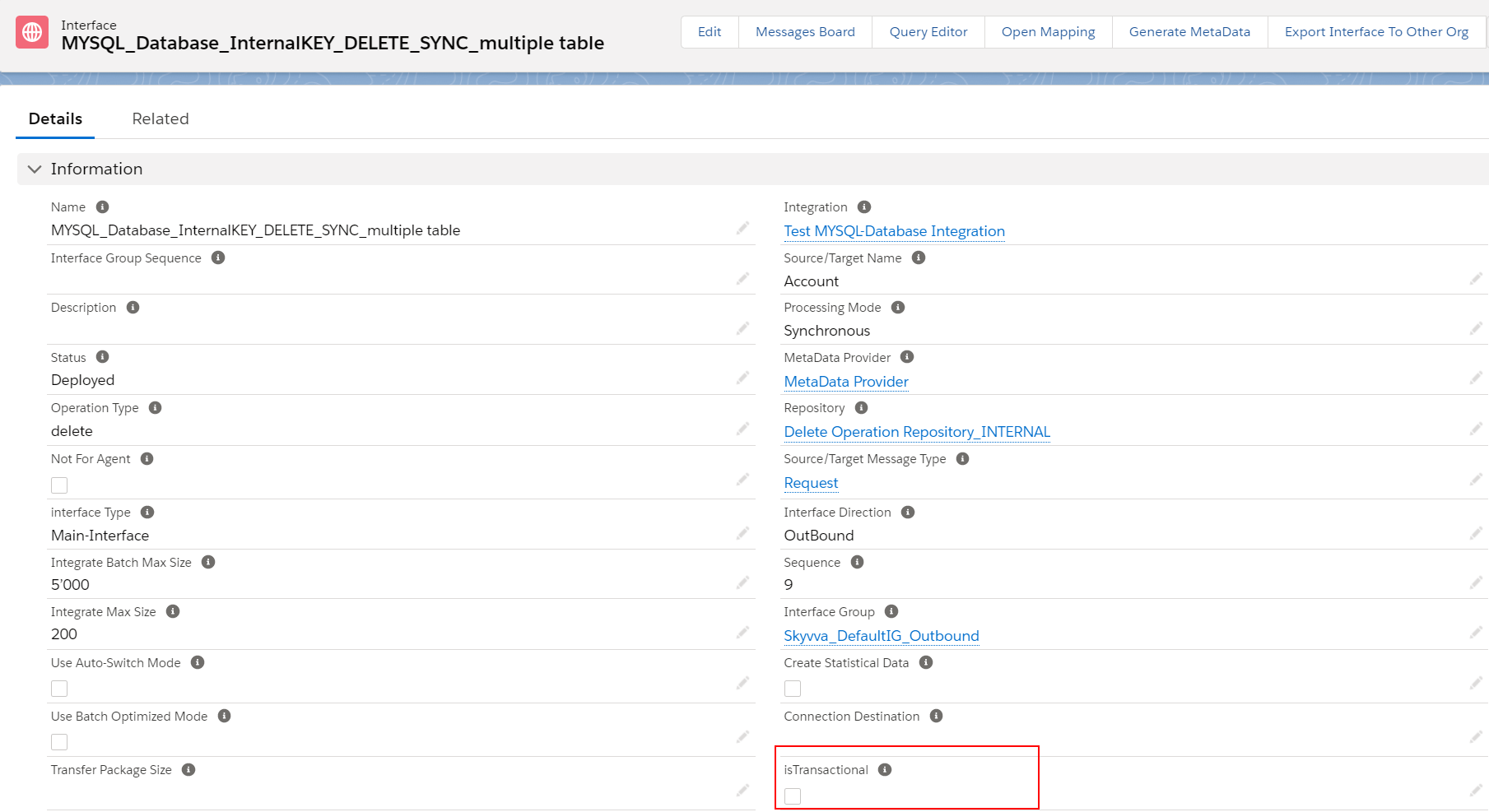
[su_box title="Note" box_color="#2a8af0" title_color="#000000"] Transactional Mode: If any error while delete of one message then the complete message will be rollback with marking failed for the complete message. Non-transactional Mode: If any error while delete of one message then the respective message will be marked as failed These two modes are to support both Interface processing Synchronous and Asynchronous. [/su_box] The example below has shown the Non-transactional Mode which is one message on the last level is failed to delete.

The example below is used the same message scenario for Non-transactional Mode, it just switching to Transactional Mode. In Transactional Mode, when one message is unable to do any database operation then it makes another message which is complete to rollback and marked the whole tree as Failed status.
- For Synchronous mode, the Agent will return only the root message status.
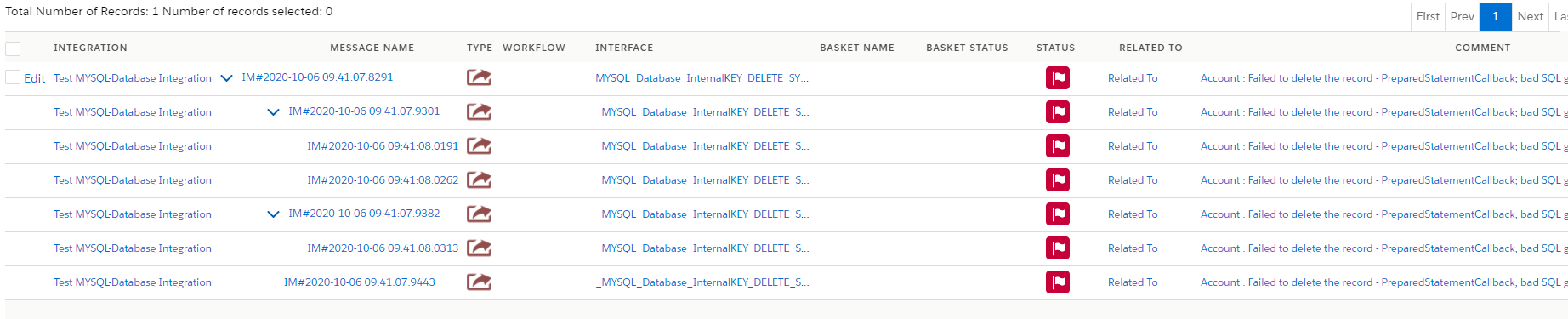
- For Asynchronous mode, the Agent will return the whole tree message status.

Summary
Finally, we have learned about how to do update operation using Synchronous and Asynchronous outbound interface. We have understood about message type in WHERE-Clause, knowing about putting value in WHERE-Clause on mapping tool, and callout v3 to Agent. And we also have known about Transactional Mode.