How to export CSV using Agent File Adapter in Protocol Local?
Introduction
This tutorial will explain how to export CSV using Agent File Adapter. Agent File adapter for producer uses for writing data from salesforce to file. To use an Agent File adapter for Producer, we need to configure the Agent Control Board and create an outbound Agent File Adapter.
Pre-required
- Create Integration
- Do configuration on the Agent Control Board
- Create Agent File Adapter (Outbound) on Agent Control Board
- Create Metadata Provider, Repository, and Message Type
- Create Outbound Interface
- Check the Cache monitoring status
How to export CSV using Agent File Adapter in the protocol: local?
Step-1: Create Integration and test connection destination
Create new Integration by following the guide, the link is given below:
#article/what-is-an-integration-and-how-to-create-it
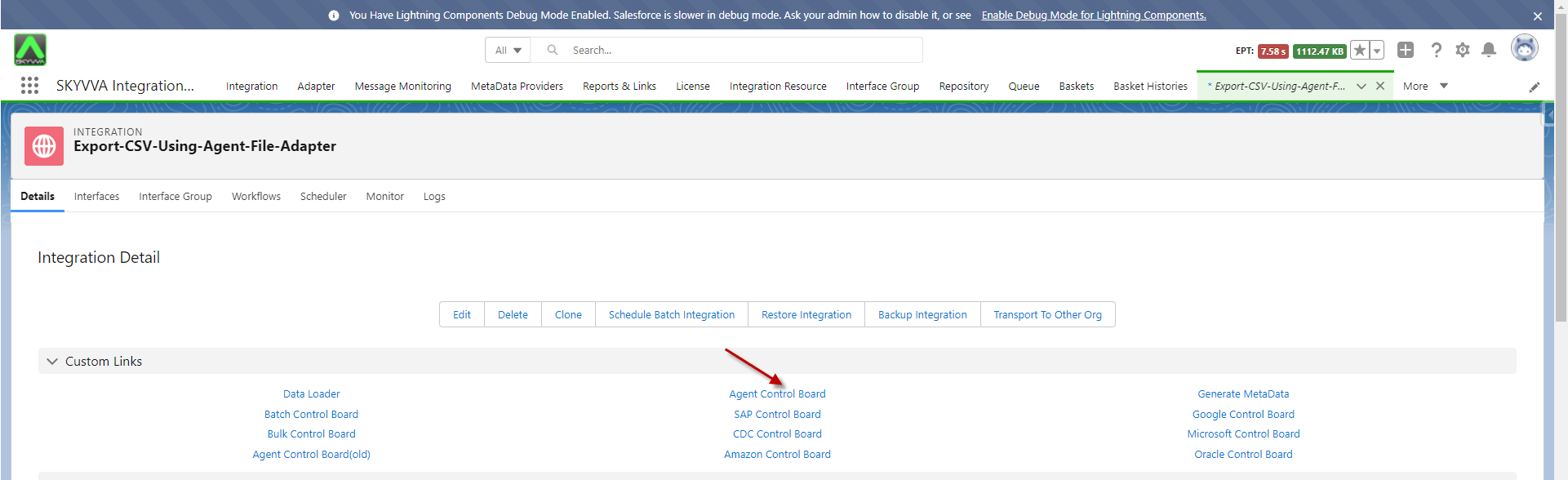
- Navigate to AGENT Control Board as shown below.
- In the Configuration tab enter the connection destination name and click on the button “Continue”
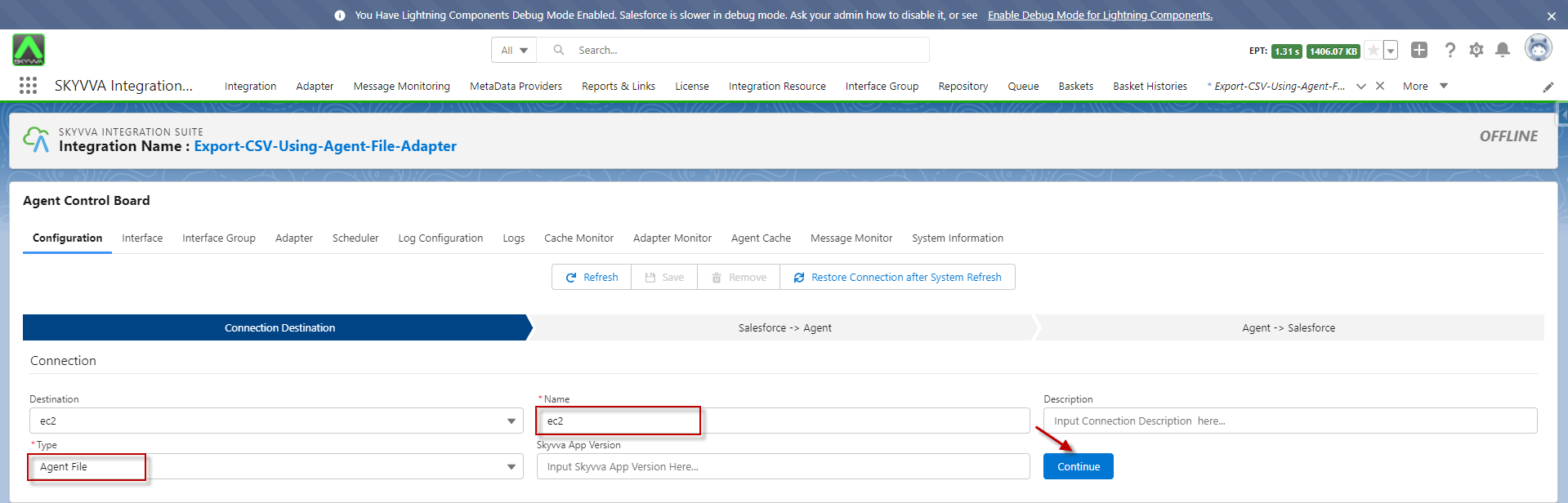
- Fill in all the required details
- Click the button Ping Agent Connection

- Fill in all the required details
- Click the button Ping Salesforce Connection

Step-2: Create an Outbound Agent File Adapter on the new Agent Control Board
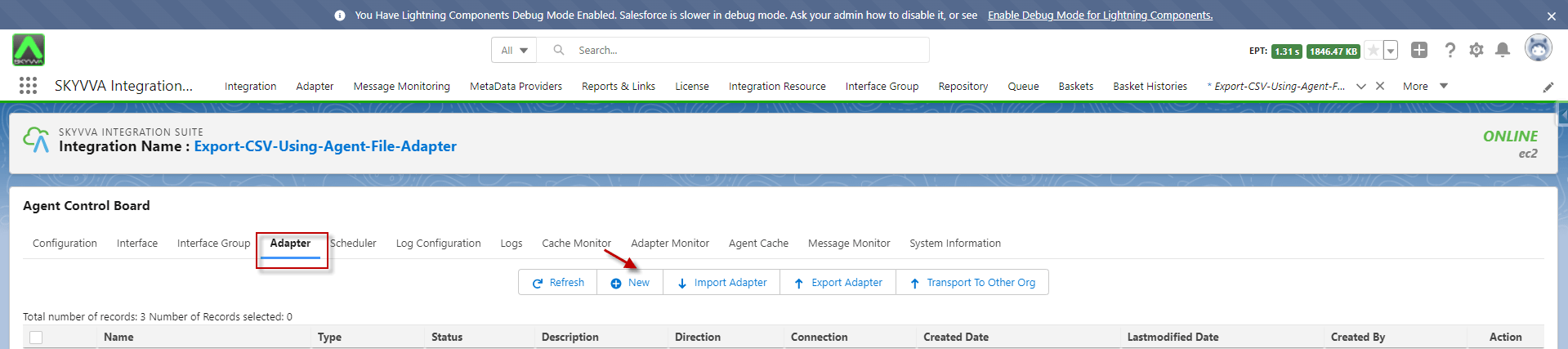
- Navigate to the Adapter tab after that click the button New
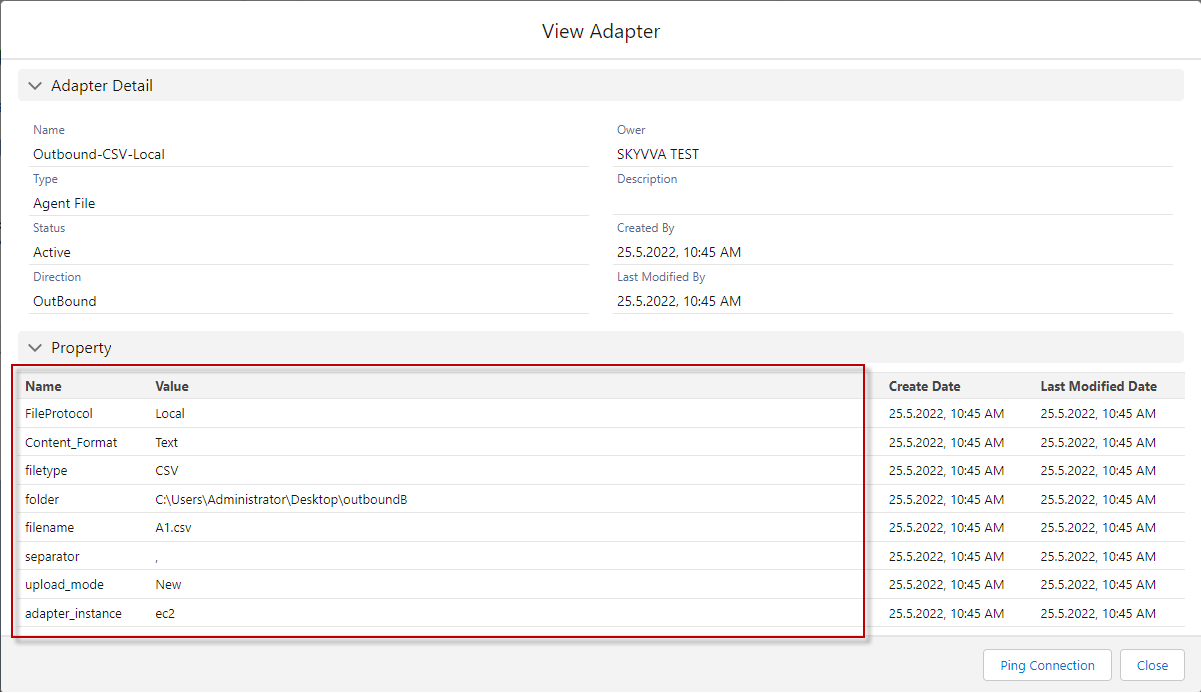
- Name: any Name
- Type: Agent File
- Direction: Outbound
- Protocol: Local
- File Type: CSV
- Folder: (your folder location)
- File Name: (your file name)
- File Handling Mode: (choose file mode)
- Connection Destination: (your destination name)
Step-3: Create Message Type
- Create Metadata Provider
- Create Repository, click on the Open Editor button
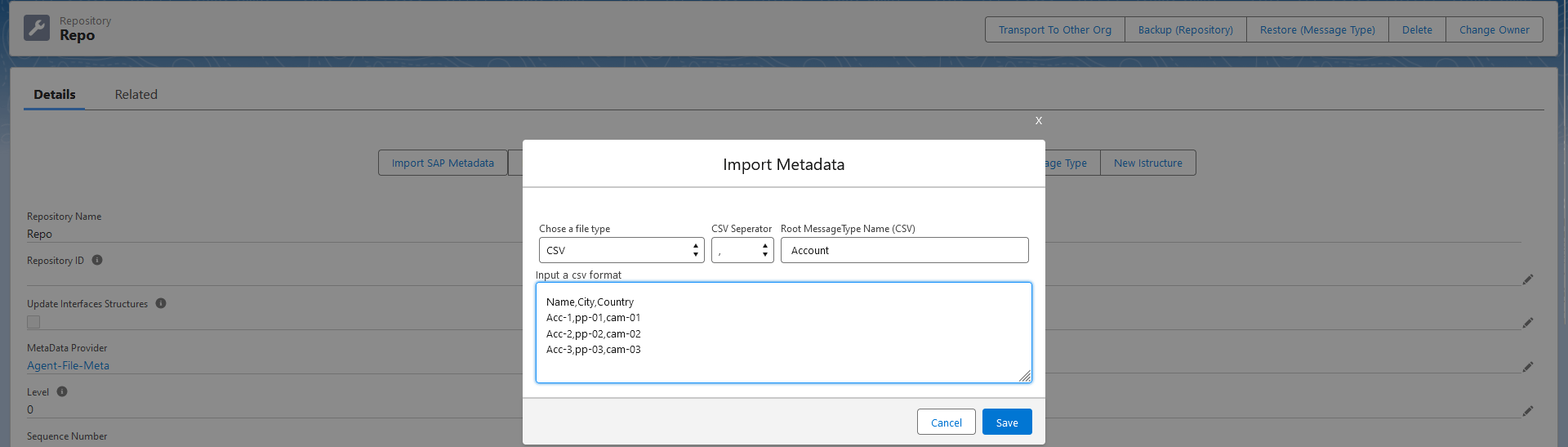
- After that, we got the Message Type

Step 4: Create an Interface
- For creating the interface need to follow this guide: #article/1-what-is-an-interface-and-how-to-create-it
- Create an Outbound Interface for Asynchronous mode, Operation(upsert), Choose Adapter, Metadata Provider, Repository, and Message Type

- Mapping
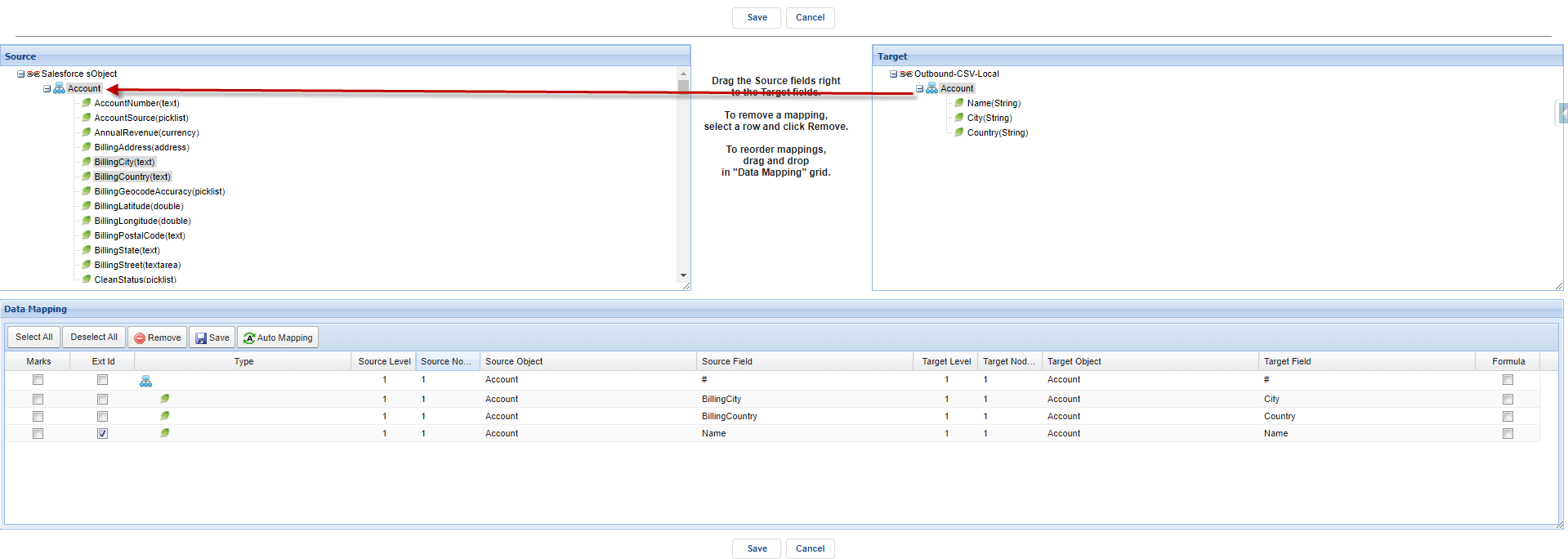
Step5: Check cache status
- Go to Agent control board then click Cache Monitor

Step6: Manual process
- Navigate to the Interface tab and select the interface

- Click on the Manual Process button and choose the second radio
- Click Send
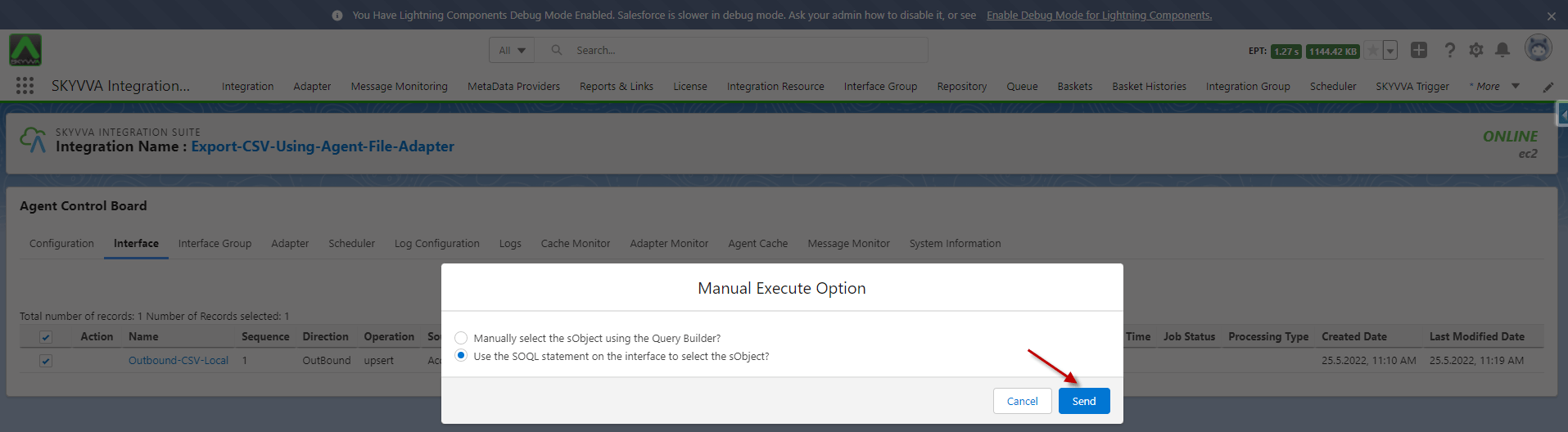
- As a result of message monitoring, the record has been sent from Salesforce to file

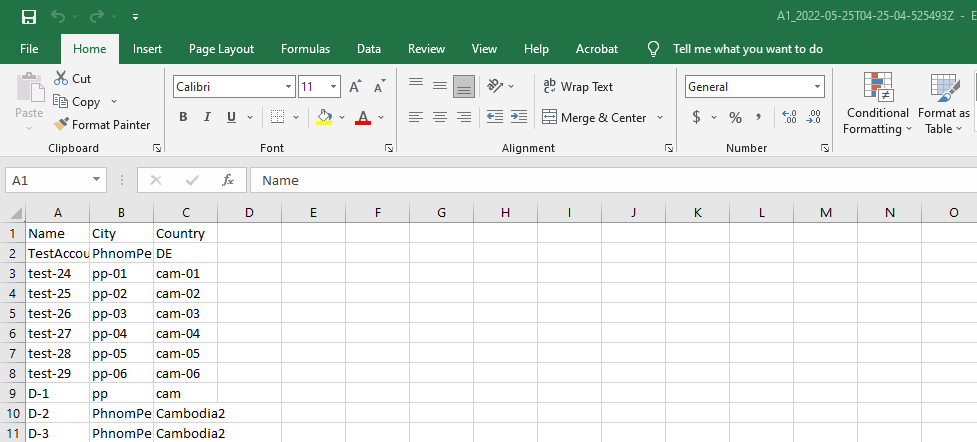
- CSV File
[su_box title="Note" box_color="#2a8af0" title_color="#000000"]
For Excel, Xml, Json file, user can do the same as CSV file. But the user only needs to change the file Protocol, adapter, and properties accordingly.
- Select Type: Agent File
- File Type: Choose the file type
- For few extension use (.CSV, .xlsx, .xml, .json)[/su_box]