How to Export Interface API Version V3 without a message type ?
We are describing features and capabilities related to an API, specifically Interface API V3 mapping and the SKYVVA integration application. Let us break down the information:
- Interface API Version V3 Mapping:
SKYVVA application API supports V3 mapping.
- The mapping involves a root node named 'sObject,' indicating a hierarchical structure for sObjects in the V3 version.
- V3 Hierarchical sObjects:
The V3 version of your API includes hierarchical sObjects under the root node 'sObject.' This suggests a structured nested representation of data.
- V3 Outbound Callouts:
Users can perform callouts using V3 Outbound.
- Interestingly, users can execute callouts without specifying a message type. This implies a flexibility behavior in the SKYVVA integration application.
- Skyvva Integration Application:
The integration application provided by SKYVVA enables the mentioned functionalities.
- SKYVVA likely facilitates the seamless use of Interface API Version V3 mapping and V3 Outbound callouts.
Example :
The business requirement is to integrate the SKYVVA integration application with the SAP CPI (SAP Cloud Platform Integration) adapter, the user is allowed to leverage Interface API Version V3 mapping. This involves the inclusion of a root node named 'sObject,' indicating V3 hierarchical sObjects. Additionally, the user can execute callouts with V3 Outbound without explicitly specifying a message type. This functionality is facilitated through the SKYVVA integration application.
V3 Outbound Callouts:
- The user is allowed to execute callouts using V3 Outbound. This means they can initiate communication or request data without the need to explicitly specify a message type. The flexibility in message type specification can simplify the integration process.
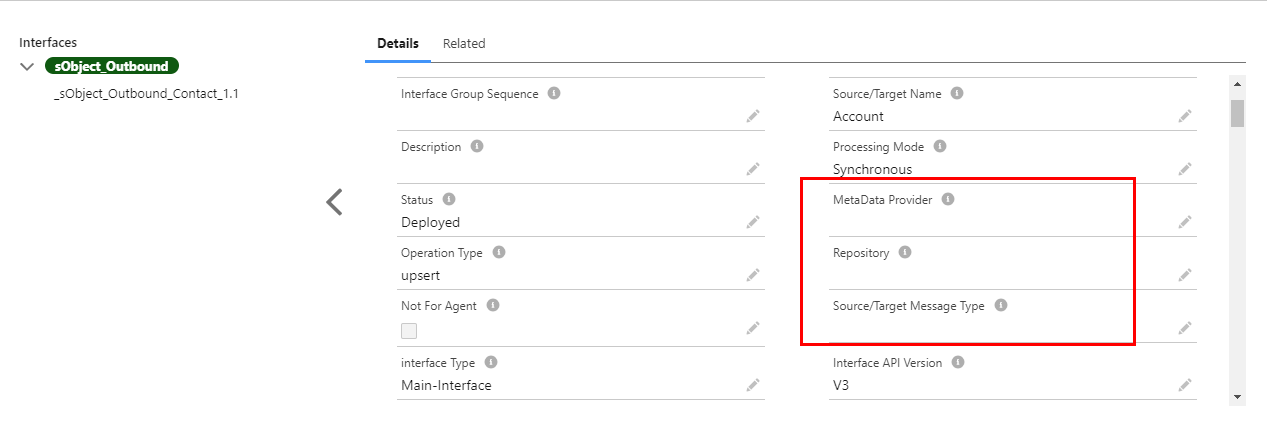
Required step:
- Create an Integration
- Create an Adapter e.g., Sap CPI
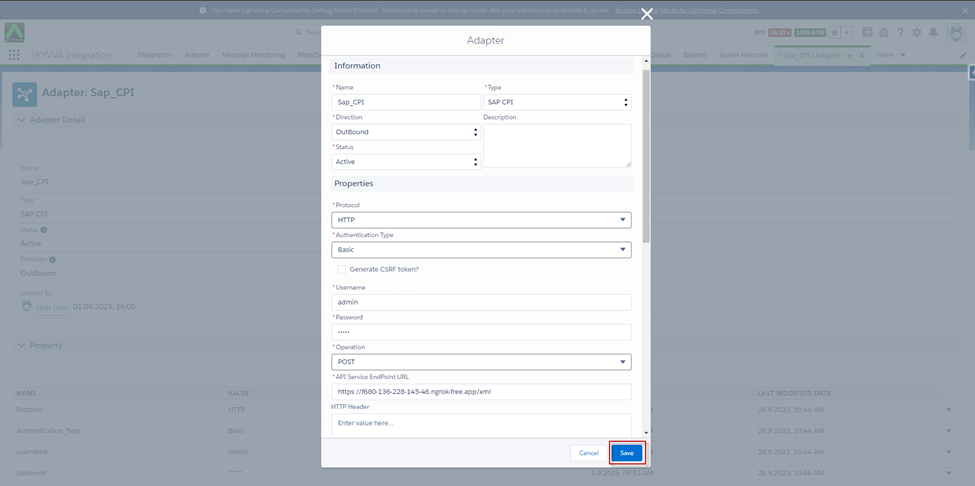
[su_box title="Note" box_color="#2a8af0" title_color="#000000"]It will work with all adapters (support V3 processing), Data Loader, and SKYVVA Bulk Data Loader except SOAP adapter.[/su_box]
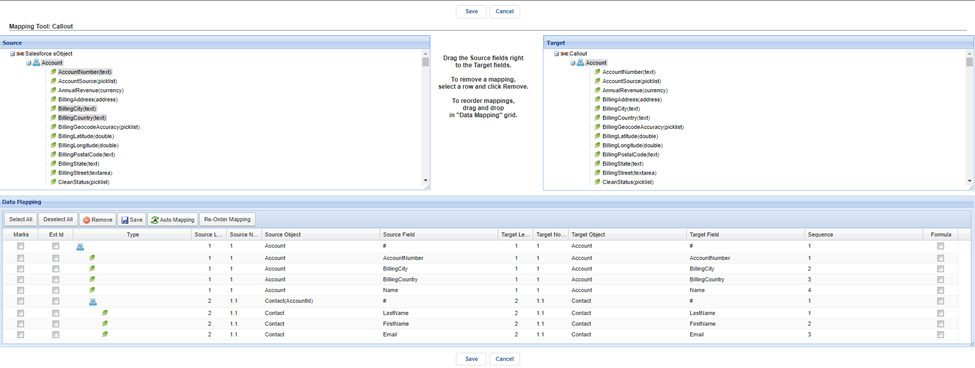
- Create an Interface Outbound -> set Interface API Version: V3 -> Do Mapping -> link Adapter with interface
- Go to Interface Detail -> Scroll down to SOQL Query for filter sObject -> Set the condition on the file Filter Query
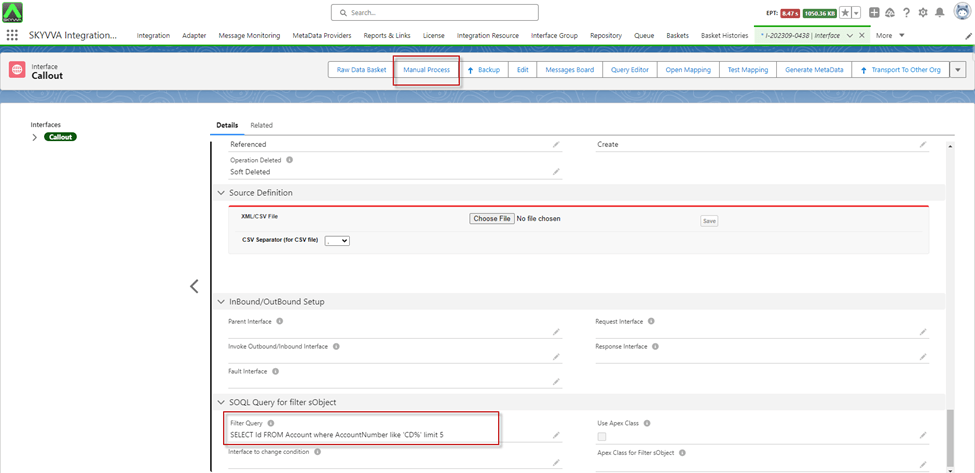
- Click on the Manual Process button to callout the records
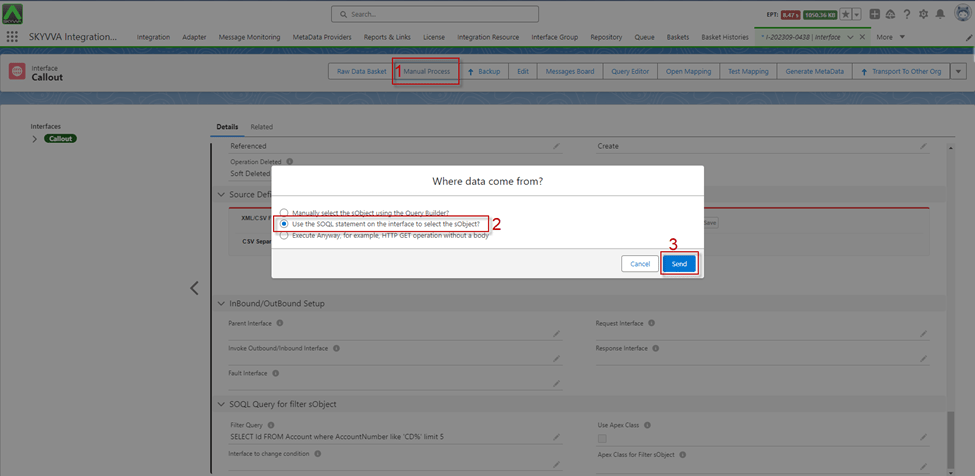
- After clicking Send, we got the Message Monitoring and the Payload
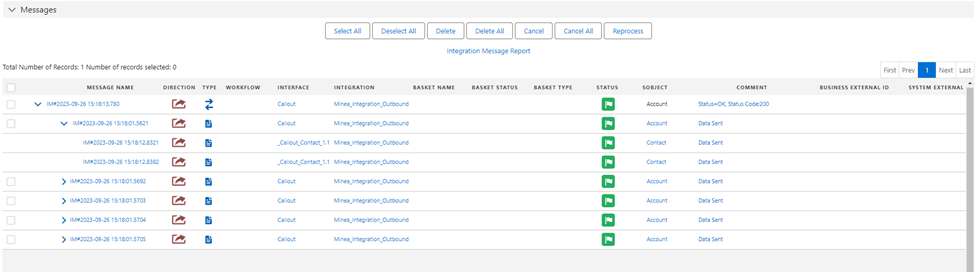
[su_box title="Result: " box_color="#2a8af0" title_color="#000000"]When clicking the 'Manual Process' button to execute the callout, we receive the 'Message Success' along with the payload, which is determined based on the conditions set in the 'Filter Query' of the 'SOQL Query for filter sObject' section. As a result, the V3 outbound processing now supports V3 hierarchical sObjects mapping (Interface API Version).[/su_box]