How to Export JSON Data Using the Data Loader?
Introduction
In this tutorial, you will learn how to export JSON files from Data Loader using both Flat and Hierarchical formats. Flat JSON files contain data with only one level, while Hierarchical JSON files have multiple levels of data. Our mapping uses both template v2 and v3 processing.
In this tutorial, we are showing usecase with different XML formats:
- Without Message Type
- Flat JSON
- Hierarchical JSON
1.Export JSON File with outbound Interface without message type.
Pre-requisite:
- Create Integration.
- Create Outbound Interface.
- Upload Istructure.
- Do mapping
Here are the Steps to export JSON files using an Outbound Interface without the message type.
Step 1: Create Integration.
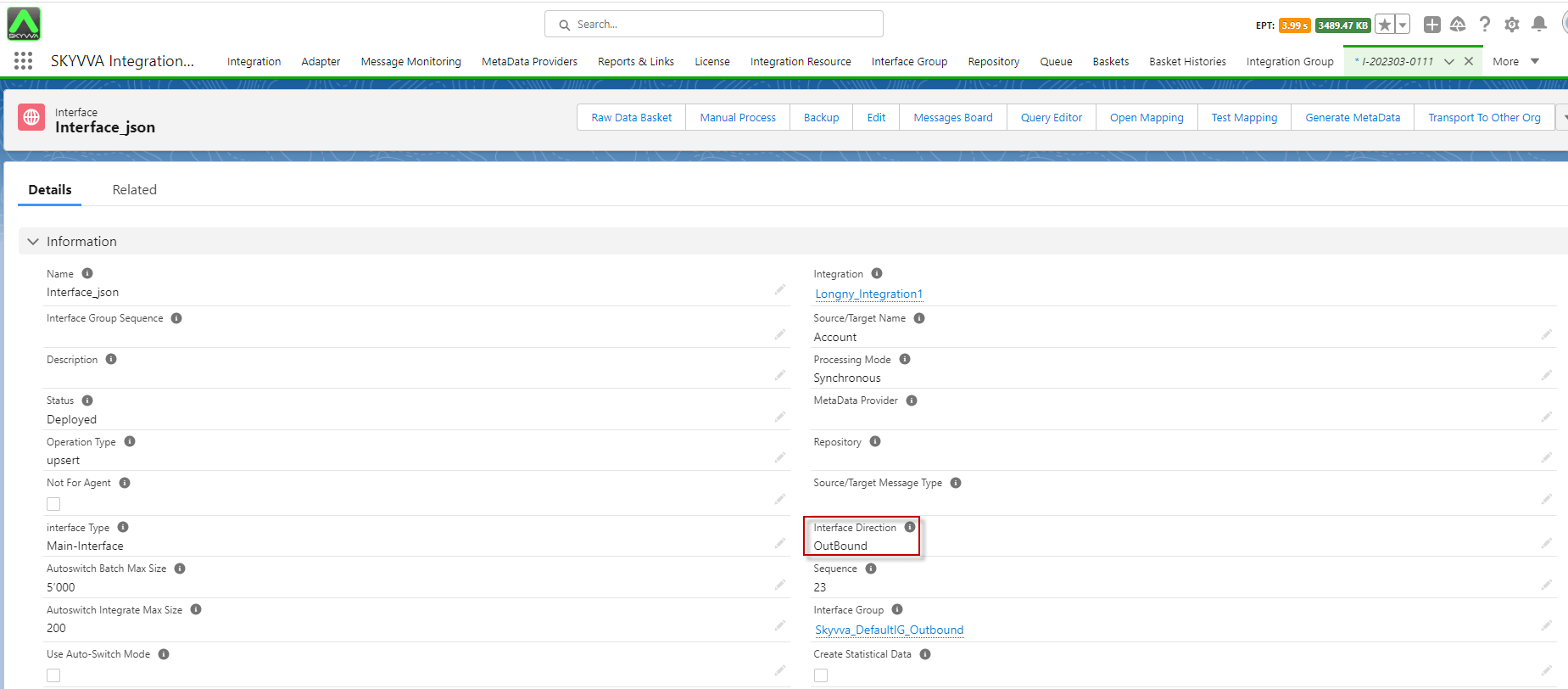
Step 2: Outbound Interface
- Fill Name
- Select Delopyed Status
- Select Account Source Name
- Select Outbound Direction
- Select V2 Interface API Version
- Click Save Button
Step 3: Upload Istructure to create mapping.
- Enter to Interface Detail page -> Scroll down Interface to find -> Source Definition section -> click choose file CSV ->click Save.

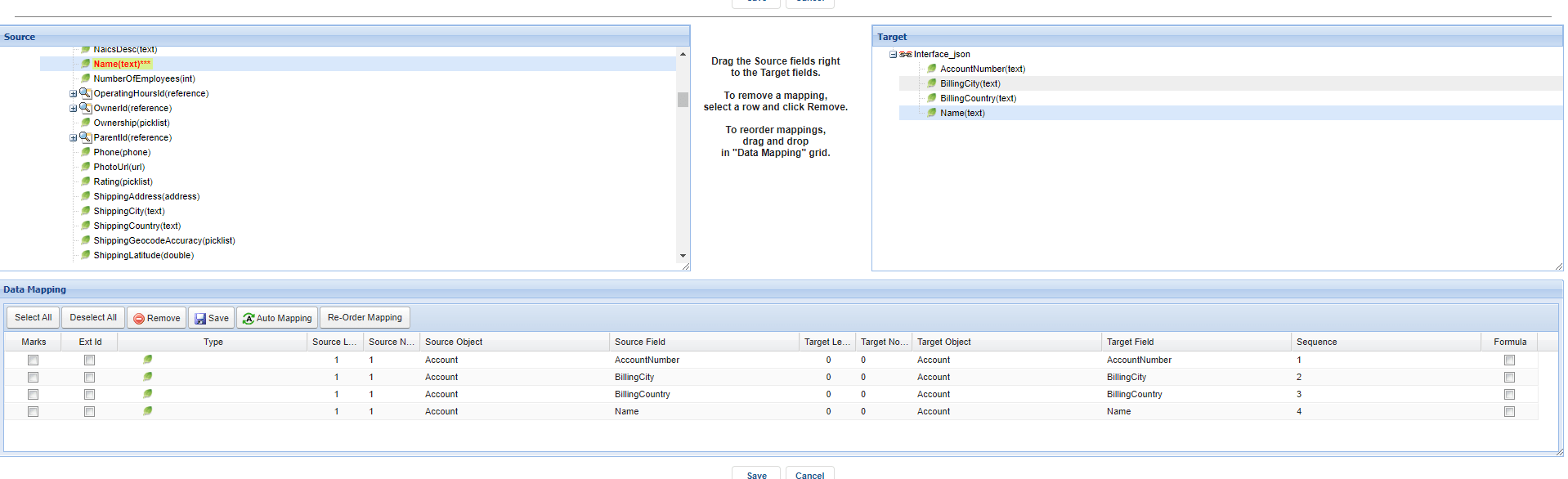
Step 4: Do Mapping.
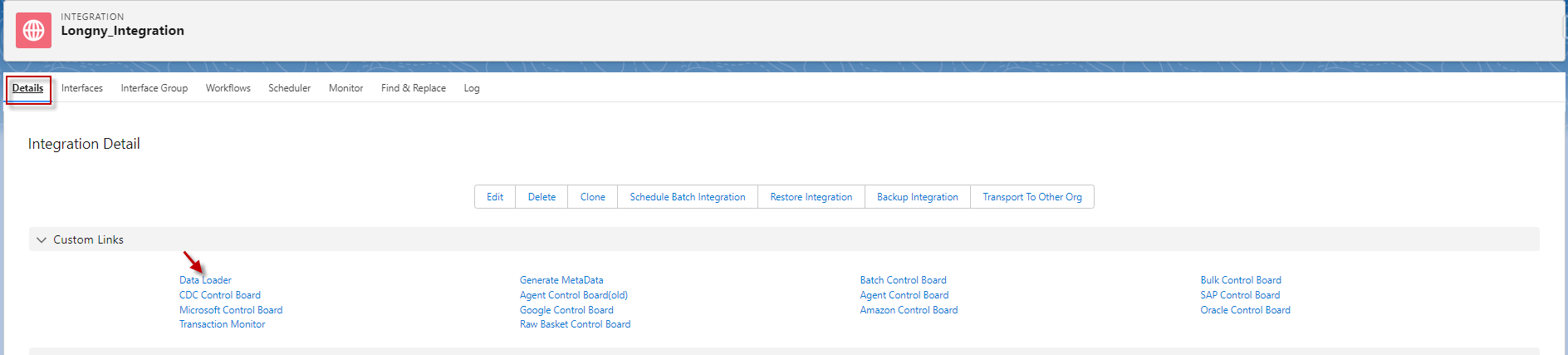
Step 5: Go to the Integration detail page and click data loader.
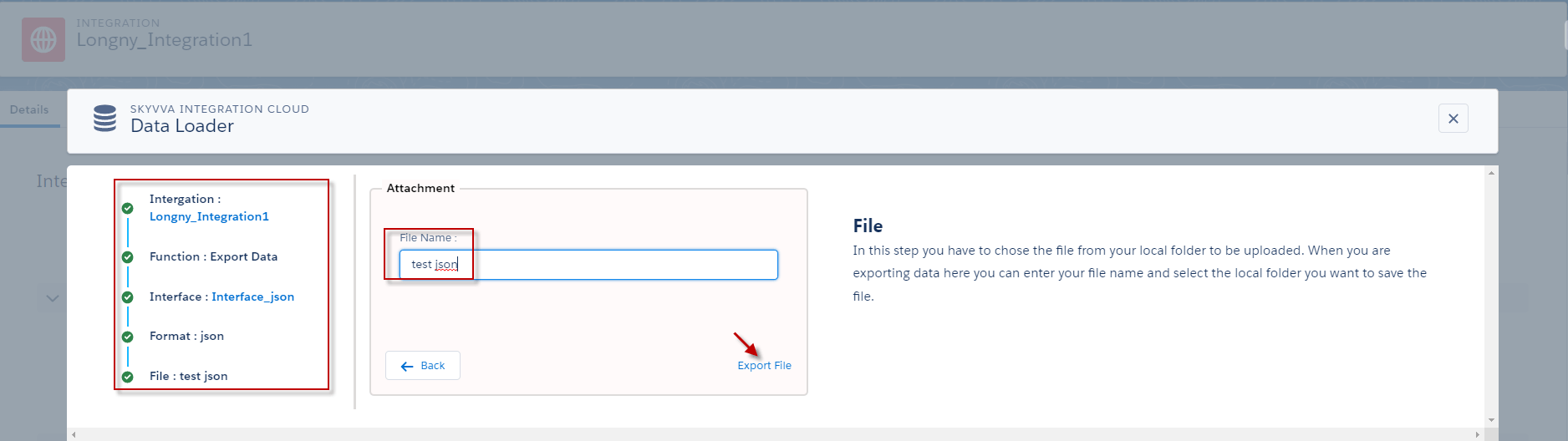
- Choosing on Export Data function and click next
- Select the Interface name and click next
- Select Format Data Type and click next
- Input the File Name and click the Export file.
- After export, it will download automatically.
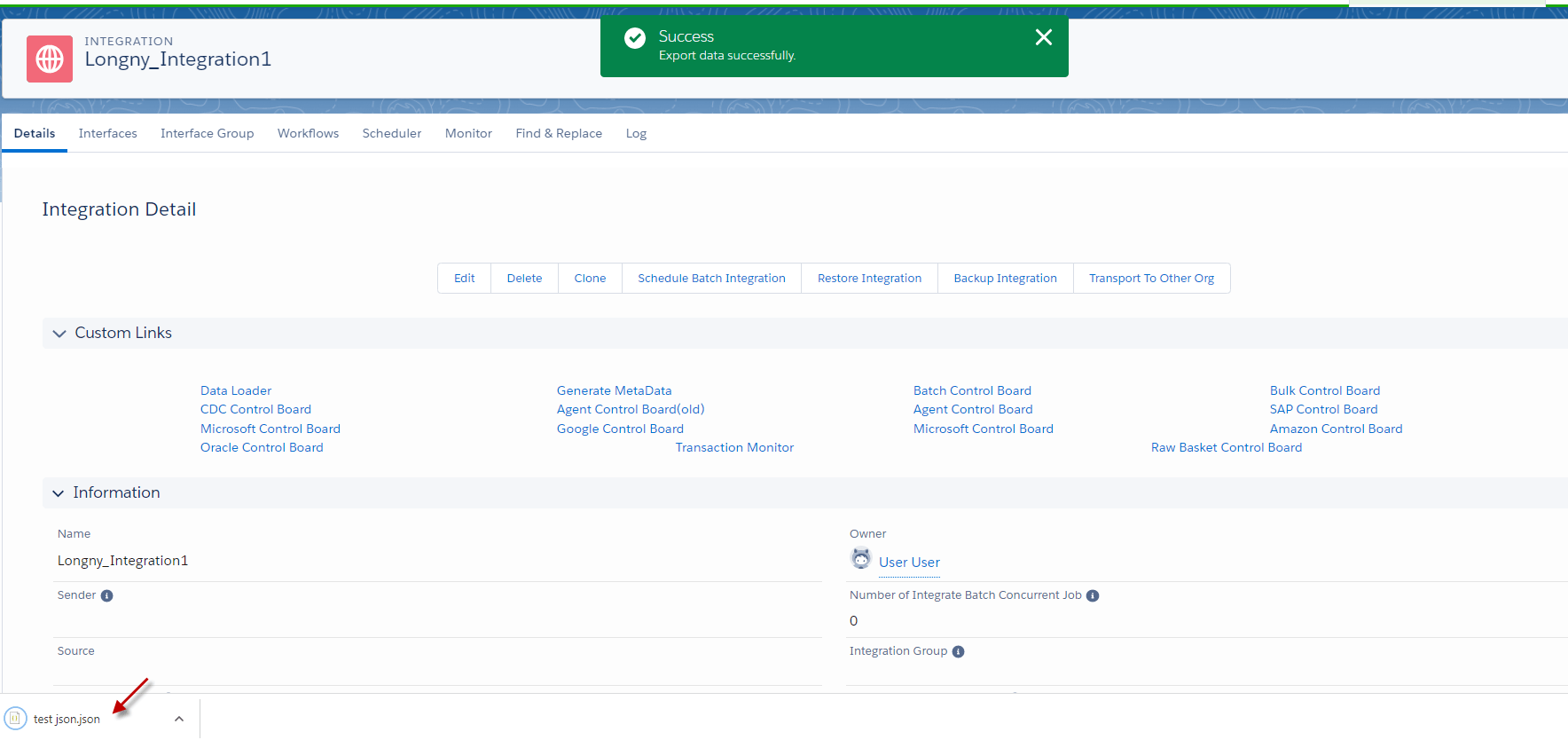
- Here’s the result, after exporting file.

2.Export Flat JSON File using Outbound Interface with the message type.
Pre-requisite:
- Create Integration.
- Create Outbound Interface.
- Upload message Type flat JSON.
- Do mapping.
Here are the steps to export flat JSON file using the outbound interface with message type.
Step 1: Create or Upload Message Type flat JSON.
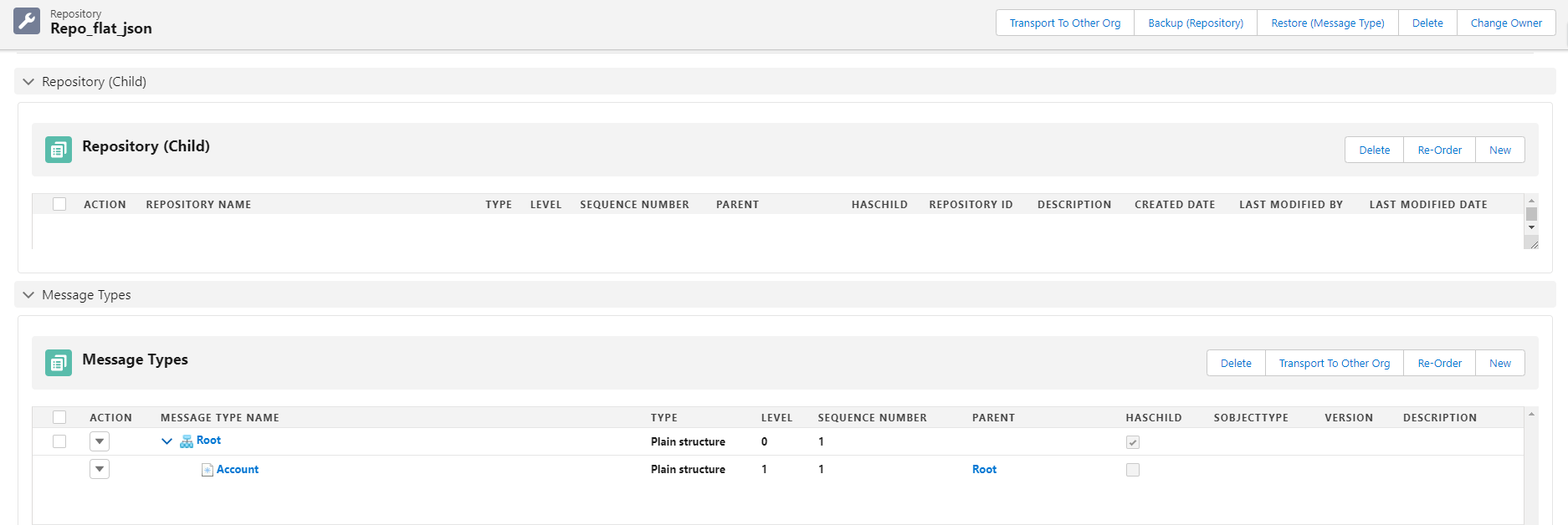
- Create Metadata Provider => Create Repository =>Upload or create a message type.
- Here’s the message type.
Step 2: Create Integration
Step 3: Create an Outbound Interface with the message type.
- Fill Name
- Select Delopyed Status
- Select Account Source Name
- Select Outbound Direction
- Select V3 Interface API Version
- Select MetaData Provider, Repository, and Source/Target Message Type
- Click Save Button

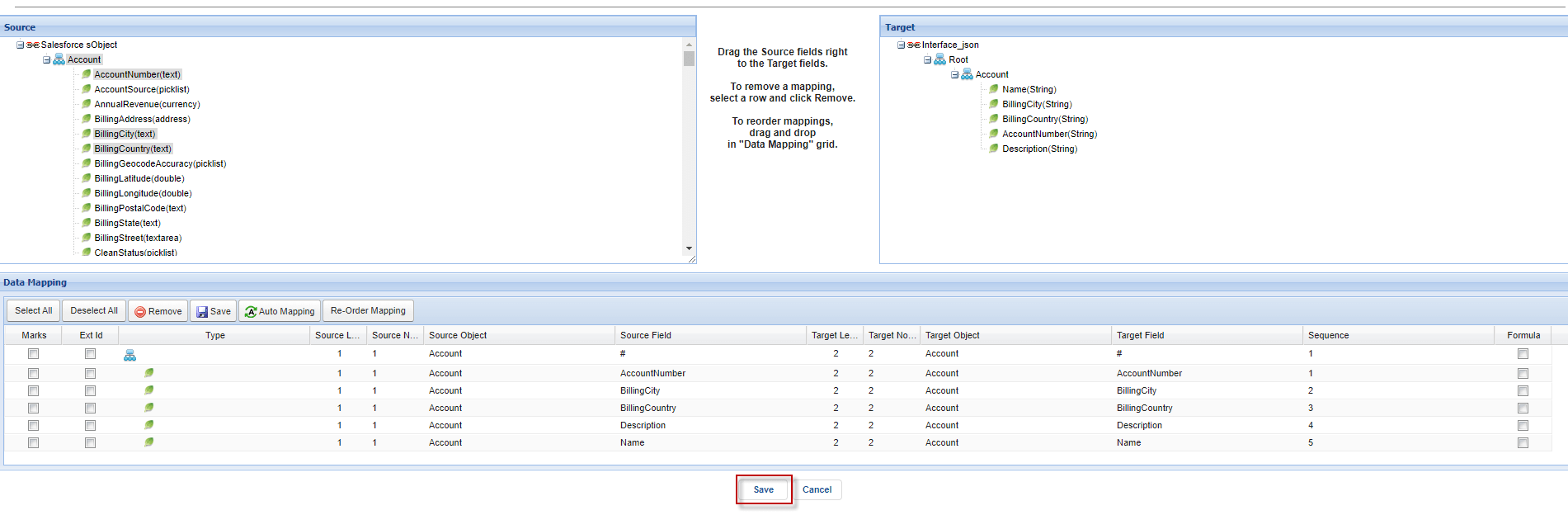
Step 4: Do mapping.
Step 5: Go to the Integration detail page and click data loader.
- Choose on Export Data function and click next
- Select the Interface name and click next
- Select Format Data Type and click next
- Input the File Name and click the Export File.
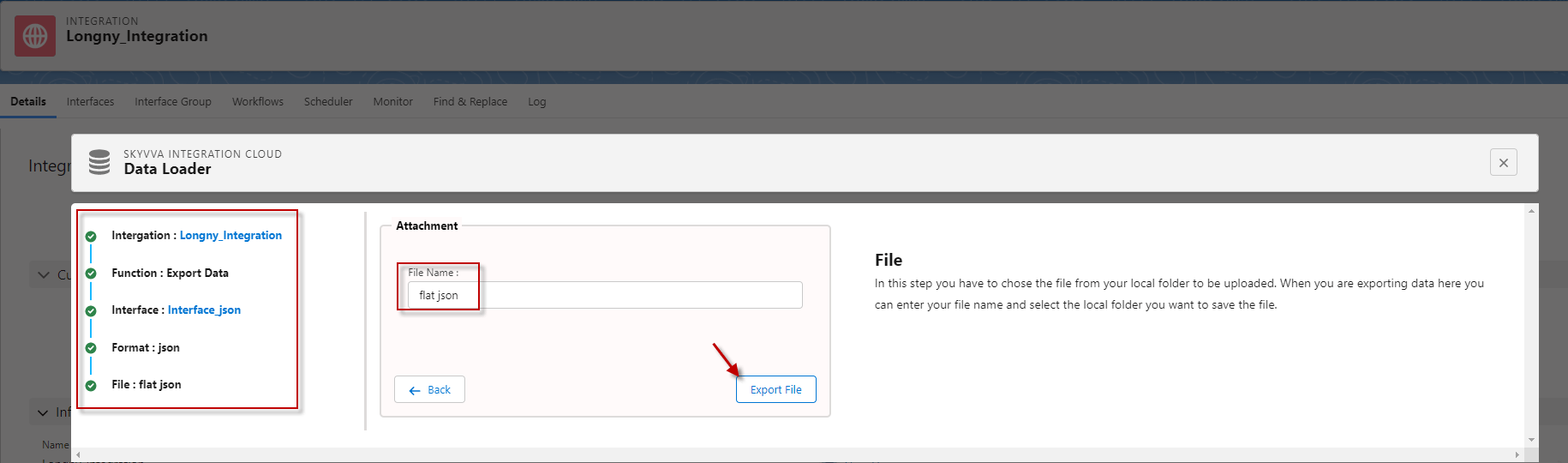
- It will download automatically.

- Here’s the Result.
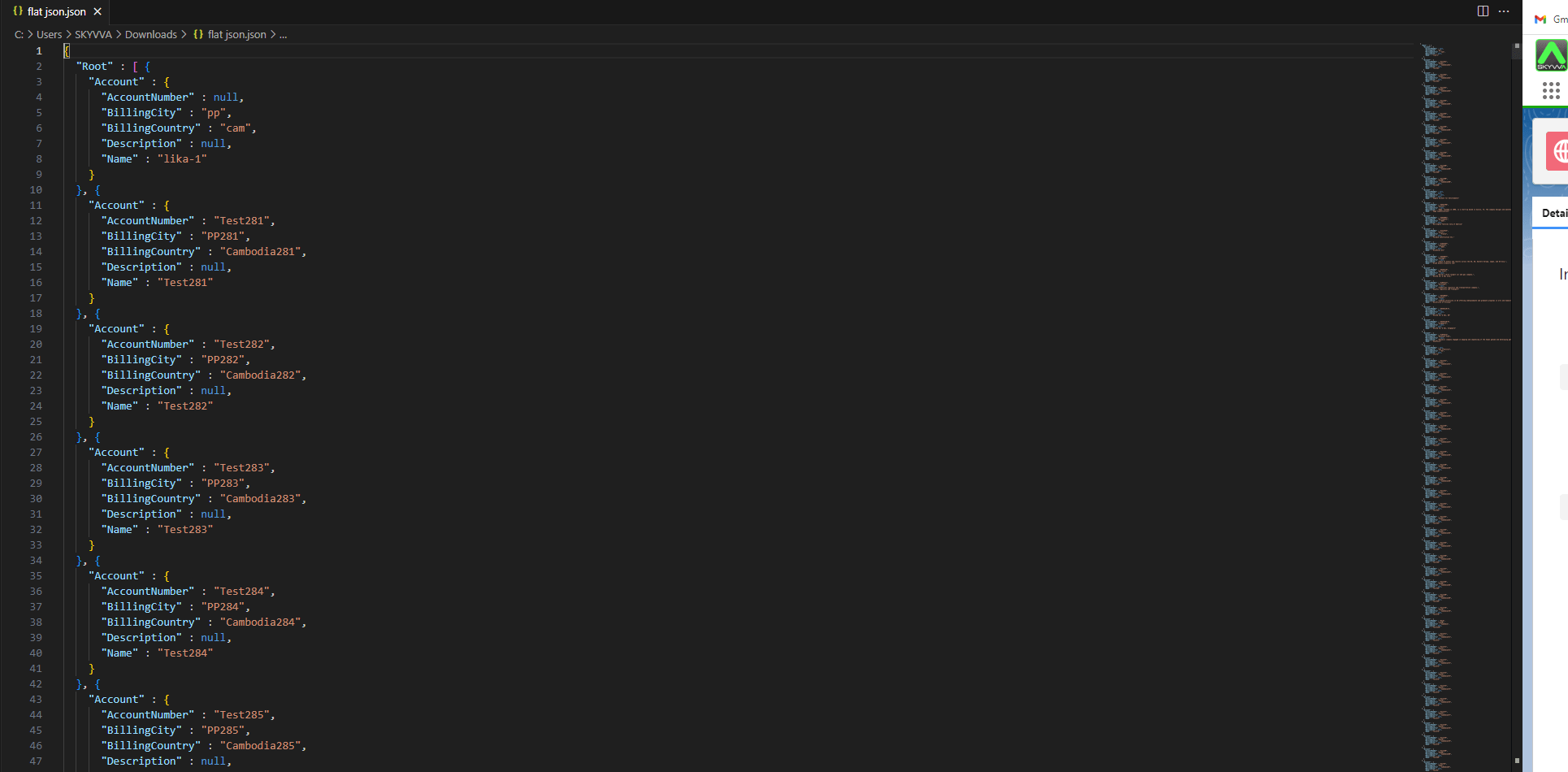
####
3.How to Export Hierarchical JSON Files with Outbound Interface.
Pre-requisite:
- Create or upload Message Type.
- Create Integration.
- Create Outbound Interface
- Do mapping
Here are the steps to export Hierarchical JSON file using outbound interface with message type:
Step 1: Create or Upload Message Type flat JSON.
- Create Metadata Provider => Create Repository =>Upload or create a message type.
- Here’s the message type.
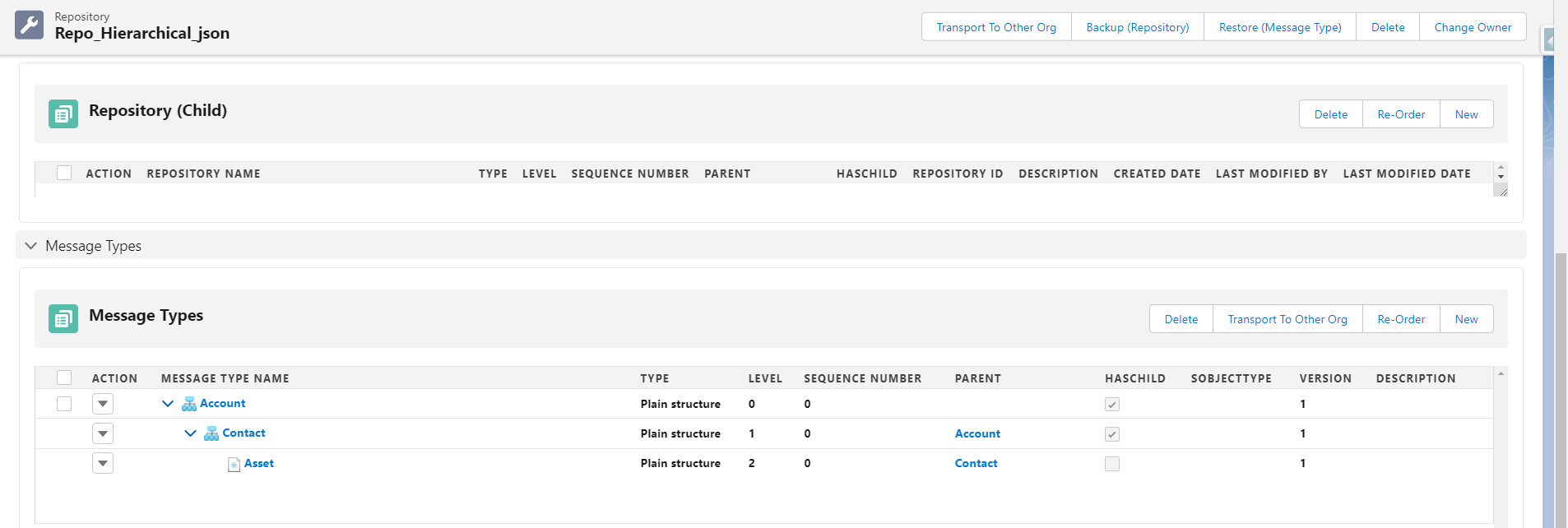
Step 2: Create Integration.
Step 3: Create an Outbound Interface link with Message Type.
- Fill Name
- Select Delopyed Status
- Select Account Source Name
- Select Outbound Direction
- Select V3 Interface API Version
- Select MetaData Provider, Repository, and Source/Target Message Type
- Click Save Button

Step 4: Do mapping.
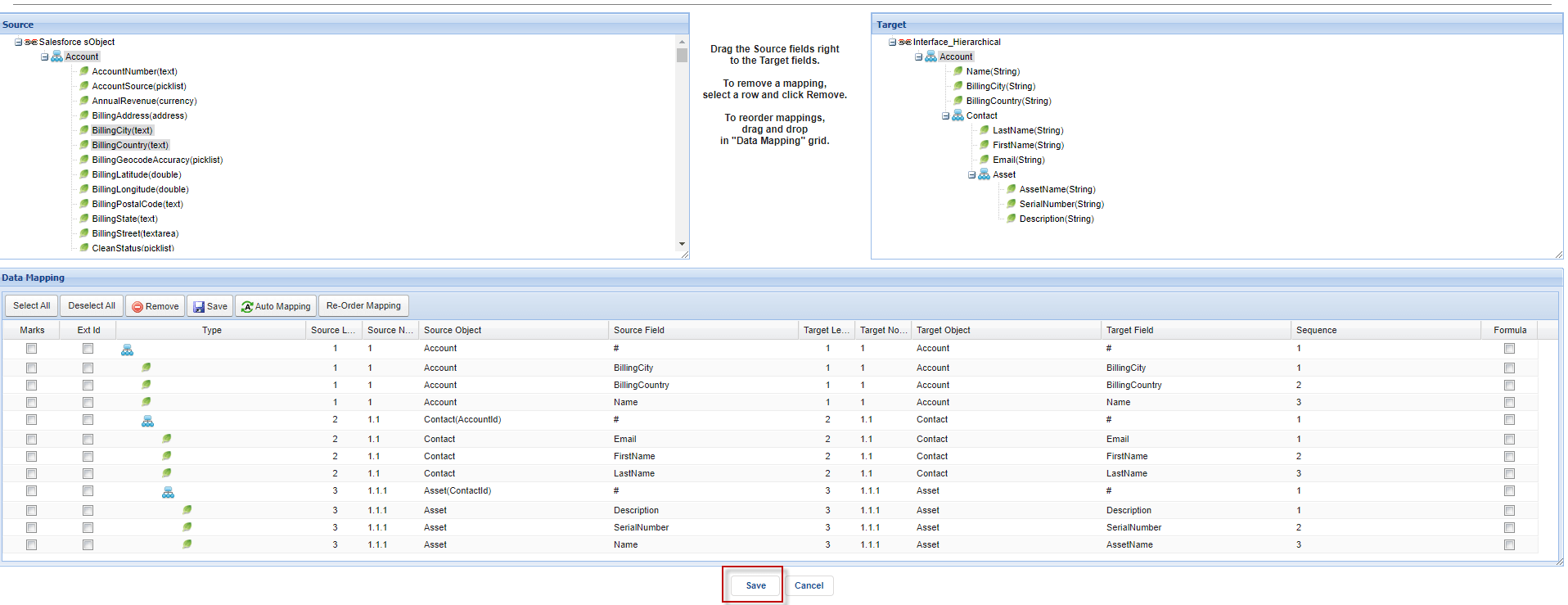
Step 5: Go to Integration and select the detail page, then click data loader.
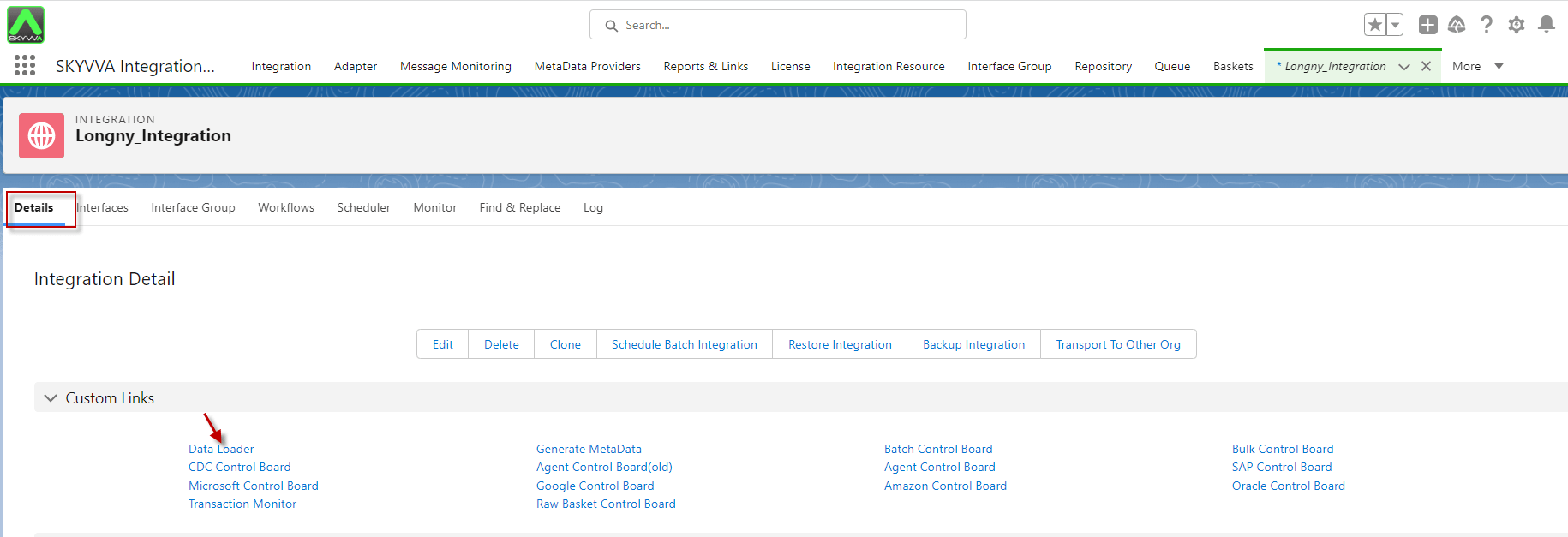
- Choose on Export Data function and click next
- Select the Interface name and click next
- Select Format Data Type and click next
- Input the File Name and click the Export File.

- After export, it will download automatically.
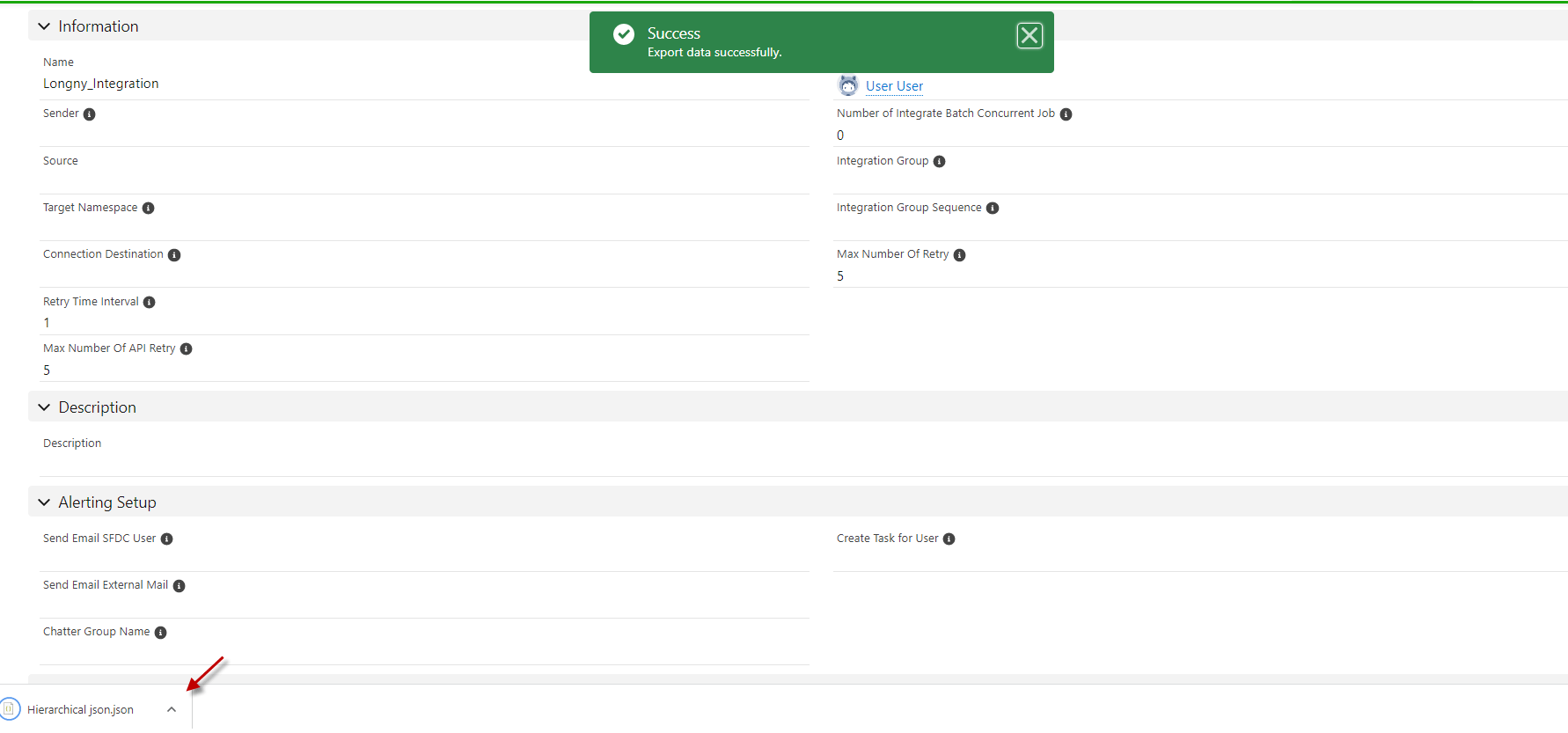
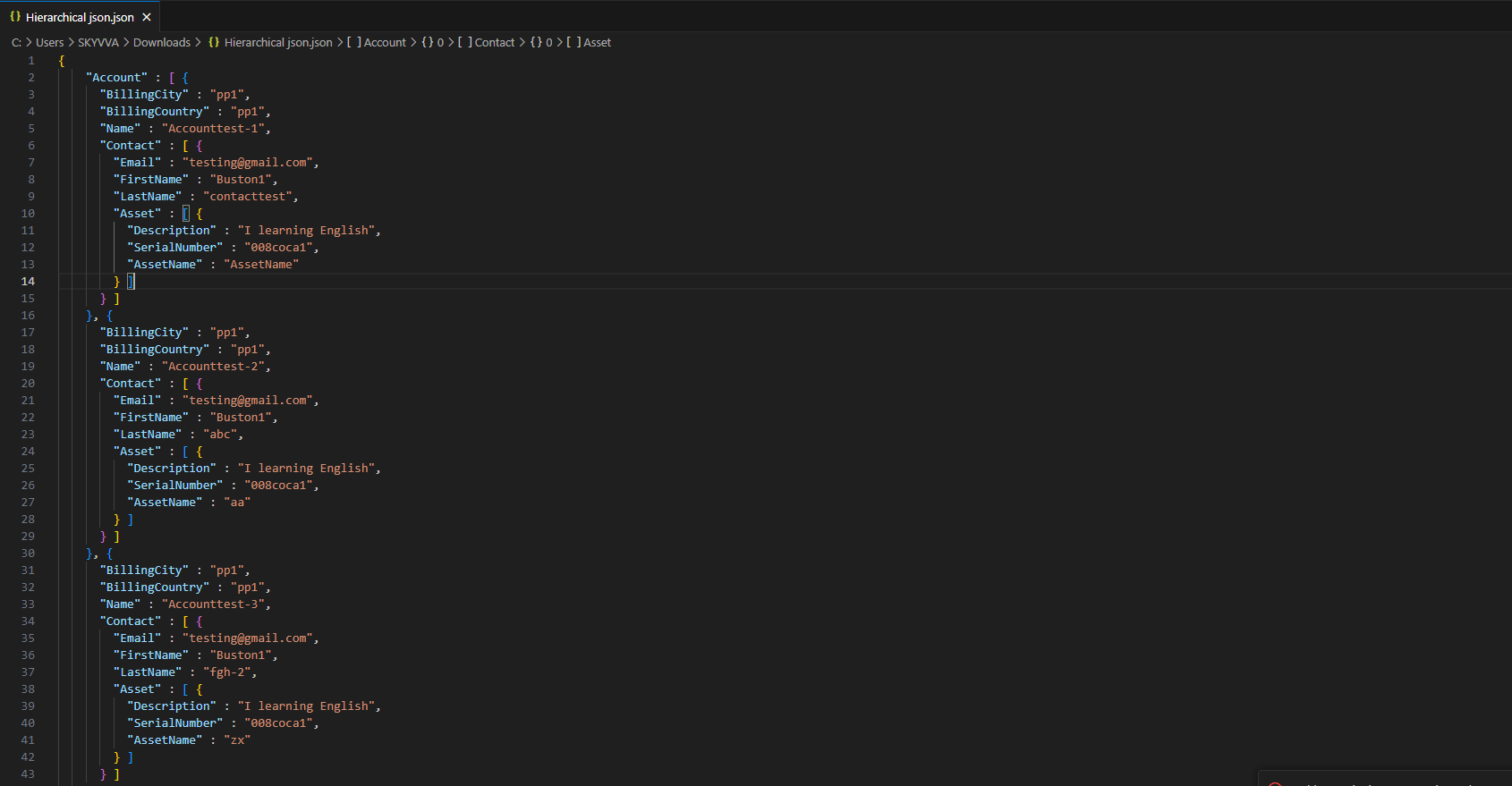
- Here’s the Result.
Summary
Finally, we have learned how to export JSON data using Data Loader. And we have understood about creating MessageType, creating Interface, and checking results on the message monitor