How to Export XML Data Using the Data Loader?
Introduction
In this tutorial, you will learn how to export XML files from Data Loader using both Flat and Hierarchical formats. Flat XML files contain data with only one level, while Hierarchical XML files have multiple levels of data. Our mapping will be handled using both data templates, and both formats utilize V3 processing.
In this tutorial, we are showing usecase with different XML formats:
- Flat XML with Message Type
- Hierarchical XML with Message Type
- Hierarchical XML without the message type
- ##### Export Flat XML File with XML Root Tag and XML Root Tag Namespace
Pre-requisite:
- Create or upload Message Type.
- Create Integration.
- Create an Outbound Interface.
- Do mapping.
What is flat XML?
Flat XML in this context means a single level of elements wrapped in the root element with no other structuring.
Here are the steps to import XML file with the inbound interface:
Step 1: Create or Upload Message Type.
- Go to Metadata provider => create Repository => Upload or create Message Type.
- Here’s Message Type.

Step 2: Create Integration.
Step 3: Create an Outbound Interface link with the message type.
- Here’s the Outbound Interface.
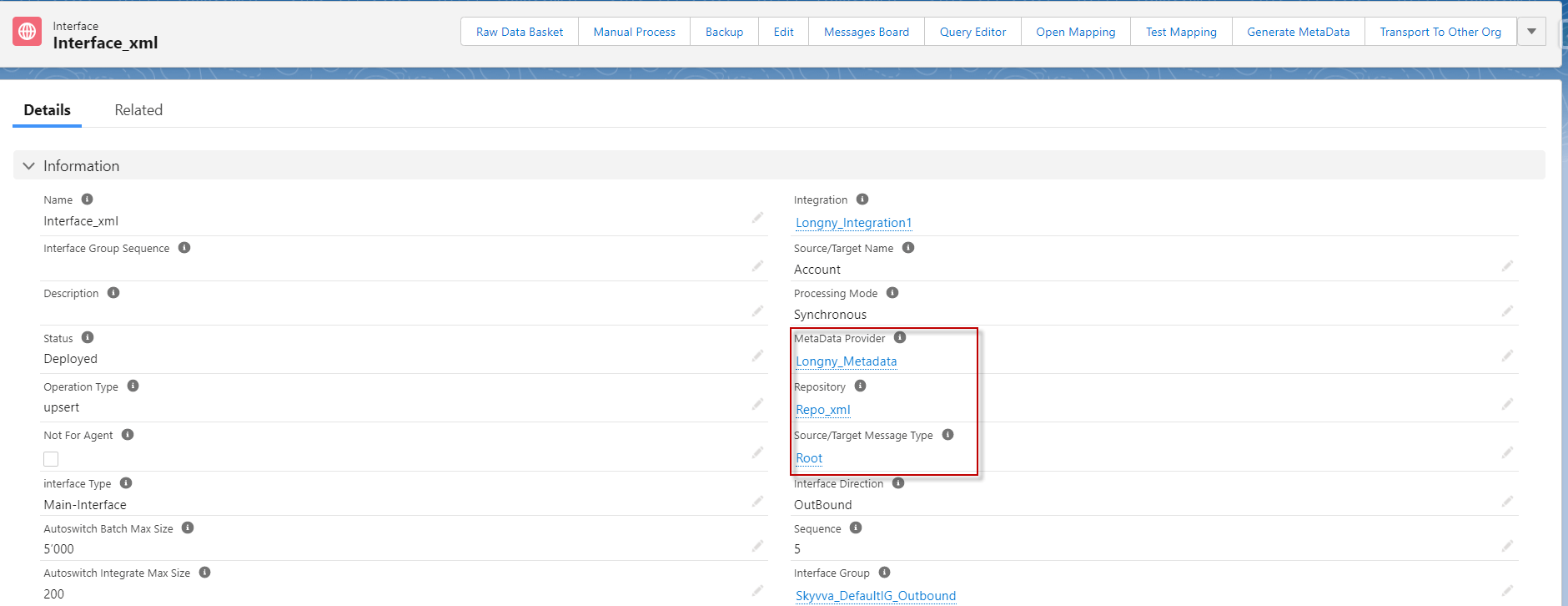
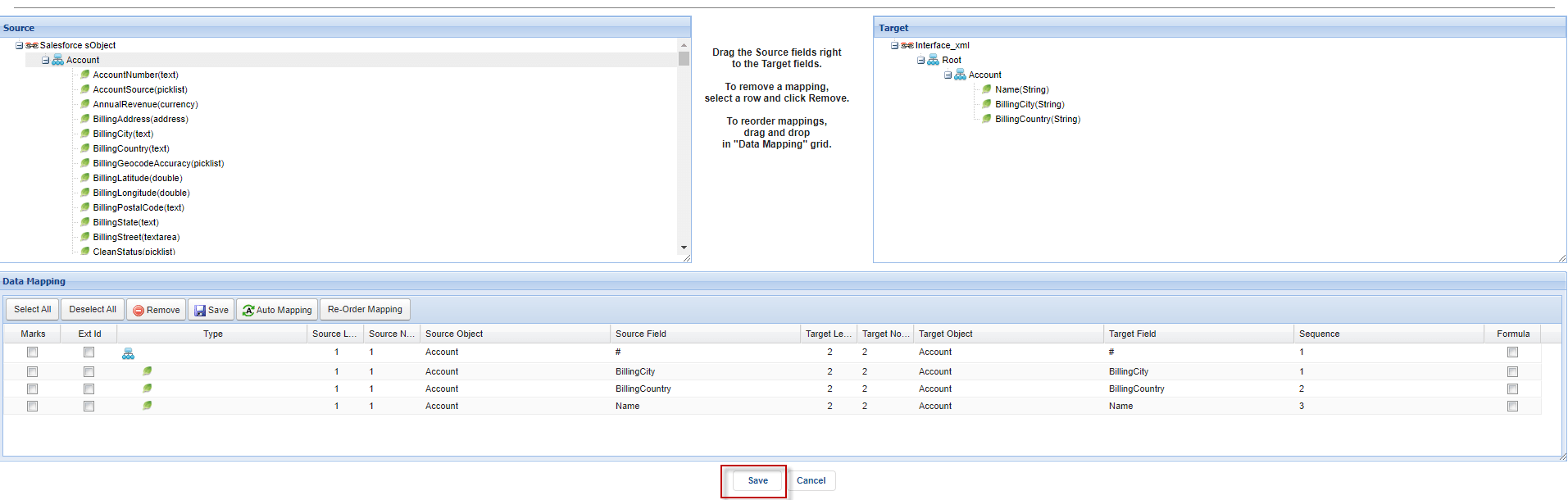
Step 3: Do mapping.
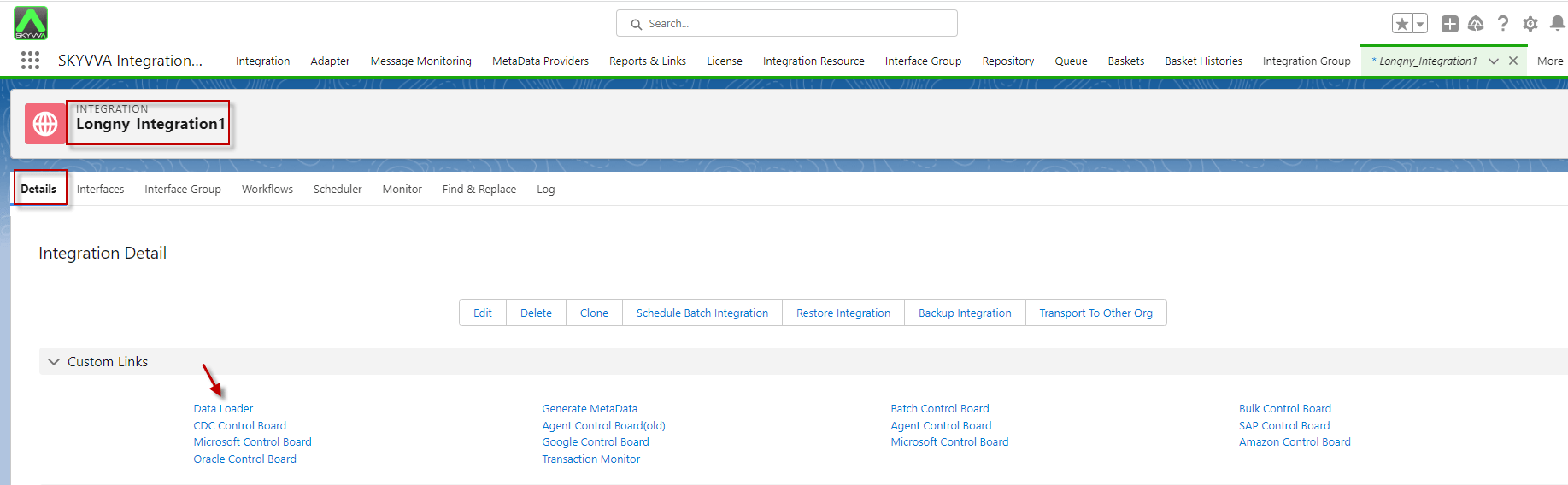
Step 4: Go to the Integration detail page and click data loader.
- Choose on Export Data function and click next
- Select the Interface name and click next
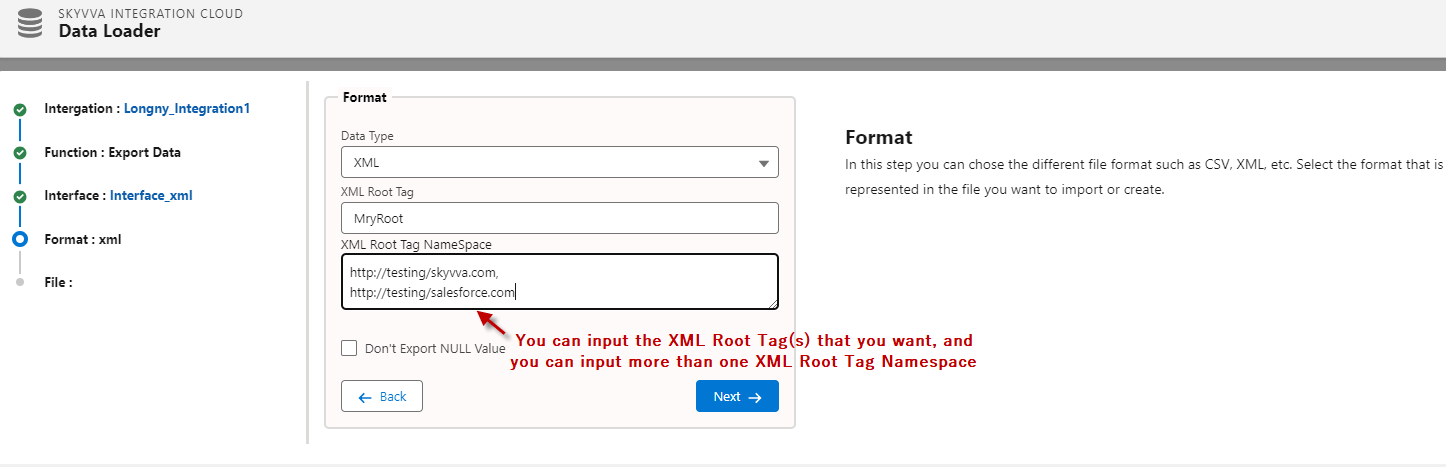
- Select Format data type and click next
- Please input the XML Root Tag name that you want
- Input the attachment file name and click the export file button
- After export, it will download automatically.
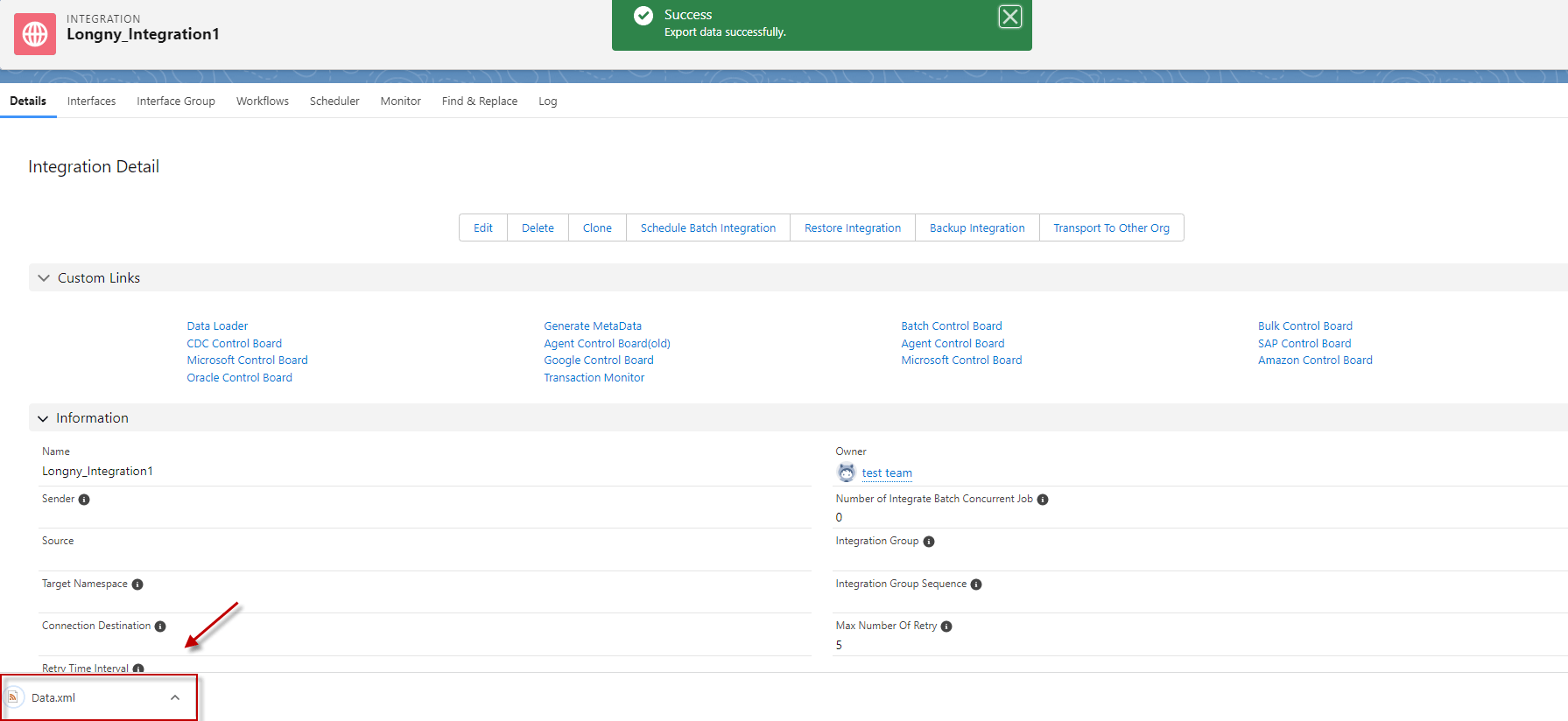
- Here’s the result, after the Export Data.
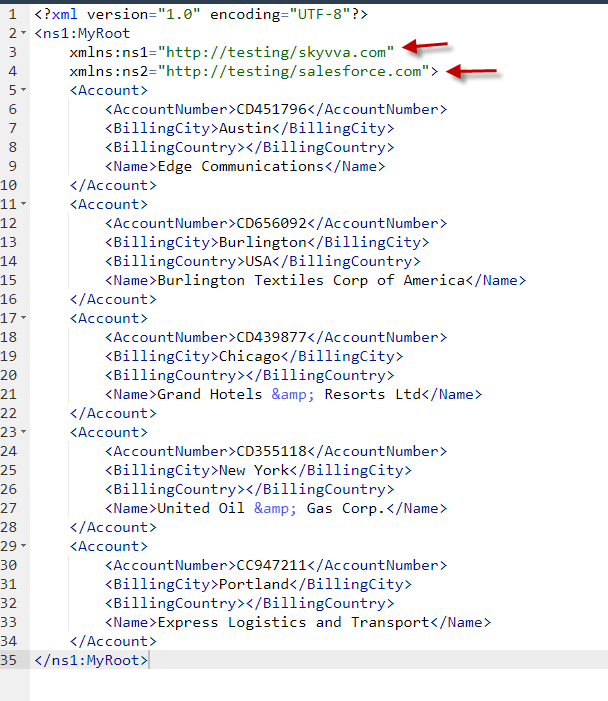
2. How to Export Hierarchical XML File with XML Root Tag and XML Root Tag Namespace
What is the Hierarchical?
In a hierarchical Interface, one interface is a parent of other interfaces. It means that the child interfaces a relationship with a parent. For example, the Account interface is a parent of the contact.
Also, One parent interface can have many child, but the child interface has only a single-parent interface. eg. one Account can store many Contacts, but one Contact can’t store many Accounts
Pre-requisite:
- Create or upload Message Type.
- Create Outbound Interface
- Do mapping
Here are the steps to Export a Hierarchical XML file with the outbound interface:
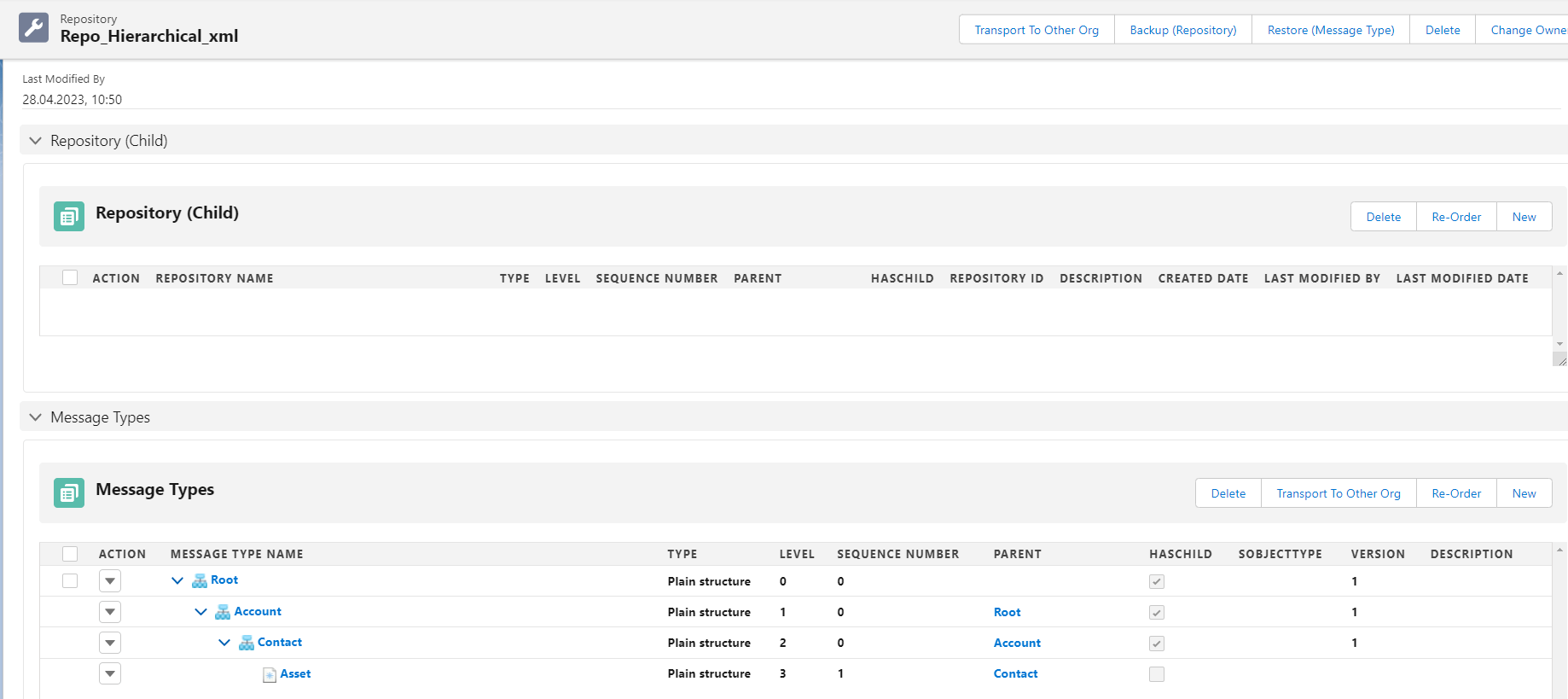
Step 1: Create or Upload Message Type.
- Here’s the Message Type.
Step 2: Create Integration.
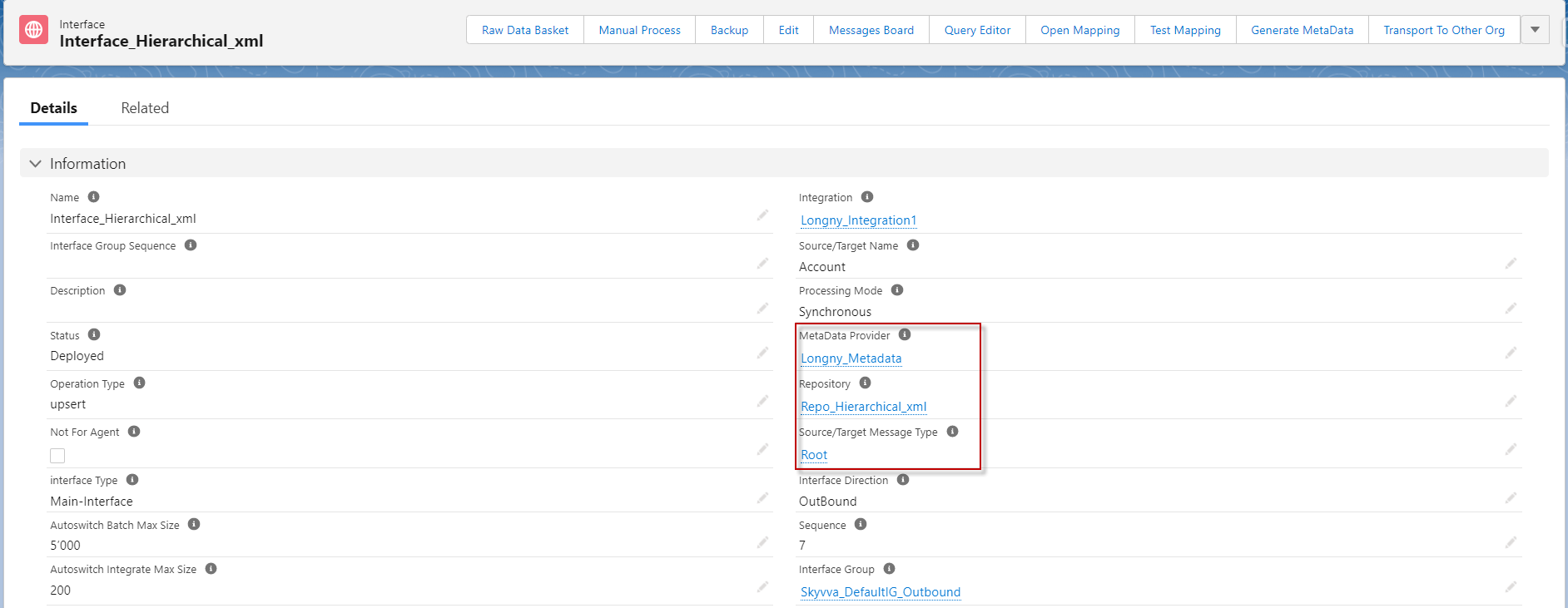
Step 3: Create an Outbound Interface.
- Here’s the Outbound Interface link with the message type.
Step 3: Do mapping.
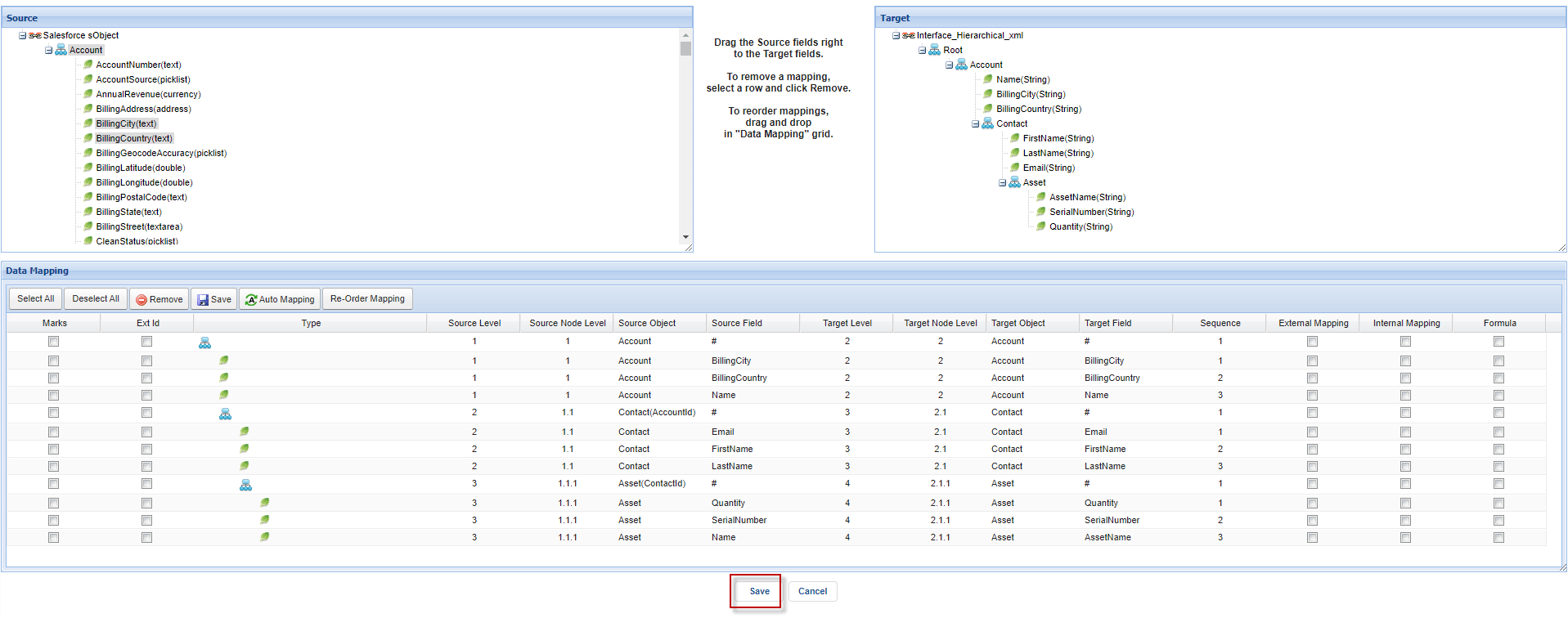
Step 4: Go to the Integration detail tab and click data loader.
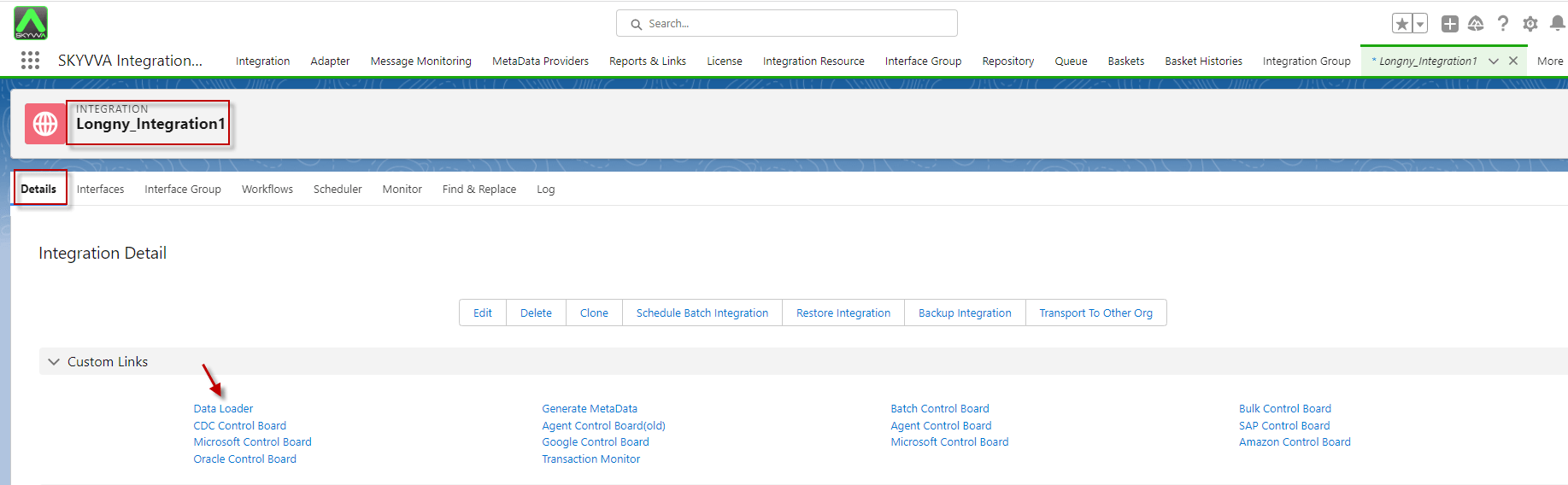
- Please input the XML Root Tag and XML Root Tag Namespace that you want
- Input the attachment file name and click the export file button

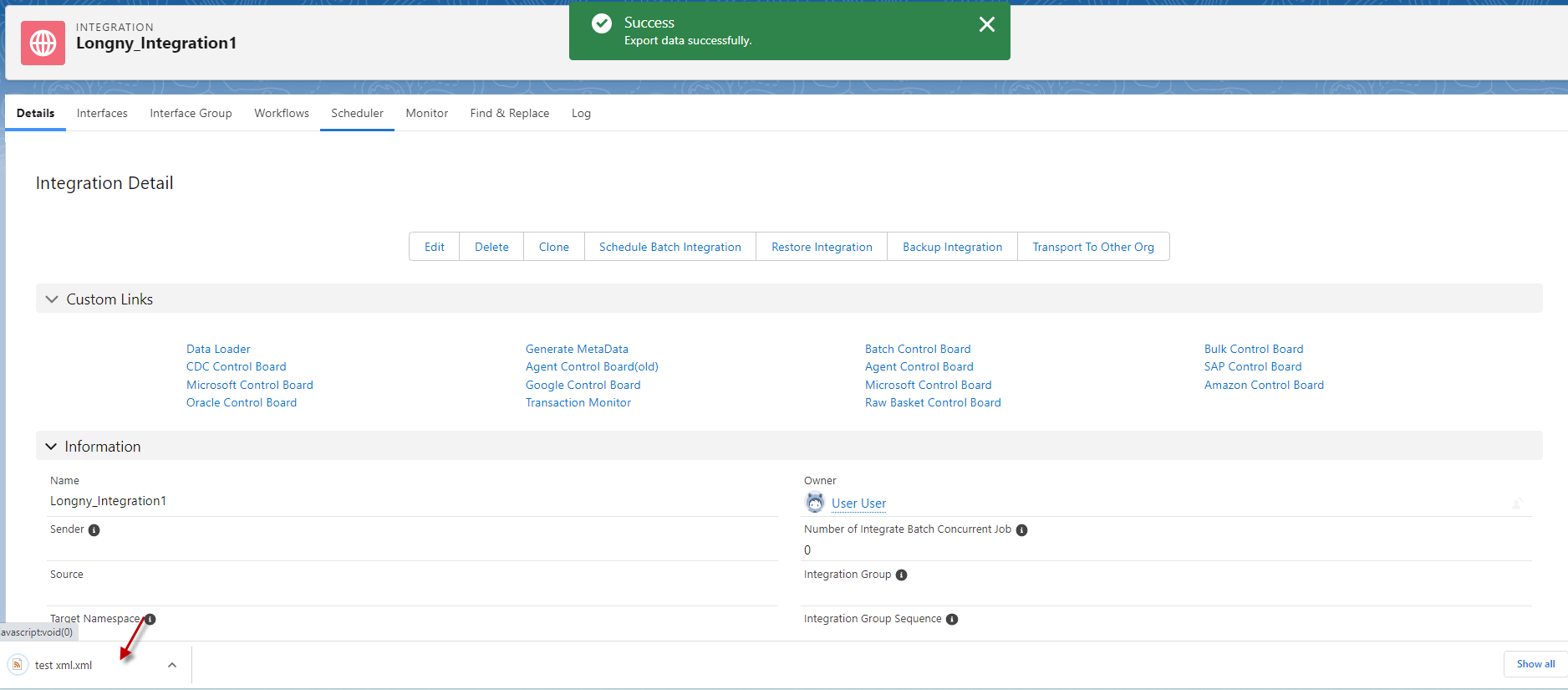
- After export, it will download automatically.
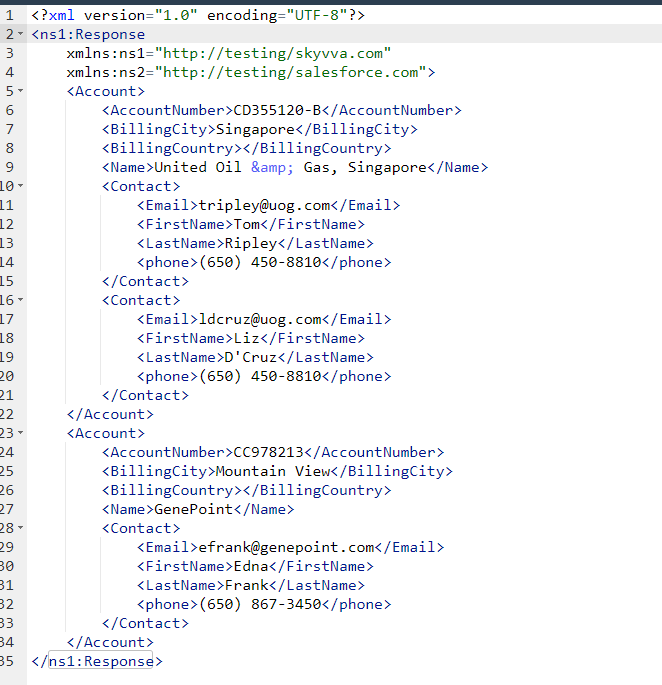
- Here’s the result.
3. How to Export an XML file to generate a Root Tag and XML Root Tag Namespace without specifying the message type
Requisite Step:
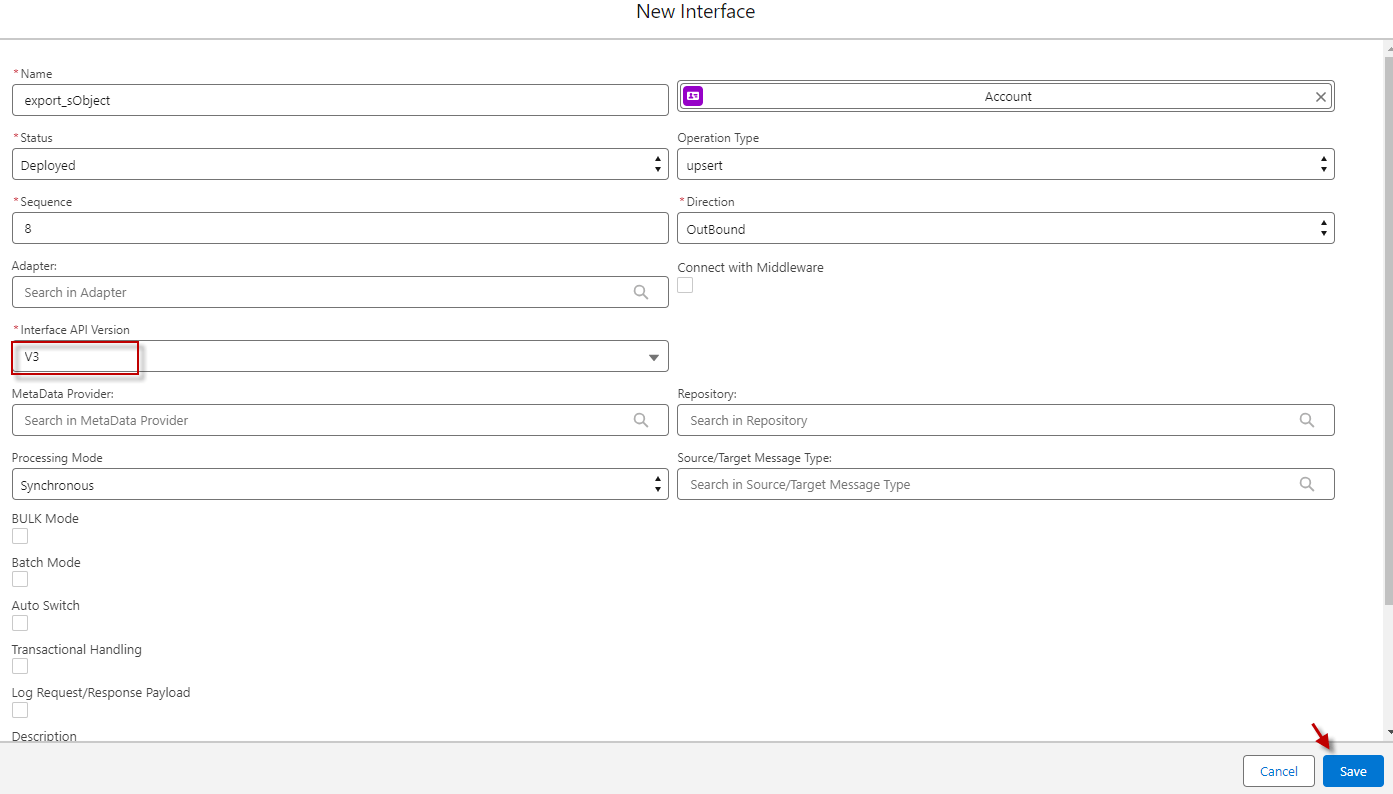
Step1: Create Outbound Interface with API V3
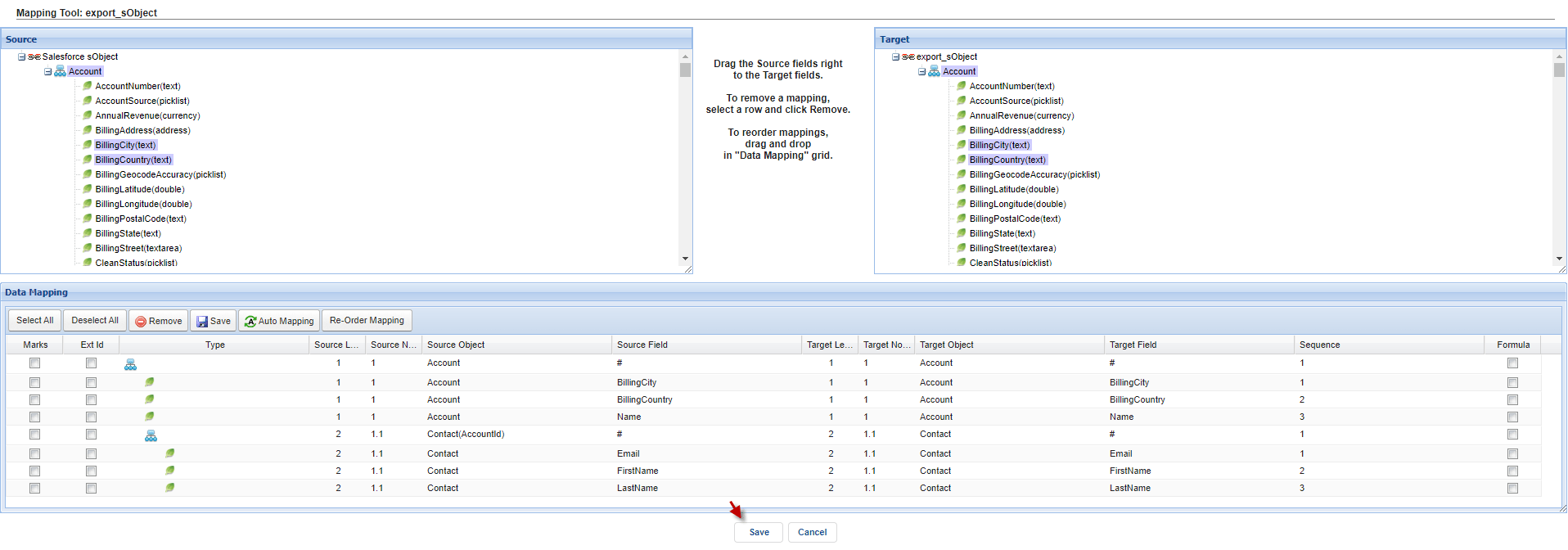
Step2: Do mapping with sObject.
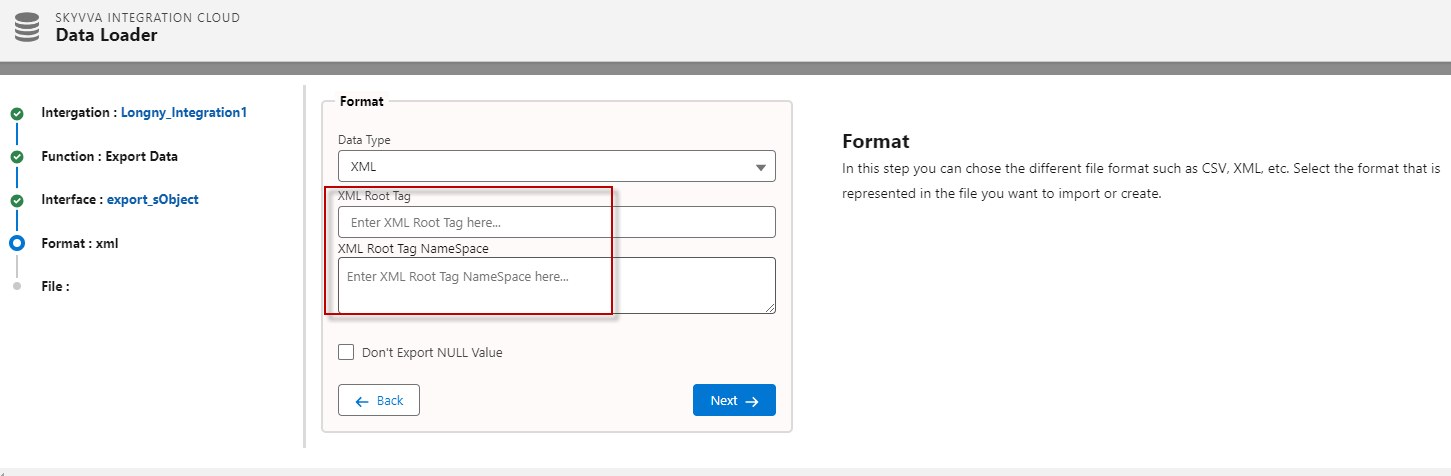
Step3: Go to the Integration detail tab and click data loader.
- Not input XML Root Tag and XML Root Tag Namespace.
- Input the attachment file name and click the export file button.
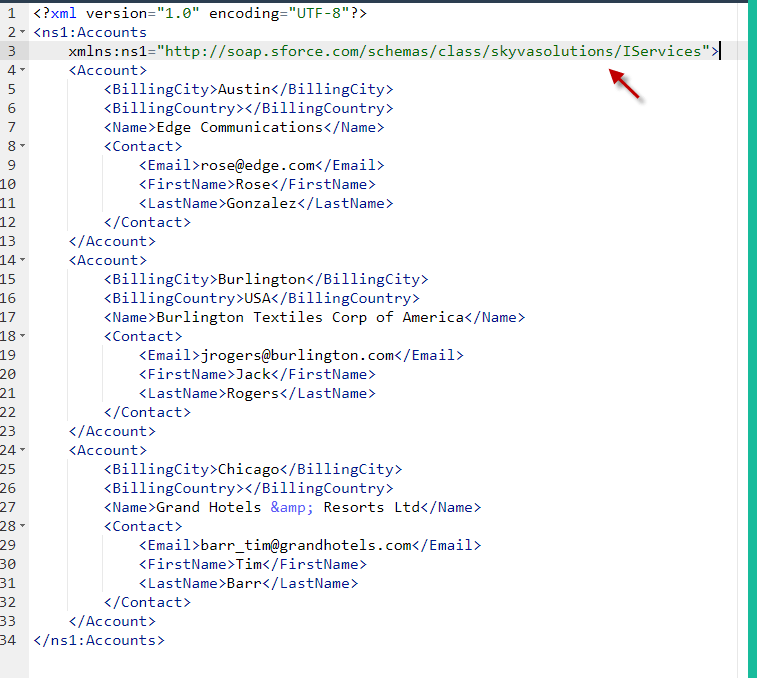
- Here's the result, Since we did not input the tag and XML root tag namespace manually, they will be generated from the Skyvva namespace.
Summary
- We can export an XML file with an interface that has a message type and without a message type (API V3). Currently, our newly generated XML payload with the XML Root Tag and XML Root Tag Namespace that the user inputs on the screen.
- If the user did not input the XML Root Tag and XML Root Tag Namespace manually on the screen, they will be generated XML Root Tag Namespace from the Skyvva namespace.
- e.g: xmlns:ns1="http://soap.sforce.com/schemas/class/skyvvasolutions/IServices">