How to Generate an Access Token Using OAuth 2.0 Client Credentials Flow with Skyvva Permissions?
To generate an access token in Salesforce, the user utilizes OAuth 2.0 authentication.
Follow these steps:
- Create a connected app in the Salesforce setup.
- Configure the app's OAuth settings, including callback URL and selected OAuth scopes.
- Obtain the client ID and client secret generated for the connected app.
- Implement OAuth 2.0 flow, such as Authorization Code or Username-Password.
- Request an access token using the appropriate OAuth endpoint, providing client credentials and required parameters.
- Salesforce validates the request and issues an access token.
- Use the access token to authenticate subsequent API requests to Salesforce.
- Manage token expiration and refresh as needed.
Salesforce configuration side
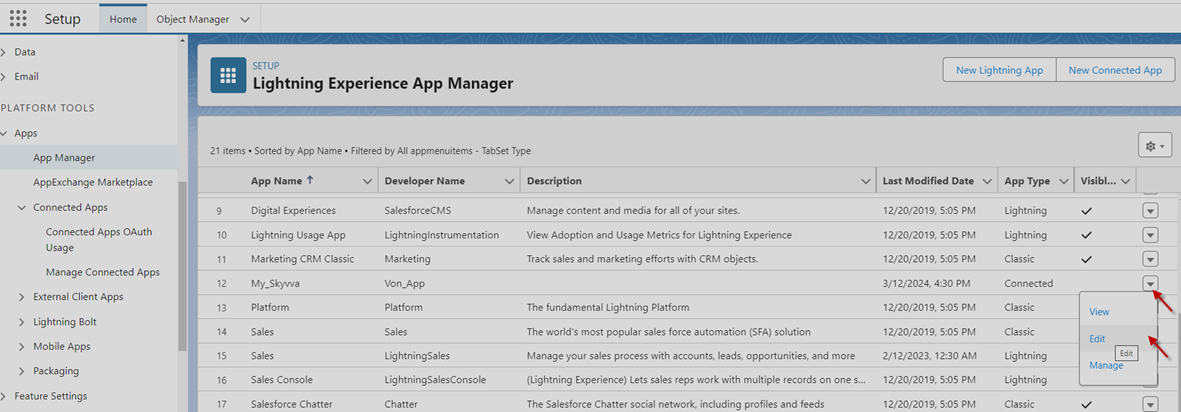
- Step1: Go to APP Manage => select any Connect App and click on Edit
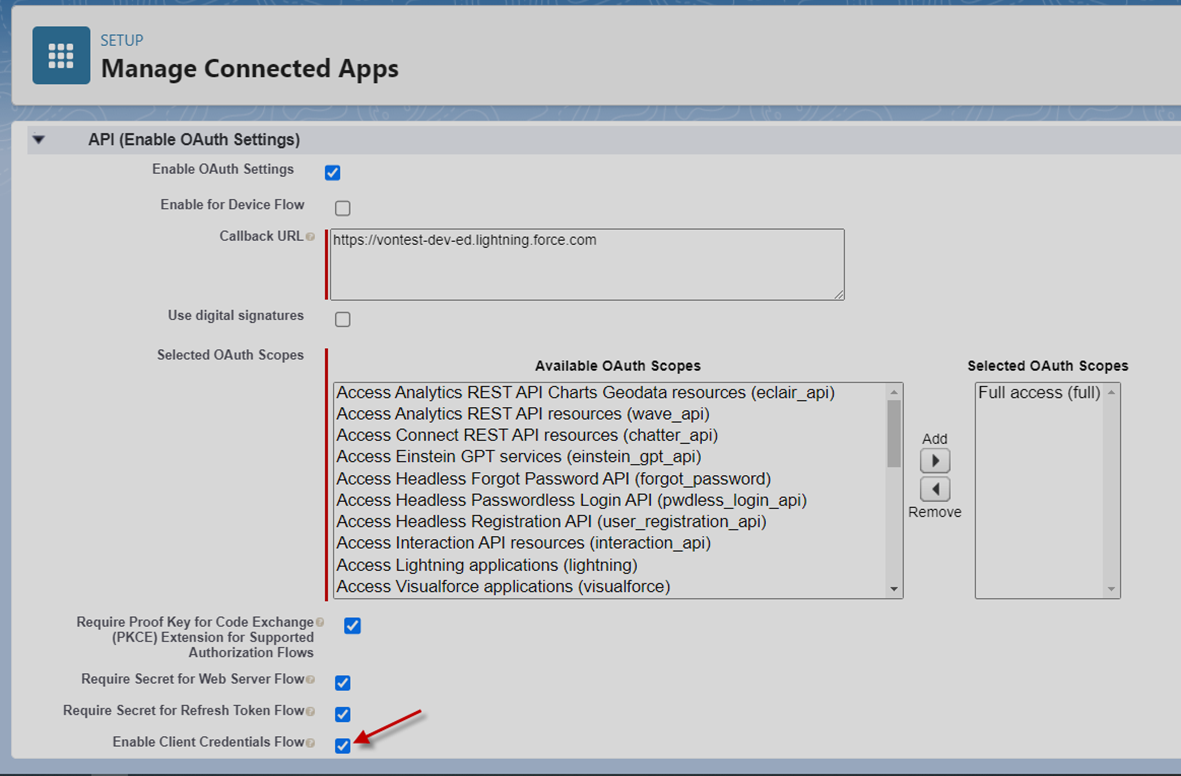
- Check on Enable Client Credentials Flow
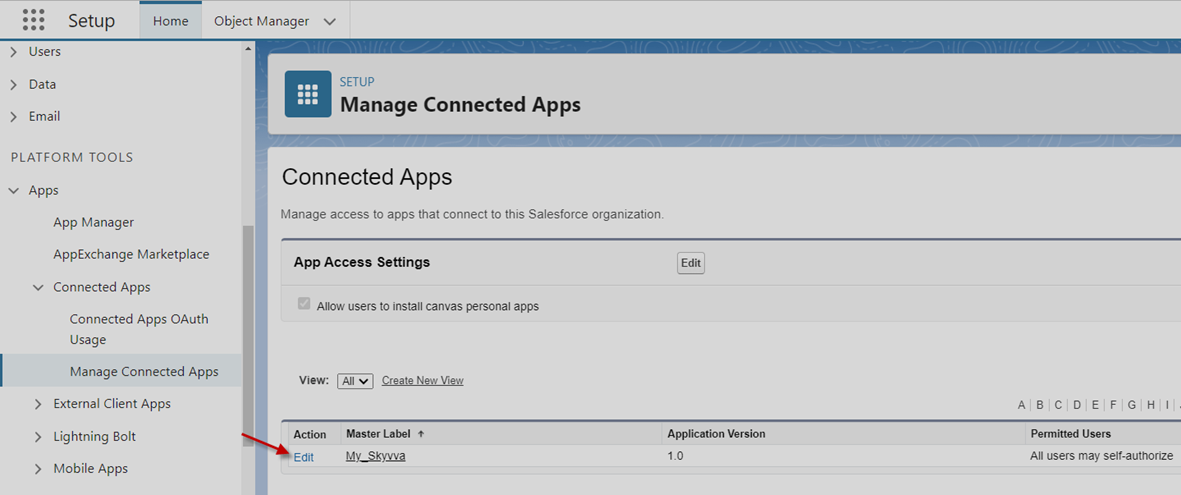
- Step2: Go to Manage Connected App and then edit Connected Apps
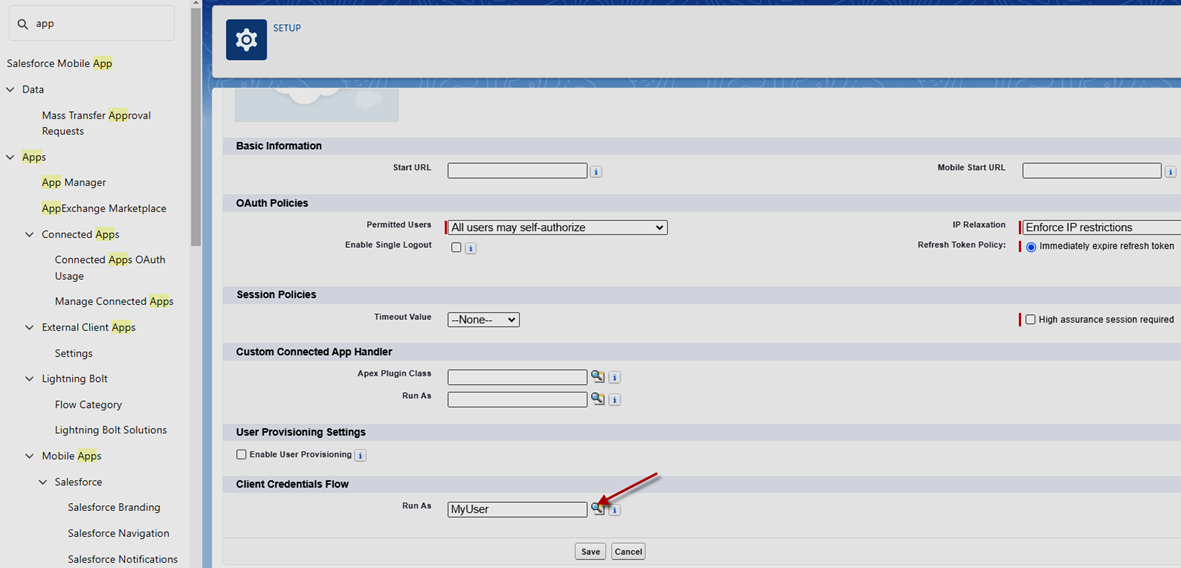
- Select any User to enable access token in the section Client Credentials Flow
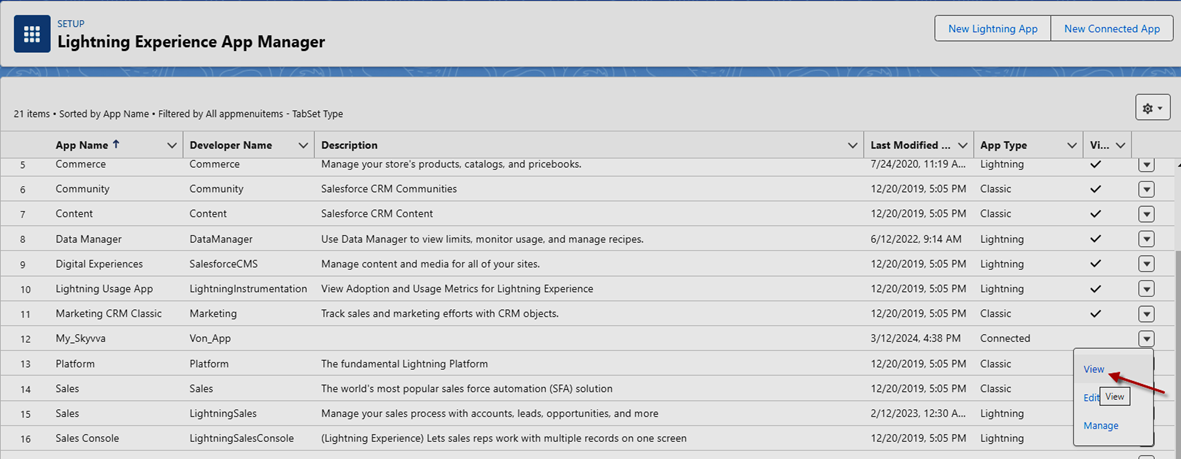
- Step3: Go to App Manage and then select any Connected App to view it
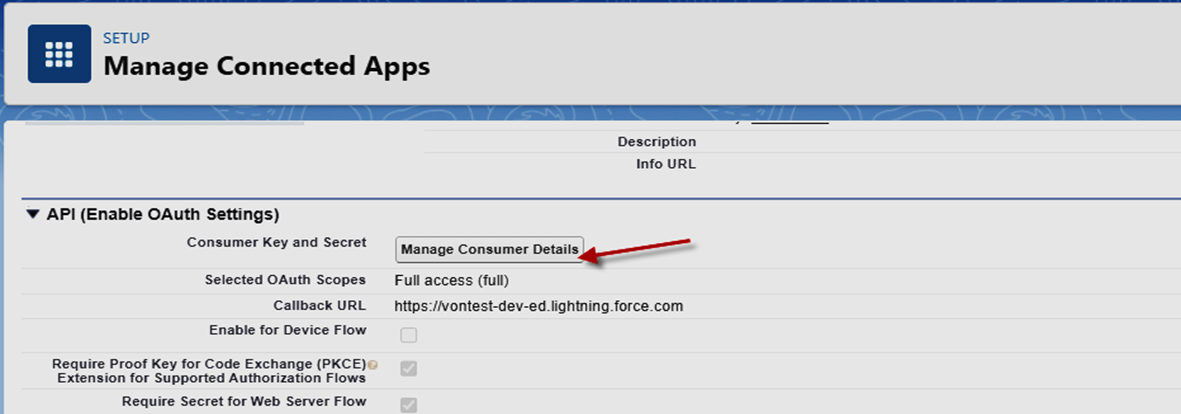
- Click on Manage Consumer Details to see Consumer Key and Consumer Secret
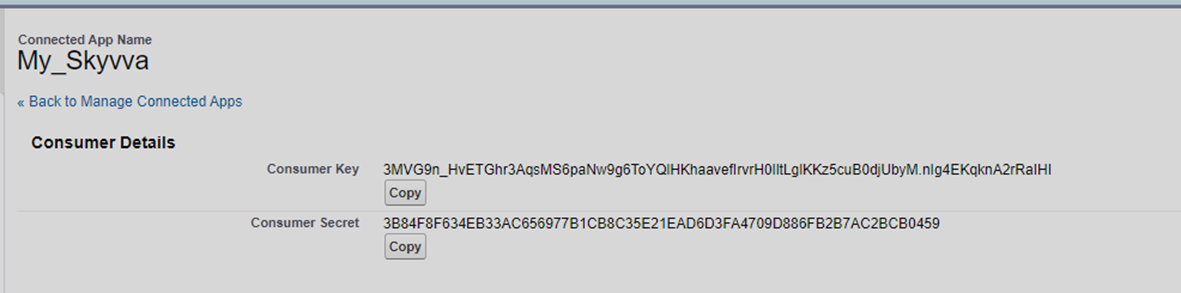
- Step4: Postman application and past Consumer Key and Consumer Secret to generate Access Token
URL: https://enterprise-ruby-3909-dev-ed.scratch.my.salesforce.com/services/oauth2/token
Keyword
- grant_type = client_credentials
- client_id = …
- client_secret= …
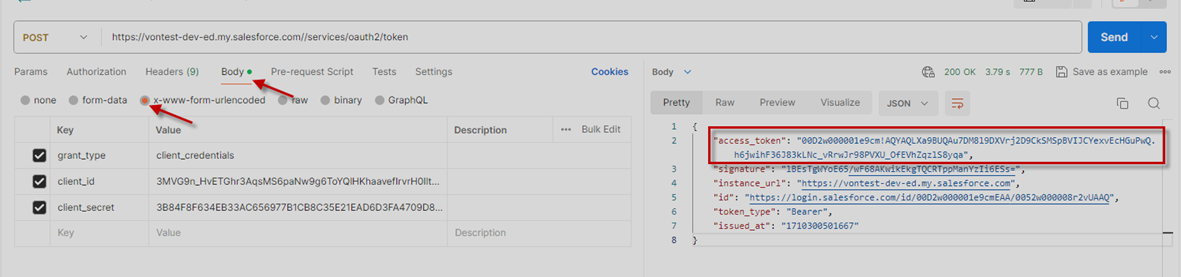
- Step5: Apply access token into Authorization Bearer type
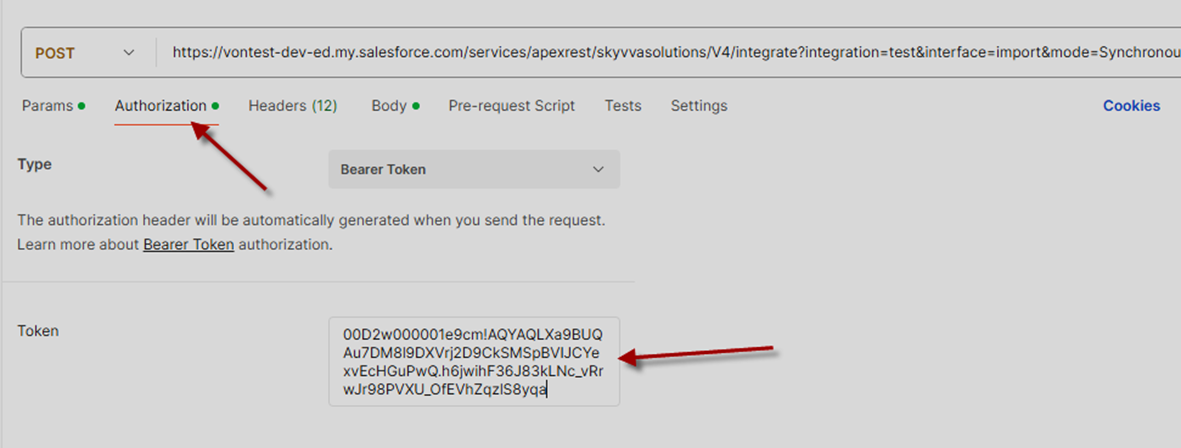
Step6: Send data to salesforce
[su_box title="Note: " box_color="#ff0000" title_color="#000000"]In case using sent data is not successful with External User Org and it gets an error like the screenshot below[/su_box]
[
  {
    "errorCode": "FORBIDDEN",
    "message": "You do not have access to the Apex class named: IntegrateV4RestService"
  }
]
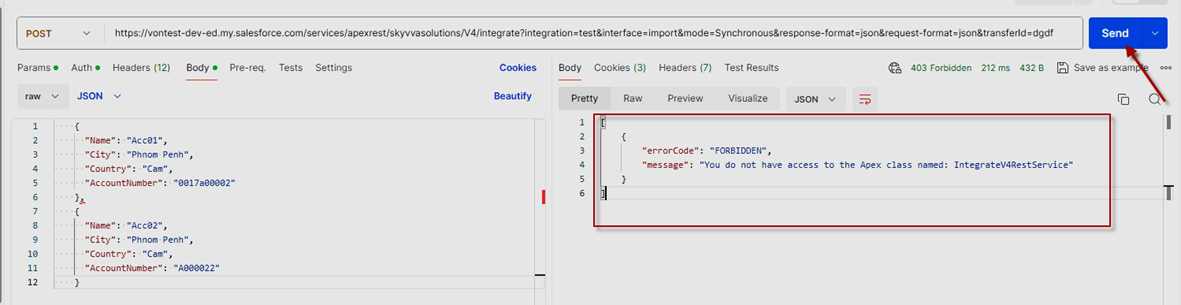
User must add Skyvva classes into the permission set which is assigned to User Org
How do you create a permission set?
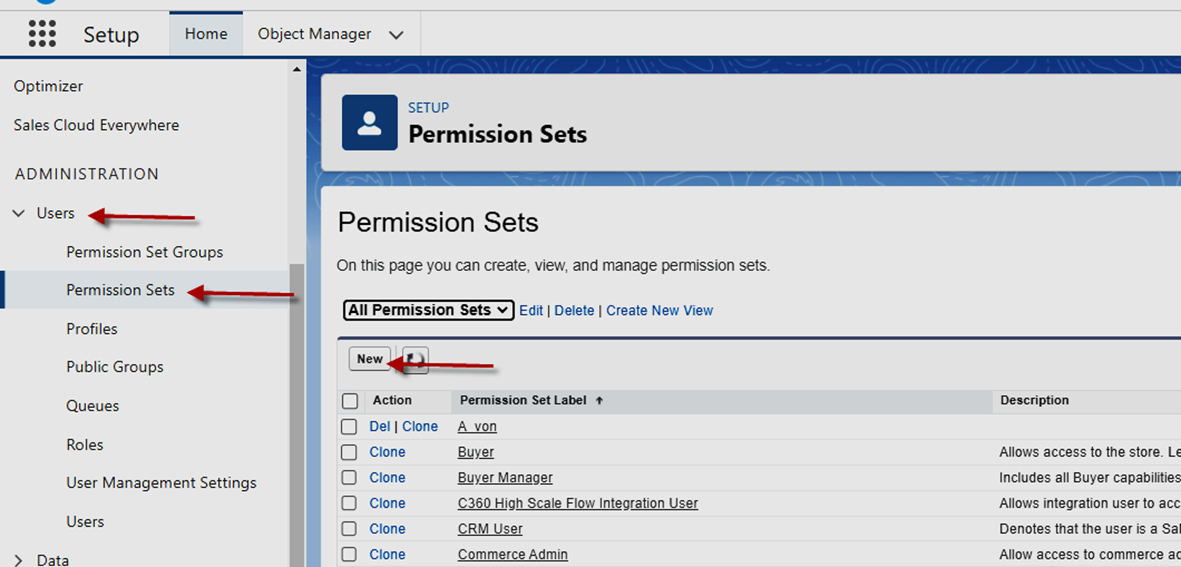
Go to User -> Permission Sets -> click on New button
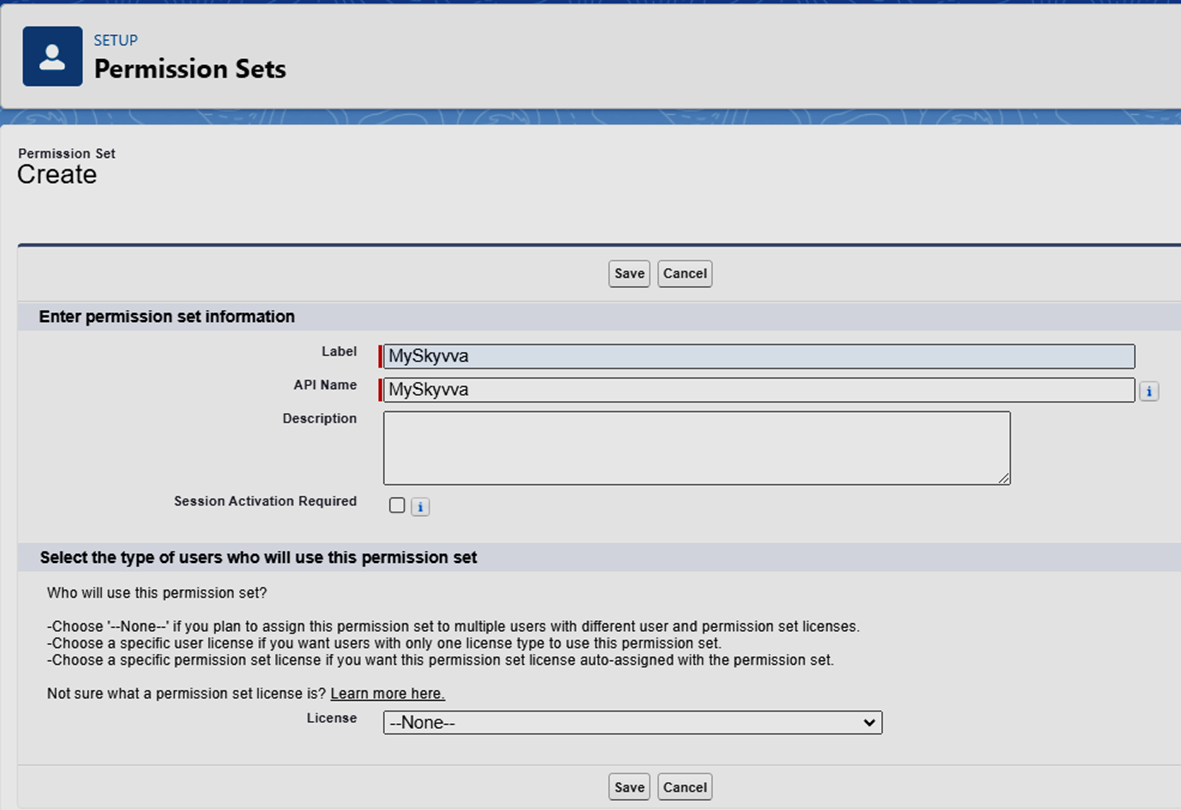
Enter permission set name
Click on the Apex Class Access link and then click the Edit button to enable all SKYVVA classes.
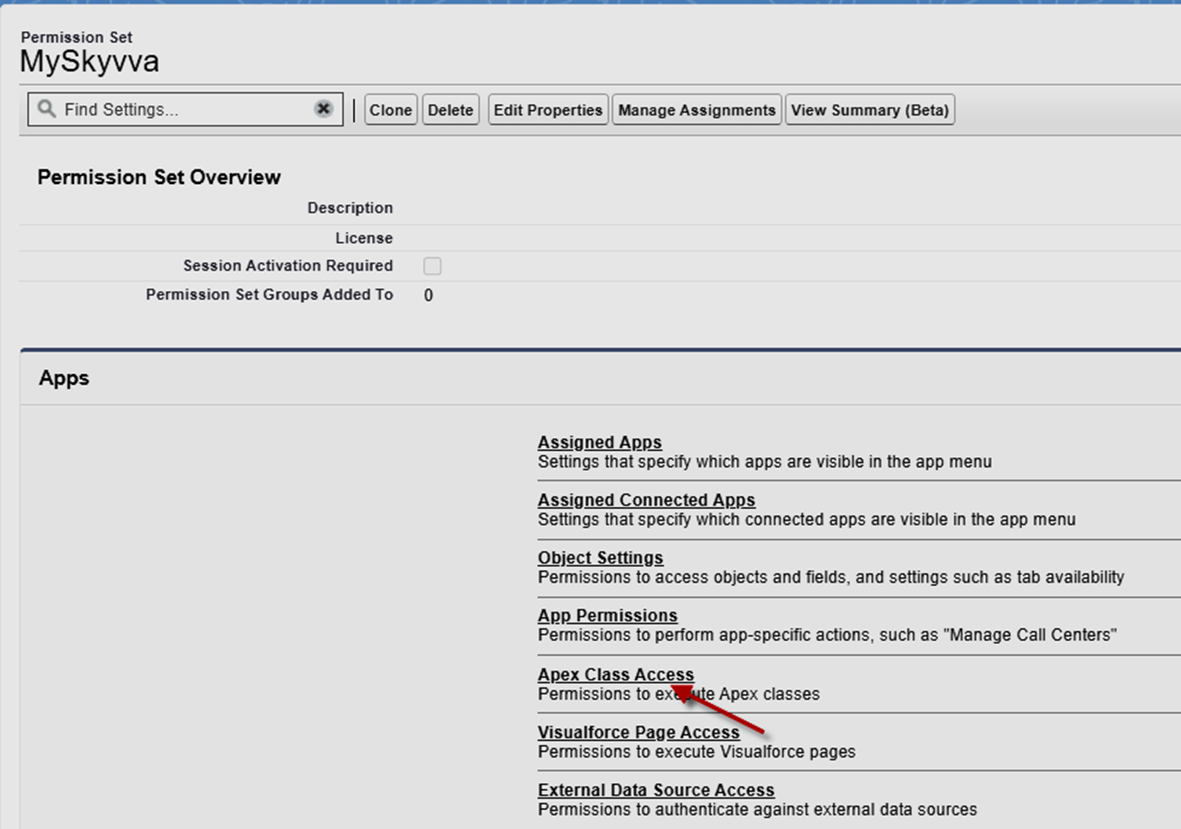
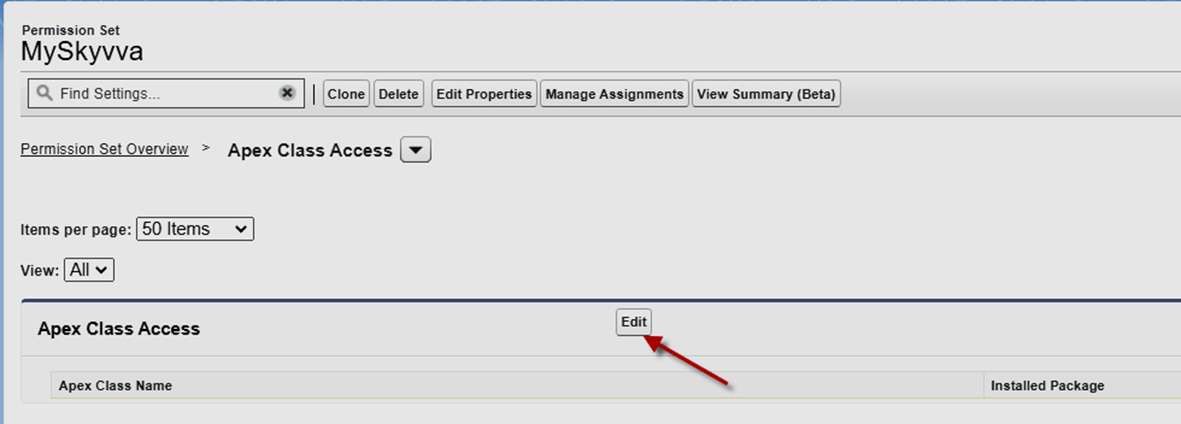
Select all SKYVVA classes and add them to Enabled Apex Classes

Go to User detail and then click on the Permission Set Assignments link
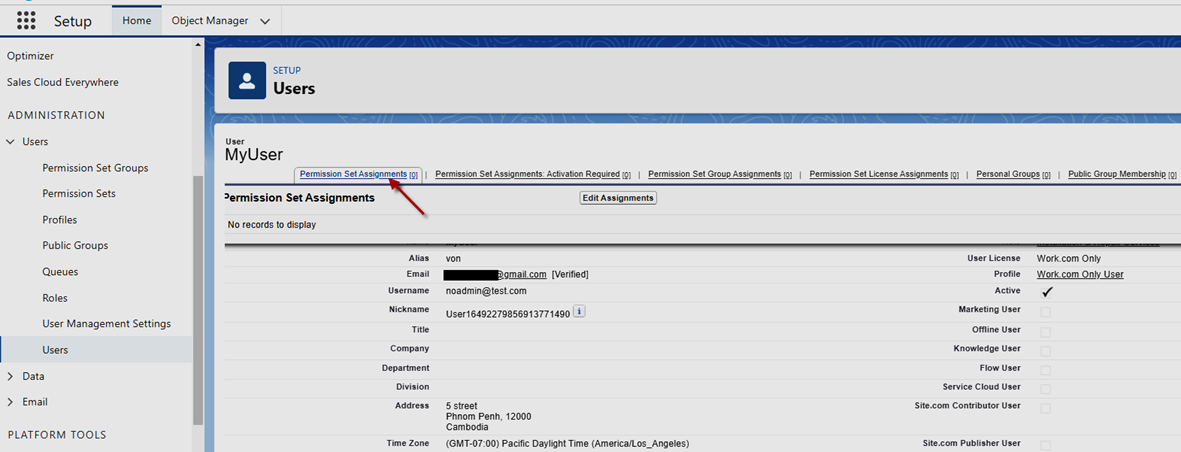
- Click on the Edit Assignments button
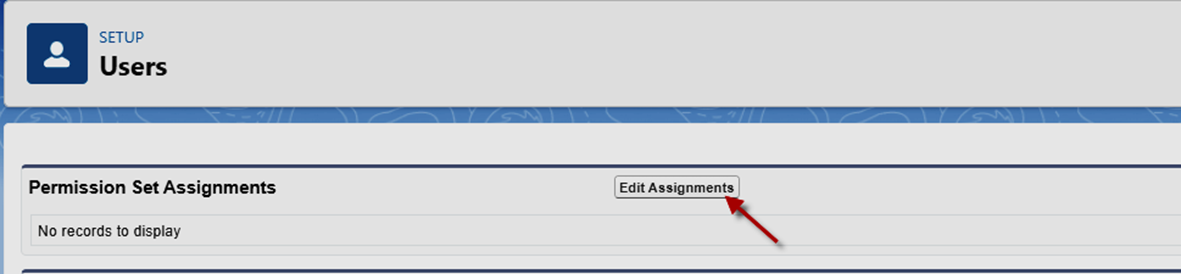
Add enable permission sets
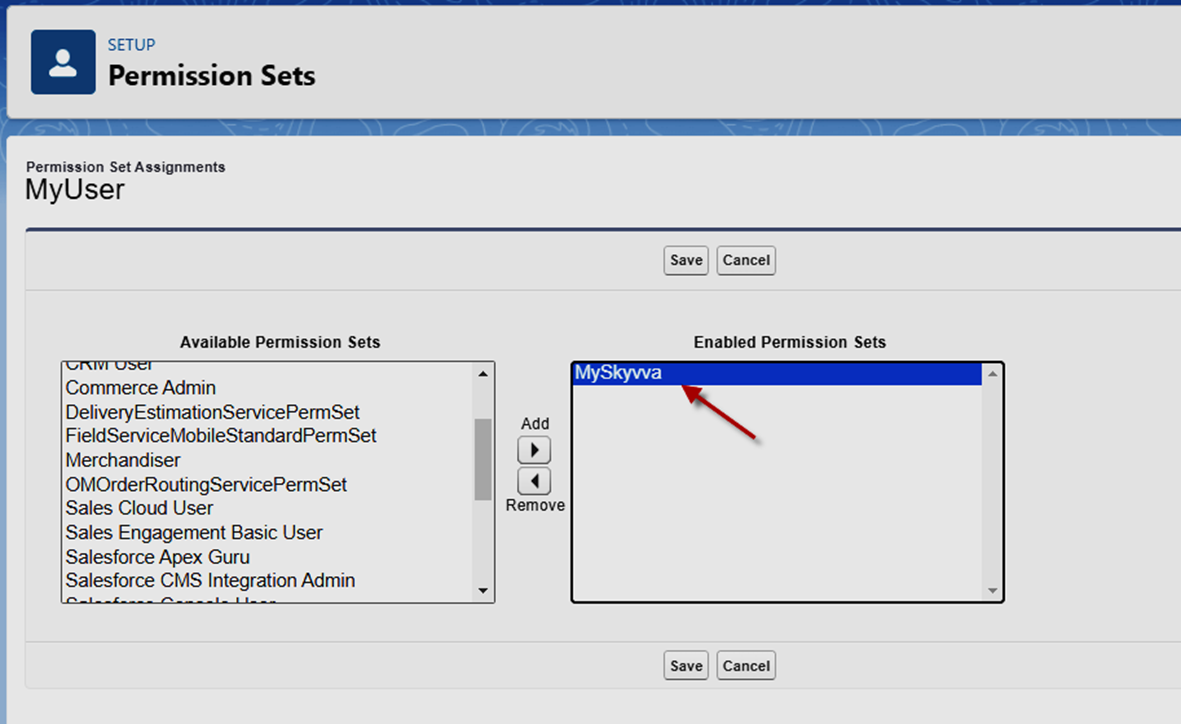
- Go to Postman and send data again
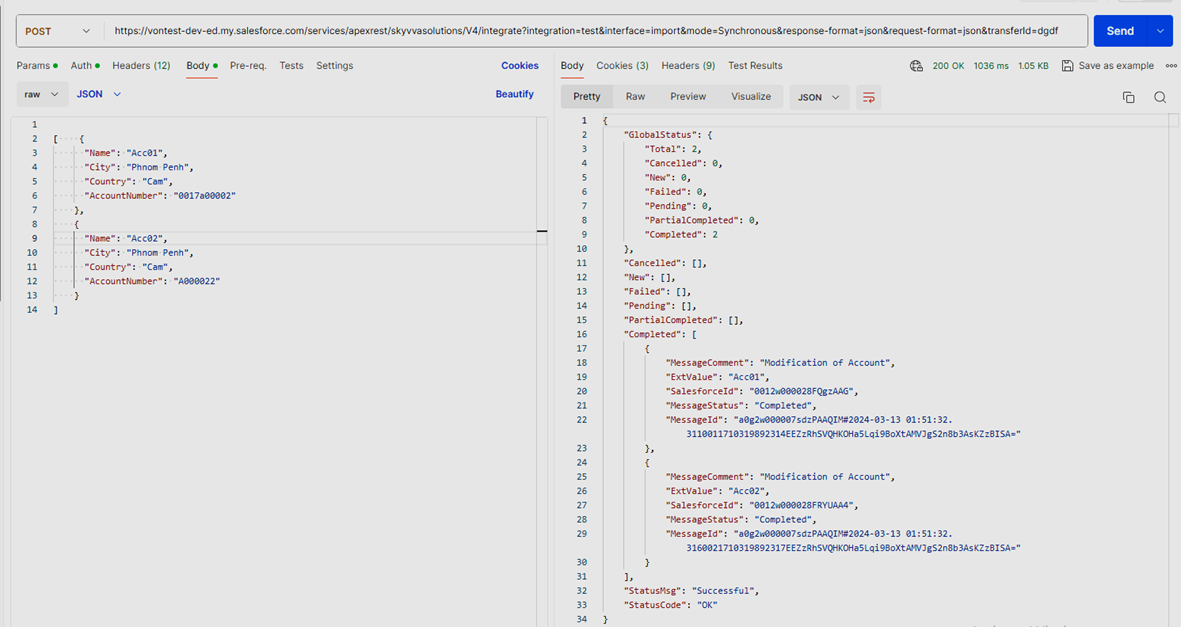
The result is completed
SUMMARY Now users understand that the SKYVVA, a Salesforce integration tool, simplifies access token generation. First, configure the Salesforce connection in SKYVVA. Then, utilize its direct interface to generate access tokens handy. This streamlines authentication processes, ensuring secure access to Salesforce resources. SKYVVA optimizes Salesforce integration, enhancing productivity and data management.