3. How to Generate Flat CSV Payload with Execute Callout V3?
The data integration, with the SKYVVA integration application, stands out for its efficiency. One of its noteworthy features is the capability to generate flat CSV payloads through the Execute Callout V3 functionality. This becomes particularly useful when mapping a level within the integration process.
Upon mapping a level and triggering the Execute Callout V3, the application exhibits a cool behavior. Instead of generating prefixes along with the field map, it only produces the field map. This simplifies the resultant payload, making it a flat CSV structure void of unnecessary prefixes. The significance of this lies in the streamlined data format, enhancing understandable and ease of consumption for downstream processes.
This capability showcases SKYVVA's commitment to providing users with a flexible and user-friendly integration experience. By generating a clean and compact CSV payload, users can facilitate smoother data flows and enhance the ability of their systems. Whether for data migration, synchronization, or other integration tasks, the ability to produce flat CSV payloads with Execute Callout V3 demonstrates SKYVVA's commitment to optimizing data integration processes.
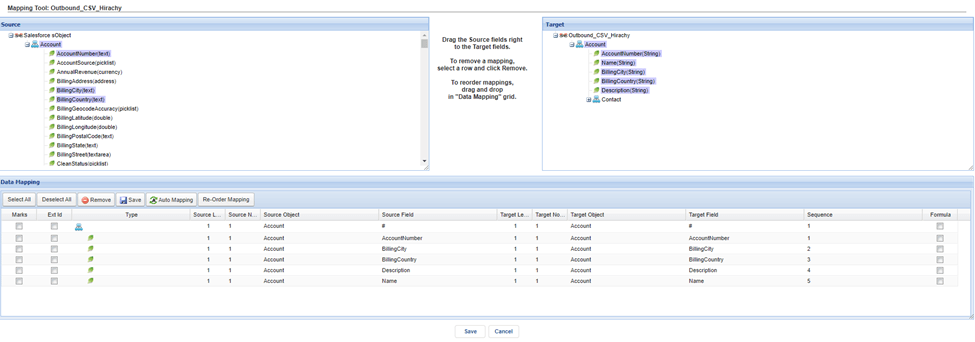
Business Scenario, The User needs to generate the flat CSV like this: User have mapped => BillingCity, BillingCountry, Name, and AccountNumber Header => BillingCity,BillingCountry,Name,AccountNumber Value of field => Value1, Value2, Value3,Value4
Required step:
- Create an Integration
- Create an Outbound Adapter e.g., Google Drive
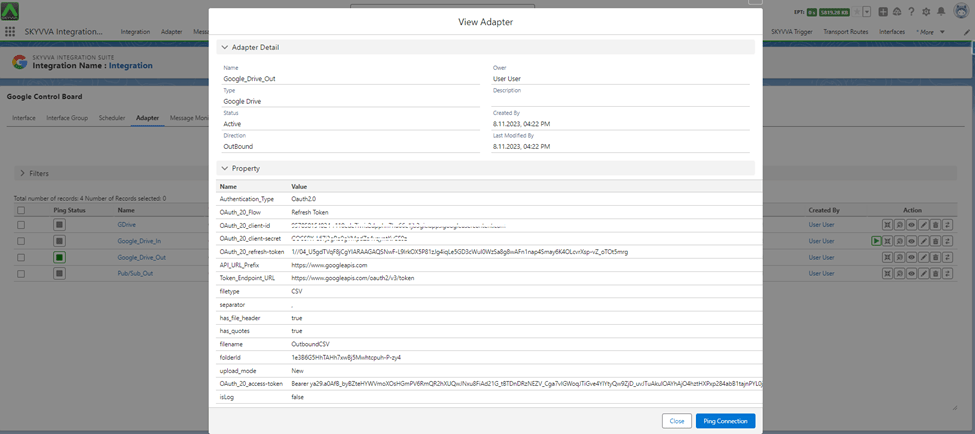
- Create an Outbound Interface -> set Interface API Version: V3 -> Do Mapping -> link Adapter with interface
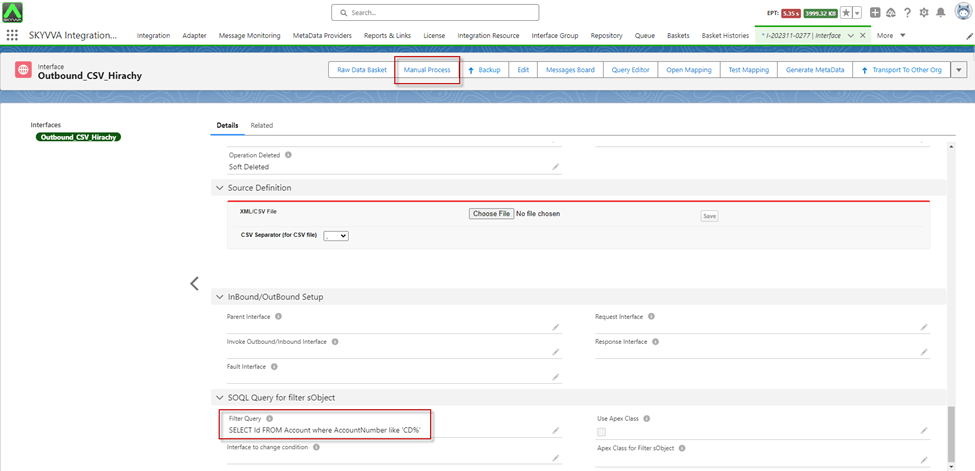
- Go to Interface Detail -> Scroll down to SOQL Query for filter sObject -> Set the condition on the file Filter Query
- Click on the Manual Process button to callout the records
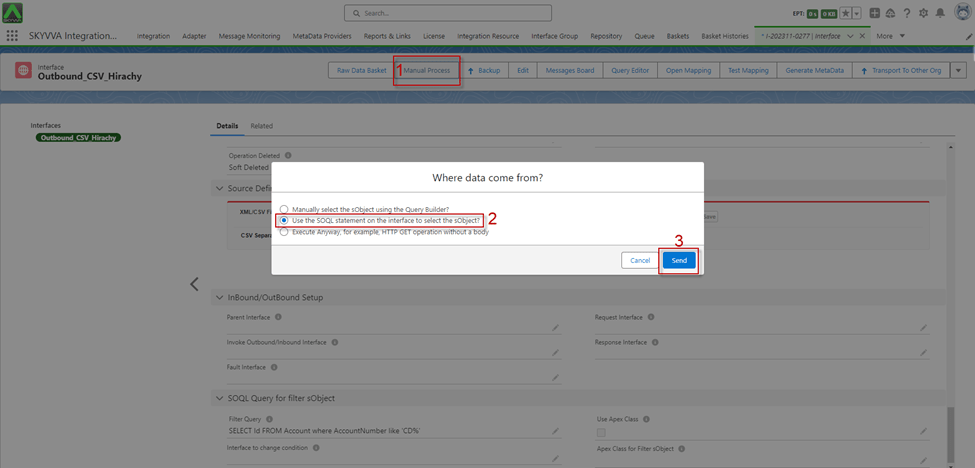
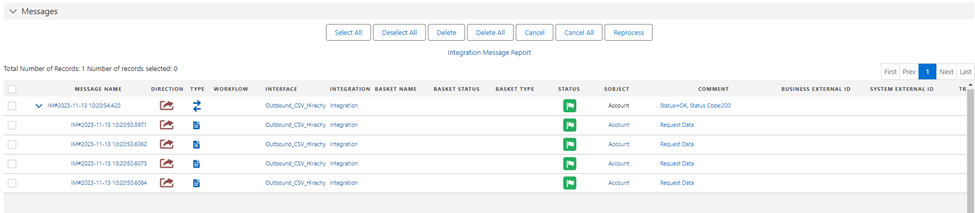
- After clicking Send, we got the Message Monitoring
- Here is the Payload from Google Drive

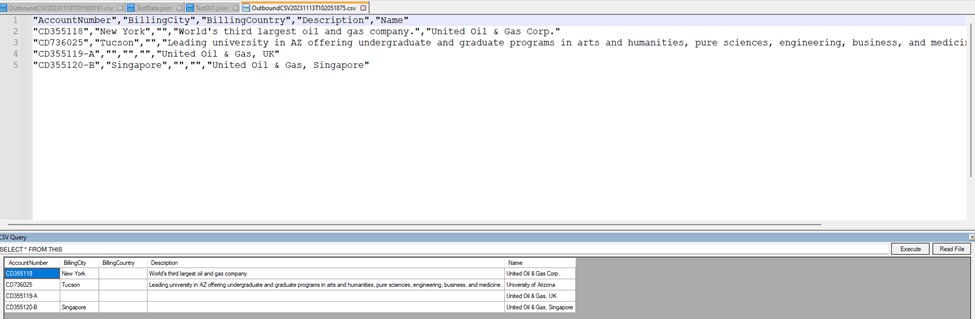
[su_box title="Result:" box_color="#2a8af0" title_color="#000000"]After execution, the generated CSV payload does not have any prefixes when you have mapped a level in the mapping.[/su_box]