How to Import CSV Hierarchical to create "File Message"?
- File Message Inbound: To create a "File Message" in the Inbound of the Internet Drive Adapter, the user needs to configure the adapter to process incoming files. This depends on the capabilities of the SKYVVA integration application and the Internet Drive Adapter.
Configure the Inbound adapter to monitor a specific directory or endpoint for incoming files.
- Define file format and naming conventions, so the adapter can distinguish between different types of files.
- Map the file format to the appropriate fields in our SKYVVA application.
For example, if the user receives CSV files, configure the adapter to process CSV files and map the columns to corresponding fields in your application.
- Integration with Skyvva: Ensure that your CSV payload aligns with the data model requirements of SKYVVA. Users need to configure mappings, transformations, and integration settings within the SKYVVA platform.
Define the integration flow, including the source (Internet Drive Adapter) and target (V3 Outbound Adapter).
- Map fields between the source and target to ensure data is correctly transferred.
The inbound processing of certain adapters, particularly the Internet Adapter, within the context of the SKYVVA integration application. The key change is the introduction of a distinct Root Message, which inserts the Business Messages in the inbound processing.
Here's a breakdown of the information:
- Enhancement Description:
Root Message Introduction: Previously, there was no designated Root Message in the inbound processing.
- Business Messages: The inbound processing involved only Business Messages.
- Enhancement Outcome:
Distinct Root Message: After the enhancement, there is a distinct Root Message.
- Coverage of Business Messages: This Root Message covers the Business Messages introduced in the inbound processing.
- Overall Expectation:
The expectation is that the Root Message now plays a crucial role in the inbound processing, serving as a container for the Business Messages.
- This enhancement brings more clarity and structure to the processing of messages, making it easier to handle and manage Business Messages within the SKYVVA integration application, specifically for the Internet Adapter.
Required step:
- Create an Integration
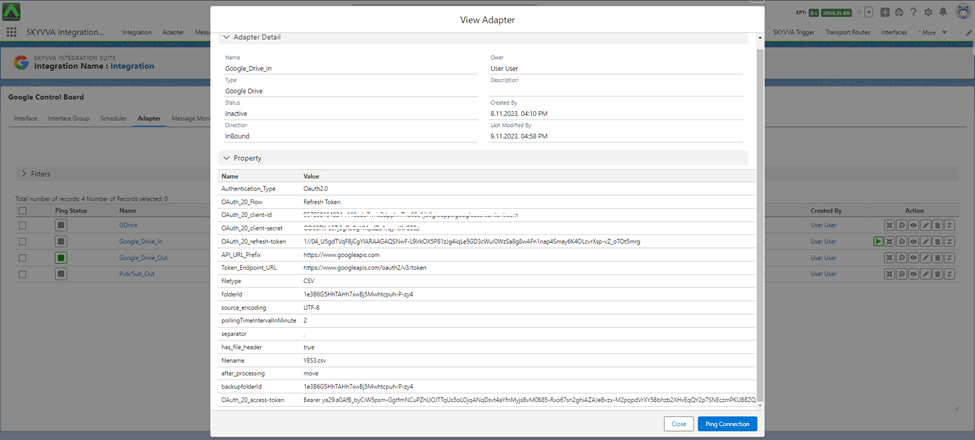
- Create an Inbound Adapter e.g., Google Drive
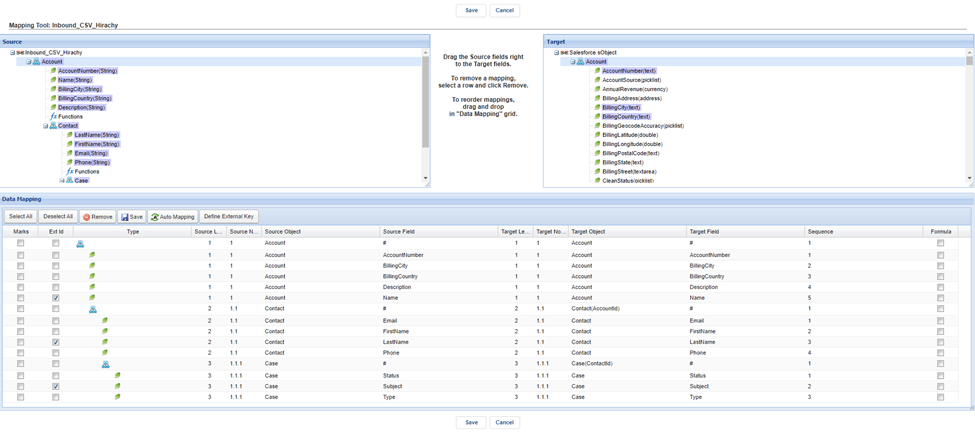
- Create an Interface Inbound -> set Interface API Version: V3 -> Do Mapping -> link Adapter with interface
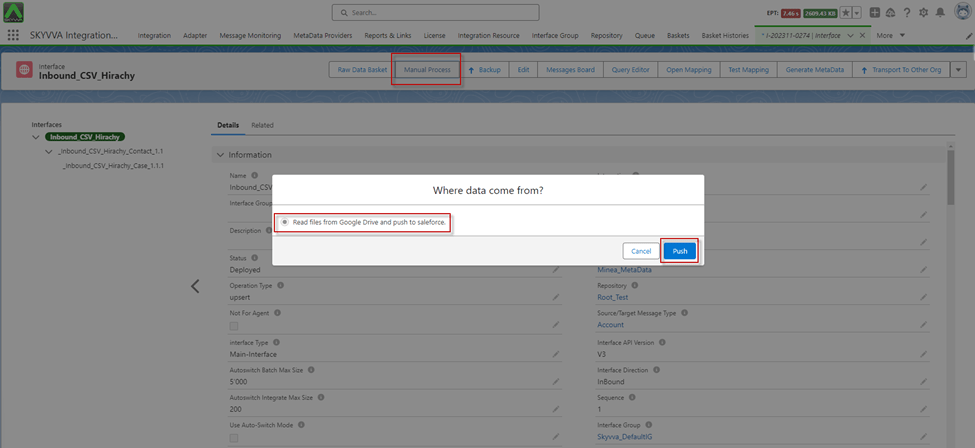
- Go to Interface Detail -> Click on the Manual Process button for Read files from Google Drive
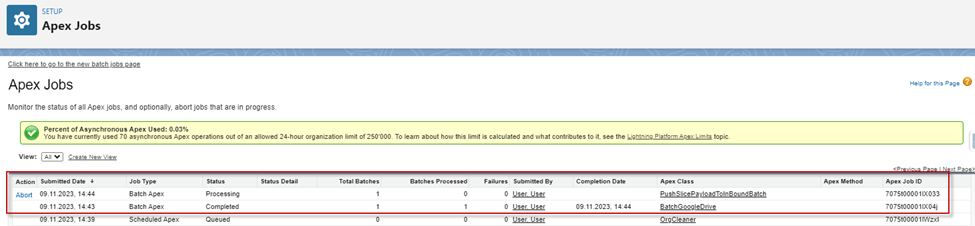
- After clicking Push, we can check processing on the Apex Job
- After the Apex Job processing was completed, we got the Message Monitoring to have API Message call the 'File Message'
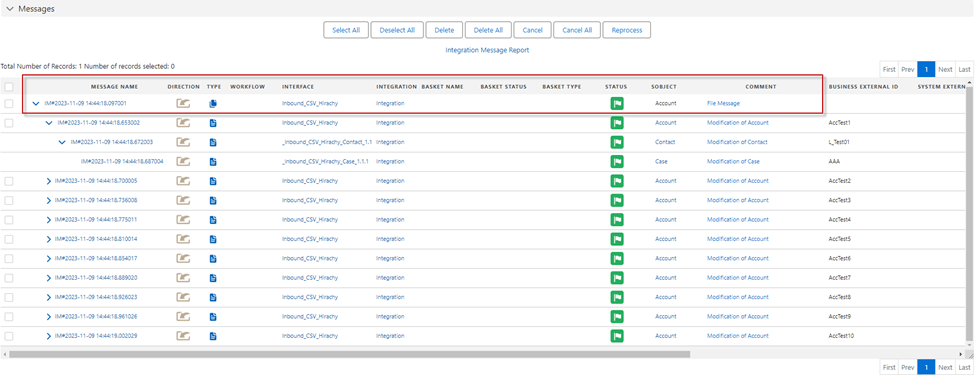
[su_box title="Result:" box_color="#2a8af0" title_color="#000000"] The Message Monitoring it show the API Message call 'File Message' to cover the business message.[/su_box]