1. How to import CSV using Agent File Adapter in Protocol: Local?
Introduction In this tutorial, we will learn how to import CSV using the Agent File Adapter to work for consumer. Agent File Adapter for consumer means Inbound Agent File Adapter. To use an agent file for consumer, we need to configure the Agent Control Board, and we need to create an Agent File adapter. Pre-required
- Create Integration
- Do configuration on the new Agent Control Board
- Create Agent File Adapter(inbound) on the new Agent Control Board
- Create Metadata Provider, Repository, and Message Type
- Create Inbound Interface
- Check Cache monitoring status
How to import CSV using Agent File Adapter in the protocol: local?
Step-1: Create Integration and test connection destination
Create new Integration by following the guide, the link is given below:
#article/what-is-an-integration-and-how-to-create-it
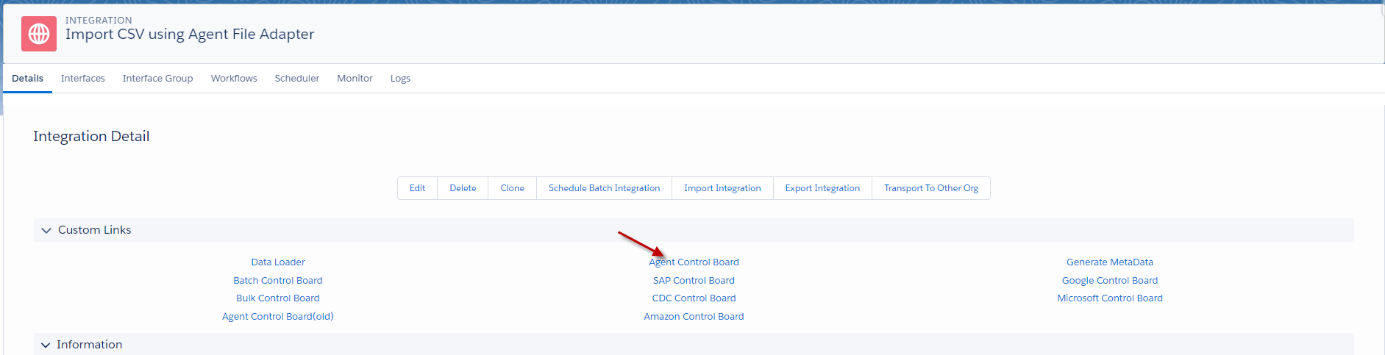
- Navigate to AGENT Control Board as shown below.
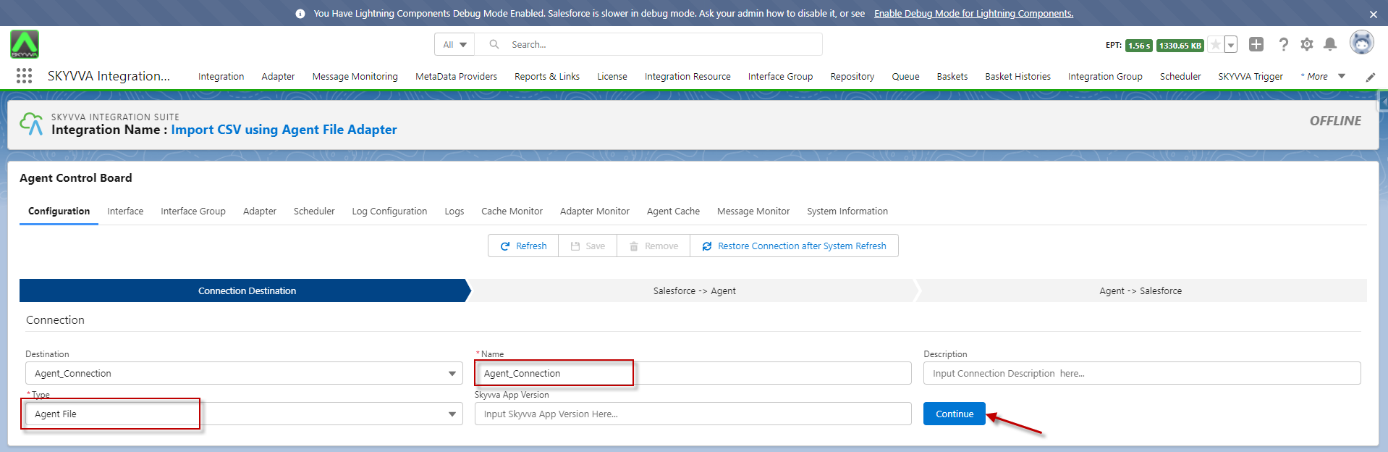
- In the Configuration tab enter the connection destination name and click on the button “Continue”
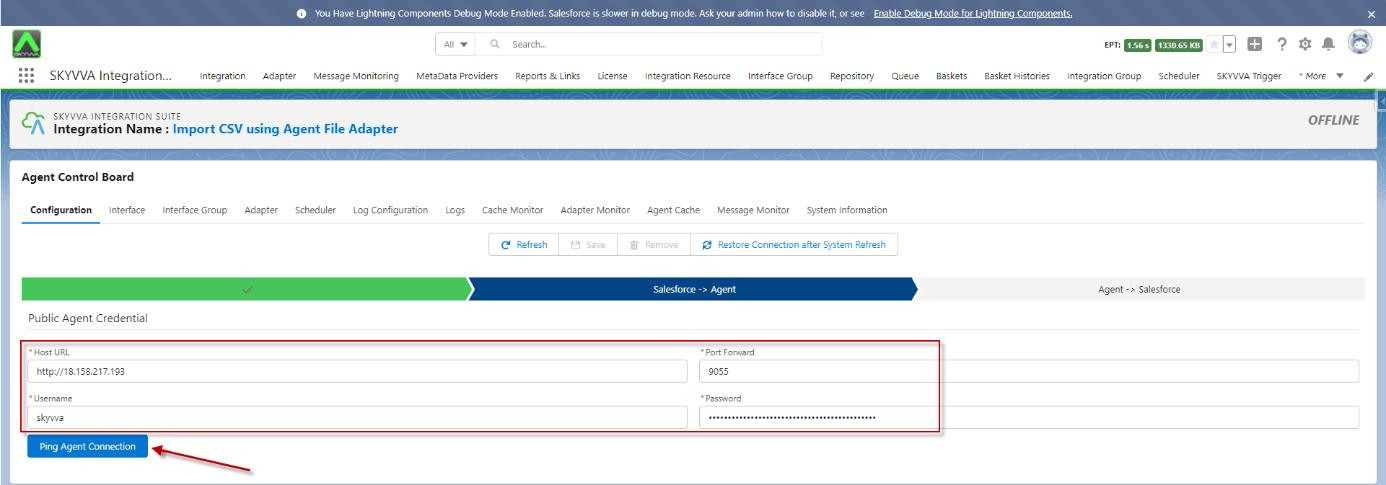
- Fill in all the required details
- Click the button Ping Agent Connection
- Fill in all the required details
- Click the button Ping Salesforce Connection
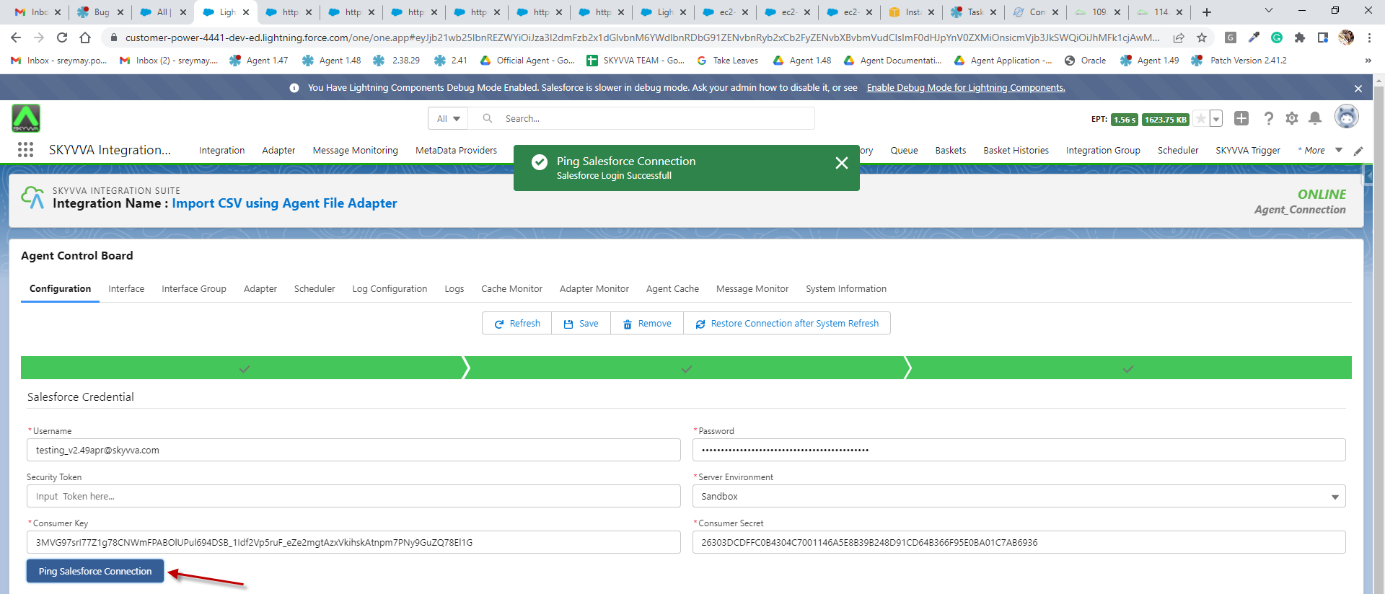
Step-2: Create an Inbound Agent File Adapter on the new Agent Control Board
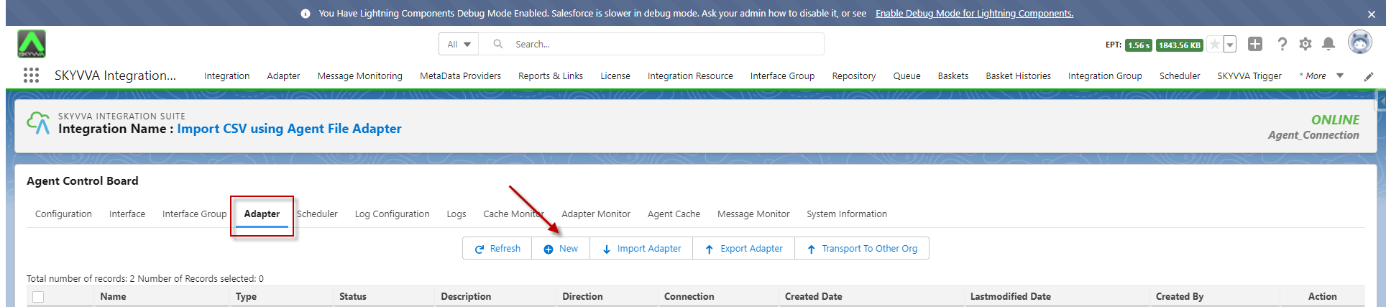
- Navigate to the Adapter tab after that click the button New
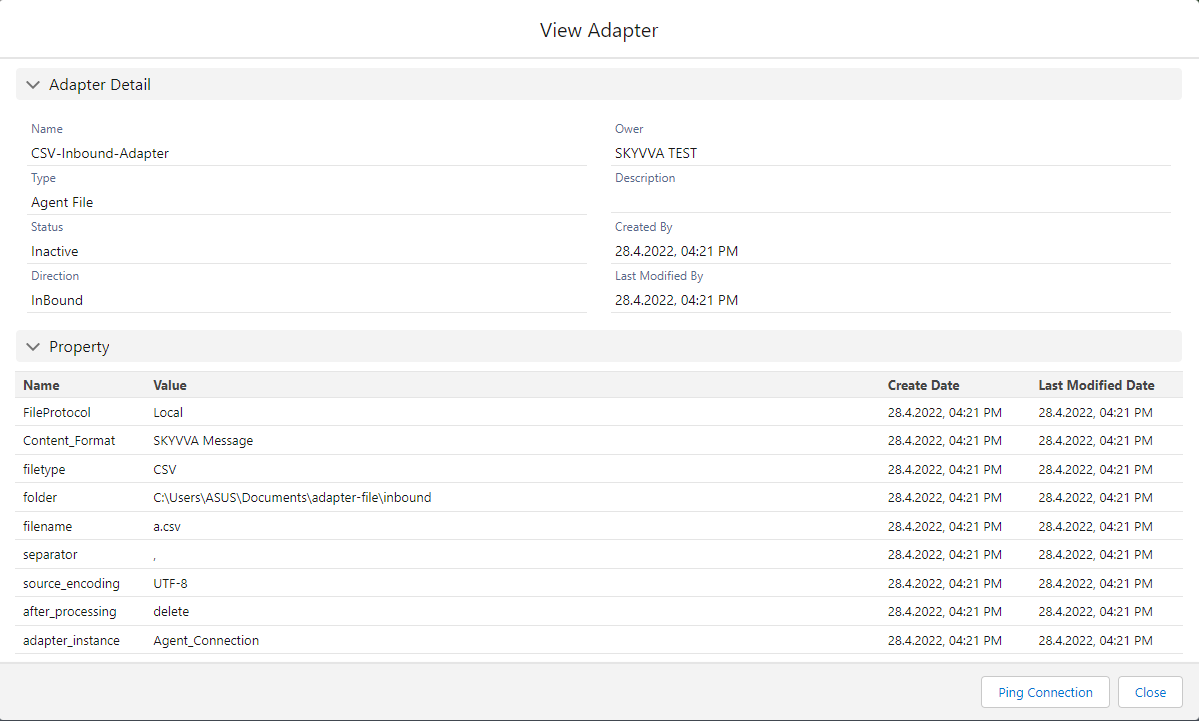
- Name: any Name
- Type: Agent File
- Direction: Inbound
- Protocol: Local
- File Type: CSV
- Folder: (your folder location)
- File Name: (your file name)
- What to do with the file after Processing? Delete File
- Connection Destination: (your destination name)
Step-3: Create Message Type
- Create Metadata Provider
- Create Repository
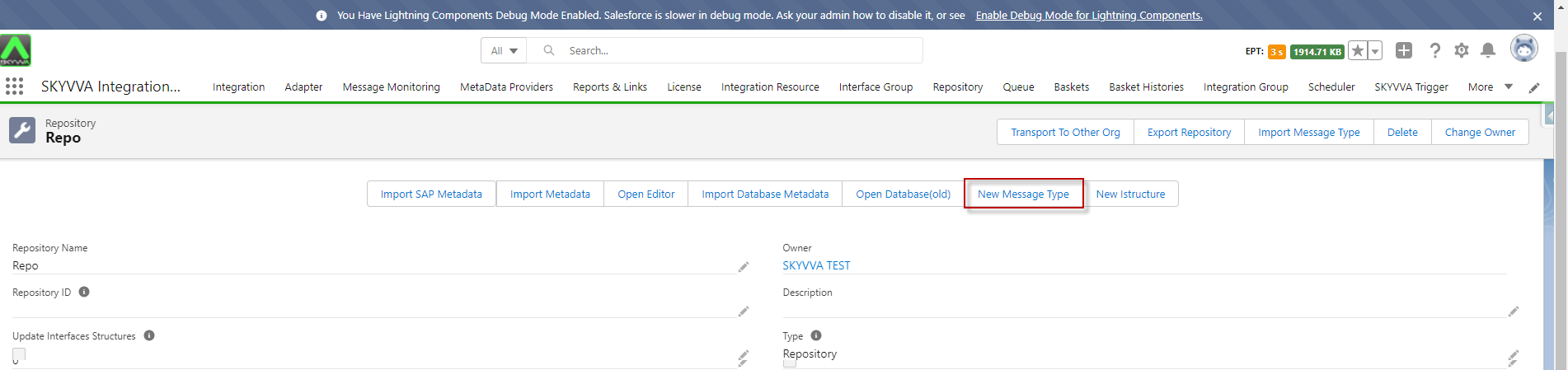
- Go to the Repository details page then click the New Message Type button
- Fill all required fields then click the Save button
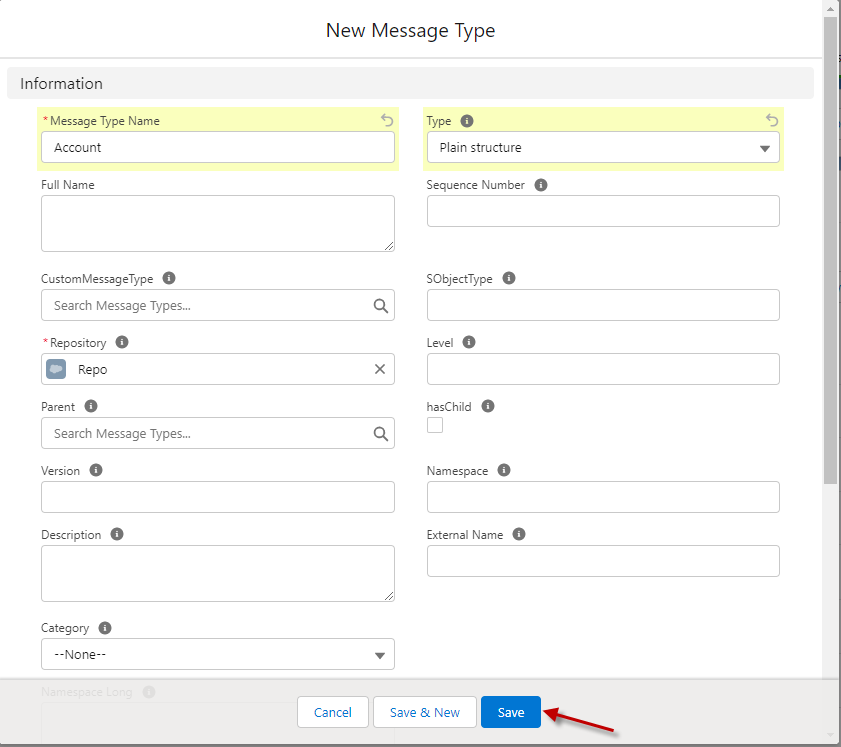
- Navigate to the Related tab and select the Message Type field Entry
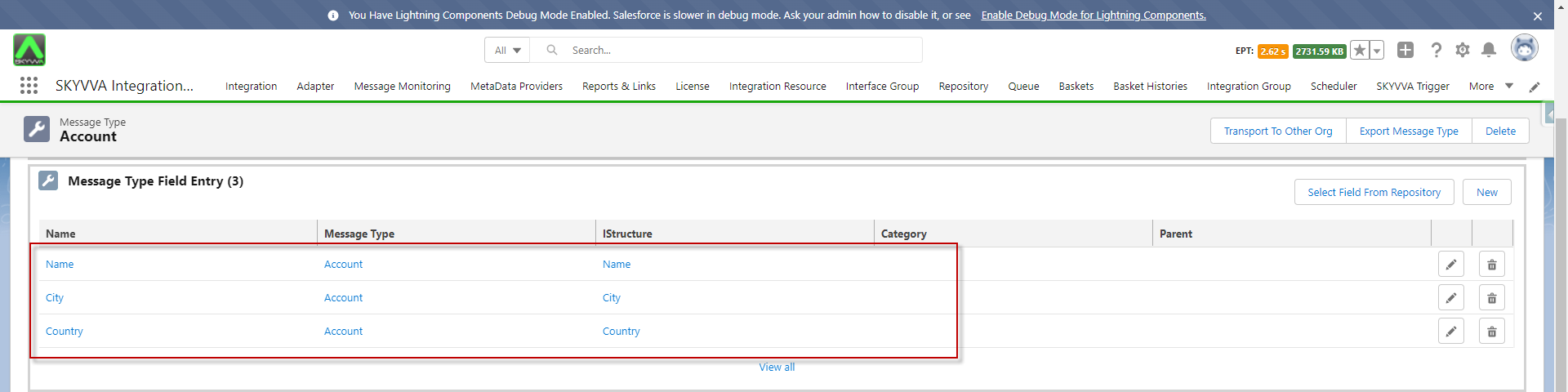
- After that, we got the Message Type
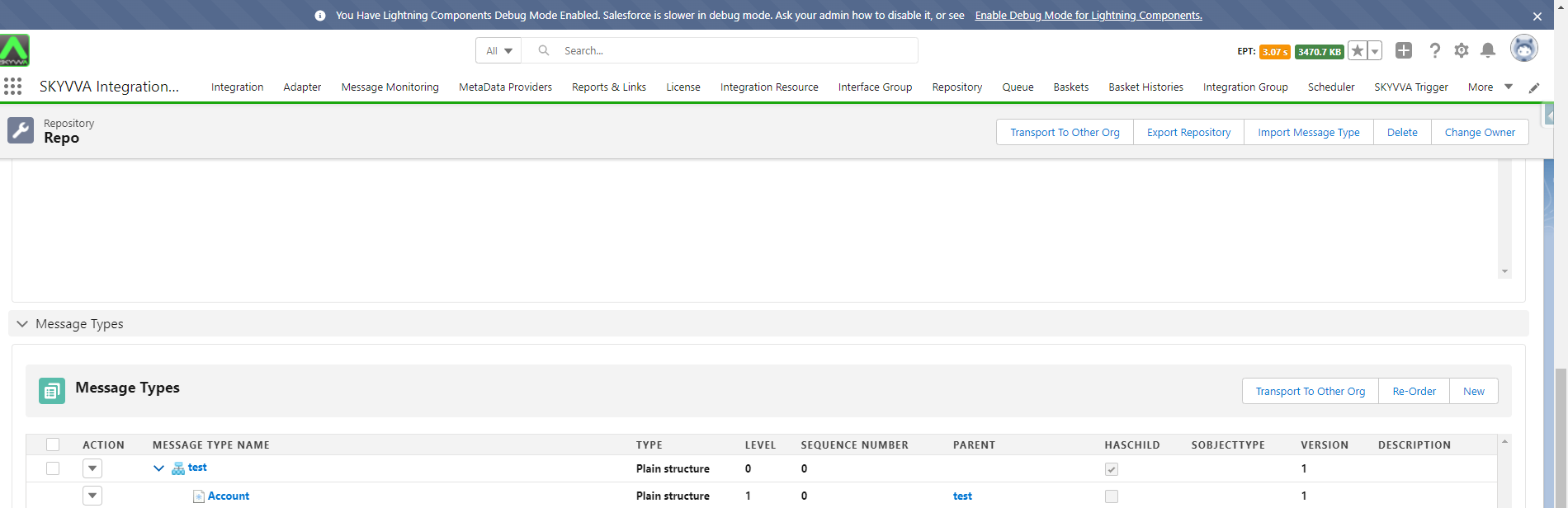
Step 4: Create an Interface
- For creating the interface need to follow this guide
#article/1-what-is-an-interface-and-how-to-create-it
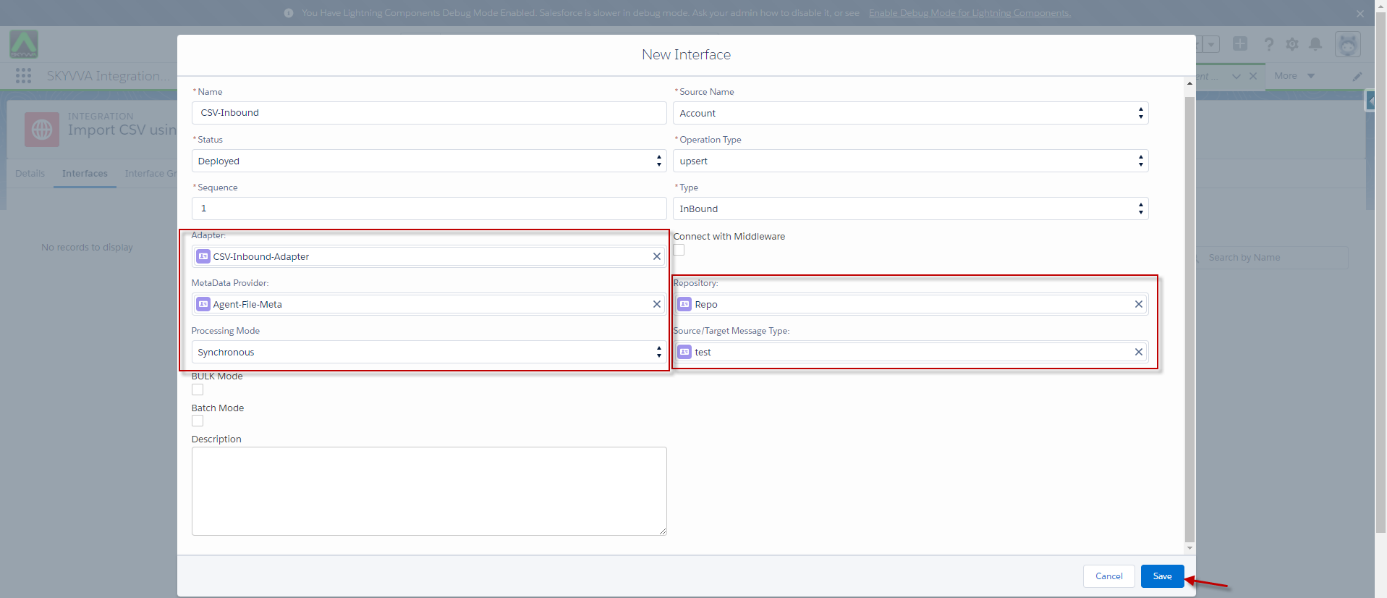
- Create an Inbound Interface for Synchronous mode, Operation(upsert), Choose Adapter, Metadata Provider, Repository, and Message Type
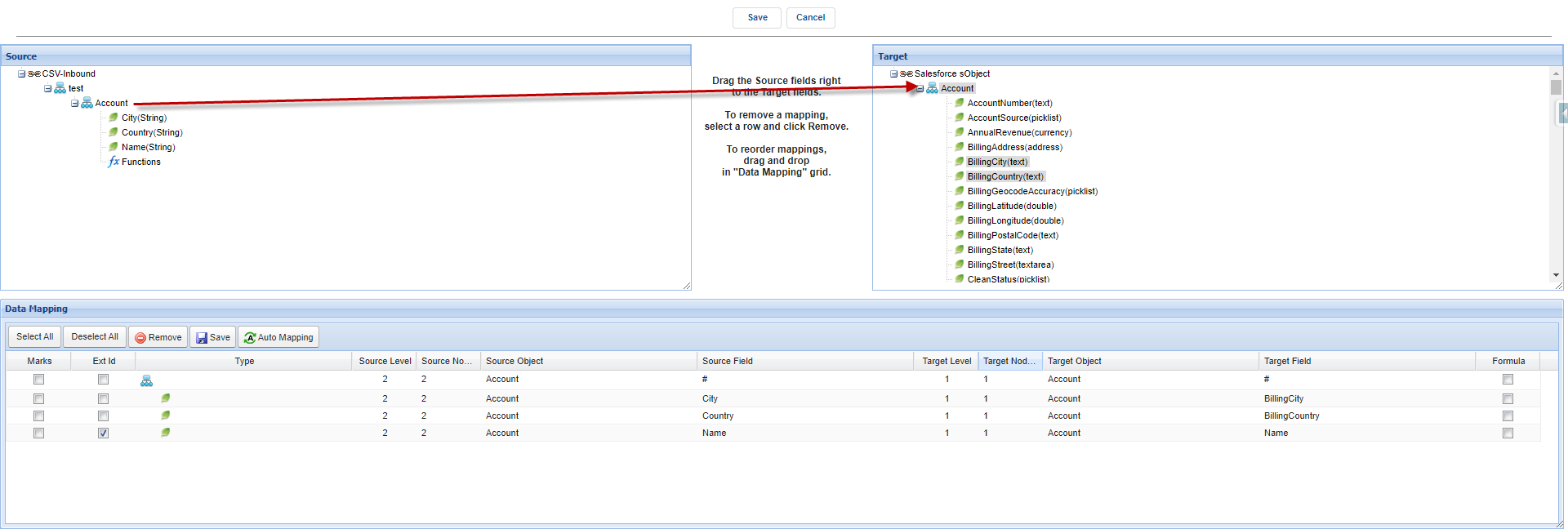
- Mapping
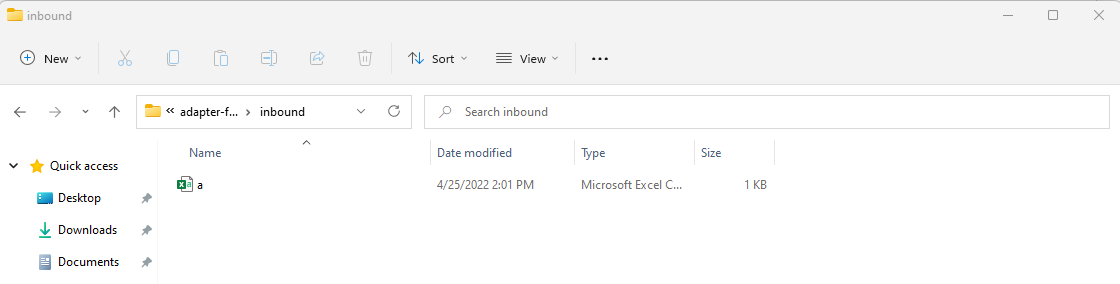
- Upload CSV file on consumer folder. Example: a.csv
- Start the Adapter route by clicking the start route button on the Adapter Detail tab on Agent Control Board

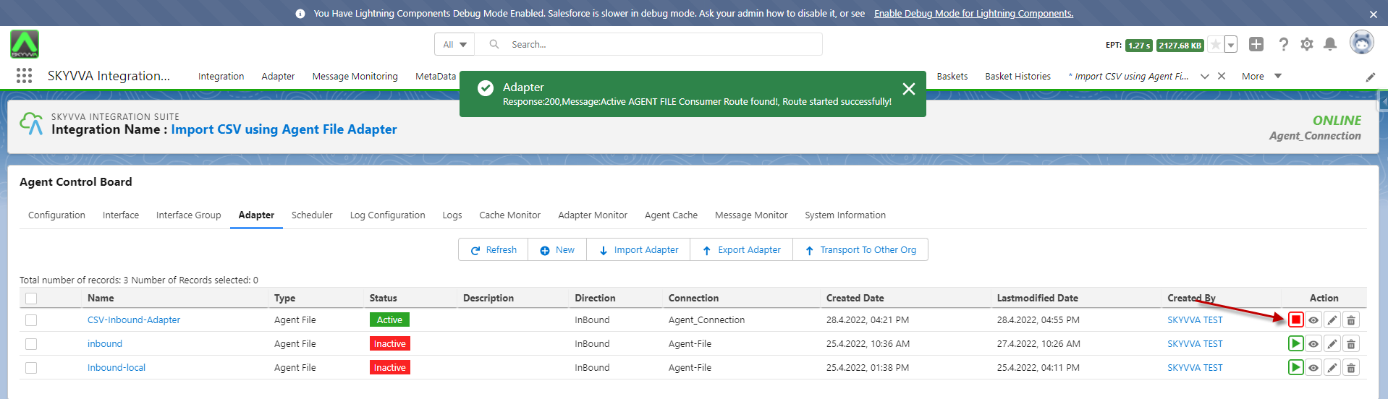
You will get a success message when the route starts successfully [su_box title="Note" box_color="#2a8af0" title_color="#000000"] You need to link the inbound adapter with the inbound interface otherwise route will not start.[/su_box]
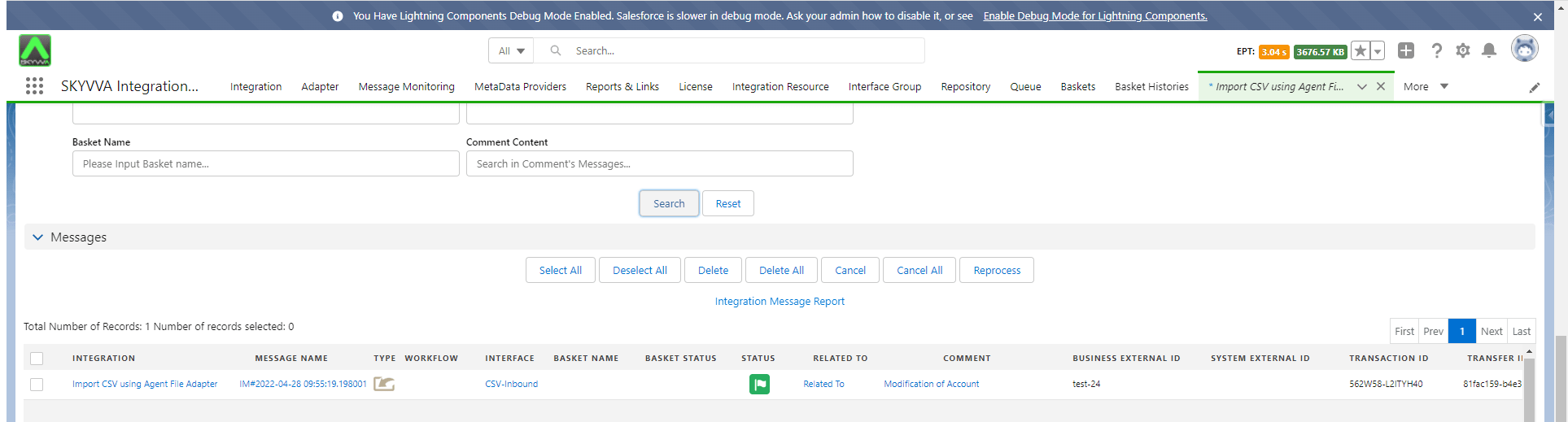
- As a result of message monitoring, the record has been sent to Salesforce correctly