How to Import CSV with Header using V3 Agent File Adapter in the protocol: SFTP?
Introduction:
This tutorial explains how to import CSV with header files using the Agent File in the SFTP protocol of the inbound Adapter of our new agent application. The Agent File Adapter provides a streamlined process for seamlessly integrating CSV data into our platform. This functionality is available using the V3 Interface API Version.
Pre-require:
- Agent File Type of Connection Destination. If you do not know how to create Agent File type of Connection Destination, please follow this document below:
OAuth2 Username-Password Authentication: #article/1-how-to-connect-a-new-agent-to-the-agent-control-board-using-oauth2-username-password-authentication
- OAuth2 Client-Credential Authentication: (link not available))
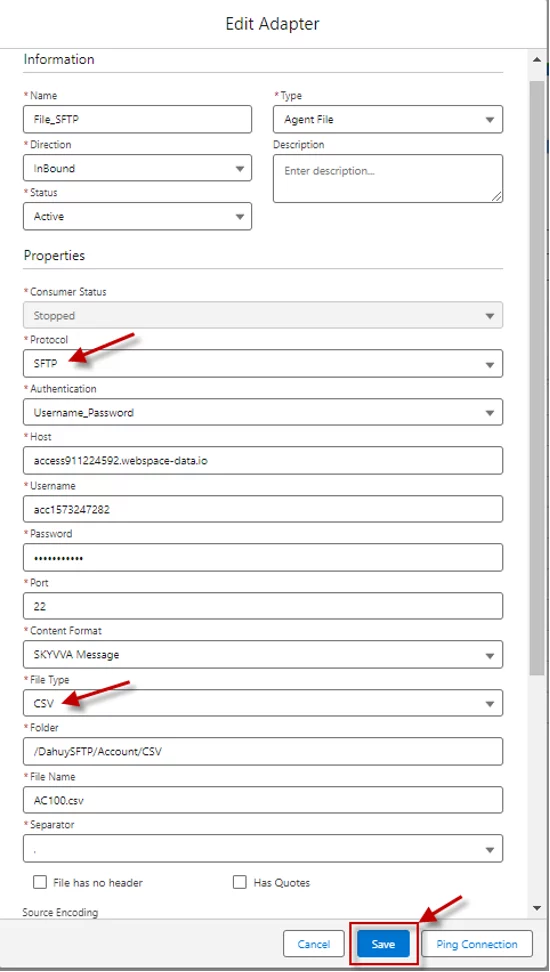
- Create an Inbound Agent File Adapter for CSV format with a header
Fill in all required field
Enter Name: Any Name
- Select Type: Agent File
- Select Status: Active (in version 2.51.2 up) Inactive (2.51.1 down)
- Select Direction: Inbound
- Select Protocol: SFTP
- Host: Public IP Address
- Select Authentication: Username_Password
- Enter Host: SFTP Host
- Enter Username: SFTP Username
- Enter Password: SFTP Password
- Select Port: SFTP Server Port
- Select Content Format: SKYVVA Message
- Select File Type: CSV
- Enter Folder: (Your SFTP Folder Name) ex: /DahuySFTP/Account/CSV
- Enter File Name: (Your File Name)
- What to do with the file after Processing?: Delete File
- Connection Destination: Your destination name
- Select Separator: “,”
- Select Source encoding: UTF-8
- Select What to do with the file after Processing?: Delete File
- Select the Connection Destination: Choose the destination name that you created earlier.
- Create Meta Data Provider, IStructure Repository, and Message Type.
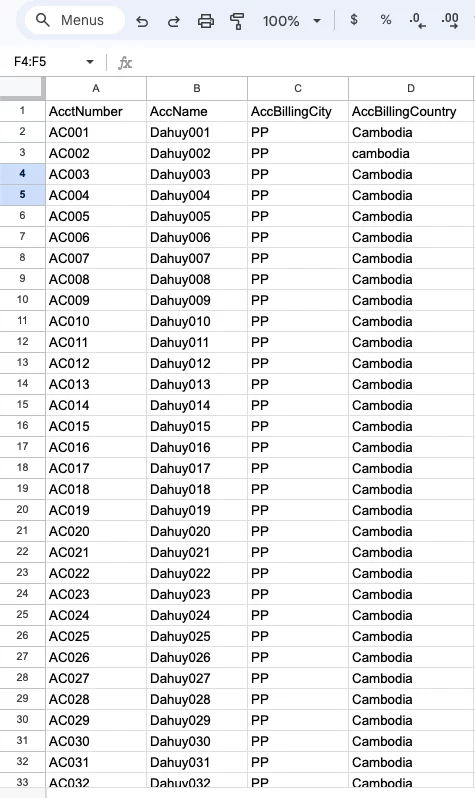
Here is the sample for the CSV data file
- Create Meta Data Provider and IStructure Repository
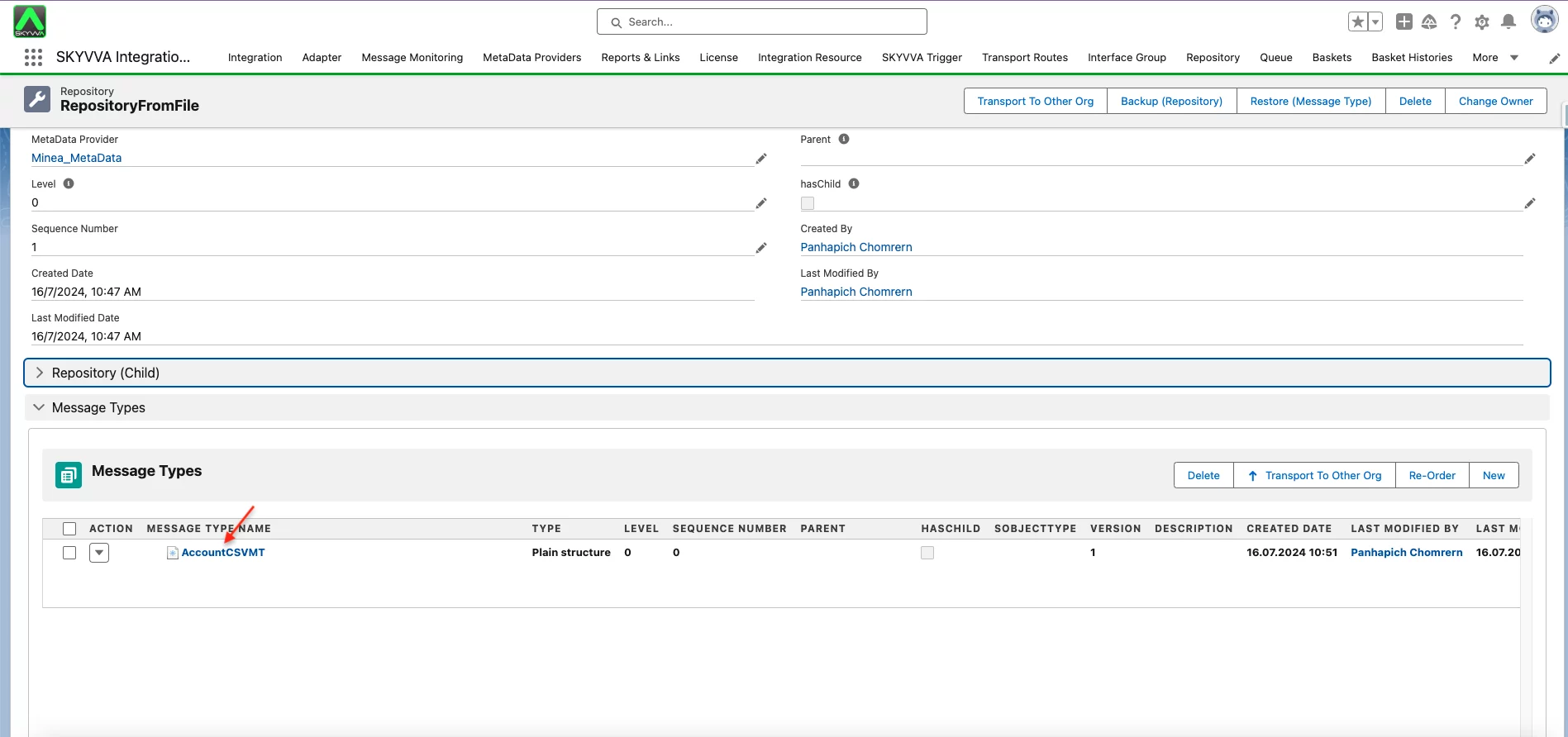
- Import CSV File to Create Message Type and Message Type field entry
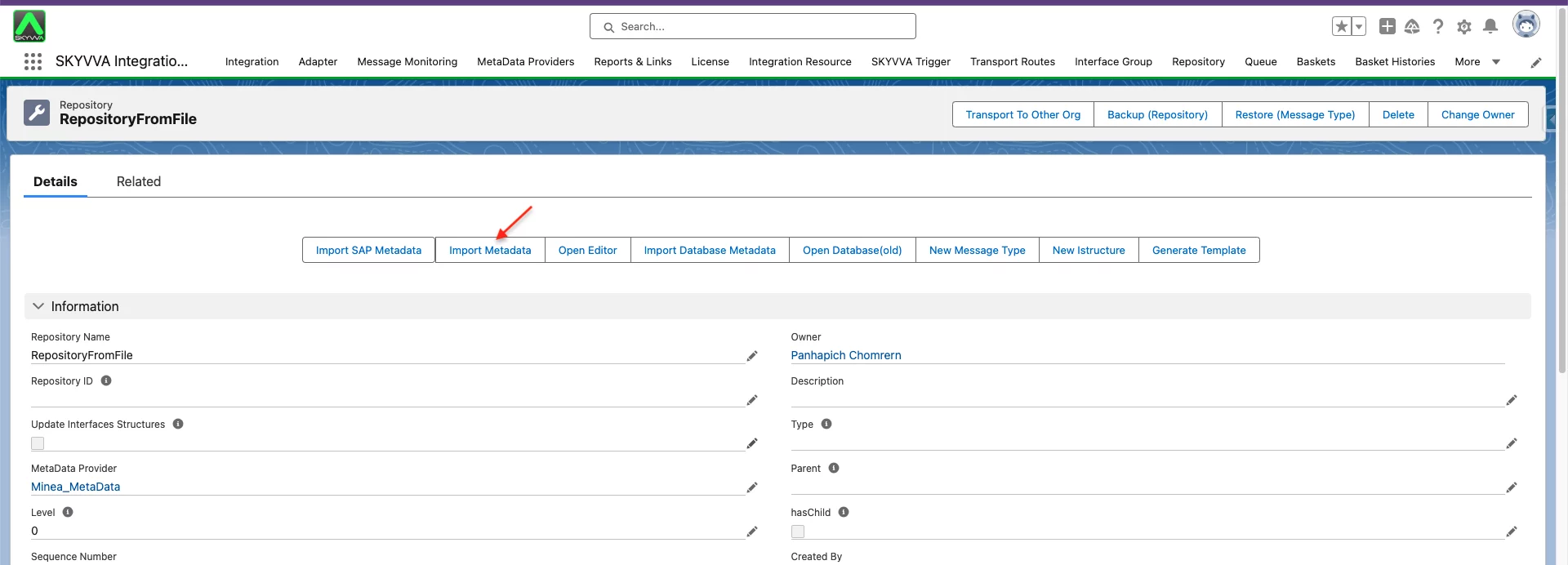
Go to your IStructure Repository
- Click on the Import Metadata Button
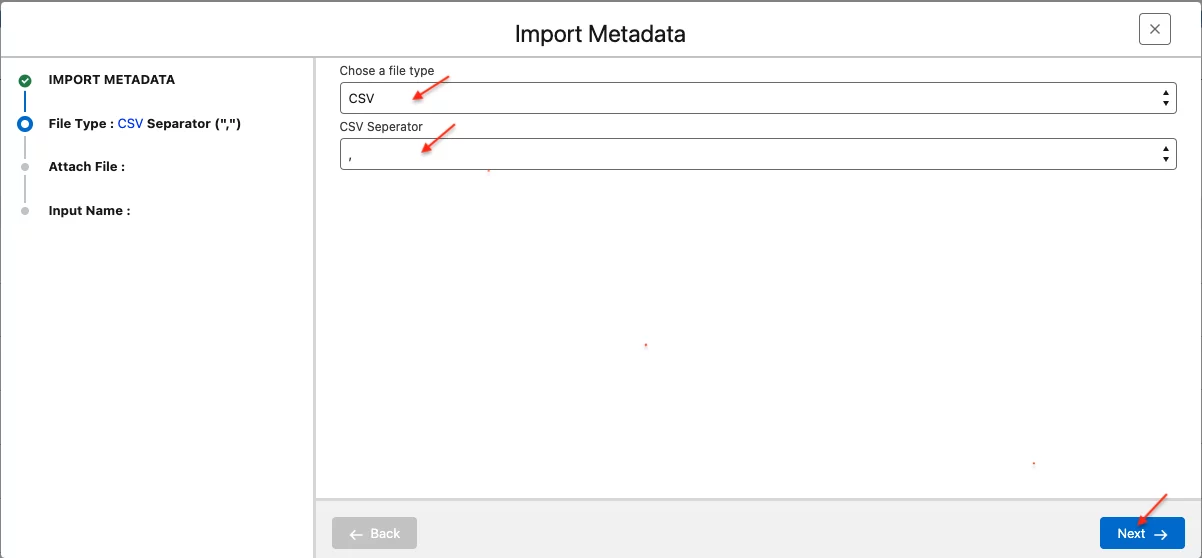
- Chose a file Type: CSV
- Choose CSV Separator: ','
- Click Next Button
- Click the Upload Files Button

- Select Your File to Upload
- Click Open Button

- Root MessageType Name: Any Name
- Select Data Structure: Flat cause we do only a level

You will get message type and message type field entry based on your header CSV File
- Create Inbound Interface
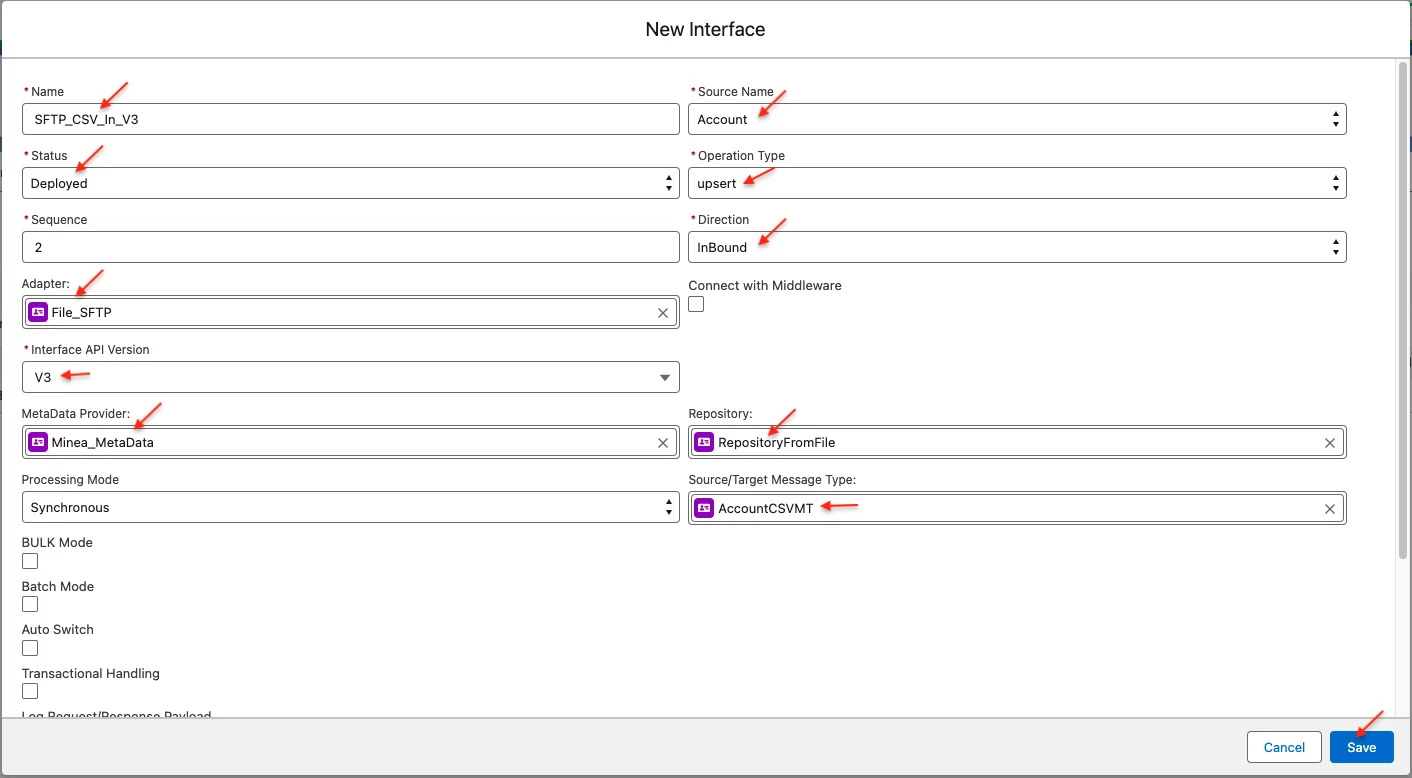
Give Interface Name
- Status: Deployed
- Operation Type: Upsert. Note you can use any operation based on your purpose
- Interface API Version: V3
- Interface Direction: Inbound
- Select Source Name: Account
- Select MetaData Provider: select your MetaData Provider that has been created above
- Select Repository: select your Repository that has been created above
- Select Source/Target Message Type: choose your Message Type that has been created above
- Do Mapping

The file is located at the following path on the SFTP server:

- Manual Processing on the Agent Control Board:
Note: Before performing the Manual Process, ensure your cache is synchronized into the Postgres Database.
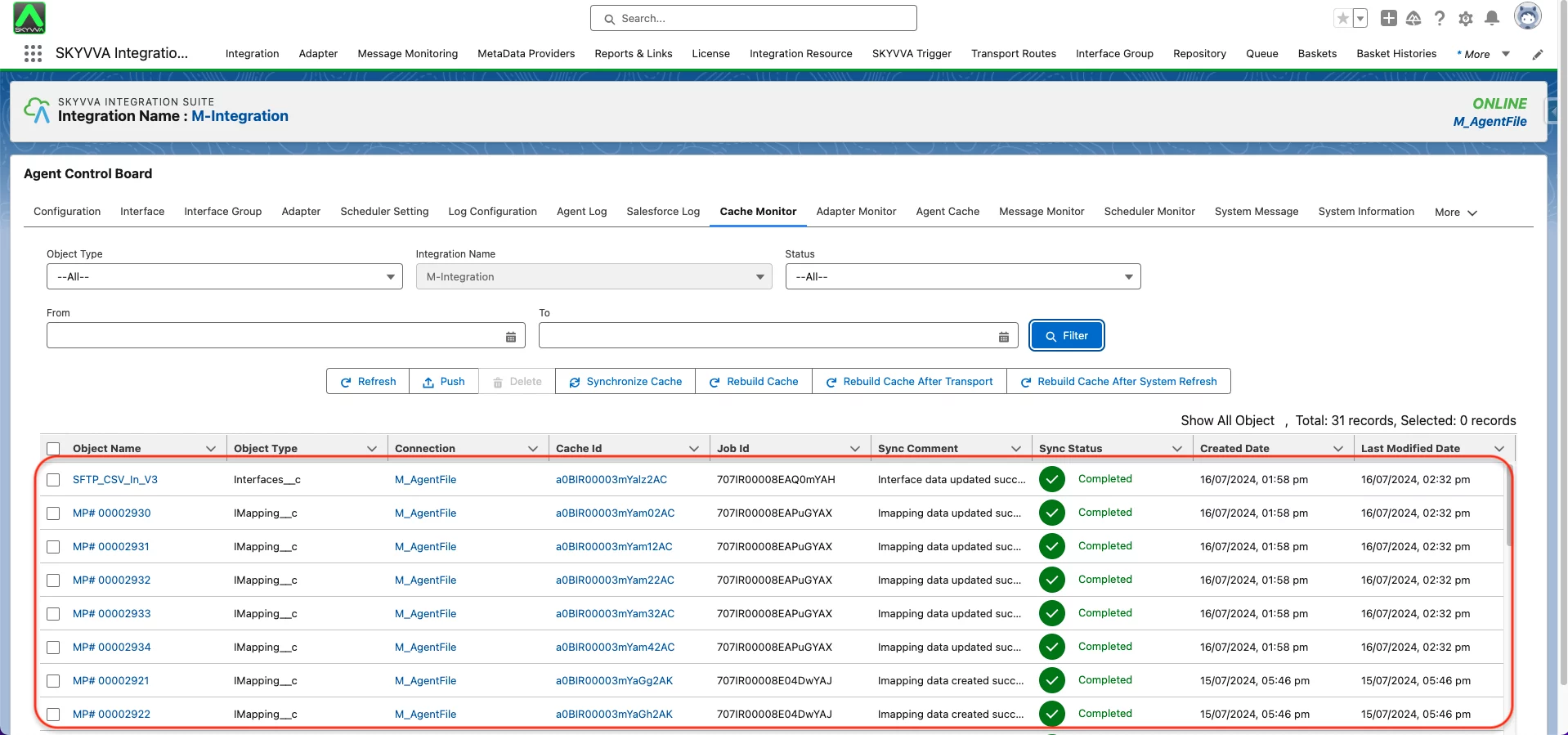
- Navigate to the Interface Tab on the Agent Control Board
- Select the Interface you want to process
- Click the Manual Process Button
- Select the "Read files from local or FTP/FTPs and push to salesforce" option
- Click Push Button

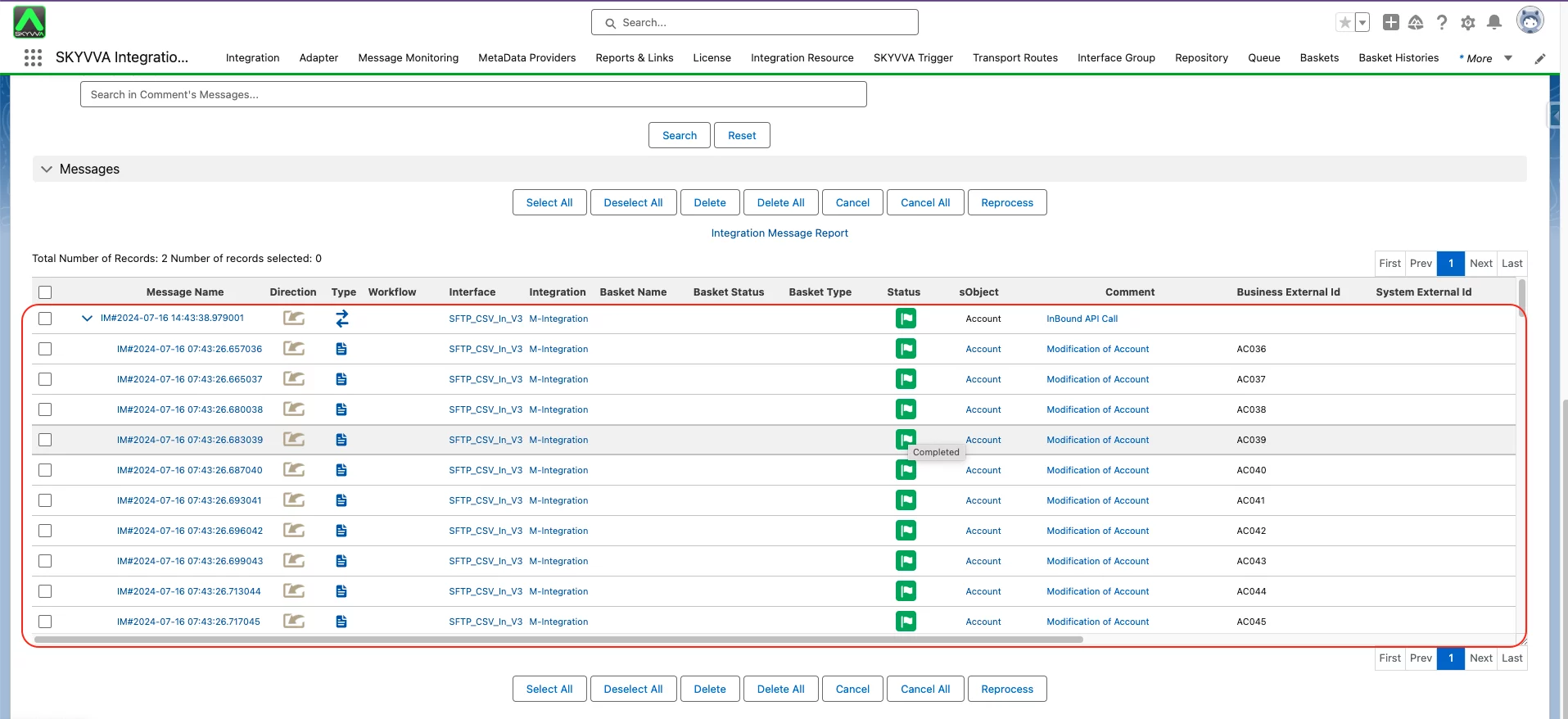
- After clicking the Push button, you will see an alert on the screen, as shown in the screenshot below. This alert indicates that you should check the message on the message monitor.
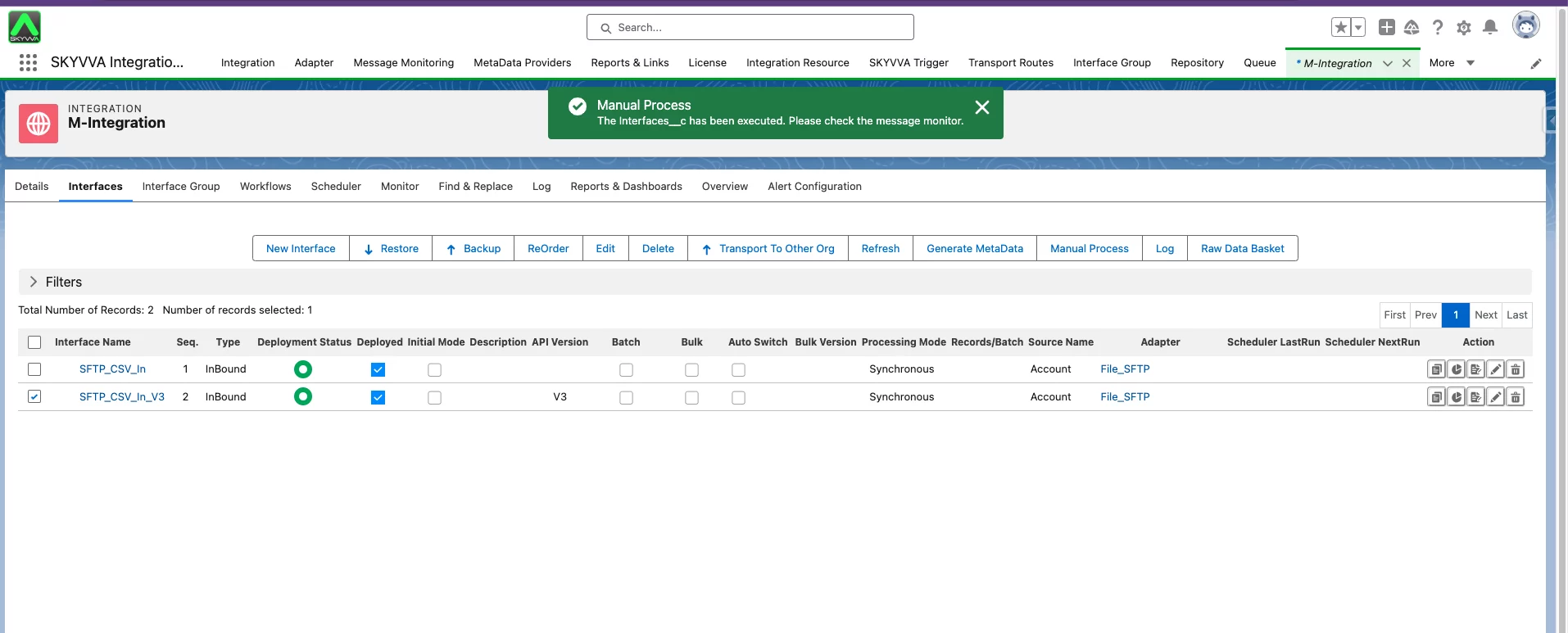
As a result, you now have the completed message, and all accounts have been created. The CSV file will be deleted on the SFTP server by selecting "Delete File" on the " What to do with the file after Processing?" option
Summarize
This document covers the process of importing a CSV file using the Agent File Adapter and the SFTP (Secure File Transfer Protocol). After completing the steps outlined, you will be able to successfully import a CSV file that contains a header row. The Agent File Adapter provides the functionality to connect to an SFTP server and bring in the CSV data into Salesforce. This is done using the V3 Interface API Version.