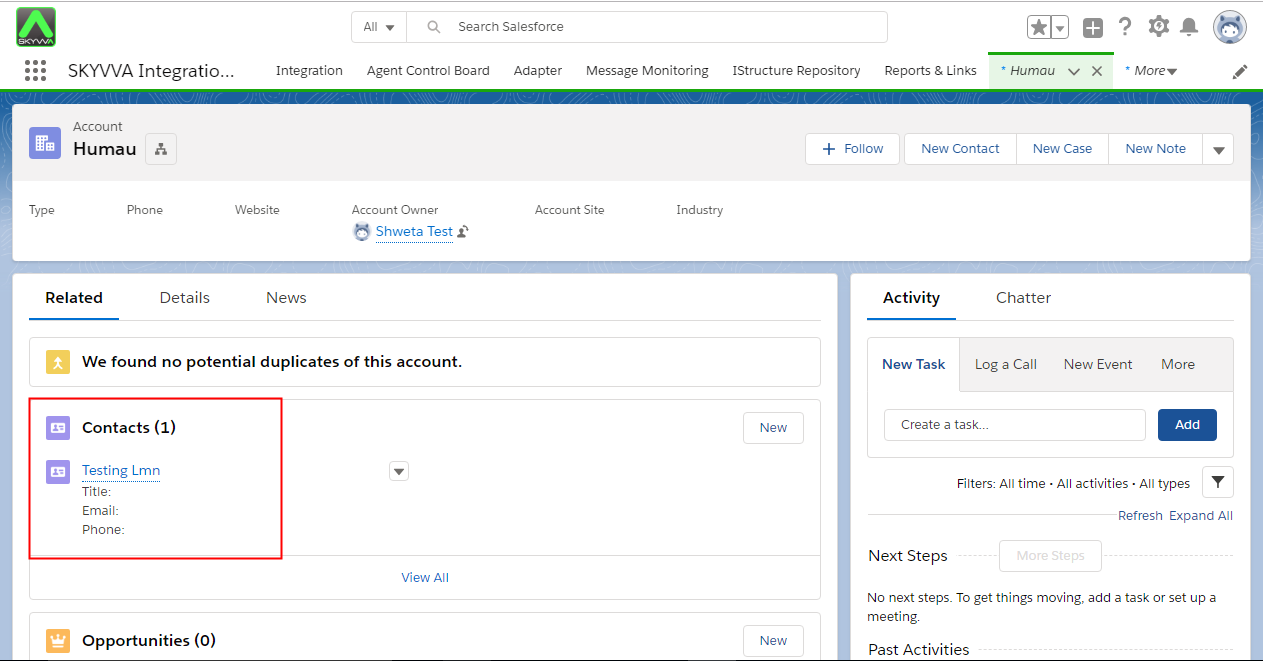
3. How to import hierarchical xml using manual load?
SKYVVA's Data loader is a SKYVVA's tool that user can upload file csv, xml to SFDC like manual load or mass manual load tools.To import hierarchical xml data User have to create hierarchical interfaces.
What is Hierarchical Interface?
- To arrange interfaces in order means hierarchical interface. It is structure in which interfaces are ranked according to levels of important.
- In hierarchical Interfaces, one interface is a parent’s of other interface. It means that child interface inherited External ID from its parent's interface. For example, Account interface is parent’s contact interface because of Contact inherited External ID from Account.
- Also One parent interface can have many child account but child interface has only single parent interface. eg. one Account can store many Contacts, but one Contact can’t store many Accounts.
Follow the given steps to Import hierarchical xml 1. Create hierarchical relationship between account and contact interfaces.
- Login with your Salesforce organization.
- Select ‘Integration Tab’ and Create Integration. Enter valid name to name field to create integration which can able to recognize your integration.
- Click on Save button.
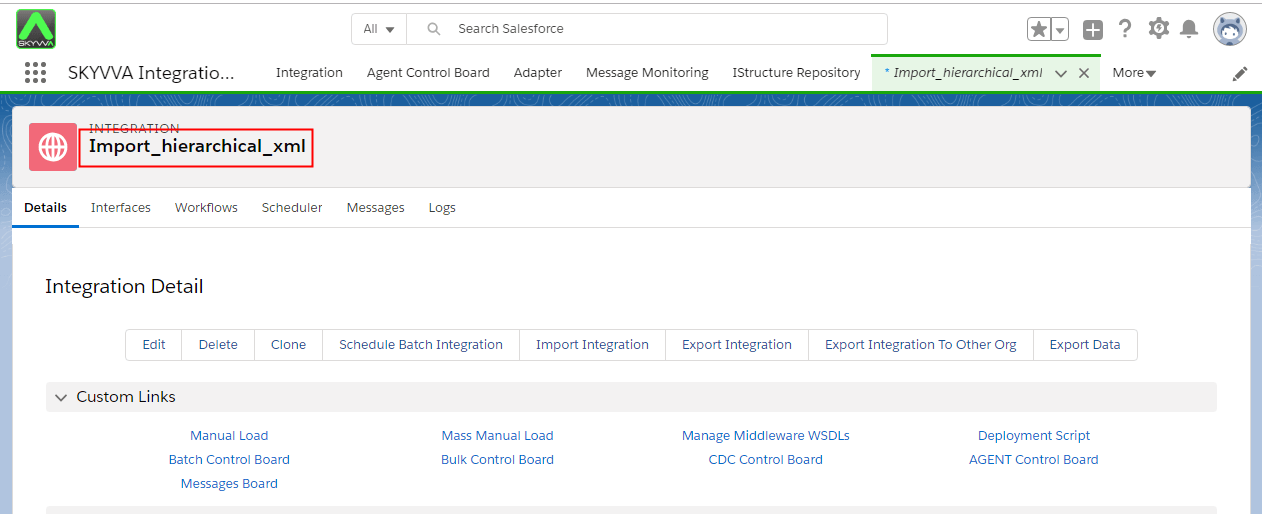
Select Interface tab
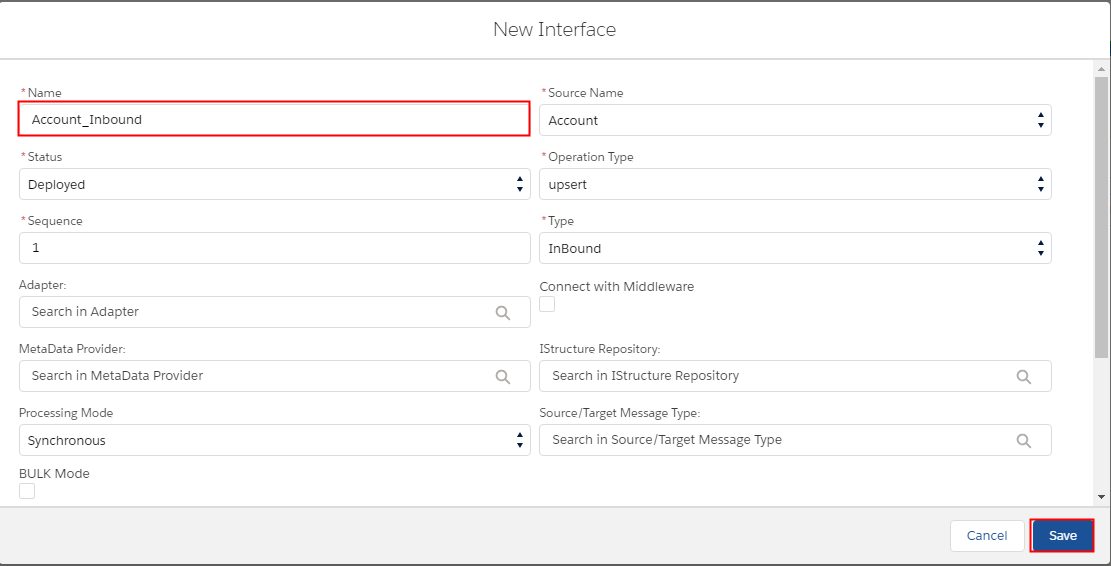
- You have to create two Inbound Interfaces as:
- Account_Inbound: Enter Valid Name of your interface -> Select source from existing list->Select status as deployed-> Select type as Inbound interface -> and Operation type as upsert
- Contact_Inbound: Enter Valid Name of your interface -> Select source from existing list->Select status as deployed-> Select type as Inbound interface -> and Operation type as upsert
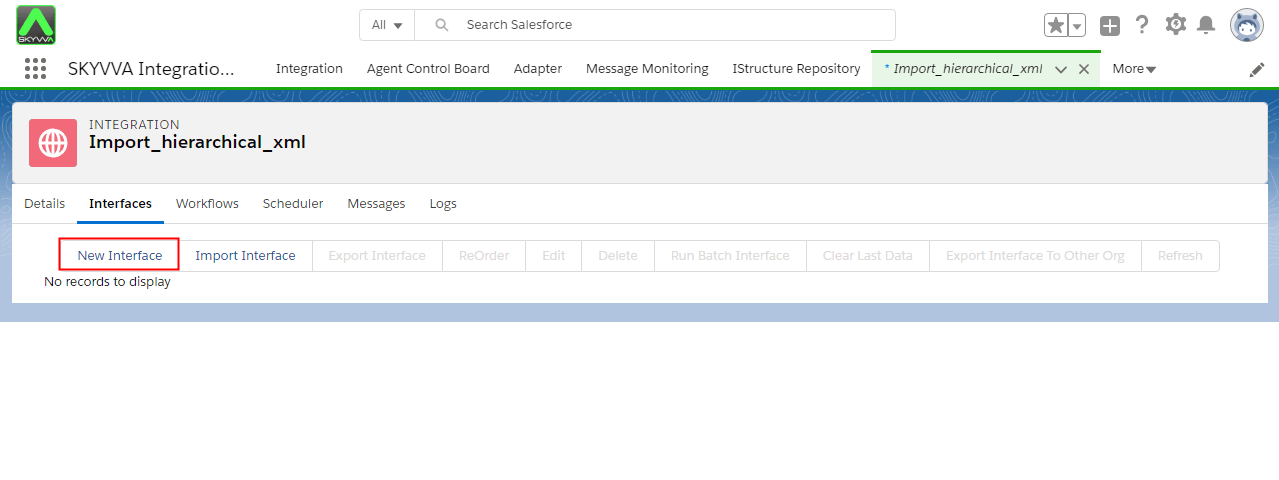
Create Account Interface:
Create Contact Interface:
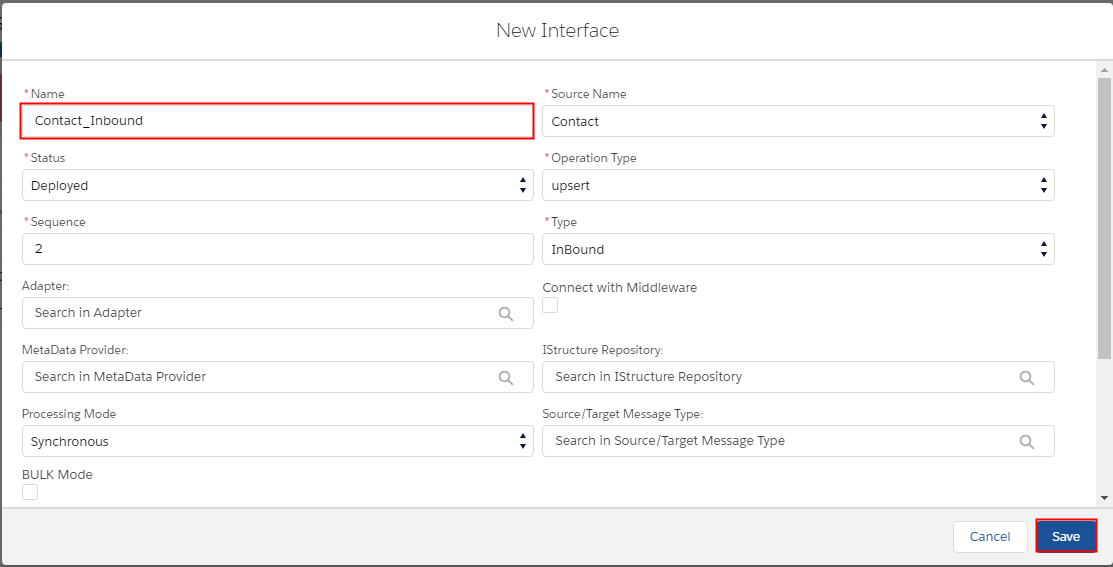
- All Interfaces are created successfully .
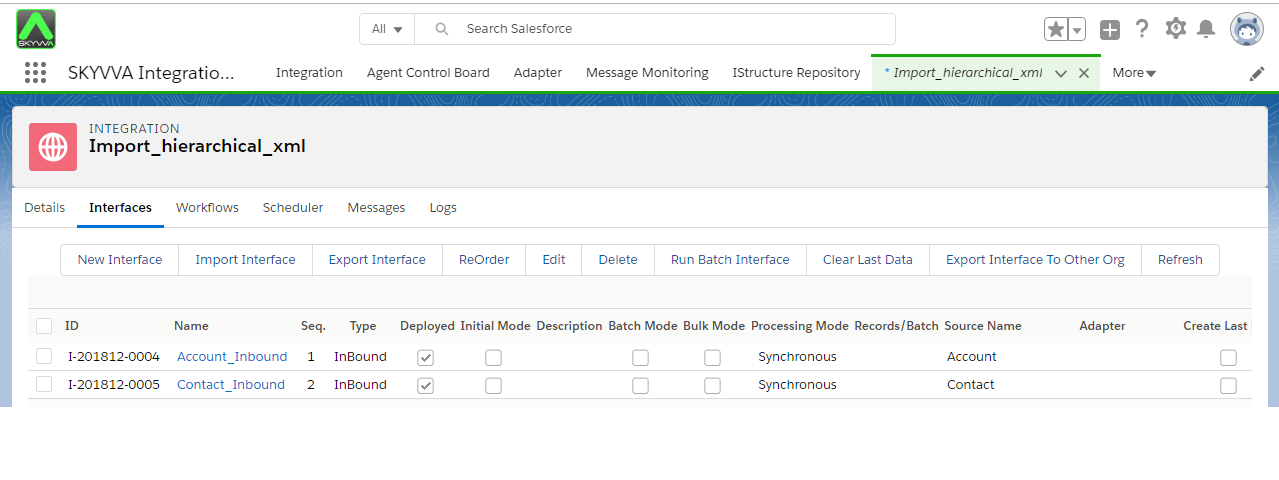
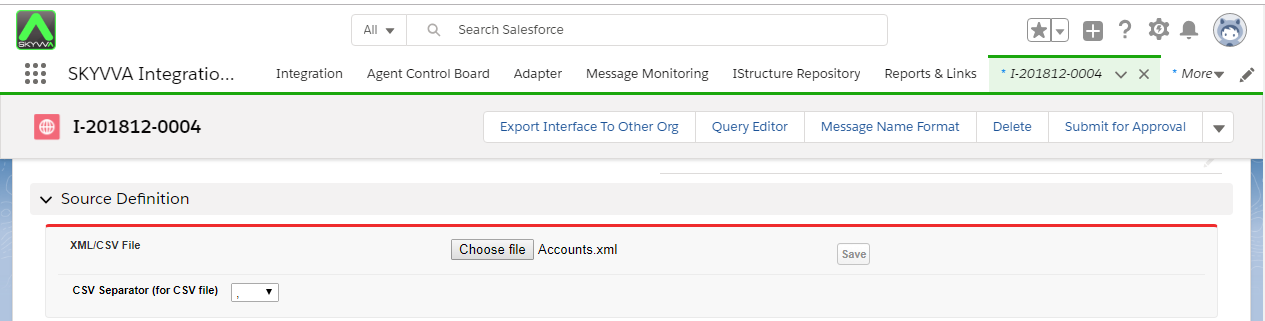
- Click on Account_Inbound Interface
- Scroll down the page to Source Definition section
- Browse XML file to generate IStructure.
- Save.
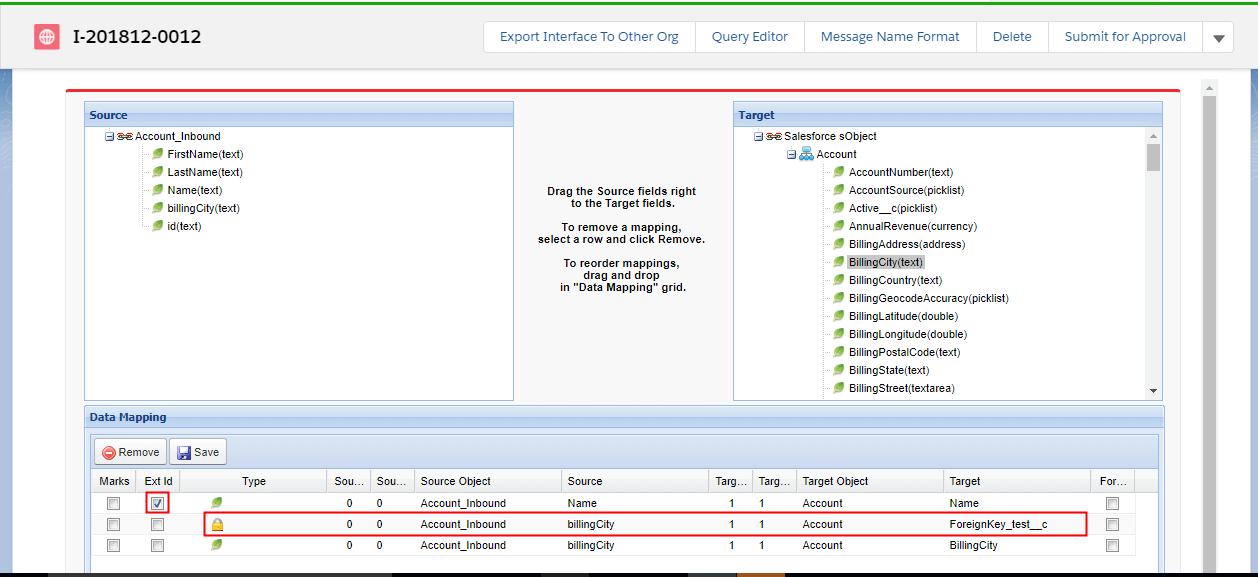
- Do mapping in account interface:
- Scroll down to IChained interfaces Section of Account_Inbound
- Now create IChained interface on Account_ Inbound
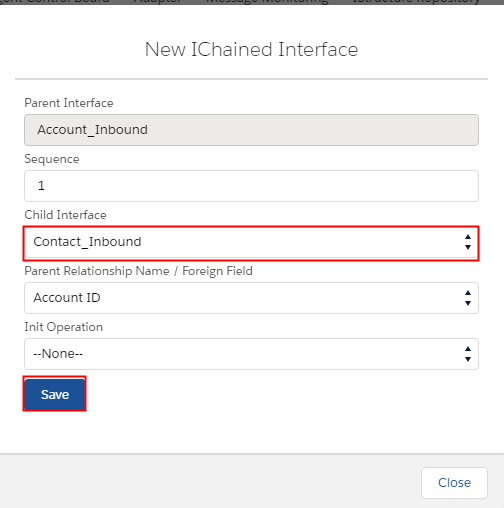
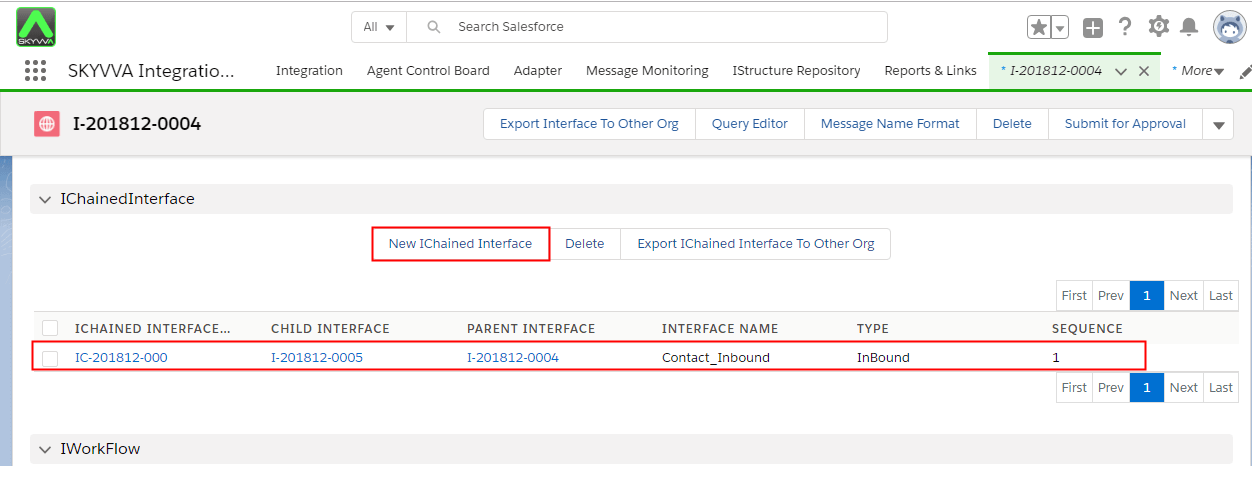
- Now click on Contact_Inbound Interface
- Scroll down to Mapping section
- Go to mapping
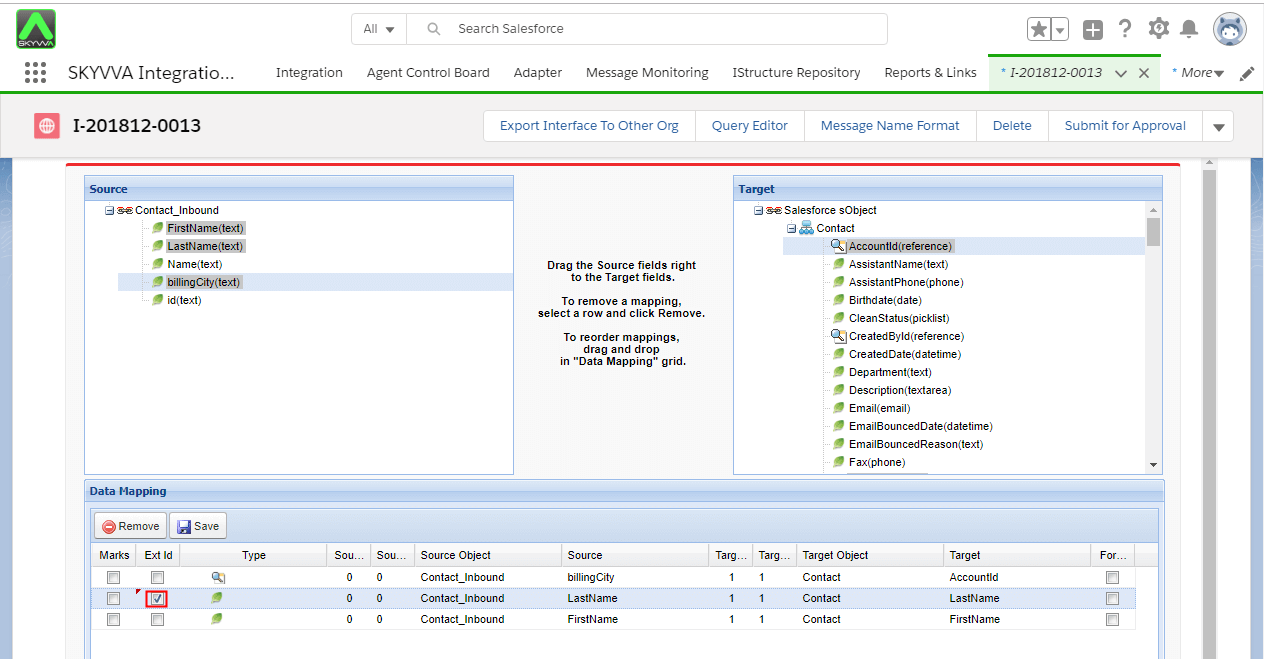
- Check Target ‘LastName’ as Ext Id
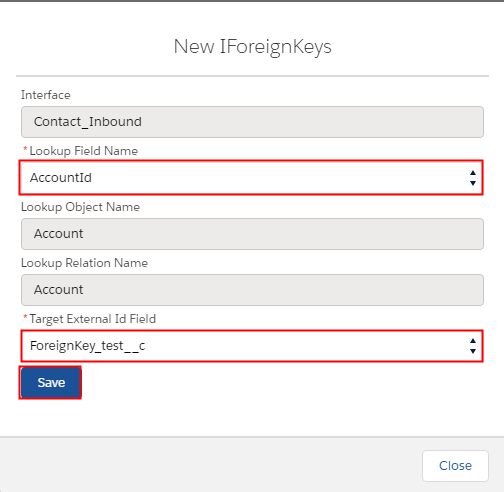
- Create foreign key on Contact Interface:
- Click on New Foreign Key button
- Select the Lookup Field as AccountId.
- Select External_Id field
- Save
Note: User can Create hierarchical interface using VLOOKUP and Foreign key. If you have a master/detail or lookup field between parent and child then you should go for foreign key to link them together.
2. Load data to salesforce using manual load:
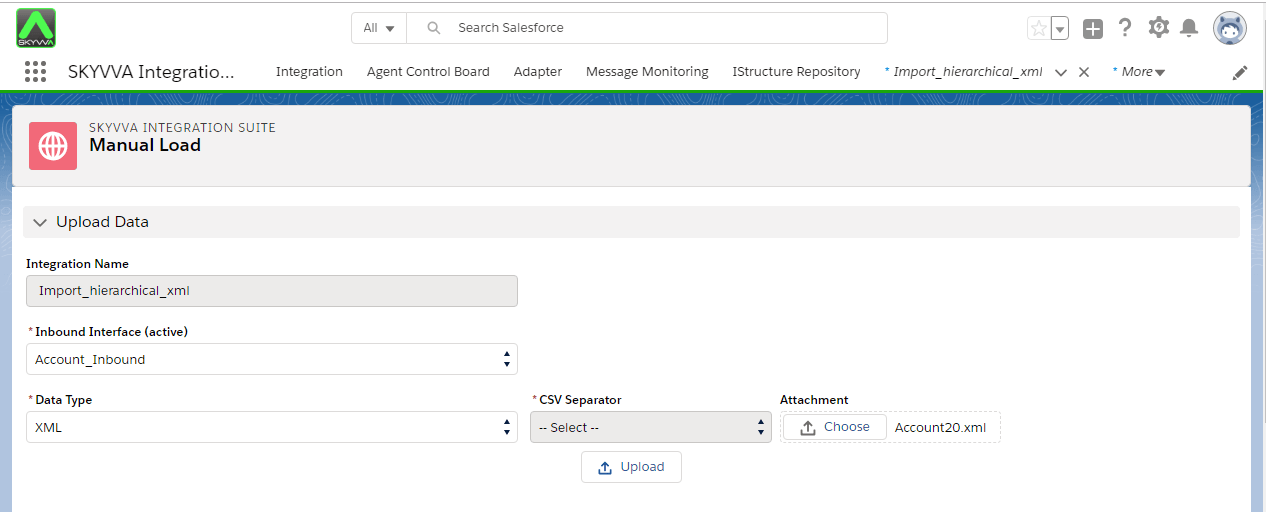
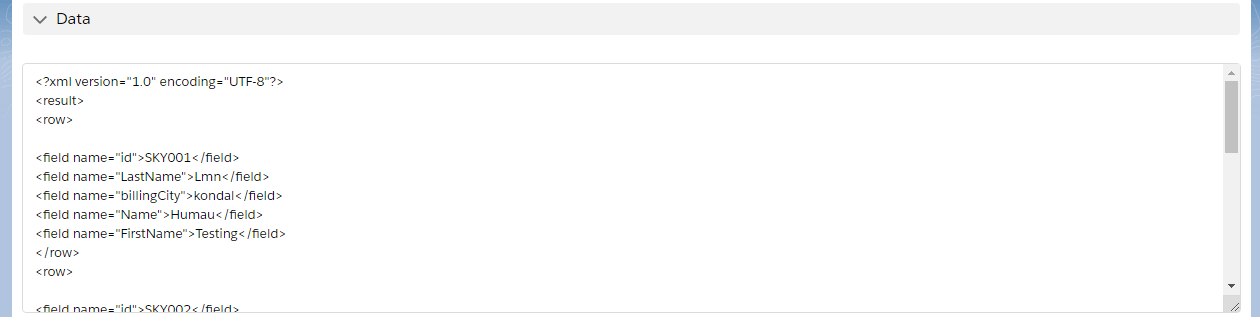
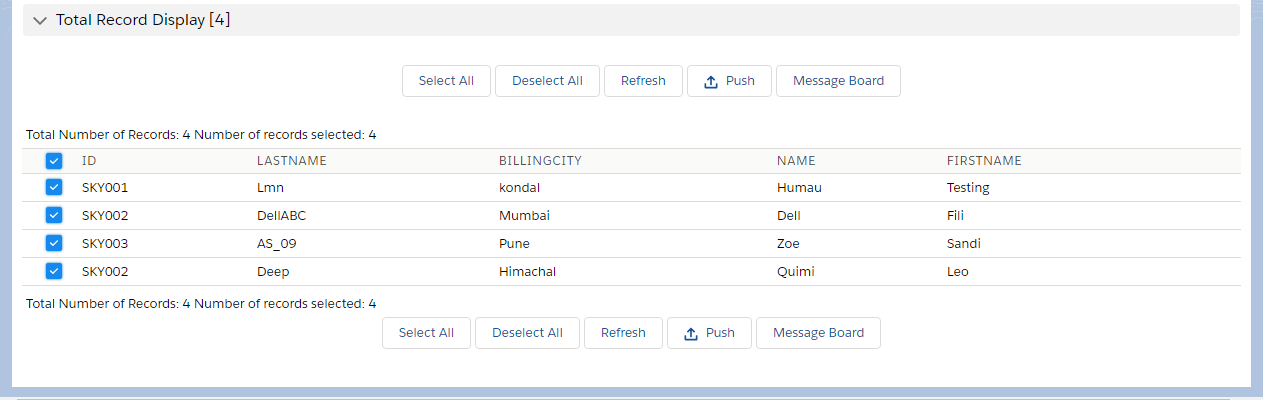
To upload data manually you have to use our manual load feature. When you have limited data you can upload it using manual load.
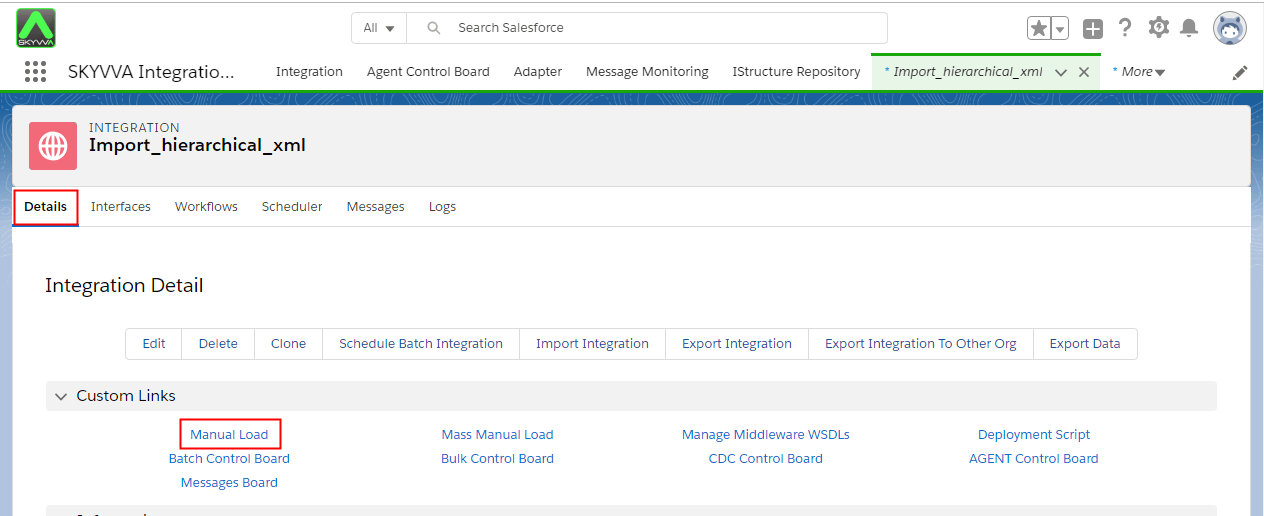
- Select detail tab from your integration and select Manual load option.
- When you click on manual load option it should navigate to :
3. Check imported data on message monitoring.
- Go back to your Org.
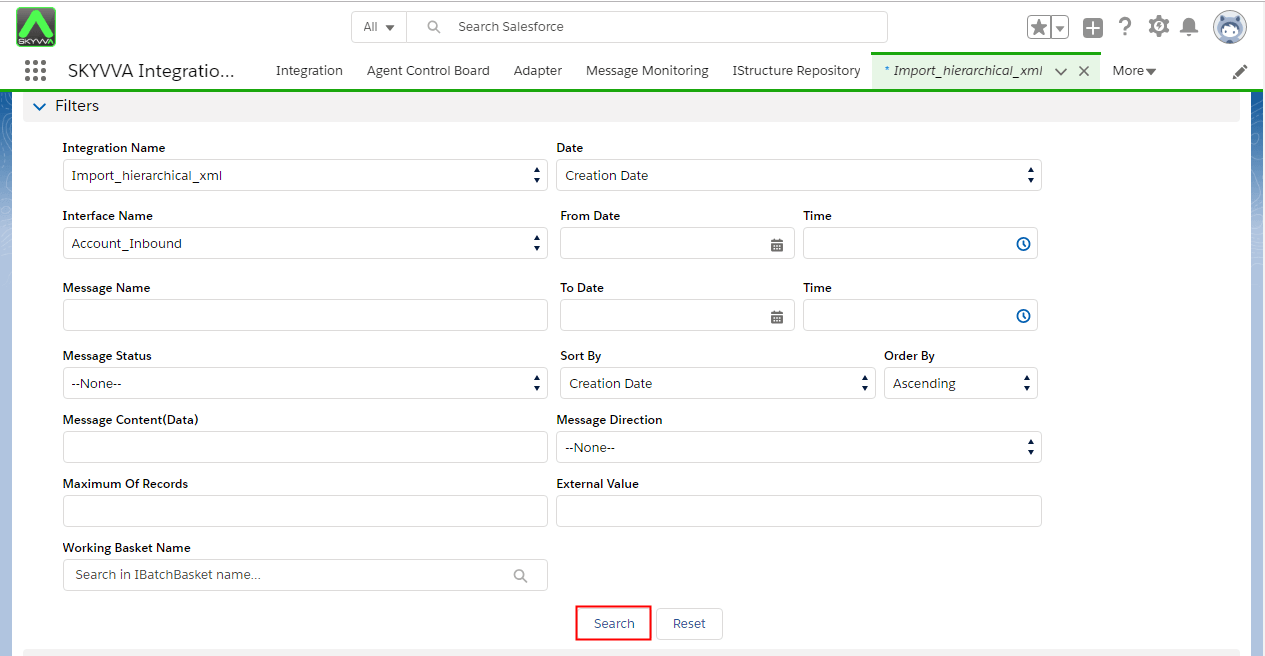
- Account_Inbound interface Message Board
- Click on search button
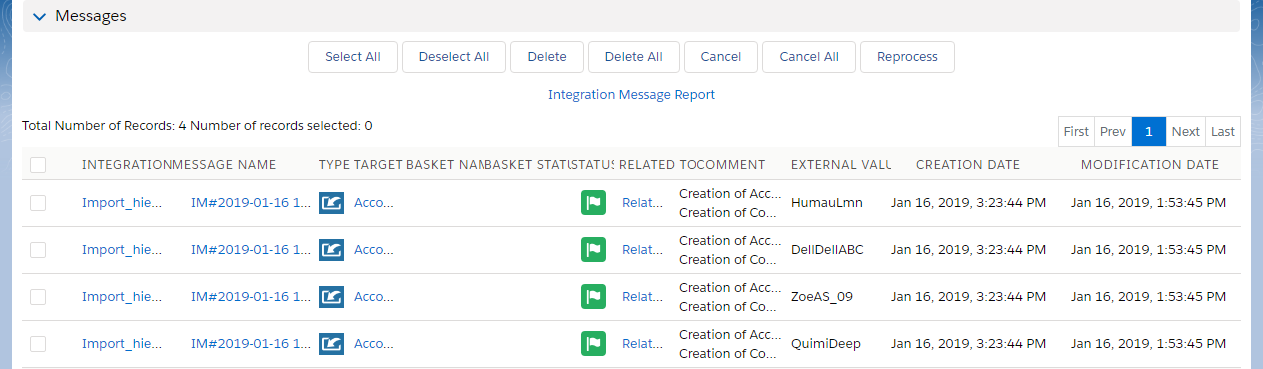
You can check linked account and contact as: