How to Import Interface API Version V3 without a message type ?
We describe features and capabilities related to an API, specifically Interface API V3 mapping and the SKYVVA integration application. Let us break down the information:
- Interface API Version V3 Mapping:
SKYVVA application API supports V3 mapping.
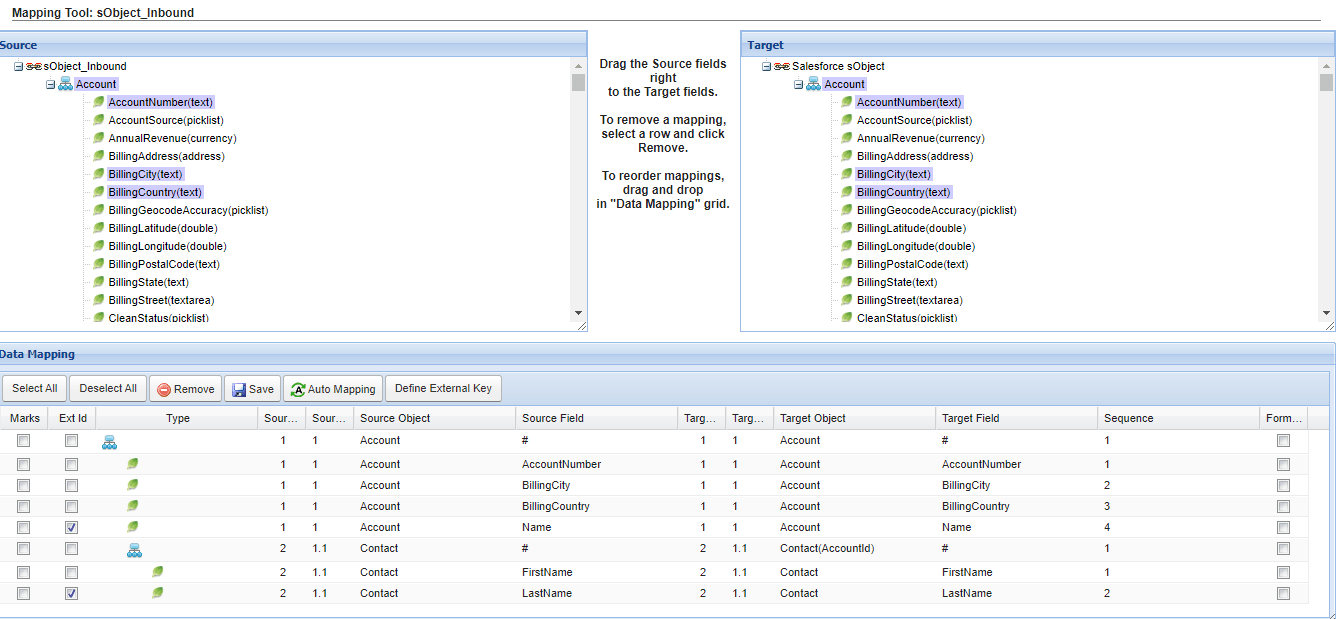
- The mapping involves a root node named ‘sObject,’ indicating a hierarchical structure for sObjects in the V3 version.
- V3 Hierarchical sObjects:
The V3 version of your API includes hierarchical sObjects under the root node ‘sObject.’ This suggests a structured nested representation of data.
- Message Type for V3 Inbound:
Typically, an interface or integration process involves sending and receiving messages. Ensure the users know the message types supported in Interface API Version V3 for inbound communication.
- Verify the specific message type format required for V3 inbound messages using the SKYVVA integration application.
- Skyvva Integration Application:
The integration application provided by SKYVVA enables the mentioned functionalities.
- Understand the capabilities and features of the SKYVVA integration application, especially regarding its support for Interface API Version V3 and handling hierarchical sObjects.
- The SKYVVA integration application for managing and facilitating the integration process. SKYVVA is used for Salesforce integration which provides tools for mapping, monitoring, and managing data flows between systems.
Example :
The business requirement is to integrate the SKYVVA integration application with the File adapter, the user is allowed to leverage Interface API Version V3 mapping. This involves the inclusion of a root node named 'sObject,' indicating V3 hierarchical sObjects. Additionally, the user can execute callouts with V3 Inbound without explicitly specifying a message type. This functionality is facilitated through the SKYVVA integration application.
V3 Inbound :
- The user is allowed to execute callouts using V3 Inbound. This initiates and executes data without explicitly specifying a message type.
- The flexibility in message type specification can simplify the integration process.V3 allows for dynamic callouts without the need to explicitly specify a message type.
- The users can initiate outbound requests to external systems without being restricted by predefined message formats. This flexibility simplifies integration configurations.

Required step:
- Create an Integration
- Create an Adapter e.g., File adapter
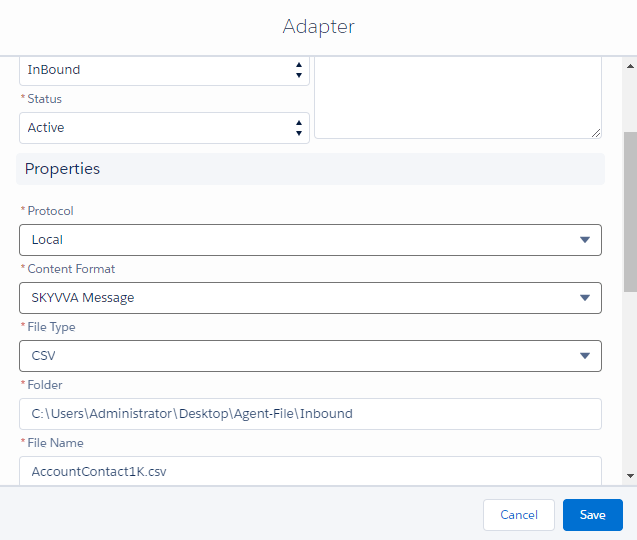
[su_box title="Note" box_color="#2a8af0" title_color="#000000"]It will work with all adapters (support V3 processing), Data Loader, and SKYVVA Bulk Data Loader except SOAP adapter.[/su_box]
- Create an Interface Inbound -> set Interface API Version: V3 -> Do Mapping -> link Adapter with interface
- Go to Agent Control Board -> Interface Detail -> Select your Interface
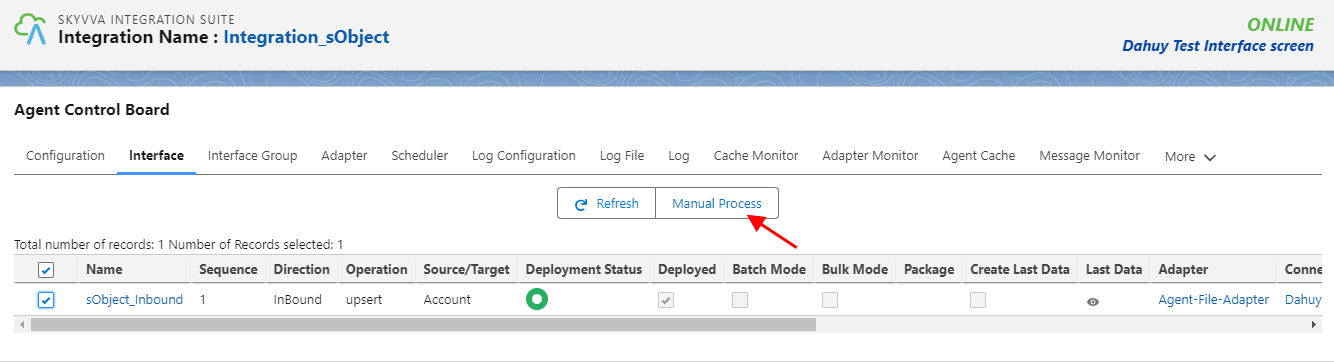
- Click on the Manual Process button to job details for the object IDs sent

- After clicking Send, we got the Message Monitoring and the Payload

[su_box title="Result: " box_color="#2a8af0" title_color="#000000"]When clicking the 'Manual Process' button to execute the callout, we receive the 'Message Success' along with the payload. As a result, the V3 inbound processing now supports V3 hierarchical sObjects mapping (Interface API Version).[/su_box]