How to Import Metadata from Agent Control Board ?
Introduction
The new agent control board is a component which can connect different application system. Besides the component connect that we build on salesforce already. But some protocol we cannot build on salesforce which technically not possible. That’s why we build a new component called “Any Connect” which is based on apache camel is open source around the world.

SKYVVA makes connecting even the most complex enterprise applications simple with a standards-based approach that includes native support for the major transports and protocols that you need to reach your systems. For example. Database adapter. The database adapter required its specific template.

The New Agent Launched with the flexibility of importing metadata features. database template to perform different operations like insert, update, delete, and select. so we are providing create metadata functionality into Agent Control Board. The user will create a database template using this 'Import Metadata' tab in the Agent Control Board.
Basic pre-requisite required to import metadata
- To navigate to a respected agent control board of integration you should create Integration. You can easily jump to the New agent control board from the Custom link “Agent control board”.

– How to use Agent Control Board
Since the user now completely understand; How to use the Agent Control Board, by hitting the upper link, now we understand the Architect of the Agent Control Board now follows below on Salesforce org.
- Create a database adapter on the new Agent Control Board.

- Click on the new button
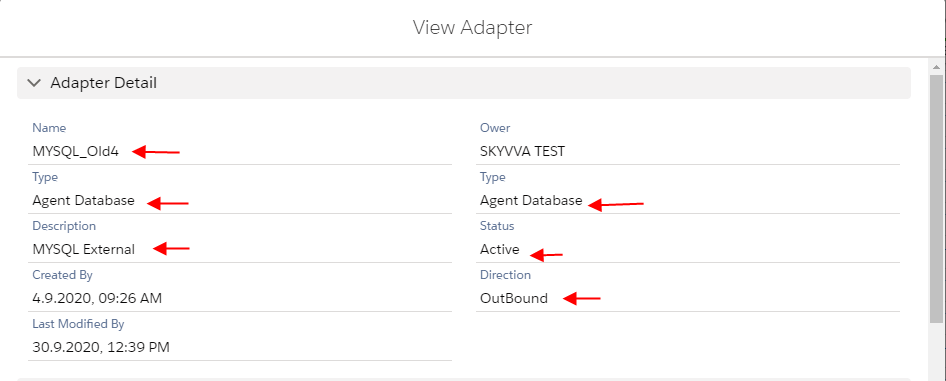
- Provide Detail on the Adapter detail page
- Provide Value on the Property section
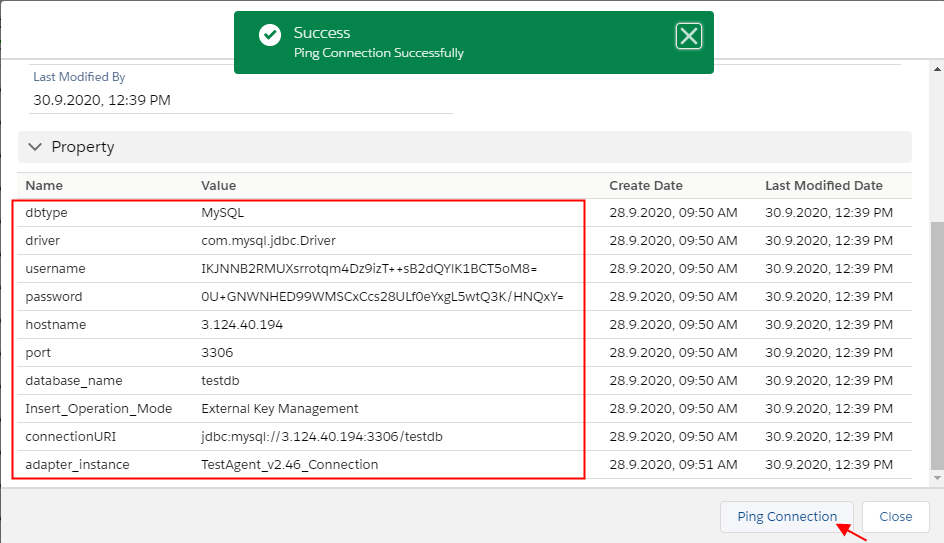
- Click on Ping connection
Go to the interface detail page and the user can select existing metadata and repository and select Adapter just created
- Select your Metadata and repository
- Processing mode Synchronous / Asynchronous
- Outbound
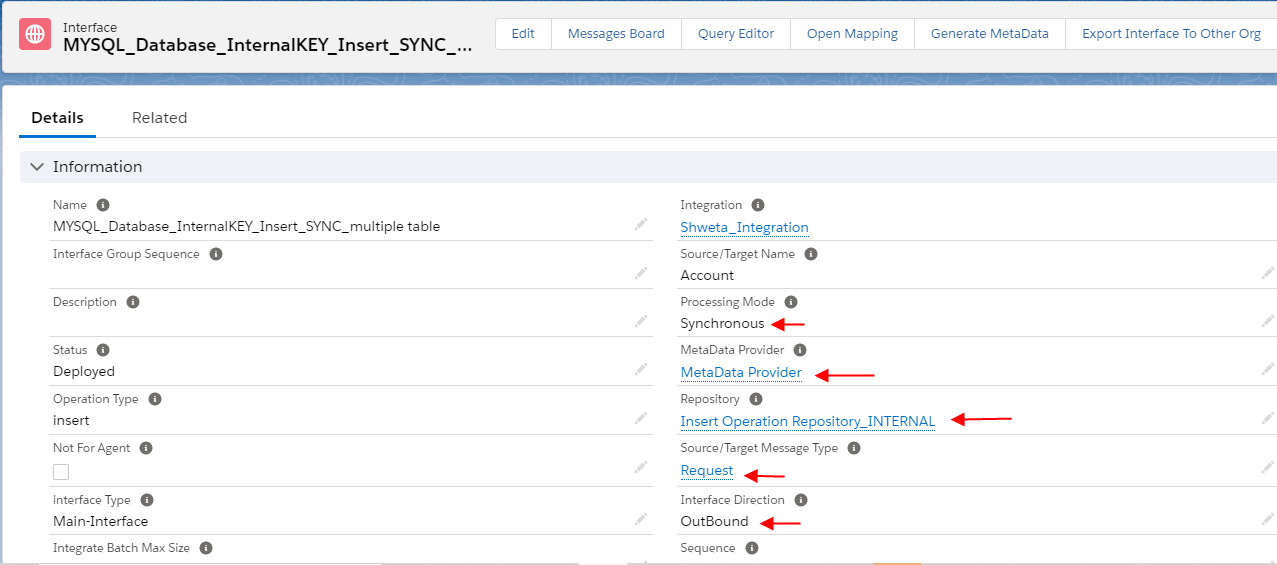
- Scroll down and select your adapter you just created

- Click on Mapping Button
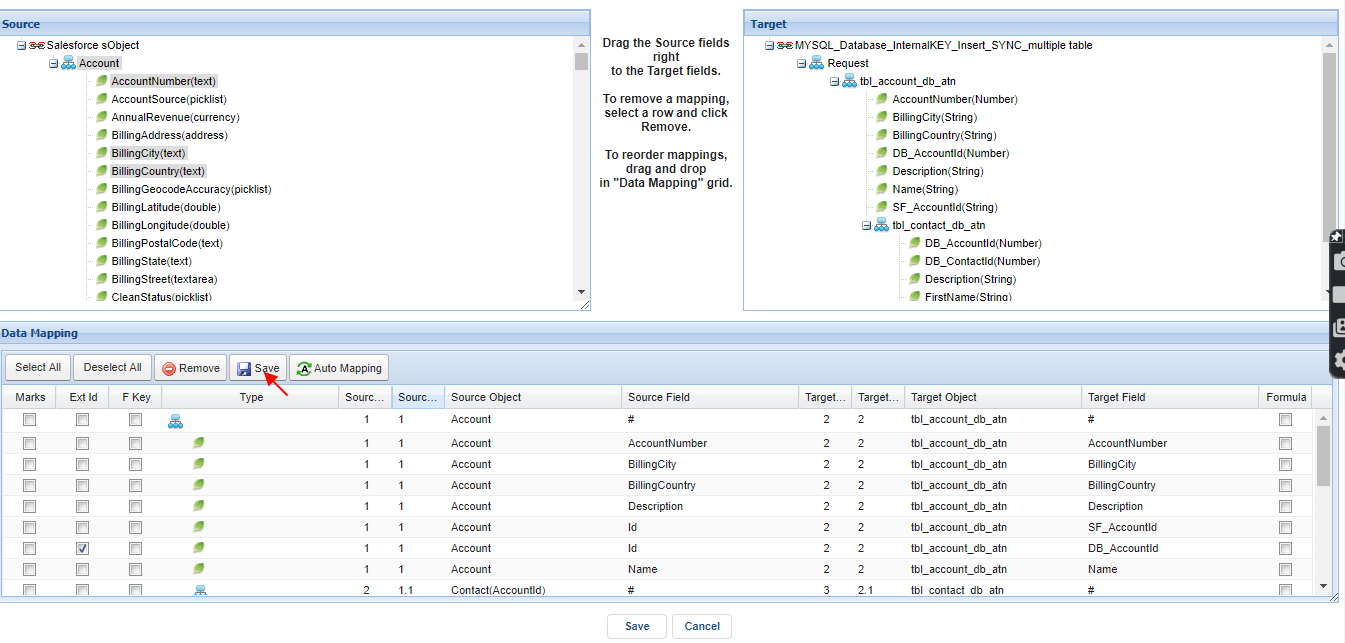
- Select Ext Id's
- Save
Go to the Import Metadata Tab
- Select your MetaData and Repository
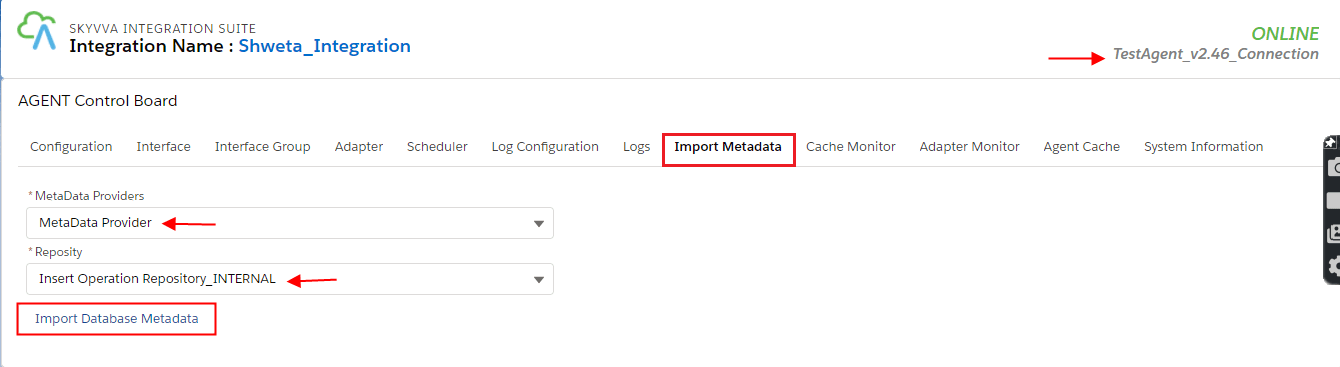
- Click on Import Database MetaData button

- Scroll down and Choose the Table name
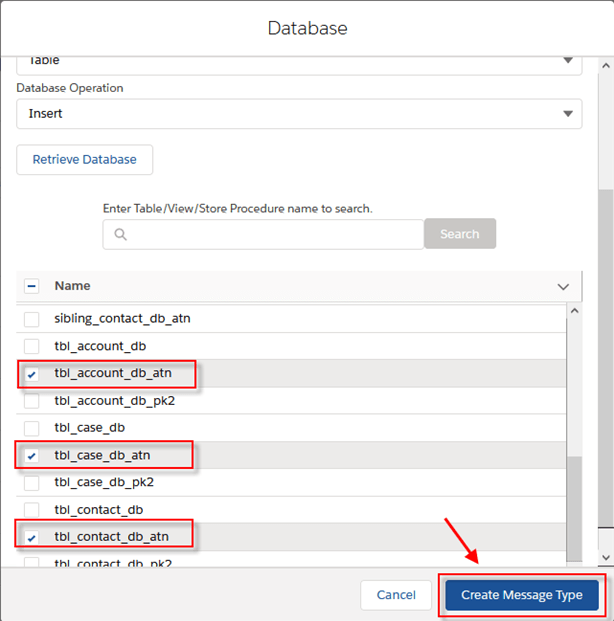
- Click on creating message type button
After that, we got the Message Type generated from the Database table
- Here the example for a table called: “tbl_account_db_atn”

[su_box title="Note" box_color="#2a8af0" title_color="#000000"] We have a template for generating message type for a single table
- Create a root message type with prefix “Database_” + “table’s name” within type “Database Table Template”
- Create two messages the type as a child of root with fixed name “Request” within type “Database Request”. And the other one is “Response” within type “Database Response”
- Under node “Request” create a message type as the child within named the same as your Table name in the database within type “Database Table”. i.e: tbl_account_db_atn
- Under node “Response” creates a message type as the child within a fixed named “records” type as “Plain structure”. Under the “record” node create a message type as the child type as “Plain structure” within name the same as your Table name in the database within type “Plain structure”.
[/su_box]

[su_box title="Note" box_color="#2a8af0" title_color="#000000"] Currently, we need to manual re-order message type as parent and child to the correct Request and Response. As the example below, we have three message types that refer to three tables on the database. Under node “Request”we take “tbl_account_db_atn” as a parent of “tbl_contact_db_atn”and “tbl_case_db_atn” as the child of “tbl_contact_db_atn”, those message type are the type Database Table. On the “Response” message type, under node records we take “tbl_account_db_atn” as a parent of “tbl_contact_db_atn” and “tbl_case_db_atn” as the child of “tbl_contact_db_atn”, those message types are the type Plain structure. [/su_box]

Summary ↔The user has learned to create a database template using this Import Metadata tab in the Agent Control Board. Import Metadata from Agent Control Board through which the user got the Message Type generated from the Database table.