1. How to publish platform event using the inbound interface?
Learning Objectives:-
This unit describes:-
- How to publish platform event using the inbound interface?
Introduction:-
- Salesforce platform event provides an event-bus for streaming and integration using event-driven publish/subscribe architecture. Creating an event can be done using the inbound or outbound interface.
- With the inbound interface, we get data from the outside and with this data, we can create an event into the Salesforce bus.
- Platform events enable developers to deliver secure, scalable, and customizable event notifications within the Salesforce platform or from external sources. Platform events are based on a publish-subscribe architecture.
- We added new functionality to create and consume platform event and we need to see what and which event is on the event bus.
- In Skyvva we can enrich the event data with mapping and process the data after we have mapped the event/message.
- If the customer doesn't have Skyvva he needs to do all the mapping and transformation using Apex code in the trigger.
- Hence these are the added value with Skyvva. So in this tutorial, you will get to know How to publish platform event using the inbound interface?
How to Publish Platform event using Inbound interface?
Steps are given below:-
1. Create a Platform event:-
- Go to Set Up.
- Search Platform Event in the quick find box.
- Click on the "New" button.
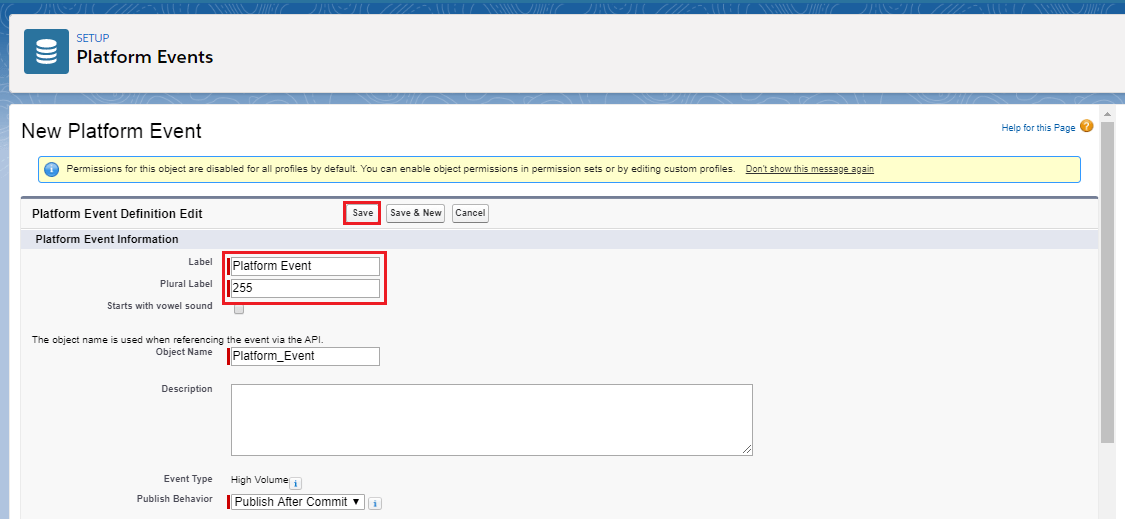
- Fill the required fields.
- Click on the "Save" button.
*The pictures are given below for a reference which covers all the above points:- 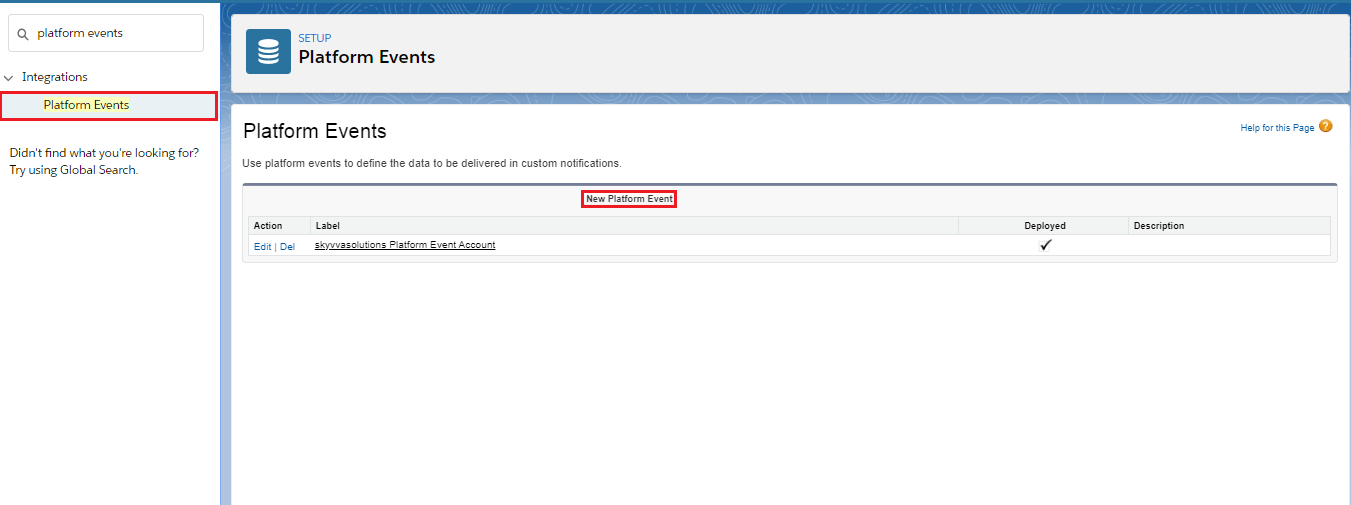
2. Create Custom Fields:-
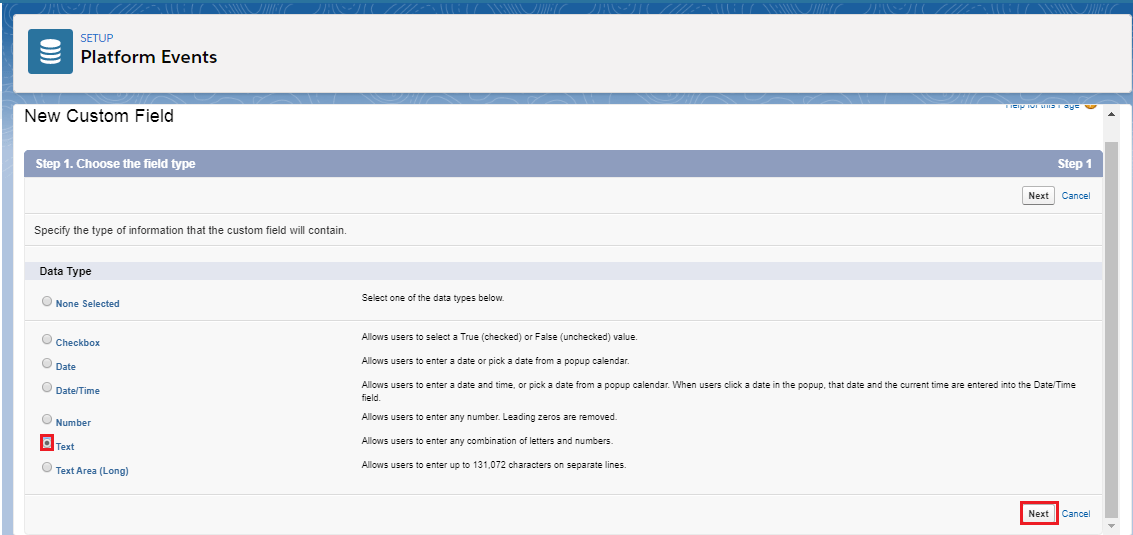
- Click on the "New" button in the Custom Fields & Relationships section.
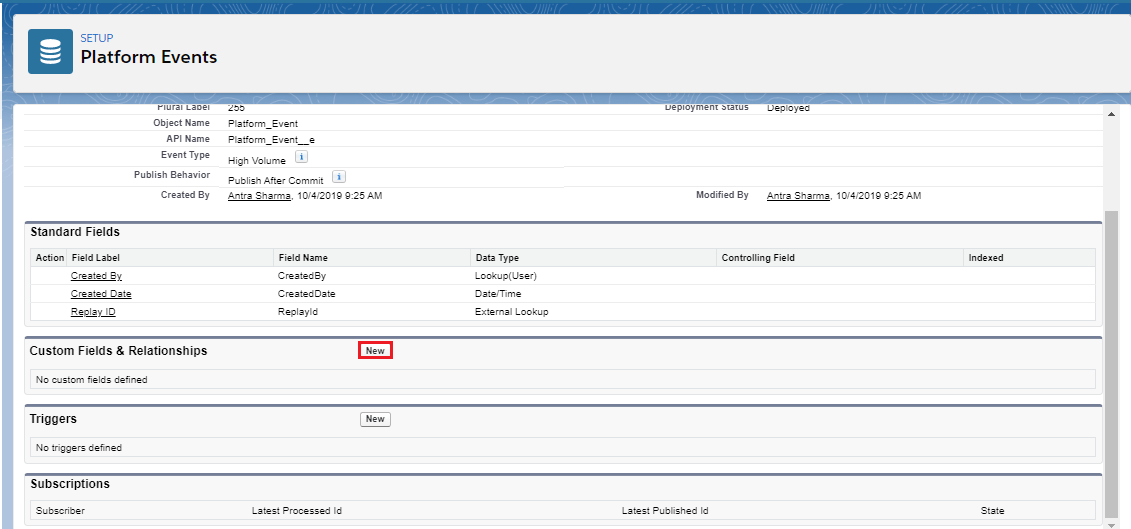
- The New button navigates to the page shown in the picture given below.
- Click on the "Text" and then click on the "Next" button.
- Create a Custom field (Name).
- Fill the required fields.
- Click on the "Save" button.

*Repeat the same process to create the AccountNumber field.
3. Create Trigger:
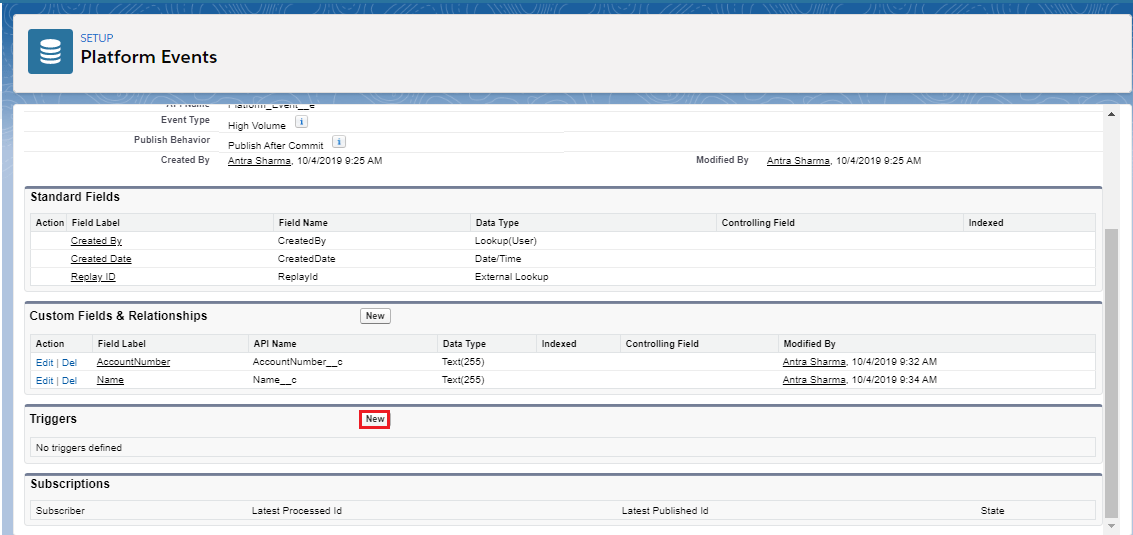
- Click on the "New" button in the "Trigger" section.
- Use the given Code:-
[aux_code language="javascript" theme="tomorrow" title="" extra_classes=""] trigger trgPlatformAccountEvent on Platform_Event__e (after insert) { List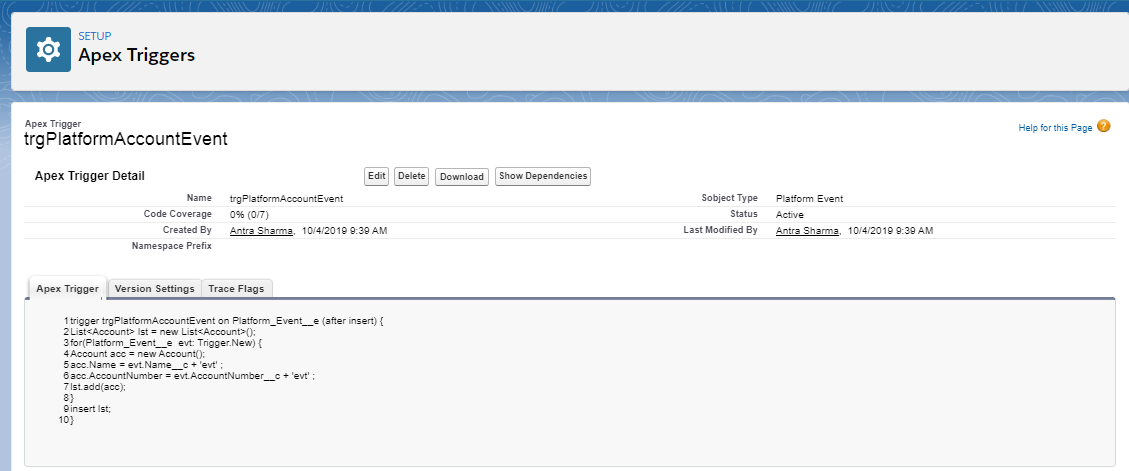
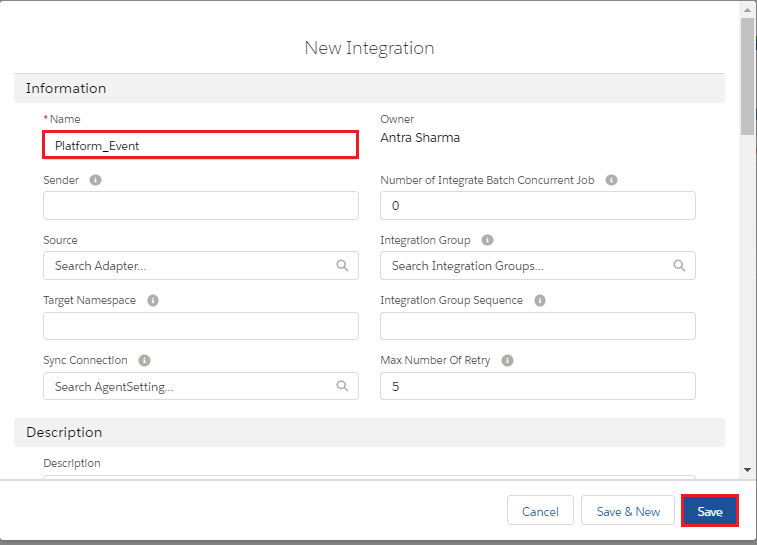
4. Create Integration:-
5. Create Interface:-
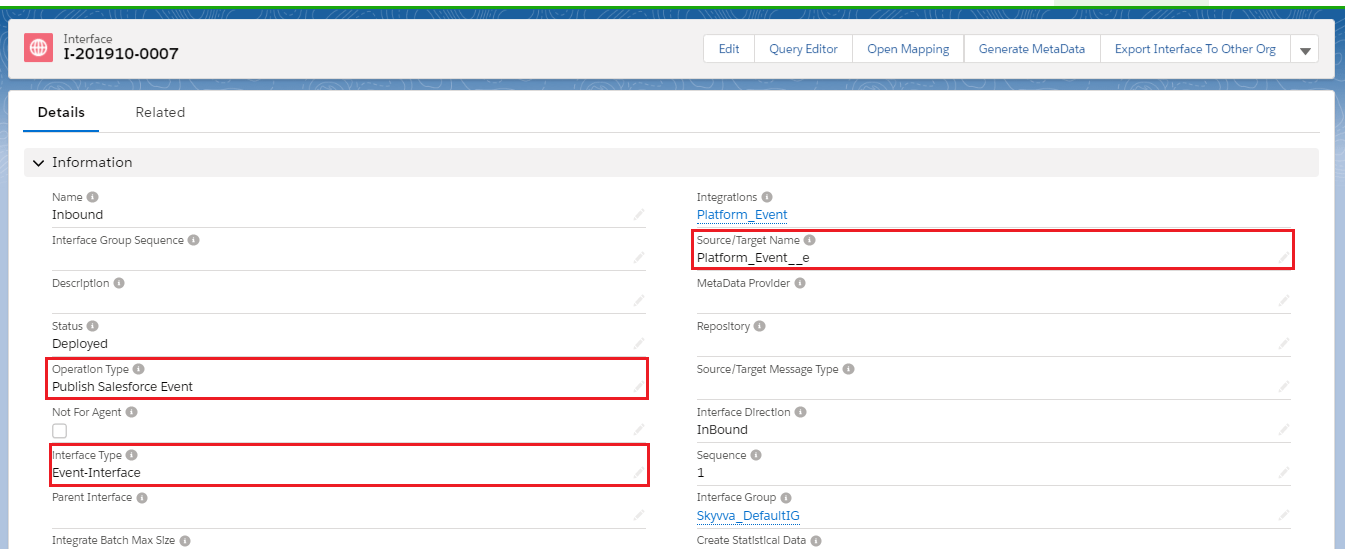
- Select Platform event Object name in "Source/Target Name".
- Select Operation type- "Publish Salesforce Event".
- Select Interface Type- "Event-Type".
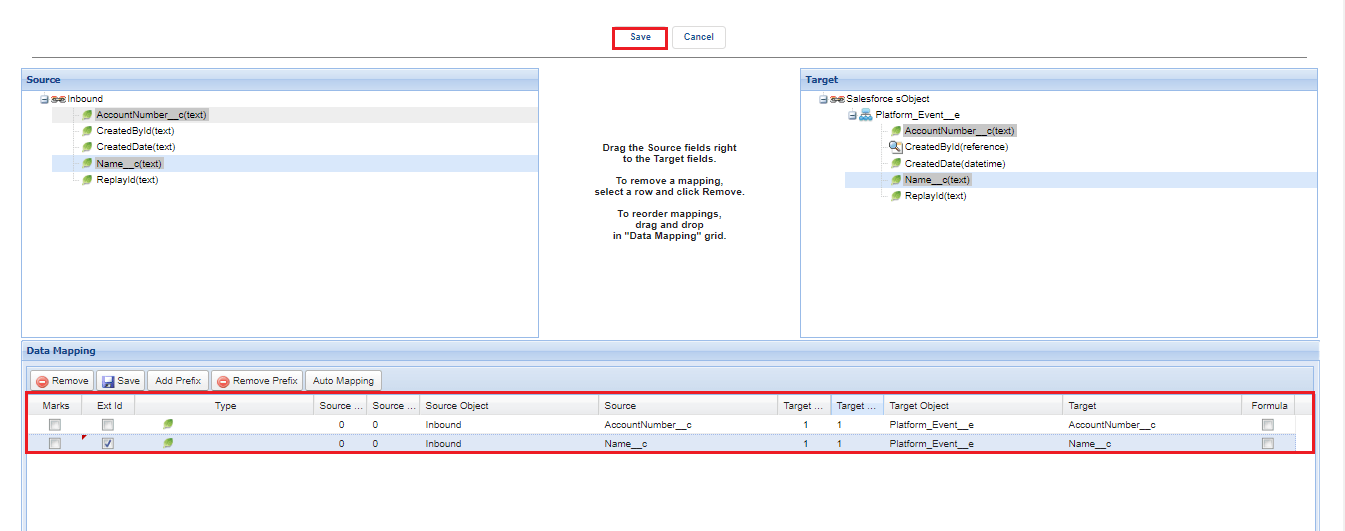
- Do Mapping as shown below in the picture.
- Click on the "Save" button.
6. Upload data Manually:-
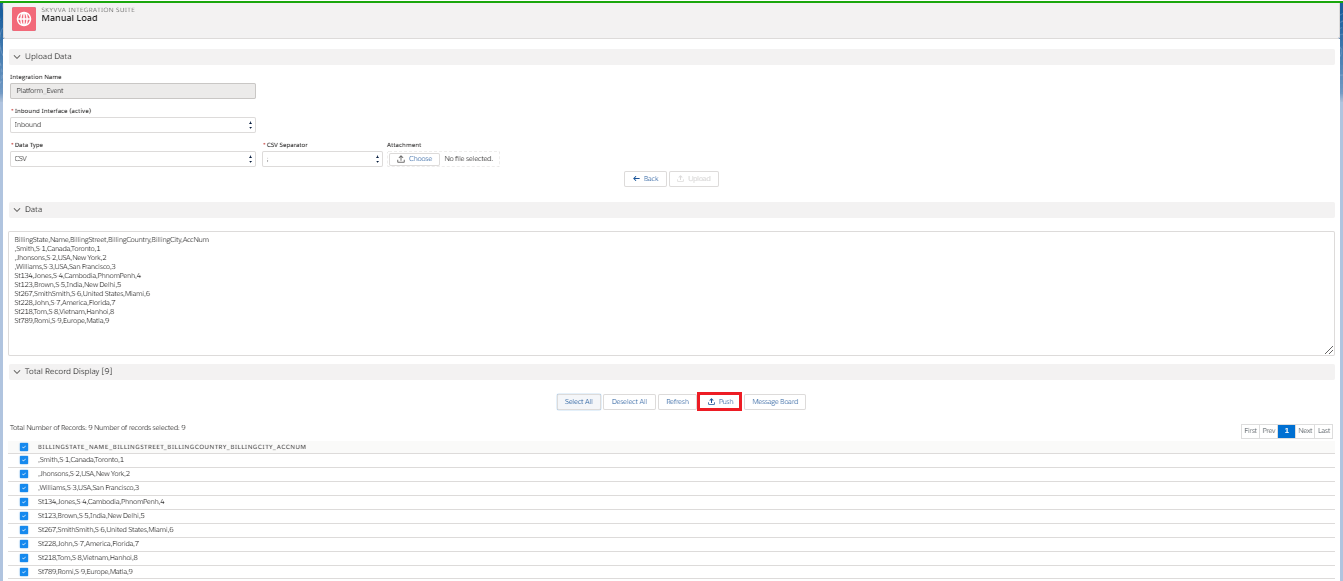
- Go to an Integration detail page.
- Upload CSV file.
- Push data to message board
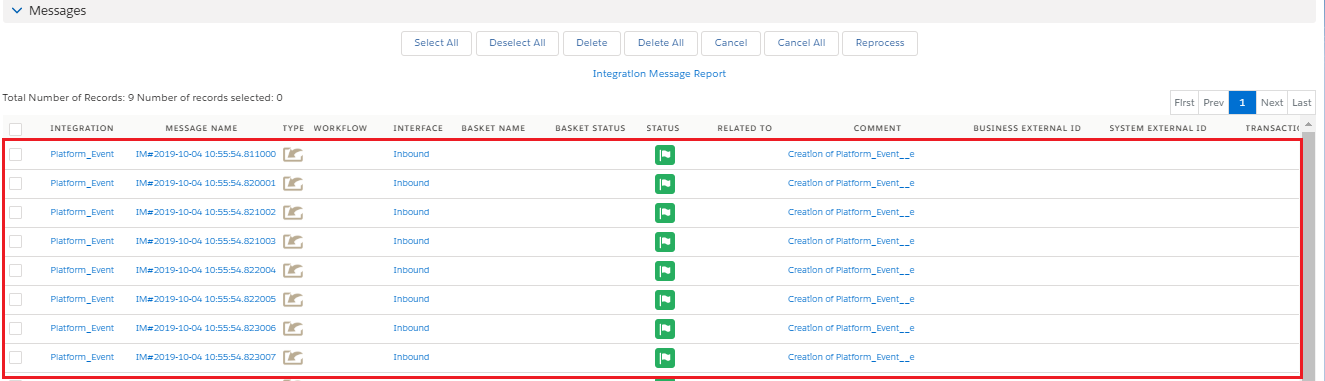
7. Check the result in Message Monitoring:-