1. How to Uninstall SKYVVA Agent?
This tutorial explain you "How can you uninstall SKYVVA Agent".
What is Agent?
SKYVVA is professional services and commitment to great customer support enabled us to integrate multiple database systems quickly, easily and at a fraction of the cost of alternatives. You can uninstall SKYVVA agent in two ways:
- Uninstall Agent by right click on Agent icon.
- Uninstall Agent through Control panel.
1 Uninstall Skyvva Agent
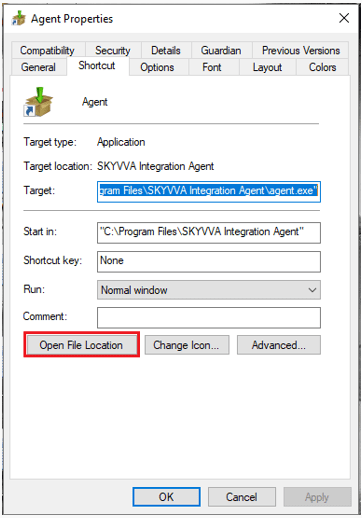
- Right-click Agent icon
- Click on properties

- Click on ‘Open File Location.
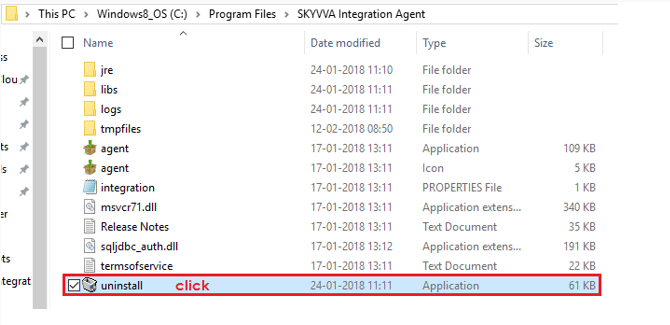
- Click on Uninstall
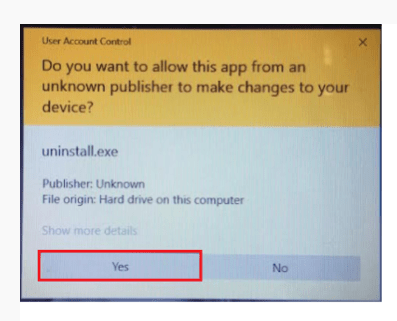
- Click ‘Yes
- Next
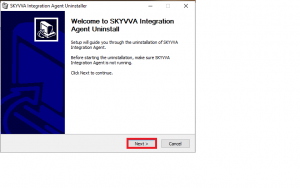
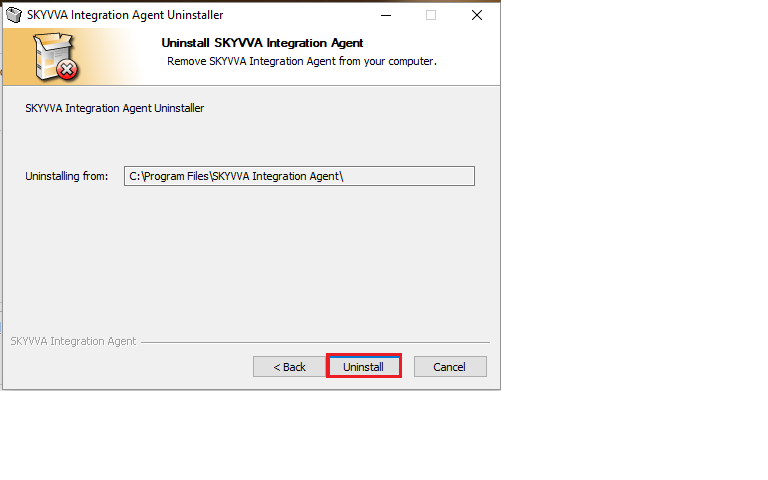
- Click ‘Uninstall‘
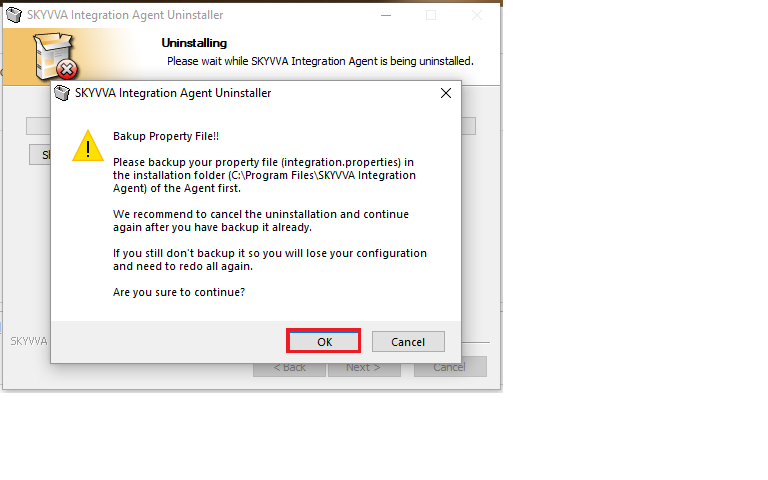
- Click ‘ok‘
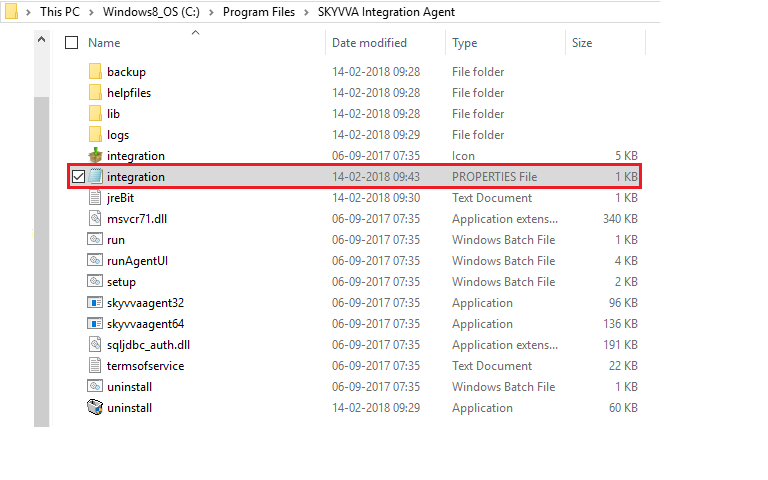
- Read this message carefully & copy (integration) in which users credential are save that is a User name, password, org ID, security token, license key

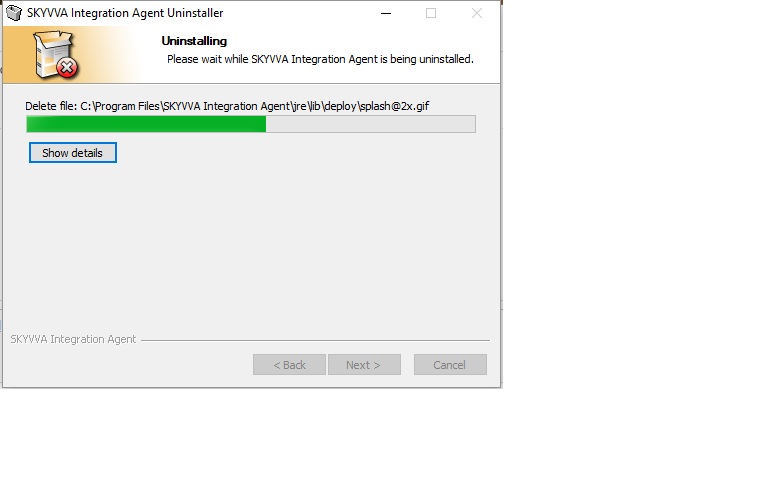
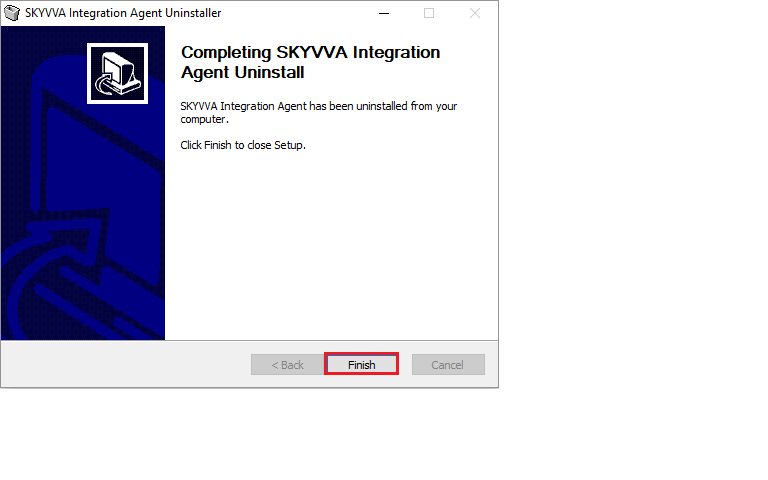
- Finish
2 Uninstall Skyvva Agent through Control Panel
The control panel, in the context of Windows, is a software module used to perform administrative and management operating system tasks and/or provide access to specific software features. The control panel is used to configure and manage almost all aspects of Windows, including keyboard and mouse functionality, users and passwords, power options, network settings, desktop background, display settings, sound settings, mouse settings, hardware and software options, installation and removal of programs, parental control, speech recognition, etc.
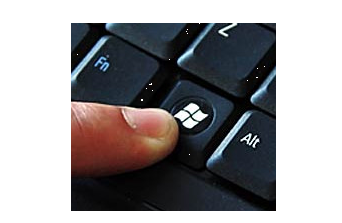
- Press Windows key on the keyboard
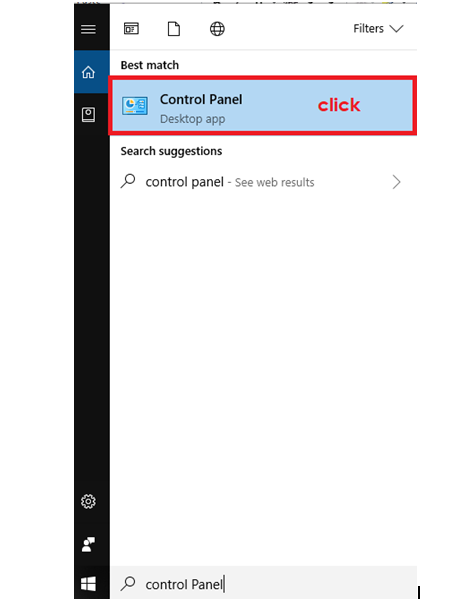
- Write Control Panel in search box
- Click
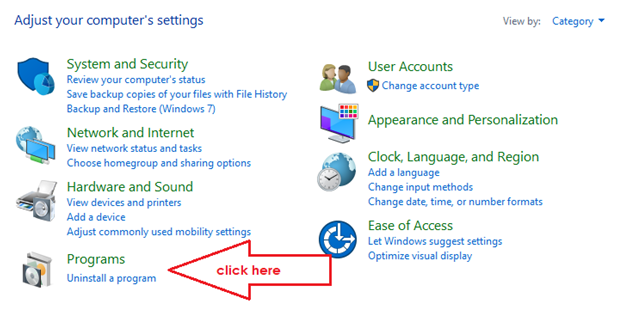
- Click ‘Uninstall a program‘
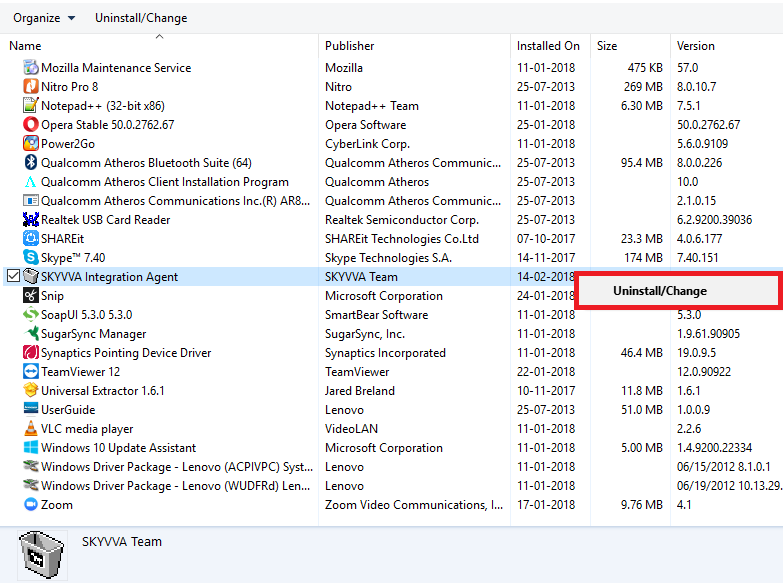
Right-click on SKYVVA Integration Agent Click on Uninstall/Change
- Right-click on SKYVVA Integration Agent
- Click on Uninstall/Change
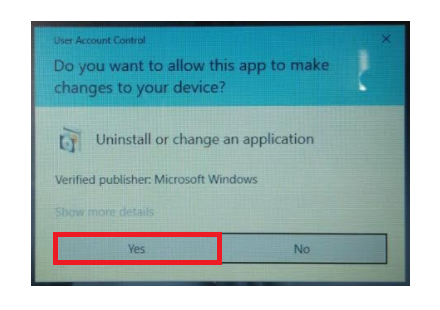
- Click ‘Yes‘
- Next

- Follow the instruction as we did previously
- Finish
- SKYVVA Integration Agent Uninstall successfully