How to use Agent Control Board (New)?
Introduction
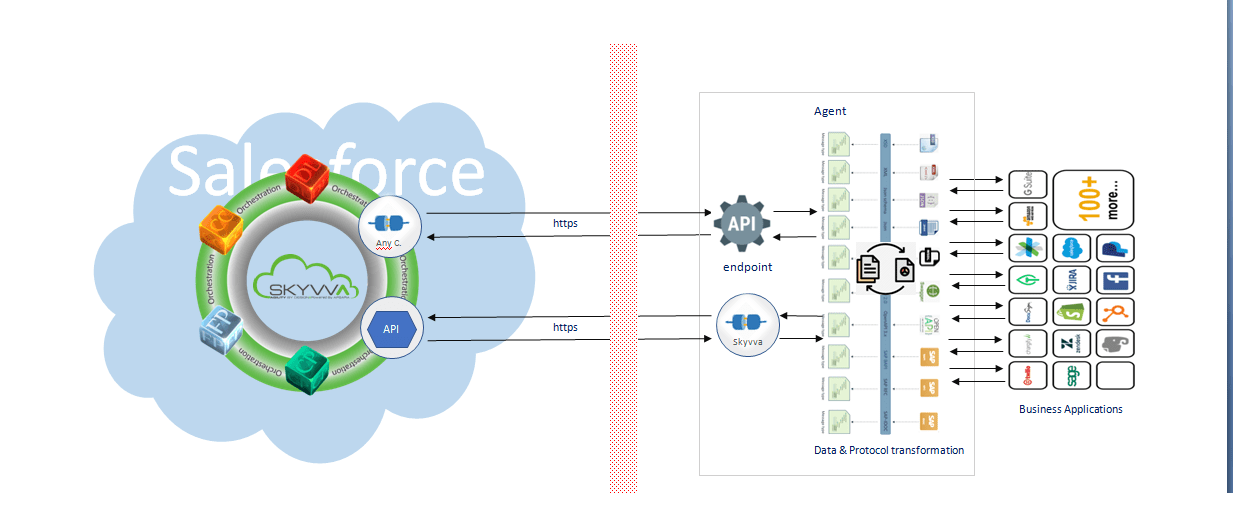
The new agent control board is a component that can connect different application systems. Besides the component connect that we build on salesforce already. But some protocols we cannot build on salesforce which is technically not possible. That’s why we build a new component called “Any Connect” which is based on apache camel is open source around the world.
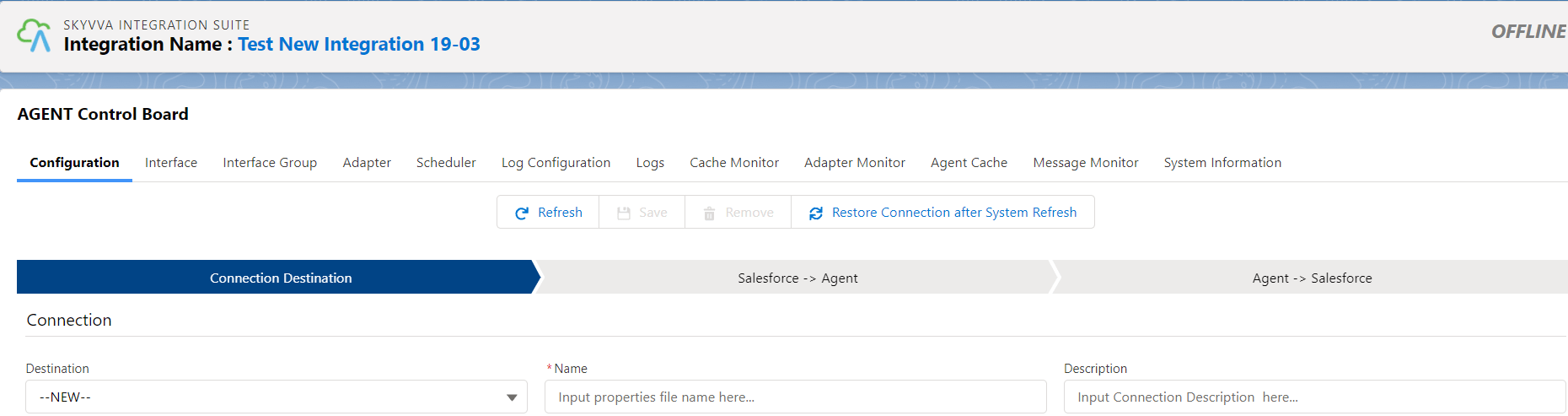
Navigate to the Agent Control Board link on Integration details and then we can see any tabs on Agent Control Board which are:
- Configuration Tab
- Integration Tab
- Interface Group Tab
- Adapter Tab
- Schedulers Tab
- Log Configuration
- Logs Tab
- Cache Monitor
- Adapter Monitor
- Agent Cache
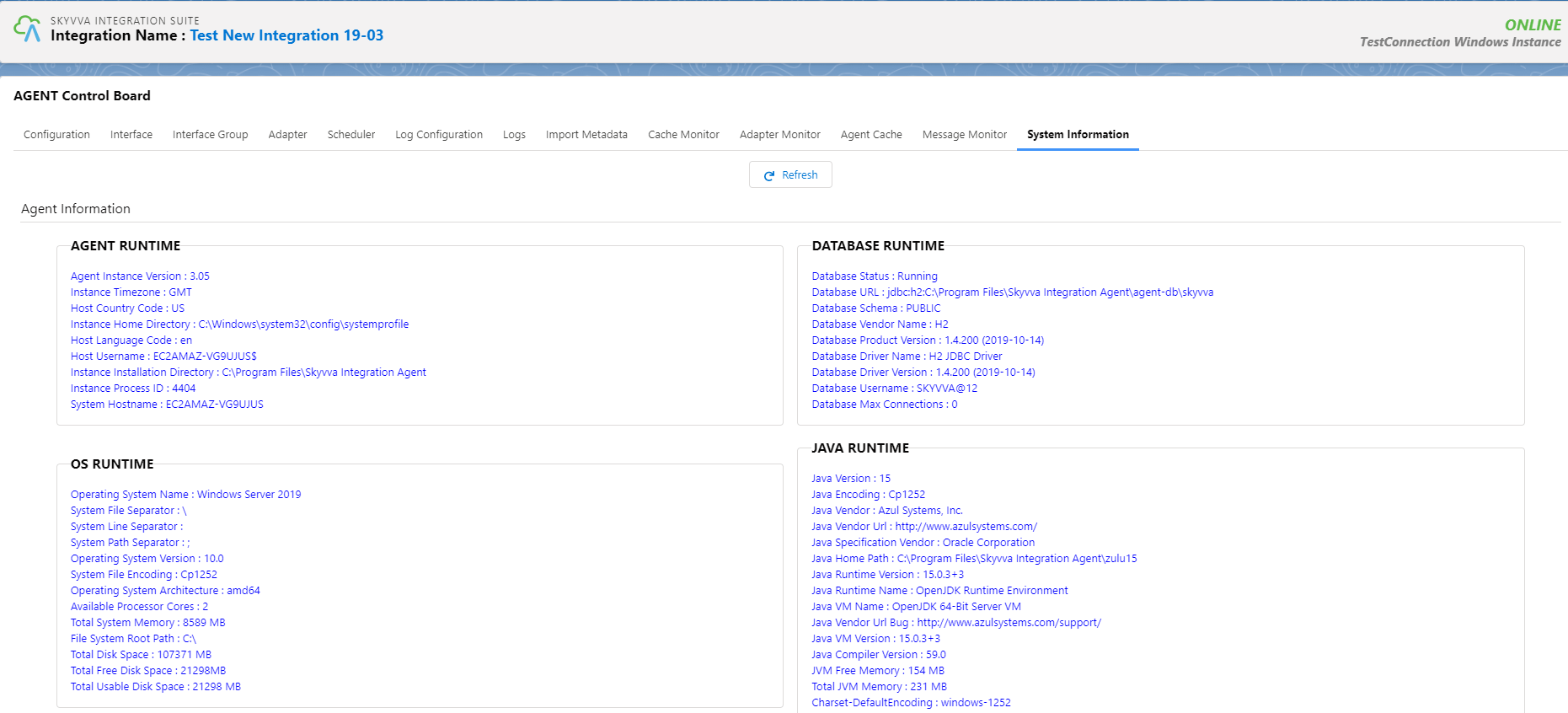
- System Information Tab
Follow the steps below to create a connection destination with the agent and then we can use any tabs from Agent Control Board: Pre-required
- Create Salesforce connected app
- Create Remote Site
- Create Connection name on Agent Control Board
Step -1: Create Connected app on Salesforce
- Navigate to the search box and just type “app…” for finding the App Manager menu then click New Connected App to create a new connection on Salesforce

- Fill required information

- After that click button Save

- Click continue
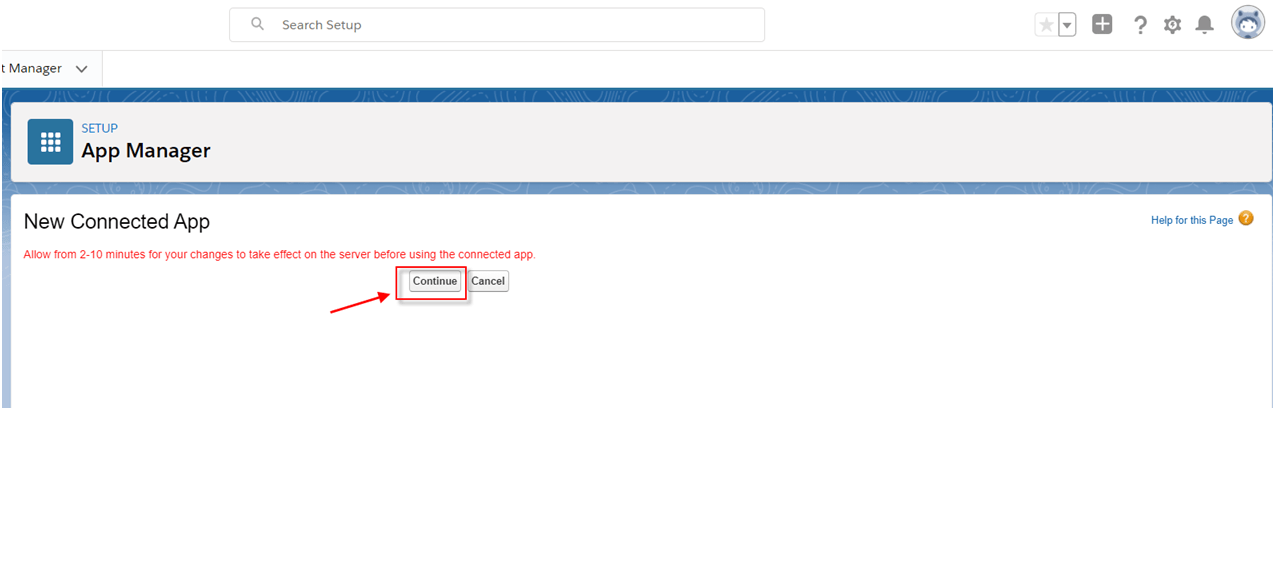
- Here is the Client-Id (Consumer Key) and Client-Secret (Consumer Secret). But we cannot use those keys immediately as Salesforce has a display of a warning in the red line

Step -2: CreateRemote Site We need to create a new Remote Site for allowed Salesforce access to your external system. Put host URL and Agent port number Example: http://18.158.217.193:9055
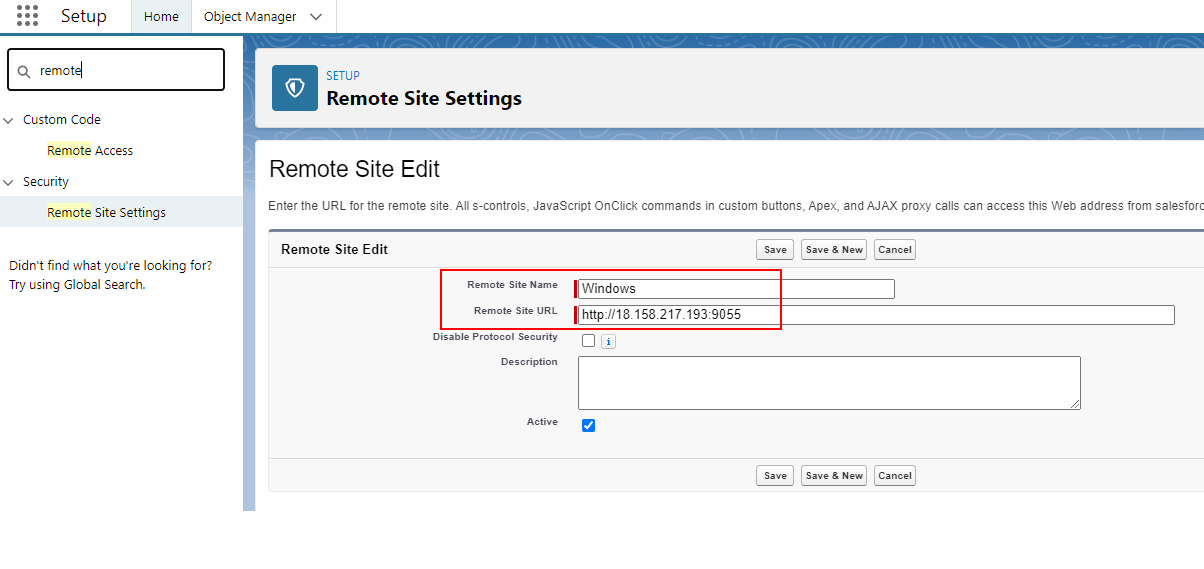
Step -3 Create new Connection name
- Provide the credential to Connection Destination
Destination→New Name→any name Description→ (optional) Type →any type, for example, Agent Database. If we work with Database, so Type is “Agent Database”. We need to create a connection type depends on the working target.

Then click on the Continue button
- Second, provide the credential of Agent for ping connection from Salesforce to AGENT
Host URL→ http://18.158.217.193 Port Forward→ 9055 (default) Username→skyvva (default) Password→skyvva@12! (default)

Then click on the Ping Agent Connection button
- Third, provide the credential of Salesforce for ping connection from AGENT to Salesforce
Username→ username of your org Password→ password of your org Security Token→optional, but if the org has been generated the Security Token we need to put it Server Environment→Sandbox/Production Consumer Key and Consumer Secret users get from the connected app from the Salesforce side

Then Click on the Ping Salesforce Connection button After we ping successful then we can save the connection name.
And then we can use any Tab on the Agent Control Board, like checking system information of the Agent server