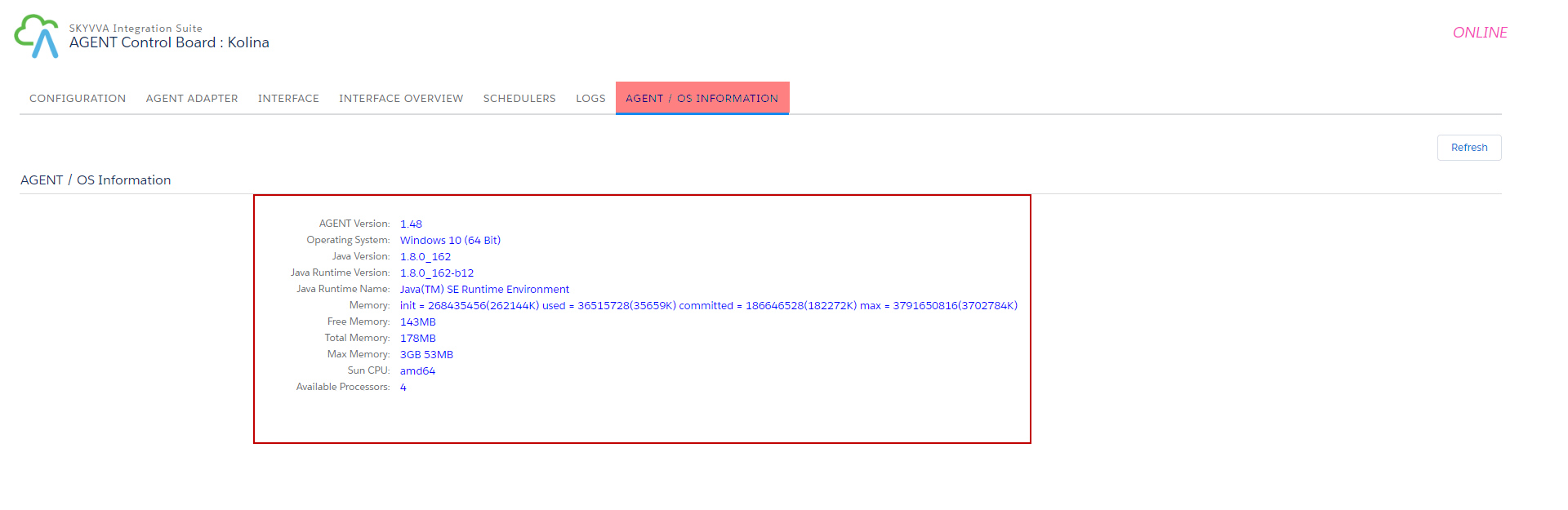
1. How to use Agent Control Board
This tutorial explains what Agent Control Board is. It also describes how to configure Server configuration in Agent, Firewall Port configuration, and configuration Agent Control Board in SKYVVA tool.
What is Agent Control Board?
Agent Control Board is used to set up integration property to be connected to Salesforce. You can either create an adapter and set a scheduler to run the integration service. Likewise, it allows you to set up the Agent server credential for using SKYVVA Agent Control Board.
Server configuration in Agent
To be able to access to Agent Control Board, there are things you need to know. You have to configure the server in Agent by doing that it allows you to set up the Agent credential for SKYVVA Agent Control Board.
- Navigate to AgentUI and enter Server Configuration

- Fill in Username => Password => Port Application => Click Save
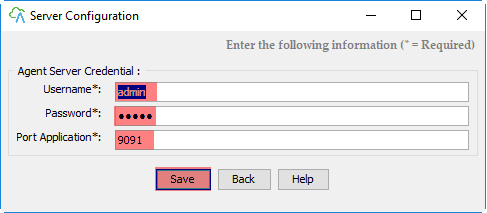
Note: Only one user can use this.
- Go to router configuration => Set static ip => forward port
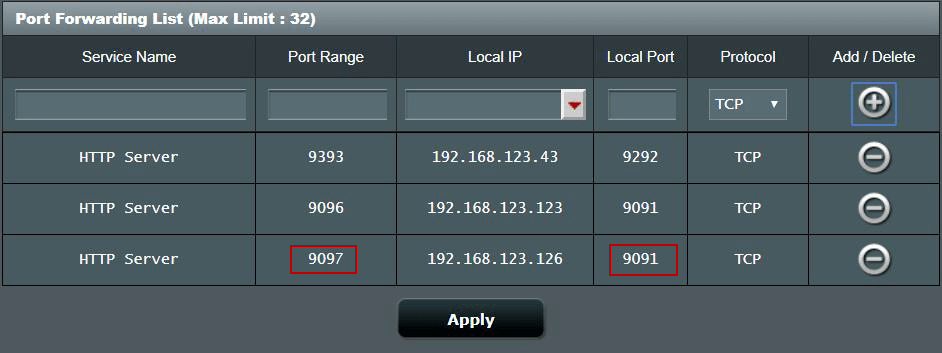
Firewall Port configuration
This configuration allows you to set up the Agent Server credential for use with SKYVVA Agent control. You need to create a local port, as it is a requirement. To create a local port you need to follow the steps below: Configuration with both Inbound and Outbound
- Navigate to Search Button and type Window Defender Firewall With Advanced on your desktop => Click Inbound Rule =>Click New Rule => Tick Port => Click Next Button
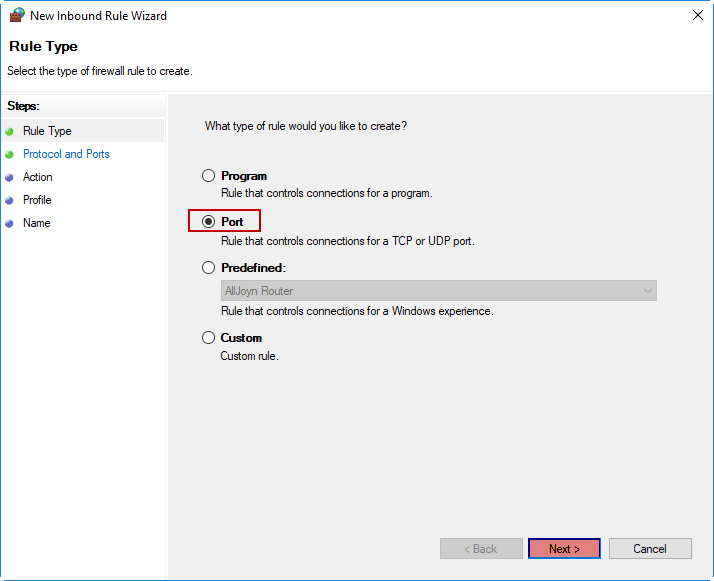
- Fill port number that in Specific Local Ports
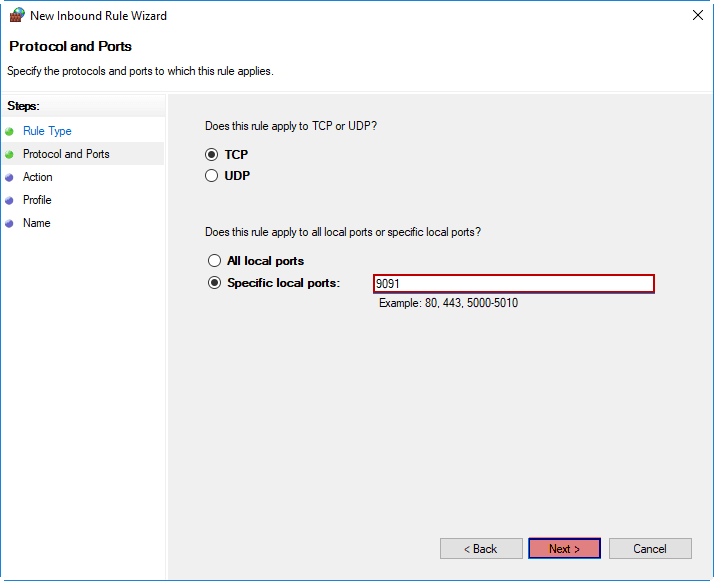
- Tick Allow The Connection => Click Next Button
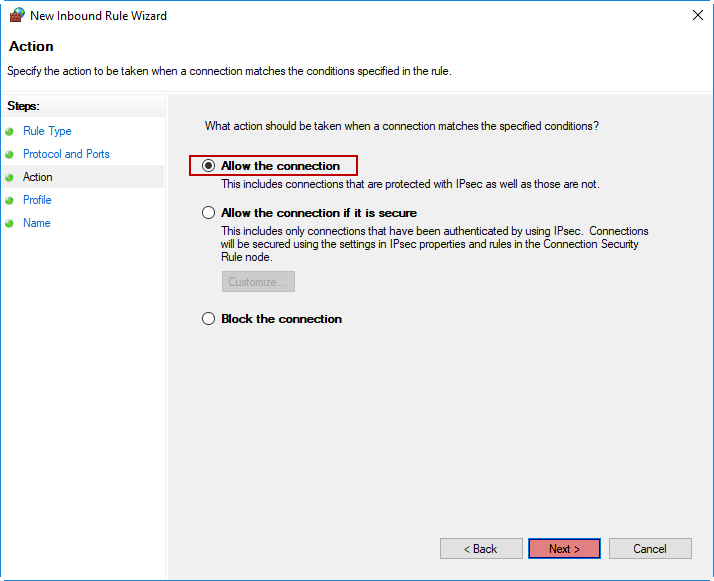
- Tick all box => Click Next Button
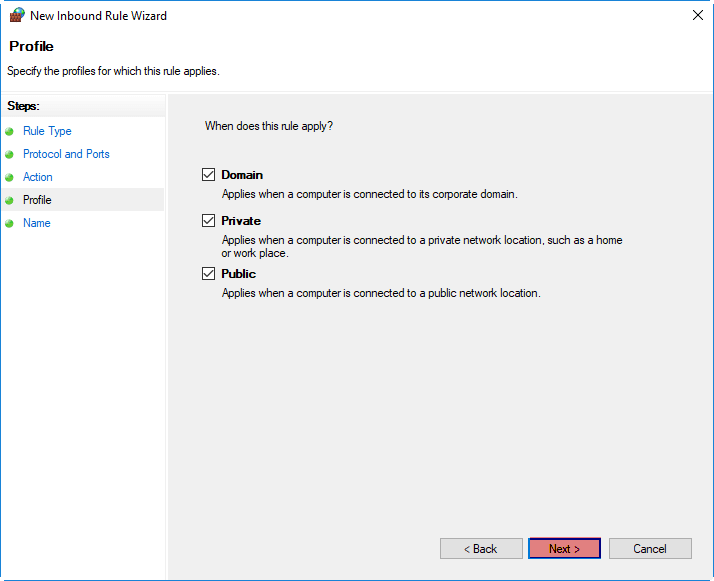
- Fill Name => Click Finish Button
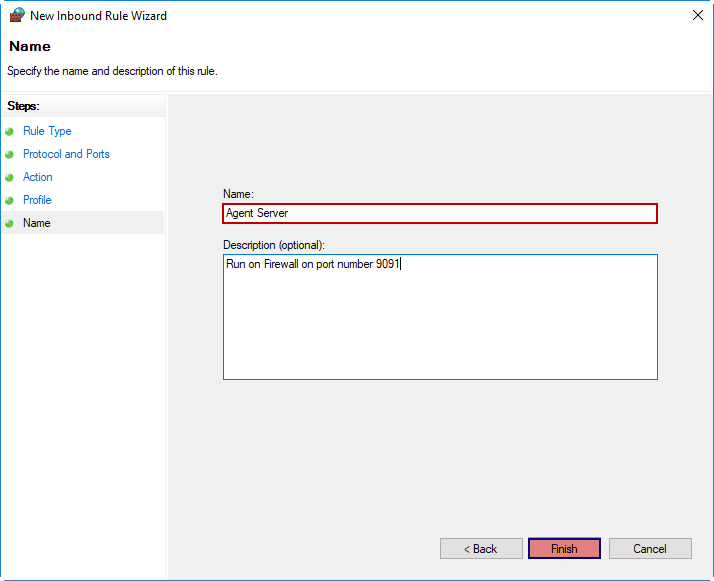
To configure the Agent Control Board
You have to configure this step in order to connect to AgentUI. To configure this, there are steps you must follow: Create Remote Site Setting To create Remote Site Setting you can follow the steps below:
- Navigate Setup => Type Remote Site Setting in Quick Find => click Remote Site Settings
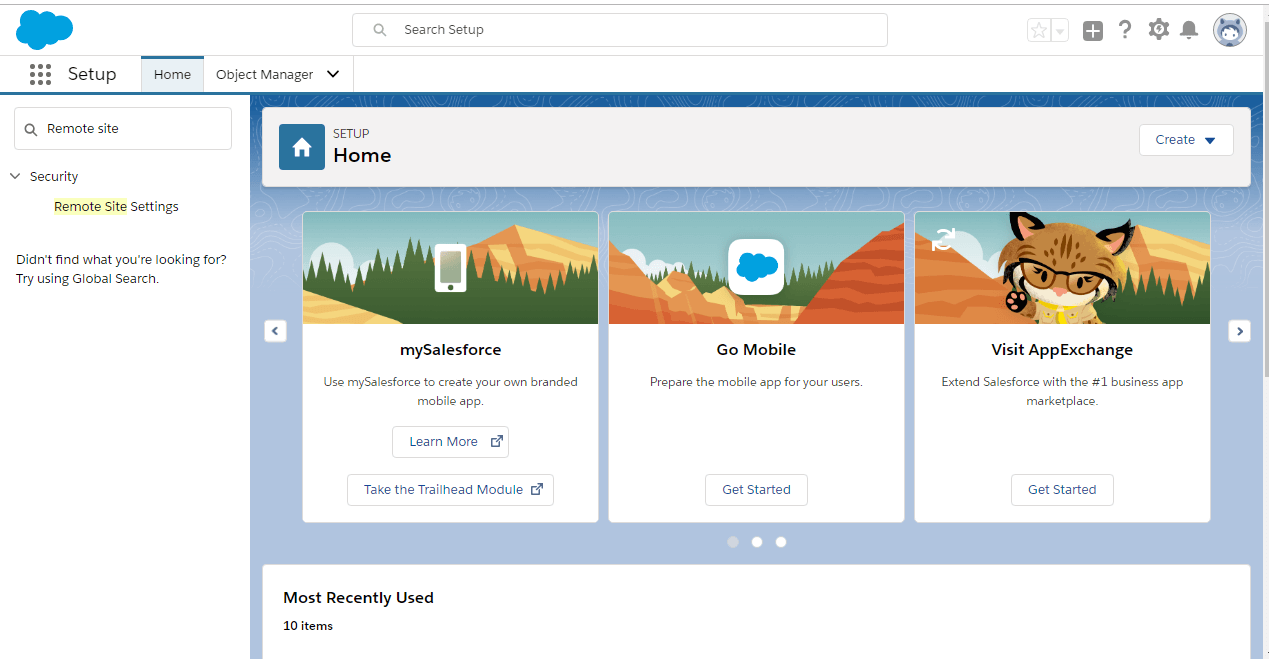
- Click on the New Remote Site Setting button

- Fill in Remote Site Name => Remote Site URL ( Public IP+ “:”Forward Port) => click Save
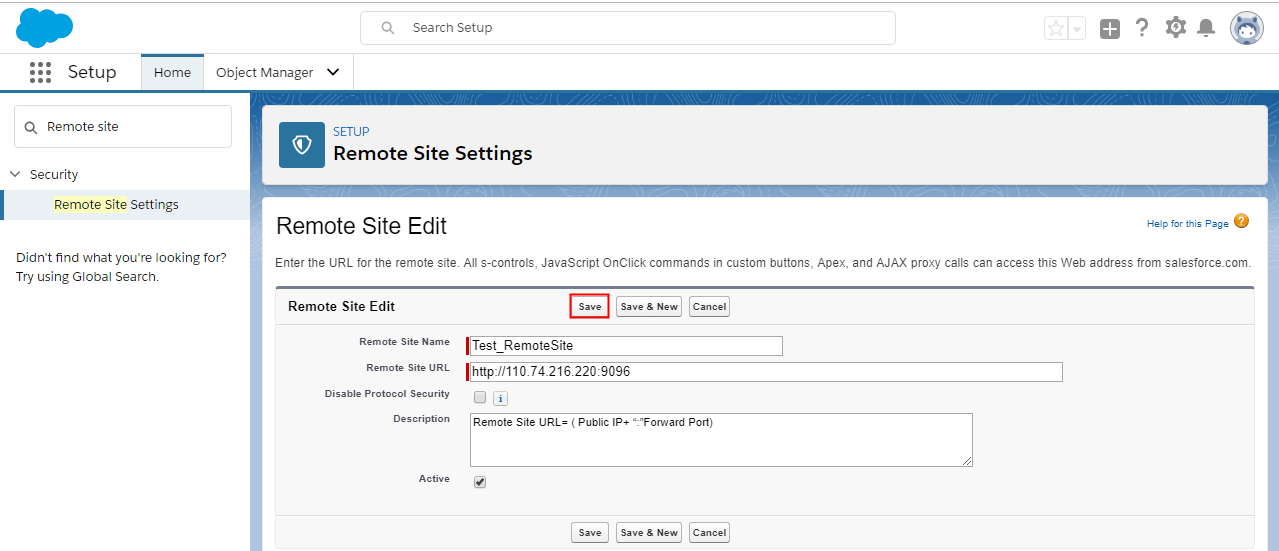
Configure Agent Control Board in SKYVVA tool To configure the Agent Control Board in the SKYVVA tool you can: - Navigate to Agent Control Board => click configuration tab => Agent Setting => Agent Server Credential => Fill username => Fill Password => Fill Hostname/Public IP => Fill Port/Forwarding Port => click Ping Agent Connection =
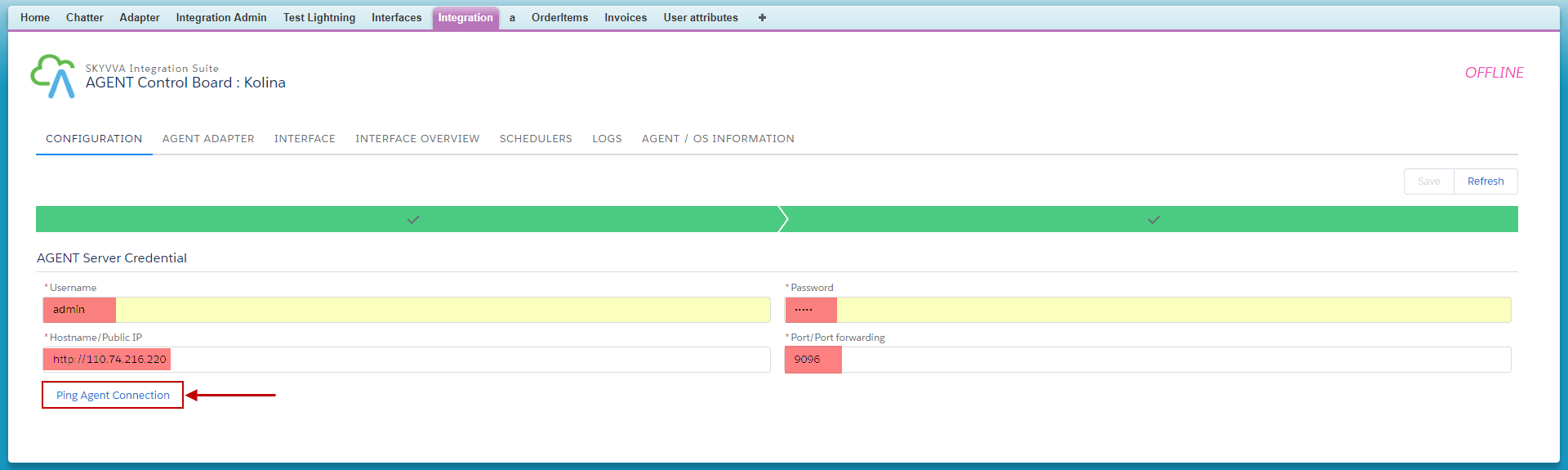
- Fill username => Password => Security Token => Select Server Environment => click Ping Salesforce Connection => click Save button

Test AGENT / OS INFORMATION When you enter AGENT/ OS INFORMATION it will show the PC system.