1. How to use apex trigger to send real time data change to Agent?
Learning Objectives
A Change Data Capture event, or change event, is a notification that Salesforce sends when a change to a Salesforce record occurs as part of a Create, update, delete, or undelete operation. User has to create Account in SalesForce, it should trigger an event and send this Account Information to MS SQL Server DB of our organisation. Once it's inserted in our SQL DB, it will create particular AccountID and give it back to SalesForce. The notification includes all new and changed fields and header fields that contain information about the change.
Introduction
The reason user need to accomplice this is our Account creation process used to start from Our own SKYVVA product so it was creating AccountID (Auto Generated) from DB and used from Primary identification for Account across the system. Now we want to create Account from SalesForce but need to keep AccountId generated from SQL DB. For example, header fields indicate the type of change that triggered the event and the origin of the change. Change events support all custom objects and a subset of standard objects.
[su_box title="Note" box_color="#2a8af0" title_color="#000000"]User have to click on link below through which user get configuration about, How to Consume the change events using an apex trigger.[/su_box]
How to use the Salesforce CDC change event to send data to Agent?
Users can be experienced how SKYVVA Change Events to synchronize changes to the Salesforce records in your SQL server Db Management system. SKYVVA can Change/Update events the same way you subscribe to other events. Go to Microsoft SQL Server Management Studio – Download Microsoft SQL Server Management Studio...
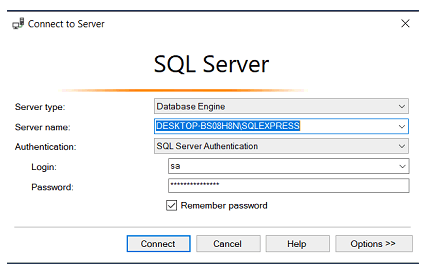
Connect to Server
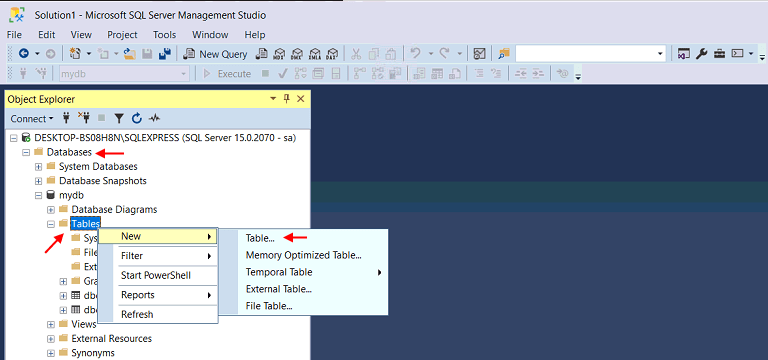
- Click on Databases
- Scroll down to Tables
- Right Click on New
- Click on Table
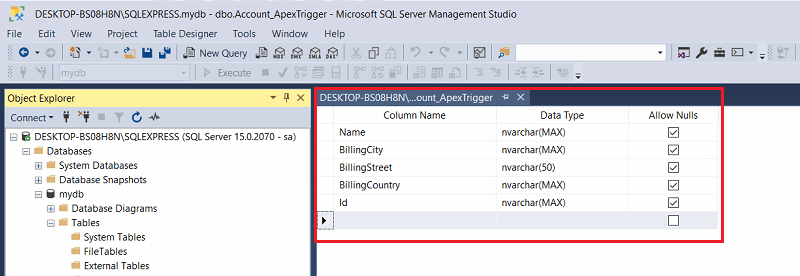
- Create Column Name
- Select Data Type “nvarchar(Max)”or”nvarchar(50)”
- Allow Nulls checked by default
Now go to Salesforce Click on Adapter Tab
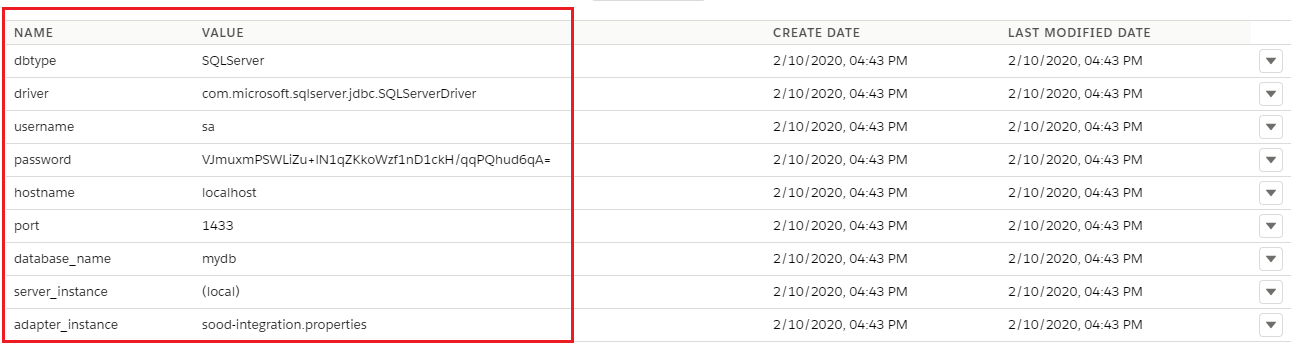
- Create Adapter Type JDBC
- Click on Ping Connection

- Adapter property made a connection successfully with Agent and SQL Server called jdbcSQLServerDriver
- Database Type SQL Server
- Database Name mydb
- Create Integration
- Create Interface
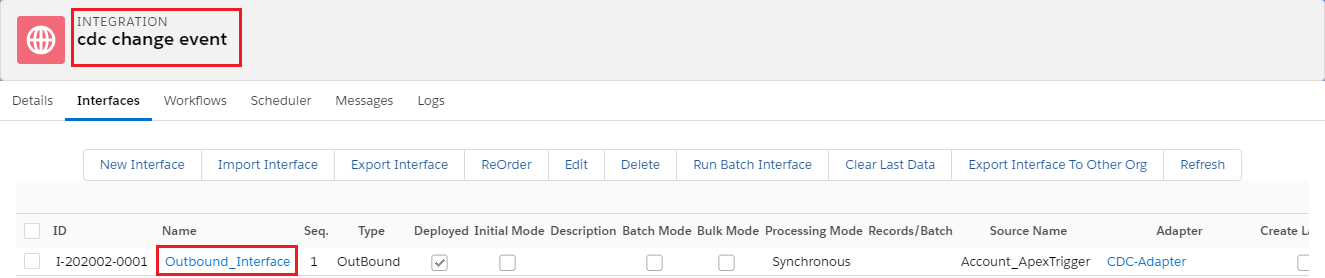
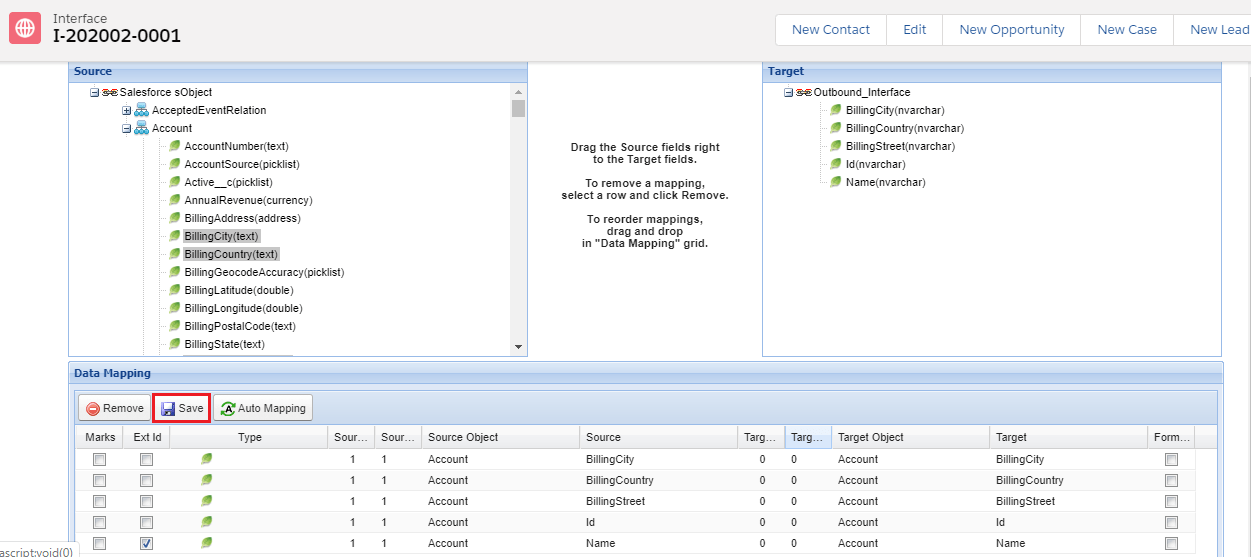
- Click on Interface
- Scroll down to mapping Section
- Select Ext id
- Save
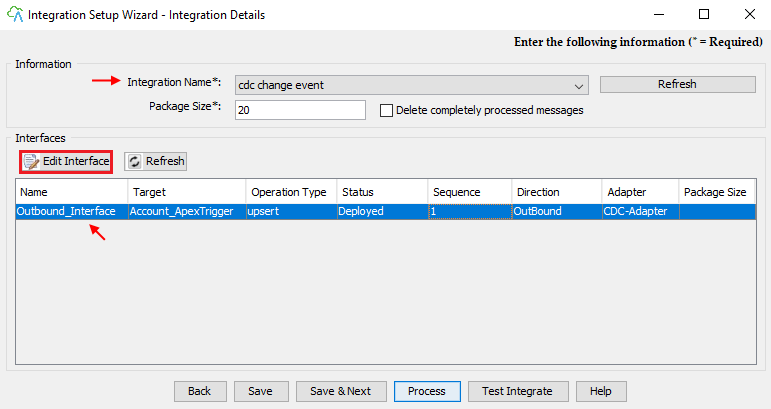
Now go to the Agent and Select your Integration which you just created
- Select your Interface
- Click on Edit Interface Button
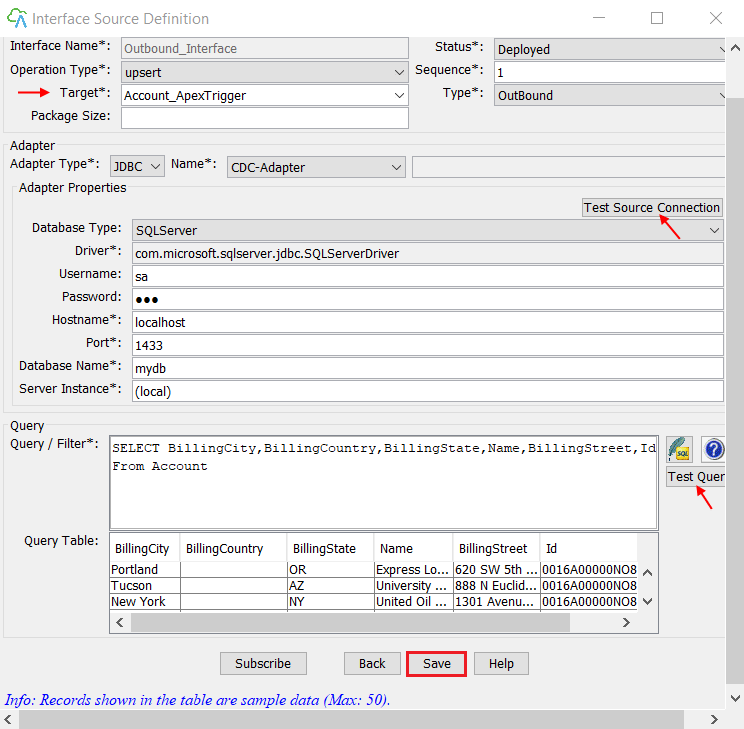
Now see Interface Source Definition
- Test Source connection with SQL Server Database
- Write Query in Query/Filter section
- Click on Test Query button
- Records are fetching from Salesforce Org in Query table successfully
- Save
- Select Your Interface
- Click on the Process button

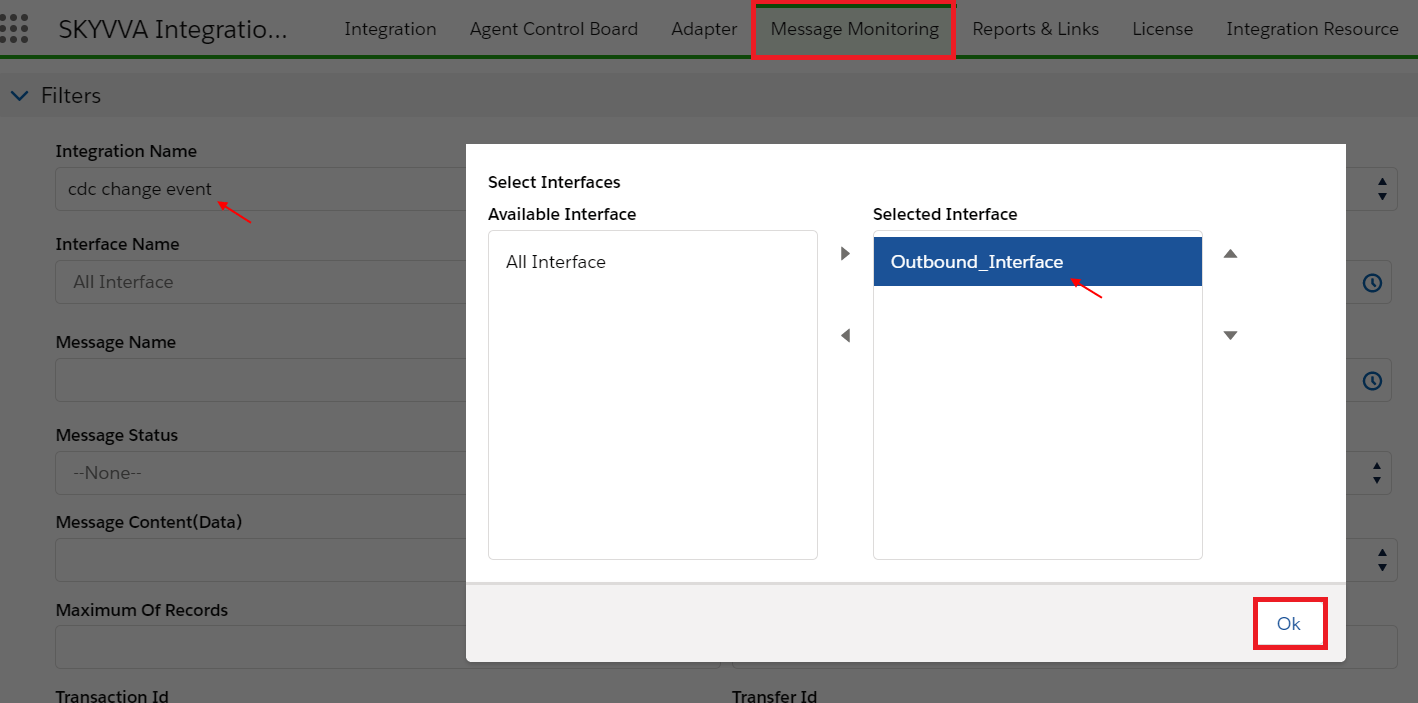
Go to Salesforce Org and click on Message Monitoring
- Select Integration Name
- Select Interface
- ok
- Scroll Down to Messages section
- Click on the search button

- Records upsert successfully
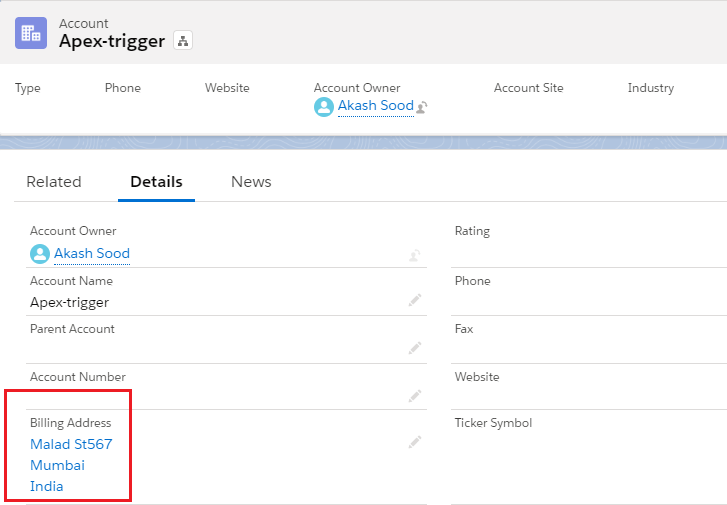
- Now click on Account Object
- Click on Record user just created

- Click on Related list Detail
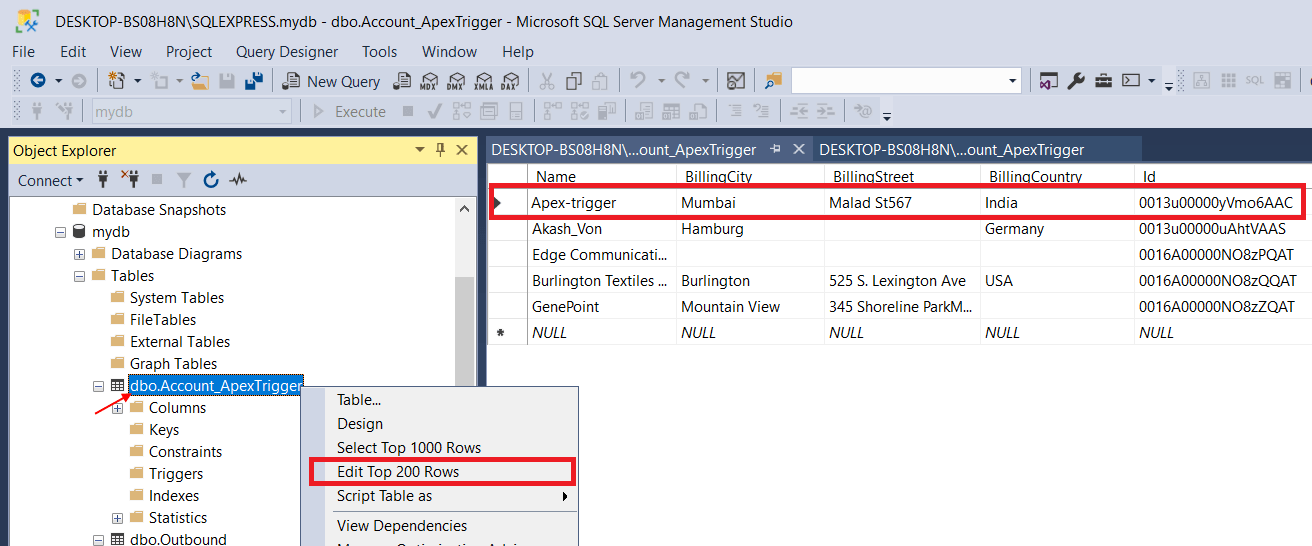
Open SQL Server Now
- Right, Click on Account.ApexTrigger
- Click on Edit Top 200 Rows
- Now records are open
- Now we have to update
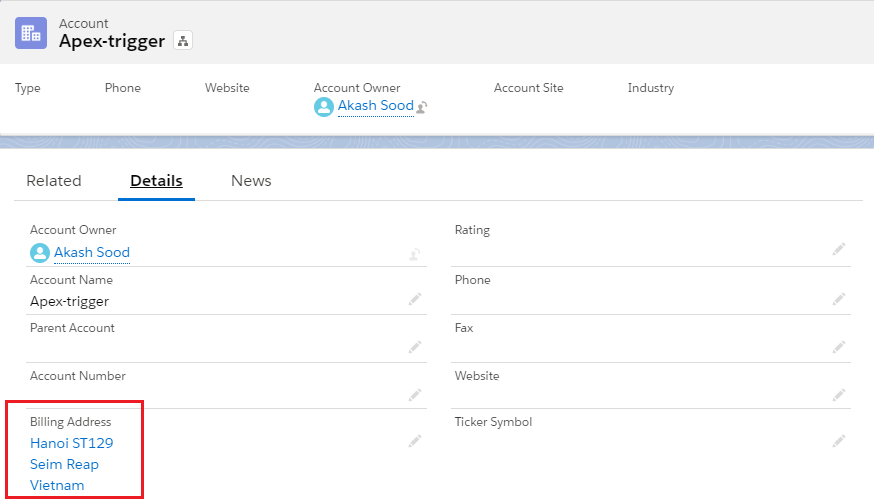
Now Change/Update on Salesforce Org.
- Billing Street
- Billing City
- Billing Country
Open SQL Server Now
- Right-click anywhere in Records Section
- Click on Execute SQL
- Congratulation See User Record field is Change/Updated Automatically
