1. How to use Automated Report?
This tutorial explains how to use Automated Report and how to export the messages report.
1. What is Automated Report?
An Automated Report is a function, which report daily the failed/rejected messages per interface through email. You can also export the report message.
2. How to use Automated Report
To use Automated Report is easy, just enter Integration admin page, and click on Reports & Links tab then Message Report. There is a filter to search for fail messages. You can filter on Integration Name, Interface Name, and Message Status. You can also search two or more statuses in the same time (Pending, Failed). You have to click on additional view option in order to show the messages fields. To search for Failed/Pending Message please:
- Filter an integration, add interface, and add message status then click Search
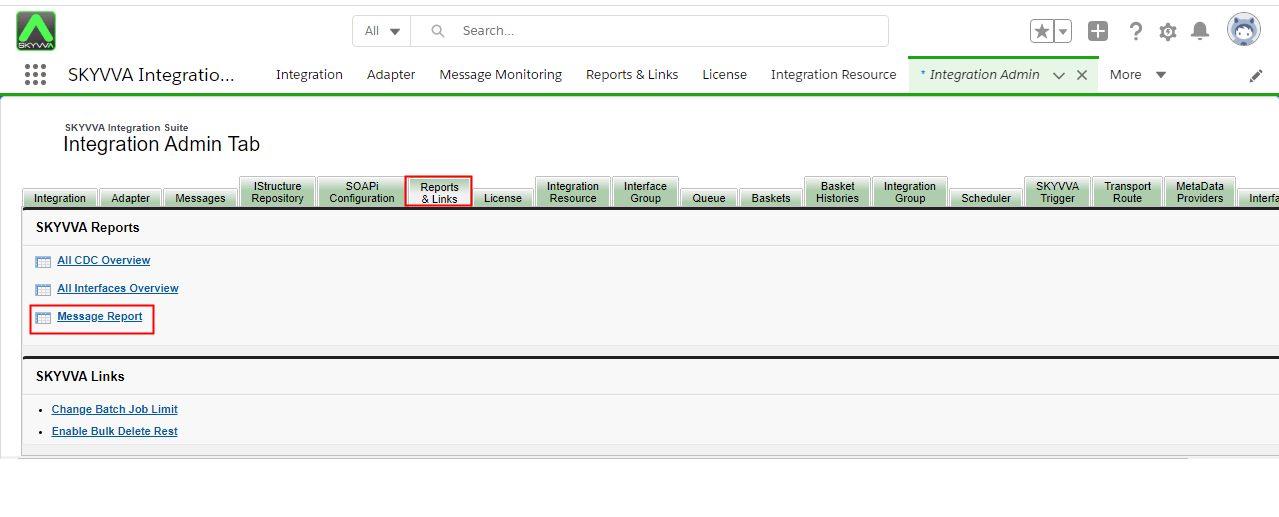
- Click on Message report
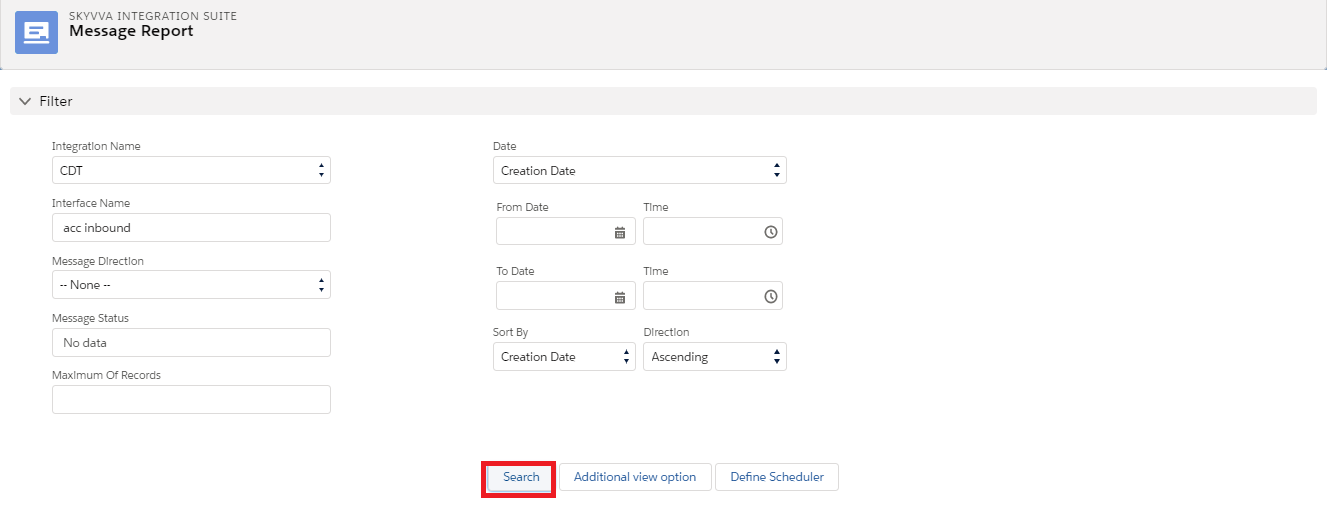
If you need to export message report, there are three options for you to choose:
- Send report with any result by email.
- Download Current Display Result.
- Download all Result.
2.1 Send report with any result by email.
- When you click on 'Send Report with All Result by email' button, you will get all of messages in your email automatically. This button is available at the bottom of the page.
- The Sending Report will pop up, and then you have to filter an email or the user and check your email.
- On the other hand, you can also set the time to get the message by email too. To set it,
- Click on Define scheduler in Scheduler section where we can edit Filter section. (As shown in the picture below).
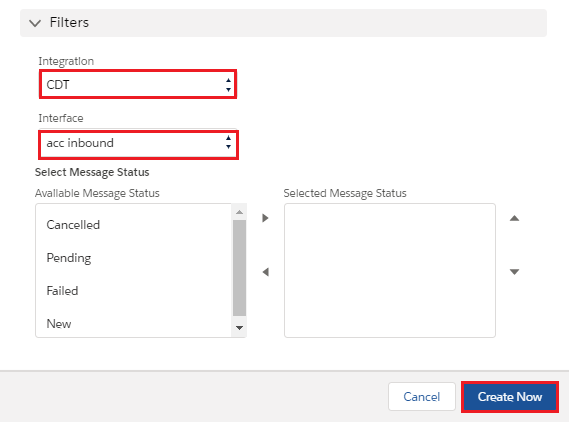
2.2 Download Current Display Result:-
- However, when you click on Download Current Display Result, you will get only 10 failed messages that show on the screen and it will download directly as csv file.
2.3 Download Current Display Result:-
- It means user can download all messages from all pagenation the file store on machine or user email if small file it store on machine if big file it will file to user email.